Framekit templates
Start from a designer-made template
 Use template
 Use template
 Use template
 Use template
 Use template
 Use template
 Use template
 Use template
You finish a wedding edit on a Wednesday night and pull five pieces out of it: an eight-frame carousel, a 42-second vertical cut set to the track the couple walked out to, a Pinterest pin pointing at the gallery, a YouTube Short, and a TikTok.
Five posts, five places, twenty minutes of work if a machine does the posting.
So you go looking for the best social media schedulers for creatives, open the biggest name in the category, and find Hootsuite's Standard plan sitting at $99 per user per month. That is $1,188 a year to automate a Thursday.
You close the tab and try the friendly one instead.
Buffer wants $5 per channel per month, which sounds fair until you count: Instagram, Facebook page, Pinterest, TikTok, YouTube is five channels, so $25 a month, $300 a year, for one person posting the same five assets.
Add a second Instagram for the film side of the business and you are at $360. Nothing about your output grew, only the number of doors you post through.
That is the mechanic almost nobody explains. Schedulers are priced for agencies managing many clients across few platforms. Creatives are the mirror image: one client, yourself, spread thin across many platforms.
The pricing model taxes exactly the thing that makes you a creative.
You are not paying for scheduling. You are paying for permission to exist in more than three places.
A social media scheduler is software that connects to your social accounts, holds finished posts in a queue, and publishes them at a chosen time - either by pushing the post through the platform's own API or by sending your phone a reminder so you can finish the job by hand.
That second half is the part the marketing pages blur, and it is where most tools quietly fail at least one format you care about.
Framekit's place in that loop is the destination rather than the posting.
We make the website the link in your bio points at, so the carousel, the pin and the Short all land on a portfolio, gallery or store page you own instead of a profile you rent.
It schedules nothing, so the tool that actually posts comes from the list below.
The best social media scheduler for creatives in 2026 is Metricool, because it prices by brand rather than by connected account - one $20-a-month brand holds your Instagram, Facebook page, Pinterest, TikTok and YouTube together - and it auto-publishes more Instagram formats than anything else here, including Reels with trending audio from its own library.
The honest trade-off: X costs extra on top of every plan and the free tier is thin at 20 posts a month.
Buffer is the better pick if you genuinely only run three channels, Later is the better visual planner for Instagram-first work, and Publer is the cheapest place to land once you cross five accounts.
Disclosure: Framekit makes an AI website builder, not a scheduler, so we are not in this ranking - we verified every price below against each vendor's own pricing page in August 2026, re-verified our own plan details in September 2026, and ranked the tools on their numbers rather than ours.
How We Compared These Social Media Schedulers
Scheduling is the easy part and every tool here does it. What separates them is arithmetic and API access, so we scored each on five things that show up on your card or in a failed post, and we held one test artifact constant across all ten.
Channel maths. How the tool counts what you connect, and what the fifth, sixth and tenth account costs. This is the criterion that decides your bill, so it carries the most weight.
Auto-publish coverage. Whether the tool pushes the post live or sends a notification you still have to tap, broken down by platform and by format. A tool that auto-publishes a single image but not a Reel with current audio is not automating your week.
Real cost at creative scale. Priced at three shapes: five channels for one person, ten channels for one person, and ten channels across a three-seat studio.
Analytics and retention. How far back you can look on the plan you would actually buy, not the plan on the demo.
Platform breadth and quality. Whether Pinterest and TikTok are first-class or bolted on, plus first comment, link in bio, and what happens to your queue when you downgrade.
Three kinds of finding, kept separate on purpose. Measured: we ran that same drop through Metricool, Buffer, Later and Planoly on trial accounts and watched which pieces needed a human thumb. Verified: every price, channel count, post cap, seat allowance and retention window here was checked against each vendor's published pricing page in August 2026, with the highest-weight ones linked inline. Community sentiment: recurring complaints from Capterra, GetApp and G2 reviewers, always labelled as such.
We did not pay full price for Hootsuite, Sprout Social or SocialBee, so those three rest on primary sources and reviewer reports rather than hands-on use, and we would rather say that than imply otherwise.
What Ten Schedulers Cost Once You Count Channels
Opinions are free and rankings are cheap, so here is the arithmetic that actually produced the order below, with every figure taken from the vendors' own published pricing pages in August 2026 rather than from a review aggregator.
- 6 of 10 price by connected account or channel (Buffer, Publer, Hootsuite, SocialBee, Sprout Social, Postiz); 4 price by a bundle that holds many accounts at once (Metricool brands, Plann brands, Later social sets, Planoly social sets).
- 0 of the 4 tools we tested hands-on auto-publish every Instagram format. Every one of them falls back to a push notification for at least one thing you post weekly.
- 5 of 10 have a permanently free path worth using: Buffer (3 channels, 10 queued posts each), Publer (3 accounts, 10 queued posts each), Metricool (1 brand, 20 posts a month), Plann (1 brand, 30 posts a month, Instagram only), and Postiz self-hosted.
- The spread on five channels for one person runs from $150 a year to $1,188 a year. Same five posts, same one human, a 7.9x difference.
- 1 of 10 is genuinely open source: Postiz, under the AGPL-3.0 licence, with roughly 32,600 GitHub stars as of mid-2026.
- Analytics retention on entry plans ranges from 30 days (Buffer Free, Metricool Free) to 3 months (Later Starter) to unlimited (every paid Metricool plan).
If you want the pick shaped to how you post, the decision tree near the end does that in four questions. First, the full field.
The 10 Best Social Media Schedulers for Creatives: Full Comparison
How the scoring works: each tool is rated on the five criteria above, weighted toward the things that actually cost creatives money - channel maths 25%, auto-publish coverage 25%, real cost at creative scale 20%, analytics and retention 15%, platform breadth and quality 15%.
Channel maths and auto-publish carry equal top weight for a reason specific to this audience: an agency adding a client adds revenue that pays for the seat, while a photographer adding Pinterest adds only a line on the invoice, and a tool that hands you a notification has moved the task rather than removed it.
That is why Metricool's 9.2 is not a clean sweep - near-full marks on cost and publishing, points lost for making X a paid add-on - while Sprout Social's 6.1 reflects excellent software aimed at somebody who is not you.
| Tool | Best for | How it counts channels | Entry price | Free plan | Our rating |
|---|---|---|---|---|---|
| Metricool | Creatives on many platforms | Per brand (all networks in one) | $20/mo annual, 5 brands | Yes, 1 brand, 20 posts/mo | 9.2/10 |
| Buffer | One person, three channels | Per channel | $5/channel/mo annual | Yes, 3 channels | 8.8/10 |
| Later | Instagram-first visual planning | Per social set (one of each platform) | $18.75/mo annual | Trial only | 8.5/10 |
| Publer | Five to ten accounts on a budget | Per account, tapering | $12/mo for 3 accounts | Yes, 3 accounts | 8.4/10 |
| Planoly | Link in bio plus selling | Per social set | About $14/mo | Mobile only, 10 uploads | 8.0/10 |
| Plann | Cheapest unlimited scheduling | Per brand | $12.50/mo annual | Yes, Instagram only | 7.8/10 |
| SocialBee | Recycling an evergreen archive | Per profile | $29/mo, 5 profiles | Trial only | 7.4/10 |
| Postiz | Self-hosting and owning the stack | Per channel, or unlimited self-hosted | $29/mo hosted, $0 self-hosted | Open source | 7.2/10 |
| Hootsuite | Agencies with a budget line | Per seat, 10 accounts included | $99/seat/mo annual | No | 6.4/10 |
| Sprout Social | Brand and enterprise teams | Per seat, 5 profiles | $79/seat/mo annual | No | 6.1/10 |
Prices verified against each vendor's pricing page in August 2026 and reflect the cheaper billing term where two exist. Confirm current numbers before you buy, because this category re-prices often.
What the fifth and tenth channel actually costs
The headline price is a starting gun, not a bill. This table isolates the number that decides your year: what you pay to add channels six through ten once the included allowance runs out.
| Tool | Included at entry | Cost of channels 6-10 | Notes |
|---|---|---|---|
| Metricool | 5 brands, unlimited networks each | $0 until you need a sixth brand | X requires a paid add-on on every plan |
| Plann | 1 brand, all platforms | Step up to Build at $25/mo for a second brand | No per-channel fee at all |
| Planoly | 1 social set (one per platform) | $10/mo per extra set on Growth, $8/mo on Pro | A second Instagram account needs a second set |
| Later | 1 social set of 8 profiles | Step up to Growth for a second set | Set is one of each platform, not eight of anything |
| Publer | 3 accounts | About $4 each on Professional, about $7 on Business | Every tenth account is free |
| Buffer | 1 channel minimum | $5 each on Essentials, $10 each on Team | Channels above 10 are discounted |
| SocialBee | 5 profiles on Bootstrap | $15/mo per block of 5 extra profiles | Extra user $10/mo, extra workspace $10/mo |
| Postiz hosted | 5 channels on Standard | Step up to Team at $39/mo for 10 | Self-hosted has no channel fee |
| Hootsuite | 10 accounts on Standard | Included up to 10, then a plan jump | Second seat is a second $99 |
| Sprout Social | 5 profiles per seat | Professional at $299/seat for unlimited | Seat pricing dominates everything else |
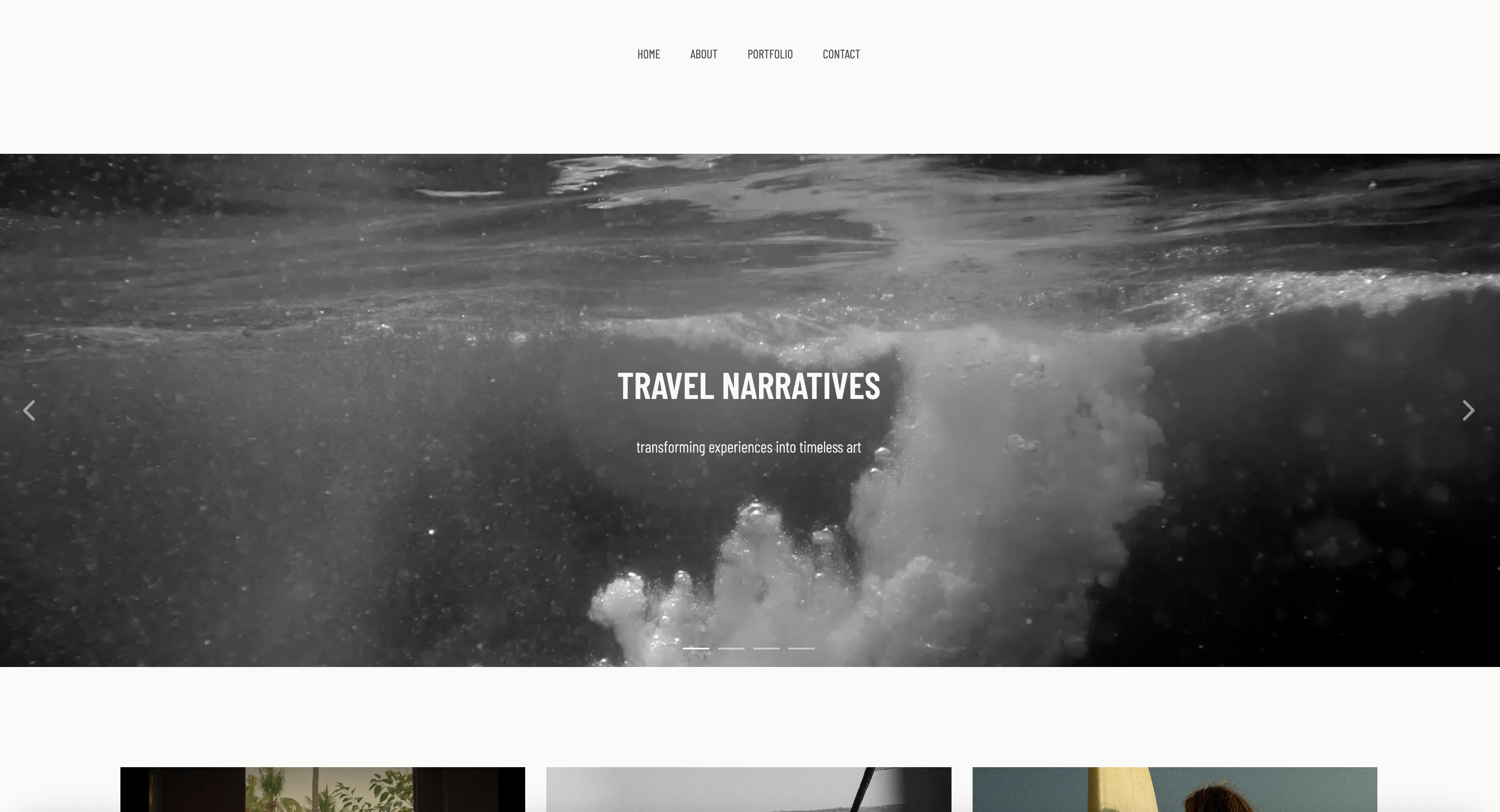
1. Metricool: Best Overall for Creatives
Metricool wins this list on one structural decision: it charges by brand, not by connected account.
A brand in Metricool is a container holding every network you own - Instagram, the Facebook page, Pinterest, TikTok, YouTube, Threads, Bluesky, Google Business - and Starter gives you five of those containers for $20 a month on annual billing.
A photographer with five channels uses one brand and has four spare.
Running the Thursday drop through it, what stood out was how little came back to the phone.
Metricool auto-publishes Reels, Trial Reels and feed videos, and since May 2026 you can attach trending audio from inside its dashboard instead of being forced into notification publishing to get a popular track.
That single change fixes the most common reason a creative's scheduler falls over, because short-form video without current audio is short-form video nobody sees.
The real numberMetricool's Starter plan is $20 a month billed annually or $25 monthly for five brands, and ten brands runs about 29 euros a month.
Against Buffer's per-channel model, a creative with ten connected accounts grouped into two brands pays $240 a year on Metricool versus $600 on Buffer Essentials. That gap is the whole argument.
The gotchaX is not included in any plan. It is a paid add-on at about 5 euros per connected Premium account on top of your subscription, and it requires a paid X account on your side too.
The free plan is thinner than it looks - 20 posts a month, 30 days of analytics, no LinkedIn and no X - so treat it as a demo.
Reels using audio outside Metricool's library, and Stories carrying links, mentions or interactive stickers, still fall back to a push notification.
What reviewers say elsewhereMetricool holds 4.4 out of 5 from 98 reviews on Capterra, where the loudest recurring complaints are annual auto-renewal with no refund path and manual push notifications reaching only the account owner rather than other team members - a real problem the moment a studio assistant is meant to post the Stories.
Skip it ifX is central to your practice, or you want a polished visual grid planner. Metricool's calendar is competent and data-first rather than beautiful, and if you plan your Instagram feed by dragging tiles around, Later and Planoly will feel better in your hands.
Verdict: Metricool is the best social media scheduler for creatives in 2026 because it refuses to charge you for breadth, and because its Instagram auto-publish coverage is now the widest here. Pay the X add-on if you need it and treat the free tier as a trial. If your posts are meant to send people to a real portfolio, pair it with the argument in our guide to a website versus Instagram for creatives. Visit Metricool
2. Buffer: Best for a Single Creator on Three Channels
Buffer has the most honest pricing page in this category and the worst possible model for somebody who posts everywhere.
A channel is exactly what you think it is - one Instagram profile, one Facebook page, one TikTok account - and Essentials costs $5 per channel per month on annual billing, $6 monthly. No bundle, no set, no brand. You pay for each door.
That clarity is a virtue at small scale.
Buffer's free plan carries three channels with ten queued posts each and no expiry, the most usable permanent free tier here for somebody who has settled on Instagram, TikTok and one more, and the queue-and-slots model still beats a calendar for people who post on a rhythm rather than to a plan.
The real numberBuffer's pricing puts five channels at $25 a month on Essentials, or $300 a year, and ten channels at $50 a month, or $600 a year.
The Team plan doubles that to $10 per channel but includes unlimited users, so a three-person studio on ten channels lands at $100 a month rather than paying per seat.
Channels above ten are discounted, which helps agencies and does nothing for you.
The gotchaBuffer's Instagram auto-publish has the widest carve-outs on this list. It publishes image posts and carousels directly, plus Reels without music, effects or links, and Stories without text, links or music.
Anything with music, stickers, product tags or collaboration goes to notification publishing, and personal Instagram accounts get notification mode for everything.
Carousels are capped at 10 images through Buffer against 20 in the native app, and Reels must be 3 seconds to 15 minutes, 300MB or smaller, between 4:5 and 9:16, and no wider than 1920px.
What reviewers say elsewhereBuffer scores 4.5 out of 5 across 1,492 verified reviews on GetApp, where praise for the interface sits alongside a recurring complaint about inconsistent post notifications leading to missed manual posts - the exact failure mode that matters when half your Instagram output needs a tap.
Skip it ifyou run more than four channels, or a meaningful share of your posting is Reels with trending audio and Stories with link stickers. The per-channel maths and the auto-publish carve-outs compound in the same direction.
Verdict: Buffer is the right answer for a creative who has deliberately narrowed to three channels and wants a queue that never surprises them. It becomes the wrong answer at exactly the moment your Pinterest and YouTube start earning, which for most photographers is year two. Visit Buffer
3. Later: Best Visual Planner for Instagram-First Work
Later is built for people who think in grids, and its social set model is quietly generous to creatives.
A social set is one profile of each supported platform - Instagram, Facebook, Threads, Pinterest, TikTok, LinkedIn, YouTube and Snapchat - so a photographer with exactly one account on each of five platforms fits inside a single Starter set.
Same insight as Metricool, tighter ceiling.
The visual planner remains the best in the category.
You drag the eight-frame carousel into a preview of your real feed and see how it sits beside what published last week, which sounds cosmetic until you remember that for a photographer the grid is the portfolio a client scrolls before they email.
The real numberLater's plans run $25 a month for Starter, $50 for Growth and $110 for Scale on monthly billing, dropping 25% to $18.75, $37.50 and $82.50 on annual.
Starter gives 1 set, 1 user and 30 posts per profile per month; Growth gives 2 sets, 2 users and 180 posts per profile; Scale gives 6 sets, 4 users and unlimited posts.
The gotchathe post cap is a hard wall, not an overage. Hit 30 posts on a profile mid-month on Starter and scheduling for that profile is blocked until the counter resets or you upgrade - there is no way to buy the extra ten posts.
Thirty posts a month is one a day, which sounds ample until a wedding season week where you post the ceremony carousel, two Reels and three Stories in a single afternoon.
Auto-published Reels also support original audio only, so trending audio pushes you back into notification publishing, and Stories auto-publish is limited to Instagram business profiles while creator profiles get notifications.
What reviewers say elsewhereLater carries 4.4 out of 5 from 399 reviews on Capterra, with 87% positive sentiment; the repeat criticisms are cost relative to the feature set, slow support, and image quality dropping on lower tiers.
Skip it ifyou post in bursts. The per-profile monthly cap punishes exactly the working pattern creatives have, where nothing happens for ten days and then a delivery generates fifteen posts.
Verdict: Later is worth its premium if the visual grid genuinely drives how you plan, and if your volume is steady rather than lumpy. Analytics retention is also the clearest tier ladder here at 3 months, 1 year and 2 years, so buy the tier that matches how far back you need to look. If your grid is doing portfolio work it should not be doing, read our take on moving from Instagram to your own website. Visit Later
4. Publer: Best Value Between Five and Ten Accounts
Publer is the tool that wins on a spreadsheet.
Professional starts at $12 a month for three social accounts and scales at roughly $4 per additional account, so five accounts is about $20 a month and ten is about $40, with annual billing giving two months free and every tenth account free.
Against Buffer's flat $5 per channel, Publer is meaningfully cheaper the moment you cross five.
It is also the least precious tool here: dense interface, fast bulk scheduling, and a free plan carrying three accounts with ten queued posts each plus 25 drafts, which makes it a real alternative to Buffer Free rather than a lure.
X is excluded from the free tier.
The real numberat ten accounts on annual billing Publer Professional works out near $400 a year, against Buffer Essentials at $600 and SocialBee Accelerate at $490.
A three-seat studio on Business adds $3 per team member on top of about $7 per account, landing near $76 a month for ten accounts and three people.
The gotchaanalytics is a Business feature, not a Professional one. On Professional you get a scheduler and very little else - no reports, no competitor analysis, no best-time-to-post, no API.
Creatives who buy Professional for the channel price and then find they cannot see what performed are the commonest complaint pattern, and the move to Business roughly doubles the bill.
Skip it ifyou need analytics on your cheapest plan, or you want a visual grid planner. Publer optimises for throughput and price, not for looking at your feed.
Verdict: Publer is the best-value scheduler in the five-to-ten account range and the right answer for a creative who has outgrown Buffer Free but refuses to pay agency money. Budget for Business from the start if performance data matters, because Professional is a posting robot and nothing more. Visit Publer
5. Planoly: Best Link in Bio and Selling Combo
Planoly sits closest to how creators actually monetise, because scheduling is only part of what it sells.
Every paid plan bundles a link-in-bio page, digital product selling and automated DM replies, so the tool that queues your Reel is also the tool holding the page that Reel points at.
For a creative selling presets or a guide, that consolidation beats a few dollars of channel pricing.
The social set model matches Later's - one connection per platform per set across Instagram, Facebook, X, Pinterest, LinkedIn, YouTube, Threads and TikTok - with Starter at one set and one user, Growth at two and two, Pro at six and six.
Uploads are unlimited on all paid plans, which removes the post-cap anxiety Later's tiers create.
The real numberPlanoly's pricing lists Starter around $14 a month, Growth around $24 and Pro around $47 depending on billing term, with extra social sets at $10 a month on Growth and $8 on Pro, and extra users at $5 and $3.
Pro at $47 covers six sets and six users, the cheapest three-seat number in this guide.
The gotchaStories auto-posting is restricted to Instagram Business accounts, and Creator accounts - what a large share of photographers and filmmakers actually run, because that is the type Instagram nudges creators toward - are not eligible.
X and Amazon are reminder-only on every plan. The free tier is mobile-app only at 10 uploads a month, so there is no real desktop trial without paying.
Skip it ifyou run a Creator account and Stories are core to your posting. That single restriction removes most of the automation you would be buying.
Verdict: Planoly is the pick when the link in bio and the digital product sales matter as much as the queue, and its three-seat Pro plan is the quiet bargain of this list. If you are weighing the link-in-bio side specifically, our best Linktree alternatives guide covers what those pages cost elsewhere. Visit Planoly
6. Plann: Cheapest Unlimited Scheduling for One Brand
Plann is the cheapest way to get genuinely unlimited scheduling across every major platform, and for a solo creative that is the entire pitch.
Power User is $12.50 a month billed annually or $15 monthly, covering one brand, one user and unlimited posts to Instagram, Threads, Facebook, LinkedIn, Pinterest, TikTok and YouTube Shorts.
There is no channel counter anywhere in that sentence. Its free tier is also the most usable Instagram-only option here: one brand, one user, 30 posts, stories or carousels a month, five video posts and 30 AI credits.
The real numberat five channels for one person, Plann Power User is $150 a year. That is the cheapest paid entry in this guide and 7.9 times less than the $1,188 Hootsuite charges the same person on Standard.
Build at $25 a month adds a second brand and user; Grow at $62.50 covers five brands and four users.
The gotchathe free plan's five-video ceiling is the trap. Video is what moves on Instagram in 2026 and five is roughly one a week, so the free tier is a photo scheduler that tolerates video.
Power User is cheap enough that this reads as a fair funnel rather than bait, but budget for it from month one.
Skip it ifyou need deep analytics or run more than a couple of distinct brands. Plann's reporting is basic next to Metricool's, and the per-brand ladder gets steep at four or five.
Verdict: Plann is the right call for a solo creative who wants unlimited posting on every platform for the price of two coffees, and who does not need the data to be good. It loses to Metricool the moment you want to know why a post worked. Visit Plann
7. SocialBee: Best for Recycling an Evergreen Archive
SocialBee is built around content categories and evergreen recycling, which is a genuinely different job from the rest of this list.
You sort posts into buckets - behind the scenes, client work, testimonials, booking reminders - and SocialBee cycles them on a schedule, republishing the good ones instead of asking you to write something new every Tuesday.
For a photographer with a decade of shoots and nothing new to say in February, that is the whole feature.
The real numberSocialBee's plans start at $29 a month or $290 a year for Bootstrap with 5 profiles and 1 user, then $49 a month for Accelerate with 10 profiles, and $99 for Pro with 25 profiles, 3 users and 5 workspaces.
Add-ons are priced plainly at $10 a month per extra user, $10 per extra workspace, and $15 for a block of five extra profiles.
The gotchaBootstrap and Accelerate both include only one user and one workspace, so the moment a second person touches the account you are looking at $99 a month for Pro or $10 a month in seat add-ons.
At $29 for five profiles, SocialBee also has the highest entry price among the creative-focused tools here, and that premium buys the recycling engine specifically. Use it as a plain queue and you are paying for nothing.
Skip it ifyour content is timely rather than evergreen. Wedding season posts do not recycle well.
Verdict: SocialBee earns its price only if evergreen recycling is a strategy you will actually run, in which case nothing else here does it as well. Everyone else should pay less elsewhere. Visit SocialBee
8. Postiz: Best Open Source and Self Hosted Option
Postiz is the answer for creatives who would rather own the tool than rent it.
The whole application ships under the AGPL-3.0 licence with roughly 32,600 GitHub stars as of mid-2026, deploys via Docker on any cloud you like, and the self-hosted build has feature parity with the hosted one.
Self-hosted there is no channel counter, no post cap and no seat fee, and it reaches more than 30 platforms including Instagram, TikTok, YouTube, Pinterest, Threads, Reddit, Bluesky and Mastodon - broader coverage than anything else here.
The real numberPostiz's hosted plans are $29 a month for 5 channels, $39 for 10 with unlimited team members, $49 for 30, and $99 for 100.
Self-hosting drops the licence cost to zero, so a small server at $10 to $20 a month replaces a $468-a-year hosted Team plan.
Mixpost is the other credible open-source route: Lite is free but limited to Facebook Pages, X and Mastodon, while Pro is a one-time $299 covering 11 platforms with a year of updates and a perpetual fallback licence after that.
The gotchaself-hosting means you own the API reconnections.
When Instagram or Facebook expires an access token - commonly every 60 to 90 days, or immediately after a password change - nobody emails you, no support agent investigates, and posts fail silently until you notice.
Hosted tools absorb that maintenance; here you absorb it, usually during a shoot week.
Skip it ifyou cannot comfortably read a Docker log. This trades money for operational responsibility, and creatives systematically underestimate the second half.
Verdict: Postiz is the best open-source scheduler here and a legitimate way for a technically confident creative to escape per-channel pricing permanently. Mixpost Pro at a one-time $299 is the better shape if you would rather buy once than maintain a fork. Visit Postiz
9. Hootsuite: The Agency Default Most Creatives Should Not Buy
Hootsuite is the name everyone knows and the plan almost no creative should sign. Its published plans start at $99 per user per month for Standard with 10 social accounts, $199 for Professional with unlimited accounts, and $399 for Advanced, with Standard offered on annual billing only and monthly billing on the higher tiers costing roughly 20% to 25% more.
The product itself is capable: the Smart Inbox is genuinely good if you field hundreds of comments a week, the approval workflows are mature, and the listening on Advanced attempts things nothing else here does.
The real numbera single creative with five channels pays $1,188 a year on Standard. The same person pays $150 on Plann, $168 on Planoly, $200 on Publer or $240 on Metricool for the identical five posts.
A three-person studio on Standard hits $297 a month, or $3,564 a year, because seats are the pricing unit and there is no unlimited-user tier at the bottom.
The gotchathe 10 accounts on Standard are shared across the org, but the $99 is per user, so it taxes you on the axis you cannot control.
Hootsuite is also the tool creatives most often report struggling to leave cleanly, with annual terms and renewal timing catching people who meant to cancel.
What reviewers say elsewhereHootsuite holds 4.3 out of 5 from 2,686 reviews on Capterra, scoring 4.2 for value for money - its lowest sub-score, and the one that matters most to a solo creative.
Skip it ifyou are a person rather than a department. That is not a joke; it is the actual dividing line.
Verdict: Hootsuite is a good product priced for a marketing team with a budget code, and it is the single most common way a creative overpays for scheduling by a factor of six. Buy it only if inbox management and approvals are jobs you genuinely have. Visit Hootsuite
10. Sprout Social: Built for Brand Teams, Not for You
Sprout Social is the most polished tool in this guide and the least appropriate one. Its pricing is $79 per seat per month on annual billing or $99 monthly for Essentials with 5 social profiles, $199 for Standard, $299 for Professional with unlimited profiles, and $399 for Advanced.
Every number is per seat, and what you get for it is real - reporting that survives a client presentation, an excellent unified inbox, listening, and contact history on everyone who messages you.
The real numberthe profile ceiling is where this turns absurd for creatives. Essentials caps at 5 social profiles, so a creator with 10 connected accounts must jump to Professional at $299 per seat, or $3,588 a year for one person.
A three-seat studio on Professional is $10,764 a year. The same studio runs on Planoly Pro for $564.
The gotchathe 5-profile cap on the two cheapest tiers is not an oversight, it is the upgrade mechanism, and it is calibrated to a brand running Instagram, Facebook, X, LinkedIn and TikTok - not to a creative who also has Pinterest, YouTube, Threads and a second Instagram.
Skip it ifyou are not billing clients for social media management. There is no version of the creative use case where this is the correct purchase.
Verdict: Sprout Social is excellent software solving a problem you do not have, at a price that would fund a year of paid ads instead. It ranks last here purely on fit, not on quality. Visit Sprout Social
Auto Publish Versus a Push Notification You Still Have to Tap
Every pricing page in this category says "auto-publish" and every one of them means something narrower than you think, because the platforms rather than the schedulers set the boundary.
Instagram's API will accept a plain feed post from a Business account and will not accept a Story with a link sticker from anyone. What separates these tools is how much of the remaining space each has engineered into.
In one linenone of the four tools we tested hands-on auto-publish every Instagram format, so the honest question is not whether a scheduler auto-publishes but which of the things you post weekly it hands back to your thumb.
Here is what we found running the same carousel, vertical video, pin and Short through the four tools we tested directly, checked against each vendor's own help documentation in August 2026.
| Format | Metricool | Buffer | Later | Planoly |
|---|---|---|---|---|
| Instagram single image | Auto | Auto | Auto | Auto |
| Instagram carousel | Auto | Auto, max 10 images | Auto | Auto |
| Instagram Reel, original audio | Auto | Auto | Auto | Auto |
| Instagram Reel, trending audio | Auto if track is in Metricool's library | Notification | Notification | Notification |
| Instagram Story, plain | Auto, Business accounts | Auto, no text or music | Auto, Business accounts | Auto, Business accounts only |
| Instagram Story, link or sticker | Notification | Notification | Notification | Notification |
| Instagram Creator account Stories | Notification | Notification | Notification | Not eligible |
| TikTok video | Auto | Auto | Auto | Auto |
| Pinterest pin | Auto | Auto | Auto | Auto |
| YouTube Short | Auto | Auto | Auto | Auto |
| X post | Paid add-on required | Auto | Not supported | Notification only |
Read that table by row, not by column. The trending-audio row decides a filmmaker's week, and Metricool is alone in solving it - and only for tracks inside its own library, so anything obscure still bounces you to a notification.
The Creator-account row decides a photographer's week, because Instagram actively pushes creatives toward Creator accounts and three of these four tools degrade on that account type.
A second-order failure hides behind the notification column.
Metricool reviewers report that manual push notifications reach the account owner only, not other team members, so a studio that schedules Stories centrally and expects an assistant to publish them has a gap nobody discovers until the assistant is on shift.
If notification publishing will be part of your workflow, test it with the person who will actually be tapping.
What Five Channels, Ten Channels, and a Three Seat Studio Actually Cost
Three shapes, priced on the cheaper billing term wherever a vendor offers two, all verified against the published pricing pages in August 2026. Shape one is a solo creative running Instagram, a Facebook page, Pinterest, TikTok and YouTube.
Shape two is that same person after adding a second Instagram, a second Facebook page, LinkedIn, Threads and Bluesky. Shape three is a three-person studio on those same ten channels.
In one linethe same five posts cost between $150 and $1,188 a year depending purely on how your tool counts channels, and the gap widens to roughly twenty-fold once a studio adds a third seat.
| Tool | 5 channels, 1 person | 10 channels, 1 person | 10 channels, 3 seats |
|---|---|---|---|
| Plann | $150/yr | $300/yr (Build, 2 brands) | $750/yr (Grow, 4 users) |
| Planoly | $168/yr | $288/yr (Growth, 2 sets) | $564/yr (Pro, 6 users) |
| Publer | $200/yr | $400/yr | $760/yr (Business + 2 members) |
| Metricool | $240/yr | $240/yr | $636/yr (Advanced, team roles) |
| Later | $225/yr | $450/yr (Growth) | $990/yr (Scale, 4 users) |
| Postiz self-hosted | Server cost only | Server cost only | Server cost only |
| Postiz hosted | $348/yr | $468/yr | $468/yr (unlimited members) |
| SocialBee | $290/yr | $490/yr | $990/yr (Pro, 3 users) |
| Buffer | $300/yr | $600/yr | $1,200/yr (Team, unlimited users) |
| Hootsuite | $1,188/yr | $1,188/yr | $3,564/yr |
| Sprout Social | $948/yr | $3,588/yr (Professional) | $10,764/yr |
Two patterns fall out of that grid. First, bundle-priced tools flatten as you add channels while per-account tools climb linearly - Metricool costs the same at ten channels as at five, Buffer doubles.
Second, seats are the harsher multiplier: Buffer's Team plan is the only per-channel tool including unlimited users, which makes it competitive again at three seats despite being the most expensive per-channel option at one.
Note what is missing from the table. Ad spend and the cost of the destination page sit outside it, and for most creatives that destination page decides whether any of this spending returns anything.
Our breakdown of what a photography website costs prices that side honestly.
The Limits Nobody Puts on the Pricing Page
Every tool here publishes the marketing version of itself and files the rest in a help article nobody reads until something breaks. These are the six mechanics that decide whether the scheduler you bought survives a busy season, and each one has bitten a working creative we know.
In one linepost caps are hard walls rather than overages, video limits differ per platform and per tool, API tokens expire roughly every 60 to 90 days, and downgrading can permanently delete the queue you already built.
Post caps are walls, not meters. Later's Starter allows 30 posts per profile per month and Growth allows 180.
Hit the number and scheduling on that profile stops until the counter resets or you upgrade - there is no overage charge to pay your way out.
Buffer's free plan works the same way at 10 queued posts per channel, and Metricool's free tier stops at 20 posts a month. Creatives hit these abruptly, because a delivery week produces ten posts in two days.
Video limits are per platform and per tool. Buffer accepts Instagram Reels between 3 seconds and 15 minutes, up to 300MB, in a 4:5 to 9:16 aspect ratio and no wider than 1920px, and caps carousels at 10 images against Instagram's native 20.
Those numbers are Buffer's, not Instagram's, and every tool draws its own line. If you deliver 4K vertical cuts straight out of the edit, check the file-size ceiling before planning a month around it.
Tokens expire and posts fail quietly. Instagram and Facebook access tokens commonly expire every 60 to 90 days, and immediately if you change your password or the account sits inactive.
The failure mode is a post that simply never appears, discovered days later. Every tool shows a reconnect warning; almost none of them phone you. Check connected accounts at the start of every month and after any password change.
Analytics retention is the real tier difference. Later gives 3 months on Starter, 1 year on Growth and 2 years on Scale. Buffer and Metricool both show 30 days free and unlimited on paid.
If you report on year-over-year seasonality - and wedding and portrait photographers should - a 3-month window makes your own history unreadable.
First comment and link in bio are paid features, unevenly. Buffer offers first comment on paid plans for Instagram Professional accounts on posts and Reels scheduled for automatic publishing, which is where creatives park hashtags and the gallery link.
Later and Planoly both bundle link-in-bio pages, with Planoly adding digital product selling on every paid tier. None of those pages are yours in any durable sense, which is the next section.
Downgrading can delete your queue. Buffer's documentation is unusually clear: posts already scheduled continue to publish when you drop to Free, but new scheduling is blocked until a channel's queue falls below 10, and removing a channel permanently deletes its queued posts, analytics and history with no undo.
Treat that as the category norm rather than a Buffer quirk, and export your scheduled content before any downgrade, because "we keep your data" and "we keep your queue" are different promises.
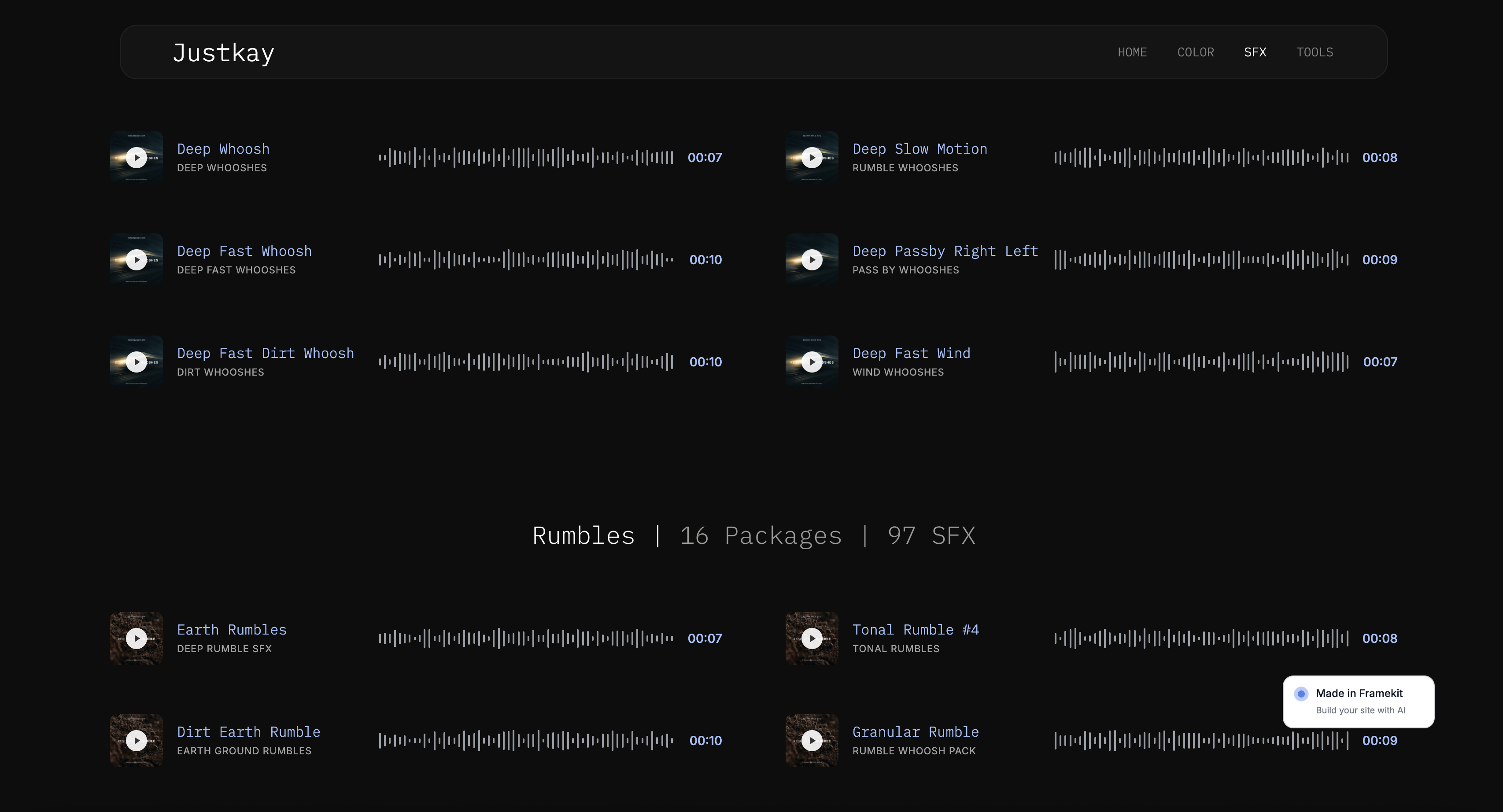
The Destination Problem: Where That Click Actually Lands
Scheduling is only worth paying for if the click lands somewhere that belongs to you.
A scheduler moves a post from your laptop to a platform; it does nothing about the fact that the post's job is to send someone toward hiring you, and every tool in this guide stops caring at the moment of publish.
That matters more for creatives than for most businesses, because the thing you are promoting lives somewhere else. A photographer's carousel is an advertisement for a portfolio.
A filmmaker's Reel is a trailer for a reel that should be on a real page.
When the destination is a link-in-bio page rented from a scheduler, you have built the whole funnel on rented ground - and the analytics, the SEO value, and the return visit accrue to somebody else's domain.
Framekit is an AI website builder for photographers, filmmakers, designers and illustrators, built to be that destination: a portfolio, a store for digital products, and client galleries on a custom domain you own.
It does not schedule posts and it never will, which is why it is not ranked above. The division of labour is clean - Metricool or Buffer or Publer queues the post, your own site catches the click.
The economics are worth stating plainly. A creative spending $240 a year on Metricool to drive traffic into an Instagram profile is spending $240 a year to grow an asset they cannot export, price, or sell.
The same $240 spent driving traffic into a site you own compounds into search rankings, an email list, and enquiries that arrive without an algorithm's permission.
We make the full argument in website versus Instagram for creatives, and the practical migration steps in how to move from Instagram to your own website.
Framekit's free plan builds a real site on your own content, and paid plans start at $9 a month. Schedule wherever you like. Just make sure the link goes home.
Run This Test on Your Own Numbers
Before you buy anything, spend ten minutes on this. Open your phone, list every account you would connect, and count them - most creatives are surprised to land on seven or eight rather than the four they had in mind.
Then count last month's posts by format: how many were plain feed images, how many were Reels with trending audio, how many were Stories with a link sticker.
Multiply your account count by $5 to get the Buffer-style per-channel price, compare it to Metricool's flat $20 a month for five brands, and take the cheaper.
Then take the trending-audio and link-sticker numbers and ask whether you are willing to tap your phone that many times a month, because on every tool except Metricool that is exactly what those two rows cost you.
If the tap count is high and the channel count is above five, you have your answer without reading another comparison page.
The Decision Guide
Most creatives choose a scheduler by reputation and then discover the pricing model six months later. Work through these questions in order instead, and stop at the first branch that describes you.
Start here. Do you connect more than four social accounts?
- No, three or four is my whole world. Use Buffer. The free plan covers three channels with 10 queued posts each, and Essentials at $5 per channel is honest pricing at that scale. Stop here.
- Yes, five or more. Go to the next question.
Do you post Reels with trending audio, or Stories with link stickers, more than a few times a month?
- Yes, that is most of what I post. Choose Metricool. It is the only tool here that auto-publishes Reels with trending audio, provided the track is in its library, and its brand-based pricing does not charge you for breadth. Stop here.
- No, my posting is mostly feed images, carousels and plain video. Go to the next question.
Is your account an Instagram Creator account rather than a Business account?
- Yes, Creator. Rule out Planoly for Stories, which is not eligible on Creator accounts, and expect notification publishing for Stories on Later and Buffer too. Metricool or Publer are the safer picks.
- No, Business. Go to the next question.
What is the cheapest thing that will hold everything?
- I want the lowest possible price and do not need analytics: Plann Power User at $12.50 a month, unlimited posts, every major platform.
- I want the link in bio and product selling in the same tool: Planoly, and its Pro plan at about $47 a month is also the cheapest three-seat option here.
- I want value between five and ten accounts and will pay for the analytics tier: Publer Business.
- I plan visually and my grid is my portfolio: Later, and buy the tier whose analytics window matches how far back you look.
- I would rather own the software than rent it and I can read a Docker log: Postiz self-hosted, or Mixpost Pro at a one-time $299.
- I have a team, a budget line, and hundreds of DMs a week: Hootsuite or Sprout Social, and only then.
Frequently Asked Questions
What is the best social media scheduler for creatives in 2026?
Metricool is the best social media scheduler for creatives in 2026 because it prices by brand rather than by connected account, so a single $20-a-month Starter brand holds your Instagram, Facebook page, Pinterest, TikTok and YouTube together instead of billing you five times.
It also auto-publishes more Instagram formats than any competitor here, including Reels with trending audio drawn from its own library since May 2026.
The trade-off is that X is a paid add-on on every plan and the free tier stops at 20 posts a month.
How do social media schedulers count channels, and why does it cost creatives so much?
Six of the ten tools here charge per connected social account, so a photographer with Instagram, a Facebook page, Pinterest, TikTok and YouTube pays five times over for one person's output - on Buffer that is $5 per channel per month, or $300 a year.
The other four use bundles: Metricool and Plann sell brands that hold every network you own, while Later and Planoly sell social sets containing one profile per platform.
Bundle pricing is almost always cheaper for creatives, because your breadth is across platforms rather than across clients.
Which schedulers really auto-publish Instagram Reels and Stories?
Metricool, Buffer, Later and Planoly all auto-publish Instagram Reels using original audio and plain Stories from a Business account.
Only Metricool auto-publishes a Reel with trending audio, and only when the track is in Metricool's own library.
Stories carrying links, mentions or interactive stickers require notification publishing on all four, and Planoly does not support Stories auto-posting at all on Instagram Creator accounts.
Buffer additionally sends anything with music, effects, product tags or collaboration features to notification mode.
What happens if I hit the monthly post limit halfway through the month?
Scheduling stops.
Later's Starter plan caps at 30 posts per profile per month and Growth at 180, and when you reach the number the platform blocks further scheduling on that profile until the monthly counter resets or you upgrade - there are no overage charges to buy your way past it.
Buffer's free plan enforces the same wall at 10 queued posts per channel, and Metricool's free tier at 20 posts a month. Creatives hit these caps abruptly rather than gradually, because a single delivery week can produce fifteen posts.
Metricool vs Buffer: which is cheaper for a photographer with five channels?
Metricool is cheaper and gives you far more headroom.
Metricool Starter is $20 a month billed annually and includes five brands, each of which can hold all five of your channels, so your five accounts occupy one brand and you have four spare.
Buffer Essentials charges $5 per channel per month, so the identical five accounts cost $25 a month or $300 a year, and adding a sixth channel adds another $60 a year.
Buffer only wins below four channels, where its permanently free three-channel plan beats everything.
What happens to my scheduled posts if I downgrade or stop paying?
It depends on the tool, and the risk is real.
Buffer states that posts already in the queue continue to publish when you drop to the Free plan, but you cannot schedule anything new on a channel until its queue falls below 10 posts, and removing a channel permanently deletes that channel's queued posts, analytics and post history with no way to undo it.
Most schedulers behave similarly: the account survives, the queue often does not. Export your scheduled content before any downgrade or cancellation.
Do social media schedulers support Pinterest and TikTok properly?
Yes, on the tools built for creatives.
Metricool, Buffer, Later, Planoly, Plann, Publer and Postiz all auto-publish Pinterest pins and TikTok videos directly with no notification step, which makes those two the most reliably automated platforms in this comparison - the friction is concentrated in Instagram.
Where the tools differ is analytics depth on Pinterest, thin on the cheapest tiers almost everywhere and unlimited on any paid Metricool plan.
Why do my scheduled Instagram posts keep failing?
The most common cause is an expired access token rather than anything wrong with the post.
Instagram and Facebook tokens commonly expire every 60 to 90 days, and immediately when you change your password or leave the account inactive, after which scheduled posts fail silently until you reconnect the account inside your scheduler.
Format violations are the second cause: Buffer, for example, rejects Instagram Reels outside 3 seconds to 15 minutes, over 300MB, or wider than 1920px. Check connected accounts at the start of every month and after every password change.
Do I still need a website if I use a social media scheduler?
Yes, and the scheduler makes the case stronger rather than weaker. A scheduler's entire job ends the moment a post publishes, so the value of everything it queues depends on where the click lands afterwards.
A link-in-bio page rented from Later or Planoly is a redirect on somebody else's domain, which means the search value, the return visit and the audience data accrue to them.
Sending traffic to a portfolio, store or gallery on a domain you own is what turns posting volume into enquiries, and it is the only part of this stack that keeps working when a platform changes its algorithm.
Hootsuite vs Sprout Social: should a solo creative buy either?
Neither, in almost every case.
Hootsuite Standard is $99 per user per month on annual billing for 10 social accounts, which is $1,188 a year for one creative, and Sprout Social Essentials is $79 per seat per month with a hard cap of 5 social profiles, pushing anyone with 10 accounts to Professional at $299 per seat, or $3,588 a year.
Both are strong products built around unified inboxes, approvals and listening - jobs a marketing department has and a solo photographer does not.
If you are choosing between them for a team, Sprout is rated higher on ease of use and Hootsuite is cheaper at the entry tier.
Final Verdict: The Best Social Media Scheduler for Creatives in 2026
After pricing ten tools at three different shapes, the pattern is not subtle: this category is priced for agencies managing many clients on few platforms, and creatives are the exact inverse, so the default recommendations cost between three and twenty times what the job is worth.
Metricool is the best social media scheduler for creatives in 2026.
It charges by brand instead of by account, so breadth is free rather than billable, it auto-publishes more Instagram formats than anything else here including Reels with trending audio from its library, and every paid plan carries unlimited analytics history rather than a three-month window.
Where Metricool loses: X is a paid add-on on every plan and requires a paid X account on your side, so if X is central to your practice Buffer or Publer is the better fit.
Its calendar is also data-first rather than visual, and if you plan your Instagram grid by dragging tiles into a preview, Later does not have a real competitor.
Its free tier is not a home, and its push notifications reaching only the account owner is a genuine problem for studios.
Buffer is the right call at three channels and the wrong one at eight. Publer is the value pick between five and ten accounts if you budget for the Business tier that unlocks analytics. Planoly is the cheapest three-seat option.
Plann is the cheapest unlimited scheduling anywhere. Postiz is the escape hatch if you would rather own software than rent it.
Whichever you pick, remember what the tool does not do. It publishes a post. It does not give that post anywhere worth going.
Keep reading: our comparison of a website versus Instagram for creatives, the practical steps in how to move from Instagram to your own website, the wider stack in best photography business tools, and the fixes in portfolio mistakes costing creatives clients.
Managers selling this as a service need somewhere to prove it worked, and the best website builders for social media managers covers what that site has to contain.