Framekit templates
Start from a designer-made template
 Use template
 Use template
 Use template
 Use template
 Use template
 Use template
 Use template
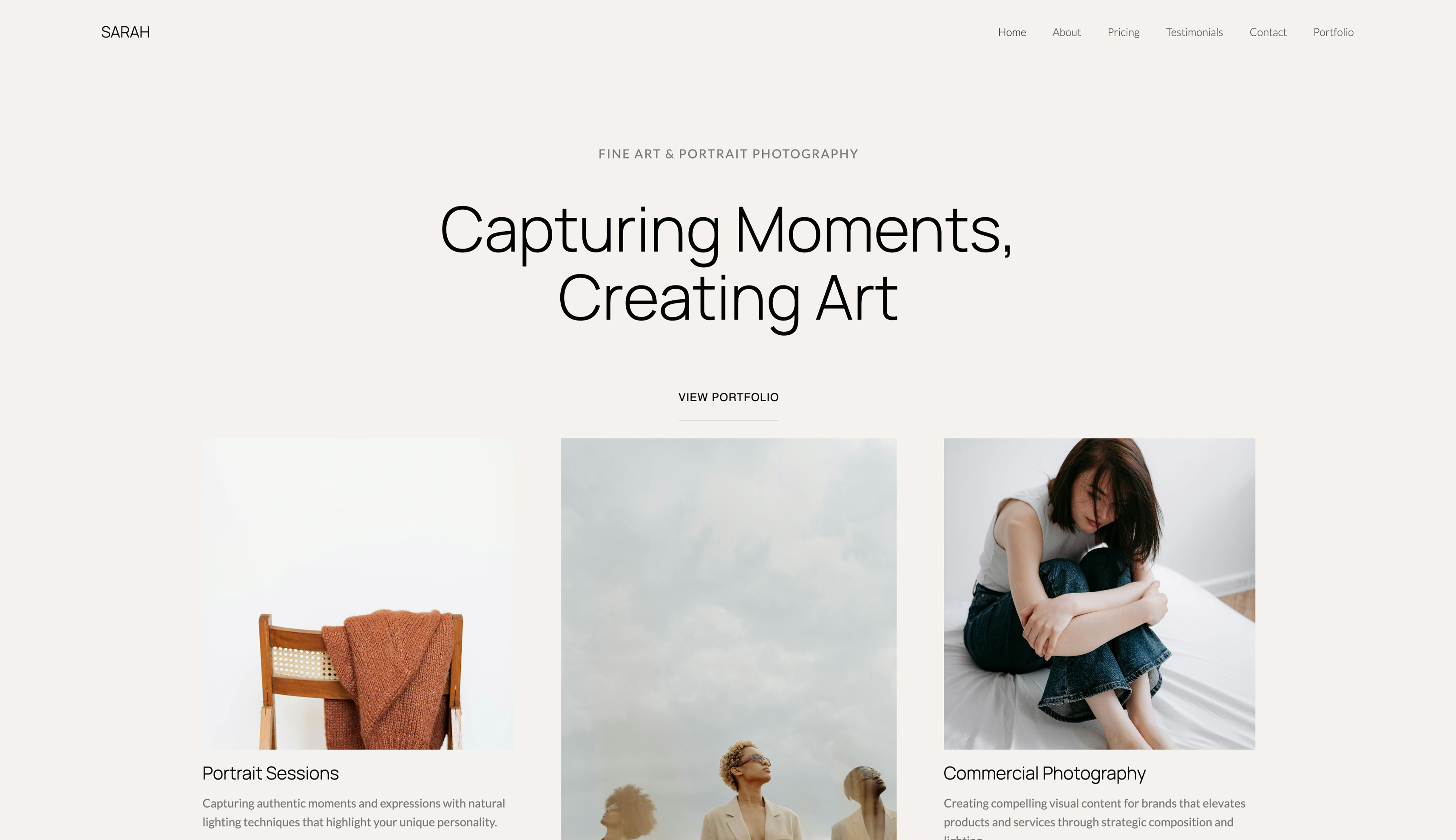 Use template
You priced a website builder, saw "$19/month", and thought that sounds fine. Then you did the multiplication. Nineteen dollars a month is $684 over three years and $1,140 over five, for a portfolio that barely changes after launch.
For a freelancer who watches every recurring expense, that is a real cost hiding behind a small-looking number.
The most affordable website builder for freelancers is not the one with the lowest monthly price. It is the one with the lowest total cost of ownership over the years you will actually keep the site.
We modeled five-year costs across the major platforms and ranked them on what freelancers care about: total spend, professional output, and not getting squeezed during slow months.
Framekit is the AI website builder built for creative professionals, and its free plan needs no credit card to start.
An affordable website builder is a tool that gets a freelancer a professional site online at low or no recurring cost. The honest measure of affordable is the total cost over several years, not the sign-up price. This guide was re-verified against live 2026 pricing in July 2026.
The most affordable website builder for freelancers in 2026 is Framekit, because a genuinely free plan gets you a designer-quality site at $0, and the $9/month Starter plan is among the lowest-priced website-builder tiers that add a custom domain and remove builder branding - undercutting Squarespace, Wix, and Webflow.
Carrd is cheaper for a single-page site. The one honest catch: Framekit's free plan keeps a framekit.ai subdomain and a small badge, so a client-facing domain means the $9 Starter plan. Start free at https://framekit.ai.
Full disclosure: Framekit, ranked #1 below, is our own product, and it is not the cheapest line in this table. Carrd is $19 a year for a single page and WordPress.com starts lower than we do. Every alternative is linked, and the ranking argues that the cheapest headline price is rarely the cheapest three-year cost rather than that we undercut everyone.
What Makes a Website Builder Affordable for Freelancers?
"Affordable" is easy to claim and hard to measure. A plan that looks cheap at sign-up can quietly become the most expensive option once you run the math over a freelance career and add the extras it does not include. Here is how to judge it honestly.
Why is monthly price the wrong number to compare?
Monthly pricing is designed to look small. Nineteen dollars feels like nothing next to a single client invoice. But freelancers rarely rebuild their site every year - most keep the same site for three to ten years.
Over that span, the subscription compounds while the product barely changes. The number that matters is total cost of ownership: monthly price multiplied by the years you will realistically keep the site, plus add-ons.
Which hidden costs do freelancers usually miss?
The headline plan price is rarely the full bill. Domain renewal runs $12 to $20 a year on every platform. Premium templates can add $50 to $200 one-time on Squarespace or WordPress. WordPress plugins alone can run $50 to $300 a year.
Storage upgrades, email hosting, and in some cases SSL certificates stack on top. A "cheap" $19 plan can quietly become a $30 to $40 monthly commitment once you add what a working freelancer actually needs.
How does variable income change the math?
Employed professionals pay subscriptions out of a steady paycheck. Freelance income is lumpy - strong months and dry months.
A fixed monthly fee feels very different in a slow quarter, and that is exactly when website costs become stressful.
The way to remove that pressure is to keep the recurring number as low as possible: a free plan while you are getting started, then a $9/month tier once you need a custom domain, rather than the $15 to $19 a month the mainstream builders charge.
According to Upwork's Freelance Forward research, tens of millions of Americans freelance, and financial flexibility is a top reason they do.
A lower monthly floor protects that flexibility.
How Much Do Website Builders Really Cost Over 5 Years?
Here is the five-year cost of the major platforms, using each provider's listed annual monthly rate. This is the table to study before you sign up for anything.
Framekit is shown at the $9/month Starter plan, its cheapest tier with a custom domain and no builder branding, the fair like-for-like comparison against the paid plans below.
| Platform | Monthly Price | Year 1 | Year 3 | Year 5 |
|---|---|---|---|---|
| Framekit Starter | $9/mo (pricing) | $108 | $324 | $540 |
| Webflow Basic | $15/mo (pricing) | $180 | $540 | $900 |
| WordPress + hosting | ~$15/mo | $180 | $540 | $900 |
| Wix Light | $17/mo (pricing) | $204 | $612 | $1,020 |
| Squarespace Basic | $19/mo (pricing) | $228 | $684 | $1,140 |
The pattern is clear. Framekit's Starter plan is the lowest-cost full builder in the table at every horizon, and it is the only one that also ships a genuinely free plan you can launch on for $0.
By year five the mainstream builders cost $900 to $1,140 and keep climbing, while Starter stays at $540, roughly $9 a month with a custom domain and no builder badge.
Over a ten-year freelance career the gap widens to well over a thousand dollars, and that is before the price increases subscription services apply routinely - Framekit's plan prices are flat.
The Most Affordable Website Builders for Freelancers in 2026
We evaluated each builder through the freelancer lens rather than the small-business lens, judging three things that matter when your income varies: total cost across several years, whether the output looks professional enough to win clients, and how well the pricing model survives a slow month with no work coming in.
1. Framekit: Best Overall Value for Freelancers

What it is: Framekit is an AI website builder for creative professionals, with AI trained by senior designers so it generates real layout, hierarchy, spacing, and type.
Why it is the most affordable choice for freelancers: you can launch on a genuinely free plan at $0, and when you need a client-facing site the $9/month Starter plan is among the lowest-priced website-builder tiers that add a custom domain and remove builder branding.
That is roughly half what Squarespace or Wix charge for the equivalent, and Framekit's prices are flat, so there is no annual creep during slow periods.
Framekit also removes the freelancer's biggest hidden cost: design help. Because the AI was trained by senior designers, your first draft starts with strong visual structure instead of a blank template you have to rescue.
Upload a Pinterest or Instagram screenshot and Framekit generates a matching design direction.
Add a testimonial block or pricing section and every component inherits your fonts, colors, and spacing automatically, so the site stays consistent as it grows.
Pricing: Free ($0, no credit card, with a framekit.ai subdomain and a small badge), Starter ($9/month, adds a custom domain and removes branding), Pro ($19/month), and Business ($39/month).
Paid plans are month to month with no contract, and annual billing saves 20%. Product sales carry a 5% platform fee on Free and Starter, 3% on Pro, and 0% on Business.
Performance: Framekit is built for fast-loading, performance-optimized sites, because performance is handled at the platform level with fast hosting, a Cloudflare CDN, and optimized output.
Faster pages rank better and convert more visitors into inquiries, a real, free advantage for a freelancer.
Honest limitation: Framekit's third-party app marketplace is smaller than Wix's. If your freelance business depends on a rare integration, confirm it is supported before migrating.
2. Carrd: Best for a Single-Page Site
What it is: Carrd is a minimalist builder for simple one-page sites, and at roughly $19 a year it is the cheapest credible option a freelancer can put a custom domain on.
It does one job, a clean single-page presence, and does it without the cost or complexity of a full website platform.
Carrd is the cheapest option on this list, with the Pro Standard plan at roughly $19 a year. For a freelancer whose website is essentially a digital business card, it works.
It is a strong fit if your clients come through referrals and you showcase work mainly on Behance or Dribbble.
The tradeoff is real: Carrd is single-page on lower tiers, customization is limited, and there is no blog. If clients need to browse extensive work samples, or you want to rank for search terms, you will outgrow it quickly.
3. Wix: Best Usable Free Tier
What it is: Wix is a broad, general-purpose builder with one of the largest app marketplaces in the industry.
For a freelancer its appeal is the genuinely usable free tier, which lets you build a working site before spending anything, though removing the Wix branding later means a paid plan.
Wix's free plan is genuinely free and lets you build a functional site, useful when you are just starting out and testing whether freelancing sticks.
The catch is that the free tier carries Wix branding, Wix ads, and a wixsite.com subdomain, which undercuts your credibility with clients. Removing those means upgrading to $17 a month or more, indefinitely.
Wix is best for freelancers who specifically need a marketplace app and accept the performance tradeoff.
4. WordPress.com: Best for Content-Heavy Freelancers

What it is: WordPress is the content management system behind a large share of the web, and WordPress.com is its hosted version.
For freelance writers building content portfolios or consultants publishing thought leadership, WordPress offers depth. But it comes with a steeper learning curve, premium theme costs, and plugin dependencies that add ongoing expense.
Five-year costs range widely (roughly $480 to $960 depending on plan), and the maintenance time is a hidden cost most freelancers underestimate.
5. Squarespace: Best Templates at a Premium

What it is: Squarespace is a template-first builder known for polished starting designs.
Squarespace genuinely delivers attractive templates, which is why visual freelancers consider it.
But at $19 to $29 a month (Basic to Core) it is among the more expensive options, and its cheapest plan still costs more than double Framekit's Starter tier, so a five-year run lands around $1,140 or more.
Its AI is lighter than AI-first builders, and template-based builders can feel slower on image-heavy mobile pages. Choose it only if a specific template is exactly the look you want and you accept the recurring cost.
Quick Comparison: Affordable Website Builders for Freelancers
| Builder | Best For | 5-Year Cost | Pricing Model | Free Plan |
|---|---|---|---|---|
| Framekit | Lowest long-term cost + pro design | $540 | Free plan, then from $9/mo | ✓ |
| Carrd | Single-page sites | ~$95 | Low annual subscription | ✓ |
| Wix | Marketplace apps | $0-1,020 | Monthly subscription | ✓ |
| WordPress.com | Content-heavy sites | $480-960 | Monthly subscription | ✓ |
| Squarespace | Template aesthetics | $1,140+ | Monthly subscription | - |
Which Affordable Website Builder Is Right for You?
Choose Framekit if...
Choose Framekit if design quality affects whether clients hire you and you want the lowest recurring cost for a professional site.
Start on the free plan at $0, move to the $9/month Starter plan when you need a custom domain, and the designer-trained AI removes the cost of hiring design help along the way.
Choose Carrd if...
Choose Carrd if you only need a single-page presence, most clients arrive through referrals, and your budget is under $50 a year. It is the cheapest credible option, though expect to migrate once you need real portfolio pages.
Choose a subscription builder if...
Choose Wix, Squarespace, or WordPress if you are freelancing short-term, you specifically need a platform-locked integration, or you genuinely prefer spreading payments monthly over a single lump sum. Just price the five-year total before you commit.
For a wider view of platforms, see our roundup of the best Wix alternatives for website building in 2026 and our guide to the best website builders for creative professionals.
Frequently Asked Questions
What is the most affordable website builder for freelancers?
The most affordable website builder for freelancers in 2026 is Framekit, once you compare total cost rather than monthly price.
It has a genuinely free plan at $0, and its $9/month Starter plan is among the lowest-priced website-builder tiers that add a custom domain and remove builder branding, so a five-year run is about $540 versus $1,020 to $1,140 on the mainstream builders.
Carrd is cheaper for a basic single-page site, but it cannot grow into a full portfolio.
Is Framekit really cheaper than Squarespace or Wix over five years?
For a like-for-like plan, yes.
Framekit's $9/month Starter tier totals about $540 over five years with a custom domain and no branding, while Wix Light at $17/month totals $1,020 and Squarespace Basic at $19/month totals $1,140, both before the price increases those services apply routinely.
Framekit's plan prices are flat, so the longer you freelance the wider the gap gets.
How much does Framekit cost?
Framekit has a free plan at $0 with no credit card required, a Starter plan at $9/month that adds a custom domain and removes branding, a Pro plan at $19/month, and a Business plan at $39/month.
Paid plans are month to month with no contract, and annual billing saves 20%. Fast hosting with SSL and a global Cloudflare CDN are included on every plan, including free.
Can I build a professional freelance website for free?
You can build a functional site for free on Wix or Framekit, but free tiers have tradeoffs. Free plans on most builders carry provider branding and a subdomain, which can weaken your credibility with clients.
Framekit's free plan lets you generate and test a full designer-quality site before deciding whether to connect a custom domain.
Why is monthly pricing more expensive for freelancers long term?
Monthly pricing looks cheap because the number is small, but freelancers keep the same website for years while the subscription keeps charging.
A $19 monthly plan is $1,140 over five years and more after price increases, which subscription services apply routinely.
Framekit keeps the floor low instead: a free plan while you start, then a flat $9/month for a custom-domain site, so the longer you freelance the more the lower monthly rate saves.
Will an affordable builder still look professional?
Yes, affordable does not have to mean cheap-looking. Framekit's AI was trained by senior designers, so even the free plan generates real layout, hierarchy, and typography rather than a generic template.
Because design quality shapes whether prospective clients trust you, an affordable builder with strong AI design is often the better business decision.
Do freelancers need a paid website plan at all?
Not to start. A free plan publishes a live site, and the reason freelancers upgrade is almost always the address rather than the features: a client-facing URL on your own domain, with no builder branding.
That upgrade costs $9 a month on Framekit Starter, $19 a year on Carrd for a single page, and about $17 a month on Wix. Price the tier you will need when a client asks for your web address, not the one that fits today.
What is the cheapest way to look professional as a freelancer?
Buy the domain first and the plan second.
A domain costs $10 to $15 a year from a registrar and is the single largest jump in how a freelance site is perceived, because an address with your own name in it reads as a business while a platform subdomain reads as a trial.
Pair it with the cheapest plan that removes builder branding, and spend the saved money on better photography of your work rather than on a higher tier.
Affordable Website Builders for Freelancers: Final Verdict
The most affordable website builder for freelancers is the one with the lowest total cost over the years you will actually keep your site, not the lowest monthly sticker price.
On that measure Framekit wins: a genuinely free plan to launch on, a $9/month Starter tier that is among the lowest-priced custom-domain website-builder plans and roughly half the mainstream builders over five years, designer-trained AI that removes the cost of hiring design help, and fast-loading sites.
The honest trade-off is that the free plan keeps a framekit.ai subdomain and a small badge, so a client-facing domain means the $9 plan.
Carrd remains the cheapest pick for a one-page site, and Wix has the most usable free tier if you are just starting out.
If you want to go deeper, compare the best AI website builders for creatives and read why beginners finish fastest with the easiest portfolio website builder to use.
When you are ready to put a professional site online for the lowest recurring cost, Framekit's free plan takes about 10 minutes to test - no credit card required: framekit.ai.
_Recently updated, July 2026: every plan price below was re-checked against the platform's own pricing page, and the freelance cost table refreshed for the current tiers._
We priced the deck half of a freelance toolkit the same way, for exactly one person, in our best presentation tools for freelancers comparison.