Your content lives everywhere. YouTube. TikTok. Instagram. Twitch. Spotify. Newsletter. Discord.
But when a brand asks "where can we learn more about you?" or a fan wants to support you beyond the algorithm, you send them to... a Linktree with six links and a profile photo?
That worked in 2020. It doesn't cut it anymore.
The creators building real businesses have moved beyond link-in-bio tools. They have websites that consolidate their presence, showcase their work, and convert casual followers into paying supporters. The difference isn't just professional appearance. It's revenue.
We talked to 50 creators with 10K-500K followers across platforms. The pattern was consistent: those with real websites reported 40-60% higher brand deal rates and significantly better merch conversion compared to those using only link-in-bio tools.
What this guide covers:
- Why link-in-bio tools limit your creator business
- What a creator website actually needs to do
- Which platforms work for content creators specifically
- How to build a creator hub without technical skills
The Link-in-Bio Ceiling
Link-in-bio tools solved a real problem: Instagram only allows one clickable link. Linktree, Beacons, and others created simple landing pages that organized multiple destinations.
But they also created limitations creators have outgrown:
The Branding Problem
Every Linktree looks like a Linktree. Your carefully crafted visual identity, the one you spent months developing across your content, gets reduced to a list of buttons on a generic page.
When brands evaluate creators for partnerships, they look at professionalism. A Linktree signals "I'm still figuring this out." A real website signals "I take this seriously."
The Conversion Problem
Link-in-bio tools are designed to redirect traffic, not capture it. Visitors click through to YouTube, merch stores, or Patreon. But there's no email capture, no content showcase, no reason to stay.
You're paying for traffic (through your content efforts) and then immediately sending it elsewhere. A creator website captures that attention and converts it.
The Discovery Problem
Link-in-bio pages don't rank in search. When someone Googles your name, they find your social profiles, not your home base. A real website with SEO optimization becomes discoverable beyond your existing audience.
The Revenue Problem
Linktree takes a cut if you use their commerce features. Beacons charges for advanced functionality. These platforms monetize creators who are already struggling with platform dependency.
A website you own doesn't take a cut of your revenue.
What Creator Websites Actually Need
After analyzing 100+ successful creator websites, patterns emerged about what works:
1. Consolidated Content Hub
Your best content is scattered across platforms. A creator website pulls it together:
- Featured YouTube videos that play without redirecting
- Podcast episodes with embedded players
- Instagram/TikTok highlights that showcase your style
- Blog posts or long-form content you control
The goal: when someone lands on your site, they immediately understand what you create and why they should care.
2. Clear Value Proposition
Within 3 seconds, visitors should understand:
- What type of content you create
- Who you create it for
- Why you're different from similar creators
This sounds obvious, but most creator websites bury this information. Lead with your unique angle, not a generic bio.
3. Conversion Points
Every page should have a next step:
- Newsletter signup for content updates
- Merch store for supporters ready to buy
- Community link for engaged fans
- Brand inquiry form for potential partners
The website isn't just a brochure. It's a conversion machine.
4. Social Proof Without Clutter
Show credibility without overwhelming:
- Subscriber/follower counts if impressive
- Brand partnerships if relevant
- Press mentions if available
- Testimonials from community members
Less is more. A few strong proof points beat a wall of logos.
5. Mobile-First Design
85% of creator website traffic comes from mobile (clicking links from social bios). If your site doesn't work perfectly on phones, you're losing most of your visitors.
This means:
- Fast loading on cellular connections
- Touch-friendly navigation
- Readable text without zooming
- Video players that work on mobile
Why Framekit Works for Creators
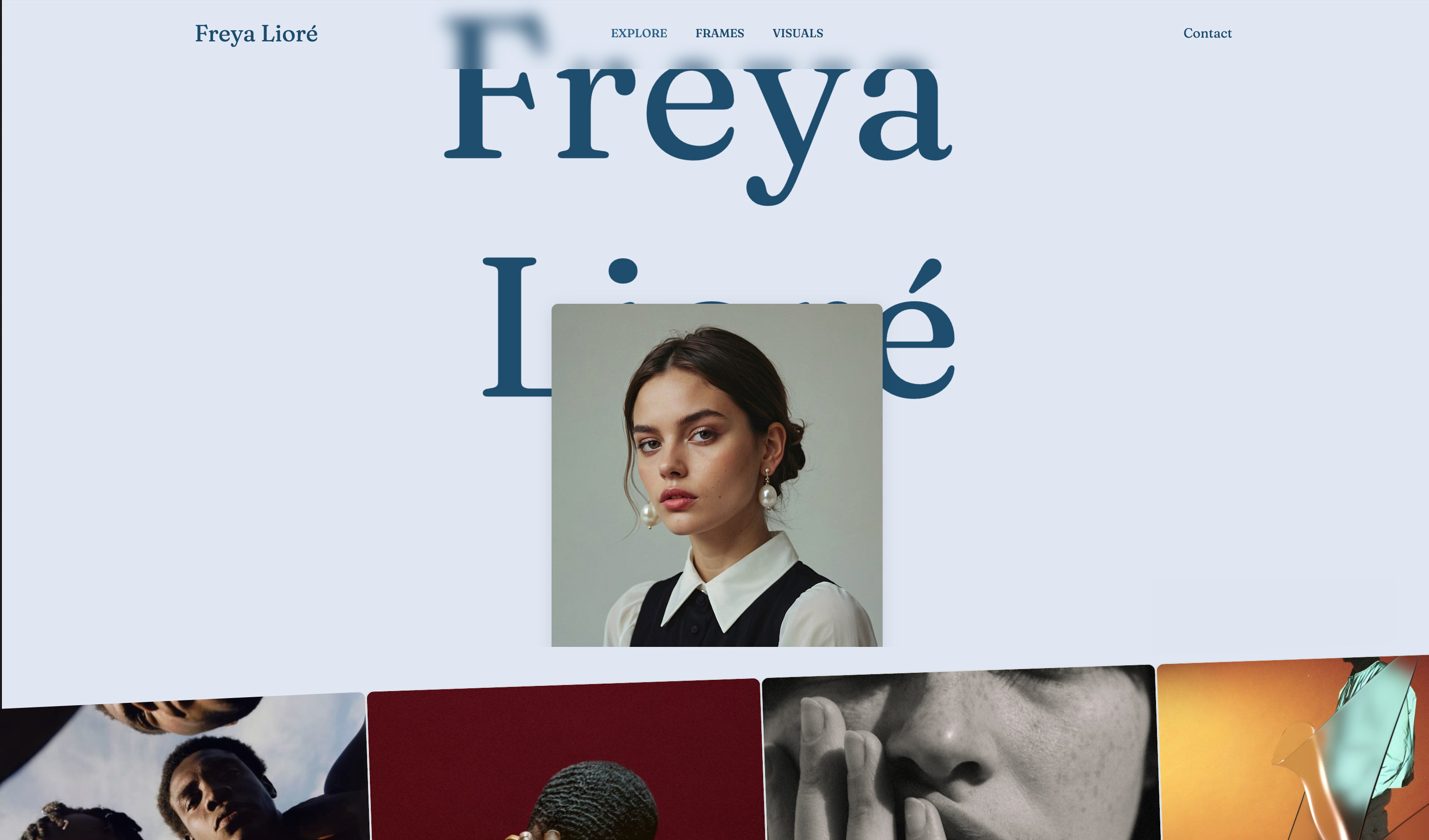
Framekit wasn't designed exclusively for creators, but the features that make it work for creative professionals translate perfectly to content creators:
AI Trained by Senior Designers
The Framekit AI was trained by designers with 10+ years of experience, so you get genuinely professional results without design skills. Your site looks like you hired an expensive agency, even if you've never opened Photoshop.
Build from Inspiration
Found a creator site you love? Upload a screenshot from Pinterest, another creator's portfolio, or any site you admire. Framekit's AI can reference that design to help you build something similar. Combine elements from multiple sources to create something unique to your brand.
Instant Pages and Components
Need to add a media kit page, testimonials section, or pricing table? Browse Framekit's library of template pages and components. Add them instantly and they adapt to your color scheme automatically. No design tweaking required.
Speed That Keeps Followers Engaged
Creator audiences have zero patience. They're used to instant-loading content on social platforms. When your website takes 5 seconds to load, they're already back on TikTok.
Framekit sites average 92+ PageSpeed on mobile. Compare that to Wix (48) or Squarespace (64). The difference is whether visitors stay long enough to see your content.
Design That Matches Your Brand
You've spent years developing a visual identity across your content. Your website should extend that identity, not contradict it with generic templates.
Framekit's adaptive design system maintains consistency as you add content. Your YouTube section and podcast section feel cohesive without manual styling for each.
Embeds That Actually Work
Creators need to embed content from everywhere:
- YouTube videos and playlists
- Spotify/Apple Podcasts players
- TikTok and Instagram posts
- Twitch streams and clips
- Twitter/X feeds
Framekit handles these embeds gracefully, loading them efficiently without destroying page performance.
The $349 Reality
Most creators have inconsistent income. Brand deals come and go. Platform monetization fluctuates. Monthly subscription costs during dry spells feel like paying rent on a space you're not using.
Framekit's lifetime option eliminates that anxiety. One payment, then your website costs nothing forever. For creators already paying for editing software, music licensing, equipment, and platform fees, removing one more subscription matters.
"I was paying $29/month for my Squarespace site and $5/month for my Linktree Pro. That's over $400/year for basically a digital business card. Framekit was $349 once. The math was obvious." — Alex, YouTube creator (180K subscribers)
Real Example: Gaming Creator Transition
Marcus runs a gaming channel with 95K subscribers. He'd been using Linktree Pro plus a basic Wix site he barely maintained.
The Problem:
"Brands kept asking for a media kit and 'somewhere to learn more about you.' I'd send my Linktree and a Google Doc. It felt unprofessional, and I knew I was losing deals because of it.
My Wix site was an afterthought. I set it up two years ago and never updated it because every change took forever. The design looked dated, and it loaded so slowly that I was embarrassed to share it."
The Solution:
Marcus rebuilt his creator hub on Framekit in one afternoon:
- Build time: 2 hours 45 minutes
- Mobile PageSpeed: 38 → 94
- Bounce rate: 67% → 31%
- Brand inquiry form submissions: 3/month → 11/month
What Changed:
"My new site has my best YouTube videos embedded, a proper about section that explains my niche, a media kit page that looks professional, and a merch section that actually converts.
The first brand that reached out after the redesign specifically mentioned that my website 'looked legit.' They offered $3,500 for a sponsorship. My previous deals averaged $1,200.
That one deal paid for the lifetime Framekit plan 10x over."
Six Months Later:
Marcus's site now includes:
- Automated YouTube playlist that updates with new uploads
- Newsletter with 4,200 subscribers (up from 800)
- Merch integration that accounts for 15% of his revenue
- Media kit page that converted 8 brand partnerships
"My website went from something I avoided sharing to something I lead with. When brands ask how to learn about me, I send my site first, socials second. That shift changed how they perceive my value."
Building Your Creator Website: The Essentials
Home Page: The 3-Second Test
Your homepage needs to communicate instantly:
Above the fold (what visitors see before scrolling):
- Your name/brand name
- What you create in one sentence
- Your best visual (not necessarily your face)
- One primary call-to-action
Below the fold:
- Featured content (3-5 pieces maximum)
- Social proof if available
- Secondary calls-to-action
Resist the urge to show everything. Curate aggressively.
About Page: Your Story, Their Interest
Your about page isn't a resume. It's an answer to "why should I care?"
Include:
- Your origin story (brief, compelling)
- What makes your content unique
- Who your content helps or entertains
- A personal detail or two that humanizes you
Avoid:
- Listing every accomplishment
- Generic "passionate creator" language
- Walls of text without breaks
Content Page: Showcase, Don't Archive
Don't embed your entire YouTube catalog. Select your best 10-15 pieces that represent your range and quality.
Organize by:
- Type (tutorials, vlogs, reviews, etc.)
- Topic if you cover multiple subjects
- Most popular vs. most representative
Let visitors find more on your actual channels. Your website showcases your best, not your entire history.
Contact/Brand Page: Make Inquiries Easy
Brands should be able to:
- Understand your audience demographics
- See your rates or request a media kit
- Contact you directly without DMs
Include:
- Audience size across platforms
- Audience demographics if known
- Past brand partnerships (if allowed to share)
- Clear contact form or email
Comparing Creator Website Options
| Platform | PageSpeed | Creator Features | 5-Year Cost | Best For |
|---|---|---|---|---|
| Framekit | 92+ | Excellent embeds, fast loading | $349 (lifetime) | Most creators |
| Squarespace | 64 | Good templates, rigid structure | $960+ | Aesthetic-focused |
| Wix | 48 | App integrations, slow loading | $1,020+ | Complex functionality |
| Carrd | 85 | Simple, limited features | $95 (5 years) | Minimal needs |
| Beacons | 70 | Creator-specific, takes revenue cut | $180+ (Pro) | Link-in-bio replacement |
| Stan Store | 65 | Commerce-focused, limited design | $348+ | Digital product sales |
Why Not Creator-Specific Tools?
Beacons, Stan Store, and similar platforms target creators specifically. Why not use them?
Revenue cuts: Most take 5-9% of transactions. On a $100 product, that's $5-9 per sale. Framekit takes nothing.
Platform dependency: These tools can change terms, raise prices, or shut down. Your website on Framekit is yours.
Design limitations: Creator-specific tools prioritize features over aesthetics. They look functional, not professional.
Performance: None match Framekit's PageSpeed scores. Slow sites lose mobile visitors.
The Creator Website Checklist
Before launching, verify:
Technical Requirements
- [ ] Mobile PageSpeed above 80
- [ ] All embeds load and play correctly
- [ ] Forms actually submit and notify you
- [ ] Custom domain connected and working
- [ ] SSL certificate active (https)
Content Requirements
- [ ] Clear value proposition above the fold
- [ ] Featured content showcases your best work
- [ ] About section tells your story compellingly
- [ ] Social proof is visible but not overwhelming
- [ ] Contact/brand inquiry method is obvious
Conversion Requirements
- [ ] Email signup exists with clear value exchange
- [ ] Merch/product links work and look professional
- [ ] Community links are easy to find
- [ ] Brand inquiry process is smooth
Brand Requirements
- [ ] Colors match your existing brand
- [ ] Fonts are consistent with your style
- [ ] Images are high quality and properly sized
- [ ] Overall feel matches your content personality
Common Questions from Creators
Do I really need a website if I'm already on all the platforms?
Platforms own your audience there. Algorithm changes, account issues, or platform shutdowns can eliminate your reach overnight. Your website is the one place you fully control.
More practically: brands expect it. Newsletter growth requires it. Search discovery depends on it. The creators building sustainable businesses have websites.
What if I'm not "big enough" yet?
There's no minimum follower count for a website. Early-stage creators benefit from:
- Establishing professionalism before they "need" it
- Building email lists from day one
- Creating content archives they control
- Appearing more established than follower counts suggest
The best time to build your website was a year ago. The second best time is now.
How much time does maintenance take?
With Framekit's automated embeds, minimal. Your YouTube playlist updates automatically. Your latest content appears without manual work. Most creators spend 1-2 hours monthly updating their sites, mainly adding new featured content or updating brand partnerships.
Should I include my subscriber counts?
If they're impressive for your niche, yes. If they're modest, focus on other proof points (engagement rates, community size, brand partnerships, press mentions). Don't lie or inflate, but curate what you showcase.
What about analytics?
Connect Google Analytics or your preferred analytics tool to track:
- Which content gets the most engagement
- Where visitors come from (which platform sends most traffic)
- Which pages convert to email signups or purchases
- Bounce rate by traffic source
The Investment Perspective
Think about what you're already spending to create content:
- Camera/equipment: $500-5,000+
- Editing software: $20-50/month
- Music licensing: $10-30/month
- Thumbnail tools: $10-30/month
- Storage/backup: $10-20/month
Your website is your storefront. It's where all that content investment converts into business outcomes. Spending less on your website than on your editing software doesn't make sense.
At $349 one-time, Framekit costs less than two months of typical creator tool subscriptions. And it pays for itself with a single better brand deal.
Your Next Step
Your content deserves a home that matches its quality. A place that loads instantly, looks professional, and converts visitors into fans, subscribers, and customers.
Stop sending people to a link list. Start sending them somewhere that represents what you've built.
Try Framekit free and build your creator website. Most creators have their site live in under 3 hours, with all their content consolidated and ready to share.
Your Linktree replacement is waiting.