Framekit templates
Start from a designer-made template
 Use template
 Use template
 Use template
 Use template
 Use template
 Use template
 Use template
 Use template
A collector opening your gallery is not choosing between forty near-identical frames.
They are deciding whether a single image is worth four figures on their wall, and everything about the page they are looking at contributes to that judgment: the spacing, the type, the ground the image sits on, and whether the whole thing feels like an exhibition or a proofing tool.
Most client gallery software was designed for the opposite job. It is optimised for volume, selection speed, and a family working through 600 photographs.
Fine art delivery is a viewing room problem dressed up as a delivery problem, and the platforms in this category rarely notice the difference.
A client gallery for fine art photographers is a presentation and delivery platform used to show work to collectors, galleries, curators, and interior designers, and to deliver purchased files or edition information, with an emphasis on presentation quality and edition clarity rather than on proofing throughput.
The best client gallery for fine art photographers in 2026 is Framekit, because the viewing room and the portfolio are the same site on your own domain, presentation controls run deep enough to make a gallery feel curated, and delivery costs nothing per collection.
The honest trade-off is significant: Framekit has no print lab, so if your income is selling framed and mounted prints, Pixieset, ShootProof, or SmugMug will make you more money, and you should read the print sections of this comparison closely.
Framekit is an AI website builder with client galleries included, so a private viewing room for a collector sits on the same domain as the work that brought them there.
Full disclosure: Framekit, ranked first below, is our own product. We built the same 24-image edition presentation on all eight platforms, verified pricing against each vendor's published pages in August 2026, and we name where each beats us plainly: ShootProof, Pixieset, and SmugMug all fulfill physical prints through labs and we do not, and PhotoShelter handles archives and licensing in ways we cannot.
How We Compared Galleries for Fine Art Work
Fine art work has a completely different centre of gravity from commissioned photography, so we scored these platforms on what a collector, a gallerist, or an interior designer actually experiences when a link arrives.
Presentation control (30%). How much you can shape the ground, spacing, typography, and rhythm of the page, since a fine art gallery is closer to a hang than a grid.
Edition and provenance clarity (20%). Whether edition numbers, sizes, and print details can travel with the images rather than living in an email.
Print and sales capability (20%). Whether the platform can sell and fulfill a physical print, and what it takes.
Ownership and audience (15%). Whether the collector who returns to look again lands on your site or a vendor's.
Cost at fine art volume (15%). What a year of small, high-value presentations costs.
Hands-on: building a 24-image edition presentation with pricing and edition details on each platform and viewing it on desktop and phone.
Verified from primary sources rather than tested: pricing and print fulfilment terms, checked against each vendor's published pages in August 2026.
Community sentiment, flagged as such: gallery and collector preferences reported by working artists rather than measured by us.
Our carried example is a fine art photographer showing 20 to 30 works in editions of 10, priced from $600 to $2,400, to collectors, two representing galleries, and a handful of interior designers.
What the Comparison Showed
Eight platforms, one 24-image edition presentation, and a category where presentation quality and print capability almost never appear in the same product. These are the figures behind the ranking.
- 6 of 8 fulfill physical prints through pro labs; 2 do not (Framekit, PicDrop).
- 1 of 8 lets you publish the viewing room as a page of a site you own (Framekit).
- 0 of 8 have genuine edition management with numbering and provenance records, which remains a spreadsheet job on every platform here.
- 20 works at 40MB per master is under 1GB, so storage is never the constraint in fine art delivery.
- 3 of 8 charge nothing on delivery on any plan (Framekit, ShootProof, PicDrop).
| Platform | Best for | Presentation control | Print fulfilment | Our rating |
|---|---|---|---|---|
| Framekit | Viewing rooms on your own site | Deepest | No | 9.2/10 |
| Pixieset | Polished delivery plus a store | Good | Yes | 8.6/10 |
| ShootProof | Selling prints at 0% commission | Moderate | Yes | 8.4/10 |
| SmugMug | Archive plus print sales | Moderate | Yes | 8.0/10 |
| Pic-Time | Designed galleries with automation | Very good | Yes | 7.9/10 |
| PhotoShelter | Licensing and archive depth | Moderate | Limited | 7.6/10 |
| Zenfolio | Site, galleries, and prints bundled | Moderate | Yes | 7.2/10 |
| PicDrop | Fast private previews | Minimal | No | 6.9/10 |
Framekit's 9.2 is not a clean card: it takes 10 on presentation and ownership and 4 on print capability, because there is no lab behind it and no way to sell a framed print. In a genre where prints are the product, that is a serious limitation and it belongs in your decision.
1. Framekit: Best Viewing Room on Your Own Site

Our rating: 9.2/10
Fine art work is judged on how it is presented, and Framekit gives more control over that than anything else here.
A private collector gallery is a page of your own website, so it inherits your typography, your ground, and your spacing rather than approximating them inside a vendor's template.
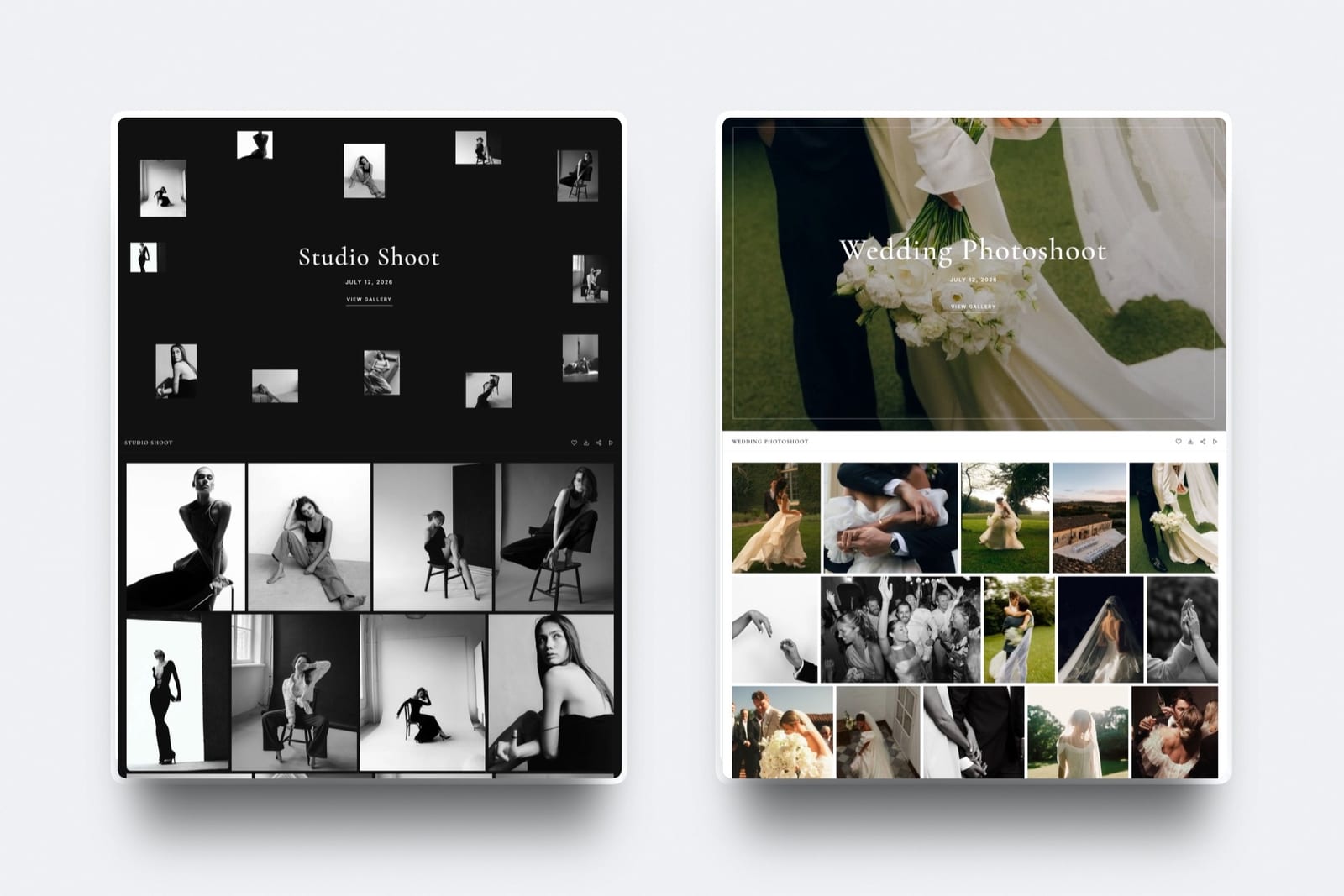
Building the test presentation took ten minutes: generate the site, create a gallery, upload 24 works, choose a rows layout with generous spacing and a serif typographic preset on a dark ground, set a password, and share it with a collector by email.
It read as an exhibition rather than a proof sheet, which is the entire point.
Best forFine art photographers whose income comes from a mix of print sales they handle themselves, licensing, and commissions, and who want the collector's experience to be entirely theirs.
Key features:
- 17 cover styles, 18 typography presets, three grid layouts, and adjustable spacing and thumbnail size, so a hang can be composed rather than accepted
- Light and dark gallery themes, which matters more in fine art than in any other genre
- Galleries published on your own domain from the $9 Starter plan, with the Framekit badge removed and your own uploaded fonts
- Watermarking, gallery passwords, a separate download PIN, favorites, auto-expiry, and branded email sharing on every plan including free
- A digital store on the same site for selling files, licences, and downloadable editions at 5% on Free and Starter, 3% on Pro, and 0% on Business at $39 a month
The real number20 to 30 works at 40MB each is under 1.5GB, so the free plan covers a full body of work and $9 a month puts it on your own domain.
Where the money question actually bites is prints: selling a $1,200 print through Framekit means invoicing the collector and using a lab you already trust, which keeps 100% of the margin and costs you the convenience of an in-gallery checkout.
The gotchathere is no edition management. Numbering, provenance, and certificates remain a spreadsheet and a PDF, which is true on every platform in this comparison but worth stating plainly rather than implying otherwise.
Skip it ifyour business model is selling framed prints through an automated store. Framekit has no lab and no physical fulfilment, and a print-led artist will earn more on Pixieset or ShootProof even with a subdomain.
Verdict: the best presentation and the best ownership position in the category, and a deliberate gap where the print store should be. If you already have a lab relationship and invoice collectors directly, that gap costs you nothing. If you do not, it costs you the business. Start free at framekit.ai.
2. Pixieset: Best Polished Delivery With a Store
Our rating: 8.6/10
Pixieset gives fine art photographers the most complete package among hosted platforms: a well-presented gallery, a real store connected to pro labs, and enough design control to avoid looking like a proofing tool.
Its free tier carries 3GB and a 15% store commission per Pixieset's published pricing, while $10 Basic lifts storage to 10GB, connects a domain, removes branding, and drops the commission to zero.
On a $1,200 print, that 15% is $180, so the paid plan pays for itself on a single sale.
The gotchathe store is built around consumer print sizes and packages rather than editioned fine art, so pricing structures need to be forced into a shape they were not designed for.
Verdict: the strongest all-round hosted option, and the one to choose if you want the collector to be able to buy without an invoice. Our Pixieset alternatives guide covers the moves. Visit Pixieset

3. ShootProof: Best Economics for Selling Prints
Our rating: 8.4/10
ShootProof charges 0% commission on every plan including free, per its published pricing, which for fine art prices is the most consequential number in this comparison. On a $2,400 sale, the difference between 0% and 15% is $360.
You set your own markup, the client orders in the gallery, and the lab prints and ships. For an artist selling regularly at higher price points, this is the cheapest automated route to a sale.
The gotchathe presentation is functional rather than considered, and the plan ladder prices by cumulative photo count rather than by the small, high-value libraries fine art photographers actually keep.
Verdict: the money pick, with the least sympathy for how fine art should look on a page. Visit ShootProof
4. SmugMug: Archive Plus a Print Business
Our rating: 8.0/10
SmugMug pairs unlimited photo storage from around $13 a month with genuine print fulfilment and custom domain support, which makes it a reasonable single home for an artist with a large body of work and a print business.
The cut it takes on print sales, which no plan removes, is a permanent cost at fine art price points where a single sale can be four figures.
Verdict: a solid archive and print engine with a permanent tax at exactly the prices where a tax hurts most. Our SmugMug alternatives guide covers commission-free routes. Visit SmugMug
5. Pic-Time: The Best-Designed Hosted Gallery
Our rating: 7.9/10
Pic-Time makes the most beautiful galleries of any hosted platform, and for showing work to a designer or a curator that is worth real money. Its store automation is built for consumer print campaigns and sits awkwardly against editioned work.
Its pricing page puts Beginner at $8, Professional at $25, and Advanced at $50, and notes free storage dropping from 10GB to 3GB after six months.
Verdict: the prettiest hosted viewing room, with a commercial engine pointed at a different business. Visit Pic-Time

6. PhotoShelter: Licensing and Archive Depth
Our rating: 7.6/10
PhotoShelter is the right tool for a fine art photographer whose images also license commercially, with metadata, search, and rights workflows that nothing else here matches. The presentation is a working archive rather than a hang.
Verdict: buy it for licensing revenue, not for showing a collector an edition. Our PhotoShelter alternatives comparison covers presentation-led options. Visit PhotoShelter
7. Zenfolio: One Subscription, Permanent Fee
Our rating: 7.2/10
Zenfolio bundles a template website, galleries, and print sales in one plan, which appeals to artists who want a single bill.
The 7% commerce fee on the order sub-total applies on every plan, which on a $2,400 print is $168 per sale with no upgrade path out of it.
Verdict: convenient, and expensive precisely where fine art prices make percentages painful. Visit Zenfolio
8. PicDrop: Fast Private Previews
Our rating: 6.9/10
PicDrop is a fast, neutral way to show a gallerist or a publisher a set of work privately, with no store and no presentation ambition. As a German company hosting in Germany with an in-account data processing agreement, it also answers European institutional questions cleanly.
Verdict: useful for a quick private preview, wrong for a collector's viewing room. Visit PicDrop
Editions, Provenance, and the Spreadsheet Nobody Escapes
In one lineno client gallery platform in this comparison manages editions, so numbering, provenance, and certificates remain a document you maintain yourself, and the practical question is only how cleanly that information reaches the collector inside the gallery.
Put the edition data in the image titles. "Northline, 2025, edition of 10, 40 by 50 inches, archival pigment" as a title carries everything a collector needs and survives being forwarded. This is the single most useful habit in fine art delivery.
Use a named set per edition size. If a work exists at two sizes, separate sets prevent the most common confusion in a sale.
State what is included in the price. Print, mounting, framing, edition certificate, and shipping should be listed in the gallery description, not discovered in an email exchange after a collector has decided.
Issue a certificate as a PDF at sale, not in the gallery. Certificates of authenticity belong with the invoice and the print, and putting them in a shared gallery undermines their function.
Keep the viewing room private and persistent. Collectors return, sometimes months later, and a link that expired is a sale that did not happen. Framekit galleries stay published until you unpublish them, with expiry as an option rather than a default.
Watermark nothing you are trying to sell. Fine art is the one genre where a watermark actively costs you money, because it prevents the image doing the only job it has. Use a password and a download PIN instead.
How to Choose: A Decision Tree
Two questions decide this, and the first one is about your revenue rather than your taste, because the print question removes half the field before presentation is even considered.
Is selling physical prints through an automated store your main income?
- Yes. Choose ShootProof for 0% commission on every plan, or Pixieset on Basic if you want a more polished store and can accept a subdomain. Stop here; the lab is what you are buying.
- No, I invoice collectors directly or my income is commissions and licensing. Continue.
What matters most about the viewing room?
- Presentation and ownership: Framekit, where the collector gallery is a page of your own site with deep typographic and layout control and no per-delivery cost.
- Licensing revenue from the same images: PhotoShelter.
- A large archive plus print sales in one place: SmugMug.
- A quick private preview for a gallerist: PicDrop.
Frequently Asked Questions
What is the best client gallery for fine art photographers?
The best client gallery for fine art photographers in 2026 is Framekit, because a private viewing room is a page of your own website with deep control over ground, spacing, and typography, and delivery costs nothing per collection.
If your income comes from selling framed prints through an automated store, ShootProof at 0% commission on every plan or Pixieset on its $10 Basic plan will earn you more, since Framekit has no print lab at all.
Can I sell fine art prints through a client gallery?
Yes on Pixieset, ShootProof, Pic-Time, SmugMug, and Zenfolio, all of which connect to pro labs and handle fulfilment, and no on Framekit and PicDrop, which have no print capability.
The commission is what separates them: ShootProof takes 0% on every plan, Pixieset 0% on paid plans and 15% on free, and Zenfolio 7% on every plan. At fine art prices those percentages are large, so a $2,400 sale at 15% costs $360.
How do client galleries handle limited editions?
They do not. None of the platforms in this comparison offers edition management with numbering, provenance, or certificate generation, so edition tracking stays in your own records.
The practical workaround is putting the edition information into image titles inside the gallery, so that "edition of 10, 40 by 50 inches, archival pigment" travels with the work when a collector forwards the link.
Should fine art photographers watermark client galleries?
No, in almost every case. Fine art is the one genre where a watermark directly prevents the image doing its job, which is persuading someone that the work belongs on their wall.
Use a gallery password and a separate download PIN to control access instead, which protects the files without degrading the viewing experience. Framekit includes both on every plan including free.
Do I need a website as well as a client gallery for fine art?
Yes, because collectors, galleries, and curators research an artist before they enquire, and a gallery platform is not a portfolio.
The choice is whether to pay for both separately, typically $10 to $17 for galleries plus $12 to $18 for a site, or to use a builder where galleries are included.
For fine art specifically the site matters more than in commissioned genres, since it is the public evidence of a practice.
How much storage does a fine art photographer need?
Very little: 20 to 30 works at 40MB per master is under 1.5GB, so every free tier in this comparison covers a full body of work.
Storage is essentially never the deciding factor in fine art delivery, which means you should choose on presentation quality, print capability, and where the gallery lives rather than on gigabytes.
Framekit vs Pixieset for fine art photography?
Choose Framekit if you invoice collectors directly and want the viewing room to be part of a site you own, with deeper presentation control and no per-delivery cost.
Choose Pixieset if you want the collector to be able to buy a framed print inside the gallery without an invoice, which Framekit cannot do at any price.
The decision is whether the automated store is worth giving up ownership of the address.
How should I present work to a gallery or curator?
Send a private, password-protected viewing room rather than a PDF or a file transfer, with works titled properly, sized consistently, and sequenced deliberately, and keep it live for months rather than days because institutional timelines are slow.
Use a dark ground and generous spacing if the work suits it. Frame the set as an edit rather than an archive: 15 strong works persuade where 60 do not.
Is a free gallery plan enough for fine art work?
Usually yes, at least for a first year. Fine art libraries are small and free tiers run 3GB to 10GB, so the constraint is presentation rather than capacity.
Framekit's free plan delivers unlimited galleries with no commission plus a published website, which for an artist building a practice is more useful than storage.
Upgrade when you want the collector gallery on your own domain rather than because you ran out of space.
Final Verdict: The Best Client Gallery for Fine Art Photographers in 2026
Eight platforms, one edition presentation, and a category built for throughput being used for the opposite job.
Framekit is the best client gallery for fine art photographers in 2026 when the viewing experience and ownership matter most: the presentation controls are the deepest here, the collector gallery is a page of your own site, and it costs nothing per collection.
Where Framekit loses: we have no print lab, no physical fulfilment, and no in-gallery checkout for a framed print, which in a genre where prints are the product is a serious gap rather than a minor one.
If your income is automated print sales, ShootProof at 0% commission or Pixieset on Basic will make you more money and this comparison should end there. Nobody here, including us, manages editions.
Pixieset is the best hosted all-rounder, ShootProof has the best print economics, Pic-Time is the best-looking, and PhotoShelter is the licensing pick. But if the collector's experience should belong entirely to you, build the viewing room on your own site.
Related reading: our full client gallery platform comparison, how to sell art online from your website, best print fulfilment for photographers, and best client galleries with a store.
Fine art photographers building the public site should read best website builders for artists, and for selling files and licences alongside prints, best ways to sell photos online.