Framekit templates
Start from a designer-made template
 Use template
 Use template
 Use template
 Use template
 Use template
 Use template
 Use template
 Use template
The drive died on a Tuesday, and it was not the one you were worried about. The working disk was fine.
The one that failed was the 8TB archive in the desk drawer holding every wedding from 2019 through 2023, and it had been sitting there unplugged since March.
You hear the click, do the arithmetic - 340 galleries, four seasons, one disk - then remember with real relief that you pay for cloud backup. You log in. The archive is gone.
It was removed 30 days after the last time that drive was connected, exactly as the terms you agreed to said it would be.
That is where most photographers actually learn what photo backup solutions cost, and it is never the number on the pricing page.
A photographer holding 10TB pays $99 a year with Backblaze Personal Backup or $1,318.80 for the same 10TB inside Adobe Creative Cloud - $495 against $6,594 over five years, for identical files. The difference is not quality.
It is which pricing model you happened to walk into.
Then there is the half nobody quotes. Pulling 10TB back out of Backblaze B2 costs nothing, because B2 gives free egress up to three times what you store.
Pulling the same 10TB out of Amazon S3 Glacier Deep Archive costs between $938.20 and $1,117.40 once retrieval fees meet internet transfer. Same data, same bad week, a four-figure gap.
Storage is the cheap half. Getting it back is where the pricing gets interesting.
A photo backup solution is a service or system that keeps a second and third copy of your images somewhere your working disk is not, with enough versioning, retention, and restore capability that a failed drive, a stolen bag, or a bad delete does not cost you a body of work.
The best photo backup solution in 2026 is Backblaze Personal Backup, because $99 a year covers unlimited data from one computer and every drive attached to it, which is the cheapest honest answer for a photographer holding 2TB to 20TB - with a trade-off that is specific and unforgiving: one machine per licence, no NAS support at all, and deletion of anything on an external drive left unplugged for 30 days.
Backblaze B2 at $83.40 per TB per year is the archive tier for what the personal plan will not hold, iDrive at $179.88 a year for 10TB wins if you run several machines or a NAS, and a Synology is the local copy that turns any of them into a real 3-2-1 set.
Your backup protects the files. Your website is what turns them back into paid work.
That second half is the part we make: Framekit holds the portfolio and the client galleries you deliver finished work through, on storage pooled with the site.
It is a delivery tool and not a backup product, so nothing in the ranking below is replaced by it.
How We Compared These Photo Backup Solutions
Backup is one of the few categories where the marketing number and the real number differ by an order of magnitude, so we built the comparison around the four places money leaks: cost per TB per year, cost to get the data back, what the service deletes and when, and how much of your archive it will even accept.
Cost per TB per year (25%). The annual cost of holding 2TB, 10TB, and 50TB at renewal pricing, not first-year promotional pricing.
Restore cost and restore path (20%). What a full recovery bills, whether physical media can be shipped, and what that costs.
Retention and versioning (20%). How long deleted and overwritten files survive, and what triggers permanent removal.
RAW, sidecar, and volume handling (15%). Whether CR3, ARW, NEF, and DNG count as photos, whether XMP sidecars do, and whether external and network volumes are covered.
How much of the answer it can be (20%). Some entries are complete products; others are raw storage needing a client, a script, or a NAS in front. We penalise assembly required, which is why the cheapest cost per TB here is not ranked first.
One test artifact stayed constant: a 2TB 2025 wedding season plus a 10TB career archive - 340 delivered galleries, Canon CR3 files averaging around 32MB with Lightroom XMP sidecars beside them, exported JPEGs, and a folder of 4K clips.
Every cost example below is that photographer.
Three kinds of finding, kept apart. Measured: we ran the desktop clients for Backblaze Personal Backup, iDrive, pCloud, Sync.com, and Dropbox on one machine and one connection, watched how each treated attached externals and sidecars, and timed real ingest. Verified: every price, fee, retention window, minimum duration, and egress rule was checked against the vendor's own pricing or help pages in August 2026 and linked inline where it matters.
We did not pay for a year of Wasabi, Glacier Deep Archive, or an LTO-9 drive - those are priced from primary sources and modelled, not lived. Community sentiment: recurring complaint patterns in public review corpora, labelled every time.
What Comparing 13 Backup Services Showed
Opinions are cheap, so here are the extractable facts the pricing research produced, each checked against a vendor page in August 2026. Most of them appear on no comparison page we could find.
- 1 of 13 charges a flat annual fee regardless of volume: Backblaze Personal Backup, $99 a year for unlimited data from one computer.
- 3 of 13 charge a per-TB rate that never falls with scale: Backblaze B2 at $83.40 per TB per year, Wasabi at $95.88, Glacier Deep Archive at $12.17.
- 2 of 13 enforce a minimum retention period you pay for whether you keep the data or not: Wasabi at 90 days, Glacier Deep Archive at 180.
- 1 of 13 publishes free egress as a multiple of stored data: Backblaze B2, free up to three times your average monthly storage.
- 1 of 13 bills four figures to hand back 10TB: Glacier Deep Archive, $938.20 on bulk retrieval and $1,117.40 on standard.
- 2 of 13 will courier your archive on physical media: Backblaze at $279 per drive, fully refunded on return, and iDrive at $99.50 per express restore.
- 1 of 13 has no 10TB tier at all: Google One, where the step above 5TB is a 20TB plan at $100 a month.
- 1 of 13 deletes cloud copies of external drives left unplugged 30 days: Backblaze Personal Backup, with warnings at 14, 21, and 28 days.
- Five-year spread for one 10TB archive: $495 at the cheapest, about $9,400 at the most expensive.
The 13 Best Photo Backup Solutions in 2026: Full Comparison
Every score below measures fitness as a working photographer's primary answer rather than raw value, which is why the ranking is not cheapest-first: Glacier Deep Archive is the cheapest per TB here by a factor of seven and still scores 6.5, because it is an API and a retrieval queue rather than something protecting your catalogue tonight.
Cost per TB carries 25%, restore cost 20%, retention safety 20%, completeness 20%, RAW and volume handling 15%.
| Solution | Best for | Cost at 10TB per year | Restore 10TB | Rating |
|---|---|---|---|---|
| Backblaze Personal Backup | One machine plus attached drives | $99 | $0 online | 9.4/10 |
| Backblaze B2 | Archives the personal plan will not hold | $834 | $0 | 9.1/10 |
| iDrive | Several machines and a NAS, one account | $179.88 | $0 online | 8.8/10 |
| pCloud | Paying once instead of forever | 1,190 EUR once | $0 | 8.4/10 |
| Sync.com | Zero-knowledge encryption | $540, three seats | $0 | 8.1/10 |
| Dropbox | Sync and delivery, not archive | 3TB individual cap | $0 | 7.8/10 |
| Google One / Drive | Phone photos and shared files | $1,200 on 20TB | $0 | 7.5/10 |
| Amazon Photos (Prime) | A free third copy of raws | $139 Prime fee | $0 | 7.3/10 |
| Adobe Creative Cloud storage | Lightroom users who never leave | $1,318.80 | $0 | 7.0/10 |
| Wasabi | Flat per-TB with no egress bill | $958.80 | $0 in policy | 6.8/10 |
| S3 Glacier Deep Archive | Cold storage you hope never to touch | $121.65 | $938 to $1,117 | 6.5/10 |
| Synology NAS + Hyper Backup | The local copy in a 3-2-1 set | About $344 | $0 | 6.2/10 |
| LTO tape | Archives above roughly 180TB | $9,199 year one | $0 | 5.6/10 |
Cost per TB per year at three archive sizes
The per-TB view is where the pricing models separate, because three are flat, three are per-unit, and several stop existing once your archive passes a certain size.
| Solution | 2TB per year | 10TB per year | 50TB per year |
|---|---|---|---|
| Backblaze Personal Backup | $99 ($49.50/TB) | $99 ($9.90/TB) | $99 ($1.98/TB) |
| Amazon Photos on Prime | $139 ($69.50/TB) | $139 ($13.90/TB) | $139 ($2.78/TB) |
| S3 Glacier Deep Archive | $24.33 ($12.17/TB) | $121.65 ($12.17/TB) | $608.26 ($12.17/TB) |
| iDrive at renewal | $119.88 on 5TB | $179.88 ($17.99/TB) | $599.88 ($12.00/TB) |
| Sync.com | $168 on Pro Solo 5TB | $540 on Teams 10TB | $900 on five seats |
| Google One | $99.99 ($50/TB) | $1,200 on 20TB tier | No tier fits |
| Backblaze B2 | $166.80 ($83.40/TB) | $834 ($83.40/TB) | $4,170 ($83.40/TB) |
| Wasabi | $191.76 ($95.88/TB) | $958.80 ($95.88/TB) | $4,794 ($95.88/TB) |
| Dropbox | $119.88 on Plus 2TB | Business plans only | Business plans only |
| pCloud | 399 EUR once | 1,190 EUR once | No plan fits |
| Adobe Creative Cloud | $359.76 ($179.88/TB) | $1,318.80 ($131.88/TB) | $6,114 ($122.28/TB) |
| Synology NAS with drives | Over-provisioned | About $344 amortised | About $630 amortised |
| LTO-9 | Not sensible | $9,199 year one | $9,299 year one |
Adobe assumes the $19.99 a month Photography plan including 1TB plus extra storage at $9.99 per TB per month. Synology amortises hardware over five years and adds roughly $52 a year of electricity.
Read down the 50TB column and the category's shape appears: flat unlimited plans and archival object storage win at scale, and everything built for sync collapses.
1. Backblaze Personal Backup: Best Overall
Our rating: 9.4/10
Backblaze Personal Backup is the answer most working photographers should reach for first, because of one number that does not move: $99 a year for unlimited data from one computer and every drive plugged into it.
Monthly is $9 and a two-year term works out to $7.88 a month. Whether your archive is 2TB or 40TB, the invoice is identical.
Installing it is uneventful, which is the highest compliment a backup client can earn.
It finds the internal disk and every attached external without making you build a selection tree, and it defaults to backing up everything rather than asking you to opt drives in.
For a photographer that default is exactly right, because the folder you forget to tick is always the one that matters.
The real numberat 10TB it costs $9.90 per TB per year. Wasabi charges $95.88 for the same terabyte, so over five years the personal plan totals $495 against Wasabi's $4,794 - and Backblaze includes the client software Wasabi expects you to supply.
Version history is the detail nobody writes down. Backblaze keeps 30 days by default and now includes one year free on every licence.
Forever Version History runs $0.006 per GB per month for versions older than a year, about $61 a month on 10TB of dead versions. Take the free year.
The gotchathe 30-day external drive rule.
Detach a drive, leave it detached 30 days, and Backblaze treats the data as intentionally deleted and removes it from its data centre. Warnings arrive at 14, 21, and 28 days, which is generous and easy to miss in a wedding-season inbox.
The fix is a calendar reminder: mount every archive drive once a fortnight and leave it running a few hours.
Backblaze also will not back up a NAS or any network volume, and each licence covers one computer, so a laptop plus a studio tower is $198 a year.
Skip it ifyour archive lives on a NAS, or you run four or five workstations. iDrive covers many machines and network volumes on one subscription for less than stacked licences.
What reviewers say elsewhereBackblaze holds 4.7 out of 5 from 144 reviews on Capterra, where the praise is transparent pricing and the recurring complaint is that a first multi-terabyte upload can run for weeks.
Verdict: Backblaze Personal Backup is the best photo backup solution in 2026 for the photographer working off one machine with drives attached, which is most photographers. The flat $99 removes the anxiety that makes people under-protect their work, and the price of that simplicity is the 30-day rule and the single-machine limit. Rethinking the other end of the pipeline too? Our guide to the best photo delivery tools covers it. Visit Backblaze
2. Backblaze B2: Best for the Archive the Personal Plan Will Not Hold
Our rating: 9.1/10
Backblaze B2 is the same company solving the opposite problem: S3-compatible object storage at $6.95 per TB per month that accepts anything you point a client at, including the NAS, server, or mounted archive volume the personal plan refuses to see.
The first 10GB is free.
Egress is what makes it the standout here. Backblaze gives free downloads up to three times your average monthly stored data and charges $0.01 per GB beyond that. Store 10TB and you can pull 30TB a month back at no cost.
There is no minimum retention on pay-as-you-go, so deleting a bucket stops the meter that day.
The real numbera full 10TB restore from B2 costs $0, because 10TB is a third of the free allowance. The identical restore from Glacier Deep Archive costs $938.20 on its cheapest tier. That single line is why B2 outranks every cheaper-per-TB option below.
The gotchaB2 is storage, not backup. It ships no scheduler of its own, so you pair it with Synology Hyper Backup, Arq, restic, or Chronosync, and your recovery is only as good as that configuration.
Object versioning is a bucket setting you must turn on and reason about, and a lifecycle rule that hides old versions will happily hide the one you needed. Budget an afternoon and a documented restore test.
Skip it ifyou want backup to be something you install and forget. B2 rewards people who enjoy owning a pipeline and quietly punishes people who do not.
Verdict: Backblaze B2 is the best offsite tier for a photographer whose archive already lives on a NAS, and the 3x egress allowance means a disaster does not arrive with a second invoice. Paired with Hyper Backup it is the cheapest fully-recoverable offsite copy in this comparison. Visit Backblaze B2
3. iDrive: Best for Many Machines and a NAS on One Account
Our rating: 8.8/10
iDrive is what you buy when Backblaze's one-computer rule stops working.
A single iDrive Personal subscription covers one user across unlimited PCs, Macs, Linux boxes, phones and tablets, plus mapped network drives and NAS volumes, all pooled into one quota.
For a studio tower, a travel laptop, and a Synology in the corner, that is the whole problem on one line item. Tiers run $119.88, $179.88, $299.88, $599.88, and $1,199.88 a year for 5TB, 10TB, 20TB, 50TB, and 100TB.
The gotchathe renewal cliff. iDrive discounts year one heavily and never repeats it. The 10TB plan is $125.88 for the first year and $179.88 every year after, a 43% jump; 5TB goes $83.88 to $119.88.
Nothing is hidden, but it is the most common surprise in iDrive's review corpus, and a budget built on the introductory price is 43% wrong by year three.
The real numberat renewal iDrive holds 10TB for $17.99 per TB per year and 50TB for $12.00 per TB, undercutting B2 fourfold and Wasabi fivefold while still shipping a real client with scheduling, continuous protection, and 30 previous versions per file that do not count against quota.
Know this before disaster: IDrive Express gives personal accounts one free express backup shipment a year, where iDrive couriers a temporary drive, you copy locally, and ship it back, turning a three-week seed into about one.
Extra express backups are $59.95. Express restores are $99.50 per request and are not free on personal plans - getting data in is subsidised, getting it out in a hurry is not.
Skip it ifyou have one computer and no NAS. You would pay $179.88 for what Backblaze does for $99.
What reviewers say elsewhereiDrive scores 4.6 out of 5 across 1,201 Capterra reviews, with consistent complaints about upload throughput below the available connection, a fiddly restore interface, and billing surprises at renewal.
Verdict: iDrive is the best value here for anyone whose files span more than one machine or sit on a NAS, provided you plan around renewal pricing. It is a genuinely complete backup product at a per-TB rate object storage cannot match. If you are rebuilding the whole studio stack, our roundup of the best photography business tools covers what sits alongside it. Visit iDrive
4. pCloud: Best for Paying Once Instead of Forever
Our rating: 8.4/10
pCloud is the outlier because it sells storage for a single payment rather than a subscription.
Its published plans list one-time pricing at 199 EUR for 500GB, 399 EUR for 2TB, and 1,190 EUR for Ultra 10TB, alongside conventional annual plans around $49.99 and $99.99 for 500GB and 2TB.
For a photographer who has paid a cloud tax every January since 2016, the arithmetic is seductive, and mostly sound: against B2 at $83.40 per TB per year, a pay-once 10TB plan repays itself in under eighteen months.
Against Backblaze Personal Backup at $99 flat it takes twelve years, so the comparison depends entirely on what you are replacing.
The gotcharetention. pCloud's default rewind window is 30 days for trash, revisions, and account rollback, which is short if you find a bad catalogue sync in month two.
Extending to 365 days needs the Extended File History add-on at around $79 a year, and it is not retroactive - it covers only changes made after you switch it on.
So the pay-once plan is genuinely pay-once for storage while the safety net under it is recurring, and that is where the maths quietly leaks. pCloud is also a sync-and-store product with a backup feature rather than a backup product, with no continuous whole-machine protection and no physical restore path at all.
Skip it ifyou need more than 10TB, where pCloud's tiers stop, or you want a courier restore when the studio machine dies mid-season.
What reviewers say elsewherepCloud Business holds 4.5 out of 5 from 180 Capterra reviews, praised for handling multi-gigabyte files without complaint and criticised for a desktop client that fails quietly on upload errors instead of surfacing them.
Verdict: pCloud suits a photographer with a stable archive under 10TB who wants the recurring line item gone and will pay separately for longer history. It is the wrong call if you want machine-level protection with a real recovery path. Visit pCloud
5. Sync.com: Best for Encryption You Actually Hold
Our rating: 8.1/10
Sync.com is the privacy-first entry, a Canadian service built on zero-knowledge encryption where the provider cannot read your files because it never holds the keys.
For anyone shooting under NDA - unreleased product, private commissions, embargoed editorial - that is a contractual requirement rather than a talking point.
The individual plans run 150GB at $3.50 a month billed annually with 60 days of history, 1TB at $6 with 90 days, and Pro Solo 5TB at $14 with 180 days.
Team plans reach 10TB per user at $15 a month annually with 365 days of history, subject to a three-user minimum, and there is a free 5GB tier for testing the client.
The real numberthe seat minimum is the trap. A solo photographer needing 10TB buys three Teams seats at $15 a month, which is $540 a year for 30TB of pooled quota nobody will fill.
That is $18 per TB provisioned and $54 per TB actually used, which is why Sync.com looks cheap on a per-user table and expensive on a per-photographer one.
The gotchazero-knowledge is a one-way promise. Lose the password without a recovery key and Sync.com genuinely cannot restore the account, because it cannot decrypt it. That is the feature working correctly, and it has ended people's archives. Print the key.
Skip it ifcost per usable terabyte is your priority. Sync.com is the most expensive mainstream option here once the minimum applies.
What reviewers say elsewhereSync.com sits at 4.3 out of 5 across 57 Capterra reviews - a polarised distribution, 82% positive on security and price against a hard 16% negative cluster reporting sync reliability problems and slow support.
Verdict: Sync.com is the better fit when confidentiality is a client requirement rather than a preference, and its 365-day Teams history is the longest standard retention window in this comparison. Pay the privacy premium knowingly. Visit Sync.com
6. Dropbox: Best for Sync, Not for Archive
Our rating: 7.8/10
Dropbox is here because it is already installed on half the machines reading this, and it deserves a precise description. It syncs beautifully and it is the smoothest way to hand a folder to a retoucher.
It is not archive storage, and pricing it as such is how photographers end up paying $59.94 per TB per year for cold files.
Plus gives 2TB for $11.99 a month or $119.88 annually with 30 days of file recovery; Essentials moves to 3TB at $19.99 a month with 180 days.
Above 3TB an individual has nowhere to go, since 10TB requires a Business plan with a three-seat minimum.
The gotchasync is not backup. A corrupted Lightroom catalogue, a bad batch rename, or a ransomware event propagates to Dropbox within minutes, because propagating changes is precisely its job. Your only protection is the version window, and on Plus that is 30 days.
Verdict: Dropbox earns its place as the collaboration tier and loses badly as the archive tier, where its per-TB price is six times B2's and its individual ceiling is 3TB. If you mostly use it to send finished galleries, our best WeTransfer alternatives guide has cheaper options. Visit Dropbox
7. Google One and Google Drive: Best for Phone Photos, Worst for Big Archives
Our rating: 7.5/10
Google One is where most photographers' personal images already live, and at that job it is excellent: 15GB free, 100GB at $1.99 a month, 2TB at $9.99 a month or about $99.99 a year, with Takeout making the data genuinely exportable.
Then you try to scale and the tier structure falls over.
In 2026 Google restructured around its AI products - the 2TB plan became AI Plus, the 5TB plan became AI Pro at $19.99 a month, and above that the ladder jumps to a 20TB Ultra tier at $100 a month and a 30TB tier at $200.
There is no 10TB plan, so a 10TB archive means buying 20TB at $1,200 a year, or $120 per terabyte actually used - $6,000 over five years, twelve times what Backblaze charges for the same files.
The gotchathe quota policy has teeth. Exceed your allowance and Gmail stops sending and receiving, Photos stops backing up, and Drive stops syncing.
Stay over quota for two years and Google's published policy is that all your content may be deleted, with at least three months of warning. Cancelling Google One drops you to 15GB, which starts that clock.
Verdict: Google One is a fine convenience layer for phone photos and a poor archive, because no 10TB tier exists and the tier that fits costs $1,200 a year. Visit Google One
8. Amazon Photos: Best Free Third Copy If You Already Pay for Prime

Our rating: 7.3/10
Amazon Photos is the most underused entry on this page. If you already pay $139 a year for Prime you already have unlimited full-resolution photo storage, and unlike Google Photos it does not recompress.
It accepts most major RAW formats including CR3, ARW, NEF, and DNG, so a 10TB raw archive can sit there at no incremental cost - an excellent third copy in a 3-2-1 set, and the free redundant layer most photographers skip because they assume it must be lossy.
The gotchait is unlimited photos, not unlimited files, and the boundary catches photographers specifically. Video gets 5GB total, roughly two minutes of 4K. Any RAW format Amazon does not recognise counts against that same 5GB.
And XMP sidecars - the files carrying every edit decision in your catalogue - are not photos as far as Amazon is concerned, so they land in the 5GB bucket too. Upload a 10TB catalogue and the images sail through while the edits bounce.
Extra storage runs $1.99 a month for 100GB and $6.99 for 1TB. There is no scheduling, no meaningful versioning, and no restore by mail.
Verdict: Amazon Photos is the best free-at-the-margin copy here for a Prime member, and it is not a backup system. Use it as copy three, and pay for a storage plan if you want the sidecars to survive alongside the frames. Visit Amazon Photos
9. Adobe Creative Cloud Storage: Best Only If You Never Leave Lightroom
Our rating: 7.0/10
Adobe's cloud storage exists to make Lightroom sync work across devices, and at that job it is fine.
As archive storage it is the most expensive option on this page by a wide margin: the Photography plan is $19.99 a month including 1TB, with extra storage at $9.99 per TB per month, so 10TB is $109.90 a month, $1,318.80 a year, and $6,594 over five years.
The same 10TB on Backblaze Personal Backup is $495 across the same period - a 13x premium for not leaving the application.
The gotchawhat happens when you stop paying. Cancel and your storage drops to a small free allowance with roughly 90 days to move anything over the limit.
Adobe's documentation says it keeps Lightroom originals downloadable for about a year after a membership lapses, which is a countdown rather than a home, and files on inactive free accounts can be permanently deleted after 18 months with at least 90 days of notice.
All of that means Creative Cloud is a working cache.
Verdict: Adobe Creative Cloud storage is the right home for the job you are editing and the wrong home for the four hundred you already delivered. Keep 1TB live and archive somewhere that does not charge $131.88 per TB per year. Visit Adobe
10. Wasabi: Best Flat Per-TB Rate With No Egress Bill
Our rating: 6.8/10
Wasabi sells one thing clearly: S3-compatible hot storage at $7.99 per TB per month with no charge for egress or API requests.
That is $95.88 per TB per year, flat, in every region, so 10TB costs $958.80 a year and $4,794 over five years, about 15% more than B2 for the same capacity.
Wasabi's edge is not price; it is that egress is unmetered rather than metered above a threshold.
The gotchatwo of them, both in the fine print.
The minimum storage duration is 90 days on pay-as-you-go, so every object is billed for 90 days whether you keep it or not - a bucket created and deleted in week two still costs eleven more weeks, which is real money for a photographer who culls hard after delivery.
Second, free egress runs under a reasonable use policy rather than an unlimited promise: monthly downloads must stay at or below your active stored volume. Store 10TB, pull 10TB a month. Pull it twice and you are outside the policy.
There is also a one-terabyte monthly minimum billed regardless of usage, and objects under 4KB bill as 4KB.
Verdict: Wasabi is a clean archive tier for a stable library that grows and rarely shrinks, and B2's 3x egress allowance plus zero minimum retention makes B2 the better fit for most photographers at a lower price. Visit Wasabi
11. Amazon S3 Glacier Deep Archive: Cheapest to Hold, Brutal to Retrieve

Our rating: 6.5/10
Glacier Deep Archive is the cheapest per-terabyte storage a photographer can buy, at $0.00099 per GB per month in US East, which is $12.17 per TB per year.
Ten terabytes costs $121.65 annually, less than a single Backblaze licence for eight times the capacity per dollar. Then you try to get it back, and this is the number almost nobody publishes clearly.
The real numberrestoring 10TB costs a retrieval fee plus internet transfer, and both bill. Standard retrieval is $0.02 per GB, or $204.80 for 10TB, returning in roughly 12 hours. Bulk retrieval is $0.0025 per GB, or $25.60, returning within 48 hours.
On top of either, AWS charges data transfer out to the internet: the first 100GB a month is free and the remainder bills at $0.09 per GB, which is $912.60.
Total: $1,117.40 on standard and $938.20 on bulk. Your annual storage bill was $121.65. Your one bad Tuesday costs eight times that.
The gotchathe 180-day minimum storage duration. Delete an object sooner and you pay a prorated charge for the remaining days anyway, which makes Deep Archive hostile to any workflow where files move in and out.
A 40KB metadata overhead is billed per object, so archiving millions of individual raws costs meaningfully more than archiving bundled sets.
Verdict: Glacier Deep Archive is correct for the copy you genuinely hope never to touch and wrong for anything you will restore from. Visit AWS
12. Synology NAS with Hyper Backup: The Local Copy That Makes 3-2-1 Real
Our rating: 6.2/10
Every cloud service above is one copy. The 3-2-1 rule asks for three copies on two media with one offsite, and a NAS is how most photographers satisfy the local half.
A Synology DS923+ runs about $599 diskless and two 20TB Seagate IronWolf Pro drives run roughly $430 each, so about $1,459 buys 20TB of usable mirrored capacity.
Amortised over five years plus roughly $52 a year of electricity, that is about $344 a year - cheaper than Wasabi, cheaper than B2, and it restores at LAN speed.
Hyper Backup is the free Synology software that makes it a backup rather than a single point of failure, pushing versioned, deduplicated, encrypted copies to B2, Wasabi, another Synology, or a rotating external on a schedule.
The gotchaRAID is not backup, and a NAS in your studio sits in the same building as your working drive, so a burst pipe takes both.
It also needs a spare drive on the shelf, because a 20TB rebuild runs for days and is exactly when the second drive tends to fail. Add about $430 for that spare and the five-year total is nearer $2,149.
For anyone who read the 2025 headlines: Synology's restrictive drive compatibility policy for its 2025 Plus models was walked back in DSM 7.3, and third-party hard drives are again fully supported.
Verdict: a Synology with Hyper Backup does not compete with the cloud services above, it completes them, and it is the best money-per-terabyte move a photographer past 10TB can make. Visit Synology
13. LTO Tape: Right Above Roughly 180TB, Wrong Below It
Our rating: 5.6/10
LTO is what film archives and post houses run, and photographers hear about it because the media is astonishingly cheap: an LTO-9 cartridge holds 18TB native for around $100, about $5.80 per TB, one-off, on a medium rated to stay readable for decades.
No subscription, no egress fee, no vendor who can change the terms. It ranks last because of the drive: external LTO-9 desktop units start around $8,999, and that cost does not scale down.
A photographer with 10TB pays $9,199 in year one for what Backblaze covers for $99.
The real numberthe crossover is calculable. Against Glacier Deep Archive at $12.17 per TB per year, an LTO-9 setup with two tape copies breaks even at roughly 180TB over five years.
Against B2 at $83.40 per TB it falls to about 22TB and against Wasabi to about 19TB - though those flatter tape, because B2 and Wasabi are offsite by definition and a cartridge on your shelf is not.
Second-hand LTO-7 and LTO-8 drives sell for a fraction of new pricing, which is how most one-person studios that do run tape got there.
The gotchatape is a discipline, not a purchase. Cartridges want stable temperature and humidity, drives need cleaning cartridges, and the format reads only two generations back, so an LTO-9 drive cannot read LTO-6 tapes.
Plan a migration every eight to ten years, or plan to hunt an old drive on the used market when you need your own archive.
Verdict: LTO is the cheapest long-term medium per terabyte and the worst fit for the photographer this guide is written for, because the entry cost is a used car and the upkeep is a part-time job. Visit the LTO consortium
What Five Years of Backing Up 10TB Actually Costs
Annual prices hide the shape of the decision, because hardware is front-loaded while subscriptions compound. Here is the same photographer and the same 10TB career archive carried for five years at August 2026 prices held flat.
In one linethe spread between the cheapest and most expensive way to hold the same 10TB for five years runs from $495 to about $9,400, and none of that difference buys a single additional protection.
| Solution | Year 1 | Each later year | Five-year total |
|---|---|---|---|
| Backblaze Personal Backup | $99 | $99 | $495 |
| S3 Glacier Deep Archive | $121.65 | $121.65 | $608 storage only |
| Amazon Photos on Prime | $139 | $139 | $695 |
| iDrive 10TB | $125.88 | $179.88 | $845 |
| pCloud Ultra 10TB, paid once | 1,190 EUR | 0 | 1,190 EUR |
| Synology DS923+ with two 20TB | $1,511 | $52 | $1,719 |
| Sync.com Teams, three seats | $540 | $540 | $2,700 |
| Backblaze B2 | $834 | $834 | $4,170 |
| Wasabi | $958.80 | $958.80 | $4,794 |
| Google One 20TB tier | $1,200 | $1,200 | $6,000 |
| Adobe Creative Cloud | $1,318.80 | $1,318.80 | $6,594 |
| LTO-9 drive plus two tapes | $9,199 | About $100 | About $9,400 |
Three things fall out. Backblaze Personal Backup costs less than the hardware and electricity of running your own NAS, which almost never happens in software.
The Synology build crosses under B2 during year two, so if you were buying one anyway, buy it early. And Adobe and Google, the two services photographers most often already pay for, are the two most expensive archives here.
These are list prices held constant, and iDrive's renewal already sits 43% above its introductory rate, so treat the totals as relative rather than prophetic.
What It Costs to Get 10TB Back Out
Restore pricing is the least documented number in this category and the only one that matters on the day it matters.
Each service below was checked for both the download path and the physical path, using one 10TB recovery after total loss of the studio machine and its attached drives.
In one lineten of the thirteen return your full 10TB for nothing, Glacier Deep Archive bills between $938.20 and $1,117.40 for the same recovery, and two of the thirteen will courier the archive to you on a drive.
| Solution | Download restore | Physical restore | One full 10TB recovery |
|---|---|---|---|
| Backblaze Personal Backup | Free | USB drive to 8TB at $279, refunded on return | $0 online, $558 refundable by mail |
| Backblaze B2 | Free to 3x stored data, then $0.01/GB | Not offered | $0 |
| iDrive | Free | Express restore, $99.50 per request | $0 online, $99.50 by courier |
| pCloud | Free from the account | Not offered | $0 |
| Sync.com | Free, unlimited transfer | Not offered | $0 |
| Dropbox | Free | Not offered | $0 |
| Google One | Free via Takeout | Not offered | $0 |
| Amazon Photos | Free | Not offered | $0 |
| Adobe Creative Cloud | Free | Not offered | $0 |
| Wasabi | Free while egress stays at or below stored volume | Not offered | $0 once, out of policy twice |
| S3 Glacier Deep Archive | Retrieval plus internet transfer, both billed | Snowball for very large sets | $938.20 bulk, $1,117.40 standard |
| Synology NAS | Local, LAN speed | Not applicable | $0 |
| LTO-9 | Local, about seven hours of tape time | Not applicable | $0 |
The Backblaze restore drive deserves a note because the mechanics are unusually generous: $279 buys a drive holding up to 8TB, it ships by courier, and posting it back within 30 days of receipt refunds the full purchase price, capped at five refunded drives per account per rolling twelve months.
A 10TB archive needs two drives, so $558 out and $558 back, and the only real cost is return postage. iDrive's asymmetry runs the other way: personal accounts get one free express shipment a year for getting data in, while express restores are $99.50 each.
The Fine Print That Quietly Deletes Archives
Retention rules are where backups fail, because a plan that stopped protecting a drive nine months ago looks identical to one that is working. These are the specific mechanisms here that remove data without you doing anything.
In one linefour separate timers in this comparison can permanently remove files - Backblaze's 30-day external drive rule, Google's two-year over-quota policy, Adobe's post-cancellation grace period, and the 30-day default version window on most services - and none of them fire while you are paying attention.
The external drive timer. Backblaze Personal Backup mirrors what is currently on your machine, so an external left detached 30 days is treated as intentionally deleted and its cloud copy removed, with warnings at 14, 21, and 28 days.
This is the most consequential rule in this guide, because photographers are exactly the people with archive drives living in a drawer.
Backblaze's documentation recommends connecting every drive and running the client continuously for four hours at least once a fortnight.
The version window. Backblaze keeps 30 days by default with one year now free, and Forever at $0.006 per GB per month. iDrive keeps 30 previous versions that do not count against quota.
Dropbox Plus keeps 30 days and Essentials 180. pCloud keeps 30 unless you buy Extended File History at around $79 a year, which is not retroactive. Sync.com runs 60 to 365 days by plan.
That window is your entire protection against a mistake you have not noticed yet.
The stop-paying timer. Cancelling Google One drops you to 15GB, and content may be deleted after two years over quota with at least three months of notice.
Adobe reduces you to a small free allowance with roughly 90 days to move excess files, keeps Lightroom originals downloadable for about a year after a lapse, and deletes files on inactive free accounts after 18 months.
Backblaze, iDrive, and the object stores simply stop at the end of the paid period. Export before you cancel, never after.
The minimum duration charge. Wasabi bills every object for 90 days minimum and Glacier Deep Archive for 180. Neither is a deletion risk, but both mean reorganising an archive quarterly means paying for the same data twice.
RAW Files, Sidecars, and What a 2TB Season Takes to Upload
Photographers break backup services in ways ordinary users do not, because a photo library is millions of large binaries with small metadata files beside them, spread across volumes the software may not consider part of your computer.
In one linethe two failure modes specific to photography are sidecars landing outside the unlimited allowance and network volumes falling outside the backup scope entirely, and both are silent.
Sidecars. Amazon Photos gives Prime members unlimited full-resolution storage covering most major RAW formats, but XMP sidecars are not classified as photos and land in the 5GB general allowance along with video and unrecognised formats.
Either write catalogue metadata into the files or pay for a storage plan alongside Prime.
Network volumes. Backblaze Personal Backup will not back up a NAS, a mapped network drive, a Time Machine volume, or anything mounted as removable storage.
That is why a photographer who has just moved their archive onto a Synology can find their Backblaze account protecting nothing but a laptop system drive. iDrive covers mapped network drives and NAS devices, and Hyper Backup pushes from the NAS itself.
Object counts and culling. Glacier Deep Archive bills 40KB of metadata overhead per object, so a million individual raws carries roughly 40GB of billable overhead before a single image counts, which is why serious Glacier archives are bundled.
Wasabi bills a 4KB minimum per object. Both minimum-duration services charge for images you deleted in week one, so cull before you upload.
Upload reality. The first seed is where most plans die.
On a 40 Mbps upstream connection, a sustained rate near 5 MB per second moves roughly 420GB a day, so a 2TB season takes about 4.6 days of continuous uploading and a 10TB archive about 23 days.
At 20 Mbps that 10TB becomes roughly 46 days; at 100 Mbps a 2TB season finishes in under two days. Clients throttle themselves by default, which is the source of nearly every slow-upload complaint in the Backblaze and iDrive review corpora.
Turn throttling off for the seed, use iDrive's free annual express shipment, or seed to a local NAS and let Hyper Backup push offsite in the background.
Where Your Website Fits Into This
Backup guides skip a piece of this workflow that causes real confusion: photographers frequently count their client gallery or portfolio host as one of the three copies in a 3-2-1 set.
It is not one, and treating it as one is how people end up with zero real copies and a lot of confidence.
Delivery storage and archive storage are built for opposite jobs.
Delivery storage holds compressed, web-optimised, client-facing versions of a finite set of images for a finite period, optimised for how they look and how easily a client can browse them.
Archive storage holds every original frame indefinitely, with versioning and retention rules, and nobody looks at it until something has gone wrong.
A gallery platform that resizes your images, expires links, or removes inactive galleries is doing its job correctly and destroying your archive at the same time.
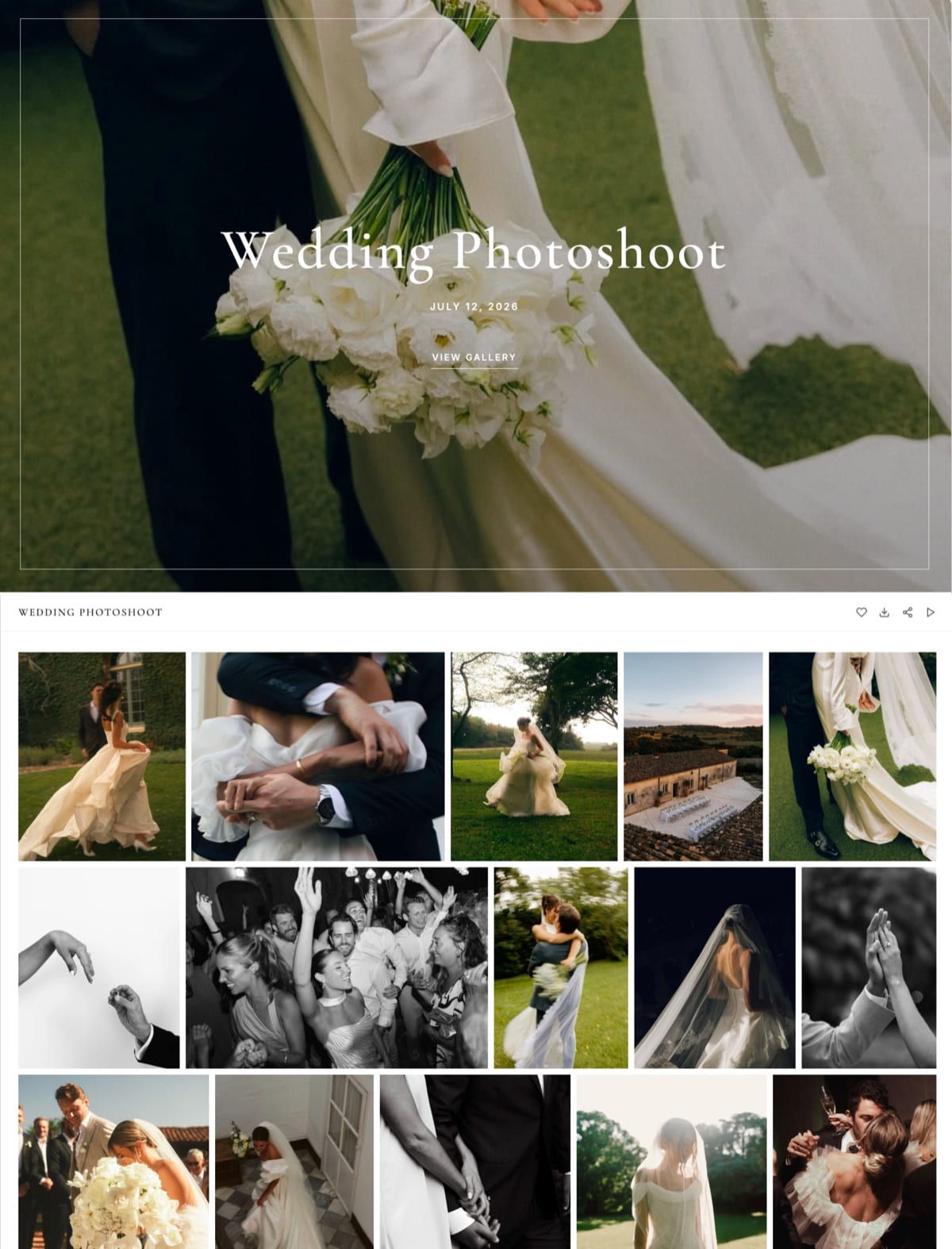
Framekit is an AI website builder for photographers, filmmakers, and creators, and its storage tiers are sized for exactly that delivery job: site media and client galleries on your own domain, not somewhere to park 10TB of raws.
Storage is a single pool per account shared by your site media, your client galleries and your video reviews, and it runs from 10GB free to 50GB on Starter, 300GB on Pro, and 2TB on Business.
Photos cap at 100MB each and video files at 500MB to 3GB depending on plan (re-verified against Framekit's pricing page in September 2026). Those are delivery numbers.
Your archive belongs on Backblaze, iDrive, or a NAS; your delivered work belongs somewhere clients can find it on a domain you control.
If you are choosing where finished galleries live, our comparison of the best client gallery platforms and our guide to how to deliver photos to clients cover that decision properly.
Keep the two separate, budget for both, and never let a gallery link be the last surviving copy of anything.
Run the Numbers on Your Own Archive
Here is the calculation to do this week, before you buy anything.
Open your archive drive, read the actual used capacity in terabytes rather than guessing, and write three figures: that number times $83.40 is your annual cost on Backblaze B2, that number times $12.17 is your annual cost on Glacier Deep Archive, and $99 is your cost on Backblaze Personal Backup regardless of the number, provided every terabyte sits on a drive physically attached to one computer.
If those drives are on a NAS instead, swap the $99 for iDrive's $179.88 at 10TB or $299.88 at 20TB.
Now do the restore column: multiply your terabytes by $93.50 for roughly what a full Glacier recovery bills in retrieval plus egress, and write $0 beside everything else.
The service with the smallest storage column is almost never the one with the smallest total, and the gap between those two columns is the real price of the plan you are about to choose.
The Decision Guide
Most photographers overbuy or underbuy here because they start from brand names rather than the shape of their own storage. Work through these questions in order and stop at the first branch that describes you, because the first match is nearly always right.
Start here: does every terabyte you need protected sit on drives physically attached to one computer?
- Yes, one machine and its externals. Choose Backblaze Personal Backup at $99 a year and set a fortnightly reminder to mount every archive drive for four hours. Nothing else here costs less.
- No, my files are on a NAS or spread across several machines. Go to the next question.
Are your files on a NAS?
- Yes, and I want one subscription to cover it. Choose iDrive, budget the $179.88 renewal rather than the $125.88 introductory price, and use the free annual express shipment to seed by courier.
- Yes, and I will configure my own pipeline. Choose Backblaze B2 with Hyper Backup at $83.40 per TB per year with free egress to three times your storage.
- No, several machines but no NAS. Choose iDrive, or a Backblaze licence per machine if there are only two.
How big is the archive, and how often will you touch it?
- Under 10TB, stable, and I want the recurring bill gone: pCloud's pay-once 10TB plan plus Extended File History.
- Over 50TB and I will never restore except in a disaster: Glacier Deep Archive at $12.17 per TB per year, with the four-figure restore cost written somewhere you will find it.
- Over 100TB and running a facility rather than a studio: price LTO-9 seriously. Below that, do not.
- Confidential or NDA work: Sync.com, and print the recovery key.
Then, whatever you chose: add a local copy. A DS923+ with two 20TB drives costs about $1,459, amortises to roughly $344 a year, and turns any single cloud service into a real 3-2-1 set.
If you are assembling the rest of the stack, our list of the best free tools for photographers covers what else runs without a subscription.
Frequently Asked Questions
These are the questions photographers ask after being burned once, answered with the specific numbers rather than general advice, and every figure matches the tables above.
What is the best photo backup solution for photographers in 2026?
Backblaze Personal Backup, at $99 a year for unlimited data from one computer plus every drive attached to it. At 10TB that is $9.90 per TB per year, cheaper than any per-unit cloud storage here.
The trade-offs: one machine per licence, no NAS support, and removal of the cloud copy of any external left unplugged 30 days.
How much does it cost to back up 10TB of photos per year?
Between $99 and $1,318.80.
Backblaze Personal Backup is $99 flat, Amazon Photos on a $139 Prime membership is free at the margin for photos, iDrive is $179.88 at renewal, Backblaze B2 is $834, Wasabi is $958.80, Google One's nearest tier is $1,200, and Adobe Creative Cloud is $1,318.80.
Glacier Deep Archive is cheapest to hold at $121.65 and bills $938.20 to $1,117.40 to give the data back.
Backblaze vs iDrive: which is cheaper for a photographer?
Backblaze Personal Backup is cheaper when every file sits on drives attached to one computer, at $99 a year against iDrive's $179.88 for a 10TB quota. iDrive wins the moment you add a second machine or a NAS, because one subscription covers unlimited devices and network volumes on a shared quota.
Two Backblaze licences cost $198, more than iDrive's 10TB plan.
Does Backblaze really delete my backup if I unplug the drive?
Yes. Backblaze Personal Backup mirrors what is currently on your machine, so an external detached more than 30 days is treated as deliberately deleted and its cloud copy removed, with warning emails at 14, 21, and 28 days.
Backblaze advises connecting all externals and running the client continuously for four hours at least once every two weeks.
What happens to my photos if I stop paying?
Backblaze, iDrive, Wasabi, and the object stores keep data until the paid period ends, then stop. Cancelling Google One drops you to 15GB, and content may be deleted after two years over quota with at least three months of notice.
Adobe drops you to a small free allowance with roughly 90 days to move excess files and keeps Lightroom originals downloadable for about a year after a lapse.
Which service is cheapest to restore 10TB from?
Ten of the thirteen return a full 10TB at no charge. Glacier Deep Archive is the outlier at $938.20 on bulk retrieval and $1,117.40 on standard, once its retrieval fee meets AWS internet transfer at $0.09 per GB.
Backblaze B2 is free because its egress allowance is three times stored volume. Wasabi is free for one pull, but a second that month exceeds its reasonable use policy.
Does any cloud backup handle RAW files and XMP sidecars properly?
Backblaze, iDrive, B2, and Wasabi treat every file identically, so raws and sidecars travel together.
Amazon Photos splits them: Prime's unlimited allowance covers most major RAW formats including CR3, ARW, NEF, and DNG, but XMP sidecars are not classified as photos and count against the same 5GB bucket as video.
Amazon Photos alone preserves your images and loses your edits.
Is a NAS enough on its own?
No. A NAS satisfies the local copy in a 3-2-1 set and not the offsite one, because a fire, flood, or burglary takes the NAS and your working drive together. RAID protects against a drive failing, not against the building.
Use a Synology with Hyper Backup pushing versioned copies to B2 or Wasabi, at about $344 a year amortised plus $83.40 per TB for the cloud tier.
Is Wasabi's free egress actually free?
Wasabi charges nothing for egress or API requests, but the policy is bounded by reasonable use: monthly downloads must stay at or below your active stored volume.
Store 10TB and you can download 10TB a month free, which covers exactly one full restore. Wasabi also enforces a 90-day minimum storage duration and a one-terabyte monthly minimum charge.
How long does it take to upload a 2TB wedding season?
About 4.6 days of continuous uploading on a 40 Mbps upstream connection, roughly 9.3 days at 20 Mbps, and under two days at 100 Mbps. A 10TB archive is five times each of those.
Turn off client throttling for the initial upload, or use iDrive's free annual express shipment, which couriers a drive to fill locally and cuts the seed to about a week.
Is LTO tape worth it for a one-person studio?
Almost never. An external LTO-9 drive starts around $8,999 and the cartridges are the cheap part at about $100 for 18TB.
Against Glacier Deep Archive the break-even sits at roughly 180TB over five years, and against Backblaze B2 at about 22TB, though that flatters tape because B2 is offsite and a shelf of cartridges is not.
Below roughly 100TB, a NAS plus a cloud tier costs less.
Is a client gallery a backup?
No, and treating it as one is how photographers end up with fewer copies than they think.
Gallery platforms hold compressed, client-facing versions of a finite set of images, often expire links or archive inactive galleries, and are built for presentation rather than retention.
Framekit's storage runs from 10GB free to 2TB on Business, pooled across your site, your galleries and your video reviews, and sized for delivery rather than archive.
Backup and hosting are separate purchases and pricing them as one is the mistake that leads photographers to park a 50GB library on a web server, where it costs between $45 and $3,312 a year depending on the host you chose.
Final Verdict: The Best Photo Backup Solution in 2026
After pricing thirteen options against the same 10TB archive, the pattern is consistent: the services photographers already pay for are the most expensive places to keep photographs, and the cheapest per-terabyte options bill hardest on the one day you need them.
Backblaze Personal Backup is the best photo backup solution in 2026 for most photographers, at $99 a year for unlimited data from one machine and every drive attached to it.
Nothing else here holds 10TB for under $100 a year while shipping a real client, real versioning, and a restore drive that arrives by courier and is fully refunded when you send it back.
Where Backblaze Personal Backup loses: it covers exactly one computer, it does not back up a NAS or any network volume, and it will delete the cloud copy of any external drive left unplugged for 30 days.
If your archive lives on a NAS, iDrive at $179.88 a year for 10TB is the better fit, and B2 at $83.40 per TB with free egress to three times your storage is the better offsite tier for anyone happy to configure Hyper Backup themselves.
The rest sort cleanly. Glacier Deep Archive is the cheapest place to hold data you will never touch and the most expensive place to be wrong about that.
Wasabi is predictable and 15% dearer than B2. pCloud suits anyone who wants the recurring bill gone. Sync.com is right when encryption is contractual.
Amazon Photos is a free third copy for Prime members who understand what happens to their sidecars. And whatever you pick, buy the local copy too.
For more, read our guide to the best photo delivery tools, our comparison of the best client gallery platforms, the best website builders for photographers, and if you are pricing your work around these running costs, how to price photography.