Framekit templates
Start from a designer-made template
 Use template
 Use template
 Use template
 Use template
 Use template
 Use template
 Use template
 Use template
Cloud storage for photographers is three purchases pretending to be one. There is backup, which exists so that a drive failure or a burglary does not end your business.
There is working storage, which exists so you can edit across machines and hand files to a retoucher. And there is client-facing storage, which exists so a paying client can reach the finished work at a stable address months later.
Buy one product for all three and you will be unhappy with it, because the requirements conflict. Backup wants unlimited capacity and cheap cold storage and does not care about presentation. Working storage wants sync and version history.
Client-facing storage wants passwords, downloads and a page that looks like your business, and it wants none of the other two.
The cost differences between them are not marginal either. Unlimited backup for one computer runs $99 a year. A terabyte of working storage runs about $120. A terabyte of client-facing gallery storage runs about $234. Those are the same gigabytes doing very different work.
Cloud storage for photographers is a service that keeps photographic files off-site, sold either as unlimited backup tied to one machine, as general sync storage measured in terabytes, or as gallery storage that also presents and protects images for clients.
The best cloud storage for photographers in 2026 is Backblaze for backup, at $9 a month or $99 a year for genuinely unlimited storage from one computer including attached drives, which nothing else here matches on price.
Google One is the best value for general storage at $9.99 a month for 2TB.
Framekit is the best choice for the client-facing third of the job, where storage also has to protect, present and deliver photos and video from your own domain, with the honest trade-off that it is not a backup or sync tool and costs about four times Google's price per terabyte.
Dropbox is the best working storage thanks to sync and version history, and SmugMug is the best photographer archive with unlimited storage on every plan.
In September 2026 we re-verified every price and capacity in this guide against the providers' own pages, and updated Framekit's storage to its current pooled plans.
Framekit covers the storage clients actually see, on your own domain, free to start.
Full disclosure: Framekit is our own product and we have ranked it third here rather than first, because it is not a backup tool and we are not going to pretend otherwise. We priced every option per terabyte per year, describe Framekit from its documented plans rather than from our own restore test, and state clearly that Backblaze, Google, Dropbox and SmugMug all beat us on cost per gigabyte for storage that nobody but you will see.
The Three Storage Jobs and Why They Conflict
Naming these three jobs separately is the fastest way for a photographer to stop overpaying, because each of them has a different winner and the prices per terabyte differ by a factor of about four.
Backup. The purpose is survival: a copy off-site that you hope never to touch. What matters is unlimited capacity, low price, and a restore process that works under pressure. What does not matter at all is presentation, sharing or speed of browsing.
Working storage. The purpose is production: files reachable from two machines, shared with a retoucher, with version history when an edit goes wrong. What matters is sync, file requests and integrity.
Client-facing storage. The purpose is delivery: a paying client reaching finished work at a stable address, protected by a password, downloadable without an account. What matters is presentation, permissions and whose domain the page sits on.
The conflict is that unlimited backup services deliberately make browsing and sharing awkward, because that is how they can afford to be unlimited, and client-facing platforms deliberately charge more per gigabyte, because storage is not what you are buying from them.
How We Compared Cloud Storage for Photographers
We priced every option on exactly the same basis and then tested the parts of each service that only matter on the day something goes badly wrong, which is the only day storage is ever judged.
The measurecost per terabyte per year, calculated from published pricing rather than from headline monthly figures, so annual discounts and tier jumps are visible.
The restore testrequesting a recovery of 200GB from each backup and storage service and recording the process, since a backup you cannot restore under time pressure is not a backup.
Longevity policywhat each service does when a subscription lapses, read from published terms.
Weightingcost per terabyte 30%, fitness for the job it is sold for 30%, restore and access 20%, lapse policy 20%.
Claims are labelled by source. Hands-on: uploading, restoring and accessing files. Verified from primary sources: prices, capacities and published policies read in August 2026 and re-checked in September 2026.
Reported as community sentiment and never as our own result: complaints that recur across public reviews.
What Pricing Nine Services Per Terabyte Showed
Normalising all nine services to a single unit makes the differences between them obvious in a way that no individual pricing page ever does, and the spread is larger than most photographers expect.
- Cost per terabyte per year ranges from about $60 (Google One's 2TB plan) to $234 (Framekit Business, a client-facing gallery tier, on monthly billing), a spread of nearly four times, while Backblaze covers unlimited data from one machine for $99.
- 4 of the 9 offer some form of unlimited storage, and each attaches a different condition: one computer, an active Prime membership, photos only, or a photographer-specific plan.
- Every service in this comparison restricts access when a subscription lapses, and the grace periods vary from days to months.
- 2 of the 9 provide file version history, which is a working-storage feature rather than a backup feature and is frequently confused for one.
The arithmetic worth doing before buying anything: split your total storage into what nobody will ever browse, what you work from weekly, and what a client might open. Price each pile separately.
Most photographers find the first pile is enormous and cheap, and the third is small and expensive, and they have been paying gallery prices for backup volumes.
The 9 Best Cloud Storage Options for Photographers, Compared
Ratings are scored against the job each service is sold for rather than against each other, since ranking a backup service against a client gallery on one scale would mislead.
Framekit places third because it is the strongest pick for the client-facing job, yet it scores lowest of the top four on cost per terabyte, the most heavily weighted criterion, which is why Backblaze and Google stay ahead of it.
| Service | Job | Price | Capacity | Our rating |
|---|---|---|---|---|
| Backblaze | Backup | $9/mo or $99/yr | Unlimited, one computer | 9.4/10 |
| Google One | General storage | $9.99/mo for 2TB | 100GB to 2TB and above | 9.0/10 |
| Framekit | Client-facing storage | Free, paid from $9/mo | 10GB free to 2TB, pooled | 8.9/10 |
| Dropbox | Working storage | $11.99/mo for 2TB | 2TB to 3TB | 8.8/10 |
| SmugMug | Photographer archive | $20/mo annual | Unlimited on every plan | 8.5/10 |
| PhotoShelter | Searchable archive | From $12.99/mo | 4GB to unlimited | 8.0/10 |
| iCloud+ | Device backup | $9.99/mo for 2TB | 5GB to 12TB | 7.6/10 |
| Amazon Photos | Photo backup | Included with Prime | Unlimited photos, 5GB video | 7.4/10 |
| PicDrop | Delivery storage | ~EUR 14.99/mo | 500GB to 1TB | 7.2/10 |
Prices were read from each provider's published pages in August 2026 and re-checked in September 2026. Google's storage pool is shared across Drive, Gmail and Photos, and Apple does not offer annual billing for iCloud+.
Split the pile before you shop. Backup, working files and client-facing work have prices that differ by up to four times per terabyte, and buying one product for all three is how photographers overspend.
1. Backblaze: Best Backup for Photographers
Our rating: 9.4/10
Backblaze wins the backup job outright and it is not close on price.
Personal Backup costs $9 a month, $99 a year or $189 for two years, and covers one computer with genuinely unlimited storage including attached external drives, with no capacity caps or file size limits.
For a photographer with 12TB on a stack of externals, that is the only affordable off-site copy in this comparison.
The trade is deliberate. Backblaze is designed for restoring after a disaster rather than for browsing, so it is not where you go to find a photograph from 2019 in a hurry. That is the correct design for the job and the reason it can price the way it does.
Best forAny photographer who needs an off-site copy of everything and does not need to browse it.
Key features:
- Unlimited storage from one computer including attached external drives
- No file size limits or throttling on what gets backed up
- Continuous background backup rather than a manual sync
- Restore by download or by ordering a physical drive
- Two-year pricing at $189, which works out cheaper per month than annual billing
The real number$99 a year for unlimited backup compares with roughly $120 a year for Google's 2TB, $144 for Dropbox's 2TB and $444 for SmugMug's unlimited photographer archive.
For pure survival storage, nothing here competes, and photographers routinely pay several times this for capacity they could have covered with one subscription.
Pros:
- The cheapest genuinely unlimited off-site copy available to photographers
- External drives included, which is where most photographers' archives actually live
- Restore options include a physical drive, which matters at large volumes
Cons:
- One computer per subscription, so a two-machine studio pays twice
- Not designed for browsing, searching or sharing
- Backup follows the machine, so files removed from your drive eventually leave the backup
- No client-facing capability of any kind
Skip it ifyou need to reach individual images quickly or share them. This is a safety net rather than a library.
Verdict: Backblaze is the correct answer to the backup question and we rank it above our own product without hesitation, because Framekit does not attempt this job at all. Visit Backblaze
2. Google One: Best Value General Storage
Our rating: 9.0/10
For general storage that you will occasionally browse, Google is the cheapest credible option: 15GB free, then $1.99 a month for 100GB, $2.99 for 200GB and $9.99 for 2TB, pooled across Drive, Gmail and Photos.
At roughly $60 a year per terabyte on the 2TB plan it undercuts every photographer-specific service here.
The caveat photographers need to know is Storage Saver, Google's space-reducing option, which recompresses images on upload. Original quality is available and consumes quota at full size, and a lot of photographers have the wrong setting enabled without realising.
Skip it ifyou need version history or client-facing delivery.
Verdict: Google One is the price leader for general storage and a poor client-facing tool. Our Google Photos alternatives for photographers guide covers the delivery gap.
3. Framekit: Best Client-Facing Storage

Our rating: 8.9/10
Framekit is an AI website builder that also includes client galleries, video review, Slides and a digital-download store, and it belongs in a cloud storage ranking because all of those draw on one pooled allowance: 10GB free, 50GB on Starter, 300GB on Pro and 2TB on Business.
That makes it a different kind of storage from everything else on this list. It is not for camera originals you will never open again. It is for the finished work a client, an agency or a producer actually reaches.
What the money buys is the layer file services leave out.
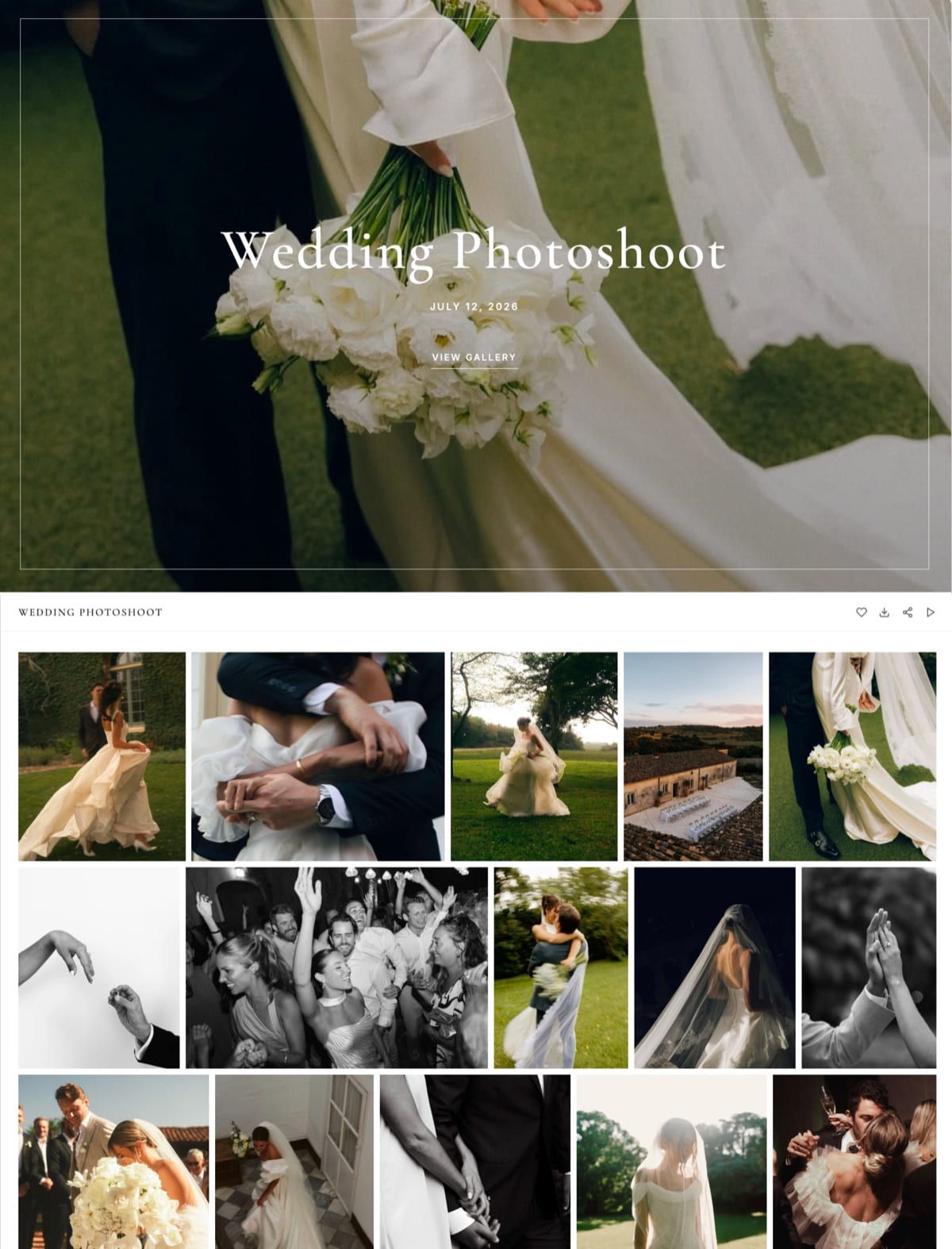
A delivered job becomes a gallery on your own domain with a cover, a password, an optional download PIN, watermarks on photos, and a heart button so the client can mark favourites and download only those.
Video sits in the same gallery and is never watermarked, and a cut that still needs notes can go to Framekit's video review, where clients comment at the exact frame, drawing on the same storage pool.
Best forThe finished, client-facing slice of a photographer's or filmmaker's storage, especially when the portfolio site should live beside it.
Key features:
- One storage pool shared by your website, galleries and video reviews, with a video share of 3GB, 15GB, 150GB and 750GB by plan
- Unlimited galleries on every plan, so organising client work costs nothing extra
- Gallery password, download PIN, auto-expiry, photo watermarks and client favourites
- Full-set or favourites-only downloads, with no client account required
- Photo files up to 100MB each; video files up to 500MB on Free, rising to 3GB on Business
- Custom domain from Starter, so the address a client bookmarks is yours
The real numberBusiness is $39 a month for 2TB, which is $234 per terabyte per year, or about $186 on annual billing at $31 a month.
That is roughly four times Google One's $60 per terabyte and more than double Backblaze's unlimited $99, and the difference is the price of the presentation and protection layer rather than the disk.
Most photographers only need the Starter pool, 50GB for $9 a month, for the work clients are actively opening.
Pros:
- Storage a client opens at your own address, with protection and presentation included
- Photos, video and review cuts in one pool instead of three separate subscriptions
- No cap on galleries, so structure is free
Cons:
- Two to four times the cost per terabyte of general cloud storage
- Not a backup or sync tool: no desktop client, no continuous backup, no version history
- No unlimited tier; 2TB is the ceiling, so a full archive does not belong here
- No metadata or keyword search across stored images, and clients cannot upload files into a gallery
Skip it ifyou want somewhere to park 8TB of raw files. That is Backblaze's job, and we would be the wrong purchase.
Verdict: Framekit ranks third because it is the strongest answer to the one storage job file services do badly, and it scores below Backblaze and Google because on price per terabyte it loses to both. Keep bulk and backups elsewhere and put the finished third here. Our client gallery platforms guide compares it with dedicated gallery tools.
4. Dropbox: Best Working Storage
Our rating: 8.8/10
For files you are actively working on, Dropbox remains the best of these services, because sync, version history and file requests are things a backup service deliberately does not do.
Plus is $11.99 a month for 2TB and Professional is $19.99 for 3TB, which is roughly $144 and $80 per terabyte per year respectively.
Nothing is recompressed, folder structures survive intact, and collaborating with a retoucher or second shooter is straightforward, which is why so many photographers keep it alongside something cheaper for bulk.
Skip it ifa client is the audience. It presents files rather than photographs.
Verdict: Dropbox is the production layer of a photography business and the wrong place to deliver from. Our Dropbox alternatives for photographers guide covers the client-facing half.
5. SmugMug: Best Photographer Archive
Our rating: 8.5/10
SmugMug is the only photographer-specific service here with unlimited storage on every plan, including the entry tier, which makes it the natural home for an archive that has to stay browsable rather than merely safe.
It adds a print store and a template website with domain mapping.
On annual billing Direct is $20 a month, Portfolio $23.50 and Pro $37, with monthly billing raising those to $29, $35.50 and $52. Print sales take a markup commission commonly budgeted around 15%, and its Capterra score sits at 3.5 across a thin sample of 11 reviews.
Skip it ifyou only need survival storage. Backblaze does that for a quarter of the price.
Verdict: SmugMug is unlimited storage that you can actually browse, which is a meaningfully different product from unlimited backup. Our SmugMug alternatives guide covers the trade.
6. PhotoShelter: Best Searchable Archive
Our rating: 8.0/10
PhotoShelter is the only service in this comparison where finding one frame among tens of thousands is a solved problem, thanks to keyword and IPTC metadata search across the whole library, with licensing wired into the download.
PhotoShelter's Basic tier runs $12.99 a month with just 4GB, Standard costs $29.99 and adds 100GB with client proofing, and Pro at $49.99 lifts storage to unlimited.
At $600 a year, Pro is the most expensive unlimited option here and the only one that answers questions rather than just holding files.
Skip it ifnobody searches your archive. The engine is what you are paying for.
Verdict: PhotoShelter is storage with an index, which is a different and occasionally essential product. Our PhotoShelter alternatives guide covers when it is more than you need.

7. iCloud+: Best for Apple-Only Workflows
Our rating: 7.6/10
iCloud+ makes sense for photographers whose capture, editing and phone all live in Apple's ecosystem, with 2TB at $9.99 a month and tiers running up to 12TB at $59.99, from a free 5GB baseline. Apple does not offer annual billing, so there is no discount for committing.
For photography specifically it is a device backup rather than an archive, and sharing behaves worst for recipients outside Apple's ecosystem, which is roughly half of any client list.
Skip it ifclients or collaborators need access.
Verdict: iCloud+ is convenient device storage and not a professional photography archive.
8. Amazon Photos: Cheapest If You Have Prime

Our rating: 7.4/10
For photographers already paying for Prime, Amazon Photos includes unlimited full-resolution photo storage at no extra cost, which is the best-value line item in this entire comparison.
Video is the catch, capped at 5GB, and standalone storage plans run to roughly $2.49 a month for 100GB, $6.99 for 1TB and $11.99 for 2TB.
There is no client-facing capability, no professional sharing and no version history, so it is a backup destination rather than a working tool.
Skip it ifyou shoot video, which the 5GB cap makes impractical.
Verdict: Amazon Photos is free storage hiding inside a subscription you already pay for, and worth switching on regardless of what else you use.
9. PicDrop: Delivery Storage With Good Economics
Our rating: 7.2/10
PicDrop is included because it is the cheapest photographer-facing storage that also delivers to clients, at about EUR 14.99 a month for 500GB on Pro with unlimited galleries and your own branding on client pages, with a further 250GB at EUR 7.99 and Advanced reaching 1TB at EUR 39.99.
It is not a backup service and has no version history, so treat it as delivery storage with unusually good capacity. New customers moved to this plan structure in May 2026; see PicDrop's pricing page.
Skip it ifyou need an archive or a store.
Verdict: PicDrop offers the best capacity per pound among client-facing tools and none of the other jobs. Our PicDrop alternatives guide covers what it omits.
What Each Job Costs Per Terabyte Per Year
Reducing every service to the same unit of cost is the clearest way to see what you are actually buying with each subscription, rather than comparing headline monthly prices that describe different products.
| Service | Job | Cost per year | Effective cost per TB per year |
|---|---|---|---|
| Backblaze | Backup, one computer | $99 | Unlimited, so effectively under $99 |
| Amazon Photos with Prime | Photo backup | Included | Effectively zero for photos |
| Google One 2TB | General storage | $120 | $60 |
| Dropbox Professional 3TB | Working storage | $240 | $80 |
| SmugMug Pro annual | Browsable archive | $444 | Unlimited, so falls with volume |
| Framekit Business 2TB | Client-facing | $468 | $234 |
| PhotoShelter Pro | Searchable archive | $600 | Unlimited, so falls with volume |
The spread is the argument.
Backup and general storage are commodities priced at $60 to $99 per terabyte, while client-facing storage costs two to four times more and searchable archives more again, because you are buying software rather than disk.
A sensible photographer stack is one cheap backup service, one general storage service, and a small client-facing plan sized to finished work only, which together run about $330 a year.
In one linebuy bulk cheap, buy client-facing small, and never pay gallery prices for camera originals.

How to Choose Cloud Storage as a Photographer
Answer these questions in order and buy separately for every yes rather than looking for one winner, because these are complementary purchases that solve different problems rather than competing products.
1. Do you have an off-site copy of everything? If no, start here with Backblaze at $99 a year, and do it before optimising anything else.
2. Do you work across two machines or with a retoucher? If yes, Dropbox for sync and version history.
3. Do you need to browse a large archive rather than just restore it? If yes, SmugMug for unlimited browsable storage, or PhotoShelter if you need to search it by keyword.
4. Do clients open any of this? If yes, a client-facing platform sized to finished work only, which is where Framekit belongs, and keep the bulk somewhere cheaper.
5. Do you already pay for Prime? If yes, switch on Amazon Photos regardless, since unlimited photo storage is included.
Frequently Asked Questions
What is the best cloud storage for photographers in 2026?
The best cloud storage for photographers in 2026 depends on the job.
Backblaze is the best backup at $9 a month or $99 a year for unlimited storage from one computer, Google One is the best value general storage at $9.99 a month for 2TB, Dropbox is the best working storage thanks to sync and version history, and Framekit is the best for the client-facing storage that has to protect and present photos and video, at a higher price per terabyte.
How much cloud storage does a photographer need?
Most working photographers have between 5TB and 20TB of camera originals and only 200GB to 500GB of finished, client-facing work.
Those two numbers should be priced separately, since bulk backup costs about $99 a year regardless of volume while client-facing gallery storage costs roughly $234 per terabyte on Framekit Business.
Sizing one plan for both is the most common and most expensive mistake.
Is Backblaze really unlimited for photographers?
Backblaze Personal Backup provides unlimited storage for one computer including attached external drives, with no capacity caps or file size limits, at $9 a month, $99 a year or $189 for two years.
The conditions are that it covers a single machine and that it mirrors what is actually on your drives, so files you delete locally eventually leave the backup after the retention window.
Should photographers use cloud backup or an archive service?
Both, because they answer different questions. Backup exists so a fire or a failure does not end your business, and it should be cheap and unlimited.
An archive exists so you can find and reuse work years later, and it costs more because it is indexed and browsable. Backblaze plus a browsable service such as SmugMug or PhotoShelter is a common professional combination.
Framekit vs Google Drive for photographers: which should I use?
Use Google Drive for cheap bulk storage nobody will browse, at $9.99 a month for 2TB.
Use Framekit for the finished work a client opens, because it adds passwords, download control, watermarking and a presentation layer on your own domain, none of which Google provides.
They are complementary rather than competing, and most photographers should be paying for both.
What happens to my photos if I stop paying for cloud storage?
Every service in this comparison restricts access when a subscription lapses, with grace periods ranging from days to months, and backup services typically begin deleting after a defined retention window.
Read the specific policy of any service before relying on it as your only copy, and keep a local copy regardless. The 3-2-1 principle of three copies on two media with one off-site still applies in 2026.
Does cloud storage compress my photos?
Some consumer services do. Google Photos with Storage Saver enabled recompresses on upload, and several phone-oriented services generate reduced-quality copies by default.
Backblaze, Dropbox, SmugMug, PhotoShelter and PicDrop all store your files unchanged. Check the setting rather than the marketing, and verify by downloading one file and comparing it against your export.
What is the cheapest cloud storage for photographers?
Amazon Photos is effectively free for photographs if you already pay for Prime, though video is capped at 5GB.
After that, Backblaze at $99 a year for unlimited backup from one machine is the cheapest way to protect a large archive, and Google One at $9.99 a month for 2TB is the cheapest general storage.
Client-facing gallery storage always costs several times more.
Do I need version history for photo storage?
Only for working files, where an overwritten edit or a corrupted catalogue can cost a day. Dropbox and Google both provide it; backup services generally provide retention rather than true versioning.
For finished deliverables it is unnecessary, since those files should not be changing. Do not pay a premium for version history on an archive that never gets edited.
Can cloud storage double as client delivery?
Poorly. A shared folder gives a client filenames rather than photographs, no password per job, no watermarking, no favourites and no branding, and it generates support questions from anyone who does not use that service daily.
Keeping bulk storage cheap and adding a small client-facing plan costs about $108 a year more and removes an entire category of client friction.
Final Verdict
Cloud storage for photographers only makes sense once you accept it is three purchases. Backblaze wins the backup job at $99 a year for unlimited storage and deserves to be the first thing any photographer buys.
Google and Dropbox win general and working storage on price and features respectively. SmugMug and PhotoShelter win the browsable and searchable archive.
And the client-facing third, which is small, expensive and the only part anyone else sees, is where a gallery platform belongs.
Where Framekit loses. We rank third here and still cost two to four times more per terabyte than bulk storage.
We have no desktop sync client, no continuous backup, no version history and no unlimited tier, so Framekit is not a backup product and we would tell any photographer that directly.
Backblaze protects an unlimited archive from one machine for $99 a year, well under half what our 2TB Business plan costs, Google and Dropbox both beat us on general storage, and SmugMug offers unlimited browsable storage we cannot match.
Use us for the part clients open and use them for everything else.
Do the three-pile exercise this week: separate what nobody will browse, what you work from, and what a client might open, then price each pile on its own. Photographers who do this usually find they can improve their backup and cut their bill in the same afternoon.
Related readingimage hosting for photographers, Google Photos alternatives for photographers, Dropbox alternatives for photographers, and client gallery platforms compared.
Every price and capacity was read from the providers' published pages in August 2026, re-verified in September 2026, and normalised to cost per terabyte per year, and each backup and storage service was tested with a 200GB restore, because the number on a pricing page and the cost of a job are rarely the same figure.