Framekit templates
Start from a designer-made template
 Use template
 Use template
 Use template
 Use template
 Use template
 Use template
 Use template
 Use template
WeTransfer vs Dropbox is the comparison photographers make when they are trying to avoid buying a client gallery, and it is worth taking seriously because both tools are genuinely useful.
They are also both the wrong shape for delivering finished work to a paying client, in two different ways.
WeTransfer is a courier. You upload, it sends, the recipient downloads, and then it forgets.
On the free plan that forgetting is aggressive: transfers cap at 3GB, you get up to 3GB a month across at most 10 transfers, and links expire after three days.
Paid plans lift the ceilings, with Starter at $8 a month and Ultimate at $23 allowing transfers up to 1TB.
Dropbox is a filing cabinet. Files stay where you put them, folder structures survive, filenames are untouched, and 2TB costs $11.99 a month on Plus with 3TB at $19.99 on Professional.
What your client sees is a list of files in Dropbox's interface, with a login prompt if they are not already a user.
A client gallery is software that presents finished photographs as a designed, protected page with selection and downloads built in, which is a different product from either a transfer service or a sync folder.
Framekit, which we build, is one of those: the gallery is a page of your own site, free to start, and it is deliberately not the place to keep your working files, which is the job Dropbox does better than anything here.
For photographers, Dropbox beats WeTransfer for anything a client will come back to, because the files stay live indefinitely and 2TB at $11.99 a month is far cheaper than WeTransfer's transfer-based pricing.
WeTransfer beats Dropbox for one-off sends to someone who needs a file today and will never need it again, particularly for large single deliveries.
Neither is a client gallery, and if the delivery is part of how you present your business, a platform such as Framekit delivers uncapped galleries from your own domain from $9 a month.
Framekit turns the delivery into a page that looks like your studio, free to start.
Full disclosure: Framekit is our own product and it appears here as the third option rather than as one of the two being compared, so weigh that accordingly. We ran the same 40GB photography delivery through both services, verified prices and limits against published pages in August 2026, and we say plainly that Dropbox offers far more storage per pound than Framekit does. We re-verified our own plans on 20 September 2026; the WeTransfer and Dropbox limits are unchanged from the August read.
WeTransfer vs Dropbox: The Short Answer
The question that genuinely settles this comparison is not which service is better built but how many times the client is going to need those files after you send them.
If the answer is once, WeTransfer is faster and simpler, requires nothing of the recipient, and handles very large single transfers well on its paid tiers. Sending a retoucher 40GB this afternoon is exactly the job it was built for.
If the answer is more than once, Dropbox wins comprehensively, because WeTransfer's expiry turns every subsequent request into an email that arrives while you are on another job.
A wedding couple who lose a link three months later will contact you, and on Dropbox the answer takes ten seconds.
If the answer is that the client will open it repeatedly and judge you on how it looks, neither is right, and the comparison you should be reading is between client gallery platforms rather than between two file services.
How the Two Compare on Limits and Price
Here are the published limits and prices for both services as read in August 2026, laid side by side so the difference between paying per transfer and paying for storage is visible.
| Property | WeTransfer | Dropbox |
|---|---|---|
| Free tier | 3GB per transfer, 3GB a month across up to 10 transfers | 2GB total storage |
| Free link expiry | 3 days | No expiry |
| Entry paid | Starter, $8/mo | Plus, $11.99/mo for 2TB |
| Upper paid | Ultimate, $23/mo, transfers up to 1TB | Professional, $19.99/mo for 3TB |
| Model | Per transfer | Persistent storage |
| Password protection | On paid tiers | On paid tiers |
| Version history | No | Yes |
| Sync client | No | Yes |
WeTransfer retired its older Pro, Plus, Distribute, Transfer and Collaborate plans in favour of the current Free, Starter, Ultimate and Teams structure, so older comparison articles describing a Pro plan are out of date.
Both ladders are published on WeTransfer's pricing page and Dropbox's plans page.
The row that matters most for photographers is the third one. At $8 a month WeTransfer Starter buys larger transfers; at $11.99 Dropbox Plus buys 2TB of permanent storage.
For a photographer delivering 40 jobs a year, permanence is worth more than transfer size in almost every case.

What a 40GB Delivery Actually Costs
Costed below for a photographer delivering 40 client jobs a year at roughly 15GB each, which works out at about 600GB of outbound files over twelve months.
| Setup | Annual cost | Files stay live | Client experience |
|---|---|---|---|
| WeTransfer free | $0 | 3 days | Adequate, then broken |
| WeTransfer Starter | $96 | Longer, per plan terms | Adequate |
| WeTransfer Ultimate | $276 | Longer, transfers to 1TB | Adequate |
| Dropbox Plus | $144 | Indefinitely | Poor, a file list |
| Dropbox Professional | $240 | Indefinitely | Poor, a file list |
| Framekit Starter | $108 | Indefinitely | A branded page on your domain |
The comparison that should give photographers pause is the last row against the second.
At $108 a year against $96, a client gallery on your own domain costs about a pound a month more than a transfer service, and it delivers a page rather than a download prompt.
That is the smallest upgrade in this entire category and the one most often skipped.
In one lineWeTransfer costs almost as much as a real gallery and delivers a link that expires.
The Client Experience Neither Gets Right
Both services fail the same test in different ways, and that test is simply what your paying client actually sees in the first three seconds after they open the link you sent.
WeTransfer shows a download page with a countdown. There is no cover image, no ordering you chose, no way for the client to mark favourites, no watermark option for proofs, and no branding beyond what the paid tiers allow on the background.
Then, on the free plan, it disappears after three days.
Dropbox shows a file browser. Your client sees filenames in a grid, has to work out how to download a folder, and may be prompted to sign in or install an app depending on their setup. Nothing about the page says who took the photographs.
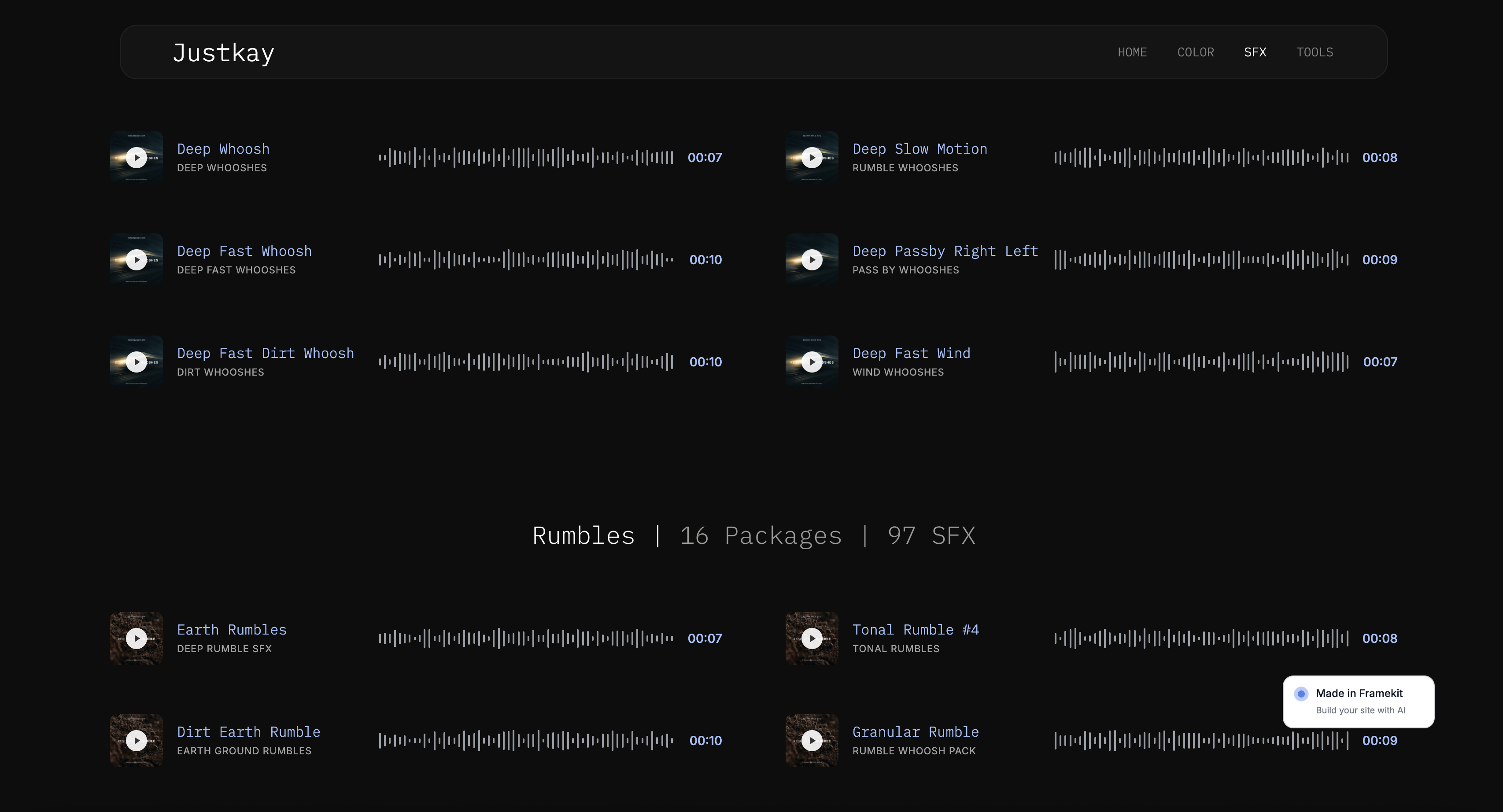
Framekit is an AI website builder with client galleries and a digital store built in, and the difference is what the client opens: a page on your own domain with a cover, an ordering you chose, password or PIN protection, favourites, watermarking on proofs, and full-resolution or ZIP downloads with no account required.
Galleries are uncapped on every plan including free and there is no commission on delivery at any tier.
The honest limitation is storage. Dropbox Plus gives 2TB for $11.99 a month; Framekit Pro gives 300GB for $19 and Business gives 2TB for $39.
Per gigabyte Dropbox wins by an order of magnitude, which is exactly why most photographers should keep it for working files and change only the client-facing link.

Which Should Photographers Use?
Work down these in order and stop at the first confident yes, since this decision is usually about one specific delivery habit rather than an overall preference.
1. Is this a one-off send to a collaborator? If yes, WeTransfer, and use the free tier if it fits under 3GB.
2. Do you need working storage and sync across machines? If yes, Dropbox, which no transfer service replaces.
3. Will the client come back to these files? If yes, not WeTransfer, because expiry turns that into support work.
4. Is the delivery part of how you present your business? If yes, neither, and a gallery on your own domain such as Framekit costs about $108 a year on the Starter plan, or nothing to try first.
5. Are you trying to avoid a subscription entirely? If yes, be aware WeTransfer Starter at $96 a year is not meaningfully cheaper than a gallery plan, so the saving you are protecting may not exist.
Frequently Asked Questions
Is WeTransfer or Dropbox better for photographers?
Dropbox is better for photographers in almost every scenario, because files stay live indefinitely, 2TB costs $11.99 a month, and sync and version history support real production work.
WeTransfer is better only for one-off large sends to someone who needs a file today, since its free plan expires links after three days and its pricing is based on transfers rather than storage.
How big a file can I send with WeTransfer?
WeTransfer's free plan allows transfers up to 3GB, with a monthly ceiling of 3GB across a maximum of 10 transfers. Starter at $8 a month and Ultimate at $23 lift those limits, with Ultimate allowing transfers up to 1TB.
The current plan structure is Free, Starter, Ultimate and Teams, since the older Pro and Plus plans have been retired.
Do WeTransfer links expire?
Yes on the free plan, after three days, which is the single biggest problem with using it for client delivery. Paid plans extend availability, but the model is still built around a transfer that ends rather than a gallery that persists.
Every expired link becomes a request you have to answer, and those requests arrive months later while you are working.
Is Dropbox good for delivering photos to clients?
It works and it looks like file storage, which is the problem. Your client sees a list of filenames with no cover image, no chosen ordering, no favourites, no watermarking and no branding, and non-Dropbox users can be prompted to sign in.
For collaborators it is excellent; for paying clients it undersells the work and generates avoidable support questions.
How much do WeTransfer and Dropbox cost in 2026?
WeTransfer's free plan allows 3GB a month across up to 10 transfers, with Starter at $8 a month and Ultimate at $23. Dropbox offers 2GB free, Plus at $11.99 a month for 2TB and Professional at $19.99 for 3TB.
On a yearly basis that is $96 or $276 for WeTransfer against $144 or $240 for Dropbox, for very different products.
Can I password protect a WeTransfer or Dropbox link?
Both offer password protection on paid tiers, but neither offers the per-gallery access control a client gallery provides.
A password on a folder or a transfer protects a container rather than presenting a protected experience, and neither service offers watermarking, download permissions separated from viewing, or expiry you set per job.
What is the best alternative to WeTransfer and Dropbox for client delivery?
A purpose-built client gallery, which costs about $108 a year on Framekit Starter and delivers a branded page on your own domain with passwords, favourites and account-free downloads.
Pixieset at about $10 a month and CloudSpot at $7 to $17 a month are the other common choices. All of them present photographs rather than files, which is the difference clients actually notice.
Should I use Dropbox and a client gallery together?
Yes, and it is the most common professional setup. Dropbox handles working files, sync across machines and collaboration with retouchers at a price no gallery matches, while the gallery handles the client-facing delivery.
Dropbox Plus plus a gallery plan runs about $252 a year and leaves neither half compromised, which is cheaper than trying to make one product do both.
Does WeTransfer compress photos?
WeTransfer transfers files as they are, so your originals arrive unchanged, which is one of its genuine strengths compared with consumer photo services.
The problem is not fidelity but persistence and presentation: the file is intact, the link is temporary, and the page it arrives on tells your client nothing about your business.
Is there a free way to deliver photos to clients professionally?
Yes, within limits. Framekit's free plan gives 3GB with uncapped galleries and full protection features, Pixieset's gives 3GB with a 15% store commission, and CloudSpot's gives 5GB across 3 galleries.
Each holds roughly one job at full resolution. That is enough to deliver professionally on an occasional basis, which neither WeTransfer's expiring free tier nor Dropbox's 2GB manages.
The Verdict
WeTransfer and Dropbox are both good at jobs that are not client delivery. WeTransfer moves a large file once, quickly, with nothing required of the recipient, and it is genuinely the right tool for sending a retoucher 40GB this afternoon.
Dropbox stores, syncs and versions your working files at a price no photographer-focused platform can match, and almost every professional should have it.
Between the two, Dropbox wins for photographers because permanence beats convenience once a client is involved. Expiring links generate support work that arrives at the worst possible times, and the storage economics are better.
What neither does is present. Your client opens a download counter or a file browser, and nothing on either page says who took the photographs or where to find more of them.
At about $108 a year, roughly what WeTransfer Starter costs, a gallery on your own domain fixes that entirely, which makes it one of the cheapest upgrades available to a photography business.
The check worth running today: open your last delivery link in a private browser window on a phone, signed out of everything, and try to save one image. Whatever that experience is, it is the one you have been giving every client.
Related readingthe best WeTransfer alternatives, Dropbox alternatives for photographers, how to deliver photos to clients, and client gallery platforms compared.
All limits and prices were read from the two services' published pages in August 2026, and the same 40GB photography delivery was sent through both and opened by a logged-out recipient on a phone, because the difference between these tools only becomes obvious from the receiving end.