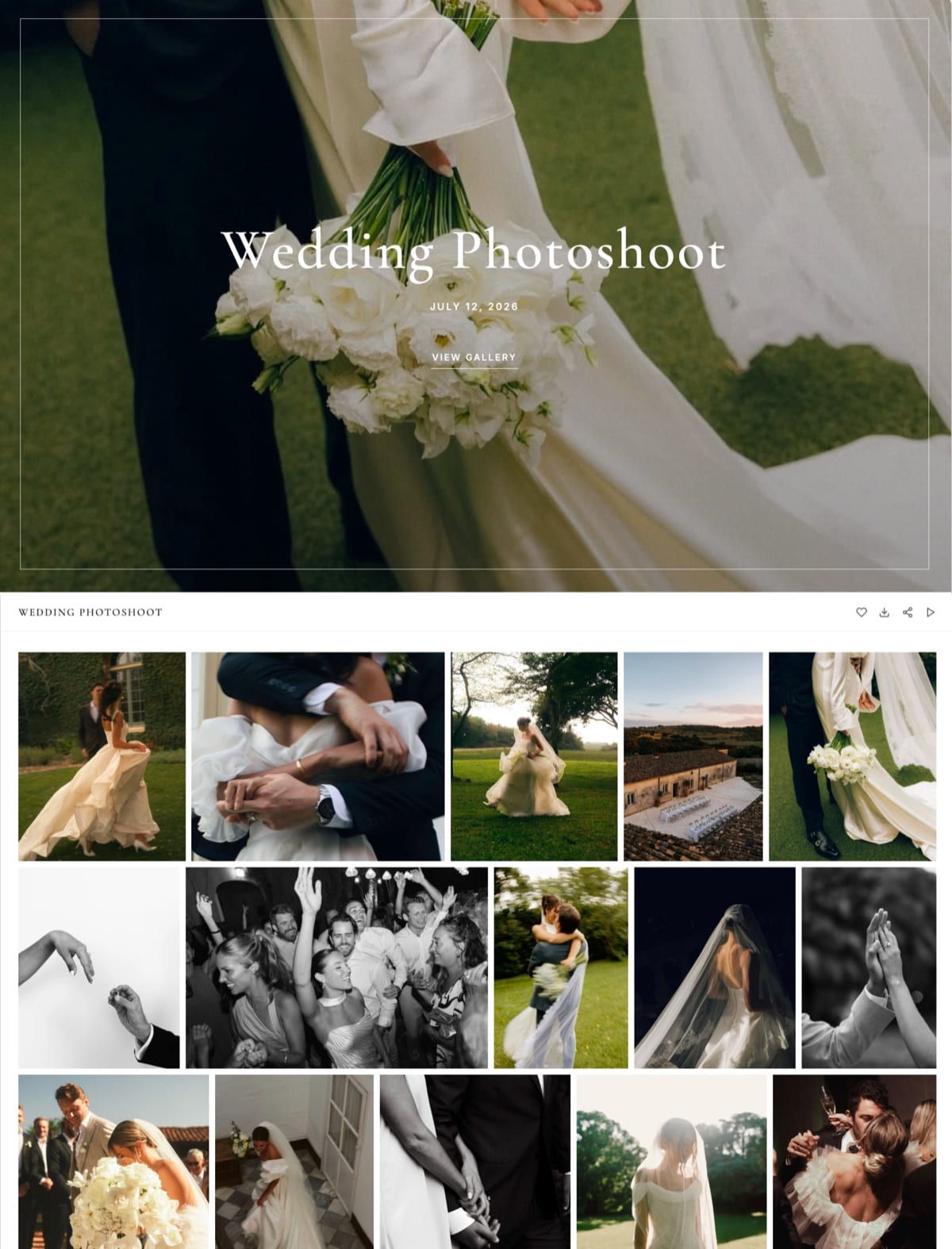
Framekit templates
Start from a designer-made template
 Use template
 Use template
 Use template
 Use template
 Use template
 Use template
 Use template
 Use template
Photographers looking for PicDrop alternatives almost never complain about PicDrop. They have simply reached the edge of what it was built to do. PicDrop proofs and delivers, quickly and cheaply, and then stops.
There is no store, no website, no invoicing, and no way to sell a print or a digital file from the gallery your client is already looking at.
That is a design decision rather than a gap, and for years it was the right one.
Pro at EUR 14.99 a month buys 500GB with unlimited galleries and your own branding on client pages, which on raw storage per euro nothing in this category beats.
If the only thing you need is to put 900 frames in front of a client and get selections back, PicDrop is close to unimprovable.
The trouble starts the day you want the gallery to earn something, or the day a client asks what your website is and the only link you have to give them is a proofing tool.
A client gallery platform is software that hosts, protects and delivers finished photographs to paying clients, and the alternatives below differ mainly in how much of the business around the gallery they are willing to carry.
The best PicDrop alternative in 2026 is Framekit, because it keeps the parts photographers like about PicDrop, uncapped galleries and no fee on delivery, and adds the two things PicDrop refuses to be: a real website on your own domain and a store you can sell from.
The honest trade-off: Framekit's storage is smaller at the entry professional price, with 300GB on the $19 Pro plan against PicDrop's 500GB for about EUR 14.99, so heavy shooters on a budget give up capacity.
Pixieset is the closest full-featured swap, ShootProof is best for print sales at 0% commission, and Picflow is the pick for annotated feedback.
Framekit keeps the fast delivery and adds the site and store PicDrop leaves out, free to start.
Full disclosure: Framekit is our product and it is first here, so the concessions matter. We ran the same 600-frame proofing and delivery job on all seven platforms, checked every price against published vendor pages in August 2026, and we state plainly where PicDrop and others beat us: PicDrop on storage per euro and upload resilience, ShootProof on print margin, Picflow on annotation, and Pixieset on in-gallery structure.
Framekit's storage tiers were re-verified on 19 September 2026, which replaced an old 100GB Pro figure with the current 300GB and changed our storage-per-pound comparison at the top tier.
Why Photographers Outgrow PicDrop
The reasons photographers give for moving on are remarkably consistent, and not one of them is about the quality of the proofing itself, which tells you something about the product.
No commerce of any kind. You cannot sell a print, a digital file, a licence extension or an extra retouch from a PicDrop gallery. For photographers whose delivery moment is also a sales moment, that is a permanent ceiling.
No website. PicDrop is a proofing tool, so your portfolio lives somewhere else and you pay for both. That is two subscriptions doing one job's worth of work.
Euro pricing. Plans are quoted in euros, so photographers billing in dollars or pounds carry an exchange-rate wobble in a line item they expected to be fixed.
The free tier is a demo. One gigabyte across three galleries is enough to evaluate and not enough to work.
To be clear about what you would be giving up: PicDrop Pro at EUR 14.99 a month includes 500GB, unlimited galleries, collaboration mode for proofing, presentation mode for delivery, your own branding on client pages, 60 minutes of video conversion and unlimited video playback, with an extra 250GB at EUR 7.99.
Advanced is EUR 39.99 for 1TB with up to four team members, and the plan structure changed for new customers in May 2026, so older comparison articles quoting a Lite plan are describing a tier that no longer exists.
Current figures are on PicDrop's pricing page.
How We Compared These PicDrop Alternatives
We ran one job across all seven platforms, deliberately designed to include both halves of what a photographer leaving PicDrop is usually trying to solve rather than just the proofing round.
The joba 600-frame proofing gallery with client selections collected, then a delivery gallery of 120 finished images with a digital product listed and bought.
Storage per pound spent, weighted 25%, because that is what PicDrop users are used to and will notice losing.
Commerce, meaning whether you can sell and what it costs, weighted 20%.
Website and ownership, meaning whether the platform gives you a site and a domain of your own, weighted 20%.
Proofing quality, meaning how close the selection round comes to PicDrop's, weighted 20%.
Client experience, covering downloads, mobile and whether an account is required, weighted 15%.
Three types of claim, kept separate. Hands-on: building, proofing, delivering and purchasing. Verified from primary sources: prices, storage and fees read from published pricing pages in August 2026. Community sentiment, always labelled: recurring public review complaints.
What Comparing Seven Alternatives Showed
The trade you are making when you leave PicDrop turns out to be unusually clean and easy to quantify, and the five numbers below are the ones that describe it most honestly.
- Almost no alternative here matches PicDrop Pro's 500GB for about EUR 14.99: SmugMug's unlimited storage from $20 a month annually beats it, Framekit Business at 2TB for $39 gives more per gigabyte but costs more than twice as much a month, which only pays off past PicDrop's 1TB Advanced tier, and the rest offer 10GB to 300GB at similar prices.
- 5 of the 7 alternatives let you sell something from the gallery, which is the capability most people are switching for.
- 1 of the 7 gives you a full website on your own domain as part of the same subscription.
- Cost of selling ranges from 0% on every ShootProof plan to 15% on the free tiers of Pixieset, Pic-Time and CloudSpot.
- 4 of the 7 place no cap on gallery count, matching PicDrop Pro's behaviour.
The calculation to run before switching: take the gigabytes PicDrop is currently holding for you and price that same capacity on each alternative. For a lot of photographers the honest answer is that PicDrop is cheaper and the reason to leave is capability, not cost.
The 7 Best PicDrop Alternatives in 2026, Compared
Weighting is stated above and it deliberately keeps storage heavy, since that is what PicDrop users are giving up. Framekit reaches 9.1 with only a 6 on storage economics, where PicDrop itself and SmugMug both beat it, and full marks on website and ownership.
| Platform | Entry paid price | Storage there | Sell from the gallery | Our rating |
|---|---|---|---|---|
| Framekit | $9/mo | 50GB (300GB on Pro at $19) | Yes, digital products | 9.1/10 |
| Pixieset | About $10/mo | 10GB | Yes, prints and digital | 8.9/10 |
| ShootProof | About $10/mo | 1,500 photos | Yes, at 0% commission | 8.7/10 |
| Picflow | From $21/mo | Plan based | Yes, with print fulfilment | 8.4/10 |
| Pic-Time | $8/mo | 10GB | Yes, with store automation | 8.2/10 |
| CloudSpot | $7/mo | 15GB, 15 galleries | Yes, 15% free and 2.5% paid | 7.9/10 |
| SmugMug | $20/mo annual | Unlimited | Yes, ~15% on markup | 7.6/10 |
Prices were read from the vendors' published pricing pages in August 2026, and card processing of roughly 2.9% plus $0.30 applies on top wherever a client pays.
Price the capacity, not the plan. Look up how many gigabytes PicDrop is holding for you right now and find that number on each alternative's pricing page before comparing anything else.
1. Framekit: Best Overall PicDrop Alternative

Our rating: 9.1/10
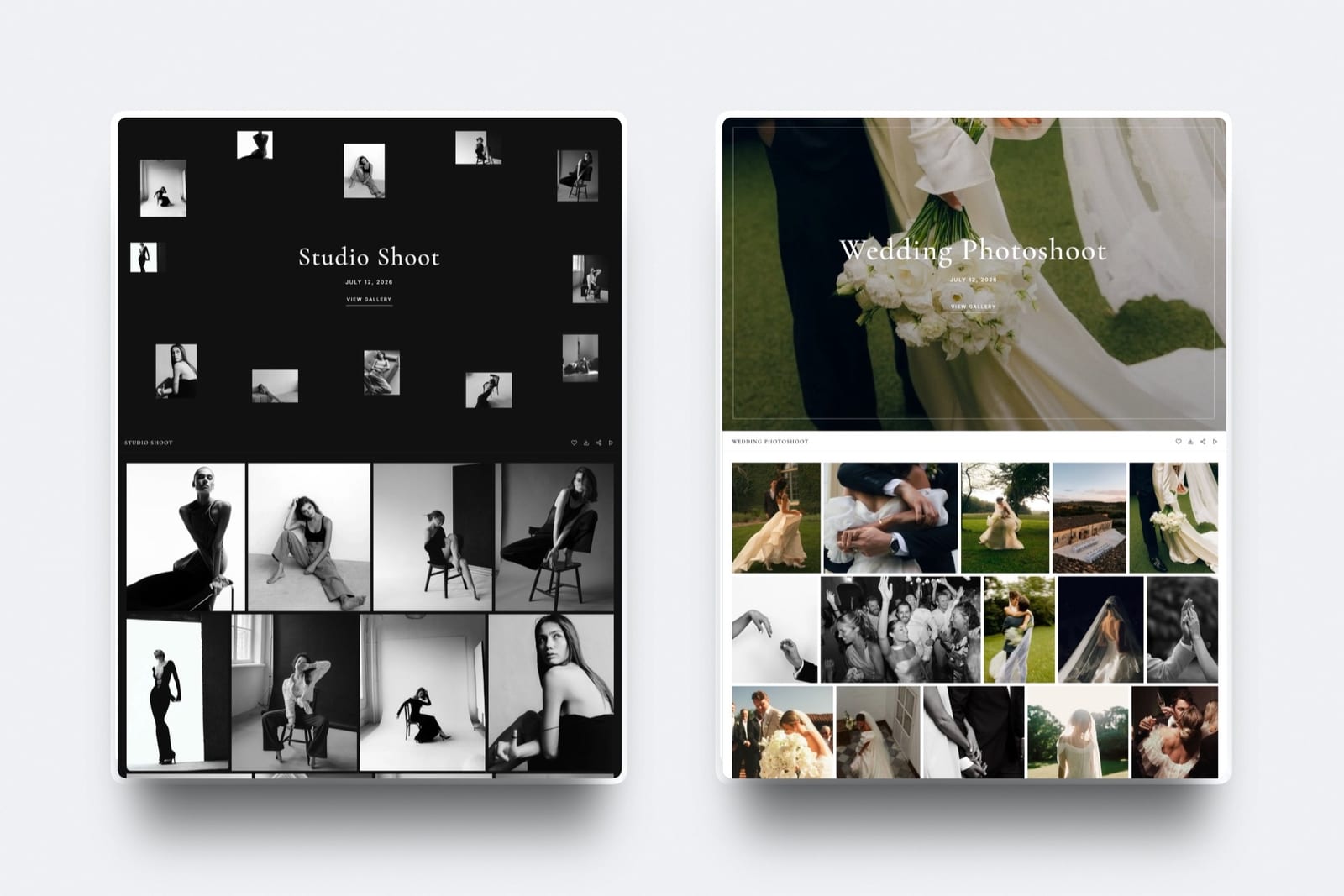
Framekit is an AI website builder with client galleries and a digital store built in, which makes it the alternative that solves the specific thing PicDrop will not: it gives you the website and the shop as well as the gallery, on one subscription and one domain.
For a photographer currently paying for PicDrop plus a portfolio host, that is two bills becoming one.
The properties PicDrop users care about survive the move. Galleries are uncapped on every plan including free, delivery carries no commission at any tier, and clients download full-resolution files or a ZIP without creating an account.
What changes is that the page they land on is yours, with your portfolio one click away, rather than a proofing tool with your logo placed on it.
Best forPhotographers who like PicDrop's simplicity but need a website and a way to sell.
Key features:
- Unlimited galleries on every plan including free, matching PicDrop Pro's behaviour
- A full website on your own domain, generated by Cadence, Framekit's in-house model for creative sites
- Password and PIN protection, watermarking, favourites, slideshow and full-resolution or ZIP downloads on every tier
- No client account required to download
- Originals up to 100MB per photo and branded sharing emails
- A digital store for presets, licences and downloads, with fees of 5% on Free and Starter, 3% on Pro and 0% on Business
The real numberthe storage comparison is the honest sticking point. PicDrop Pro gives 500GB for about EUR 14.99 a month; Framekit Pro gives 300GB for $19 and Business gives 2TB for $39. If you need half a terabyte, Framekit costs more.
If you need 100GB and also need a website you would otherwise pay $16 to $23 a month for, Framekit costs less overall.
Pricing (pooled account storage in parentheses)Free $0 (10GB, unlimited galleries), Starter $9/mo (50GB, custom domain, no Framekit branding), Pro $19/mo (300GB), Business $39/mo (2TB, 0% fee on digital sales). Annual billing takes 20% off.
Pros:
- Website, galleries and store on one subscription, replacing PicDrop plus a portfolio host
- Uncapped galleries and no delivery commission, so nothing you liked about PicDrop is lost there
- Delivery happens on your own domain, so the gallery markets you rather than a vendor
Cons:
- Less storage than PicDrop at the entry price: 300GB for $19 against 500GB for about EUR 14.99
- The proofing round is simpler than PicDrop's collaboration mode
- No contracts, invoicing or scheduling
- No print lab, so physical prints need a separate platform
Skip it ifyour libraries are enormous and proofing speed is all you care about. PicDrop is genuinely better at that job and cheaper for the capacity.
Verdict: Framekit is the right move for photographers whose problem is that PicDrop stops at the gallery, and the wrong move for photographers whose problem is storage. See the wider category in our client gallery platforms guide, or start at framekit.ai.
2. Pixieset: The Closest Full-Featured Swap
Our rating: 8.9/10
Pixieset is what most photographers imagine when they picture leaving a proofing tool: uncapped galleries, a polished client experience, a print and digital store, and a website builder and studio manager available in the same suite.
Clients frequently recognise the interface, which quietly reduces the questions you have to answer.
Free gives 3GB with a 15% store commission, Basic at about $10 a month gives 10GB with 0% commission, and Plus at about $20 gives 100GB with an hour of video upload.
It holds 4.7 out of 5 across 207 Capterra reviews, a far deeper sample than any other platform in this comparison.
Skip it ifstorage was your reason for being on PicDrop. Pixieset gives you a tenth of the capacity at a similar price.
Verdict: Pixieset is the safe, complete swap and the one most PicDrop users end up on. Our Pixieset alternatives guide covers the hop after that one.

3. ShootProof: Best for Selling Prints
Our rating: 8.7/10
If the reason you are leaving PicDrop is that you want to sell, ShootProof gives you the most of every sale: 0% commission on every plan including the cheapest, with real pro-lab fulfilment, contracts and invoicing in the same account.
Plans price by photo count rather than storage, which changes the mental model completely from PicDrop's gigabytes.
Free covers 100 photos, 1,500 runs about $10 a month, 5,000 about $20, 25,000 about $30 and unlimited about $60, per ShootProof's plans page. It carries 4.9 out of 5 across 92 G2 reviews.
Skip it ifyou deliver huge frame counts. A 600-frame proofing gallery makes photo-count tiers vanish quickly.
Verdict: ShootProof is the revenue answer and the least visually polished option here. If print margin is why you are moving, nothing else comes close. Our ShootProof alternatives guide has the field.
4. Picflow: Best for Annotated Feedback
Our rating: 8.4/10
Picflow is the alternative that improves on PicDrop's core strength rather than replacing it.
Per-image comment threads, direct annotation, filters and tagging make a selection round traceable in a way PicDrop's simpler collaboration mode does not, and paid plans from $21 a month add a storefront, digital downloads, print fulfilment, invoicing and contracts.
For commercial and agency work where feedback becomes art direction, that structure is worth the higher price.
Skip it ifyour clients pick rather than critique. You would be paying for machinery you never start.
Verdict: Picflow is the upgrade path for photographers whose proofing rounds have become negotiations. Compare it in our photo proofing tools guide. Visit Picflow

5. Pic-Time: Best Store Automation
Our rating: 8.2/10
Pic-Time is the option for photographers leaving PicDrop specifically to start selling, because its automated sale campaigns, reminder emails and gifting flows keep selling after the gallery goes quiet.
Its galleries are also the most designed in this comparison, which is a visible upgrade from a proofing tool.
Free takes 15% commission, Beginner is $8 a month with 10GB, Professional $25 with 100GB and Advanced $50 with unlimited storage, and paid tiers charge 0% commission when you collect payment yourself through Stripe, PayPal or Square.
Skip it ifyou want a proofing tool with a shop bolted on. Pic-Time is a shop with a gallery around it.
Verdict: Pic-Time sells harder than anything else here and its Advanced tier is the only unlimited-storage option that also looks good.
6. CloudSpot: Cheapest Entry With Business Tools
Our rating: 7.9/10
CloudSpot is the cheapest way to get contracts, invoicing and scheduling alongside a gallery, and its pricing page is the clearest in the category.
The free account carries 5GB, a 3-gallery limit and 15% commission; Entry costs $7 a month for 15GB and 15 galleries; Lite at $17 unlocks 100GB, unlimited galleries and the studio suite; Pro is $34 for 500GB and Unlimited is $50, all listed on CloudSpot's pricing page.
Paid tiers replace commission with a 2.5% transaction fee.
The gallery caps on the cheap tiers are the catch for anyone used to PicDrop Pro's unlimited galleries.
Skip it ifyou deliver more than fifteen galleries at a time and want to stay under $17 a month.
Verdict: CloudSpot at Lite is a strong bundle and a fair swap, provided you ignore the tiers below it. Our CloudSpot alternatives guide covers its own edges.
7. SmugMug: The Only Unlimited Storage Answer
Our rating: 7.6/10
If you loved PicDrop for capacity and nothing else, SmugMug is the one platform here that can beat it: unlimited storage on every plan, including the entry tier.
Annual billing runs $20 a month for Direct, $23.50 for Portfolio and $37 for Pro, with monthly billing at $29, $35.50 and $52, and print sales carry a commission on markup commonly planned around 15%.
The client-facing experience is dated next to modern proofing tools, and its Capterra rating sits at 3.5 across a small sample of 11 reviews.
Skip it ifthe proofing round is what you cared about. This is an archive with a shop.
Verdict: SmugMug wins on storage and loses on everything PicDrop was good at. Our SmugMug alternatives roundup has the trade-offs.
What Switching Away From PicDrop Costs
Costed below for a photographer holding around 200GB of live client work and delivering 40 galleries a year, with roughly $2,000 of annual sales once a store actually exists to sell through.
| Setup | Annual subscription | Storage | Sells from the gallery |
|---|---|---|---|
| PicDrop Pro (staying) | ~$195 | 500GB | No |
| Framekit Business | $468 | 2TB | Yes, 0% on digital |
| Framekit Pro plus external portfolio | $228 plus site cost | 300GB | Yes, 3% on digital |
| Pixieset Plus | $240 | 100GB | Yes, 0% on paid |
| SmugMug Pro annual | $444 | Unlimited | Yes, ~15% on markup |
| CloudSpot Lite | $204 | 100GB | Yes, 2.5% transaction |
The pattern is clear enough to state plainly: leaving PicDrop costs money. What you buy with it is commerce, a website, or both. If neither of those adds revenue to your business, staying on PicDrop is the correct financial decision and no ranking should talk you out of it.
In one lineswitch when the gallery needs to earn or your portfolio needs a home, not to save money.
How to Choose Your PicDrop Replacement
Work down these in order and stop at the first confident yes, because the reasons for leaving a deliberately narrow tool are themselves narrow and easy to identify once written down.
1. Do you also pay for a separate portfolio website? If yes, Framekit, because merging the two is where the money is.
2. Do you want to sell prints and keep the full markup? If yes, ShootProof at 0% commission on every plan.
3. Do you want selling to happen automatically after delivery? If yes, Pic-Time.
4. Has proofing turned into annotated art direction? If yes, Picflow.
5. Was capacity the only reason you were on PicDrop? If yes, SmugMug for unlimited storage, or stay where you are.
Frequently Asked Questions
What is the best PicDrop alternative in 2026?
The best PicDrop alternative in 2026 is Framekit, because it keeps uncapped galleries and commission-free delivery while adding the two things PicDrop deliberately lacks: a website on your own domain and a store you can sell from.
Pixieset is the closest full-featured swap, ShootProof is best for print sales at 0% commission, and SmugMug is the only option with more storage than PicDrop.
Why do photographers leave PicDrop?
They leave for capability rather than quality: PicDrop has no store, no website, no invoicing, and its free tier of 1GB across 3 galleries is only a demo.
Photographers who want the delivery moment to also be a sales moment, or who are tired of paying separately for a portfolio host, run out of road. Nobody leaves PicDrop because the proofing is bad.
Is PicDrop cheaper than its alternatives?
Yes, on storage. PicDrop Pro gives 500GB for about EUR 14.99 a month, while Framekit Pro gives 300GB for $19, Pixieset Plus 100GB for about $20 and CloudSpot Lite 100GB for $17.
Only SmugMug's unlimited storage from $20 a month annually beats it at that price, and that plan is worse at proofing. Switching away from PicDrop generally costs more, not less.
Can I sell prints or digital files through PicDrop?
No. PicDrop has no store of any kind, which is a deliberate design decision rather than an oversight, and it is the single most common reason photographers look for an alternative.
To sell from the gallery you need a platform with commerce built in, such as Framekit for digital products, ShootProof or Pixieset for prints and digital, or Pic-Time for automated store campaigns.
Framekit vs PicDrop: which should a photographer use?
Use PicDrop if proofing speed and storage capacity are the whole job and you already have a website you are happy with.
Use Framekit if you want the gallery to live on your own domain inside a real portfolio, and if you want to sell digital products from it.
Framekit gives less storage for the money below its $39 Business tier; PicDrop gives no website and no store.
Did PicDrop change its pricing in 2026?
Yes. New plans and prices took effect for new customers on 12 May 2026, retiring the Lite tier and moving those users to Pro with more storage and features.
Current tiers are Free at 1GB with 3 galleries, Pro at EUR 14.99 a month with 500GB, Advanced at EUR 39.99 with 1TB and up to four team members, and Business at EUR 99.99. Older comparison articles quoting a Lite plan are out of date.
Which PicDrop alternative has the best proofing experience?
Picflow has the most capable proofing of the alternatives, with per-image comment threads, direct annotation, filters and tagging, and it is the only one that genuinely improves on PicDrop's collaboration mode.
Pixieset and Framekit both handle straightforward favourites collection well but do not offer annotation. If threaded, attributable feedback is the reason you proof at all, Picflow is the upgrade.
Do PicDrop alternatives let me use my own branding?
PicDrop already puts your branding on client-facing pages from the Pro tier, so this is not usually the reason to switch.
Among alternatives, Framekit goes furthest by serving galleries from your own domain as part of a full website, while Pixieset, Pic-Time, CloudSpot and ShootProof allow logo and colour customisation on a vendor subdomain.
The difference is between your logo on their page and your page entirely.
How much storage do photographers actually need?
Most working portrait and wedding photographers keep between 100GB and 500GB live at once, based on roughly 3GB to 5GB per delivered gallery and a rolling six to twelve month archive.
Count your busiest month rather than your annual total, since finished work can move to cold storage. That single number eliminates most platforms before you compare a feature.
Can I move my galleries from PicDrop to another platform?
Not automatically. There is no migration tool between these platforms, so switching means downloading originals and re-uploading them elsewhere.
Do it in a quiet stretch of the calendar, keep the PicDrop account live until every active client has what they need, and check whether your new platform's per-file size ceiling accepts your largest deliverable before you start.
Final Verdict
PicDrop is one of the few tools in this category that knows exactly what it is, and the honest reason to replace it is that your business has grown a shape it does not fit.
Framekit is the best replacement because it keeps the two things PicDrop users value, uncapped galleries and no fee on delivery, and adds the website and store that PicDrop will never build.
Where Framekit loses. At PicDrop Pro's price we give you 300GB against its 500GB, and for a heavy shooter on a budget that is a real downgrade rather than a rounding error.
PicDrop's collaboration mode is a better proofing experience than ours. ShootProof will make you more money on prints, Picflow handles annotated feedback we do not attempt, and SmugMug offers unlimited storage we cannot match at any tier.
If capacity or proofing depth is your priority, we are not the answer.
Before you switch, look up the exact number of gigabytes PicDrop is holding for you today and price that on every option here. A surprising number of photographers discover the honest answer is to stay, and that is a perfectly good outcome for a comparison to reach.
Related readingclient gallery platforms compared, photo delivery tools, photo proofing tools, and the best CloudSpot alternatives.
Prices, storage ceilings and fee structures were read from the vendors' published pricing pages in August 2026, and the same 600-frame proofing round plus a delivery gallery with a test purchase was run on all seven platforms, because what a proofing tool costs you is only visible once you try to sell something from it.