Framekit templates
Start from a designer-made template
 Use template
 Use template
 Use template
 Use template
 Use template
 Use template
 Use template
 Use template
Real estate video is the highest-volume, lowest-margin work in this whole series, and that changes every calculation.
A listing video is 60 to 120 seconds, it is worth a few hundred dollars, and the agent needs it approved before the property goes live on Friday.
You are not running four projects at once like a freelance editor or eleven like a documentary; you are running thirty a month.
Your reviewer is a realtor between showings, reading your link on a phone in a car park, who will not create an account and will not learn a workspace.
So the criteria invert. Annotation is close to irrelevant, since nobody circles anything on a kitchen counter. Workflow routing is irrelevant, since one agent approves.
What matters is cost per job, how many projects you can hold, and whether the review link works on a phone in ten seconds.
A video review tool for real estate videographers is a platform that holds many short listing videos at once, gives an agent a mobile link that needs no account, and collects an approval fast enough to hit a listing deadline.
Re-verified September 2026: Framekit's storage figures below were redone for its current pooled plans, where review video draws on a video share of 3GB free, 15GB on Starter, 150GB on Pro and 750GB on Business.
The best video review tool for real estate videographers in 2026 is Framekit, because review projects are unlimited on every plan including free, pricing is flat at 9 dollars a month regardless of how many agents comment, and listing videos are small enough that the file caps never bind.
Krock.io at 10 dollars per user is the better pick if you never want to delete anything, and Kollaborate at 7 dollars a month is the cheapest flat option.
Full disclosure: Framekit is our own product and we rank it first here. This genre suits it unusually well and the reasons are structural rather than promotional, but there is a real storage caveat at high listing volume which the entry below quantifies rather than glosses over.
How We Tested 8 Tools for Real Estate Volume
We modelled a working month rather than a single job: thirty listing videos, each 90 seconds at 1080p and around 220MB, two versions of roughly a third of them, reviewed by agents on mobile with a same-day approval expectation.
Then we projected a year. August 2026, fresh accounts.
The test that mattered most was the least technical. We opened every review link on a phone, as an agent with no account, and timed how long it took to leave a timestamped comment.
Anything that asked for a signup effectively failed, because a realtor between viewings will reply by text instead.
Measured means we ran the month. Verified means the figure was read at the vendor's own published pricing page and linked inline.
Why this genre inverts the usual criteria
Cost per job is the real metric. Thirty videos a month is 360 a year. A tool at 180 dollars a year costs 50 cents a listing; one at 2,388 dollars costs 6.63.
On work worth a few hundred dollars a piece, that difference is a real margin decision rather than a rounding error.
Deleting is normal here. This is the one genre in this series where storage ceilings matter less than they look, because a sold listing's review has no ongoing value.
Where a documentary must keep everything for years and a wedding film is a permanent record, a listing review can be deleted the week the property closes.
Housekeeping is a natural part of the workflow rather than a symptom of an undersized plan.
Mobile is the primary surface. Agents review on phones. A tool that is excellent on desktop and awkward on mobile is worse, in this genre only, than a simpler tool that works everywhere.
What Thirty Listings a Month Actually Costs
Every figure below was read at the vendor's own published pricing page in August 2026 and projected against 360 listing videos a year, because a monthly rate tells you almost nothing about a business that bills per property rather than per campaign.
- Thirty 90-second listings a month at around 220MB, with second versions on a third of them, is roughly 8.8GB a month or 106GB a year.
- Cost per listing ranges from 23 cents on Kollaborate Basic to 6.63 dollars on the workflow platforms, which is why no tool priced above about 200 dollars a year appears in this comparison.
- Framekit's per-file caps never bind here: a 220MB listing fits the 500MB free cap comfortably, which is not true in any other genre in this series.
- 5 of 8 tools allow unlimited concurrent projects, which matters at thirty live jobs a month more than any feature.
- Dropbox Replay's bundled four file uploads covers roughly one and a half days of this workload, making the add-on mandatory rather than optional.
- Framekit Pro's 150GB video share fills in about seventeen months at this rate, and Krock.io's 2TB would take roughly nineteen years.
- 0 of 8 tools charge per reviewer, so inviting a listing agent, a broker and a seller costs nothing anywhere.
| Tool | Cost per year | Cost per listing | Unlimited projects | Free tier viable |
|---|---|---|---|---|
| Framekit | 108 dollars flat | 30 cents | Yes, even free | Yes, 3GB of video |
| Kollaborate | 84 dollars flat | 23 cents | Yes | No, trial only |
| Krock.io | 120 dollars per user | 33 cents | Yes | No, 1 user 2GB |
| Vimeo | About 96 euros | About 27 cents | Yes | Hosting only |
| ReviewStudio | Free, then 144 dollars | 40 cents | Yes | Yes, 5GB |
| Wipster | 119.40 dollars | 33 cents | Yes | No, trial only |
| Frame.io | 180 dollars per member | 50 cents | Unlimited on Pro, 2 free | No, 2 projects |
| Dropbox Replay | From 120 dollars plus storage | 33 cents plus storage | Four bundled uploads | No |
Jump to the decision tree if you already know your monthly count.
The Best Video Review Tools for Real Estate Videographers in 2026
Ranked on cost per listing and speed to approval, since depth of review tooling is close to worthless in a genre where nobody draws on anything. The first four get full reviews.
1. Framekit: Best Fit for Listing Volume

Framekit is an AI website builder with video review built in, and real estate is the genre where its shape and the work's shape line up most closely of anywhere in this series.
Review projects are unlimited on every plan including free, which at thirty live listings a month is the single most important property a tool can have.
Pricing is flat at 9 dollars a month, so an agent, a broker and a seller all commenting costs the same as one person. Every reviewer is a guest with anonymous comments allowed by default, so nobody is asked to sign up.
And the review page carries your logo, typeface and accent colour at your own subdomain, which matters when an agent forwards your link to a seller who has never heard of you.
The real number108 dollars a year on Starter, or 30 cents per listing across 360 videos.
The per-file caps that constrain us badly in documentary and wedding work are irrelevant here: a 220MB listing video fits the 500MB free cap with room to spare, so even the free plan is genuinely usable for this workload.
The standout detailpassword protection, an optional email gate and link expiry with a reminder are all on the free plan.
Expiry is quietly useful in this genre specifically, because a listing video for a sold property should stop being publicly linkable, and setting that at upload is easier than remembering to clean up later.
The honest gotchastorage. Review video draws on a video share of the account's storage pool, and at roughly 106GB a year, Pro's 150GB video share fills in about seventeen months, and Starter's 15GB fills in about seven weeks.
You will be deleting delivered listings, and deleting a project takes its comment history with it.
In this genre that is genuinely fine, because a sold listing's review has no ongoing value, but it is housekeeping you have to actually do rather than a limit you never meet.
Skip it ifyou also shoot long-form property films or developer documentaries over ten minutes, where our file caps start to bite.
Verdict: the best cost-per-listing option with a client-facing page that suits forwarding to a seller. The storage ceiling is real and, uniquely in this genre, largely harmless.
2. Krock.io: Never Delete Anything
If the housekeeping above sounds like a chore you will not do, Krock.io removes it. Pro is 10 dollars per user per month with unlimited team size and from 2TB, with unlimited reviewers on every plan including free and 4K playback named explicitly.
The real number120 dollars a year, or 33 cents a listing, for storage that would take roughly nineteen years to fill at this volume. Three cents a listing more than Framekit buys you never thinking about deletion again.
The standout detailreview across video, image, audio and PDF in one account is more useful in real estate than it first appears, since a listing package often includes stills, a floor plan PDF and the video, and agents comment on all three.
The gotchathe free tier is one user on 2GB, so there is no free path, and the next tier above Pro is an Enterprise plan from 400 dollars with 100 users included.
Verdict: the right pick for a volume shooter who wants to set it up once and forget it, and the best all-round tool here if the extra 12 dollars a year is not a consideration.
3. Kollaborate: Cheapest Per Listing
Basic is 7 dollars a month or 60 dollars a year for 30GB, with unlimited projects and unlimited bandwidth, rising through twelve published tiers so you can match storage to your actual listing volume rather than jumping between fixed sizes.
The real number84 dollars a year at the monthly rate is 23 cents a listing, the lowest in this comparison. Unlimited bandwidth matters more here than in most genres, because agents rewatch and forward listing videos repeatedly.
The gotchathe interface is visibly dated, and in this genre your reviewer is a realtor forming a quick impression of your professionalism on a phone.
Verdict: the cheapest credible option, with the granular storage ladder that suits a business whose volume grows steadily rather than in jumps.
4. Vimeo: If Listings Also Go Public
Vimeo is the only tool here that carries a listing video from review straight through to the property page: Starter is about 8 euros a month billed annually with 1 user and 2TB, with review and collaboration tools listed as included rather than sold as an add-on.
The standout detailthe reviewed file can become the public embed on a listing page without a second upload, which is exactly what happens to most of this work.
A listing video is reviewed on Monday and embedded on a property page on Wednesday, and Vimeo is the only tool here that carries it across without a re-upload.
Verdict: the strongest choice if you also host the finished videos for agents, and 2TB removes the housekeeping question entirely at about 27 cents a listing.
5. ReviewStudio: Best Free Option
ReviewStudio gives away more seats than any other free plan in this comparison, with unlimited users and unlimited guests on a free 5GB tier including versioning, compare mode, present mode and approval management.
Verdict: 5GB holds under three weeks of this workload, so free works only if you delete diligently. Pro at 12 dollars per user annually gives 25GB, which is about three months. Generous on seats, tight on the thing this genre actually consumes.
6. Frame.io: Overqualified
Frame.io brings the deepest review toolkit in this series to a genre that uses almost none of it: Pro is 15 dollars per member per month with 2TB, with frame-accurate range comments, drawn annotation, version stacks, a comparison viewer and editorial panels.
Verdict: 50 cents a listing for a toolkit built for post houses. The free tier's 2-project cap is unusable at thirty jobs a month, and nothing it adds over the tools above changes a realtor's approval. Correct only if you also shoot commercial work.
7. Wipster: Good Tool, Wrong Genre
Light is 9.95 dollars a month with 50GB for one person, with annotation, Premiere Pro and After Effects extensions and comments that become checkable tasks.
Verdict: the task list is genuinely useful across thirty concurrent jobs, and 50GB holds under six months of this volume. The annotation and Adobe extensions, which justify its price elsewhere, do almost nothing here.
8. Dropbox Replay: Disqualified by Volume
Replay layers frame-accurate comments, drawing and live shared-cursor sessions onto storage you may already use to send finished files to agents, with no account needed for reviewers, sold as an add-on from 10 dollars a month.
The gotchathe entitlement bundled into paid Dropbox plans is four file uploads in total, which at thirty listings a month is about a day and a half of work.
Verdict: the no-account reviewing suits agents well and the bundled cap makes the add-on mandatory. Reasonable if Dropbox is already how you deliver files to agents, and never a starting point.
The Cost-Per-Listing Calculation
In one lineat 360 videos a year, the difference between a 23-cent tool and a 6.63-dollar tool is over 2,000 dollars of margin on work that is already thin.
Run it properly. Thirty listings a month is 360 a year. Kollaborate Basic at 84 dollars is 23 cents each. Framekit at 108 is 30 cents. Krock.io at 120 is 33 cents. Frame.io Pro at 180 is 50 cents.
Filestage at 2,388, which is why it does not appear on this page, would be 6.63 dollars per listing on work that might bill at 250.
That last comparison is the one worth internalising.
The workflow platforms that are correct for a corporate team with eleven stakeholders are catastrophic here, not because they are bad but because the cost structure has nothing to do with the job.
A tool priced per campaign makes no sense for a business priced per property.
The corollary is that everything in the viable range, roughly 84 to 180 dollars a year, is close enough that you should choose on fit rather than price. Twelve dollars a year separates the cheapest credible option from the one that never needs housekeeping.
The test you can rundivide your annual tooling cost by the number of videos you delivered last year. If the answer is more than about a dollar, you are on a tool built for a different business.
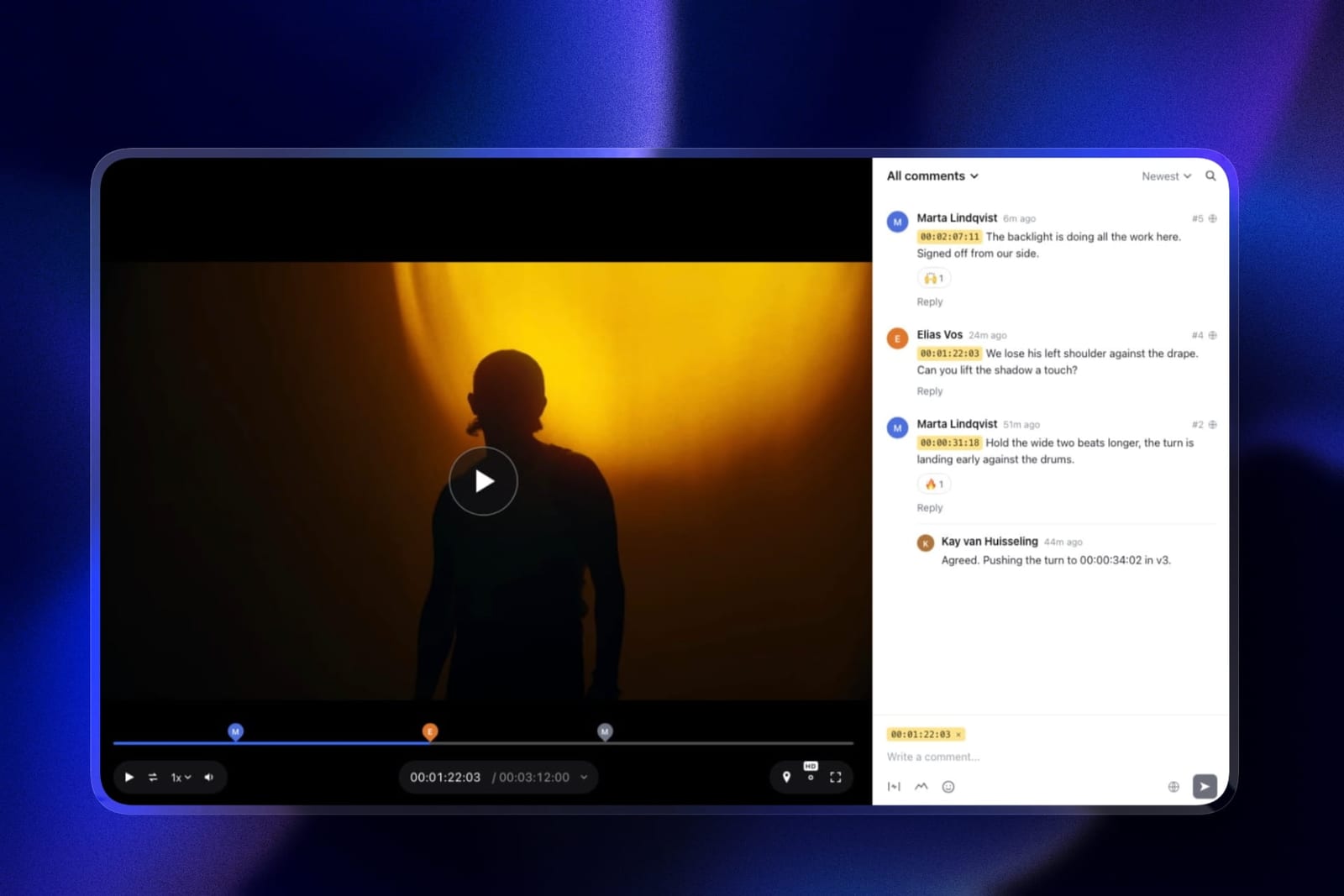
Speed to Approval Beats Everything Else
In one linein a genre with a Friday deadline, the tool that gets an agent to press approve on a phone in ten seconds beats the tool with better commenting every time.
Three things determine that speed and none of them appear prominently in feature comparisons.
No account required. An agent who is asked to create a login will reply by text instead, and now you have untimestamped feedback and a broken audit of what was approved.
Framekit allows anonymous guest comments by default, Dropbox Replay requires no account at all, and ReviewStudio allows unlimited guests. Test this before committing.
Mobile playback. Agents review between showings. A page that assumes a desktop layout costs you a round trip when the agent gives up and waits until evening.
One-tap approval. The distinction between a comment thread and an approve button matters at volume.
You need a binary answer to ship a listing, and a tool that only offers comments makes the agent write "looks good" which is not a state you can act on programmatically.
Everything else, annotation, version stacks, comparison viewers, routing, is close to irrelevant in this genre and you should not pay for any of it.
Which Tool Fits Your Listing Volume? A Decision Tree
Work through these in order and stop at the first yes. The whole page fits inside a 100-dollar spread, so these are fit questions rather than budget ones.
- Do you shoot more than about twenty listings a month? Krock.io or Vimeo, both at 2TB, so storage never becomes a task you have to remember.
- Are you happy deleting sold listings each month? Framekit at 9 dollars a month flat, or Kollaborate at 7, both with unlimited projects.
- Do you also host the finished videos for agents? Vimeo, where the reviewed file becomes the listing-page embed without re-uploading.
- Do sellers and brokers comment as well as the listing agent? Any flat-priced tool here, since none charge per reviewer. Framekit and Kollaborate are the flat options.
- Do you want your own branding on the page an agent forwards to a seller? Framekit, where the review sits at your own subdomain.
- Do you want to start at zero cost? Framekit's free 3GB of video holds about ten days at thirty listings a month, or roughly a month at ten, and ReviewStudio's 5GB holds under three weeks at thirty.
- Do you also shoot commercial or architectural films over ten minutes? Frame.io or Krock.io, since Framekit's file caps start to matter at that length.
- Do you also deliver listing photos? Framekit runs client galleries on the same subscription. Our client galleries for real estate photographers guide covers that side.
Frequently Asked Questions
What is the best video review tool for real estate videographers in 2026?
Framekit is the best video review tool for real estate videographers in 2026, because review projects are unlimited on every plan including free, pricing is flat at 9 dollars a month no matter how many agents comment, and a 220MB listing video fits comfortably inside even the free plan's 500MB per-file cap.
Krock.io at 10 dollars per user is better if you never want to delete anything, and Kollaborate at 7 dollars a month is the cheapest.
How much should real estate video review cost per listing?
Between 23 and 50 cents per listing at thirty videos a month. Kollaborate Basic at 84 dollars a year is 23 cents, Framekit at 108 is 30, Krock.io at 120 is 33 and Frame.io Pro at 180 is 50.
Workflow platforms priced around 2,388 dollars a year work out at 6.63 per listing, which is why none of them appears in this comparison.
How much storage does thirty listings a month need?
Roughly 8.8GB a month, or 106GB a year, based on 90-second 1080p videos at around 220MB with second versions on about a third of them.
That fills Framekit Pro's 150GB video share in about seventeen months and Starter's 15GB in about seven weeks, while Krock.io's and Vimeo's 2TB would take roughly nineteen years.
In this genre, deleting sold listings is normal practice rather than a workaround.
Can agents review video on their phones?
Yes on every tool in this comparison, and it is the criterion that matters most in this genre because agents review between showings. What differs is whether they need an account first.
Framekit allows anonymous guest comments by default, Dropbox Replay requires no Dropbox account, and ReviewStudio allows unlimited guests. An agent asked to sign up will usually reply by text instead, which loses you the timestamps.
Do I need annotation for real estate video?
Almost never. Listing feedback is about pacing, music, the order of rooms, the agent's name card and how long the exterior shot holds, all of which are expressible in a sentence attached to a timecode. Nobody circles a kitchen counter.
The annotation and editorial integrations that justify a premium in animation and motion work are close to idle here, so paying for them is optional in a way project count is not.
Is a free plan enough for real estate video?
For a lower-volume shooter, yes.
Framekit's free plan allows unlimited review projects on 10GB of pooled storage, 3GB of it video, with a 500MB per-file cap, which holds about ten days of a thirty-listing month or roughly a month at ten a month, and it includes password protection and link expiry.
ReviewStudio's free 5GB tier holds under three weeks at the same rate. Both show vendor branding on the page.
What happens when my storage fills up?
You delete delivered listings, and on most tools that also deletes their comment history and approval record.
In real estate this is genuinely acceptable, because a sold property's review has no ongoing value, which is not true in wedding, documentary or commercial work.
If you would rather not think about it, Krock.io and Vimeo both offer 2TB at around 120 dollars a year.
Which tool is fastest for a same-day approval?
The one your agent can use without an account on a phone.
Framekit, Dropbox Replay and ReviewStudio all allow guest reviewers with no signup, and Framekit additionally offers a one-tap client approval that gives you a definite state rather than a comment saying "looks good".
Speed to approval in this genre is about removing friction from the reviewer, not about your own tooling.
Can I use the same tool for listing photos and video?
Framekit runs client photo galleries and video review on the same subscription from one shared storage pool, which suits real estate shooters delivering both stills and a walkthrough.
Krock.io reviews video, image, audio and PDF in one account, which covers a listing package including a floor plan. Dedicated photo gallery platforms generally do not offer timestamped video review.
Should I use Frame.io for real estate work?
Only if you also shoot commercial or architectural films.
Frame.io Pro at 180 dollars a year is 50 cents a listing for frame-accurate range comments, drawn annotation, version stacks and editorial panels, none of which changes a realtor's approval.
Its free tier caps at 2 projects, which is unusable at thirty jobs a month, so it is a paid tool with capability you will not use.
How do I stop old listing videos being publicly accessible?
Use link expiry, which is on Framekit's free plan alongside password protection and an optional email gate.
A listing video for a sold property should stop being linkable, and setting an expiry date at upload is more reliable than remembering to clean up later.
Frame.io puts share link expiry behind Pro at 15 dollars per member, and most other tools treat it as a paid feature.
Do I need a different tool if I shoot for developers as well as agents?
Possibly, because developer and architectural films run longer.
Framekit's per-file caps are 500MB on free, 1GB on Starter, 2GB on Pro and 3GB on Business, which comfortably covers 90-second listings and starts to bind on a ten-minute development film.
Krock.io, Vimeo and Frame.io all hold longer files without difficulty, so a mixed practice should choose from those.
Is Framekit's free plan really enough for real estate video review?
For listing work, yes, which is unusual.
A 220MB listing video sits well inside the 500MB per-file cap that constrains longer-form work, so the file limits that make us a poor fit for documentary and wedding delivery are simply not in play here.
At volume, Starter is $108 a year, which across 360 videos is about 30 cents a listing.
The exception is worth naming: if you also shoot property films or developer documentaries running past ten minutes, the caps start to bite and you will want a tool built for long files.
Final Verdict
Framekit is the best video review tool for real estate videographers in 2026 because this is the genre where its structure and the work's structure match.
Unlimited review projects on every plan handles thirty live listings, flat pricing means an agent, a broker and a seller cost the same as one reviewer, guests comment without accounts, and listing files are small enough that our per-file caps, which are a genuine problem in wedding and documentary work, never come near binding here.
Krock.io is the better pick if you would rather never delete anything, at 2TB for three cents more per listing, and Kollaborate is the cheapest credible option at 23 cents.
Where Framekit loses, and who should choose otherwise. Our storage ceiling is real: Pro's 150GB video share fills in about seventeen months at thirty listings a month, so you will be deleting sold listings and losing their comment history with them.
If that housekeeping is something you know you will not do, buy Krock.io. If you also shoot developer or architectural films over ten minutes, our file caps will bind and Krock.io, Vimeo or Frame.io are the right answers.
Drawing on the frame is there on every plan, but in this genre it earns you almost nothing, so do not pay for Framekit on its account.
Everything credible on this page sits between 84 and 180 dollars a year, so choose on fit rather than price.
The only genuinely expensive mistake available here is buying a workflow platform designed for a corporate team, which at 360 listings a year would cost you more than 2,000 dollars of margin for structure you would never open.
Related readingthe 12 best video review tools, client galleries for real estate photographers, website builders for real estate photographers, and the best free video review tools.
Prices were read at each vendor's published pricing page in August 2026 and converted to a cost per listing across 360 videos a year, since headline monthly rates tell you very little about a business priced per property.