Framekit templates
Start from a designer-made template
 Use template
 Use template
 Use template
 Use template
 Use template
 Use template
 Use template
 Use template
Film and animation students sit in an awkward gap. They work in crews of five or six, which is exactly the size where review tools start charging per seat, and they have no budget at all, which is exactly the customer those tools are not built for.
Then there is a second problem nobody warns them about. The tools a student learns on shape which tools they buy when they graduate and start freelancing, which is precisely why a couple of vendors take education seriously and most treat it as an afterthought.
We looked at both halves: what a student can actually run a course project on for nothing, and which vendors publish genuine academic pricing rather than telling you to contact sales.
A video review tool for students is a platform that lets a course crew collect timestamped feedback on a cut without paying per person, usually on a free tier, and occasionally at a discounted academic rate.
The best video review tool for students in 2026 is Framekit, because one free account runs the whole term's crit loop (frame-accurate comments, versions, passwords and expiry, with reviewers needing no account) and also builds the portfolio that outlives your student email.
The trade-off is that only the account holder uploads on the free plan. ReviewStudio is the pick when several crew members must upload, with unlimited free accounts on 5GB, and SyncSketch is the one to learn for animation.
Full disclosure: Framekit is our own product and we rank it first. We judged it on the same crew criteria as the other eight and link to all of them. ReviewStudio beats us on the crew problem specifically, because it gives every crew member a real account for free and our free plan gives uploads to the account holder alone.
In September 2026 we re-verified every free tier and price here and moved Framekit from second to first, because its free plan grew to 10GB of pooled storage and now includes every core review feature alongside the portfolio.
How We Tested 9 Tools for Student Use
We ran a course-project shape rather than a professional one: a six-person crew, one 11-minute short film, four cuts across a term, with three crew members needing to upload and everyone needing to comment, and a hard constraint of spending nothing.
Then we checked which vendors publish academic pricing rather than requiring a sales conversation. August 2026, fresh accounts.
Measured means we ran the crew workflow on the free tier. Verified means the pricing or academic policy was read at the vendor's own published page and linked inline.
The two things students actually need, in order
A crew review tool, for one term. Six people, one film, no money. The binding constraints are how many people can hold accounts and how much storage a term of cuts consumes, not annotation depth or workflow routing.
A portfolio, for the next forty years. This matters more and gets less attention. A graduating student needs somewhere their work lives that is not a university server that expires, and the review tool is temporary while the portfolio is not.
Almost every guide to this topic answers only the first. The second is the one that affects whether you get hired.
What Students Can Actually Get Free
Every figure below was read at the vendor's own published pricing or academic page in August 2026 and tested against a six-person crew project, because free tiers are sized for one person evaluating a product and behave very differently once a whole crew is on them.
- 2 of 9 vendors publish genuine academic pricing rather than a sales contact: SyncSketch, which states a large share of its user base is academic, and Wipster, which offers education and non-profit discounts on request.
- 1 free tier supports a six-person crew with real accounts: ReviewStudio, with unlimited users and unlimited guests on 5GB.
- Frame.io's free tier caps at 2 members and 2 projects, so a six-person crew cannot use it as a crew.
- Framekit's free tier allows unlimited review projects on 10GB of pooled storage, 3GB of it video, with a 500MB per-file cap; only the account holder uploads, and team seats start on Pro.
- An 11-minute student cut exported at 1080p is roughly 1.2GB, so a term of four cuts is about 5GB, which fits ReviewStudio's free tier almost exactly and exceeds Frame.io's 2GB. Exported as a 1080p review copy under 500MB instead, the same four cuts come to under 2GB.
- SyncSketch's free Light tier is under 1GB with a 2GB monthly upload allowance, which will not hold a term.
- 0 of 9 vendors offer a free tier designed for education specifically, so every option here is a general free plan being used by students.
| Tool | Free tier | Crew accounts on free | Academic pricing | Fits a term of cuts |
|---|---|---|---|---|
| Framekit | 10GB pooled, 3GB video | Account holder uploads, unlimited guest reviewers | Not published | Yes, as review copies under 500MB |
| ReviewStudio | 5GB | Unlimited users and guests | Not published | Yes, about 5GB |
| SyncSketch | Under 1GB | Within seat cap | Yes, published | No |
| Frame.io | 2GB | 2 members, 2 projects | Not published | No |
| Krock.io | 2GB | 1 user | Not published | No |
| Wipster | Trial only | Not applicable | Discounts on request | No |
| Vimeo | Limited free tier | 1 user | Not published | Depends |
| Google Drive | 15GB | Unlimited viewers | Education accounts via school | Yes, but no timecodes |
| YouTube unlisted | Unlimited | Unlimited viewers | Not applicable | Yes, with no controls |
The Best Video Review Tools for Students in 2026
Ranked on whether a six-person crew can genuinely run a term on the free tier, and then on whether the tool leaves you with anything once the course ends, since this guide's own argument is that the portfolio outlasts the review tool.
That second criterion is the one that puts Framekit ahead of ReviewStudio, and it is the reason the crew-upload limit appears as its gotcha rather than being buried. The first three get full reviews.
1. Framekit: Best Overall for Student Filmmakers

Framekit is an AI website builder with video review, client galleries, Slides and a store in one account, and it ranks first for students because it is the only free plan here that covers both halves of a film course: the crit loop during term and the portfolio that has to outlive it.
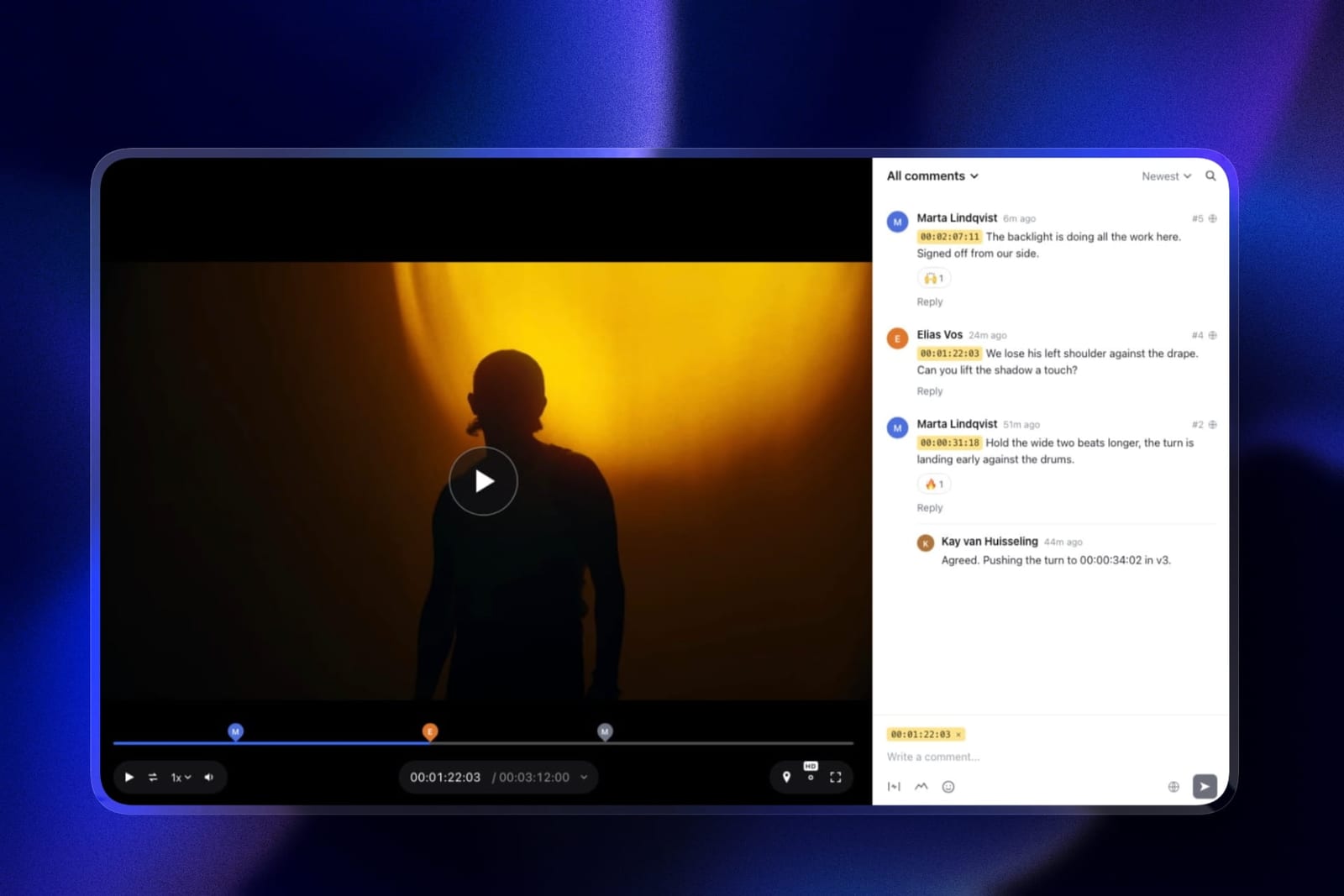
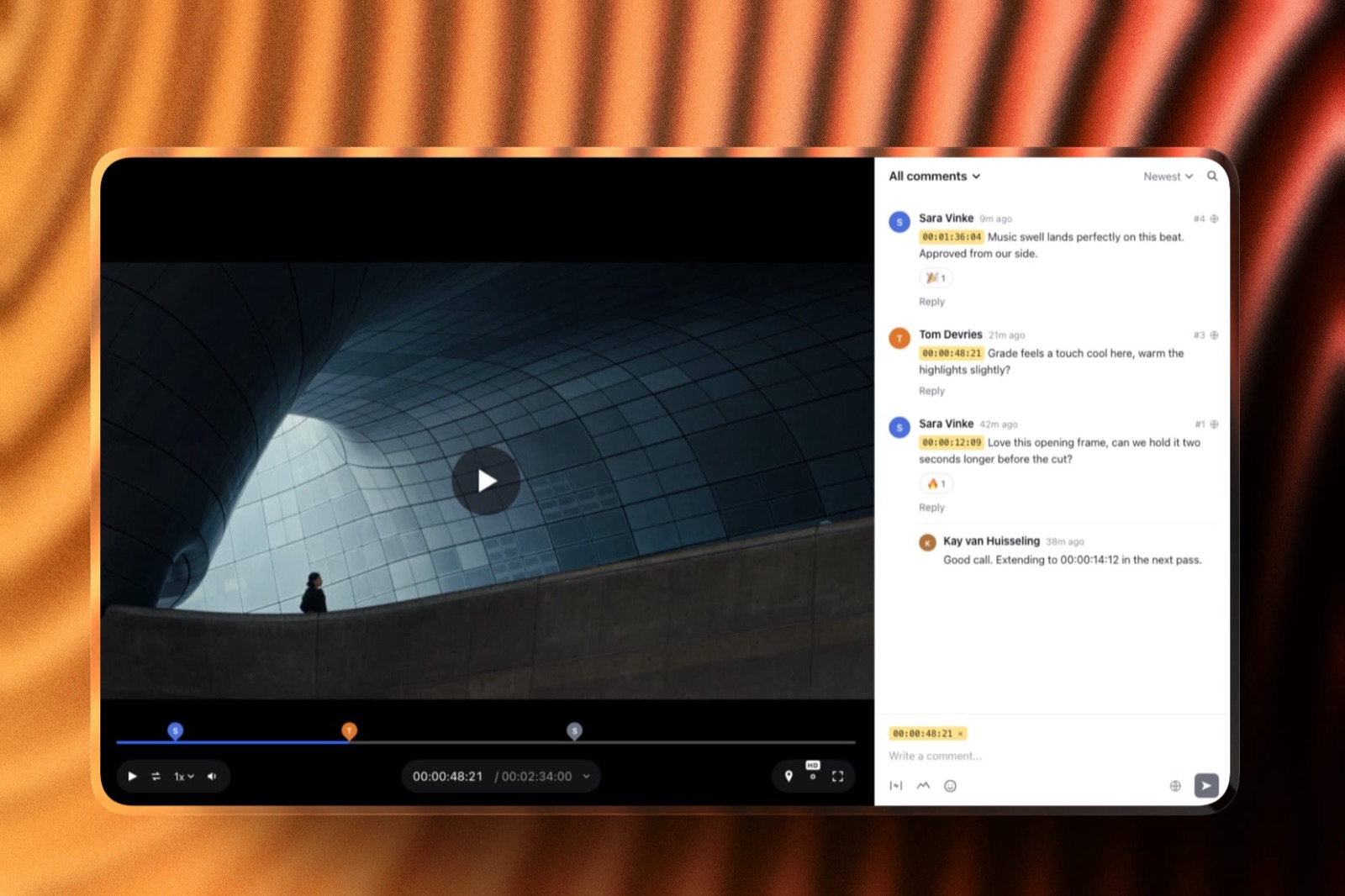
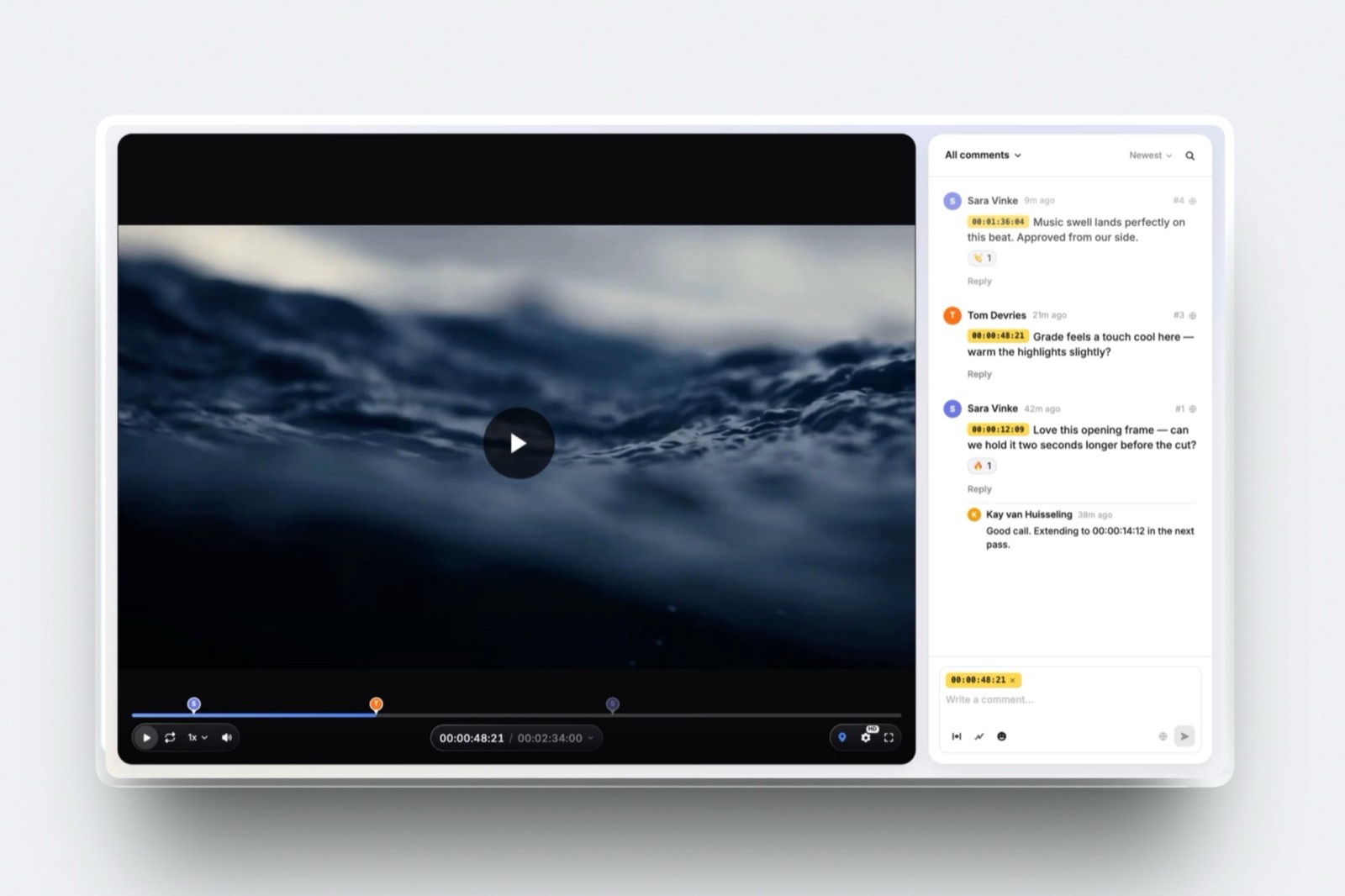
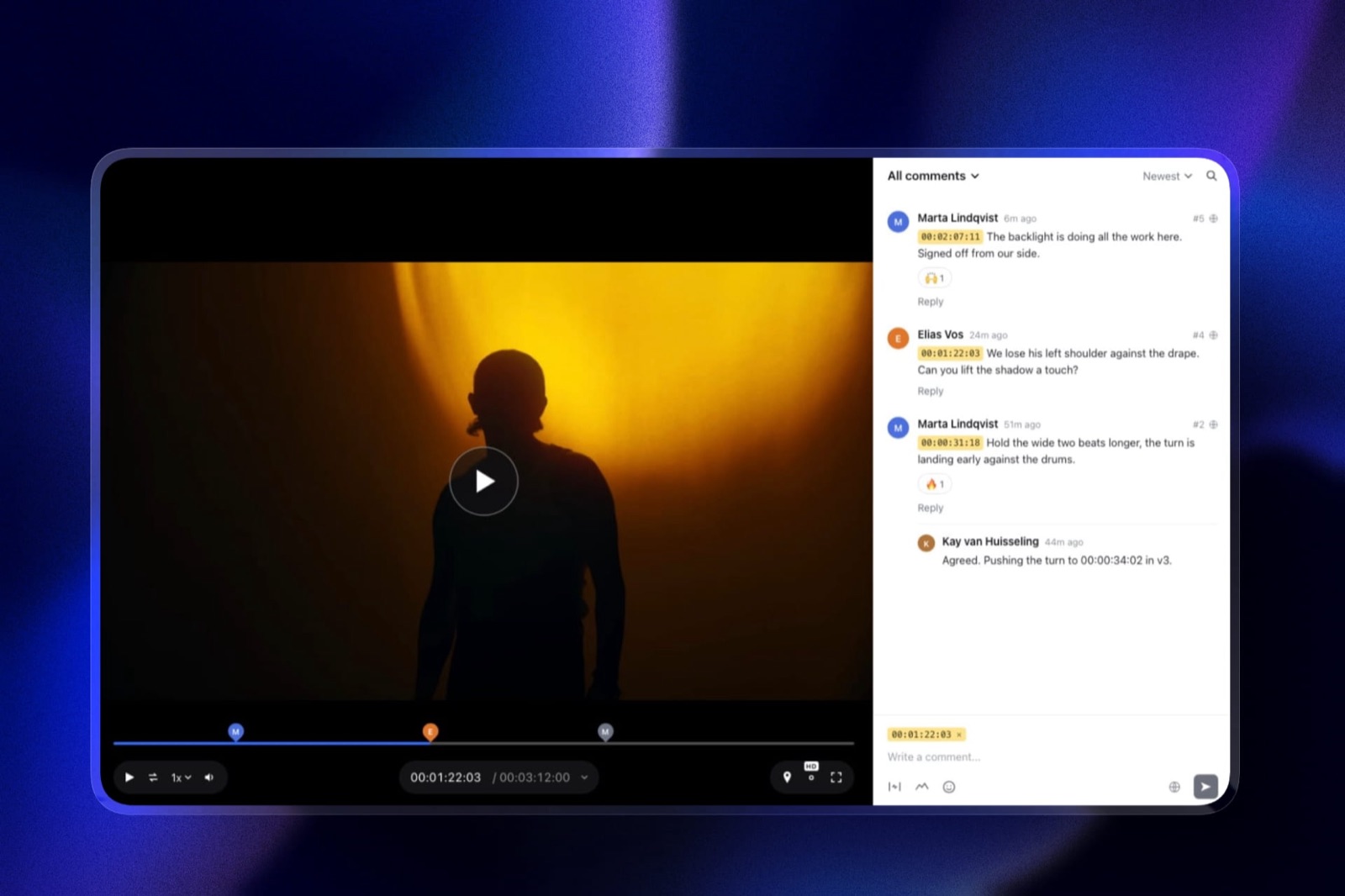
For a crew, the workable shape is one editor holding the account and uploading each cut, while the other five open the link and comment without signing up, each note pinned to a timecode chip, with drawing on the frame for framing notes.
Cut two stacks on cut one as a new version, so a tutor can check which week-four notes were dealt with instead of rereading a group chat.
At the end of term the same account builds a portfolio from a film template with the grad film on it, and a pitch deck for the next project in Framekit Slides.
The real number500MB, the per-file cap on the free plan. A 1.2GB export like our test cut does not fit, but a 1080p review copy at about 6 Mbps is roughly 480MB for 11 minutes, so four cuts come to under 2GB of the free plan's 3GB video allowance.
The rest of the 10GB pool holds the portfolio's images.
The standout detailfestival safety is free. A review link can carry a password and an expiry date on the free plan, so a cut you plan to submit is never publicly available, which is exactly the trap an unlisted YouTube link sets.
The honest gotchaonly the account holder uploads. The free plan has no team seats, and Pro adds three at 19 dollars a month, so on a crew where three people post cuts, one person becomes the funnel. ReviewStudio's unlimited free accounts solve that better than we do.
Skip it ifseveral of your crew must upload during term and nobody wants to be the funnel, or you are studying animation and should be learning SyncSketch.
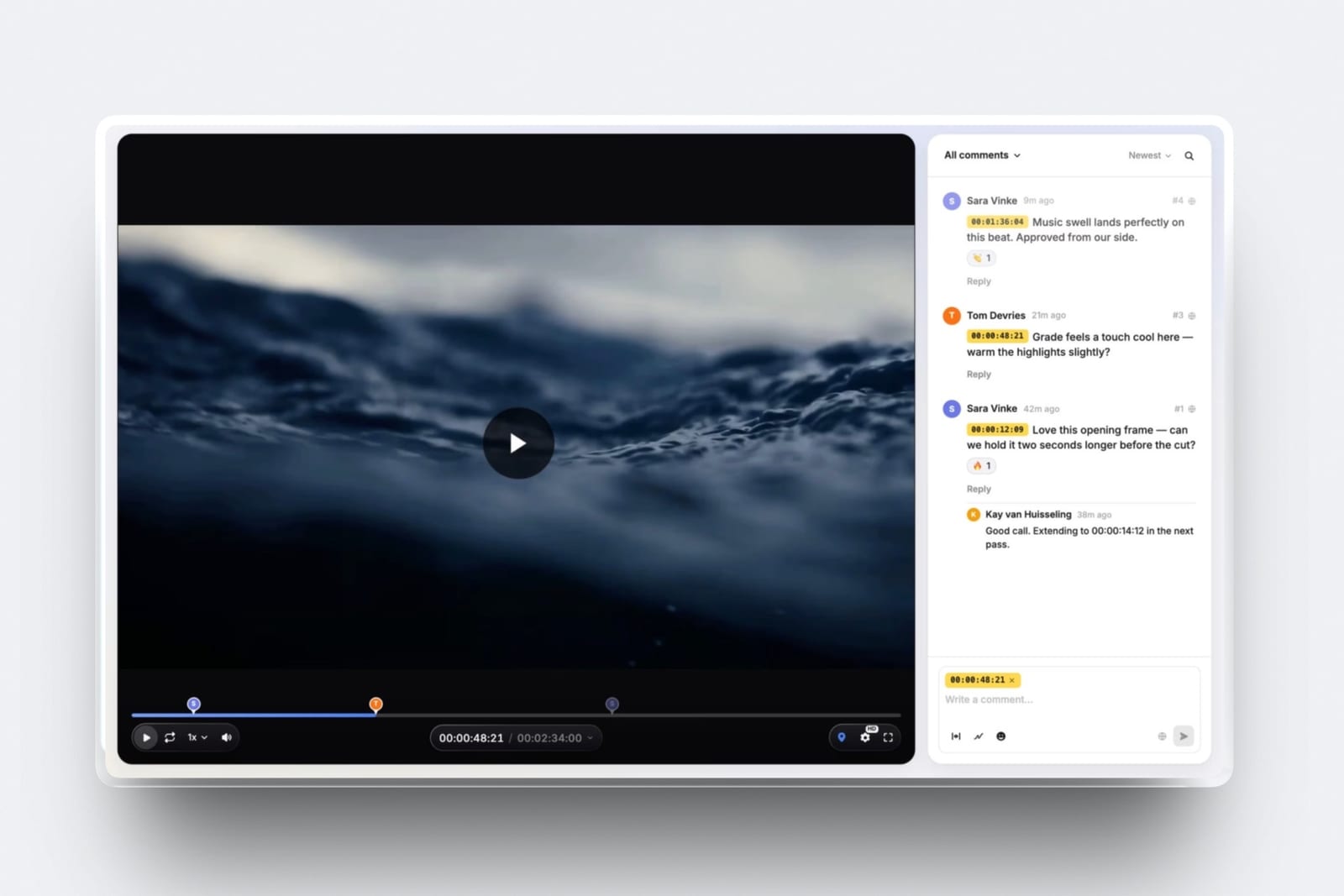
Verdict: the best free setup for a student filmmaker, because the crit loop and the portfolio live in one account that does not expire with your student email. Add ReviewStudio only if several of you need to upload.
2. ReviewStudio: Best When Several of You Upload
ReviewStudio is the answer to the specific problem students have, which is that they are a team with no budget. The free Starter tier includes unlimited users and unlimited guests on 5GB, with versioning, compare mode, present mode, approval management and drawing, across all file formats.
The real number5GB holds roughly four 1.2GB cuts of an 11-minute film, which is almost exactly one term. Every crew member gets a real account rather than guest access, which matters because on a student project everybody uploads at some point.
The standout detailpresent mode, where one person drives playback while everyone else watches, is the closest thing here to a tutor-led crit. Film courses review work in a room, and being able to reproduce that remotely on a free plan is more useful to a student than annotation depth.
The gotcha5GB is a term, not a degree. You will be archiving or deleting between terms, and deleting a project removes its comment history, so export anything you want for your own reference before you clear space.
Skip it ifyou need a portfolio more than a crew tool, which is true in your final year.
Verdict: the best free tool for a crew where several people upload, and the only free plan here that gives every crew member a real account without anyone paying or sharing a login.
3. SyncSketch: Learn It If You Want Animation
SyncSketch is the tool animation and VFX studios actually use, and it publishes academic pricing and states that a large share of its user base is academic, with the toolset adapted for educational contexts.
The real numberIndie is 9 dollars per user per month billed yearly with 50GB and up to 15 users, before any academic discount. The free Light tier is under 1GB with a 2GB monthly upload allowance, which is an evaluation account rather than a term's worth.
The standout detaillearning this is a career decision rather than a project one.
Graduates who already know drawover review, per-shot status and the whiteboard arrive at an animation studio able to work on day one, and this is the only vendor in this comparison that appears to treat that as deliberate strategy.
Verdict: not the right free tier for a general film crew, and the right tool to know if you are heading into animation, VFX or games.
4. Frame.io: The Industry Standard, Badly Sized for Students
Frame.io is the tool students will meet professionally and the one whose free tier fits a course project worst: it gives 2GB with 2 members and 2 projects, while including drawn annotation, range-based comments, version stacks and Camera to Cloud.
Verdict: the feature set students should learn and a free tier that cannot hold a six-person crew or a term of cuts. Worth opening a free account purely to learn the interface you will meet professionally.
5. Krock.io: Generous Paid, Thin Free
Pro is 10 dollars per user per month with from 2TB and unlimited reviewers on every plan, while the free tier is one user on 2GB.
Verdict: excellent value once someone is paying and unusable as a free crew tool. A reasonable choice if a course or a student society covers one subscription.
6. Wipster: Ask About the Education Discount
Wipster is one of only two vendors here that acknowledges education at all: Light is 9.95 dollars a month with 50GB for one person, and the company states that non-profit and education discounts are available on request rather than published.
Verdict: there is no free tier, only a trial, so this is a paid option with a discount you have to ask for. Worth asking if your course is buying licences for a cohort.
7. Vimeo: Hosting for the Grad Film
Vimeo matters to students at the end of a course rather than during one: Starter is about 8 euros a month billed annually with 2TB, with review and collaboration tools included on paid tiers and a free tier that is hosting only.
Verdict: the place a finished student film goes to be seen, rather than the place it gets reviewed. Genuinely worth paying for in your final year when the film starts going to festivals.
8. Google Drive: What Most Crews Actually Use
15GB free, or considerably more through a university account, with links that work for every crew member without anyone signing up for anything, and a comment box attached to the file rather than to the timeline.
Verdict: the most storage on this page and no timecodes, so notes arrive as "around the bit with the car". It is what most student crews default to and every dedicated tool above it is better.
9. YouTube Unlisted: Free and Uncontrolled
Unlimited free uploads with a player every crew member and tutor can open on any device, and no password, no expiry, no download control and no timecoded comments anywhere in it.
Verdict: fine for showing a rough cut to a friend, and wrong for a film you intend to submit to festivals, since many require that a film has not been publicly available.
Why the Portfolio Matters More Than the Review Tool
In one linethe review tool serves one term and the portfolio serves your career, and students consistently invest their attention in the wrong one.
Think about the timeline. Your course project review lasts twelve weeks.
Your portfolio is what a producer looks at when you apply for your first job, your fifth job and the one after that, and it needs to exist somewhere that does not disappear when your student account is deactivated.
University servers expire. Course Vimeo accounts get reassigned. A shared Google Drive folder is not a portfolio and reads as one to nobody.
The graduating students who find work fastest tend to have a domain of their own with a reel on it before they need it, rather than assembling one in the fortnight after results.
This is also the cheapest thing on this page to get right, since Framekit's free plan covers the portfolio and the crit loop together, and ReviewStudio's free plan is the better crew tool if several of you upload.
The test you can runask yourself what URL you would send a producer today, and whether that URL will still work in two years. If the answer involves a university domain, fix that before you worry about which review tool your crew uses.
Which Setup Fits Your Course? A Decision Tree
Work through these in order and stop at the first yes, remembering that the crew tool and the portfolio are separate decisions and both can be free.
- Do you want the term's reviews and your portfolio in one free account? Framekit, with one editor uploading review copies under 500MB.
- Do several crew members need to upload cuts? ReviewStudio's free tier, the only one here with unlimited real accounts.
- Are you heading into animation, VFX or games? Learn SyncSketch, and ask about its academic pricing.
- Are you in your final year? Build the portfolio first. Framekit is free, and our portfolio websites for students guide covers it properly.
- Is your film going to festivals? Do not put it on YouTube unlisted, since many festivals treat public availability as disqualifying. Use a password-protected link instead.
- Is a course or student society buying licences? Krock.io at 10 dollars per user, or ask Wipster about its education discount.
- Do you have no budget and a crew of several uploaders? Framekit free for the portfolio plus ReviewStudio free for the crew covers everything on this page between them, at zero cost.
Frequently Asked Questions
What is the best free video review tool for students?
Framekit is the best free video review tool for students, because its free plan includes timestamped comments, drawing, versions, passwords and expiry with no account needed for reviewers, plus a portfolio site in the same account.
Only the account holder uploads, so if several crew members post cuts, ReviewStudio's free tier with unlimited users on 5GB is the better crew tool.
Do video review tools offer student discounts?
Only two publish anything. SyncSketch offers academic pricing and states that a large share of its user base is academic, with the toolset adapted for educational use. Wipster offers education and non-profit discounts on request.
Every other vendor in this comparison expects students to use a general free tier rather than a discounted one.
Can a film crew share one free account?
Technically yes and it causes problems. Sharing one login means no attribution on comments, no record of who approved what, and everyone able to delete everything.
ReviewStudio's free tier removes the need entirely by giving unlimited real user accounts. On Framekit the cleaner answer is one editor holding the account and uploading, with everyone else commenting by link, no login shared.
How much storage does a student film need?
An 11-minute short exported at 1080p is roughly 1.2GB, so four cuts across a term is about 5GB. That fits ReviewStudio's free 5GB almost exactly and exceeds the 2GB free tiers on Frame.io and Krock.io.
Framekit's free plan caps each file at 500MB, so export a 1080p review copy and four cuts fit its 3GB video allowance.
If you are cutting a longer piece or keeping more versions, plan on archiving between terms rather than assuming a free plan will hold a degree.
Should students learn Frame.io because the industry uses it?
Opening a free account to learn the interface is worthwhile, since you will meet it professionally and its range comments and version stacks are the category's reference points.
Do not try to run a crew project on it, because the free tier caps at 2 members and 2 projects, which cannot hold a six-person crew or a term of cuts.
Can I use Framekit for a student crew project?
Yes, with one person uploading. Framekit's free plan gives unlimited review projects, and everyone else comments by link without an account, but it has no team seats, so only the account holder can upload cuts.
On a crew where three people post versions, ReviewStudio's unlimited free accounts handle that better, while Framekit also builds your portfolio.
Where should a graduating student put their reel?
On a domain you own, with the file streamed from a dedicated host. University servers expire and course-provided accounts get reassigned, so a portfolio that depends on either will break at exactly the point you need it.
Framekit is free to start and Vimeo Starter at about 8 euros a month is the usual hosting pairing.
Will putting my film on YouTube stop it getting into festivals?
It can. Many festivals treat prior public availability as disqualifying, and an unlisted YouTube link is public in the sense that matters, since anyone with the URL can watch and it has no password.
Use a password-protected link instead, which Framekit includes on its free plan and Vimeo offers on paid tiers.
What is the difference between a student free tier and an education plan?
A student free tier is a general free plan that happens to be usable by students, which describes every free option in this comparison. An education plan is priced and shaped for academic use, which only SyncSketch publishes.
That distinction matters because free tiers are sized for individual evaluation rather than for a crew, which is why most of them fail a course project.
Do I need annotation for a student film?
Rarely for live action, where notes about pacing and structure carry fine with a timecode. It matters if you are studying animation or motion, where a note about an arc or an easing curve cannot be written in a sentence.
That is also the case where learning SyncSketch during your course pays off after it.
What should a student spend money on, if anything?
A domain and hosting for the portfolio, before any review tool.
The crew tool can be free for the whole course, since ReviewStudio and Framekit cover it between them at no cost, while the portfolio is the thing that has to outlive your student account and be working on the day someone decides whether to interview you.
Final Verdict
Framekit is the best video review tool for students in 2026, because a single free account runs the term's crit loop with frame-accurate notes, versions, passwords and expiry, and then becomes the portfolio a producer sees after you graduate.
ReviewStudio is the better crew tool when several people upload, with unlimited real accounts on a free 5GB tier.
SyncSketch is worth learning if you are heading into animation, and it is the only vendor here that publishes genuine academic pricing rather than treating students as an afterthought.
Where Framekit loses. Framekit is not built for a crew of uploaders on a free plan: only the account holder uploads, team seats start on Pro, and each file caps at 500MB, so you export review copies rather than masters.
If three of your crew post cuts every week, ReviewStudio is the better fit, and if you are heading into animation, SyncSketch is the tool to learn.
The recommendation that actually changes outcomes is not about review software at all. Get a portfolio onto a domain you own before you graduate, because the review tool serves one term and that page serves the rest of your career.
Related readingthe best free video review tools, portfolio websites for students, the 12 best video review tools, and video review tools for animation studios.
Prices and academic policies were read at each vendor's published pricing page in August 2026 and tested against a six-person crew running one short film across a term, since free tiers sized for a single evaluating user behave very differently under a crew.