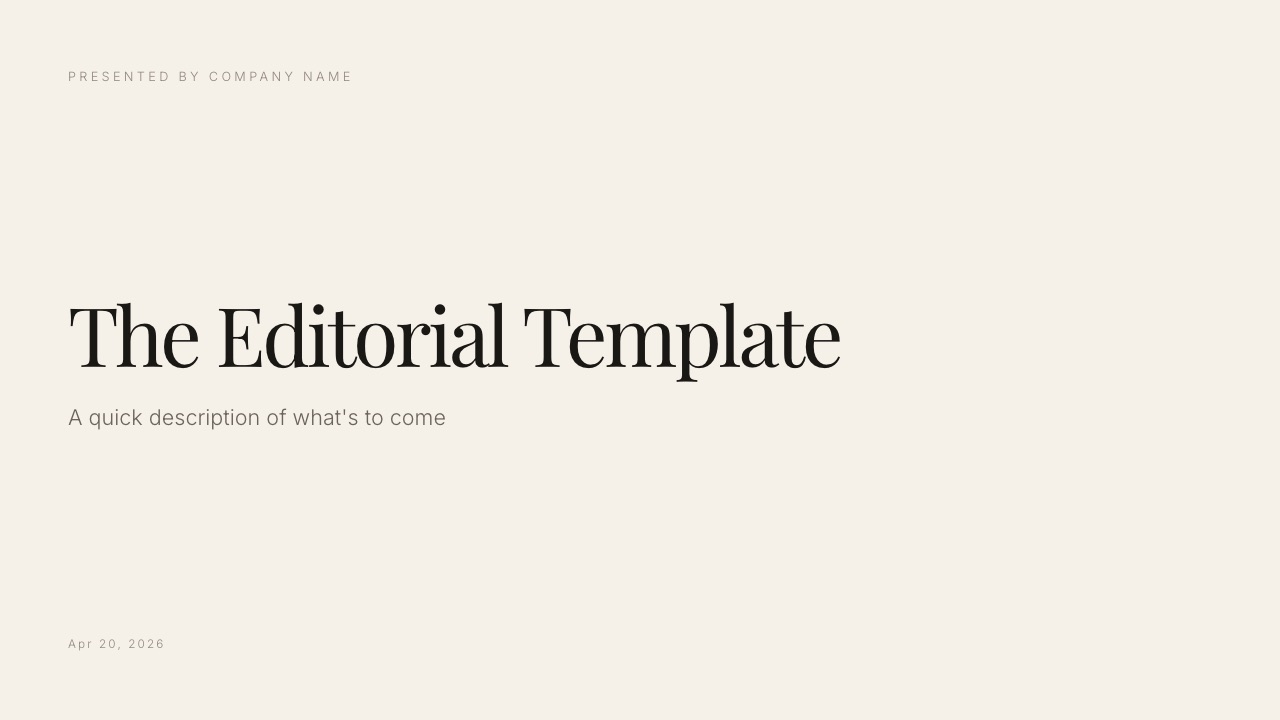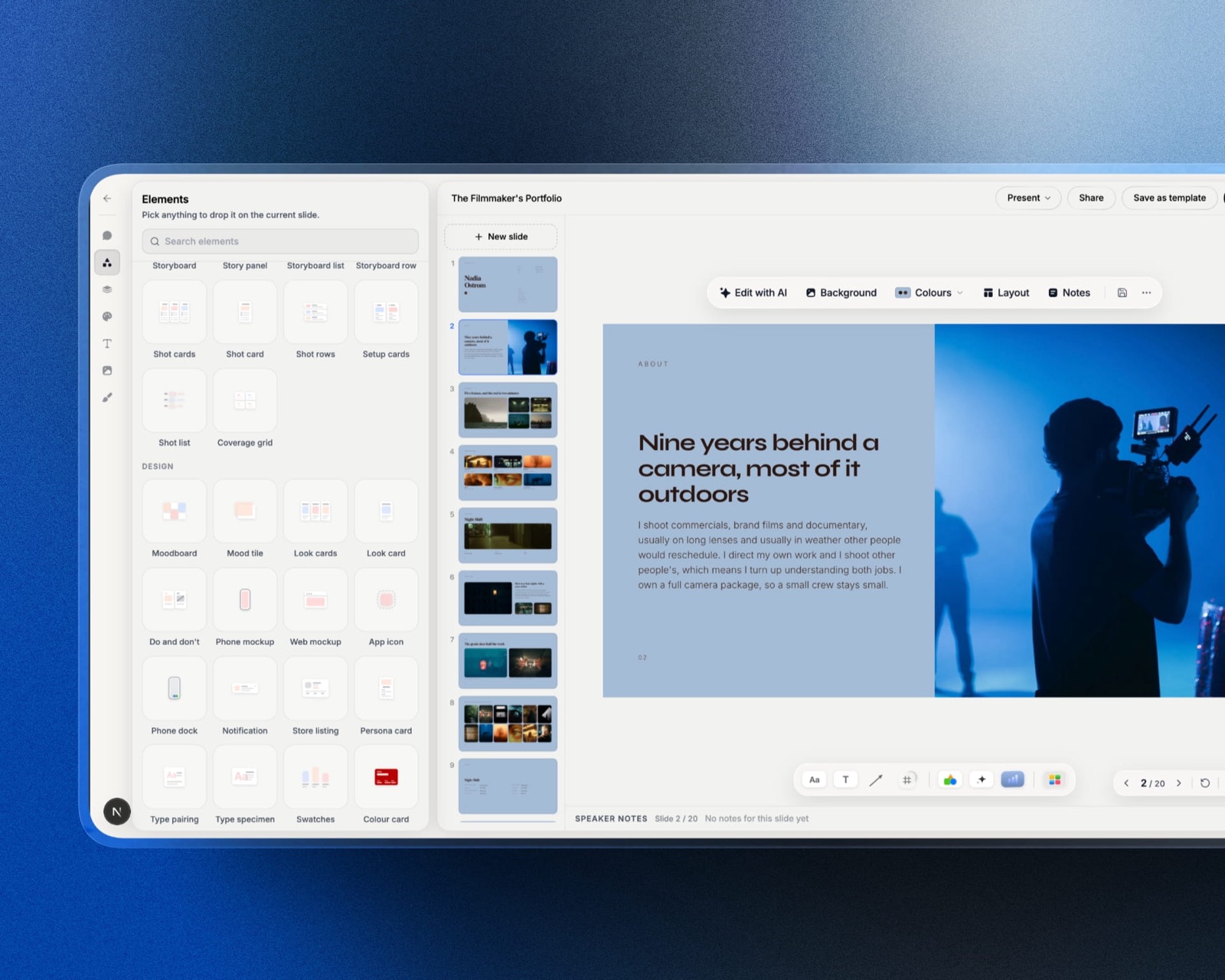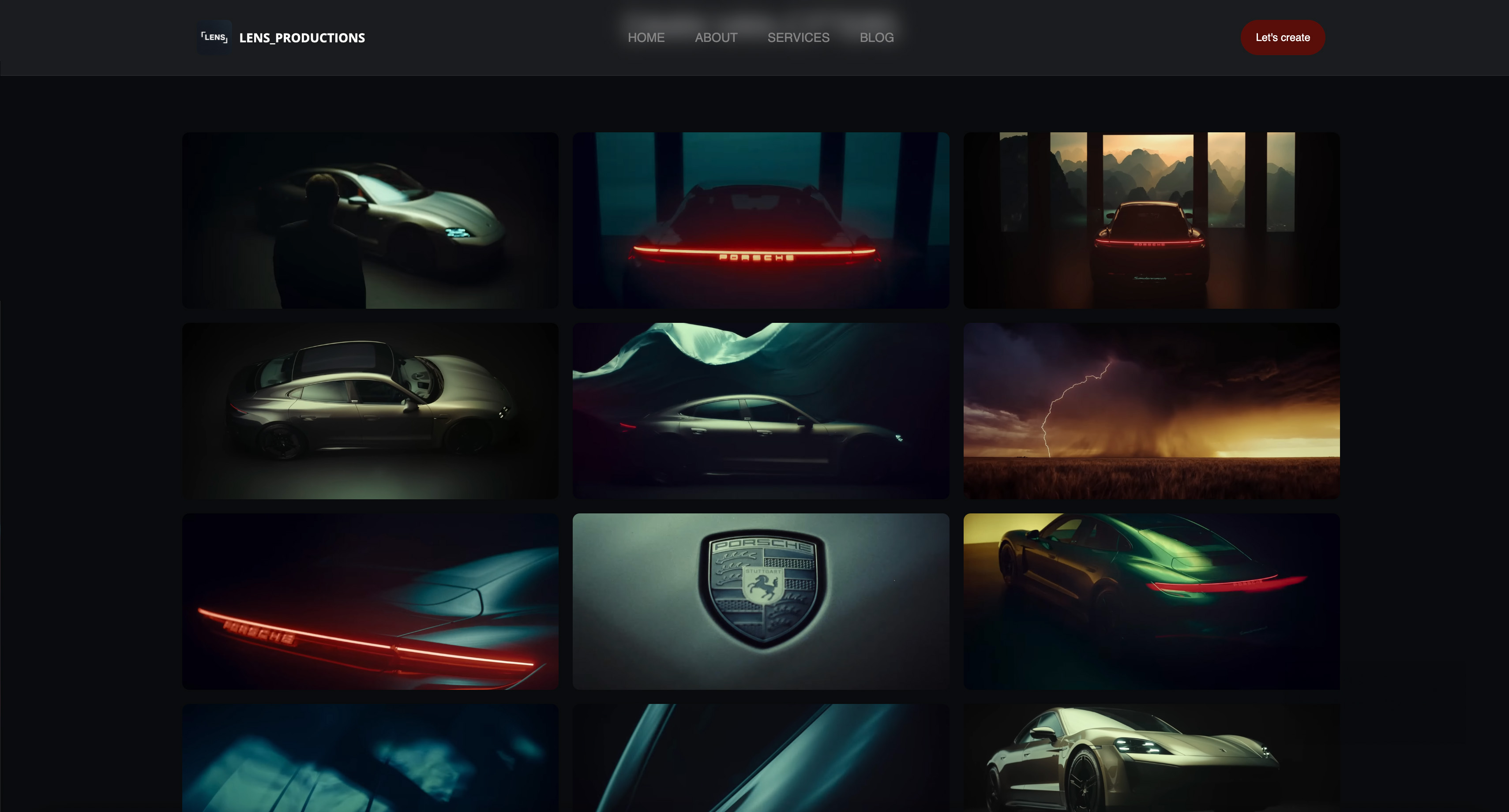
Framekit templates
Start from a designer-made template
 Use template
 Use template
 Use template
 Use template
 Use template
 Use template
 Use template
 Use template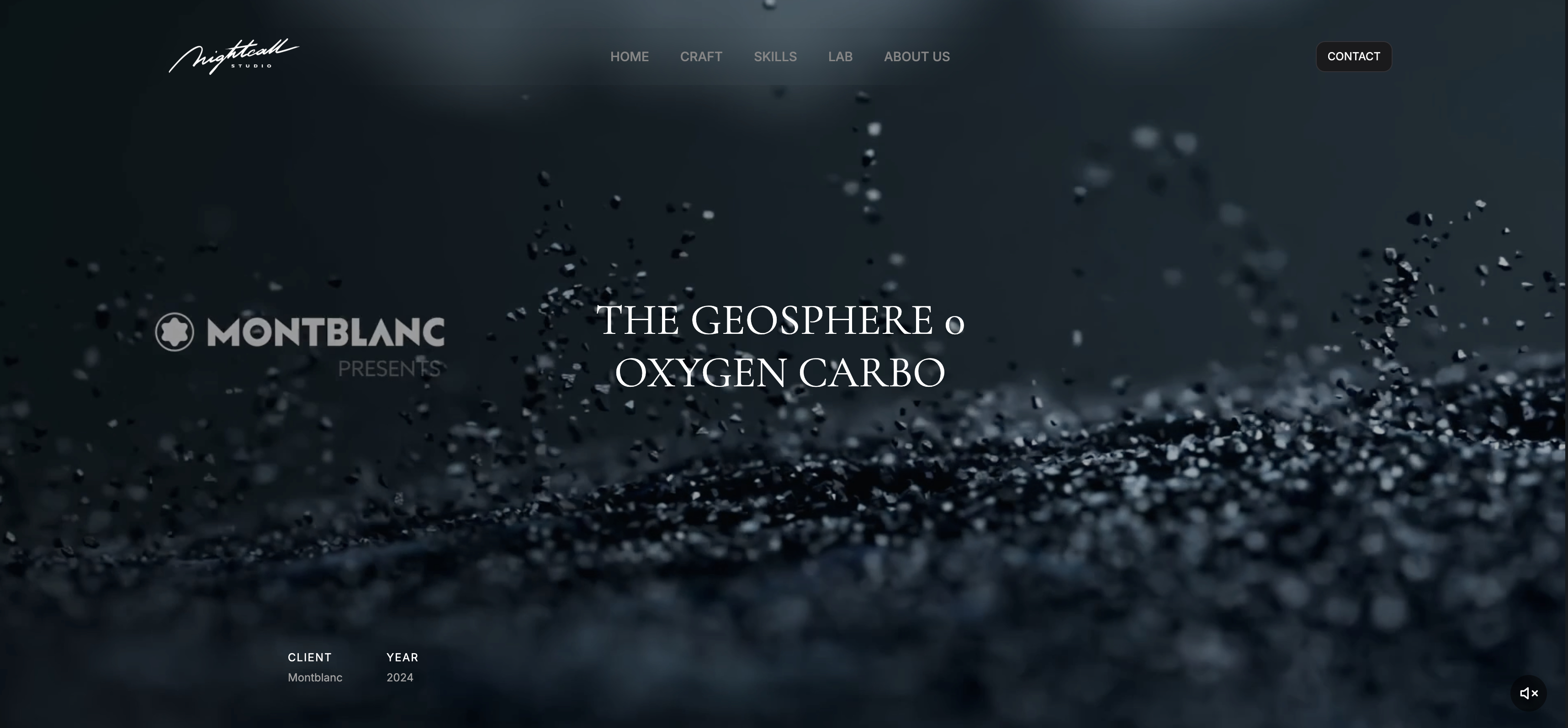
Blender costs nothing, renders on as many machines as you own, and asks no questions about your revenue. Every alternative in this article charges for at least one of those three things, and the render licence is the charge people forget to add up.
A freelancer producing roughly two minutes of finished 3D animation a year renders about 3,000 frames. In Blender that costs nothing.
In Maya on a standard subscription it costs about 65 cents a frame before you have rendered anything on a second machine.
Add a five-node GPU farm running Redshift and you have added a reported $1,645 a year that no software comparison mentions, because the renderer is sold separately from the thing you model in.
A Blender alternative is a 3D application you would move to for a specific capability Blender lacks, such as procedural simulation depth, industry pipeline compatibility, CAD-accurate surfaces or real-time rendering, and every one of them replaces a free licence with a paid one.
Wherever the frames come from, two things happen next: somebody reviews them and somebody sees them.
Framekit covers both of those ends, with timestamped review links for client notes and a portfolio site on your own domain, which is why it has a section further down rather than a place in the ranking.
The best Blender alternative for most independent artists in 2026 is Houdini Indie at a reported $299 a year, because it gives an individual under $100,000 of revenue the full procedural and simulation toolset that no free application matches, with Karma rendering included and no separate render licence.
Cinema 4D is the better answer for motion design, where its reported $69.91 a month billed annually buys the fastest route from idea to finished frame.
Maya remains the answer when a studio pipeline requires it rather than when you prefer it. The honest caveat is that Blender is the right tool for most of the people reading this, and switching costs more than the licence.
Updated in September 2026: we re-verified Framekit's plans and added how client review of renders and turntables fits after the frame is out, since Framekit now includes timestamped video review; the 3D software prices are as read in August 2026.
How We Priced 9 Blender Alternatives
We costed one specific workload rather than a feature list: an independent artist producing about 3,000 rendered frames a year, roughly two minutes of finished animation, on one workstation.
For each application we recorded the licence cost, whether a production renderer is included, what a render node costs if it is not, and any revenue cap on the cheap tier.
Two grades of claim run through this article and every figure says which it is. A small number of prices were read directly from vendor pages, which is noted where it applies.
Most are third-party reported, because this industry hides pricing behind quote forms and regional stores more thoroughly than any category we have costed. Judgments about who should switch and who should not are ours.
The pages that served us readable figures were Trimble's SketchUp plans and McNeel's Rhino sales page, the latter in euros for a regional store rather than dollars.
Autodesk, Maxon's ZBrush page, Plasticity and Unreal Engine's licence page either returned a 403 to automated requests or rendered no prices at all, and SideFX's store listed every licence tier without a single figure attached.
In one linenine Blender alternatives, one 3,000-frame year, priced on licence plus renderer plus render nodes rather than on the sticker.
What Pricing the Same 3,000 Frames Showed
The number that reframes this category is not the software price, it is the gap between the software price and the total. A renderer is a separate product at most of these vendors, and a render farm is a separate product again.
- The same 3,000-frame year costs $0 in Blender and a reported $1,945 in standard Maya before any render nodes.
- Indie tiers cut the cost by roughly 85%, and every one of them is capped at $100,000 of annual revenue.
- Rendering on five GPU nodes adds a reported $1,645 a year under Redshift's team licensing and nothing at all under Blender's.
- Arnold is included with Maya and 3ds Max subscriptions for batch rendering, which quietly makes Autodesk cheaper than its sticker suggests.
- 6 of the 9 vendors here would not show us a price without a browser or a quote form.
- Two of the nine sell permanent licences rather than subscriptions, and both are modelling tools rather than animation suites.
For the tool matched to the work you actually do, jump to the decision guide.
Cost Per Rendered Frame at 3,000 Frames a Year
This is the comparison the category avoids making, because it forces the renderer into the same column as the application. Licence cost divided by 3,000 frames, with a production renderer counted, on a single workstation.
| Application | Licence a year | Production renderer | Cost per frame |
|---|---|---|---|
| Blender | Free | Cycles and EEVEE included | $0.00 |
| Houdini Indie | Reported $299 | Karma included | About $0.10 |
| Maya Indie | Reported $305 | Arnold included | About $0.10 |
| 3ds Max Indie | Reported $320 | Arnold included | About $0.11 |
| SketchUp Studio | $819, read at source | V-Ray included | About $0.27 |
| Cinema 4D | Reported $838.92 | Redshift CPU included | About $0.28 |
| ZBrush | Reported $399 | Sculpting, not rendering | Not applicable |
| Maxon One | Reported $1,264.92 | Redshift GPU included | About $0.42 |
| Houdini FX perpetual | Reported $4,495 over 3 years | Karma included | About $0.50 |
| Unreal Engine, non-game | Reported $1,850 a seat | Real-time, included | About $0.62 |
| Maya standard | Reported $1,945 | Arnold included | About $0.65 |
| 3ds Max standard | Reported $1,945 | Arnold included | About $0.65 |
| Houdini Core | Reported $1,995 | Karma included | About $0.67 |
Two readings matter here.
The first is that the indie tiers are extraordinary value and they are all fenced.
Houdini Indie at a reported $299 gives an individual the same simulation toolset a studio pays a reported $1,995 a year for, and the fence is $100,000 of annual revenue. Maya Indie and 3ds Max Indie carry the same cap.
Cross it and your cost per frame multiplies by six overnight, which is a strange thing to have happen in the year your business finally works.
The second is that Blender's zero is not a rounding difference. At 3,000 frames the gap between Blender and standard Maya is a reported $1,945 a year, and that is before the second machine.
In one linean indie licence costs about a dime a frame, a standard commercial licence costs about 65 cents, and Blender costs nothing at either volume.
The Render Node Bill Nobody Quotes
Modelling happens on one machine. Rendering does not, and the moment you add a second machine the licensing model of your renderer becomes the largest line in your software budget.
| Renderer | Single workstation | Five render nodes | Included with |
|---|---|---|---|
| Cycles, Blender | Free | Free | Blender, unlimited nodes |
| Arnold | Included | Included for batch | Maya and 3ds Max subscriptions |
| Arnold standalone | Reported $415 a year | Reported to bundle 5 nodes | Sold separately |
| Octane | Reported about 239.88 euros a year | Reported to cover at least 10 nodes | Sold separately |
| Redshift Teams | Reported $329 a seat a year | Reported about $1,645 a year | Minimum 3 seats, floating |
| V-Ray | Reported $540 a year, Solo | Reported $500 to $1,500 a node a year | Sold separately |
Run that against the frame maths. A Cinema 4D artist on Maxon One at a reported $1,264.92 a year who builds a five-node GPU farm under Redshift's team licensing adds a reported $1,645, taking the year to about $2,909.92 and the cost per frame from about $0.42 to about $0.97.
A Blender artist who buys the same five machines adds nothing.
That is the single strongest argument for staying on Blender, and it is an argument about licensing rather than about software quality.
It also explains why Autodesk looks better than its sticker price: Arnold is reported to be included with Maya and 3ds Max subscriptions for both interactive and batch rendering, which removes the render node line entirely for artists who are happy with Arnold.
In one linefive render nodes cost nothing in Blender, nothing extra under a Maya subscription with Arnold, and a reported $1,645 a year under Redshift.
The 9 Best Blender Alternatives in 2026: Full Comparison
Scores are out of 10 across four weighted criteria: what the application does that Blender genuinely cannot (35%), total cost of a working year including the renderer (25%), how well it fits an independent artist rather than a studio (20%), and pipeline and industry compatibility (20%).
The first criterion carries the most weight because a Blender alternative that offers no capability advantage is a bill rather than an upgrade.
| Application | What it beats Blender at | Cheapest real tier | Cost per frame | Score |
|---|---|---|---|---|
| Houdini | Procedural and simulation depth | Reported $299, Indie | About $0.10 | 8.7 |
| Cinema 4D | Speed from idea to finished motion frame | Reported $838.92 | About $0.28 | 8.5 |
| Maya | Character animation and studio pipelines | Reported $305, Indie | About $0.10 | 8.2 |
| Unreal Engine | Real-time rendering at final quality | Free under $1M cumulative revenue | $0.00 | 8.0 |
| 3ds Max | Architectural visualisation and modelling | Reported $320, Indie | About $0.11 | 7.6 |
| ZBrush | High-density digital sculpting | Reported $399 | Not applicable | 7.4 |
| Plasticity | CAD-accurate hard surface modelling | Reported $175, permanent | Not applicable | 7.2 |
| SketchUp | Speed of architectural massing | $819, read at source | About $0.27 | 6.8 |
| Rhino | NURBS precision for manufacture | 995 euros, permanent | Not applicable | 6.6 |
Three of these do not render at all, and their cost per frame is marked accordingly rather than fudged.
ZBrush, Plasticity and Rhino are tools you add to a pipeline, not applications you replace Blender with, and pretending otherwise would make the table tidier and the advice worse.
1. Houdini: The Only Tool Here That Does Something Blender Cannot
PriceReported. Houdini Apprentice is free for non-commercial use. Houdini Indie is a reported $299 a year for individuals and studios under $100,000 of annual revenue, limited to three licences per studio.
Houdini Core is a reported $1,995 a year or a reported $2,995 perpetual with maintenance around $995 a year, limited to five workstation licences per studio. Houdini FX is a reported $4,495 perpetual.
SideFX's store lists every tier and no prices, so all figures here are third-party sourced.
Best forArtists who need destruction, fluid, cloth or crowd simulation, or who want to build systems rather than models.
Rating8.7 out of 10
Most of this list offers a different way to do what Blender already does. Houdini offers something else entirely, and that is why it ranks first despite being the hardest application here to learn.
Blender's simulation tools are good and improving. Houdini's are the reason large parts of the visual effects industry exist in their current form.
If the shot involves a building collapsing, a river behaving like a river, or ten thousand agents moving independently, the gap is not a matter of preference.
The deeper difference is philosophical and it takes a while to feel.
Houdini is procedural to the bone: you are not shaping a model, you are describing the recipe that produces it, which means changing a parameter three steps back rebuilds everything downstream.
For an artist who iterates, that is transformative. For an artist who wants to push vertices around, it is exhausting.
Houdini Indie is the detail that makes this recommendation practical rather than aspirational.
A reported $299 a year gives an independent artist the full FX feature set, and Karma renders without a separate licence, so the cost per frame at 3,000 frames is about ten cents and it does not climb when you render on more machines.
The gotcha is the revenue fence and it is a real one. Indie is capped at $100,000 of annual revenue with a limit of three licences per studio, and the step up to Core is a reported $1,995 a year.
That is a jump from about $0.10 a frame to about $0.67 in the year your business succeeds.
The other gotcha is time. Houdini's learning curve is the steepest in this comparison by a wide margin, and an artist who is productive in Blender will be unproductive in Houdini for months. That is a genuine cost and it does not appear on any price list.
Skip it ifyour work is modelling, texturing and straightforward animation, because Houdini's advantage lives almost entirely in simulation and procedural generation.
Verdict: the only application here that gives you capability Blender cannot match rather than a different route to the same result, and at a reported $299 for Indie it is the best value in professional 3D. Budget six months of reduced output before it pays back.
2. Cinema 4D: The Fastest Route From Idea to Finished Motion Frame
PriceReported. Cinema 4D is a reported $69.91 a month billed annually, about $838.92 a year, with Redshift CPU included.
Maxon One is a reported $105.41 a month billed annually, about $1,264.92 a year, adding Redshift GPU, ZBrush, Red Giant Complete and Forger, with a reported monthly option at $169. Maxon's own pages did not render prices for us.
Best forMotion designers who bill by the project and need the frame finished this week.
Rating8.5 out of 10
Cinema 4D's reputation for being easy is accurate and usually undersold as a compliment when it is actually the product.
In motion design the constraint is rarely what the software can do, it is how many revisions you can absorb before the deadline, and Cinema 4D is built around that reality.
Much of the commercial motion design market runs on template work, and our comparison of motion graphics template marketplaces prices that side of it.
The MoGraph system is the concrete example.
Cloners, effectors and fields let you build the kind of animated array work that fills commercial motion design in minutes rather than an afternoon of node wrangling, and the results are predictable enough to promise a client before you have made them.
The bundle economics are where this gets interesting. Cinema 4D alone at a reported $838.92 a year includes Redshift CPU.
Maxon One at a reported $1,264.92 adds Redshift GPU, ZBrush and Red Giant Complete, which is roughly $426 for three products that would each cost more separately.
If you would buy ZBrush at a reported $399 anyway, Maxon One is close to free by comparison.
The detail that stood out is that Redshift being in the bundle removes the renderer question for a single workstation and does not remove it for a farm.
Redshift Teams licensing is reported at $329 a seat a year with a minimum of three floating seats, so five GPU nodes is a reported $1,645 a year on top. The bundle covers the artist, not the farm.
The honest gotcha is that Maxon has moved to subscription for its individual tools and phased out perpetual licences, so there is no version of this where you stop paying and keep working.
Skip it ifyou need simulation depth or you resent renting software, because Houdini beats it on the first and Blender beats it on the second.
Verdict: the best motion design application in this comparison and the one most likely to pay for itself in billable hours. Take Cinema 4D alone if you already own a sculpting tool, and Maxon One if you do not, because the bundle maths is genuinely favourable.
3. Maya: The Industry Standard, and the Reason Is Not Quality
PriceReported. Maya is a reported $1,945 a year or about $245 a month, with Autodesk's own store also reported at $2,010 a year and $6,025 for three years.
Maya Indie is a reported $305 a year for individuals and studios under $100,000 of annual revenue. Arnold is reported to be included with the subscription for both interactive and batch rendering.
Autodesk's product pages returned a 403 to our requests.
Best forCharacter animators and anyone who needs their files to open at a studio without explanation.
Rating8.2 out of 10
Maya's position is not a claim about which application is better, it is a claim about which application other people are using.
If you want to animate characters professionally in film or games, the pipelines, the riggers, the plug-ins and the job listings assume Maya, and being right about Blender does not change that.
Where Maya genuinely leads on merit is character work.
The rigging tools, the graph editor and the animation layer system are refined by decades of studios shipping features through them, and animators who move from Blender to Maya generally describe the graph editor as the thing they miss going back.
The pricing has an asymmetry worth understanding. Standard Maya at a reported $1,945 a year is about $0.65 a frame at our volume, which is the expensive end of this comparison.
Maya Indie at a reported $305 is about $0.10, which is the cheap end. Same software, same renderer, and the only difference is a revenue declaration under $100,000.
The detail that changes the total is Arnold.
Because it is reported to be included with the subscription for batch rendering, a Maya artist adding render nodes does not add a renderer licence, which is exactly the bill that catches Redshift and V-Ray users.
Autodesk is expensive at the front and cheap at the farm, and most comparisons only look at the front.
The gotcha is the price trajectory. Maya's subscription is reported to have risen roughly 7% in the last cycle, from a reported $1,875, and Autodesk has a long history of increases that arrive without a corresponding change in what you get.
Skip it ifyou are not in or aiming at a studio pipeline, because outside that context you are paying a reported $1,945 for a familiarity you do not need.
Verdict: buy it if the work requires it, on Indie if you qualify, and understand that you are buying compatibility rather than capability. Arnold's inclusion makes it a better deal for anyone rendering on multiple machines than the sticker price suggests.
4. Unreal Engine: Free Until It Suddenly Is Not
PriceReported. Free for game development, with a reported 5% royalty on cumulative gross revenue above $1 million.
Non-game commercial use, including architecture, simulation and film, is a reported $1,850 per seat per year, which is reported to include Twinmotion and RealityCapture.
Companies under $1 million in annual gross revenue, plus students, educators and hobbyists, are reported to be exempt. Unreal's licence page returned a 403.
Best forArtists whose output is real-time, or who need final-quality frames in seconds rather than hours.
Rating8.0 out of 10
Unreal changes the arithmetic in this article rather than participating in it. Every other entry is priced against render time, because rendering is the expensive part.
Unreal renders in real time at a quality that is now acceptable for broadcast and architectural work, which means the cost per frame conversation stops being about money and starts being about whether the look is close enough.
For virtual production, architectural walkthroughs and anything interactive, that is not a marginal advantage.
The licensing is where you have to read carefully, because the word free is doing two very different jobs. For games it means genuinely free with a reported 5% royalty above $1 million of cumulative gross revenue.
For non-game commercial work it means free until your company passes $1 million in annual gross revenue, after which it is a reported $1,850 per seat per year.
That second number is worth sitting with. A five-person architectural visualisation studio over the threshold is looking at a reported $9,250 a year, which is more than five Maya Indie seats and five Houdini Indie seats combined.
The detail that matters for a Blender user is that Unreal is not a modelling application. You will still model somewhere, and for most independent artists that somewhere is Blender, which makes this a companion rather than a replacement.
Skip it ifyour deliverable is an offline-rendered frame where the last 5% of quality is the product, because path tracing still wins that argument.
Verdict: the most interesting entry here and the least like a Blender replacement. Free is genuinely free at independent scale, and the reported $1,850 a seat arrives with enough warning to plan for.
5. 3ds Max: Architectural Visualisation's Default
PriceReported. 3ds Max is a reported $1,945 a year or about $245 a month, reported to have risen $70 a year in the last cycle. 3ds Max Indie is a reported $320 a year, up a reported $15, for artists under $100,000 of annual revenue working on projects valued under $100,000.
Arnold is reported to be included with the subscription. Autodesk's pages returned a 403.
Best forArchitectural visualisation, product rendering and modelling workflows built around plug-ins.
Rating7.6 out of 10
3ds Max occupies architectural visualisation the way Maya occupies character animation, and for the same reason: the plug-in ecosystem grew there and never left.
If your work involves V-Ray, Corona, Forest Pack or RailClone, the tutorials, the assets and the forum answers all assume 3ds Max.
The modelling toolset is the part users defend most strongly, and the modifier stack in particular is a genuinely different way of working from Blender's modifiers, with a directness that hard-surface modellers tend to prefer once they adapt.
The Indie tier has a stricter fence than Maya's, and it is worth reading twice. It is reported to require both annual revenue under $100,000 and projects valued under $100,000, so a single large commission can disqualify you even if your year does not.
The pricing detail that stood out is the direction of travel. Both the standard and Indie tiers are reported to have risen in the last cycle, which is the pattern that pushes architectural visualisation artists toward Blender in the first place.
Skip it ifyou are not tied to its plug-in ecosystem, because outside that context Blender does most of this work and Cinema 4D does the motion side better.
Verdict: buy it for the plug-ins, on Indie if you qualify, and check the project-value clause before you assume you do. Without the ecosystem argument there is little here that justifies a reported $1,945 a year.
6. ZBrush: The Sculpting Tool Nothing Else Matches
PriceReported. ZBrush is a reported $399 a year, about $29.91 a month billed annually, and is reported to include Redshift CPU, ZBrush on iPad and training access. It is also included in Maxon One at a reported $1,264.92 a year.
Maxon is reported to have phased out perpetual licences for its individual tools. Maxon's ZBrush page rendered no prices for us.
Best forCharacter artists, creature designers and anyone who needs tens of millions of polygons to behave.
Rating7.4 out of 10
Blender's sculpt mode is capable and has improved enormously, and ZBrush is still where high-density sculpting happens.
The difference shows up at scale: ZBrush handles polygon counts that make other applications hesitate, and the brush behaviour has a responsiveness that sculptors describe in almost tactile terms.
The interface is the standing complaint and the complaint is fair. ZBrush's conventions predate most modern 3D software and it shows in every menu, which means the learning curve is steep for reasons that have nothing to do with the difficulty of sculpting.
The reason it sits at 7.4 rather than higher is scope. This is not a Blender alternative, it is a sculpting specialist you use alongside something else, and it does not render your finished frames.
The pricing detail worth acting on is the Maxon One relationship. If you want ZBrush at a reported $399 and you also want Cinema 4D at a reported $838.92, the bundle at a reported $1,264.92 costs about $26 more than buying both and adds Redshift GPU and Red Giant Complete.
Skip it ifyour sculpting fits comfortably in Blender, which for a great many artists it now does.
Verdict: the best digital sculpting application there is, sold as a subscription with no permanent option, and worth its reported $399 only if sculpting is a large part of your week. If you are also buying Cinema 4D, take the bundle instead.
7. Plasticity: Hard Surface Modelling That Blender Cannot Do
PriceReported. Indie is a reported $175 as a permanent node-locked licence, and Studio is a reported $299 with wider file format support.
Both are reported to be permanent purchases including a 12-month maintenance window, after which the software continues to work. Plasticity's own site returned a 403 to our requests.
Best forProduct designers and hard-surface artists who need real surfaces rather than dense meshes.
Rating7.2 out of 10
Plasticity is the entry on this list most likely to be unfamiliar and most likely to change how somebody works.
It brings CAD-style NURBS modelling into a workflow designed for artists rather than engineers, which means fillets that are actually correct, booleans that behave, and surfaces defined mathematically instead of approximated by polygons.
For anyone who has fought Blender's bevel modifier on a curved surface, that description will land.
The pricing is the friendliest here by a distance. A reported $175 buys a permanent licence, not a year of one, and it keeps working after the maintenance window closes. Against a reported $1,945 a year for 3ds Max, that is a different category of purchase.
The honest limit is scope, and it is narrow. Plasticity models. It does not animate, simulate, sculpt or render, so it is a tool you add to Blender rather than one you leave Blender for. Our cost per frame column marks it as not applicable for exactly that reason.
Skip it ifyour work is organic rather than manufactured, because NURBS surfaces solve a problem you do not have.
Verdict: the best value purchase in this article and not a Blender replacement in any sense. If you model products, vehicles or anything with machined surfaces, a reported $175 permanent licence is close to an obvious yes.
8. SketchUp: Fast Massing, Rendering Included
PriceRead at source on Trimble's plans page. Go is $10.75 a month billed annually for iPad and web. Pro is $33.25 a month billed annually, about $399 a year, with the desktop modeller, LayOut and extension access.
Studio is $68.25 a month billed annually, about $819 a year, adding V-Ray rendering, a Revit importer and point cloud modelling, Windows only. Students and educators are $55 a year.
Best forArchitects and interior designers who need a building massed and rendered by Thursday.
Rating6.8 out of 10
SketchUp is the least like Blender of anything here and it earns its place by being faster at one job than any general 3D application manages.
Pushing and pulling a building into existence takes minutes, and the extension warehouse covers the architectural specifics that would otherwise be a week of work.
The pricing detail that matters for this comparison is Studio at $819 a year including V-Ray.
Because V-Ray is otherwise a reported $540 a year on its own for Solo, the modelling application is effectively costing about $279, which is the cheapest bundled renderer in this article and the reason its cost per frame lands at about $0.27.
The limits are real and they are not hidden. Organic modelling is painful, the geometry kernel produces meshes that other applications find awkward, and Studio is Windows only, which excludes a meaningful share of the design profession.
Skip it ifyou make anything other than buildings and interiors, because outside that domain SketchUp is a worse Blender.
Verdict: an excellent architectural tool and a poor general 3D application, honestly priced. Studio's bundled V-Ray at $819 a year is the value story, and the Windows-only restriction is the thing to check before you buy it.
9. Rhino: Precision You Can Hand to a Factory
PriceRead at source, in euros, on McNeel's regional sales page. A single-user commercial licence is 995 euros, ten concurrent users is 9,950 euros and fifty is 49,750 euros.
Educational single-user is 195 euros and a 30-user school lab is 975 euros. McNeel states that purchased licences are permanent and do not expire. Dollar pricing was not shown on the page we read.
Best forIndustrial designers, jewellers and anyone whose model becomes a physical object.
Rating6.6 out of 10
Rhino's argument is accuracy. It is a NURBS modeller with a tolerance you can specify, which means the surfaces it produces are the surfaces a manufacturer receives, and for jewellery, footwear, marine and product design that is the whole requirement.
Grasshopper is the part that surprises people arriving from Blender. It is a visual programming environment for generating geometry, and for parametric and generative work it has a maturity that Blender's geometry nodes are still building toward.
The pricing is a genuine outlier in a subscription-dominated category. McNeel's page states plainly that purchased licences are permanent and do not expire, which at 995 euros for a single user is a one-time cost against a reported $1,945 every year for 3ds Max.
The limits are the ones you would expect from a precision modeller. Animation is not the point, rendering is basic compared with a dedicated engine, and organic sculpting belongs elsewhere. It is a modelling tool with a permanent price rather than a suite.
Skip it ifnothing you make gets manufactured, because the accuracy you are paying for has no downstream consumer.
Verdict: the right purchase for anyone whose 3D work ends in a physical object, and irrelevant to anyone whose work ends in a frame. The permanent licence is the most artist-friendly commercial model in this comparison.
The Indie Tier Cliff Is the Real Pricing Story
Three of the applications here sell a cheap tier fenced by revenue, and understanding the fence matters more than comparing the prices either side of it.
| Application | Indie price | Fence | Standard price | Multiple at the cliff |
|---|---|---|---|---|
| Houdini | Reported $299 | Under $100,000 annual revenue, 3 licences per studio | Reported $1,995, Core | About 6.7 times |
| Maya | Reported $305 | Under $100,000 annual revenue | Reported $1,945 | About 6.4 times |
| 3ds Max | Reported $320 | Under $100,000 annual revenue and projects under $100,000 | Reported $1,945 | About 6.1 times |
The structure is generous and the edge is brutal. An artist billing $95,000 a year pays a reported $299 for Houdini. The same artist billing $105,000 pays a reported $1,995, which means about $1,696 of the extra $10,000 goes straight to SideFX before tax.
That is not a criticism of the model, which is doing exactly what it should by letting independents use professional tools. It is a warning about planning.
If you are within about 20% of the threshold, price your next year on the standard tier rather than the indie one, because discovering the cliff after you have committed to a workflow is worse than budgeting for it.
3ds Max's fence deserves particular attention because it is reported to be the strictest: revenue under $100,000 and individual projects valued under $100,000. A single large architectural commission can disqualify an artist whose annual revenue never approaches the cap.
Blender has no cliff, which for a growing freelance business is a form of insurance that does not appear in any feature comparison.
In one linecrossing $100,000 of revenue multiplies your 3D software bill by roughly six times at every vendor that offers an indie tier.
Permanent Licences Are Nearly Extinct, With Two Exceptions
The category has moved almost entirely to subscription over the last decade, and the two holdouts still selling software you own outright are both modelling tools rather than full animation suites, which is unlikely to be a coincidence.
Rhino's sales page states that purchased licences are permanent and do not expire, at 995 euros for a single commercial user.
Plasticity is reported to sell permanent node-locked licences at $175 for Indie and $299 for Studio, each including a 12-month maintenance window after which the software keeps working without further payment.
Houdini retains a perpetual option at a reported $2,995 for Core and a reported $4,495 for FX, but with maintenance around $995 a year it behaves more like a large deposit against a subscription than a purchase.
Everything else here rents. Maxon is reported to have phased out perpetual licences for Cinema 4D and ZBrush entirely, and Autodesk did the same years ago.
The practical consequence for an independent artist is that a quiet year costs money. Blender, Rhino and Plasticity all keep working through a year with no income. Maya, 3ds Max, Cinema 4D and ZBrush stop.
For a freelancer with variable income that is a genuine risk factor, and it is the argument for keeping Blender in the toolkit even after buying something else.
In one lineonly Rhino and Plasticity still sell software you own, and a quiet year costs a subscriber their tools while an owner keeps working.
Where the Renders Get Reviewed and Seen
This is our own product category, so read this as an interested party and read the limits at the end of it as the honest part, because every application in this article produces frames and none of them gets those frames approved by a client or seen by the next one.
Framekit is an AI website builder, and two parts of it matter after the render.
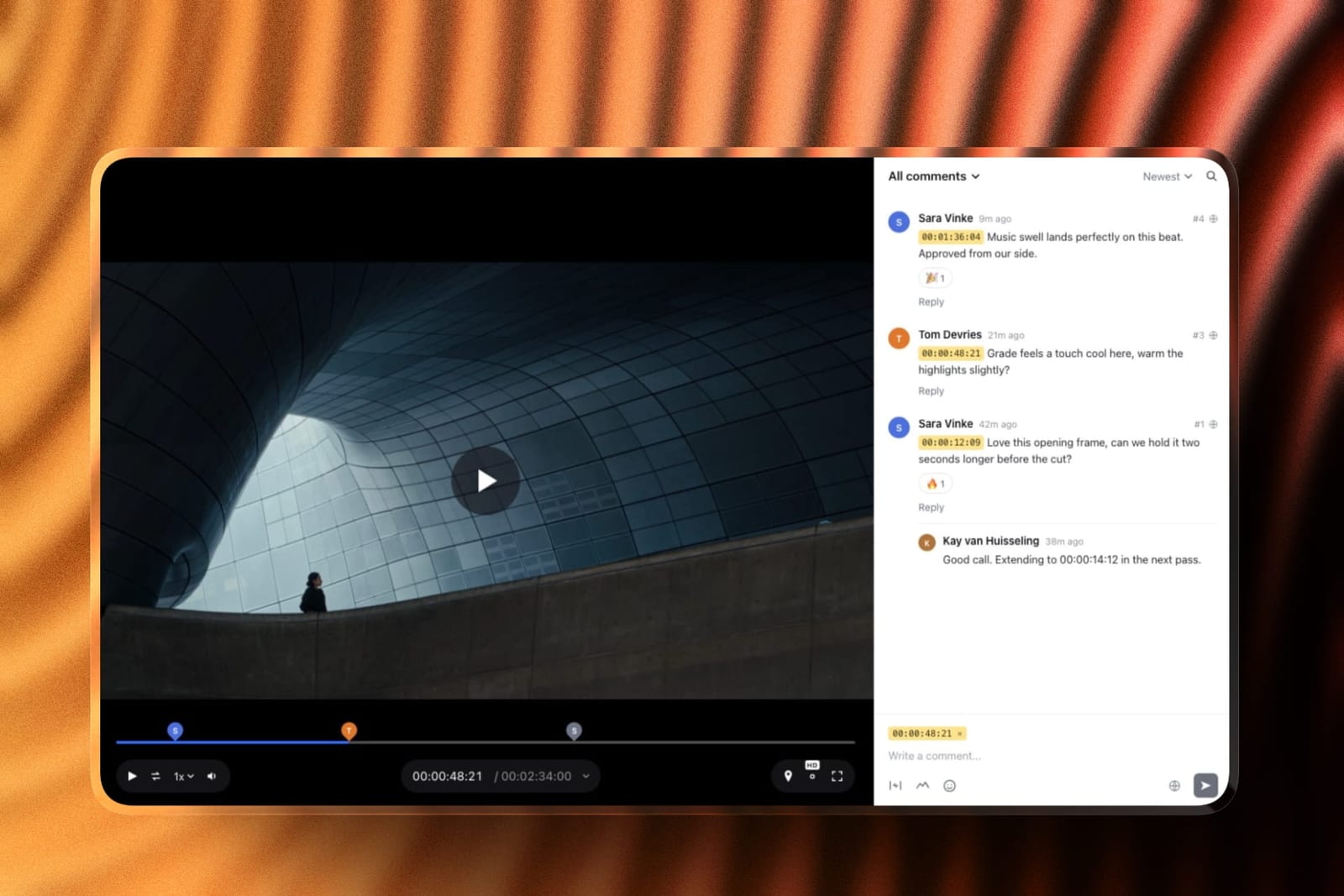
The first is video review: upload a turntable, an animation pass or a product film, send a link, and the client comments at the exact frame and can draw on the picture, which is how a note about a reflection or a camera move should arrive.
Versions stack, so the notes on pass two remain when pass three goes up, reviewers need no account, and every review feature is on the free plan with cuts up to 500MB, or 2GB on Pro at $19 a month.
The second is the portfolio, with large images and inline video, plus a store for digital downloads if you sell models, materials or brushes, at a 5% fee on free that falls to 0% on the $39 Business plan.
Where this argument loses, plainly. It reviews video, not scene files, so notes never land inside Blender, Houdini or Cinema 4D. If your portfolio needs an interactive WebGL viewer or playable game-engine content, that is custom development and a builder will not give it to you.
The Decision Guide
Work down this list until a branch matches the work you actually do, because the correct answer here depends far more on the specific capability you need than on any general ranking of these applications against each other.
Your work involves destruction, fluids, cloth or crowds. Houdini, on Indie at a reported $299 if you are under $100,000 of revenue. Nothing else here closes that gap and Blender does not either.
You are a motion designer billing by the project. Cinema 4D at a reported $838.92 a year, or Maxon One at a reported $1,264.92 if you also want ZBrush and Redshift GPU.
You want to animate characters professionally in film or games. Maya, on Indie at a reported $305 if you qualify. You are buying pipeline compatibility, and it is worth buying.
Your deliverable is real-time or interactive. Unreal Engine, free below $1 million of revenue, with a reported $1,850 a seat waiting above it for non-game work.
You do architectural visualisation with V-Ray or Corona. 3ds Max, on Indie at a reported $320, and check the project-value clause first.
You sculpt characters or creatures at high density. ZBrush at a reported $399, or Maxon One if you also want Cinema 4D.
You model products, vehicles or anything hard-surfaced. Plasticity at a reported $175 permanent, added to Blender rather than replacing it.
Your models get manufactured. Rhino at 995 euros permanent, for the tolerance control nothing else here offers.
You mass buildings and need them rendered fast. SketchUp Studio at $819 a year with V-Ray included.
None of the above describes you. Stay on Blender. It costs nothing, it renders on every machine you own, and the alternative is a bill for a capability you have not needed yet.
Put the effort into a portfolio site built for 3D work instead.
Frequently Asked Questions
Is any Blender alternative actually better than Blender?
At specific jobs, yes. Houdini is better at simulation, ZBrush at high-density sculpting, Rhino and Plasticity at precise surfaces, Unreal at real time, and Maya at character animation inside a studio pipeline.
As a general 3D application for an independent artist, Blender is competitive with all of them and free under the GNU General Public License, which is why the honest recommendation in most branches of the decision guide is to stay.
What does it actually cost to render on more than one machine?
It depends entirely on the renderer rather than the application. Blender's Cycles costs nothing on any number of machines. Arnold is reported to be included with Maya and 3ds Max subscriptions for batch rendering.
Redshift Teams is reported at $329 a seat a year with a three-seat minimum, so five GPU nodes is a reported $1,645 a year, and V-Ray render nodes are reported at $500 to $1,500 per node per year.
What is the cheapest way into professional 3D in 2026?
Blender at zero, and it is not close. If you want the software to pay for itself, our guide to selling 3D models covers where the work sells.
If you need something Blender lacks, Houdini Indie at a reported $299 a year buys the largest capability gap for the smallest sum, provided your revenue is under $100,000.
What happens when I cross the indie revenue cap?
Your licence cost multiplies by roughly six. Houdini goes from a reported $299 to a reported $1,995, Maya from a reported $305 to a reported $1,945, and 3ds Max from a reported $320 to a reported $1,945. Plan for it a year early rather than discovering it at renewal.
Can I still buy 3D software outright instead of renting?
Barely. Rhino's page states its licences are permanent and do not expire, and Plasticity is reported to sell permanent licences at $175 and $299. Houdini retains a perpetual option with annual maintenance attached.
Maxon is reported to have ended perpetual licences for Cinema 4D and ZBrush, and Autodesk ended them years ago.
Do I need to learn Maya to get a job in 3D?
For character animation in film and games, still largely yes, because studio pipelines are built around it.
For motion design, architectural visualisation, product rendering and independent work, no, and Blender skills are increasingly listed directly in job postings. Learn the work first and the application second.
Should I switch to Houdini if I already know Blender?
Only if simulation or procedural generation is the work you want to be doing. Houdini has the steepest learning curve here and an artist who is productive in Blender should expect months of reduced output.
If your reason for switching is that Houdini is impressive rather than that you need it, stay.
Is Unreal Engine really free for commercial work?
For games, yes, with a reported 5% royalty on cumulative gross revenue above $1 million.
For non-game commercial work such as architecture, simulation and film, it is reported to be free below $1 million of annual company revenue and a reported $1,850 per seat per year above it.
Students, educators and hobbyists are reported to be exempt.
For interiors specifically, a large part of the visualisation job has moved to generated imagery, which we priced across eleven AI interior design tools at a few cents a render.
How do 3D artists get client feedback on renders?
Export a turntable or animation pass and send it through a video review tool where the client pins notes to frames and draws on the image. Framekit's video review is free for this with version stacks, and SyncSketch suits studios that review shots and sequences inside a pipeline.
The Verdict
Houdini Indie is the best Blender alternative in 2026 at a reported $299 a year, because it is the only entry here that offers capability Blender genuinely cannot match rather than a different route to the same frame, and because Karma renders without a separate licence at any number of machines.
Cinema 4D is the better buy for motion designers at a reported $838.92 a year, where the value is measured in revisions absorbed before a deadline rather than in features.
But the finding that ran through every table in this article is not about which alternative to buy. It is that the licence price is the smaller half of the bill.
A five-node GPU farm adds a reported $1,645 a year under Redshift and nothing at all under Blender, and crossing $100,000 of revenue multiplies your software cost by roughly six at every vendor with an indie tier.
So the honest verdict is uncomfortable for an article with this title.
Most people reading it should stay on Blender, add Plasticity at a reported $175 permanent if they model hard surfaces, and spend the reported $1,945 they did not give Autodesk on a machine that renders faster.
Buy a Blender alternative when a specific job requires it, and not because the free thing feels like it must be missing something.
Where Framekit loses, since we named ourselves in this article: if your portfolio needs an interactive WebGL viewer, a browser-based model configurator or playable game-engine content, a website builder cannot deliver that and custom development can.
We solve showing the renders, not running them.