Framekit templates
Start from a designer-made template
 Use template
 Use template
 Use template
 Use template
 Use template
 Use template
 Use template
 Use template
There is a step in Envato Elements that decides whether the templates you downloaded are still usable after you cancel, and almost nobody does it.
Every download grants a licence for one specific project. Register the project while you are subscribed and that use is covered permanently, even years after you stop paying.
Cancel without registering, and the file on your drive is a file you may not use, because you can no longer create a licence for it.
Same download, same drive, entirely different legal position, decided by a button most subscribers never press.
A motion graphics template marketplace is a site that sells or licenses pre-built animated project files for After Effects, Premiere Pro, DaVinci Resolve or Final Cut, so an editor can drop in a title sequence, lower third or transition rather than building one.
Editors use them to hit deadlines and studios use them to keep a look consistent across a series.
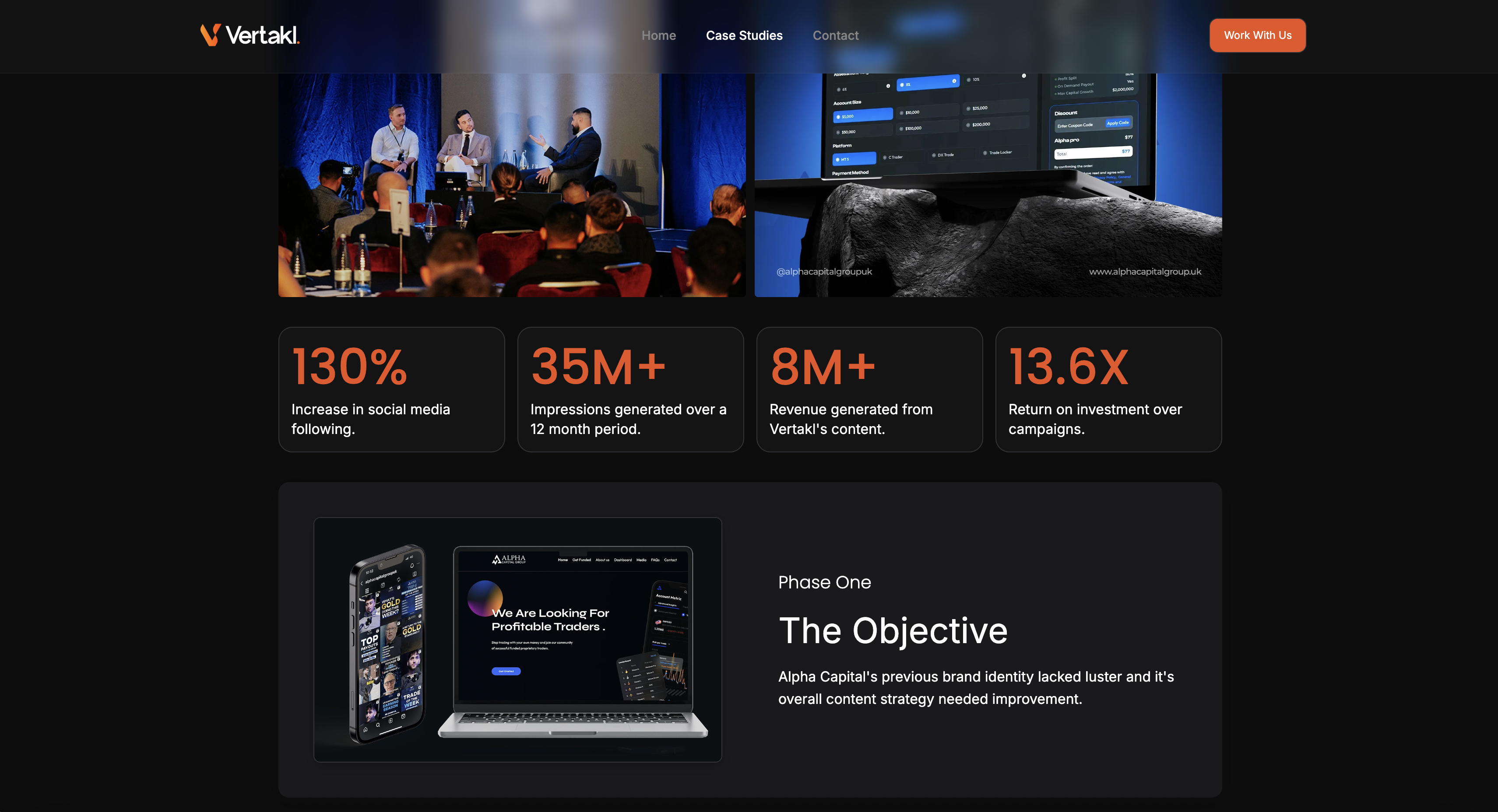
Templates are a means to a delivered piece, and the piece still has to be shown. Framekit is where a lot of motion designers present that work, as case-study pages on a domain you own carrying the brief, the approach and the result rather than a reel buried in a client's feed.
The best motion graphics template marketplace in 2026 is Envato Elements, at a listed 14.50 euro a month for its Core plan, because unlimited downloads across 29 million assets works out at roughly 4 euro a template at a realistic freelance volume.
Motion Array's templates-only plan at a reported $15.99 a month billed annually is the strongest video-specific alternative, and VideoHive remains the right choice below about five templates a year, where per-item purchases at a reported $18 to $89 beat any subscription.
The catch across every subscription here is that your licence depends on registering projects before you cancel.
Updated in September 2026: we re-verified Framekit's plans and refreshed our section on presenting finished motion work. Marketplace prices and licence terms are as checked in August 2026.
How We Compared 8 Template Marketplaces
We approached this as an editor with a real brief: find a broadcast-style title sequence, a set of lower thirds that could be rebranded to a client palette, and a package of transitions that would not look like transitions.
For each marketplace we assessed the depth of the catalogue against those three jobs, how well items were tagged and previewable, how much work each template took to actually rebrand, and then read the licence terms.
The evidence divides into three kinds. Catalogue depth, search quality and how far a template could be customised are judgments from that search.
Pricing was read from vendor pages on 9 August 2026 where those pages rendered, and each entry states plainly where it did not.
Licence mechanics are quoted from vendors' own terms and help documentation, with sources given inline for the ones that carry weight.
Only one marketplace served us complete pricing directly. Motion Array and Pond5 returned a 403 to automated requests, Storyblocks returned a non-standard response, MotionElements' subscription URL 404'd, and several others redirected.
Those figures come from third-party reporting and are labelled in place.
In one lineeight marketplaces, three concrete editing briefs, and licences read from the vendors' own terms rather than summarised from their marketing.
What Shopping for the Same Three Templates Showed
The catalogues have converged more than the pricing models have.
Every subscription here covers the common needs, and they differ enormously in what happens at the edges: when you cancel, when you need one item rather than a hundred, and when a client asks whether you have the right to use it.
- The cost of a usable template ranges from $0.00 to about $35.00 depending on how you buy.
- The crossover between per-item purchases and a subscription arrives at about five templates a year.
- 1 marketplace ties your continued right to use downloaded files to a registration step taken before cancellation.
- Per-item prices at the largest marketplace are reported to range from $18 to $89, a spread wide enough that two similar templates can differ fourfold.
- 2 of the eight are genuinely free with commercial use permitted.
- Subscription pricing across the paid options clusters between about 14.50 euro and $30 a month, so the differentiator is catalogue fit rather than cost.
For the marketplace matched to how often you actually buy, jump to the decision guide.
What a Usable Template Actually Costs
A working editor might use forty templates in a year across client projects: a few title sequences, a lot of lower thirds, transitions, and the odd infographic. Pricing every route against that figure shows where the subscriptions win and where they do not.
| Marketplace | How it is priced | Cost for a year | Cost per template at 40 a year |
|---|---|---|---|
| Mixkit | Free | $0 | $0.00 |
| Videvo free tier | Free with attribution on some items | $0 | $0.00 |
| Envato Elements Core | 14.50 euro a month | About 174 euro | About 4.35 euro |
| Motion Array Video Templates | Reported $15.99 a month billed annually | About $191.88 | About $4.80 |
| MotionElements Pro | Reported $198 a year | $198.00 | About $4.95 |
| Motion Array Everything | Reported $249.99 a year | $249.99 | About $6.25 |
| Storyblocks Essentials | Reported from $21 a month billed annually | About $252.00 | About $6.30 |
| Pond5 Footage Plus | Reported $83.25 a month | About $999.00 | About $24.98 |
| VideoHive per item | Reported $18 to $89 an item | About $1,400 at $35 average | About $35.00 |
The bottom two rows are not bad value, they are a different purchase.
Buying one template outright at $35 is excellent if you need one template, and the arithmetic turns against you at about five items a year, which is the point where Envato Elements' annual cost has been covered.
That crossover is the single most useful number in this article. Below five templates a year, buy them individually and own the purchase outright. Above it, subscribe, and read the next section carefully before you ever cancel.
In one linea template costs $0.00 to about $35.00, and the crossover between buying individually and subscribing lands at roughly five templates a year.
The 8 Best Motion Graphics Template Marketplaces in 2026: Full Comparison
Scores are out of 10 across four weighted criteria: catalogue depth and quality against real editing briefs (30%), licence clarity and what happens when you stop paying (30%), how customisable the templates are without rebuilding them (20%), and cost per template at realistic volume (20%).
Licence terms carry as much weight as catalogue depth because in this category the difference between owning a purchase and renting access is not visible until you cancel.
| Marketplace | Model | Price | Licence on cancellation | Best for | Score |
|---|---|---|---|---|---|
| Envato Elements | Subscription | 14.50 euro a month | Registered projects covered permanently | Most working editors | 8.9 |
| Motion Array | Subscription | Reported from $15.99 a month | Subscription-linked | Video-first template libraries | 8.5 |
| VideoHive | Per item | Reported $18 to $89 | Yours outright | Occasional buyers | 8.2 |
| Storyblocks | Subscription | Reported from $21 a month | Subscription-linked | Footage plus templates together | 7.6 |
| MotionElements | Subscription and per item | Reported $198 a year | Depends on route | Mixed buying patterns | 7.3 |
| Mixkit | Free | $0 | Free licence | Zero-budget projects | 7.0 |
| Pond5 | Per item and subscription | Reported $83.25 a month | Yours outright per item | High-end specific pieces | 6.6 |
| Videvo | Free and paid | Free tier with attribution | Varies by item | Filling gaps for nothing | 6.2 |
VideoHive placing third in a comparison dominated by subscriptions is deliberate.
A per-item purchase is the only route here where the thing you bought remains yours regardless of what you do with your subscriptions afterwards, and for an editor who buys four templates a year that certainty is worth more than unlimited access to a catalogue.
1. Envato Elements: Best Overall, With One Step You Must Not Skip
Envato Elements is the default subscription for most working editors, and the reason is scale: unlimited downloads across a catalogue that spans templates, footage, music, graphics, fonts and 3D models rather than motion graphics alone.
What it feels like to usebroad rather than deep. On our title sequence brief the search returned more options than any competitor and required more filtering to reach the good ones.
The rebranding work was ordinary: most templates expose a colour control layer and a text layer, and the ones that do not are the ones that eat an afternoon.
The real numberCore is 14.50 euro a month, Plus is 33 euro and Ultimate is 94 euro, all with unlimited downloads across 29 million assets, with Enterprise quoted.
Core includes 10 AI generations a month until 17 August 2026, Plus 100 and Ultimate unlimited. At forty templates a year, Core works out at roughly 4.35 euro each.
The detail nobody writes about, and it is the reason this article opens with it: the licence attaches to projects rather than to downloads.
Envato's own terms state that if you unsubscribe you cannot use items for any new projects, while existing licensed uses remain fully covered.
Its help documentation is explicit that you can create a new licence for a previously downloaded item without re-downloading it, and that this must be done while your subscription is active.
The gotcha, stated as an instructionbefore you cancel, go through your downloads and register a licence for every item you may want to use again. It costs nothing, takes minutes, and it is the difference between a folder of usable assets and a folder you are not permitted to open for work.
Skip it ifyou need fewer than about five templates a year, where per-item purchases are cheaper and simpler.
Verdict: the best value in the category by a clear margin and the one with the most consequential small print. Subscribe, use it heavily, and never cancel without registering first.
Selling your own templates rather than buying them? We covered the platforms and their cuts in the best places to sell digital templates.
2. Motion Array: Built for Video Specifically
Motion Array is the video-first alternative to the general asset libraries, built around what editors actually search for rather than assembled as a broad creative catalogue that happens to include a motion graphics section alongside everything else.
What it feels like to usebetter curated for the job. Searching for lower thirds returned fewer results than Envato and a higher proportion of usable ones, and the Premiere and After Effects integrations mean templates land in the timeline rather than in a downloads folder.
The real numberreported at $15.99 a month billed annually for a Video Templates plan, at about $191.88 a year with a stated 37% saving, and an Everything plan at a reported $29.99 a month or $249.99 a year.
Team plans are reported at $27 per user against $24.99 for individual Everything plans, and annual plans are reported to include two extra months. Motion Array returns a 403 to automated requests, so all of these are third-party sourced.
The detail nobody writes aboutthe templates-only plan is meaningfully cheaper than the everything plan and most editors buying a template subscription do not need the stock footage attached to it.
Comparing Motion Array's $249.99 everything tier against Envato is the wrong comparison; its $191.88 templates tier is the like-for-like one.
The gotchathe plugins and integrations that make it pleasant are tied to the subscription, so cancelling removes the workflow as well as the catalogue.
Skip it ifyou also want photos, fonts, graphics and 3D, where Envato's breadth is the point.
Verdict: the better catalogue for pure motion graphics work and the narrower one overall. Buy the templates plan rather than the everything plan unless you genuinely need the footage.
3. VideoHive: The One You Actually Own
VideoHive is Envato's per-item marketplace rather than its subscription one, and it exists for the buyer who wants one specific template for one specific job rather than ongoing access to a library they will mostly not use.
What it feels like to usea shop rather than a subscription. You find the item, watch the preview, read the reviews and buy it, and it is yours.
The quality ceiling here is higher than the subscription catalogues because the top sellers are commercially motivated in a way that unlimited-download contributors are not.
The real numberreported at $18 to $89 an item, with popular templates available under $18. At forty templates a year that is around $1,400, or about $35 each at a mid-range average, which is why the subscriptions exist.
The detail nobody writes aboutthe licence is the reason to be here. A per-item purchase is not contingent on a subscription remaining active, which means no registration step, no cancellation cliff and no question about a project you delivered three years ago.
For anyone who buys occasionally, that certainty is the product.
The gotchathe price spread is wide enough to matter. Two visually similar title packs can differ fourfold, and the higher price does not reliably indicate better construction, so read reviews for how easy the file is to rebrand rather than how it looks.
Skip it ifyou use more than about five templates a year, where the arithmetic turns decisively toward a subscription.
Verdict: the correct choice for occasional buyers and the only route in this comparison with no strings attached to it. Buy the specific thing you need and stop thinking about it.
4. Storyblocks: Templates Alongside Footage
Storyblocks bundles a substantial template library together with unlimited stock footage on the same plan, which for an editor who genuinely needs both means one subscription and one bill instead of maintaining two separate ones.
What it feels like to usefootage-led with templates attached. The entry tier is reported to include unlimited 8K, 4K and HD video plus over 37,000 templates for Premiere Pro, After Effects, DaVinci Resolve and Apple Motion, and the Resolve coverage is better than most competitors offer.
The real numberreported from $21 a month for Essentials billed annually, with paid plans up to about $40 a month. Storyblocks returned a non-standard response to our requests, so these figures are third-party sourced.
The gotchaStoryblocks has a long-standing reputation for restrictive cancellation terms, which we noted in our stock music comparison and which applies to the same account here. Read the renewal and cancellation conditions before subscribing rather than at the point you want to leave.
Skip it ifyou have footage covered elsewhere, where you are paying twice for the larger half of this bundle.
Verdict: good value when you genuinely need footage and templates together, and worth checking the cancellation terms carefully before you start.
5. MotionElements: Both Models in One Place
MotionElements sells both individually and by subscription under a single account, which suits an editor whose buying pattern is irregular and bursty rather than consistently high or consistently low across the year.
What it feels like to usea well-organised marketplace with strong coverage of Asian-market templates and music that the western-focused competitors carry less of, which for anyone producing for those audiences is a real differentiator rather than a footnote.
The real numberreported at a Pro plan around $16.50 a month, with an unlimited subscription reported at $198 a year, which works out to the same $16.50 monthly figure. Per-item purchases are available alongside. Its subscription URL returned a 404 to us, so these are third-party sourced.
The detail nobody writes abouthaving both models under one account means you can subscribe during a busy period, cancel, and still buy individual items afterwards without changing platform. That flexibility is unusual and it suits freelance work, which arrives in bursts rather than evenly.
The gotchathe two models have different licence consequences, so knowing which route a given file came through matters when a client asks. Keep the receipts organised by project.
Skip it ifyour work is entirely western-market and you already have a subscription elsewhere.
Verdict: the most flexible purchasing model here and the strongest catalogue for anyone producing for Asian markets. Worth knowing about even if it is not your primary.
6. Mixkit: Genuinely Free
Mixkit, which is Envato-owned, offers a curated set of free templates, footage and music with commercial use permitted and no attribution required on its licence.
What it feels like to usesmall and decent. The catalogue is a fraction of the paid libraries and the quality floor is higher than most free sites, because it is curated rather than crowd-sourced.
The real number$0.00, with commercial use permitted.
The gotchathe catalogue is limited enough that it will not cover a full project, and it exists partly as a funnel into Envato's paid products. That is a reasonable arrangement and it means the free tier is unlikely to expand to the point where you stop needing a subscription.
Skip it ifyou need depth or specific styles, where the limited selection will send you elsewhere mid-project.
Verdict: the best free option and a sensible first stop before spending. Check here before you search a paid catalogue, because occasionally the free version is the one you want.
7. Pond5: Per-Item Depth at the Top End
Pond5 is a large marketplace with both per-item purchasing and subscriptions, and its strength is depth on specific, unusual pieces rather than breadth of everyday templates.
What it feels like to usea serious archive. When you need a specific thing that the subscription libraries do not carry, this is frequently where it is, and you pay accordingly.
The real numberreported at a Footage Plus subscription around $83.25 a month, alongside per-item purchases where each media type carries its own price range and licence options. Pond5 returns a 403 to automated requests, so these are third-party sourced.
The gotchaat a reported $83.25 a month the subscription is several times the price of the template-focused alternatives, because it is priced around footage rather than templates.
Do not compare it to Envato on a per-template basis; compare it to Envato on whether it has the specific asset you cannot find elsewhere.
Skip it ifyour needs are ordinary, where the everyday libraries cover you for a fifth of the price.
Verdict: the place to go when nothing else has it, and an expensive default. Buy per item here rather than subscribing unless footage is the main purchase.
8. Videvo: Filling Gaps for Nothing
Videvo offers a mixed catalogue of free and paid assets including motion graphics elements and overlays, with licence terms that vary from item to item rather than applying uniformly across the whole site.
What it feels like to useuneven, which is the nature of a mixed free and paid library. Some items are excellent and some are clearly older, and the search does not always make the difference obvious.
The real numbera free tier with some items requiring attribution, alongside paid plans.
The gotcha, and it is the significant onelicence terms vary item by item rather than across the site, so a single project can mix items with different attribution requirements. That is manageable if you record which item came from where and unmanageable if you do not.
Skip it ifyou need consistent licensing across a project without tracking individual items.
Verdict: useful for filling a specific gap at no cost, and requiring more record-keeping than any other option here. Check each item's terms rather than assuming the site has one licence.
The Cancellation Checklist
In one linesubscription template licences are tied to projects rather than to downloads, so there is a specific sequence to follow before you cancel, and skipping it turns your asset folder into files you may not legally use.
Do these five things while your subscription is still active. The whole sequence takes under an hour and it protects work you have already delivered.
Register a licence for every item you have used. On Envato Elements, each download covers one specific project, and its help documentation confirms you can create a new licence for a previously downloaded item without re-downloading it, provided you do so while subscribed.
Go through your downloads and register anything already in a delivered project.
Register licences for items you might use later. This is the step people miss. If a template is sitting on your drive unused, register it to a project now, because after cancellation you cannot create the licence at all.
Export your licence records. Download or screenshot the licence certificates and store them with the project files rather than in an account you will lose access to. If a client ever asks whether you had the right to use something, that record is the answer.
Note which items came from where. In a mixed workflow with a subscription, a per-item purchase and a free download, the licence conditions differ per item. Recording the source alongside the file costs seconds and answers a question you cannot reconstruct later.
Check whether your plan auto-renews before you plan around cancelling. Several vendors in this category have renewal terms worth reading in advance rather than in a support ticket.
None of this is exotic and almost nobody does it, which is why editors periodically discover that a folder of templates they downloaded during a busy year is not usable on next month's job.
What Makes a Template Actually Customisable
In one linea template's value is not how it looks in the preview, it is how long it takes to make it look like your client, and four construction details decide that before you open the file.
Are the colours controlled centrally? A well-built template exposes a control layer or a small set of global colours.
A badly built one has the palette baked into forty individual shape layers, and rebranding it means finding all of them. Reviews mentioning a colour control are worth more than reviews mentioning how nice it looks.
Is the text editable without breaking the animation? Text that is part of a pre-composed animation frequently breaks when the string length changes, so a client name two words longer than the placeholder blows the layout apart.
Check the preview for how much text variation it demonstrates.
Does it depend on plugins you do not own? This is the most common wasted purchase in the category.
A template requiring a third-party plugin is a template plus a purchase you did not budget for, and the requirement is usually in the description rather than the title.
What version does it need? Templates built for a newer version of After Effects or Premiere may not open in an older one, and the reverse is usually fine. Check before buying rather than during a deadline.
The practical habit: before buying, read the description for plugin requirements and version numbers, and read the reviews specifically for the phrase "easy to customise" or complaints about the opposite. Those two checks eliminate most bad purchases in this category.
The Rebranding Workflow That Saves the Most Time
In one linemost of the hours a template consumes are spent hunting for hard-coded values rather than making creative decisions, and a fixed sequence removes almost all of that.
Work in this order and a template that would take three hours takes forty minutes.
Open the control layer first, before touching anything else. Well-built templates put every colour, duration and text field in one composition. If it exists, most of your work is already done.
If it does not, you now know within thirty seconds that this file will be slow, and you can go back and pick a different one before investing an hour.
Replace the typeface globally, not per layer. Font changes are where template time disappears. Most editing applications support finding and replacing a font across a project, and doing that once beats visiting forty text layers.
Set the palette to your client's colours next, before timing. Colour changes reveal which elements are hard-coded, and finding those while the file is still fresh is easier than discovering one in the final render.
Fix the timing last. Retiming before restyling means redoing work when a longer client name changes the layout. Content, then colour, then type, then timing, in that order.
Then remove things. The single most effective thing you can do to make a template stop looking like a template is to delete a third of it.
Templates are built to demonstrate features, which means they contain more movement, more elements and more effects than any real project needs. Restraint is the differentiator, and it costs nothing.
One practical habit worth adopting: when you find a template that rebrands cleanly, note it. A short list of files you know are well constructed is worth more than access to a catalogue of eleven million, because the bottleneck was never selection.
What Subscription Catalogues Do to the Look of Video
In one lineunlimited access to the same libraries has made a large amount of commercial video look similar, and that is a real creative cost worth weighing against the convenience.
This is an observation rather than a complaint, and it affects how you should use these tools.
When millions of editors draw from the same handful of catalogues, popular items get used disproportionately.
The result is a recognisable house style across corporate video, social content and small-brand advertising: the same transitions, the same title animations, the same kinetic typography rhythms, the same three or four stock music beds underneath them.
Two consequences follow for anyone whose work is meant to distinguish a client.
Popularity is a signal to avoid, not to follow. Sorting a catalogue by best-selling shows you what everyone else already used. For functional elements that is fine.
For anything carrying identity, sorting by newest or searching more specifically produces work that has been seen less.
The differentiator moved to what you do with it. Since everyone has access to the same assets, the value is in selection, restraint and combination rather than in sourcing.
That is genuinely good news for anyone with taste and bad news for anyone whose competitive advantage was owning a plugin.
The practical version: use the catalogues for the parts of a video that need to be competent, and spend the time you saved on the parts that need to be distinctive. That trade is the entire reason these subscriptions are worth their price.
Two Marketplaces We Left Out
Exclusions describe a category, so here is what was set aside and why.
RocketStock redirected rather than serving us a readable catalogue or pricing, and its position in the market has been quiet enough recently that recommending it would risk pointing readers at something in transition.
If it is active and suits you, its per-pack model is closer to VideoHive's than to a subscription.
Adobe Stock's motion graphics templates were excluded on verification grounds: Adobe blocks automated access to its pricing, so we could not read plan figures at source to compare fairly.
They are worth knowing about if you already hold a Creative Cloud subscription, since the integration with Premiere Pro's Essential Graphics panel is tighter than any third-party route, and you should check what your existing plan already includes before subscribing elsewhere.
That last point generalises.
Before buying any subscription in this comparison, check what your editing software already ships with: Premiere's Essential Graphics presets, Resolve's built-in titles and effects, and Final Cut's included motion templates cover more everyday needs than most editors realise, and they cost nothing extra.
When a Template Is the Wrong Answer
In one linetemplates are excellent for the parts of a video nobody remembers and a poor choice for the parts that carry the brand, and knowing which is which is what separates using them well from looking like everyone else.
Templates work well for lower thirds, subtitles, simple transitions, credit rolls, callouts, chart animations and anything functional. Nobody watches a lower third and thinks about its provenance, and building one from scratch for every project is wasted time.
Templates work badly for a title sequence that establishes tone, a brand's signature motion identity, or anything a client will see elsewhere on a competitor's video.
Popular templates are popular, which means the same title pack appears across thousands of videos, and a client recognising theirs is a genuinely bad afternoon.
The middle case is customisation depth. A heavily rebuilt template, restyled with a different typeface, palette, timing and rhythm, stops being recognisable.
That is legitimate work and it is worth being honest with yourself about whether you did it or just changed the text.
The billing question that follows. If you are charging a client for motion design, the honest position is that you are charging for the outcome and the judgment, not for having personally keyframed every element.
Most clients neither know nor care. What causes problems is claiming original design for a template that is recognisably a template, which is a trust issue rather than a licensing one.
The rule most working editors settle on: template the furniture, build the moments.
Run This Test Before You Subscribe
Before choosing anything in this category, count the templates you actually used in the last twelve months, and count carefully: not the ones you downloaded or bookmarked, but the ones that reached a video you delivered to somebody.
If the number is under five, stop reading and buy individually on VideoHive. A subscription will cost you more and add a cancellation problem you do not currently have.
If it is over five, take your next real brief and search for it on the free tier or trial of two subscriptions. Judge on one thing: how many results you would actually use, not how many results there are.
Catalogue size is marketing; the count of usable results for your kind of work is the product.
Then, whichever you choose, put a calendar reminder two weeks before your renewal date that says register licences. That reminder is worth more than the difference between any two vendors on this page.
Where the Finished Work Should Live
Every marketplace above supplies parts. None of them affects whether the finished video reaches anyone, which for a motion designer or an editor is the constraint that determines whether the work continues.
That is what we build, so read this as disclosure rather than a ninth entry.
Framekit is an AI website builder for filmmakers, motion designers and creators, so finished pieces can live on a page with the brief and the process around them rather than only in a client's feed.
For motion work specifically, a case study showing the problem, the approach and the result is what commissioners respond to, and it is the format a showreel alone cannot provide.
Two honest limits. Framekit does not sell, host or supply templates, and it is not an alternative to anything ranked above. And it is not a video host, so the pieces themselves want a dedicated video platform embedded into the page rather than relying on us for playback.
The Decision Guide
Work down these questions in order and stop at the first yes, because the first one decides whether you should be subscribing at all, and every question after it is only about which vendor within that model.
Do you use fewer than about five templates a year? If yes, buy individually on VideoHive at a reported $18 to $89, own them outright, and skip subscriptions entirely.
Is your work purely motion graphics rather than mixed media? If yes, Motion Array's templates plan at a reported $15.99 a month billed annually, which is better curated for the job than the general libraries.
Do you need templates plus footage, music, fonts and graphics? If yes, Envato Elements Core at 14.50 euro a month, the broadest catalogue here and the best cost per template at volume.
Do you need stock footage as the larger half of the purchase? If yes, Storyblocks from a reported $21 a month, after reading its cancellation terms.
Do you produce for Asian markets? If yes, MotionElements, whose catalogue depth there is not matched by the western-focused competitors.
Do you need one specific unusual asset nobody else has? If yes, Pond5, bought per item rather than by subscription.
Is the budget zero? If yes, Mixkit first, then Videvo, checking Videvo's per-item licence terms rather than assuming one site-wide licence.
Are you about to cancel any subscription? If yes, register your licences first. This applies regardless of which vendor you chose.
Frequently Asked Questions
What is the best motion graphics template site in 2026?
The best motion graphics template marketplace in 2026 is Envato Elements at 14.50 euro a month for its Core plan, because unlimited downloads across 29 million assets works out at roughly 4.35 euro a template at forty templates a year.
Motion Array's templates-only plan at a reported $15.99 a month billed annually is better curated for pure motion work, and VideoHive's per-item purchases at a reported $18 to $89 are the right choice below about five templates a year.
Can I keep using Envato Elements templates after cancelling?
Only for projects you licensed while subscribed. Envato's terms state that after unsubscribing you cannot use items for any new projects, while existing licensed uses remain fully covered.
Its help documentation confirms you can create a new licence for a previously downloaded item without re-downloading it, but only while your subscription is active.
The practical instruction is to register licences for everything you might use before you cancel.
Is it cheaper to subscribe or buy templates individually?
The crossover is at about five templates a year. Below that, individual purchases at a reported $18 to $89 on VideoHive cost less and come without any subscription conditions.
Above it, a subscription wins quickly: Envato Elements Core at 14.50 euro a month is roughly 174 euro a year, which is covered by about five mid-priced individual purchases and then covers unlimited further downloads.
Are there free motion graphics templates with commercial rights?
Yes. Mixkit, which is Envato-owned, offers curated free templates, footage and music with commercial use permitted. Videvo has a free tier where licence terms vary by item, with some requiring attribution.
Both catalogues are much smaller than the paid libraries, so they work best for filling specific gaps rather than as a primary source for a whole project.
How much do After Effects templates cost?
Individual After Effects templates on VideoHive are reported to range from $18 to $89, with popular items available under $18.
Through subscriptions the effective cost falls sharply: at forty templates a year, Envato Elements Core works out at about 4.35 euro each and Motion Array's templates plan at about $4.80.
The wide per-item spread means two visually similar packs can differ fourfold in price.
What is the difference between Envato Elements and VideoHive?
Envato Elements is a subscription giving unlimited downloads across a broad catalogue, where your licence is tied to registering projects while subscribed.
VideoHive is Envato's per-item marketplace, where you buy a specific template and own that purchase outright with no subscription conditions attached.
Both are Envato properties, and the choice between them is volume: under five templates a year, buy on VideoHive.
Do I need plugins to use motion graphics templates?
Some templates require third-party plugins, and this is the most common wasted purchase in the category because the requirement usually appears in the item description rather than the title.
Always check the description for plugin requirements and for which version of After Effects or Premiere the template was built in, since a template built for a newer version may not open in an older one.
Can I use templates in client work?
Yes on every marketplace in this comparison, subject to the specific licence.
What differs is what happens afterwards: a per-item purchase remains valid regardless of your subscriptions, while subscription licences depend on having registered the project while active.
For agency work where a client may audit asset provenance, keeping the licence certificates with the project files is worth the few minutes it takes.
Will my client recognise a template?
Possibly, and it is a real risk with popular title packs, which appear across thousands of videos.
The practical mitigation is to reserve templates for functional elements such as lower thirds, subtitles and transitions, and to build or heavily rework anything that carries the brand's identity.
A template restyled with a different typeface, palette, timing and rhythm stops being recognisable; one with only the text changed does not.
Which template site is best for DaVinci Resolve?
Storyblocks is reported to include over 37,000 templates covering Premiere Pro, After Effects, DaVinci Resolve and Apple Motion on its entry tier, and its Resolve coverage is better than most competitors offer.
Resolve support across this category is generally thinner than After Effects support, so check the format filter before subscribing if Resolve is your primary editor.
Is Motion Array better than Envato Elements?
Motion Array is better curated for pure motion graphics and video work, with fewer results and a higher proportion of usable ones, plus editor integrations that place templates directly in the timeline.
Envato Elements is far broader, covering footage, music, fonts, graphics and 3D alongside templates, and is cheaper per template at volume.
Compare Motion Array's templates-only plan rather than its everything plan for a like-for-like decision.
What happens if a marketplace removes a template I used?
Items are periodically withdrawn, and your existing licence generally continues to cover the use you already licensed, which is another argument for keeping the file and the licence certificate with your project archive rather than relying on being able to re-download.
Once a project is delivered, treat the asset and its paperwork as part of that project's archive rather than as something you can fetch again.
Should I keep a subscription between projects?
Only if you are within about a month of the next one, or if you have unregistered items you want to license.
The pattern that works for freelance editors is to subscribe during busy periods, register licences for everything before cancelling, and buy individually in the quiet months.
MotionElements is the only marketplace here that supports both models under a single account.
If you are building the templates rather than buying them, the application choice carries its own arithmetic, which we costed per rendered frame in our guide to Blender alternatives.
Final Verdict: The Best Motion Graphics Template Marketplace in 2026
Envato Elements is the answer for most working editors, at 14.50 euro a month for Core, because the breadth covers templates, footage, music, fonts and graphics from one subscription and the cost per template at real volume is the lowest here.
Motion Array's templates-only plan at a reported $15.99 a month billed annually is the better catalogue if motion graphics is all you buy.
If you use fewer than about five templates a year, none of that applies and VideoHive is the right answer, because a per-item purchase is yours permanently with no conditions attached.
Where this category loses, plainly: subscription licences are tied to projects registered while you are paying, not to the files on your drive, and cancelling without registering leaves you with assets you may not legally use.
No vendor hides this and none of them puts it anywhere near the pricing page either. Set a calendar reminder before your renewal date.
Where Framekit loses, and it is worth stating directly: we do not sell, host or supply templates, we are not an alternative to anything ranked above, and we do not host video. If a template marketplace is what you came for, the eight here are your list and we are not on it.
The short version. Most editors: Envato Elements Core. Motion graphics only: Motion Array's templates plan. Under five a year: VideoHive, bought outright. Footage plus templates: Storyblocks, after reading the cancellation terms.
Asian markets: MotionElements. One unusual asset: Pond5 per item. No budget: Mixkit. Before cancelling anything: register your licences.
Related readingthe best After Effects alternatives, the best stock footage sites to license, the best places to sell digital templates, the best video editing software, and the best website builder for motion designers.