Framekit templates
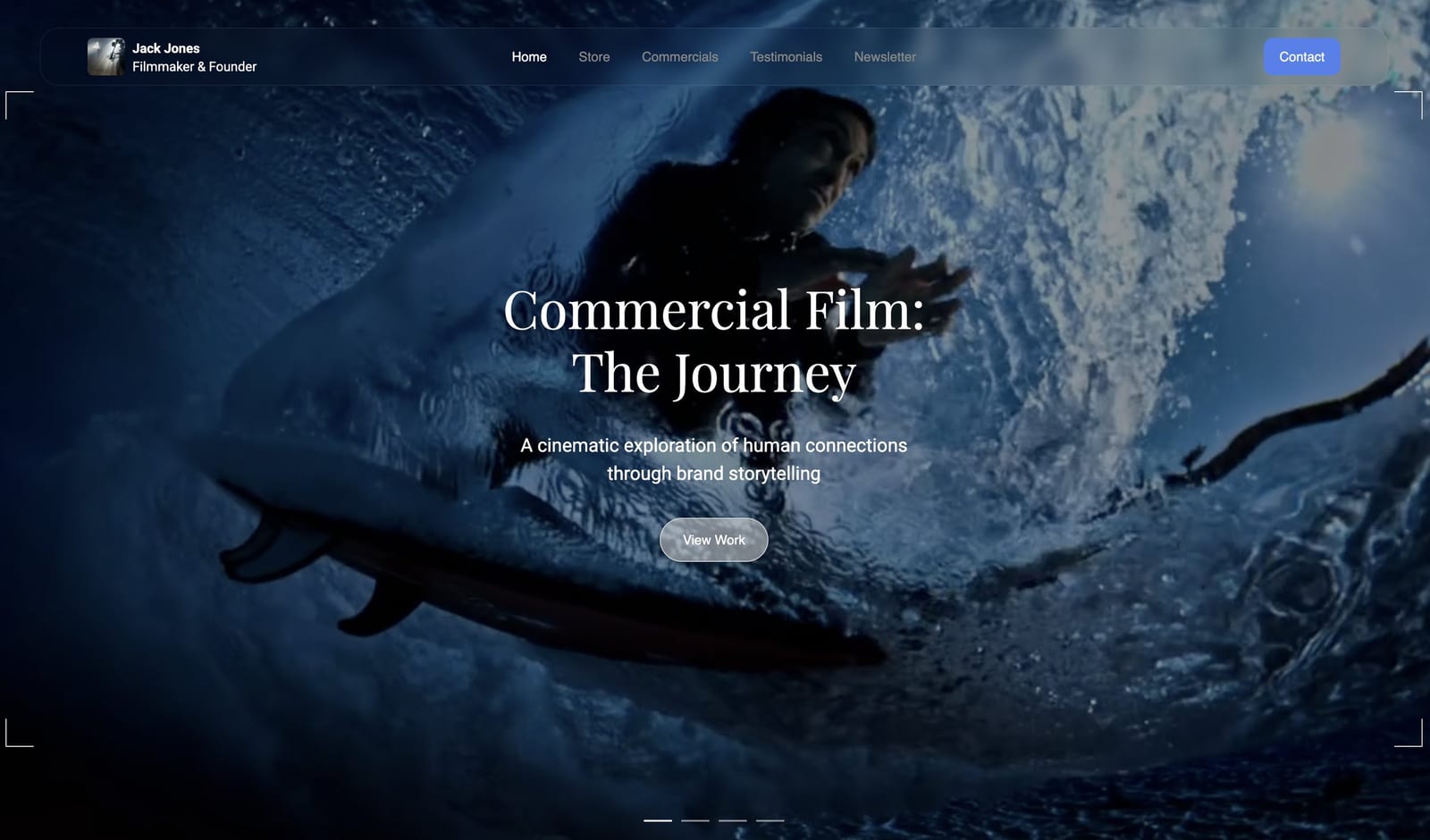
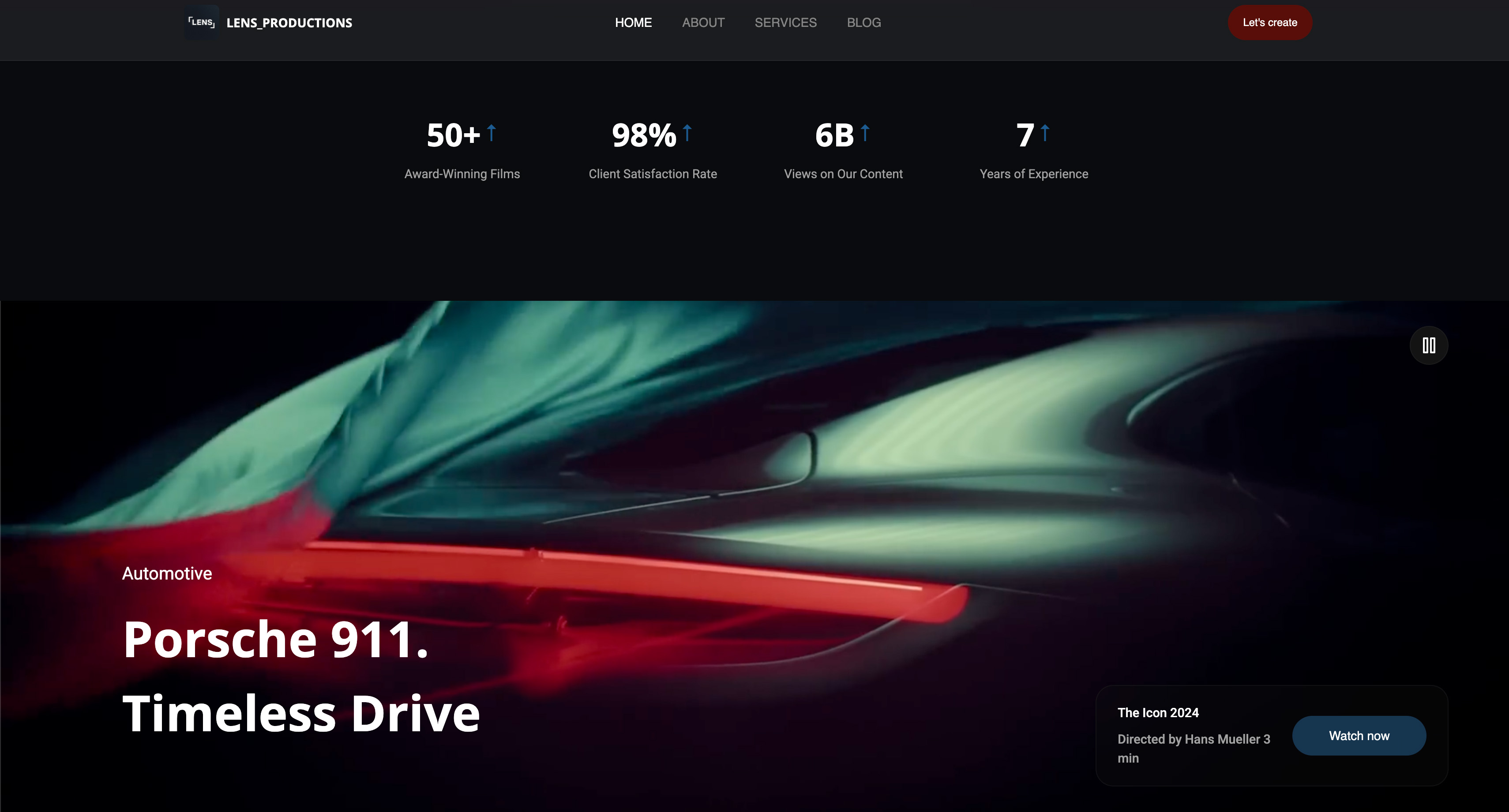
Start from a designer-made template
 Use template
 Use template
 Use template
 Use template
 Use template
 Use template
 Use template
 Use template
The cut was locked on a Thursday. You sent a link at 6pm.
By Monday you had notes in four places: two paragraphs in an email, a voice memo, a screenshot with a red circle drawn in Preview, and a text that just said "the bit near the middle feels long." None of them had a timecode.
That Tuesday morning spent translating feedback is the exact problem video review and approval tools exist to remove.
An editor billing $600 a day who loses nine days a year to reconciling notes, re-exporting because the client could not open the file, and cutting a revision round that was never scoped has given away $5,400 - roughly thirty times what a single seat costs.
The edit is not where the margin goes. The round-trip is.
Nobody bills for the hour spent working out what the client meant. (Updated 20 September 2026: we re-verified Framekit's review plan limits against its live pricing page, including the 3GB per-file ceiling and the fact that its team members administer the site while only the account holder uploads cuts, and confirmed Frame.io still holds first place on this rubric.)
A video review and approval tool is software that hosts a cut, collects timecoded comments on it from named stakeholders, stacks each new version against the last, and records a formal sign-off, so the round-trip between editor and client happens in one place instead of across email, messaging apps, and a spreadsheet.
If your clients review compressed exports rather than camera masters, Framekit runs that entire loop on its free plan - timecode chips along the scrubber, drawing on the frame, version stacks and approval statuses, with reviewers who never create an account - and keeps the approved cut, the portfolio page it ends up on and the client delivery gallery in the same account.
It places second below rather than first, and the reasons are specific: no NLE panels, no Camera to Cloud, and a 3GB ceiling on any single file.
The best video review and approval tool in 2026 is Frame.io, because it is the only one here with Camera to Cloud on every plan including free, first-party panels inside Premiere Pro and Final Cut Pro, and a 100GB entitlement that comes free with an Adobe Creative Cloud subscription - the honest trade-off is that its DaVinci Resolve integration is a legacy plugin Adobe has not meaningfully updated, and session-based watermarking is locked to Enterprise.
Framekit is the best free plan, with its core review features included and no per-seat pricing, though it caps files at 3GB and has no NLE panels.
Vimeo bundles seats with hosting, ReviewStudio is the cheapest real per-seat plan at $12 per user per month, and Filestage is the one to buy if your approval chain has a legal reviewer in it.
Full disclosure: Framekit, ranked #2, is our own product, and it is not #1 because Frame.io beats it on the things pros pay for: NLE panels, Camera to Cloud, side-by-side compare, and files far larger than our 3GB ceiling. Vimeo adds public hosting we do not, and Filestage and Ziflow run approval chains and non-video proofing we do not. We ran the same job through the other eight, describe Framekit from its published feature set, and link to each one.
How We Compared These Video Review and Approval Tools
Every tool here claims timecoded comments and version control, so those are table stakes rather than differentiators. We scored each on the five things that actually change how long a revision round takes and what it costs.
Round-trip mechanics. Frame-accurate playback, timecoded comments, drawing on the frame, version stacking, side-by-side compare, and whether the notes come back out as a change list your NLE can read.
Client friction. Whether an outside stakeholder can leave a note without creating an account. This is the single biggest cause of a dead revision round, and the criterion most comparison pages skip.
Real cost at freelancer scale. Not the sticker price - what one editor with three clients pays per year, and what that number does at three seats and at ten.
Large-file behaviour and storage. What happens when you push a 4K ProRes master at it, and what happens to already-delivered projects when you hit the cap.
Integration and control. NLE panels, Camera to Cloud, watermarking, and download permissions.
We used the same job on every platform: a 12-minute brand documentary, mastered as 4K ProRes 422 HQ at roughly 80GB, taken through three revision rounds with four stakeholders - a producer, a brand manager, a founder who only opens things on a phone, and one reviewer who has never used a review tool in their life.
That last person is the real test, and they appear throughout this guide.
Three kinds of finding, kept separate. Hands-on: uploading the master, running the notes round, testing whether a cold reviewer could comment without signing up, and checking version compare.
Verified from primary sources rather than tested: every price, seat count and storage cap, checked against each vendor's own pricing or help pages in August 2026 and linked inline.
Community sentiment: third-party scores and recurring complaints, always labelled as such.
We paid for Frame.io and ReviewStudio; Framekit is described from its shipped feature set and published plan limits rather than this test job; Vimeo, Dropbox Replay, Filestage, Ziflow and Wipster were previewed on free tiers and trials rather than paid annual plans, and Autodesk Flow Production Tracking we assessed from documentation and studio practice rather than a personal seat.
We also looked at Screenlight, which several older roundups still list. Its domain did not resolve for us in August 2026, so we left it out rather than rank a tool we could not reach.
What Testing Nine Review Platforms Showed
Opinions are cheap here because every vendor page promises the same four features. These are the figures behind the ranking, each verified against a vendor page in August 2026.
- 8 of 9 let an outside client leave a timecoded note without creating an account (Framekit's reviewers need none, per its published feature list). Autodesk Flow Production Tracking is the exception: its Client Review Site issues the client a restricted login instead.
- 2 of 9 charge a flat rate rather than per seat (Filestage at 199 euros a month, Ziflow at $199 a month), so a solo editor pays exactly what a fifteen-person agency pays.
- 1 of 9 includes Camera to Cloud on every plan, including the free one: Frame.io.
- The cheapest real per-seat plan is ReviewStudio at $12 per user per month billed annually. The most expensive is Autodesk Flow Production Tracking at $390 per user per year.
- 1 of 9 gates review pages behind a mid tier: Vimeo requires Standard or higher, not the entry Starter plan.
- Frame.io's own free plan is 2GB, but an Adobe Creative Cloud subscription upgrades that to 100GB, five projects, two users and Camera to Cloud at no extra charge.
- On our 80GB ProRes master, 6 of 8 tested free tiers could not hold a single delivery, and Framekit could not take it on any plan: it caps any one file at 3GB.
- Framekit puts its core review features on the free plan, gating mainly file size (500MB) and pooled storage (10GB); only file attachments on comments need Pro.
- At ten seats the cheapest option is not a per-seat tool at all: Vimeo Advanced includes ten seats for roughly $780, against about $2,610 for ten Frame.io Team seats. Framekit is flat too, but only the account holder uploads cuts, so it does not seat a ten-editor house.
The 9 Best Video Review and Approval Tools in 2026: Full Comparison
How the scoring works: each tool is rated on the five criteria above, weighted by what actually costs an editor time and money - round-trip mechanics 25%, client friction 20%, real cost at freelancer scale 20%, large-file behaviour and storage 20%, integration and control 15%.
Client friction is weighted at a fifth of the total on purpose.
A tool with perfect annotation that makes your founder-stakeholder create an account is worse in practice than a plainer tool they can use from a phone on the first try, because the round that never happens costs more than the feature that never gets used.
That weighting is why Autodesk Flow Production Tracking, a genuinely superb pipeline system, finishes ninth here on a rubric built for client-facing work.
The same rubric is why Framekit is not first: it scores 3 out of 10 on integration and control, the lowest mark in the top three, because it has no NLE panels or Camera to Cloud.
| Tool | Best for | Free tier | Client needs an account | Entry paid price | Our rating |
|---|---|---|---|---|---|
| Frame.io | Editors in the Adobe ecosystem | 2GB, or 100GB with Creative Cloud | No | $15 per member per month | 9.4/10 |
| Framekit | Freelancers who want review, site and delivery in one account | Core features, 500MB files, 10GB pooled | No | $9 per month (Starter), no per-seat fee | 9.1/10 |
| Vimeo | Small teams and ten-seat value | Yes, no review pages | No | About $25 per month (Standard) | 8.6/10 |
| Filestage | Multi-stakeholder approval chains | 1 project, 5 files a month | No | 199 euros per month flat | 8.5/10 |
| Dropbox Replay | Teams already paying for Dropbox | Limited, on any Dropbox plan | No | About $10 per user per month add-on | 8.2/10 |
| Ziflow | Proofing video alongside every other format | 2 users, 2GB | No | $199 per month flat | 8.0/10 |
| ReviewStudio | The cheapest honest per-seat plan | 5GB, unlimited users | No | $12 per user per month annually | 7.8/10 |
| Wipster | Solo editors who want one cheap seat | Trial | No | $9.95 per month (Light) | 7.2/10 |
| Autodesk Flow Production Tracking | VFX and animation pipelines | No | Restricted client login | $390 per user per year | 6.9/10 |
Prices verified against each vendor's published pricing page in August 2026. Filestage prices in euros for European visitors; we have not converted the figure.
Can your client comment without signing up
This is the table to screenshot. It is the difference between a revision round that closes on Friday and one that closes the following Wednesday because the brand manager could not get past a signup wall.
| Tool | Guest can comment with no account | What they are asked for | Catch |
|---|---|---|---|
| Frame.io | Yes | Name and email on first comment | Guests cannot edit their comments after leaving the session |
| Framekit | Yes | Nothing by default; you can require an email or a password | Top plan caps a single file at 3GB |
| Vimeo | Yes | Name and email before posting | Review pages require Standard or higher |
| Filestage | Yes | Email only, unlimited reviewers on every plan | Free plan caps you at one active project |
| Dropbox Replay | Yes | Open the link and comment | You need a paid Dropbox plan before you can buy the add-on |
| Ziflow | Yes | Unlimited internal and external reviewers on every plan | Free tier is two users and 2GB |
| ReviewStudio | Yes | Unlimited guests on every plan including free | Storage is metered per user, not per team |
| Wipster | Yes | Name and email, which does not create an account | Light plan is a single user |
| Autodesk Flow Production Tracking | No | A Client Review Site login | Clients become managed users on your site |

1. Frame.io: Best Overall
Our rating: 9.4/10
Frame.io is the tool the rest of this category is measured against, and after pushing an 80GB ProRes master through all eight tested platforms, it earned that on mechanics rather than reputation.
The playhead is frame-accurate, comments carry timecode by default, the drawing tools sit on the frame rather than on a separate screenshot, and side-by-side compare scrubs both versions together rather than playing them independently and hoping you can eyeball the difference.
The detail that changes your week is the entitlement nobody talks about.
If you already subscribe to Adobe Creative Cloud, Frame.io for Creative Cloud gives you 100GB of dedicated Frame.io storage, five concurrent projects, two users, unlimited reviewers on share links, and Camera to Cloud - included with the Premiere Pro subscription you already pay for.
That is not a trial. Most editors reading this already own a review platform and have never opened it.
Best forEditors who cut in Premiere Pro or Final Cut Pro and need the client round-trip to happen without teaching anyone anything.
Key features:
- Frame-accurate timecoded comments with drawing directly on the frame
- Version stacking with synchronised side-by-side compare
- Comment export as CSV, XML, plain text or FIOJSON, plus a printable comment sheet with annotation thumbnails
- Camera to Cloud on every plan, including free
- First-party panels for Premiere Pro, After Effects and Final Cut Pro
The real numberFrame.io's pricing is per member.
Pro is $15 per member per month for up to 5 members with 2TB included plus 2TB per additional member; Team is $25 per member per month for up to 15 members with 3TB included plus 2TB per additional member; annual billing saves 13%.
That puts a solo editor at roughly $157 a year, three seats at roughly $470, and a ten-seat post house on Team at roughly $2,610.
Pro's 2TB allowance holds about 25 of our 80GB masters; the 2GB free plan holds none of it, which is why the Creative Cloud entitlement is the free tier that actually matters.
The gotchastorage is pooled as "included plus per additional member", so it moves when your headcount moves.
Drop from three seats to one after a busy quarter and your Pro allowance falls from 6TB to 2TB while delivered projects are still sitting in it.
Two more bite later: session-based watermarking, the burned-in per-viewer kind you want for a screener, is Enterprise-only, and the DaVinci Resolve integration is a legacy plugin documented for Resolve 16 and 17 Studio rather than a maintained part of Resolve 20.
Skip it ifyou are a three-person Resolve shop with no Adobe subscriptions and no Camera to Cloud hardware. ReviewStudio or Vimeo will do the same round-trip for a third of the money.
What reviewers say elsewhereFrame.io holds 4.6 stars from 80 reviews on Capterra, where the recurring praise is client-facing simplicity and the recurring complaint is storage pricing at scale.
Verdict: Frame.io is the correct default for anyone cutting in Adobe, and the 100GB Creative Cloud entitlement makes it close to automatic if you already pay for Premiere Pro. Buy Pro when you outgrow five projects, not before. Our guide to the best AI tools for filmmakers covers what fills the gaps around it. Visit Frame.io
2. Framekit: Best Free Plan for Freelance Client Review

Our rating: 9.1/10
Framekit is an AI website builder that also runs Frame.io-style video review, client galleries, decks, and a store from one account, and it asks very little of the founder who only opens things on a phone.
You upload a review export (a 12-minute documentary as a 2GB H.264 file fits the Pro plan; the 80GB ProRes master does not, see the gotcha), send the link from inside Framekit with a short note, and reviewers comment without an account, because anonymous comments are on by default.
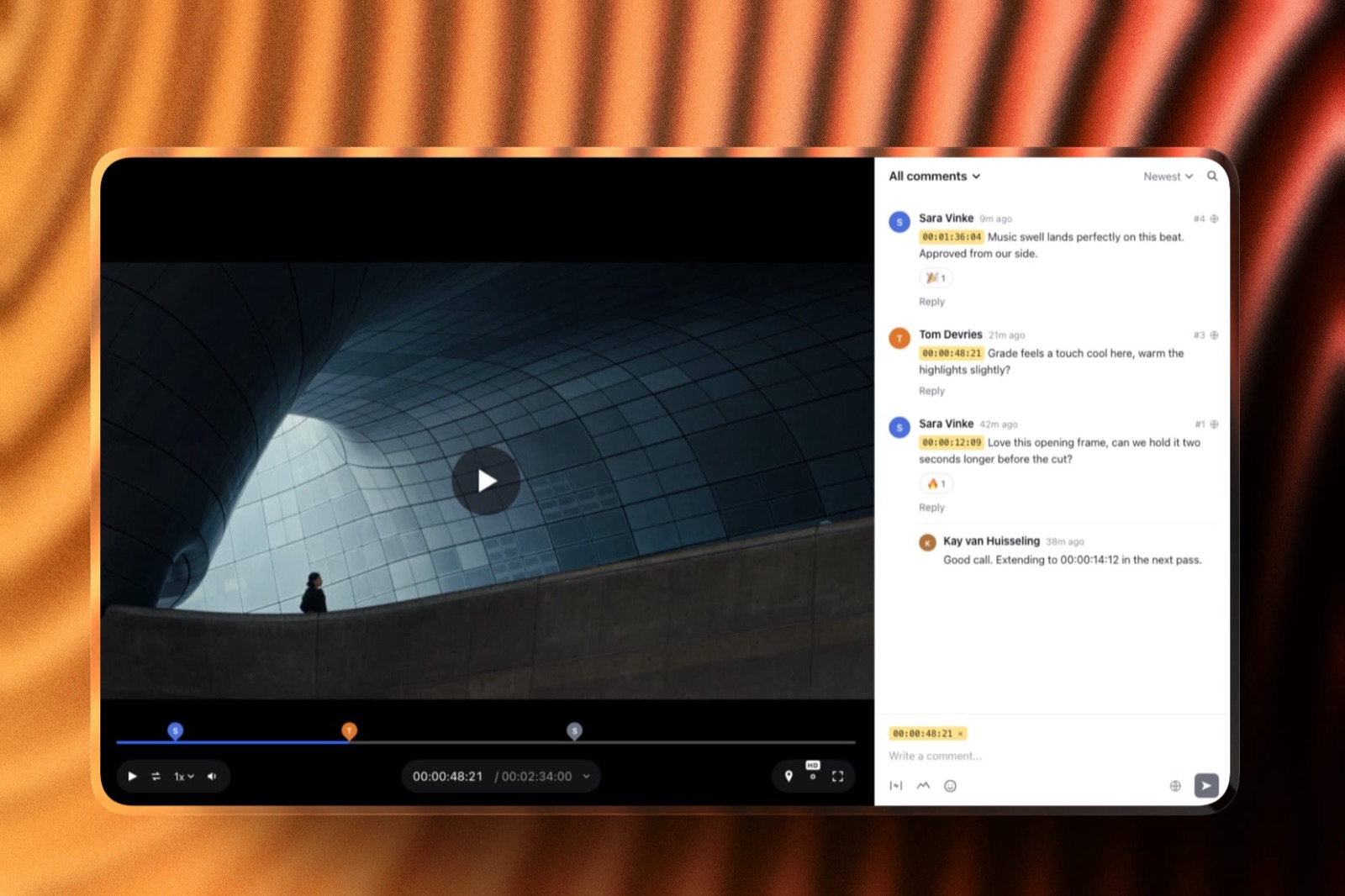
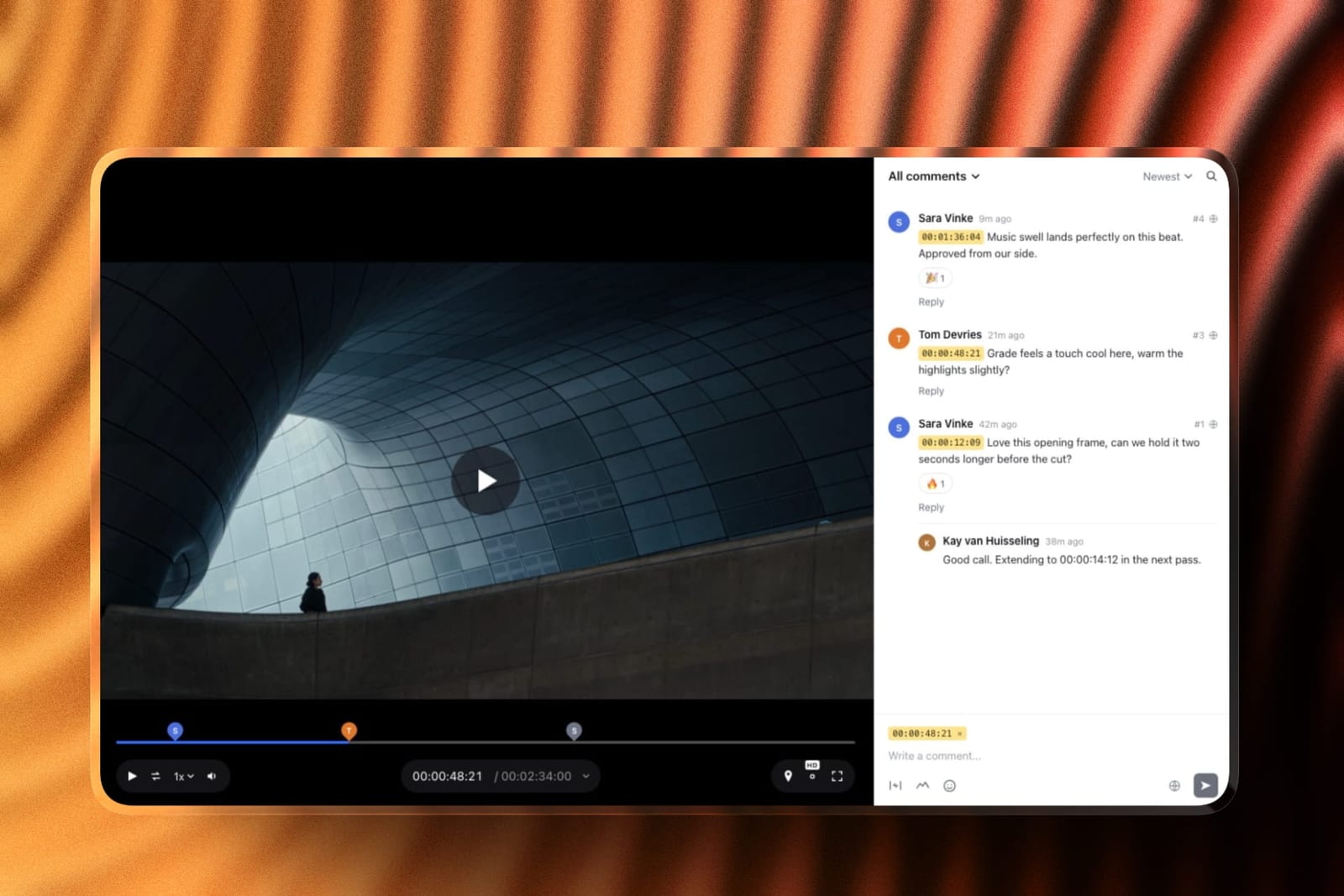
Notes land as timecode chips along the scrubber, a reviewer can draw on the frame to circle a logo that needs replacing, and anyone can reply in the same thread.
The real numberevery core review feature is on the free plan: drawing, replies, emoji reactions, version stacks, approval statuses, branding.
The limits are file size (500MB free, 1GB Starter, 2GB Pro, 3GB Business, 2 hours maximum) and the pooled storage.
A solo editor who needs 2GB review files pays $15 a month on annual Pro against roughly $157 a year for one Frame.io Pro seat.
Pro's three team members and Business's uncapped ones are site admins rather than review seats: reviewers comment as free guests, but only the account holder uploads cuts.
The standout detailversion stacks keep v1's notes when you upload v2, and each cut carries a status (needs review, in progress, approved, needs changes), so "which version did they approve?" has a one-word answer.
You can brand the review page with your logo, banner, fonts, and accent colour, and export the comment activity as a CSV change list.
The gotchathere are no NLE panels, so notes do not arrive in Premiere, Resolve, or Final Cut as markers; the CSV is the bridge. There is no Camera to Cloud, no side-by-side compare, no forensic watermarking, and no image or PDF proofing.
The 3GB per-file ceiling on the top plan means masters stay on your own storage, which, as the storage section below argues, is where they belong anyway.
Skip it ifyou cut in Adobe and already hold the Creative Cloud entitlement, need C2C on set, or run a ten-seat house that reviews ProRes masters rather than exports. Frame.io is the better fit for all three.
Verdict: Framekit is the best free video review tool for freelance editors and small studios whose clients review exports, and the approved cut can go onto a portfolio page in the same account. It is second to Frame.io, not first, because it has no NLE integration or Camera to Cloud. See Framekit video review, or compare switch-intent options in our Frame.io alternatives guide.
3. Vimeo: Best Seat Value With Hosting Included
Our rating: 8.6/10
Vimeo is not usually filed as a review tool, which is why its numbers are the most surprising in this guide.
Vimeo review pages collect private timecoded feedback, and Vimeo's own documentation is explicit that you can share one "with anyone, even those without a Vimeo account or a team seat" - the guest is prompted for a name and email before posting, and that is the whole of the friction.
Recipients play the cut, see every note laid along the timeline, and click one to jump to it.
What makes it interesting is the seat maths: because Vimeo bundles seats into the plan rather than charging per user, a five-person team pays the same as one person, and a ten-person team pays less than half what ten Frame.io Team seats cost.
Best forSmall teams who want review, hosting and a presentable player from one subscription, and who care more about seat cost than annotation depth.
Key features:
- Timecoded comments on a dedicated review page, no reviewer account required
- Comments laid on the timeline, clickable to jump to that point
- Seats bundled into the plan rather than charged individually
- Hosting, a customisable player and privacy controls in one subscription
The real numberVimeo's help documentation states that review pages require a Standard, Advanced, Pro, Business, Premium or Enterprise plan - the entry Starter tier does not include them.
Standard includes five seats and 4TB and sells for roughly $25 a month billed annually, or about $300 a year; Advanced includes ten seats and 7TB.
We could not get Vimeo's pricing page to render a stable figure for Advanced and saw it quoted between about $65 and $75 a month billed annually, so treat that as a range rather than a fact.
Even at the top of it, ten seats for around $900 a year undercuts ten Frame.io Team seats by a wide margin.
The gotchathe review page is comment-first.
Vimeo's documentation describes timecoded feedback and does not document drawing on the frame, so if your notes routinely need a circle around an object rather than a sentence, this is the weakest tool in the top four for exactly that.
The second catch is the tier gate: the $12-a-month Starter plan looks like the cheap way in and has no review pages at all, which is an annoying thing to discover after you have sent the link.
Skip it ifyour work is VFX or graphics-heavy and your notes are positional. Vimeo makes you describe in words what other tools let you circle.
Verdict: Vimeo is the value pick and the one most editors dismiss without checking the seat maths. Buy it if your review rounds are conversational and your team is three to ten people; skip it if annotation is the point. Our best Vimeo alternatives guide covers where it wins as a hosting layer and where it does not. Visit Vimeo
4. Filestage: Best for Approval Chains With a Legal Reviewer
Our rating: 8.5/10
Filestage is the only tool here designed around the idea that approval is a sequence, not an event.
You build review steps, assign a group to each, and the file only moves on when the current group signs off - so brand sees it before legal, legal before the client, and nobody skips the queue.
If you have ever shipped a cut the client loved and legal killed, you understand why this exists.
It is also the most reviewer-friendly tool in the set. Filestage's pricing page confirms unlimited reviewers on every plan including free, and reviewers do not need accounts - an email address is enough.
On our four-stakeholder test, the reviewer who had never used a tool like this got a note down without asking a single question.
Best forAgencies, in-house teams, and anyone whose approval passes through more than two named groups before it is final.
Key features:
- Sequential review steps with per-group sign-off
- Unlimited reviewers on every plan, including free, with no account required
- Annotation on video, images, PDFs, audio and web pages in one interface
- Automatic version comparison as new files are uploaded
The real numberthe free plan is 1 active project, 5 new files a month, 2GB, 10 team members and 2 reviewer groups. Starter is 199 euros a month with unlimited projects and 1TB; Business is 329 euros with 3TB; Enterprise carries 10TB.
Because that is a flat rate rather than a per-seat charge, cost per head collapses as the team grows: 199 euros a month is punishing for one freelancer and cheap for a twelve-person agency running four brands.
The gotchathe free tier's 2GB will not accept our 80GB master, and the one-active-project limit means the moment you have two clients in flight you are done with it.
There is no middle rung between free and 199 euros a month, so the tool that best solves the multi-stakeholder problem is priced out of reach for the person who most often has to manage a multi-stakeholder round alone.
Skip it ifyou are a solo editor with three clients. You would pay roughly fifteen times a Frame.io Pro seat for sequencing you can replicate by sending the link to one group at a time.
What reviewers say elsewhereFilestage carries 4.7 stars from 102 reviews on Capterra, with reviewers consistently naming the reviewer experience as the reason they picked it.
Verdict: Filestage is the best tool here for approval chains and the worst value here for one person. If your bottleneck is a stakeholder queue rather than a file size, it pays for itself in one avoided rework cycle. Teams comparing it against a broader client workspace should read our best client portal tools for creatives guide. Visit Filestage
5. Dropbox Replay: Best If You Already Pay for Dropbox
Our rating: 8.2/10
Dropbox Replay is the pragmatic answer for the very large number of production teams whose masters already live in Dropbox.
It puts frame-accurate comments, drawing, version comparison and a live review session on top of files that are already synced, removing the most tedious step in every other tool here: uploading the master a second time to a different service.
The live review mode is the standout, and almost nobody writes about it.
It drives a synchronised playback session where everyone watches the same frame while you talk, turning a three-day asynchronous note cycle into one short call with the notes already captured against timecode.
On a stakeholder group that includes someone who will never write a comment, that alone justifies the add-on.
Best forTeams whose media already lives in Dropbox and who want review on top of storage rather than a second storage bill.
Key features:
- Frame-accurate, timestamped comments and drawing on files already in Dropbox
- Version comparison built into the file rather than a separate upload
- Live review with synchronised playback across participants
- Review links outside collaborators open and comment on with no Dropbox account
The real numberDropbox lists the Replay add-on at 9 euros per user per month billed annually, or 11 euros monthly, and states plainly that "Dropbox Basic users must upgrade to a Plus or higher plan before buying the Add-On." In dollars that is roughly $10 to $12 per user per month for the add-on alone, on top of a Dropbox plan at roughly $12 per user per month - so a realistic solo cost is about $264 a year, three seats about $792, and ten seats about $2,640.
The gotchathe sticker price is never the price. Replay is an add-on, not a product, and the total is always two subscriptions stacked.
That makes it the best value here if you already pay Dropbox and among the worst if you do not, because you end up buying cloud storage you did not want to get a review tool you did.
Skip it ifyour files live in Google Drive, on a NAS, or in Frame.io already. Buying a second full storage platform to get review on top of it is the wrong shape of purchase.
Verdict: Dropbox Replay is the most sensible upgrade in this guide for anyone whose team already runs on Dropbox, and an odd purchase for anyone else. If you are still moving masters around with transfer links, our best WeTransfer alternatives guide covers the delivery layer underneath this decision. Visit Dropbox Replay
6. Ziflow: Best for Proofing Video Alongside Everything Else
Our rating: 8.0/10
Ziflow comes at this from the print and packaging proofing world rather than from post, and that heritage shows in the best and worst ways.
The compliance machinery is excellent: automated proof routing, decision tracking, audit trails, and version comparison across more than a thousand file types, so the same platform handles your film, the key art, the PDF one-sheet and the banner set.
For a production company that also delivers stills and social cutdowns, that consolidation is worth real money. For a pure editorial shop, it is a lot of machinery around a video player that is competent rather than exceptional.
Best forAgencies and marketing teams proofing video alongside images, documents and web content in one approval system.
The real numberZiflow's pricing page lists Personal free forever for 2 users with 2GB, Standard at $199 a month billed annually with 15 users and 1TB, Pro at $329 a month with 20 users and 2TB, and Enterprise starting at 25 users and 4TB.
Like Filestage it is a flat rate: ten seats cost the same $2,388 a year as one, expensive per head for a small shop and cheap per head for a department.
The gotchathere is no NLE panel. Nothing pulls notes into a Premiere or Resolve timeline, so comment-to-change-list is a copy-and-paste job.
For a marketing team that is irrelevant; for an editor cutting three rounds a week it is a real tax, and it is the clearest line between the proofing tools and the post tools here.
Skip it ifvideo is the only thing you review. You are paying for breadth you will never touch.
What reviewers say elsewhereZiflow has the highest third-party score in this guide at 4.8 stars from 417 reviews on Capterra, which is a genuinely large sample for this category and worth weighting accordingly.
Verdict: Ziflow is the strongest choice for teams whose approval problem spans formats, and the weakest per-seat value for a small editorial team. Its reviewer score is the best here and its video depth is not. Visit Ziflow
7. ReviewStudio: The Cheapest Honest Per-Seat Plan
Our rating: 7.8/10
ReviewStudio is the quiet value pick, and the one we recommended most often to freelancers during testing.
It does timecoded video comments, drawing, version control, task assignment and approval states, and charges $12 per user per month on annual billing to do it - less than a Frame.io seat and a fraction of the flat-rate tools.
Its distinctive feature is Smart Compare, a side-by-side view that lines two versions up and scrubs them together, which is what you actually need when a client says "the old ending was better" and you have to prove or disprove it in front of them.
Several tools here compare versions; ReviewStudio's is the one that made an argument end fastest in our test.
Best forFreelancers and small studios who want proper per-seat pricing and side-by-side compare without paying for an ecosystem.
Key features:
- Timecoded video comments with drawing and markup on the frame
- Smart Compare for side-by-side version review
- Unlimited guest reviewers on every plan, including free
- Approval states and task assignment attached to comments
The real numberReviewStudio's pricing runs Starter free with unlimited users and 5GB total; Pro at $15 per user monthly or $12 annually with 25GB per user; Advanced at $25 monthly or $20 annually with a five-user minimum and 50GB per user; Enterprise at a twenty-user minimum with 100GB per user.
Annual plans include two months free. That is $144 a year for one seat, $432 for three and $1,440 for ten - the lowest ten-seat figure of any per-seat tool here.
The gotchastorage is metered per user rather than pooled, and 25GB per user on Pro is the tightest allowance among the paid tools here. Our 80GB master needs four seats' worth of storage on its own.
If you work in ProRes rather than H.264 review exports, this is the tool that forces you into a higher tier fastest, and the low seat price stops looking low.
Skip it ifyou upload camera masters rather than compressed review files. The economics only work on sensible review exports.
What reviewers say elsewhereReviewStudio holds 4.7 stars from 98 reviews on Capterra, with support responsiveness and Smart Compare the two things reviewers name most.
Verdict: ReviewStudio is the best pure value here for anyone who reviews compressed exports rather than masters, and the trap is storage rather than seats. Price the tier you will need in a busy month, not the one that fits one project. Visit ReviewStudio
8. Wipster: One Cheap Seat for a Solo Editor
Our rating: 7.2/10
Wipster has been doing frame-accurate video notes since before most of this category existed, and its single-user plan is the cheapest entry point here.
It does the core loop well - share a link, the reviewer clicks it and comments without signing up, timecoded notes come back, versions stack - and it keeps a Premiere Pro panel so notes land next to the timeline rather than in a browser tab.
The reviewer experience is deliberately blunt in a way we came to appreciate: Wipster's own help material states that leaving a name and email does not create an account, which is exactly the reassurance a nervous client needs before they type anything.
Best forSolo editors and one-person production companies who want a dedicated review tool for the price of a couple of coffees.
The real numberWipster's pricing lists Light at $11.95 a month, or $9.95 billed annually, for a single user with 50GB; Team at $25 per user monthly, or $19.95 annually, with no user limit and storage starting at 250GB; Enterprise custom from 1TB.
That is about $119 a year for a solo seat, about $718 for three on Team and about $2,394 for ten.
The gotcha50GB on Light will not hold our 80GB master, so the cheapest plan in this guide is a compressed-review-file plan whether you intended that or not.
The broader concern is momentum: Wipster works, but it has not shipped the visible change over the last two years that Frame.io and Dropbox have, and betting a client-facing workflow on a quiet roadmap is a judgement call to make consciously rather than by accident.
Skip it ifyou need Camera to Cloud, a Final Cut panel, or a vendor with a large parent company behind it.
What reviewers say elsewhereWipster carries 4.8 stars from 75 reviews on Capterra, a high score on a small sample - read it as evidence that the people who use it like it, not that it is the most-used tool here.
Verdict: Wipster is the cheapest credible dedicated review seat in 2026 and a perfectly good tool for one editor working in compressed exports. It is not where we would build a ten-person workflow. Visit Wipster
9. Autodesk Flow Production Tracking: Best for Pipelines, Not Clients
Our rating: 6.9/10
Autodesk Flow Production Tracking, known for most of its life as Shotgun and then ShotGrid, is the production management system a large share of VFX and animation studios actually run on, and putting it eighth says more about our rubric than about the software.
It tracks shots, tasks, assets, dependencies and versions across hundreds of artists, connects into DCC applications through its Toolkit, and ships with RV, Autodesk's playback and shot review tool, included in the subscription.
For sequence review inside a facility it is the strongest tool on this page by a distance. For handing a 12-minute brand film to a founder who opens links on a phone, it is the wrong instrument entirely.
Best forVFX, animation and episodic facilities that need review attached to a shot-level pipeline rather than to a client link.
The real numberAutodesk sells it as a named-user subscription at $50 per user per month, $390 per user per year, or $1,170 per user for three years - a single seat is $390 a year, three seats $1,170 and ten seats $3,900.
That is the highest per-seat cost here by a wide margin, priced for a system that replaces a producer's spreadsheet rather than a review link.
The gotchait is the only tool here where your client does not simply click a link. The Client Review Site deliberately gives clients a restricted view rather than open access, so they become managed users on your site with credentials to look after.
That is exactly right for a facility with security obligations and exactly wrong for a freelancer with three clients, and it is why this finishes last on a rubric that weights client friction at 20%.
Skip it ifyou are not running a pipeline. If your production tracking fits in a spreadsheet today, this is not the thing that changes your margin.
Verdict: Autodesk Flow Production Tracking is the right answer to a question most readers of this guide are not asking. Buy it when shot-level tracking is the problem; do not buy it to send a client a cut. Visit Autodesk

What Video Review Actually Costs at Three Team Sizes
The sticker prices here mislead because two pricing models hide behind similar-looking numbers. Frame.io, ReviewStudio, Wipster, Dropbox Replay and Autodesk charge per seat, so cost scales with headcount.
Filestage and Ziflow charge a flat rate with a large seat allowance, so cost is constant until you exceed it. Vimeo is a third model: bundled seats inside a plan you were probably buying anyway.
Framekit is a fourth: a flat account price with unlimited guest reviewers, where only the account holder uploads cuts, because its team members (3 on Pro, no cap on Business) administer the site rather than hold review seats.
Here is what each actually costs per year, on annual billing where offered, at three real team sizes.
In one lineper-seat pricing wins for one to five people, flat-rate pricing wins from about twelve people up, and the crossover in the middle is where most production companies pick the wrong plan and pay for it for a year.
| Tool | Solo editor | 3-person team | 10-seat post house | Pricing model |
|---|---|---|---|---|
| Framekit | $0 (Free) or ~$84 (Starter) | ~$84 (one uploader, others as guests) | Not built for it (one uploader) | Flat per account |
| Wipster | ~$119 (Light) | ~$718 (Team) | ~$2,394 (Team) | Per seat |
| ReviewStudio | $144 | $432 | $1,440 | Per seat |
| Frame.io | ~$157 (Pro) | ~$470 (Pro) | ~$2,610 (Team) | Per seat |
| Dropbox + Replay | ~$264 | ~$792 | ~$2,640 | Per seat plus add-on |
| Vimeo | ~$300 (Standard) | ~$300 (5 seats included) | ~$780 to $900 (Advanced) | Bundled seats |
| Autodesk Flow Production Tracking | $390 | $1,170 | $3,900 | Per seat |
| Ziflow | $2,388 (or free at 2 users) | $2,388 | $2,388 | Flat, 15 users |
| Filestage | 2,388 euros (or free at 1 project) | 2,388 euros | 2,388 euros | Flat, 10 members |
Three things fall out of that table. First, a freelancer with three clients has no business paying a flat-rate tool: Filestage and Ziflow cost roughly fifteen times a Frame.io Pro seat for one person.
Second, the cheapest ten-person figure comes from bundled pricing: Vimeo at roughly $780 to $900 a year, against $2,610 for ten Frame.io Team seats and $3,900 for ten Autodesk seats.
Framekit's flat price only helps a team where one person uploads and everyone else comments as a guest; a house with ten uploading editors is not what it is built for.
Third, flat-rate only starts making sense above about twelve seats, at which point Ziflow's $2,388 undercuts ten-seat Frame.io and keeps undercutting it as you add people.
The cost most people miss appears on no pricing page.
If a tool your client finds confusing adds one extra revision round per project, and you run twenty projects a year at a day of editorial per round, the friction has cost you twenty days. No subscription here comes close to that number.
Storage Caps, Big ProRes Files, and What Happens to Delivered Work
In one lineevery plan here is sold on features and limited by storage, and the moment that limit bites is always the same - the busy month, with three delivered projects still sitting in the account and a fourth master waiting to upload.
Start with the honest file maths. Our 12-minute documentary at 4K ProRes 422 HQ is roughly 80GB. Four versions is 320GB.
Add a second client project and you are past a third of a terabyte before anyone has said anything useful about the edit.
This is why the free tiers here are almost all decorative: Frame.io's own free plan is 2GB, Filestage's is 2GB, Ziflow's is 2GB, ReviewStudio's is 5GB total, Framekit's is 10GB with a 500MB per-file cap, and none will accept a single ProRes master.
The practical answer, and the one every working editor reaches eventually, is that you do not upload masters for review at all.
You upload a sensible H.264 or H.265 review export, and the storage question mostly evaporates - our 80GB master becomes a couple of gigabytes, and even ReviewStudio's 25GB-per-user Pro allowance holds a year of work.
Keep masters on storage you control and treat the review platform as a conversation layer, not an archive.
Transcode behaviour still differs when you do push large files.
Frame.io and Dropbox Replay handle large uploads with resumable transfers and generate proxies for playback, which is what lets a phone-only stakeholder scrub a 4K cut without stalling.
Filestage and Ziflow are proofing platforms first, and their free tiers are gated more by file-count and storage limits than by transcode capability.
Wipster's 50GB Light plan is the tightest storage ceiling of any paid plan here, and Framekit has the tightest per-file ceiling: it accepts ProRes .mov and transcodes it for playback, but no single upload may exceed 3GB or two hours.
The part nobody advertises is what happens when you hit the cap or stop paying.
The pattern is consistent: existing files usually stay readable for a grace period, but you cannot upload new versions, and share links to delivered projects eventually stop resolving.
That matters more here than in photography, because a delivered film is something the client wants to show people for years. A review link is not a distribution channel and was never designed to be one.
Archive every approved master to your own storage before you downgrade anything, and never let a review link be the only place a finished film exists.
Timecode, Annotation, and Getting Notes Back Into Your Timeline
In one lineevery tool here does timecoded comments, but only a few will hand those comments back to your NLE in a form you can cut against, and that export is where the hours actually are.
Timecoded comments are the entry ticket. All nine attach a comment to a frame and let a reviewer click a note to jump the playhead there. The differences show up one step later, when you have forty notes and need them as a change list beside your timeline.
Frame.io is the strongest here.
Comments export as CSV, XML, plain text or FIOJSON from the comments panel, filters and sort order carry into the export, and the print view produces a comment sheet with annotation thumbnails and timestamps you can save as a PDF and hand to an assistant.
Combined with its Premiere Pro, After Effects and Final Cut Pro panels - included on every plan rather than gated behind a tier, unlike the watermarking - it is the only tool here where notes reliably arrive as markers rather than as reading.
Wipster keeps a Premiere panel. Dropbox Replay puts comments beside the file rather than inside the NLE. Framekit exports comment activity as a CSV you can sort by timecode, with no NLE panel.
Vimeo, Filestage, Ziflow and ReviewStudio collect notes competently and leave the last mile to you.
Camera to Cloud deserves its own paragraph because it is routinely described as expensive and is not. Frame.io includes it on every plan including free, and in the Creative Cloud entitlement.
The cost is hardware, not subscription: certified devices such as Sound Devices recorders or a Teradek encoder, or a camera with it built in, are what you actually pay for.
If your kit already supports it, C2C costs nothing extra on the software side and closes most of the gap between wrap and first assembly.
Annotation depth is the other axis worth checking. Frame.io, Framekit, Dropbox Replay, Filestage, Ziflow, ReviewStudio and Wipster all let a reviewer draw on the frame.
Vimeo's review page documentation describes timecoded comments without documenting frame drawing, which is fine for narrative notes and poor for graphics work.
On control: static watermarking and download permissions are widely available, but session-based watermarking - the per-viewer burned-in kind you want on a screener that must not leak - is Enterprise-only on Frame.io and a rarity elsewhere.
If leak control is contractual, ask that question before you compare anything else.
Where the Approved Film Actually Lives
In one linea review tool answers "is this approved?" but not "why should we hire you?", so the approved film needs a permanent page you own, not a review link that expires or dies when you downgrade.
Eighteen months after sign-off, the best thing you made usually lives behind a login: an expired review link, a Dropbox folder nobody opens, or a Vimeo page that looks like Vimeo rather than like you.
Framekit covers both halves in one account: the cut goes through review, and the approved version gets a portfolio and case-study page on your own domain, with the brief, the credits, the stills, and the result written around it.
The practical shape is simple whichever review tool you use. Archive the approved master to your own storage, then publish the finished piece as a project page with the client, the problem, your role, and the outcome.
That page is what shows up when a producer searches your name.
Our guide to the best website builders for filmmakers compares where that site can live, and if Vimeo is doing double duty as your review layer and your public portfolio, our best Vimeo alternatives guide covers why splitting those jobs usually improves both.
The Round-Trip Test You Can Run This Week
Before you buy anything, run the round-trip you already have and count it honestly.
Take your last three finished projects and write down four numbers for each: how many days passed between sending the first cut and receiving usable notes, how many separate places those notes arrived from, how many revision rounds you delivered against how many you scoped, and how many hours you spent translating feedback into a change list rather than cutting.
Multiply the unscoped rounds and the translation hours by your day rate.
If that figure comes to more than about $500 a year - and for most working editors it comes to several thousand - then any tool on this page pays for itself, and the only remaining question is which pricing model fits your headcount.
Run the same count again three months after you switch; if the four numbers have not moved, you bought the wrong tool and should say so out loud rather than renewing out of habit.
The Decision Guide
Most editors pick a review tool by reputation and then discover the pricing model does not fit them. Ask these questions in order and stop at the first branch that matches, because the first match is almost always the right answer.
Start here. Do you already pay for Adobe Creative Cloud?
- Yes. Open Frame.io with your Adobe credentials before you buy anything. You already have 100GB, five projects, two users, unlimited reviewers on share links and Camera to Cloud. Use it for a month; if you outgrow five projects, Pro at $15 per member per month is the next step. Stop here unless you finish in Resolve.
- No, or I finish in DaVinci Resolve. Go to the next question.
Does your approval pass through more than two named groups before it is final?
- Yes, there is a brand team or a legal reviewer in the chain. Choose Filestage, because sequential steps with per-group sign-off is the thing it does better than anyone, and at agency headcount the flat 199 euros a month is cheap per head. If you also proof stills, packaging and web assets, choose Ziflow for the same reason plus format breadth.
- No, it is me and a client. Go to the next question.
How many people need to comment, and where do your files already live?
- Just me, sending compressed review exports: Framekit, free with its core review features on 500MB files, or Pro at $15 a month on annual billing for 2GB files and attachments on comments. ReviewStudio at $12 per user per month is the per-seat alternative; watch its 25GB-per-user cap.
- Three to ten people, annotation not critical: Vimeo. Standard includes five seats for about $300 a year, Advanced includes ten. Nothing else is close on seat cost.
- Three to ten people, notes are positional: Frame.io Pro or Team. Pay the premium for annotation and the NLE panels.
- Masters already in Dropbox: Dropbox Replay. Review on top of storage you already buy beats a second storage bill, and live review justifies the add-on alone.
- A shot-level pipeline with dozens of artists: Autodesk Flow Production Tracking, accepting that clients get a restricted login rather than a link.
Also in this seriesstoryboarding software, which runs the same approval loop one stage earlier, before anything is shot.
Also worth readingvideo hosting platforms, which covers public delivery rather than the review loop.
Also worth readingwebsite feedback tools, which runs the same approval problem on live web pages rather than on footage.
Also in this seriesFrame.io alternatives, the switch-intent version of this comparison, including why the category's prices span a factor of forty.
Also worth readingfree video review tools, for the no-budget version of this decision.
Frequently Asked Questions
What is the best video review and approval tool in 2026?
Frame.io is the best video review and approval tool in 2026 for most editors, because it combines frame-accurate timecoded comments, annotation on the frame, comment export as CSV or XML, first-party panels in Premiere Pro and Final Cut Pro, and Camera to Cloud on every plan including free.
Adobe Creative Cloud subscribers get 100GB of Frame.io storage, five projects and two users at no extra charge. The trade-off is a DaVinci Resolve integration that is a legacy plugin rather than a maintained part of Resolve 20.
For freelancers whose clients review exports under 3GB, Framekit is the best free option, with every review feature on its free plan.
Framekit vs Frame.io: which should a freelance editor use?
Framekit is better for a freelance editor who wants free, no-account client review with drawing, versions, and approval statuses, plus a portfolio and delivery galleries in the same account, and whose review exports stay under 3GB.
Frame.io is better for anyone cutting in Premiere Pro or Final Cut Pro, using Camera to Cloud, or reviewing large masters, because its NLE panels turn notes into timeline markers and Framekit has no NLE integration at all.
Can clients comment on a video without creating an account?
Yes, on eight of the nine tools here.
Framekit, Frame.io, Vimeo, Filestage, Dropbox Replay, Ziflow, ReviewStudio and Wipster all let an outside reviewer open a link and leave a timecoded comment without signing up, usually after entering a name and email that does not create an account.
The exception is Autodesk Flow Production Tracking, whose Client Review Site gives clients a restricted login on your site instead of an open link.
One caveat on Frame.io: a guest who is not signed in cannot edit their comments after leaving the session.
Frame.io vs Vimeo: which is better for a freelance editor?
Frame.io is better for a freelance editor cutting in Premiere Pro or Final Cut Pro, because the NLE panels and comment export turn client notes into timeline markers instead of a document you read from.
Vimeo is better if you also need hosting and a presentable player and review with three to ten people, because it bundles five seats into the roughly $25-a-month Standard plan while Frame.io charges $15 per member per month.
Vimeo review pages require Standard or higher; the cheaper Starter plan does not include them.
Is Frame.io free with an Adobe Creative Cloud subscription?
Yes.
Frame.io for Creative Cloud includes 100GB of dedicated Frame.io storage, five concurrent projects, two Frame.io users, free sharing with an unlimited number of reviewers, and Camera to Cloud, at no additional cost to a Creative Cloud subscription.
That is far more than Frame.io's standalone free plan, which is 2GB and two projects.
If you pay for Premiere Pro or After Effects, sign in to Frame.io with your Adobe credentials before buying any review tool, because you may already own the one that finishes first here.
Which video review tool is cheapest for a solo editor?
Framekit is cheapest, because its free plan includes the core review features, including drawing, versions, and approval statuses, on files up to 500MB; Starter at about $84 a year raises that to 1GB.
Among paid per-seat tools, Wipster's Light plan is cheapest at $9.95 a month billed annually, or about $119 a year, for a single user with 50GB.
ReviewStudio Pro is next at $12 per user per month billed annually, or $144 a year, with 25GB per user and Smart Compare side-by-side review. Frame.io Pro lands at roughly $157 a year.
Avoid the flat-rate tools alone: Filestage at 199 euros a month and Ziflow at $199 a month each cost a solo editor roughly fifteen times a Frame.io Pro seat.
Do these tools support drawing on the frame as well as timecoded comments?
Frame.io, Framekit, Dropbox Replay, Filestage, Ziflow, ReviewStudio and Wipster all let a reviewer draw or mark up directly on the video frame in addition to leaving a timecoded comment.
Vimeo's review page documentation describes timecoded feedback laid along the timeline but does not document frame drawing, which makes it the weakest of the top four for positional notes on graphics or VFX work.
If your notes routinely require circling an object rather than describing it, treat annotation as a filter rather than a nice-to-have.
What happens to my delivered projects when I hit the storage cap or stop paying?
Existing files usually remain readable for a grace period after you hit a cap or downgrade, but you cannot upload new versions, and share links to delivered work eventually stop resolving.
Nothing here is designed to be a permanent archive, and a review link is not a distribution channel.
Archive every approved master to storage you control before you downgrade any plan, and publish the finished film somewhere you own rather than trusting a review URL to still work in two years.
Can I export review comments into my edit as a change list?
Frame.io is the strongest option: comments export from the comments panel as CSV, XML, plain text or FIOJSON, any filter or sort you applied carries into the export, and a print view produces a comment sheet with annotation thumbnails and timestamps you can save as a PDF.
Its Premiere Pro, After Effects and Final Cut Pro panels bring notes in beside the timeline on every plan. Wipster keeps a Premiere panel; Vimeo, Filestage, Ziflow and ReviewStudio collect notes well and leave the last mile to you.
Does Frame.io work with DaVinci Resolve and Final Cut Pro?
Frame.io has first-party panels for Premiere Pro, After Effects and Final Cut Pro on all plans.
DaVinci Resolve is the weak point: the native Frame.io integration is documented for Resolve 16 Studio and 17 Studio and has not been meaningfully updated since Adobe acquired Frame.io, so Resolve 20 users should expect to upload exports by hand rather than rely on a maintained connection.
If you finish in Resolve, ReviewStudio or Vimeo cost less and lose you nothing you were going to get anyway.
What does Camera to Cloud actually cost?
Nothing extra on the software side with Frame.io, which includes Camera to Cloud on every plan including the free one and in the Creative Cloud entitlement.
The real cost is hardware: a camera with C2C built in, or a certified device such as a Sound Devices recorder or a Teradek encoder that sends timecode-accurate H.264 proxies with matching filenames to Frame.io while you shoot.
If your kit already supports it, C2C is free to switch on. If it does not, budget for the device rather than the subscription.
Filestage vs Ziflow: which is better for an agency approval chain?
Filestage is better when the chain is the problem, because its sequential review steps hold a file at each group until that group signs off, so brand sees it before legal and legal before the client.
Ziflow is better when the file types are the problem, because it proofs video alongside more than a thousand other formats with automated routing and audit trails.
Pricing is close: Filestage Starter is 199 euros a month with 10 team members and 1TB, Ziflow Standard is $199 a month with 15 users and 1TB.
Ziflow carries the higher third-party score, 4.8 stars from 417 Capterra reviews against Filestage's 4.7 from 102.

Final Verdict: The Best Video Review and Approval Tool in 2026
After running the same 80GB documentary master and the same four stakeholders through eight platforms, and setting Framekit's published limits beside them, the pattern is that this category has stopped competing on features and started competing on pricing models.
Every tool here does timecoded comments and version stacking. What separates them is what they cost your particular headcount and how much friction they put in front of the one reviewer who does not care about any of this.
Frame.io is the best video review and approval tool in 2026 for most working editors.
Camera to Cloud on every plan, panels in Premiere and Final Cut on every plan, real comment export, and a 100GB Creative Cloud entitlement that many readers already own make it the default you have to argue your way out of rather than into.
Where Frame.io loses: it is not for DaVinci Resolve finishers, because the Resolve integration is a legacy plugin rather than a living one, and it does not offer session-based watermarking below Enterprise, so anyone on Pro or Team who needs traceable screeners must look elsewhere.
It loses outright on ten-seat cost too - roughly $2,610 a year against about $780 to $900 for Vimeo Advanced.
Framekit is the pick for freelancers and small studios whose clients review exports rather than masters: the core review features on the free plan, no per-seat charge, and the approved cut can go onto a portfolio page in the same account.
Where Framekit loses: it is not for Adobe editors who want notes as timeline markers, crews using Camera to Cloud, or post houses reviewing files over 3GB.
Vimeo is the value pick for teams of three to ten who also need hosting. ReviewStudio is the cheapest honest per-seat plan.
Filestage is the one to buy when a legal reviewer sits in your chain, and Ziflow when video is only one of the formats you proof.
Whichever you choose, the approved film still needs somewhere permanent to live that is not a link with an expiry date on it.
For more, read our guide to the best website builder for video editors, the portfolio mistakes costing creatives clients, and if you are still emailing masters around, the best WeTransfer alternatives.