Framekit templates
Start from a designer-made template
 Use template
 Use template
 Use template
 Use template
 Use template
 Use template
 Use template
 Use template
Search for After Effects alternatives and you will be told to download HitFilm. It was the standard recommendation for years, the free compositor that could actually do the job. Artlist discontinued it.
The FXhome site came down in January 2025, the final release was 2021.3, and paid support ended with it. Most of the articles recommending it have not noticed.
That is the state of this category: the advice is older than the software.
An After Effects alternative is a motion graphics and compositing application that can animate layers or nodes over time, key and track footage, composite multiple sources, and render a finished sequence, without an Adobe Creative Cloud subscription.
In 2026 the strongest options are free, and one of them stopped being a paid product four months ago.
The best After Effects alternative in 2026 is Fusion inside DaVinci Resolve, because it is a full node-based compositor that costs nothing in the free version and sits in the same application as your edit, colour and audio.
Cavalry is the best pure 2D motion design tool after Canva made its Professional features free for individuals in April 2026 including commercial use, Blender is the strongest free option when 3D is involved, and Apple Motion at $49.99 once is the cheapest real purchase on a Mac.
The trade-off with Fusion is that node graphs are a different way of thinking, and a layer-based After Effects user should expect a genuinely hard first fortnight.
Updated in September 2026: we re-verified Framekit's plans and the section on where motion work gets commissioned, because Framekit presents the reel and the case studies on a site you control and animates nothing itself; motion tool prices are as checked in August 2026.
How We Compared 8 After Effects Alternatives
We built the same 30-second piece in every application: an animated logo reveal with an easing curve, lower thirds with type on a path, a tracked screen replacement on handheld footage, a keyed green-screen element, and a final render to ProRes and to H.264 for the web.
Everything ran on an M-series Mac and an RTX 4070 Windows machine on 9 August 2026, from fresh installs.
The claims below come in three grades and are labelled. How a graph editor behaved, whether a tracker locked, where a node tree became unmanageable and how long it took to get productive are things we did with the applications open.
Prices were read at each vendor's own page on 9 August 2026 except where an entry says otherwise.
Licence terms and discontinuation notices were verified against vendor announcements and trade press, and community sentiment is marked as reported.
Two vendors would not give us a readable price. Adobe blocks automated access to its plan pages, so the After Effects baseline used throughout is third-party sourced and indicative.
Jitter's pricing page renders every figure as a placeholder that fills in client-side, so we describe its free tier from the page and do not quote paid figures we could not read.
In one lineeight applications, one 30-second motion piece including a track and a key, every price read at the vendor's own page on 9 August 2026 or explicitly labelled.
What Building the Same 30 Seconds Eight Times Showed
The most useful finding is that this category has quietly split in two, and most comparison articles still treat it as one.
Layer-based motion design and node-based compositing are different jobs with different tools, and choosing by price without knowing which one you do is how people end up frustrated with an application that was never aimed at them.
- 4 of the 8 cost nothing at all, with no watermark, no resolution cap and no export limit.
- A finished 30-second piece costs between $0.00 and $20.79 in software at 24 pieces a year.
- The most widely recommended free After Effects alternative on the internet has been discontinued since January 2025.
- 1 application went from a paid professional licence to free for individuals, including commercial use, in April 2026.
- Only 2 of the 8 are layer-based in the way After Effects is, which is the single biggest predictor of whether you will get on with a tool here.
- The most expensive option on this list costs $1,497 over three years and comes with a revenue cap that disqualifies most working studios.
For the pick matched to the kind of motion work you do, jump to the decision guide.
What a Finished 30-Second Piece Costs in Software
Motion work is billed per piece, so pricing software per piece is the only conversion that maps onto how the work is actually sold. The volume here is 24 finished pieces a year over three years, which is a working motion designer taking roughly two jobs a month.
| Tool | How it is sold | Three-year cost | Cost per 30-second piece |
|---|---|---|---|
| DaVinci Resolve Fusion | Free version | $0 | $0.00 |
| Blender | Free, open source | $0 | $0.00 |
| Cavalry | Free for individuals | $0 | $0.00 |
| Natron | Free, open source | $0 | $0.00 |
| Apple Motion | $49.99 once | $49.99 | $0.69 |
| DaVinci Resolve Studio | $295 once | $295 | $4.10 |
| Rive Cadet | $9 per seat monthly | $324 | $4.50 |
| Apple Creator Studio | $129 a year | $387 | $5.38 |
| Adobe After Effects | About $22.99 a month | $827.64 | $11.50 |
| Rive Voyager | $32 per seat monthly | $1,152 | $16.00 |
| Nuke Indie | 499 dollars a year | $1,497 | $20.79 |
The four zeroes at the top are not stripped-down free tiers. Fusion in free Resolve is the same node compositor used on feature films, with the paid version adding specific tools rather than removing a watermark.
Cavalry's free version is the full Professional feature set. Blender is Blender.
The row worth arguing with is Apple Motion at $49.99. A one-time purchase that lands at 69 cents per finished piece over three years is the best value on this page by a wide margin, and the reason it is not ranked first is that it only runs on a Mac and it is not a compositor.
In one linea finished 30-second piece costs $0.00 to $20.79 in software, and four professional applications sit at the bottom of that range.
The 8 Best After Effects Alternatives in 2026: Full Comparison
Scores are out of 10 across four weighted criteria: motion and compositing capability (35%), how quickly an After Effects user becomes productive (25%), three-year cost (20%), and integration with the rest of a real pipeline, meaning file exchange, codecs and delivery (20%).
Time-to-productive carries a quarter of the weight because in this category the switching cost is measured in weeks of unbillable learning, which is a larger real expense than any licence here.
| Tool | Approach | Price | Platforms | Best for | Score |
|---|---|---|---|---|---|
| DaVinci Resolve Fusion | Node-based | Free, Studio $295 once | Mac, Win, Linux | Compositing inside a finishing suite | 9.0 |
| Cavalry | Layer and procedural | Free for individuals | Mac, Windows | 2D motion design and data-driven work | 8.8 |
| Blender | Node and 3D | Free, open source | Mac, Win, Linux | Anything involving 3D | 8.5 |
| Apple Motion | Layer-based | $49.99 once | Mac | Titles, templates and Final Cut work | 8.2 |
| Nuke Indie | Node-based | 499 dollars a year | Mac, Win, Linux | Learning the industry standard | 7.6 |
| Natron | Node-based | Free, open source | Mac, Win, Linux | Free compositing with no vendor | 6.8 |
| Rive | Layer and state machine | Free tier, $9 to $120 per seat | Browser, desktop | Interactive and app animation | 6.6 |
| Jitter | Layer-based | Free tier, paid tiers | Browser | Fast social and UI motion | 6.3 |
Fusion does not take a perfect score despite being free and enormously capable, and the reason is the second criterion.
A layer-based After Effects user opening a node graph for the first time is not slightly slower, they are stuck, and the honest estimate from our own test is a fortnight before the graph starts helping rather than hurting.
1. DaVinci Resolve Fusion: Best After Effects Alternative Overall
Fusion is a node-based compositor with a long feature-film history, and Blackmagic put it inside DaVinci Resolve as a page you switch to rather than an application you buy. That is the whole story: a professional compositor arrives attached to a free editor.
What it feels like to usethe first day is genuinely unpleasant if you come from a timeline. There are no layers.
There is a graph, and every operation is a node you connect, which means the structure of a complex shot is visible rather than buried in a stack of nested compositions.
On our tracked screen replacement, the tracker locked cleanly and the corner pin took four connected nodes that we could still read a week later.
The equivalent After Effects composition would have been a stack of pre-comps nobody wants to reopen.
The real number$0 for Fusion in the free version of Resolve, or $295 once for Resolve Studio, which adds the Neural Engine tools, better noise reduction and higher-resolution support across the whole application.
At 24 pieces a year the Studio licence is $4.10 per finished piece over three years, against $11.50 for After Effects.
The detail nobody writes aboutbecause Fusion is a page inside Resolve, there is no round trip. Your edit, your grade, your composite and your audio are the same project file, so a client change to shot 14 does not mean re-rendering an intermediate and re-importing it.
For anyone who has managed a folder of versioned .mov intermediates, that is a bigger daily win than any single feature.
The gotchanode thinking is a real switching cost, and it is the reason people bounce off Fusion and go back. Budget two weeks of slower work. Also, the standalone Fusion Studio application is a separate product from the Fusion page in Resolve, which confuses purchasing decisions regularly.
Skip it ifyou build template-driven social content at speed and have no interest in compositing, where a layer-based tool will simply be faster for you every day.
What reviewers say elsewherethe consistent professional view is that Fusion is undervalued because it is bundled, which matches our experience precisely.
Verdict: the best answer for anyone whose motion work involves real footage, and an extraordinary thing to get for nothing. Give it two weeks before you judge it, and understand that the fortnight is the price rather than the money.
Already using Resolve to cut? Our video editing software comparison covers what else the free version includes.
2. Cavalry: Best 2D Motion Design Tool, and Now Free
Cavalry is a procedural 2D motion design application that has been the quiet favourite of working motion designers for several years, and its commercial situation changed completely this spring.
What it feels like to usethe procedural model is the point. Instead of keyframing forty elements, you build a behaviour and drive it with a generator, so a title sequence with a hundred animated shapes is a system rather than a hundred sets of keyframes.
On our logo reveal the easing controls were more precise than After Effects' graph editor, and the real-time viewport meant no waiting for previews.
The real number$0 for individuals. Cavalry 2.7, released on 16 April 2026, made the previously paid Professional features free for individual artists including for commercial use, after Canva acquired it in February 2026.
Enterprise customers still pay, for single sign-on and team management rather than for the software itself.
The detail nobody writes aboutthe data-driven work is the sleeper feature. Cavalry can drive animation from a spreadsheet, which turns "we need this chart animated for forty regions" from a week into an afternoon.
Almost nobody outside the motion design community knows this exists, and for anyone producing repeated variants it is the single biggest time saving in this comparison.
The gotchait is not a compositor. There is no serious tracking, no keyer worth the name, and footage handling is basic. Cavalry animates things you make; it does not fix things you shot.
Skip it ifyour work is visual effects on live-action footage, which is the other half of what people use After Effects for and not what this does.
Verdict: the best motion design application most people have never opened, and now free for exactly the audience reading this. If your work is animated graphics rather than compositing, start here rather than with Fusion.
3. Blender: Best Free Option When 3D Is Involved
Blender is a free, open-source 3D suite that also contains a node compositor, a video sequencer and Grease Pencil for 2D animation drawn in 3D space, and it costs nothing at any scale.
What it feels like to useenormous. The compositor is genuinely capable and clearly secondary to the 3D work, and the interface assumes you are here for modelling and rendering rather than for lower thirds.
Where it becomes unanswerable is any piece involving a 3D element: our logo reveal rendered with real depth of field and a physically lit environment took less setup in Blender than faking the same look in a 2D application.
The real number$0, on every platform, at any commercial scale, with no seat limits and no revenue cap. Against After Effects that is $827.64 over three years, and against a comparable commercial 3D suite it is considerably more.
The detail nobody writes aboutGrease Pencil is a 2D drawing tool that lives in 3D space, so hand-drawn frames can be positioned in a scene and viewed from a moving camera.
Nothing else in this comparison does that, and for anyone mixing illustration with motion it is a genuinely distinct capability rather than a variation on one.
The gotchathe compositor and sequencer are not why Blender exists, and it shows. Colour management is idiosyncratic, codec support is thinner than a dedicated finishing tool, and using Blender as your primary compositor means fighting an application aimed elsewhere.
Skip it ifyour work is flat 2D graphics with no 3D component, where Cavalry does it faster and Fusion composites it better.
Verdict: the correct answer whenever a piece involves 3D, and the wrong one when it does not. Free, so having it installed costs you nothing but disk space.
4. Apple Motion: The Cheapest Real Purchase on a Mac
Motion is Apple's layer-based motion graphics application, sold once for $49.99, and it is the closest thing here to the way After Effects actually works.
What it feels like to useimmediately familiar. Layers, keyframes, a timeline, behaviours instead of expressions. An After Effects user is productive in Motion in an afternoon, which is not true of anything else on this list.
The behaviours system, where you attach a physics-like behaviour rather than keyframing, is genuinely faster for the kind of secondary motion that takes twenty keyframes elsewhere.
The real numberMotion is a $49.99 one-time purchase on the Mac App Store, which at 24 pieces a year is 69 cents per finished piece over three years.
It is also included in Apple Creator Studio at $12.99 a month or $129 a year, alongside Final Cut Pro, Logic Pro, Pixelmator Pro, Compressor and MainStage, a bundle Apple launched on 13 January 2026.
The detail nobody writes aboutMotion builds Final Cut Pro templates. A title, effect or transition built in Motion appears as a native, parameterised effect inside Final Cut, which means an editor can adjust it without opening Motion at all.
For a team where one person does motion and another cuts, that is a workflow no other pairing here offers.
The gotchabuying Motion outright at $49.99 is better value than the bundle unless you want the other applications, and the bundle is the more visible option. Do the arithmetic: $49.99 once against $129 a year.
Skip it ifyou are on Windows or Linux, or your work is heavy compositing, where Motion's tracking and keying are adequate rather than good.
Verdict: the best value in this comparison for a Mac user, and the easiest transition from After Effects by a wide margin. If someone told you the alternatives all require relearning everything, Motion is the counterexample.
5. Nuke Indie: Learning the Actual Industry Standard
Nuke is what visual effects facilities use, and Nuke Indie is Foundry's route in for solo artists at a fraction of the commercial licence.
What it feels like to userigorous. The node graph is stricter than Fusion's, colour management is properly linear by default rather than optional, and the deep compositing and 3D integration are a class above anything else here.
On our keyed element, Nuke's keyer handled the fine edge detail better than any other tool in the test.
The real numberNuke Indie is 499 dollars a year, which is $1,497 over three years and $20.79 per finished piece at 24 a year.
Foundry's commercial Nuke annual licences run into thousands, quoted in euros from a European address, so Indie is roughly a tenth of the entry price.
The gotcha, and it disqualifies more people than they expectNuke Indie requires annual gross revenue below $100,000, caps render resolution at 4K, limits the Python API, excludes third-party plugins, and cannot be used in a pipeline alongside commercial Nuke or another Indie licence.
Cross the revenue threshold and you are into commercial pricing, which is a different conversation entirely.
Skip it ifyou are a motion designer rather than a compositor, or your studio earns more than the cap, or you need third-party plugins in your workflow.
Verdict: the right investment if your career goal is a job in a VFX facility, because this is the software those facilities run and the muscle memory transfers exactly. For everyone else Fusion does most of the same work for nothing.
6. Natron: Free Compositing With No Company Attached
Natron is an open-source node compositor modelled closely on Nuke, and it exists for people who want that workflow without a licence or a vendor.
What it feels like to usefamiliar to anyone who has used Nuke, deliberately so, down to the node naming and the graph behaviour. It handles a straightforward composite, a roto pass and a keyer competently.
It also feels like a project with fewer hands on it than the commercial tools, and the polish gap shows in edge cases rather than in the basics.
The real number$0, open source, on Mac, Windows and Linux, with no revenue cap and no restrictions on commercial work, which is the specific thing Nuke Indie's 499-dollar buys with strings attached.
The gotchadevelopment pace is the concern. Community reports of long gaps between releases are consistent, and for a compositor that must keep up with codecs and operating systems, that matters more than it would for a drawing app.
Skip it ifyou need reliability under deadline with support to call, or your pipeline depends on current codec handling.
Verdict: a genuinely useful free compositor and the best way to learn node-based work with no financial commitment at all. Fusion is better maintained and equally free, which is why this sits at six rather than higher.
7. Rive: Best for Interactive and App Animation
Rive is not really an After Effects competitor and it appears here because a growing share of what people open After Effects for, UI animation shipped into an app or a website, is a job Rive does properly and After Effects does not.
What it feels like to usedifferent in kind. You build a state machine rather than a timeline, so an animation responds to input instead of playing back. The output is a runtime file that a developer drops into iOS, Android, web, Unity or Unreal, and it stays interactive rather than becoming a video.
The real numberthe free tier covers 3 collaborative files, 1 project and unlimited personal files but excludes file exports entirely, with Cadet at $9 per seat a month, Voyager at $32 and Enterprise at $120.
At $9 a month that is $4.50 per finished piece over three years.
The gotchathe free tier cannot export. Everything else about it is generous, and the one thing that turns work into a deliverable is the thing behind the paywall, which is a reasonable business model and a surprise if you build something before checking.
Skip it ifyour output is video. That is not what this makes.
Verdict: the right tool for animation that ships inside a product, and irrelevant for anything that ends as a rendered file. Worth knowing about precisely because so many people use the wrong tool for this job.
8. Jitter: Fastest Path to Social and UI Motion
Jitter is a browser-based motion design tool aimed at designers who work in Figma and need things to move, and its whole proposition is speed rather than depth.
What it feels like to uselike a design tool that gained a timeline, which is exactly right for its audience. Importing a Figma frame and animating its layers takes minutes, and the export options include Lottie alongside video and GIF, which matters for anyone handing animation to a developer.
The real numberthe free tier includes unlimited drafts, 3 workspace files, video, GIF and Lottie export, and limited AI credits, capped at 720p and 30fps with a watermark. Paid tiers are Pro, Max, Ultra and Enterprise.
Jitter's pricing page renders its figures client-side and showed us placeholders rather than numbers, so we are not quoting paid prices we could not read.
The gotchathe free tier's 720p cap with a watermark makes it a trial rather than a usable free plan, which is a different proposition from the four genuinely free applications above.
Skip it ifyou need compositing, footage handling, or anything above short-form graphics.
Verdict: genuinely the fastest way to animate a Figma design, and the narrowest tool in this comparison. For a product designer who needs motion occasionally it is the right answer; for a motion designer it is not a primary tool.
Layers Versus Nodes: The Choice That Decides Everything
In one lineevery application here is either layer-based or node-based, that single distinction predicts whether you will enjoy it more reliably than any feature list, and choosing wrong is why most people abandon an alternative in week one.
After Effects is layer-based. Elements stack in a timeline, effects apply to a layer in order, and complexity is managed by nesting compositions inside compositions. It is intuitive because it looks like a stack of transparencies, which is how the work was done physically.
Node-based tools represent the same job as a graph. Each operation is a box, connections carry images between boxes, and the whole structure of a shot is visible at once. Fusion, Nuke, Natron and Blender's compositor all work this way.
Here is the trade, stated plainly. Layers are faster to learn and faster for simple work. Nodes are dramatically better once a shot gets complicated, because you can see and rearrange the structure instead of excavating nested compositions.
The crossover point in our experience is roughly the moment a shot has more than a dozen elements or needs the same operation applied at three different points in the chain.
The practical consequence is that "which is the best After Effects alternative" has two answers depending on which half of the job you do.
If you make animated graphics, titles, explainers and social pieces, you want layers, and your shortlist is Cavalry, Apple Motion and Jitter.
If you fix and combine footage, keying, tracking, cleanup, set extension, you want nodes, and your shortlist is Fusion, Nuke Indie and Natron. Blender sits across both and answers a third question about 3D.
Choosing the wrong half is the single most common reason someone concludes that the free alternatives are not good enough, when the truth is they downloaded a compositor to make a lower third.
What the Free Version of Resolve Actually Leaves Out
In one linethe free version of DaVinci Resolve is not a trial and the Fusion page in it is not cut down, but four specific omissions decide whether the $295 Studio licence is optional or mandatory for your work.
This matters because "Fusion is free" is the central claim of this article, and a claim like that deserves the small print rather than a footnote.
What is missing that affects compositingthe DaVinci Neural Engine tools, which include Magic Mask for automated rotoscoping and the smart reframe and object removal features. On a shot that needs an actor isolated across 200 frames, Magic Mask is the difference between an afternoon and a day, and it is Studio-only.
Temporal noise reduction is Studio-only, and it is the single most useful thing in the application for cleaning up footage shot at high ISO. The spatial reduction in the free version is not a substitute.
Resolution and frame rate ceilings. The free version handles up to 4K at 60fps. Above that, in either dimension, is Studio. For most people this never comes up and for anyone delivering high-frame-rate or larger-than-4K masters it is an immediate purchase.
Some codecs and hardware acceleration paths behave differently, and this is the one that surprises people mid-project rather than at the start.
What is not missing is the compositor itself. Every node, the tracker, the keyers, the particle system and the 3D workspace are in the free version. That is genuinely unusual and it is why the ranking above puts Fusion first on a $0 line.
The honest framing of the $295: it is not the price of Fusion, it is the price of the automation and cleanup tools that make a professional day faster. Start free, and buy Studio the first time you spend a whole day rotoscoping something Magic Mask would have done.
Keying, Tracking and Roto: Where the Differences Actually Show
In one lineevery application here animates, and they diverge sharply on the three operations that consume most of the hours in real footage work, so this is the table to read if your job is fixing shots rather than making graphics.
Animation is the part everyone demos. Keying, tracking and rotoscoping are the parts that fill the day, and the quality gap between these tools is far wider there than it is on keyframes and easing.
| Tool | Keyer | Planar or point tracking | Rotoscoping | Camera tracking |
|---|---|---|---|---|
| Fusion, free Resolve | Excellent, multiple keyers | Both, strong | Manual, good tools | Yes |
| Fusion, Resolve Studio | Excellent | Both, strong | Magic Mask assisted | Yes |
| Nuke Indie | Best in test | Both, excellent | Best in test | Yes |
| Natron | Good | Point, adequate planar | Manual | Limited |
| Blender | Adequate | Point and object | Manual, awkward | Yes, very good |
| Apple Motion | Good | Point, decent | Basic | Limited |
| Cavalry | None meaningful | None | Shape masks only | No |
| Jitter | None | None | None | No |
| Rive | None | None | None | No |
Read the bottom three rows carefully, because they are not failures. Cavalry, Jitter and Rive are motion design tools and none of them claims otherwise.
The mistake is downloading one of them expecting to replace After Effects for footage work, discovering there is no keyer, and concluding that free alternatives are not serious.
On our green-screen element the ranking was clear and narrower than expected: Nuke Indie handled fine hair detail best, Fusion was close enough that most people would not see the difference in a finished piece, and Motion and Natron both produced a usable key with more manual cleanup.
On the tracked screen replacement, Fusion's planar tracker locked without intervention, Nuke's did the same, Blender required more setup than either, and Motion needed manual correction on two shots where the phone tilted.
The Advice About This Category Is Out of Date
In one linethe most recommended free After Effects alternative on the internet has been discontinued for over eighteen months, which is a useful signal about how much of the advice in this category is being copied rather than checked.
HitFilm Express was, for a long time, the correct answer to this question. It was a layer-based compositor with a genuinely capable free tier, and it appeared at or near the top of essentially every list.
Artlist discontinued the FXhome applications, HitFilm and Imerge, with the old FXhome site taken down on 15 January 2025 and the final release being 2021.3.
Existing installations and older perpetual licences still activate, and support ended with the paid subscriptions.
Two things follow from that, and the second is more important than the first.
The obvious one: do not start a new workflow in HitFilm in 2026. Software that has stopped shipping stops tracking codecs and operating system changes, and a compositor is more exposed to that than most categories.
The less obvious one: check the date on any recommendation in this category, including this one. Cavalry became free in April 2026 and most lists have not caught up either.
A comparison that has not been re-verified this year is likely to be wrong in both directions, recommending something dead and omitting something that just became free.
How Long Each Tool Took Before It Stopped Fighting Us
In one linethe switching cost in this category is measured in unbillable days rather than dollars, and it varies by more than an order of magnitude across these eight applications, which is why it carries a quarter of the score above.
We tracked one thing across the whole test that price tables never capture: how long before an experienced After Effects user could complete a routine task without stopping to search.
These are our own observations from this test rather than a benchmark, and they lined up into three clear groups.
Productive the same day. Apple Motion and Jitter.
Both are layer-based with a timeline, both use the vocabulary you already know, and the only real adjustment in Motion is behaviours, which replace a class of keyframing rather than the concept of keyframes.
If your objection to switching is the learning curve, these two do not have one worth the name.
Productive within a few days. Cavalry and Rive.
Both are layer-based enough to be navigable immediately, and both introduce one genuinely new concept, procedural generators in Cavalry and state machines in Rive, that takes a couple of sessions before it stops feeling like a detour and starts saving time.
Two weeks or more. Fusion, Nuke Indie, Natron and Blender. The node graph is the barrier in the first three, and Blender's barrier is its own interface conventions rather than nodes specifically.
In every case the pattern was the same: the first days felt like a downgrade, then the graph started making complex shots easier to reason about than the timeline ever had.
Two things are worth saying about that last group. First, the fortnight is not optional and pretending otherwise is how people abandon a good tool. Second, it is a one-time cost.
Two weeks against a $827.64 three-year subscription is a good trade for anyone who intends to keep doing this work, and a bad one for someone with a deadline next Tuesday.
The practical scheduling advice that came out of our own test: do not learn a node compositor on a paid job. Rebuild something you have already delivered, where you know what the answer looks like and nobody is waiting.
Your Plugins and Templates Do Not Come With You
In one linethe real cost of leaving After Effects is rarely the software, it is the plugin set and the template library you have accumulated, and neither transfers to anything on this list.
This is the switching cost nobody prices, and for a working motion designer it is usually larger than three years of subscription.
Plugins. The After Effects third-party ecosystem is the deepest in this category by a long way, and none of those plugins run in Fusion, Cavalry, Motion or Blender.
If your look depends on a specific particle system, optical flare or type animator, replacing it means either finding an equivalent, rebuilding the effect natively, or staying.
Fusion and Blender both have strong native equivalents for a lot of this, and "strong equivalent" still means relearning.
Templates. There is a large commercial market in After Effects project templates, and studios that deliver at volume often run on them. Those .aep files open in nothing else.
A studio with a library of forty customised templates is not choosing between applications, it is pricing a rebuild.
Expressions. Scripted behaviour written in After Effects expressions does not port. Cavalry's procedural system and Fusion's expressions both do the same class of work with different syntax, so the logic survives and the code does not.
The honest conclusion is a split one. If you are early in your career or your work is not template-driven, none of this applies and you should switch today.
If you have a decade of accumulated plugins and a template library that clients recognise, the subscription is buying continuity rather than software, and that is a legitimate thing to pay for.
Rendering and Delivery: The Part That Bites Last
In one linethe composite is not the deliverable, the file is, and codec and alpha-channel handling is where a switch goes wrong three weeks in rather than on day one.
Nobody evaluates software on its export dialog and everybody eventually has a bad afternoon there. Four things to check before you commit.
ProRes on Windows. ProRes is the standard intermediate for a great deal of client work, and encoding it on Windows has historically been restricted.
Resolve handles ProRes export on Windows, Blender's support depends on its FFmpeg build, and this single detail decides several workflows. If your client asks for ProRes and you are on a PC, verify this before you accept the job.
Alpha channels. A motion graphic delivered to an editor usually needs transparency, which means an export format that carries an alpha channel: ProRes 4444, or an image sequence with alpha, or a QuickTime with the animation codec.
Every application here can do it and they all bury the setting somewhere different, and the failure mode is a black background nobody notices until the edit.
Image sequences over movies. For anything long or heavy, rendering to a numbered image sequence rather than a single movie file is the professional habit, because a crash at frame 1,180 costs you one frame rather than the whole render.
Fusion, Nuke, Natron and Blender all default to thinking this way. The layer-based tools nudge you toward a single file.
Colour management. Nuke is linear by default, Fusion and Blender make you choose, and Motion and Cavalry largely assume you are working in a display colour space.
Mixing tools without matching colour settings produces a shift that shows up as "it looked different in the edit", and this is the most common cross-application problem in a mixed pipeline.
None of this is a reason to choose one tool over another. It is a reason to render a ten-second test and put it in the timeline it is destined for, before you build thirty seconds you will have to export again.
Three Applications That Did Not Make the Eight
Cuts say as much about a category as inclusions, so here is what was considered and set aside.
HitFilm is the significant one, and it is covered in its own section above. It was discontinued by Artlist with the FXhome site taken down in January 2025, which is precisely why it is discussed rather than ranked.
Adobe After Effects itself is the baseline throughout rather than an entry. Adobe blocks automated access to its plan pages, so every Adobe figure on this page is third-party sourced and labelled.
Autodesk Flame and the high-end finishing tier were excluded because they are priced for facilities rather than individuals, and Autodesk blocks automated access to its pricing, so nothing there could be verified at source and compared fairly against a free application.
Run This Test On Your Own Work
Take a real piece you have already delivered and rebuild thirty seconds of it, not from scratch but from the same assets, in two free applications: Cavalry if your work is graphics-led, Fusion in free Resolve if it is footage-led. Both cost nothing.
Time yourself, and pay attention to where you stopped rather than how long it took. Everyone is slower in an unfamiliar tool, so speed on the first attempt tells you nothing.
What tells you something is whether you got stuck on a missing capability or merely on an unfamiliar interface. The first is a reason not to switch. The second is a fortnight.
If you cannot complete the piece at all, note the specific thing that blocked you. In our testing the blockers were consistent and predictable: no serious keyer in Cavalry, no real 3D camera in Jitter, no plugin support in Nuke Indie.
Knowing your own blocker turns this from a preference into a decision.
Where Motion Work Gets Commissioned
Every application above is where the frames get made. None of them is where a client finds you, and for a freelance motion designer the portfolio is the sales pipeline. This is what we build, so read this as disclosure rather than a ninth entry.
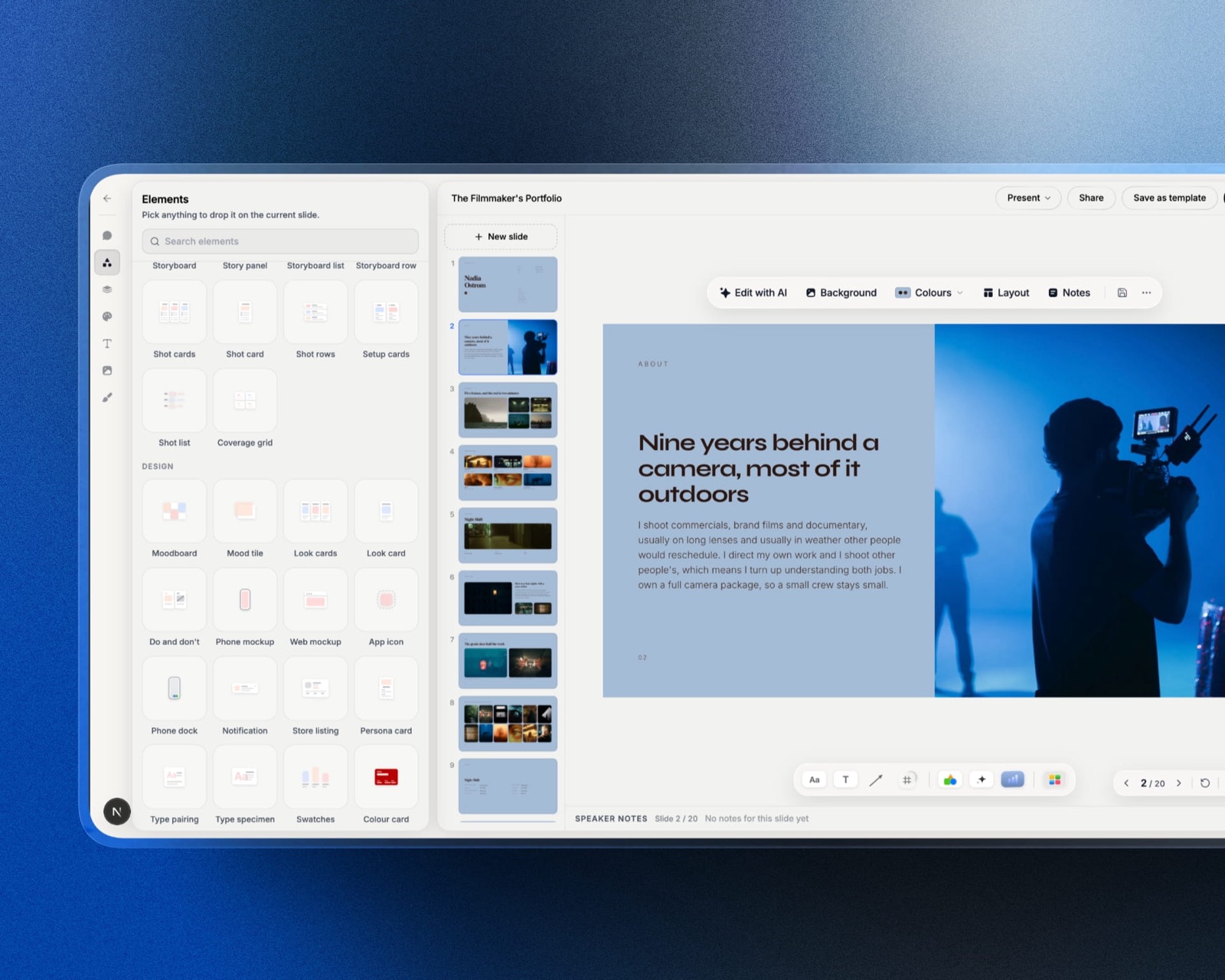
Framekit is an AI website builder for filmmakers, motion designers and studios, built so a reel, individual case studies and an enquiry form live on one site you control rather than on a platform that autoplays your work next to a competitor's.
For motion work specifically, the case study format matters more than the reel: the brief, the boards, the process frames and the finished piece on one page is what convinces a producer, and it is the thing a fifteen-second social clip cannot do.
Two honest limits. Framekit does not animate anything and is not an alternative to any tool on this page. And it is not a video host, so long-form playback still wants a dedicated video platform embedded into the page rather than relying on us for delivery.
The Decision Guide
Work down these questions in order and stop at the first yes, because the first two rule out more of this field than every feature comparison above combined.
Does your work depend on specific third-party After Effects plugins or a library of .aep templates? If yes, stay with After Effects. Nothing here runs them, and rebuilding a template library costs more than the subscription.
Is your work mostly compositing real footage, keying, tracking, cleanup and set extension? If yes, Fusion inside free DaVinci Resolve. Budget two weeks to think in nodes and then never look back.
Is your work mostly animated graphics, titles, explainers and social pieces? If yes, Cavalry, which became free for individuals including commercial use in April 2026 and is better at procedural and data-driven motion than After Effects is.
Does the piece involve 3D? If yes, Blender, free at any scale, and use its compositor for the finishing rather than as your everyday tool.
Are you on a Mac and want the shortest possible transition? If yes, Apple Motion at $49.99 once. It is layer-based, an After Effects user is productive the same afternoon, and it is 69 cents a piece over three years.
Is your goal a job at a visual effects facility? If yes, Nuke Indie at 499 dollars a year, provided your gross revenue is under $100,000 and 4K output is enough.
Does your animation need to ship inside an app or a website and respond to input? If yes, Rive, and note the free tier cannot export.
Do you work in Figma and need things to move quickly? If yes, Jitter, with clear eyes about the 720p watermarked free tier.
Frequently Asked Questions
What is the best After Effects alternative in 2026?
The best After Effects alternative in 2026 is Fusion inside DaVinci Resolve, a node-based compositor with a feature-film history that costs nothing in the free version of Resolve and sits in the same application as editing, colour and audio.
For animated graphics rather than compositing, Cavalry is the better answer and became free for individuals including commercial use in April 2026. On a Mac, Apple Motion at $49.99 once is the closest thing to After Effects in how it works.
Is there a genuinely free alternative to After Effects?
Yes, and there are four: Fusion in the free version of DaVinci Resolve, Cavalry for individuals, Blender, and Natron. None of them watermarks output, caps resolution or limits commercial use.
That is a stronger free field than any comparable creative software category, and the practical decision between them is whether your work is node-based compositing, layer-based motion design, or 3D.
Is HitFilm still a good free After Effects alternative?
No. Artlist discontinued the FXhome applications including HitFilm, the old FXhome site was taken down on 15 January 2025, and the final release was version 2021.3.
Existing installations and older perpetual licences still activate but receive no updates or support.
It remains one of the most recommended options in older comparison articles, which is a good reason to check the date on any advice in this category, including this page.
Did Cavalry really become free?
Yes. Cavalry 2.7, released on 16 April 2026, made the previously paid Professional features free for individual artists including for commercial use, following Canva's acquisition of Cavalry in February 2026.
Enterprise customers still require a paid plan, though what they are buying is single sign-on and team management rather than the software's capabilities. It is the same pattern Canva applied to Affinity in October 2025.
Fusion vs After Effects: which is better?
Fusion is better for compositing real footage and After Effects is better for layer-based motion graphics, and they are genuinely different tools rather than competitors at the same job.
Fusion's node graph makes complex shots readable where After Effects buries them in nested compositions, and it costs nothing. After Effects has a far deeper plugin and template ecosystem and a much shorter learning curve.
The honest answer depends on which half of the work you do.
How long does it take to switch from After Effects to a node-based tool?
Expect roughly two weeks of slower, frustrating work before a node graph starts helping rather than hurting, based on our own transition.
The difficulty is conceptual rather than mechanical: layers stack and nodes connect, and reasoning about a shot as a graph is a different mental model.
Layer-based alternatives such as Apple Motion and Cavalry avoid this entirely, and an After Effects user is typically productive in Motion within an afternoon.
Do my After Effects plugins work in these alternatives?
No. After Effects plugins do not run in Fusion, Cavalry, Blender, Apple Motion or any other application in this comparison, and .aep project templates do not open in any of them either.
For a motion designer with an established plugin set and template library, this is usually a larger switching cost than three years of subscription, and it is the most legitimate reason to stay with Adobe.
How much does After Effects cost per year?
Adobe After Effects as a single app is widely reported at $22.99 a month, which is $275.88 a year and $827.64 over three years.
Adobe blocks automated access to its plan pages, so this figure comes from third-party pricing coverage rather than a direct reading, and Adobe also sells After Effects inside larger Creative Cloud bundles at different rates.
Is Nuke Indie worth 499 dollars a year?
Nuke Indie is worth 499 dollars a year if your goal is working in a visual effects facility, because it is the software those facilities run and the skills transfer exactly.
The restrictions disqualify many people: annual gross revenue must be under $100,000, render resolution is capped at 4K, the Python API is limited, third-party plugins are excluded, and it cannot sit in a pipeline with commercial Nuke.
For general compositing work, Fusion does most of the same job for nothing.
What is the best After Effects alternative for a Mac?
Apple Motion is the best After Effects alternative on a Mac for most people, at $49.99 as a one-time purchase, because it is layer-based like After Effects and an experienced user is productive within an afternoon.
It also builds native Final Cut Pro templates that editors can adjust without opening Motion. For compositing rather than motion graphics, Fusion in free DaVinci Resolve is the stronger Mac option and costs nothing.
Can I open .aep After Effects project files in another application?
No application in this comparison opens .aep files. The After Effects project format is proprietary and there is no meaningful import path, which means a switch is a rebuild rather than a migration.
The practical step is to export finished renders and, where possible, keep source assets organised separately from projects, so that rebuilding a piece later means reassembling rather than recreating.
Which alternative is best for animated logos and title sequences?
Cavalry is the best choice for animated logos and title sequences, because its procedural approach means a hundred animated elements are a system rather than a hundred sets of keyframes, and it is free for individuals.
Apple Motion is the strongest paid alternative at $49.99, particularly if the titles are destined for a Final Cut Pro timeline where Motion templates become native adjustable effects.
Is Blender good for motion graphics?
Blender is very good for motion graphics that involve 3D and merely adequate for flat 2D work.
Its node compositor is capable but clearly secondary to the 3D toolset, colour management is idiosyncratic and codec support is thinner than a dedicated finishing application.
Grease Pencil, which lets you draw 2D frames positioned in 3D space and view them from a moving camera, is a capability nothing else in this comparison offers.
Can I use free compositing software for paid client work?
Yes. DaVinci Resolve's free version, Blender, Natron and Cavalry's free individual licence all permit commercial use with no revenue cap and no watermark.
The restrictions to read carefully are on the paid-but-cheap tiers rather than the free ones: Nuke Indie's 499-dollar licence carries a $100,000 revenue ceiling, which is the sort of clause that catches people as their business grows.
Final Verdict: The Best After Effects Alternative in 2026
Fusion inside DaVinci Resolve is the answer for anyone whose motion work touches real footage, and it is free.
Cavalry is the answer for anyone whose work is animated graphics, and as of April 2026 it is also free, including for commercial use.
Between those two applications, at zero cost, sits the large majority of what people open After Effects to do.
If you want the shortest possible transition, Apple Motion at $49.99 once is layer-based, familiar within an afternoon and works out at 69 cents per finished piece over three years.
Where the alternatives lose, plainly: your plugins do not come with you, your .aep templates open in nothing, and your expressions do not port.
A studio running on a customised template library is not choosing software, it is pricing a rebuild, and for those people the Adobe subscription is buying continuity rather than capability.
That is a real reason to stay and anyone who tells you the free tools have closed that gap is describing a different studio than yours.
Where Framekit loses, and it is worth saying directly: Framekit does not animate, composite or render anything, and it is not an alternative to a single tool ranked above.
We are the site the finished work is presented on, and a motion designer looking for software should close this page on one of the eight above rather than on us.
The short version. Compositing footage: Fusion, free. Motion graphics: Cavalry, free. Anything with 3D: Blender, free. Mac and in a hurry: Apple Motion at $49.99.
A VFX career: Nuke Indie at 499 dollars a year, if you fit under the revenue cap. Animation that ships inside an app: Rive. Figma designs that need to move: Jitter.
Whichever tool you land on, the templates you drop into it carry their own licence conditions: the best motion graphics template sites covers the registration step that decides whether they survive a cancellation.
Related readingthe best video editing software, the best 2D animation software, the best AI video upscaling tools, the best storyboarding software, and the best website builder for motion designers.