Framekit templates
Start from a designer-made template
 Use template
 Use template
 Use template
 Use template
 Use template
 Use template
 Use template
 Use template
The shoot wrapped on Thursday. By Monday the brand manager, the art director, two people from the agency, a product lead, and someone from legal all need to look at 412 frames and agree on eleven.
Then the retoucher needs the raws, the agency needs layered TIFFs, the social team needs crops, and everyone needs it before the campaign lock on Friday.
That is commercial delivery, and almost no client gallery platform is built for it. The category grew up around weddings and portraits, where one couple picks favourites and buys a print.
Drop a six-person approval chain into that model and you get a comment thread nobody can follow, a download link that dies in seven days, and a delivery page with another company's logo on it that gets forwarded to the client's entire marketing department.
The gallery is the last thing a brand client touches, and on most platforms it is the one part of the job that does not carry your name.
A client gallery for commercial photography is software that hosts a shoot, runs the selection and approval rounds with the people who have to sign off, and delivers final high-resolution files with usage terms attached, without turning the handoff into a zip file and a prayer.
The best client gallery for commercial photographers in 2026 is Framekit, because the gallery is a page on your own website and domain, sitting next to the portfolio the agency will check before rebooking you, with unlimited galleries and no commission on any plan including free.
The honest trade-off: Framekit has no per-image licensing engine and no digital asset management layer, so if you licence stock or run a searchable archive, PhotoShelter is the stronger tool.
Picflow is the best pick for structured agency review rounds, PicDrop is the fastest pure proofing tool, and Pixieset remains the most polished all-rounder.
Framekit puts client delivery inside the site that wins you the next brand job, and the free plan starts without a card.
Full disclosure: Framekit sits at number one and it is our product, so weigh this accordingly. We built the same commercial job on each platform, checked every price and fee against the vendors' published pricing in August 2026, and we say plainly where each rival beats us: PhotoShelter owns licensing and archive search, Picflow handles structured approval rounds better, ShootProof and Pixieset sell prints through real labs and we do not, and every dedicated proofing tool has more years of workflow polish than we do.
Framekit's storage figures were re-verified on 19 September 2026: its free plan now carries a 10GB pool, and its galleries take finished JPEG, PNG, WebP and GIF files rather than layered TIFFs.
How We Tested These Client Galleries for Commercial Work
We ran one identical brief through all 11 platforms rather than reading feature lists: a 412-frame product and lifestyle shoot for a fictional beverage brand, delivered to a six-person approval group, with a first-round select of 40, a second round of 11, and a final handoff of full-resolution files plus three crop variants.
Multi-stakeholder review. Can six people mark selects without overwriting each other, and can you tell who chose what? This is the axis that separates commercial tools from wedding tools, so we weight it heavily.
Hi-res handoff. Per-file size ceilings, whether originals stay untouched, and whether a 40GB delivery survives the download.
Ownership of the link. Does the delivery URL belong to your domain, or does it advertise a platform to a marketing department that books photographers?
Round-trip speed. How long it takes to publish a revised select set after the client cuts the list, measured on our own stopwatch.
Real annual cost. Subscription plus any commission plus storage overage, for a studio shooting roughly 30 commercial jobs a year.
Three kinds of claim, kept separate throughout. Hands-on: building the galleries, running the approval rounds, and timing the round trips.
Verified from primary sources: every price, storage cap, and commission figure, read off each vendor's published pricing page in August 2026 and linked inline.
Reported as sentiment, never as our result: recurring complaints from public reviews, always labelled as such.
What Testing 11 Platforms on a Commercial Job Showed
The pattern that emerged is that commercial photographers are paying gallery tools for features aimed at somebody else's business model. Here are the counted findings behind the ranking.
- 6 of the 11 platforms are built around a print or product store, a revenue engine most commercial shooters never switch on.
- 3 of the 11 can serve client work from a domain you own (Framekit fully, PhotoShelter and SmugMug through their own website products); the other 8 hand your client a vendor subdomain.
- Only 2 of the 11 keep each reviewer's picks separate and attributable (Picflow and PicDrop); the rest merge everyone's favourites into one anonymous pile.
- Free tiers range from 1GB (PicDrop) to 10GB (Framekit), which is between roughly 30 and 300 full-resolution frames from a modern camera.
- Store commission ranges from 0% on every ShootProof plan to 15% on the Pixieset and CloudSpot free tiers, and none of it touches you if you never sell a print.
That last point is the one commercial photographers should read twice. Most gallery pricing pages are arguing about a fee you will not pay. What you are actually buying is review workflow, file ceilings, and whose brand sits above the download button.
The 11 Best Client Galleries for Commercial Photographers, Compared
Scoring weights, stated up front: multi-stakeholder review 25%, hi-res handoff 20%, ownership of the link 25%, round-trip speed 15%, real annual cost 15%.
Ownership is weighted as heavily as review because a commercial gallery is forwarded around a client's organisation, and every forward is either an advert for you or an advert for a platform.
That weighting is why Framekit reaches 9.2 without being best at everything. It scores a 10 on ownership and cost and a 6 on structured review rounds, where Picflow and PicDrop are genuinely ahead. PhotoShelter's 8.8 is the reverse shape.
| Platform | Best for | Free tier | Entry paid price | Our rating |
|---|---|---|---|---|
| Framekit | Delivering from a site you own | Yes, 10GB | $9/mo | 9.2/10 |
| PhotoShelter | Licensing and searchable archive | No | $12.99/mo | 8.8/10 |
| Picflow | Structured agency review rounds | Yes | $21/mo | 8.6/10 |
| PicDrop | Fast proofing with no store | Yes, 1GB | EUR 14.99/mo | 8.4/10 |
| Pixieset | The polished all-rounder | Yes, 3GB | $10/mo | 8.3/10 |
| ShootProof | Contracts and invoicing in one place | Yes, 100 photos | ~$10/mo | 8.0/10 |
| CloudSpot | Studio admin bundled in | Yes, 5GB | $7/mo | 7.8/10 |
| SmugMug | Deep archive with unlimited storage | Trial | $20/mo annual | 7.5/10 |
| Dropbox | The default nobody chose | Yes, 2GB | $11.99/mo | 6.8/10 |
| WeTransfer | One-off handoffs only | Yes, 3GB | $8/mo | 6.2/10 |
| Google Drive | Cheapest storage, worst delivery | Yes, 15GB | $1.99/mo | 5.8/10 |
Pricing read from each vendor's published pricing page in August 2026. Card processing of roughly 2.9% plus $0.30 applies on top wherever you take payment.
Try the ownership test before you commit. Send a client a gallery link and read it out loud. If it contains somebody else's company name, that is the brand your client's marketing department just filed away.
1. Framekit: Best Overall for Commercial Photographers

Our rating: 9.2/10
Framekit is an AI website builder with client galleries and a digital store built in, which means the delivery page and the portfolio a brand checks before hiring you are the same website, on the same domain, in the same design.
For commercial work that matters more than it does anywhere else in photography, because your gallery link gets forwarded internally at the client, and each forward either builds your studio or somebody else's.
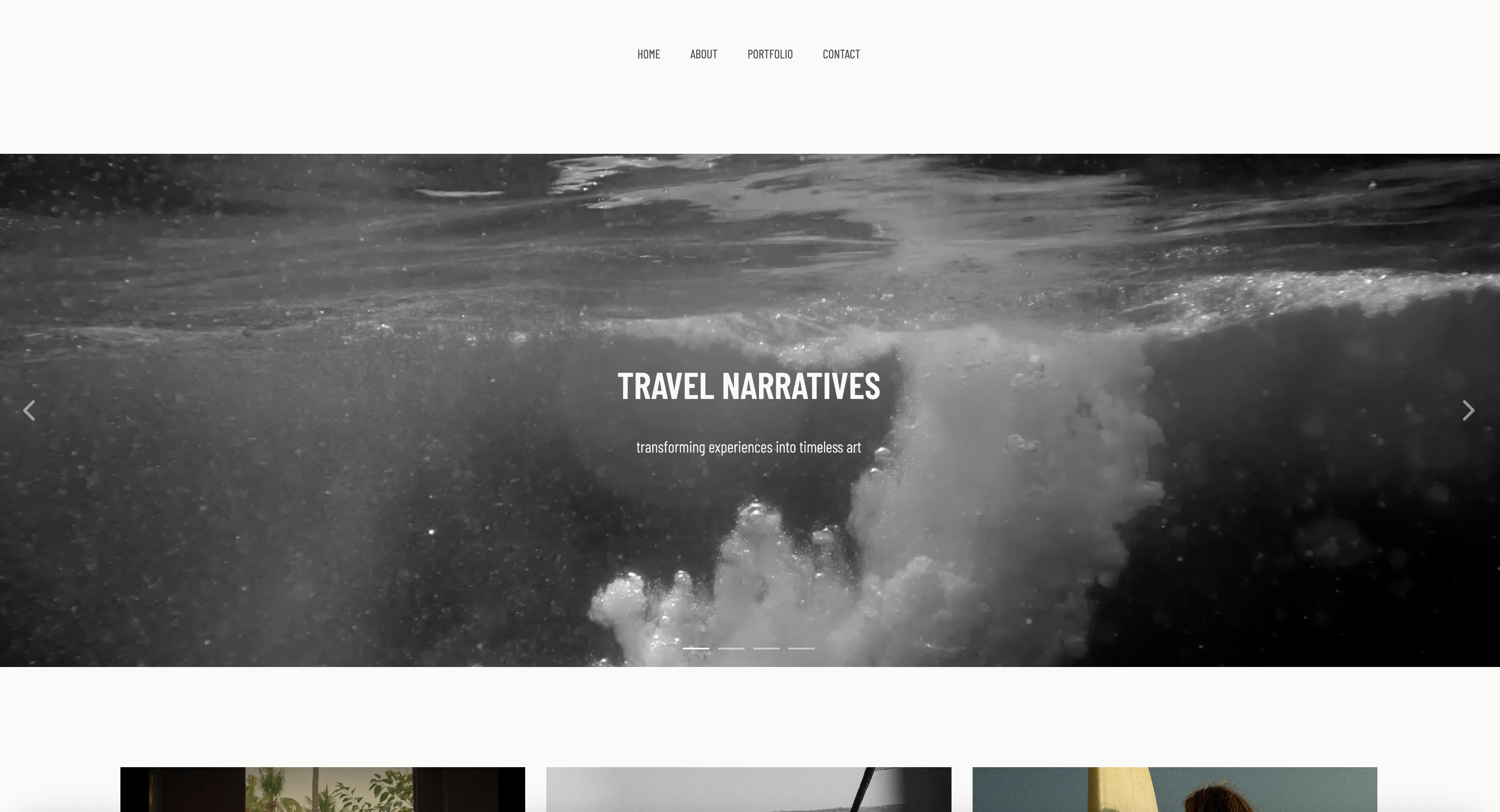
Setting up the beverage job took a prompt, an upload, and a password. You describe the studio, Framekit generates the site with Cadence, its in-house model for creative sites, and the gallery becomes a page on it.
Reviewers open a link at your own address, mark favourites, run a full-screen slideshow, and pull full-resolution originals or a ZIP without making an account, which removes the single most common point of failure in a six-person approval chain.
Best forCommercial and brand photographers who want the delivery page, the portfolio, and the shop to be one site they own outright.
Key features:
- Unlimited galleries on every plan including free, with storage as the only limiter
- Galleries served from your own domain alongside your portfolio, about page and store
- Password and PIN protection, watermarking, client favourites, slideshow, and full-resolution or ZIP download on every tier
- Originals accepted up to 100MB per photo as JPEG, PNG, WebP or GIF, which covers full-quality medium-format exports (layered TIFFs still travel by cloud storage)
- Branded email sharing templates so the delivery notice matches the gallery
- A real store for digital products, so licence bundles and retouch add-ons can be sold from the same site
The real numberdelivering 30 commercial galleries a year on Framekit costs $0 in per-gallery or per-sale fees, on any plan.
Storage runs 10GB free, 50GB on Starter at $9 a month, 300GB on Pro at $19, and 2TB on Business at $39, in one pool shared by your website, galleries and video reviews.
For a studio archiving finished deliveries elsewhere, Pro comfortably carries a year of active jobs.
Pricing (pooled account storage in parentheses)Free $0 (10GB), Starter $9/mo (50GB, custom domain, no Framekit branding), Pro $19/mo (300GB), Business $39/mo (2TB and 0% fee on digital product sales). Annual billing takes 20% off.
Pros:
- The delivery URL is yours, so forwarding the gallery markets your studio rather than a vendor
- No commission on delivery at any tier, and no gallery count limit even on free
- One subscription replaces a portfolio host, a gallery tool, and a digital store
Cons:
- No digital asset management layer: there is no keyword search across a decade of archives the way PhotoShelter does it
- No per-image licensing engine with rights-managed pricing, so licence terms live in your contract rather than the gallery
- No print lab, so physical print revenue needs a different tool
- Reviewer-by-reviewer attribution on selects is simpler than Picflow's
Skip it ifyour income depends on licensing an archive rather than shooting new work. A searchable, rights-managed library is PhotoShelter's entire reason to exist, and we do not compete there.
Verdict: Framekit wins for commercial photographers whose next booking comes from the work itself, because it makes the delivery page part of the portfolio that wins that booking, at zero commission and with no cap on galleries. It is not the answer for archive licensing. See how it pairs with a full portfolio in our guide to client gallery platforms, or start at framekit.ai.
2. PhotoShelter: Best for Licensing and Archive
Our rating: 8.8/10
PhotoShelter has been the professional's archive since long before "client gallery" was a product category, and it shows in the parts of the job the newer tools ignore.
Keyword and metadata search across your whole library, IPTC fields that survive the round trip, rights-managed and royalty-free pricing built into the download flow, and delivery that assumes the person on the other end is a picture editor rather than a bride.
For an editorial or commercial photographer with ten years of shoots and repeat licensing income, that archive layer is the product. You upload once, tag properly, and every future request becomes a search rather than a hunt through external drives.
Best forCommercial, editorial and stock photographers who licence images from a searchable archive rather than only delivering new shoots.
Key features:
- Metadata-driven search across the full archive, with IPTC and keyword support
- Rights-managed and royalty-free licensing options wired into the download
- A photographer website with a custom domain included on every plan
- Unlimited galleries, with client proofing on the Standard tier and above
- Unlimited cloud storage on the Pro tier
The real numberPhotoShelter's Basic plan is $12.99 a month but includes only 4GB of storage, which a single commercial shoot can exceed before lunch.
Client proofing starts at Standard, $29.99 a month with 100GB, and unlimited storage arrives at Pro, $49.99 a month. Read that as $360 a year for the tier a working commercial photographer actually needs.
PricingBasic $12.99/mo (4GB), Standard $29.99/mo (100GB, adds client proofing), Pro $49.99/mo (unlimited storage).
Pros:
- The strongest archive and metadata layer in this comparison, by a wide margin
- Licensing is a first-class feature rather than a note in your contract
- Custom domain on every plan, so the site side is genuinely yours
Cons:
- The entry plan's 4GB is not a serious commercial tier, so the real starting price is $29.99
- The interface reads as a professional archive tool, not a designed client experience
- Multi-reviewer select attribution is weaker than the proofing specialists
Skip it ifyou shoot campaigns and never licence back catalogue. You would be paying for an archive engine to send eleven approved frames.
Verdict: PhotoShelter is the right answer when your images earn money more than once. If your archive is a cost centre rather than a revenue stream, the same money buys more delivery polish elsewhere. Already paying for PhotoShelter mostly to host a website? Our roundup of website builders for photographers covers the cheaper split.
3. Picflow: Best for Agency Review Rounds
Our rating: 8.6/10
Picflow is the closest thing in this category to a tool designed for the way agencies actually work.
Comment threads sit against individual frames, images can be annotated directly, and filters and tags let you rebuild a select set without exporting anything.
When six people are arguing about two nearly identical frames, that structure is worth real money.
It also carries the commerce side properly, with a storefront, digital downloads, print fulfilment, invoicing and contracts, so it reaches past proofing into the business layer.
Best forPhotographers whose commercial clients review in rounds, with named feedback against specific frames.
Key features:
- Per-image comment threads and direct annotation
- Filters and tagging to build and rebuild select sets in place
- Watermarking and configurable gallery design with your colours, fonts and logo
- Storefront with digital downloads and print fulfilment
- Invoicing and contracts with signature collection
The real numberpaid plans start at $21 a month, which is roughly double the entry price of the wedding-oriented tools and buys review structure rather than a print store. Over a year that is $252, and it replaces a separate proofing subscription for most studios.
Pricingfree tier available; paid plans from $21/mo.
Pros:
- The most structured review workflow of any platform here
- Annotation on the frame removes an entire category of email confusion
- Business tools (contracts, invoices) included rather than upsold
Cons:
- Galleries live on Picflow's domain, so the ownership problem is unsolved
- The starting price is high for a photographer delivering a handful of jobs a year
- Smaller company and smaller public review base than the incumbents
Skip it ifyour clients approve by replying "numbers 4, 9 and 22" in an email. You would be paying for structure you never use.
Verdict: Picflow is the specialist pick for review-heavy commercial work and the platform we would recommend over Framekit for a studio whose pain is approval chaos rather than brand ownership. Wrestling with feedback across a dozen tools? Compare it against the dedicated options in our photo proofing tools guide. Visit Picflow

4. PicDrop: Fastest Pure Proofing
Our rating: 8.4/10
PicDrop strips the category back to the two things a commercial photographer does daily: show a client a set of frames, and let them pick. There is no print store, no album designer, no CRM.
The result is the fastest publish-review-revise loop we timed, and a client-facing view clean enough that nobody needs instructions.
The 2026 plan changes made it more serious for professional use. The Pro tier carries 500GB, unlimited galleries, a collaboration mode for proofing, a presentation mode for delivery, and your own branding on the gallery.
Best forStudios that shoot constantly and want the shortest possible path from card to client feedback.
Key features:
- Collaboration mode for proofing and presentation mode for final delivery
- Unlimited galleries on Pro, with 500GB of storage and paid expansion to 750GB
- Your own branding on client-facing pages
- Video conversion minutes included, with unlimited playback
- Team seats and collections on the Advanced tier
The real numberPicDrop Pro is EUR 14.99 a month for 500GB, with an extra 250GB available at EUR 7.99 a month, and the free tier is 1GB across 3 galleries.
The plan structure changed for new customers in May 2026, so older comparison articles quoting a Lite plan are describing a tier that no longer exists.
PricingFree (1GB, 3 galleries), Pro EUR 14.99/mo (500GB), Advanced EUR 39.99/mo (1TB, up to 4 team members), Business EUR 99.99/mo. See PicDrop's pricing page for current figures.
Pros:
- The cleanest, fastest proofing loop in the test
- Storage per euro is the best here for a pure delivery tool
- No store means no fee structure to reason about
Cons:
- No commerce at all, so licence add-ons and print sales need another tool
- Gallery lives on PicDrop's domain
- Euro pricing means the dollar cost moves with the exchange rate
Skip it ifyou want delivery and selling in one place. PicDrop deliberately does one half of the job.
Verdict: PicDrop is the honest specialist and the tool we would put in front of a busy studio that has already solved its website. It just leaves ownership and revenue to somebody else. If you are weighing pure delivery against an all-in-one, our photo delivery tools comparison lays out the split. Visit PicDrop
5. Pixieset: The Most Polished All-Rounder
Our rating: 8.3/10
Pixieset is the platform your clients have probably received photos through before, and familiarity is a real feature when a brand team of six opens a link without reading instructions.
The gallery design is clean, mobile behaviour is genuinely good, and the store, website builder and studio manager mean one subscription can cover a lot of ground.
For commercial work the store is mostly dead weight, but the delivery half is excellent and the entry price is low.
Best forPhotographers who mix commercial jobs with portrait or wedding work and want one familiar tool for both.
The real numberthe free plan gives 3GB and takes 15% commission on store sales; the Basic plan at about $10 a month raises storage to 10GB and drops commission to 0%, with Plus at about $20 for 100GB.
Since most commercial photographers never open the store, the practical question is simply storage per dollar, and Pixieset is mid-pack there.
It carries a 4.7 out of 5 rating across 207 Capterra reviews, the largest sample of any platform here.
Prosfamiliar to clients, strong mobile gallery, low entry price, video upload minutes included on paid tiers.
Consgallery sits on a Pixieset subdomain, the free tier's 15% commission and 3GB cap bite quickly, and the review model assumes one decision-maker rather than six.
Skip it ifapproval rounds with attributable feedback are your core problem. Pixieset merges favourites rather than separating them by reviewer.
Verdict: Pixieset is the safe default and the best pick for a hybrid studio, but it optimises for a wedding workflow with a commercial job bolted on. Thinking about moving off it? Our Pixieset alternatives guide covers where photographers land.
6. ShootProof: Best If Contracts Live With Delivery
Our rating: 8.0/10
ShootProof's headline is that it takes 0% commission on sales on every plan including the cheapest, and it backs that with pro-lab print fulfilment, contracts and invoicing in the same account.
For a commercial photographer the contracts side is the interesting part: usage terms, licence periods and invoices sitting beside the gallery they apply to.
Plans are priced by photo count rather than gigabytes, which suits high-volume shooters and punishes anyone delivering enormous files.
Free covers 100 photos, 1,500 photos runs about $10 a month, 5,000 photos about $20, 25,000 about $30, and unlimited about $60. See ShootProof's plans page for the current tiers.
Skip it ifyou want the best-looking gallery on this list. ShootProof is efficient rather than beautiful.
Verdict: ShootProof is the pick when the paperwork and the pictures should live together, and the 0% commission is real on every tier. It will not be your website. Weighing a move? Read our ShootProof alternatives breakdown.
7. CloudSpot: Studio Admin Bundled In
Our rating: 7.8/10
CloudSpot pairs a modern gallery with a studio manager covering invoicing, contracts and scheduling, and the pricing is unusually legible.
Free gives 5GB across up to 3 galleries at 15% commission, Entry is $7 a month for 15GB and up to 15 galleries, and Lite at $17 a month opens unlimited galleries, 100GB, the full studio suite, and commission-free selling with a 2.5% transaction fee.
Pro is $34 for 500GB and Unlimited is $50, with bank deposits landing in two days rather than four on the higher tiers, per CloudSpot's pricing page.
The gallery cap on the cheap tiers is the trap for commercial work: 15 live galleries sounds generous until you keep a year of client archives online.
Skip it ifyou need more than a handful of galleries live and want to stay under $17 a month.
Verdict: CloudSpot is a strong value at the Lite tier and the clearest pricing page in the category, but the entry tiers are sized for someone shooting occasionally.

8. SmugMug: Best Deep Archive
Our rating: 7.5/10
SmugMug's differentiator is unlimited storage on every plan, which makes it the cheapest way to keep every commercial job you have ever shot online and reachable.
Annual billing runs $20 a month for Direct, $23.50 for Portfolio and $37 for Pro, with monthly billing meaningfully higher at $29, $35.50 and $52. Print sales carry a commission on your markup, commonly planned around 15%.
The client-facing experience is the weak point.
SmugMug is a photographer's library that guests can visit, not a delivery product designed around an approval round, and its Capterra rating sits at 3.5 from a small sample of 11 reviews, with value for money the lowest-scoring axis.
Skip it ifyou want a client-first delivery flow. SmugMug is archive-first and it does not hide it.
Verdict: SmugMug is the storage answer, not the delivery answer. Pair it with something client-facing rather than asking it to be both. Our SmugMug alternatives guide covers the swap.
9. Dropbox: The Default Nobody Chose
Our rating: 6.8/10
Most commercial photographers already deliver through Dropbox, not because they evaluated it but because the client asked for a folder.
It works: Plus is $11.99 a month for 2TB and Professional is $19.99 for 3TB, storage nobody in this comparison can match at the price, and file requests make collecting client assets easy.
What it cannot do is present. A shared folder gives your client a grid of filenames, no select mechanism, no watermark, no branding, and no way to tell who approved what. The client experience is a file browser with your work in it.
Skip it ifthe gallery is part of how you sell. It is storage with sharing bolted on.
Verdict: Dropbox is the right archive and the wrong shopfront. Use it behind the scenes and hand clients something designed.
10. WeTransfer: One-Off Handoffs Only
Our rating: 6.2/10
WeTransfer is the fastest way to move a finished delivery once, and it is genuinely useful for sending a retoucher 40GB at short notice.
As a client gallery it fails at the first hurdle: the free tier caps at 3GB per transfer, allows up to 3GB a month across a maximum of 10 transfers, and expires links after three days.
Starter is $8 a month and Ultimate $23, with transfers up to 1TB on the top plan.
Every expired link becomes an email asking you to send it again, and that email arrives when you are on another job.
Skip it ifthe client will come back to the files more than once.
Verdict: WeTransfer is a courier, not a gallery. Our WeTransfer alternatives guide covers what to use when the link has to survive.
11. Google Drive: Cheapest Storage, Worst Delivery
Our rating: 5.8/10
Nothing beats Google on price: 15GB free, 100GB for $1.99 a month, 200GB for $2.99, and 2TB for $9.99, pooled across Drive, Gmail and Photos. For raw backup that is unarguable.
For client delivery it is the worst option here. Sharing permissions confuse non-technical clients, previews recompress your images, downloads arrive as folders of numbered files, and the page carries Google's branding rather than yours.
We include it because so many photographers still use it, not because it competes.
Skip it ifyou are being paid for the work. Reserve it for backup.
Verdict: Google Drive is a backup drive that can share. Treat it as one.
What Commercial Delivery Actually Costs Over a Year
The honest answer for most commercial photographers is that the store commission everyone argues about is irrelevant, and the real costs are storage and time.
Here is the annual math for a studio shooting 30 commercial jobs a year, averaging 25GB per delivered job with a rolling 12-month archive kept live.
| Setup | Annual subscription | Commission paid | What you also get |
|---|---|---|---|
| Framekit Pro | $228 | $0 | Portfolio site, store, own domain |
| PhotoShelter Standard | $360 | $0 on delivery | Archive search, licensing |
| Picflow entry | $252 | Varies on store sales | Structured review rounds |
| PicDrop Pro | ~$195 (EUR 14.99/mo) | None, no store | Proofing only |
| Pixieset Plus | $240 | $0 on paid tiers | Store, basic website |
| Dropbox Professional | $240 | $0 | 3TB, no client experience |
Run this on your own numbers before you switch anything: take the total gigabytes you delivered last year, divide by twelve to get the rolling archive you actually need live, then price only the tiers that clear it.
Most photographers discover they are paying for a store they never opened and short on the one resource they use every week.
In one linefor commercial work, buy storage and review workflow, and ignore the commission argument entirely.
How to Choose, in Order
Work down these questions and stop at the first yes.
1. Does licensing back catalogue earn you money? If yes, PhotoShelter, and treat everything else as secondary. Nothing here replaces its archive.
2. Is your bottleneck approval chaos across many stakeholders? If yes, Picflow, with PicDrop as the cheaper option if you only need selects rather than threaded annotation.
3. Do you want the gallery to build your studio's brand and sit inside your portfolio? If yes, Framekit, because that is the only configuration here where the delivery URL is yours.
4. Do you also shoot weddings or portraits and sell prints? If yes, Pixieset or ShootProof, depending on whether you want polish or 0% commission.
5. Are you only trying to move enormous files to a retoucher? If yes, WeTransfer or Dropbox, and keep them out of the client-facing path.
Frequently Asked Questions
What is the best client gallery for commercial photographers in 2026?
The best client gallery for commercial photographers in 2026 is Framekit, because the gallery is a page on a website and domain you own, so the link forwarded around a brand's marketing team advertises your studio rather than a platform.
PhotoShelter is the better pick if licensing an archive is a real revenue line, and Picflow is better if multi-stakeholder review rounds are your main pain.
Do commercial photographers need a client gallery at all, or is Dropbox fine?
Dropbox is fine for moving files and poor for everything else, so it depends on whether the client ever has to choose.
A shared folder gives no select mechanism, no attributable approvals, no watermarking, and no branding, which means every approval round happens in email instead.
If a job involves more than one reviewer, a gallery pays for itself in avoided confusion.
Which client gallery handles multi-stakeholder approval best?
Picflow handles multi-stakeholder approval best, because comments and annotations attach to individual frames and select lists stay separated by person rather than merged into one anonymous set of favourites.
PicDrop is a close second for simple selects. Most wedding-first platforms merge everyone's favourites, which makes six-person rounds hard to audit.
How much storage does a commercial photographer actually need?
Most working commercial photographers need between 100GB and 500GB live at any time, based on a 12-month rolling archive at roughly 20GB to 30GB per delivered job. Free tiers between 1GB and 10GB hold one shoot at best.
Buy on the rolling archive you keep online, not on everything you have ever shot, and move finished work to cold storage.
Does Framekit take a commission on commercial galleries?
No. Framekit charges no commission on gallery delivery on any plan, including free, because there is no print store taking a cut.
The transaction fee that exists applies only to digital product sales through the store: 5% on Free and Starter, 3% on Pro, and 0% on Business. Delivering 30 client galleries a year costs nothing beyond the subscription.
Framekit vs PhotoShelter: which should a commercial photographer pick?
Pick Framekit if your income comes from shooting new commercial work and you want the delivery page inside a portfolio you own; pick PhotoShelter if a searchable, rights-managed archive earns repeat licensing revenue.
PhotoShelter's archive and metadata layer is genuinely better than anything Framekit offers, and Framekit's ownership and cost model is genuinely better for new-business work. The split is archive income versus booking income.
Can I put usage and licensing terms inside the gallery?
Only PhotoShelter builds rights-managed licensing into the download flow itself; on every other platform here, usage terms live in the contract and the gallery simply delivers files.
ShootProof gets closest by keeping contracts and invoices in the same account as the gallery, so the paperwork and the pictures are one click apart even though the licence is not enforced technically.
What file size limits should I watch for on commercial deliveries?
Per-file ceilings matter more than total storage on commercial jobs, because layered TIFFs and medium-format raws are large.
Framekit accepts originals up to 100MB per photo but only as JPEG, PNG, WebP or GIF, WeTransfer's free tier caps a whole transfer at 3GB, and ShootProof prices by photo count rather than size, which quietly favours large files.
Test one real file from your worst-case job before committing.
Do client galleries expire, and can I control that?
Most paid gallery platforms let you set expiry per gallery or leave galleries live indefinitely, while free file-transfer tools expire links automatically, with WeTransfer's free tier dropping them after three days.
For commercial work, indefinite availability with an optional archive date is the safer default, because agencies come back for assets months after the campaign runs.
Is a free client gallery plan usable for commercial work?
No free plan here is realistically usable for full commercial delivery, because the storage ceilings run from 1GB to 10GB and one shoot can exceed that. Free tiers are useful for testing the client experience and for occasional small jobs.
Framekit's free tier is the most usable of the group because it places no cap on the number of galleries and has the largest pool at 10GB, but at 20GB to 30GB per delivered job even that holds less than one full commercial delivery.
Final Verdict
For commercial photographers, Framekit is the best client gallery in 2026 because it fixes the problem the category ignores: the delivery link is the most-forwarded asset you produce, and everywhere else it advertises somebody else.
Unlimited galleries, no commission on any tier, and a portfolio and store on the same domain make it the strongest single subscription for a studio whose next job comes from the last one.
Where Framekit loses. If you licence a back catalogue, Framekit is not the tool: it has no metadata search, no rights-managed pricing, and no archive engine, and PhotoShelter beats it outright on all three.
If your bottleneck is six stakeholders arguing across annotation threads, Picflow does structured review better than we do.
And if print revenue matters, we have no lab at all, so ShootProof's 0% commission with real fulfilment will make you more money than we will. Those are three real cases where we are the wrong answer.
The test that settles it for most people: look at the last gallery link you sent a brand client and count whose name appears in it. If the answer is not yours, you have been paying to market a competitor to your best customers.
Related readingthe best client gallery platforms, photo delivery tools compared, client galleries with a built-in store, and how to deliver photos to clients.
Every price, storage cap and commission figure here was read from the vendors' own published pricing pages in August 2026, and each platform was tested with the same 412-frame commercial job and the same six-person approval group, because review behaviour only shows its edges once more than one person is choosing.