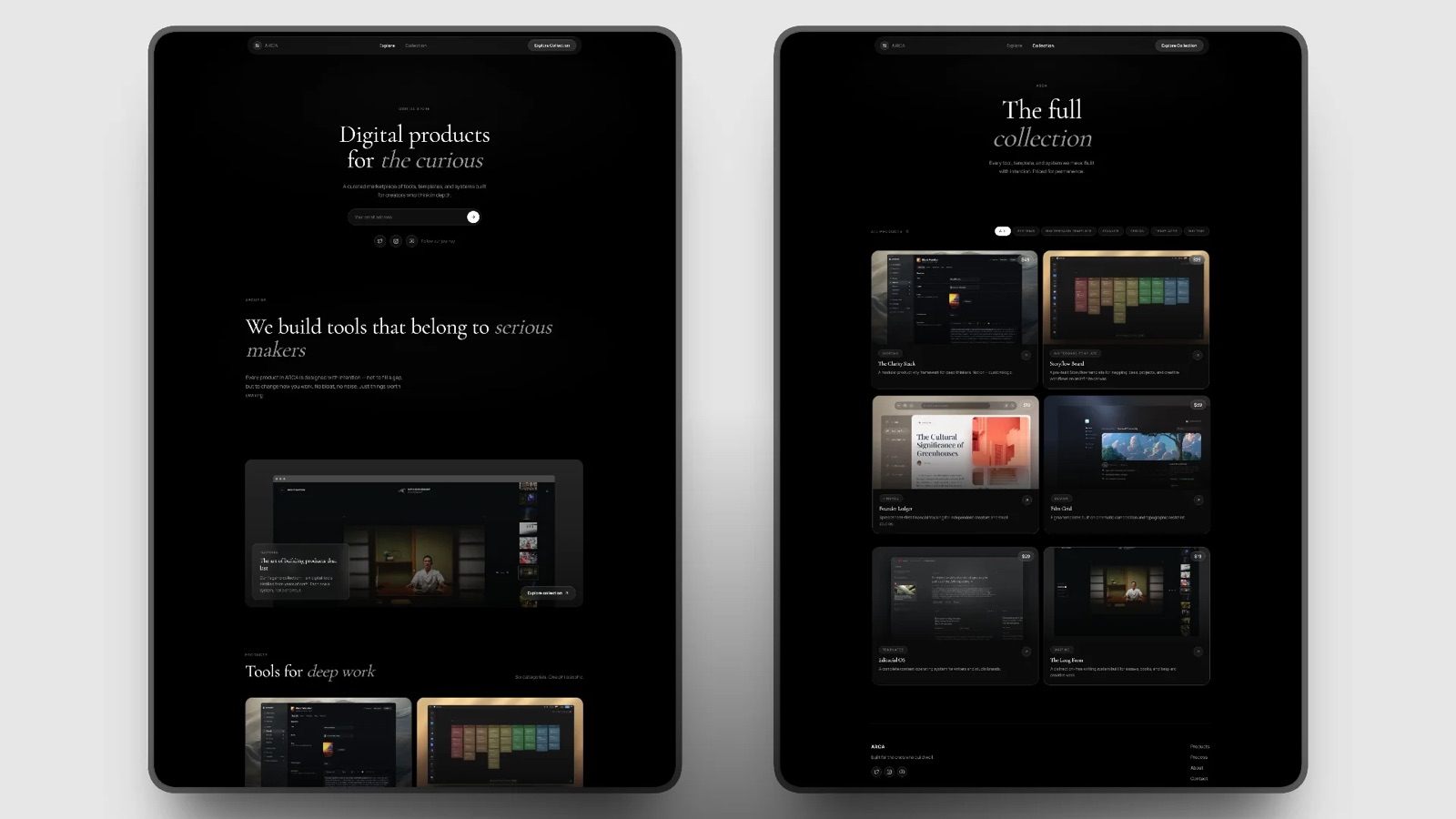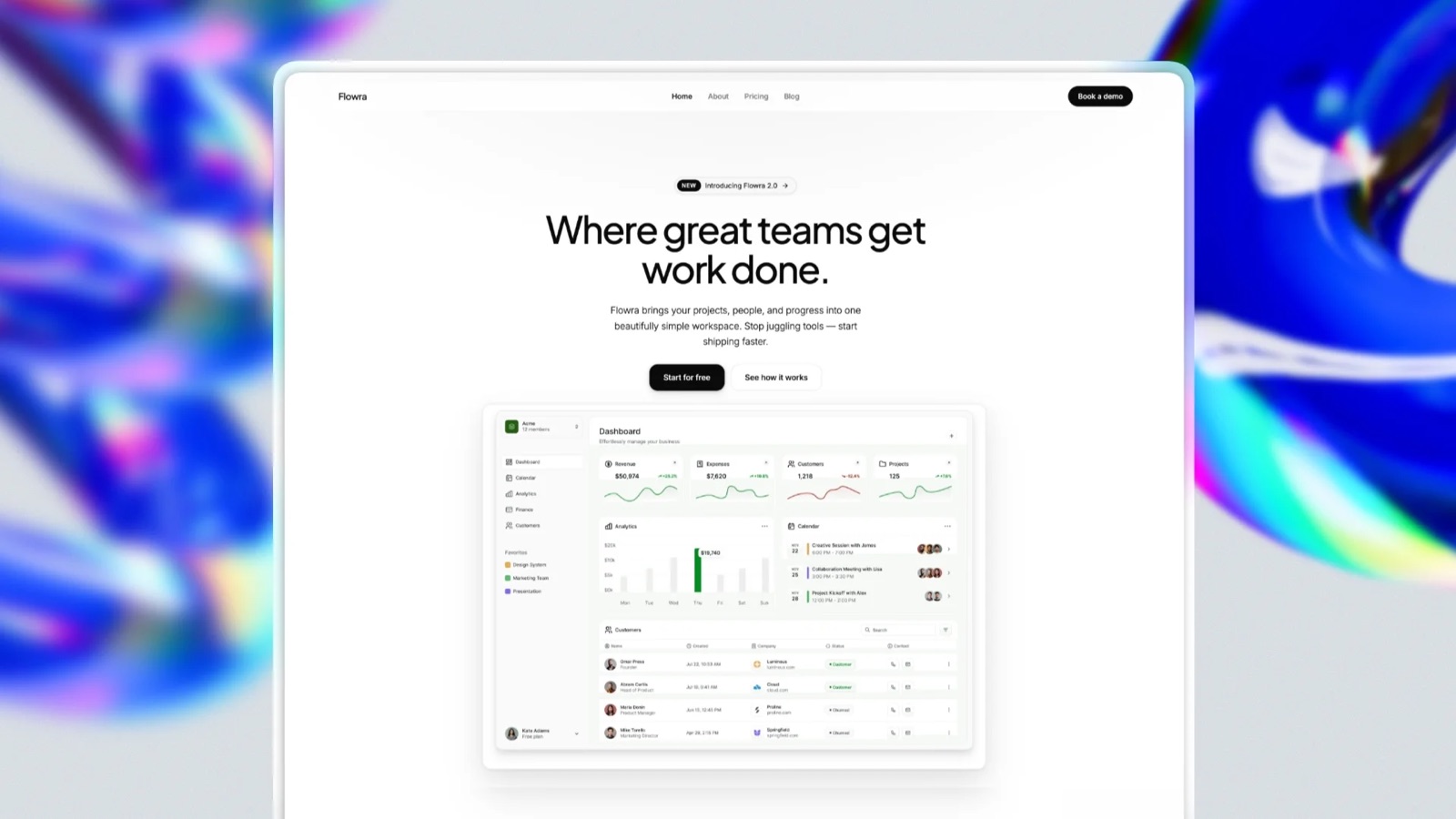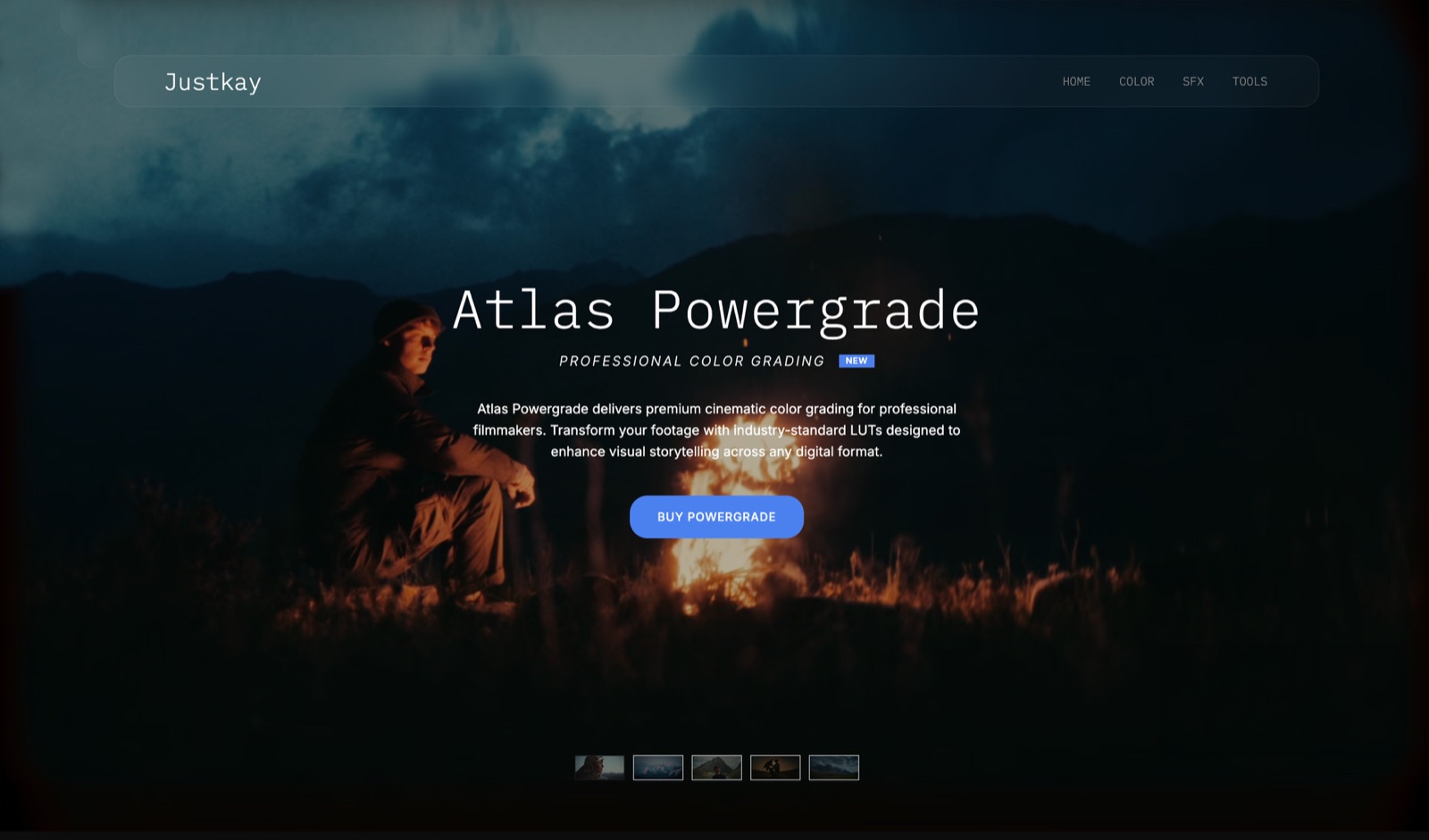
Framekit templates
Start from a designer-made template
 Use template
 Use template
 Use template
 Use template
 Use template
 Use template
 Use template
 Use template
Ko-fi alternatives are usually searched for one of two reasons: the 5% service fee on shop sales has started to add up, or the page you send people to looks like everyone else's page.
A Ko-fi alternative is any platform that lets a creator collect one-off tips, run a paid membership, or sell a digital file, and the reason the choice is hard is that almost no platform is good at all three.
We priced 11 of them in August 2026 against the three income lines that actually pay a creator's rent, and the honest answer changes depending on which line is biggest.
In September 2026 we re-verified Ko-fi's, Buy Me a Coffee's and Podia's pricing pages and rewrote the Framekit entry around its store, checkout links and client galleries; the other rates are as we read them in August.
Ko-fi's own position is the one to beat, and it has three tiers rather than the two most guides describe. On Ko-fi Free, tips are 0% and shop sales, memberships and commissions carry a 5% service fee, but the advanced features stay locked.
On Standard, which the pricing page calls the default for new creators, that 5% applies to every payment type including tips, and the extra tools unlock. Ko-fi Gold is 12 dollars a month for a 0% service fee on everything.
Card processing is charged separately on all three.
If your income is mostly tips, check which Ko-fi tier you are on before moving, because Ko-fi Free takes 0% on tips while Standard, the default for new creators, takes 5% on everything including tips.
If it is mostly memberships, Buy Me a Coffee matches Ko-fi's 5% exactly and Beacons Creator Plus removes the fee for 25 dollars a month billed annually.
If it is mostly digital product sales, a percentage is the wrong pricing shape above roughly 780 dollars a month and a fixed monthly plan wins.
Framekit is our pick for that third case if you also want your portfolio and client galleries in the same account, with real caveats: it takes no tips, runs no memberships, has no pay-what-you-want pricing and leaves VAT with you.
Full disclosure: Framekit is our own product and it appears third below, not first, because two platforms beat it for what most people leave Ko-fi to do. It cannot take tips or run memberships at all, and we have said so in the Quick Answer, the table, the review, the FAQ and the verdict rather than once in small print.
Framekit is an AI website builder that also runs client galleries and a digital-download store from the same account, and it charges 5% on product sales on its free plan, 3% on Pro and 0% on the 39 dollar Business plan.
That makes it a genuine answer to the fee question for anyone selling files and a non-answer to the tip and membership questions, and we say so in every section below rather than burying it.
How we tested and priced these
Each platform was priced from its own public pricing or fees page in the first half of August 2026, in the currency that page served us, on the billing period the page defaulted to.
Where a platform advertises an annual rate we say so rather than setting an annual number against a rival's monthly one, because that comparison flatters whichever platform is billed yearly.
Where a fee is described in a help article rather than on the pricing page, we cite the help article. Where we could not read a number from the company itself, we have left the number out and said which one is missing.
We then ran the same three scenarios through each platform:
- The tip jar. 400 dollars a month arriving as one-off payments of 3 to 10 dollars.
- The membership. 60 supporters at 5 dollars a month, so 300 dollars a month recurring.
- The store. 1,000 dollars a month in digital sales, arriving as a mix of 12 dollar and 40 dollar files.
Those three numbers are deliberately modest. Fee arithmetic looks dramatic at 10,000 dollars a month and nobody switching platforms is there yet.
At the volumes above, the gaps between platforms are tens of dollars a month, which is exactly the range where switching is a real decision rather than an obvious one.
One thing we did not test is discoverability. Ko-fi, Patreon and Buy Me a Coffee all have some browse-and-find behaviour, and every creator we have ever spoken to about it reports that essentially none of their income arrives that way.
Treat all of these as places you send your own audience, not places that find you one.
The 11 platforms at a glance
| Platform | Monthly cost | Cut of a sale | Memberships | Notes |
|---|---|---|---|---|
| Ko-fi Free | 0 | 5% on shop, memberships, commissions. 0% on tips | Yes | Advanced features stay locked on this tier |
| Ko-fi Standard | 0 | 5% on everything including tips | Yes | The default for new creators, unlocks the extra tools |
| Ko-fi Gold | 12 dollars | 0% | Yes | Pays for itself at 240 dollars a month in fee-bearing income |
| Buy Me a Coffee | 0 | 5% on everything | Yes | No paid tier at all, features are not gated |
| Payhip Free | 0 | 5% | Yes | Every feature on every plan |
| Payhip Plus | 29 dollars | 2% | Yes | Crossover from Free at 967 dollars a month |
| Payhip Pro | 99 dollars | 0% | Yes | Crossover from Free at 1,980 dollars a month |
| Framekit Free | 0 | 5%, card processing charged separately | No | Buy links work without a site, no tips or pay-what-you-want |
| Framekit Business | 39 dollars | 0% | No | Portfolio site, client galleries and store, one-time downloads only |
| Gumroad | 0 | 10% plus 50 cents, card processing charged separately | Yes | Returns its own fee on refunds |
| Lemon Squeezy | 0 | 5% plus 50 cents, includes card processing | Yes | Merchant of record, handles VAT |
| Podia Mover | 42 dollars | 5% | Yes | Shaker at 84 dollars drops it to 0% |
| Beacons Free | 0 | 9% seller fee | On Creator Plus | Creator Plus at 25 dollars a month annual goes to 0% |
| Sellfy Starter | 29 dollars annual | 0% up to 10,000 dollars a year | No | The annual sales cap is the real price |
| Linktree Starter | 4.50 euro annual | 9% seller fee | No | Premium at 27.50 euro annual goes to 0% |
| Patreon | See review | Not verified here | Yes | We could not read its fee documentation, see below |
Read the "cut of a sale" column carefully. A 5% platform fee and a 5% platform fee are not the same product when one of them includes card processing and the other does not.
Lemon Squeezy's 5% plus 50 cents covers the card, the currency conversion and the sales tax. Ko-fi's 5% and Gumroad's 10% sit on top of processing.
That single distinction moves several of these platforms two or three places in a real comparison.
1. Buy Me a Coffee
In one lineThe closest thing to a straight swap for a Ko-fi Standard account, with the same 5% cut on everything, no upgrade path to pay your way out of it, and a deliberate refusal to put features behind a paid tier.
Buy Me a Coffee's pricing is one sentence long and it is the sentence most of these companies will not write. There is no monthly fee. Everything, including publishing posts and sending emails to supporters, is available to everyone.
The company takes a 5% transaction fee and says plainly that it makes money only when you do.
The texture of the product is the reason people move here rather than to a storefront.
The payment flow is one tap and does not require the supporter to create an account, which matters more than any fee at the tip-jar end of the business, because the drop-off between "wants to give you five dollars" and "has created an account to give you five dollars" is brutal.
On our tip-jar scenario, 400 dollars a month, the fee is 20 dollars, and this is the place Buy Me a Coffee is genuinely worse than what you are leaving, because Ko-fi takes nothing at all on tips.
Nobody tip-led should move here for the money.
The standout detail is the ownership language. Buy Me a Coffee states that your supporters are strictly yours, that it does not email them, and that you can export the list whenever you want.
That is a narrower promise than it sounds and it is worth understanding what it rules out: a platform that emails your supporters is a platform that can market other creators to the people who pay you.
Ko-fi does not do this either, but several link-in-bio and marketplace platforms do, and the difference only shows up after you have built the list.
The honest gotcha is that 5% has no ceiling and no exit. Ko-fi at least sells you a way out of the service fee. Buy Me a Coffee does not, by design, which is fine at 400 dollars a month and a real cost at 4,000.
On our store scenario, 1,000 dollars a month in digital sales, you are paying 50 dollars a month for a checkout, which is more than Framekit's Business plan, Payhip's Plus plan, or Sellfy's Starter plan cost outright.
Skip it if your income is mostly digital product sales rather than tips, because a percentage with no cap is the worst pricing shape for a growing store.
Verdict: The right move for a tips-and-posts creator who wants out of Ko-fi for reasons other than money, and you should be clear with yourself that on tips specifically you are paying 5% for the privilege. The wrong move for anyone whose shop is outgrowing the percentage. Already on Ko-fi and doing more selling than tipping? Compare the platforms that sell digital downloads properly.
2. Payhip
In one lineThe cleanest fee ladder in this comparison, because every plan has every feature and the only thing you buy by upgrading is a lower percentage, which makes the arithmetic honest.
Payhip's free plan takes 5%, Plus costs 29 dollars a month and takes 2%, and Pro costs 99 dollars a month and takes 0%. There are no product limits, no revenue limits, and no feature gates on any of them.
That is unusual enough to be worth stating twice: the free plan is not a trial, it is the same software.
The specific number that decides it is the crossover. Moving from Free to Plus saves you 3% and costs 29 dollars, so it pays for itself at 967 dollars a month in sales.
Free to Pro saves 5% and costs 99 dollars, so it needs 1,980 dollars a month. Run your own last three months through that and the decision takes about a minute.
The standout detail for anyone selling outside their own country is that Payhip handles EU VAT on digital goods, which is the single most tedious part of selling a 12 dollar file to a buyer in Germany.
That puts it in a small group with Lemon Squeezy and separates it from most of the tip-jar platforms.
The thing most comparisons get wrong about Payhip is that it runs full memberships, and it runs them on the free plan.
Recurring billing, multiple membership levels, members-only content including videos and polls, custom billing intervals, and a self-service portal where members update their own cards and change their own plans are all included, with no cap on members or levels.
So it replaces a Ko-fi membership as readily as it replaces a Ko-fi shop, at the same 5% on the free tier.
Skip it if what you actually want is a supporter feed and a tip button, because Payhip is a shop with memberships attached rather than a creator page with a shop attached, and that difference is one of atmosphere rather than capability.
Verdict: The most capable free plan in this comparison, because it matches Ko-fi's 5% on shop sales, runs memberships at that same rate, and lets you upgrade on a number you can calculate rather than a feeling. See how it compares to Gumroad on fees.
3. Framekit: Best If Your Site, Galleries and Store Should Be One Account

In one lineThe pick for a photographer, illustrator or filmmaker whose Ko-fi page has quietly turned into a shop, because it puts the portfolio, client galleries and a digital-download store in one account and drops the product fee to 0% on the 39 dollar Business plan, while doing none of the tip-jar or membership work Ko-fi exists for.
Framekit starts from the opposite end to everything above it. Ko-fi, Buy Me a Coffee and Payhip give you a page with a checkout on it.
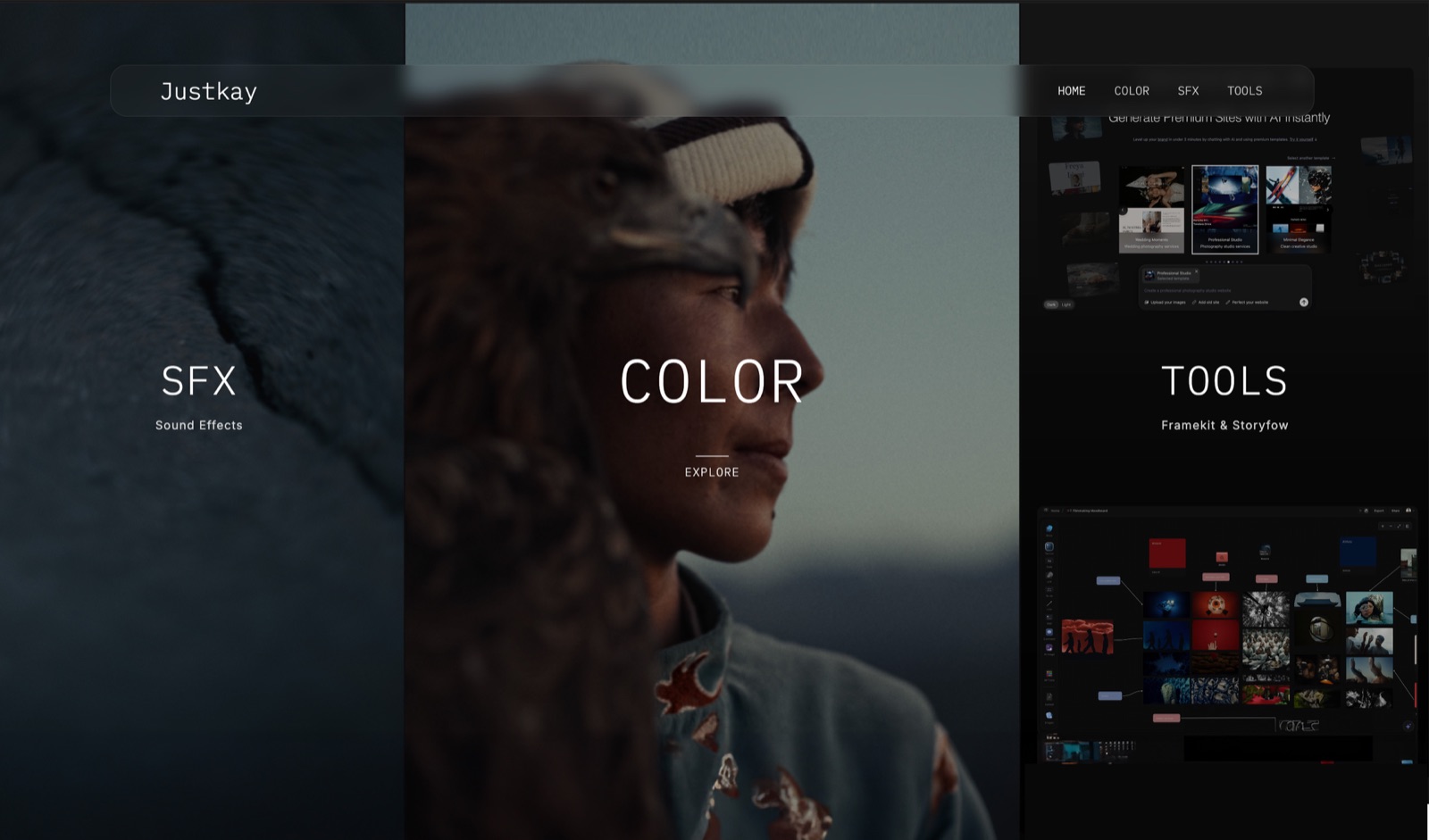
Framekit builds the portfolio site first, then lets you sell downloads from it: presets, LUTs, brushes, templates, ebooks.
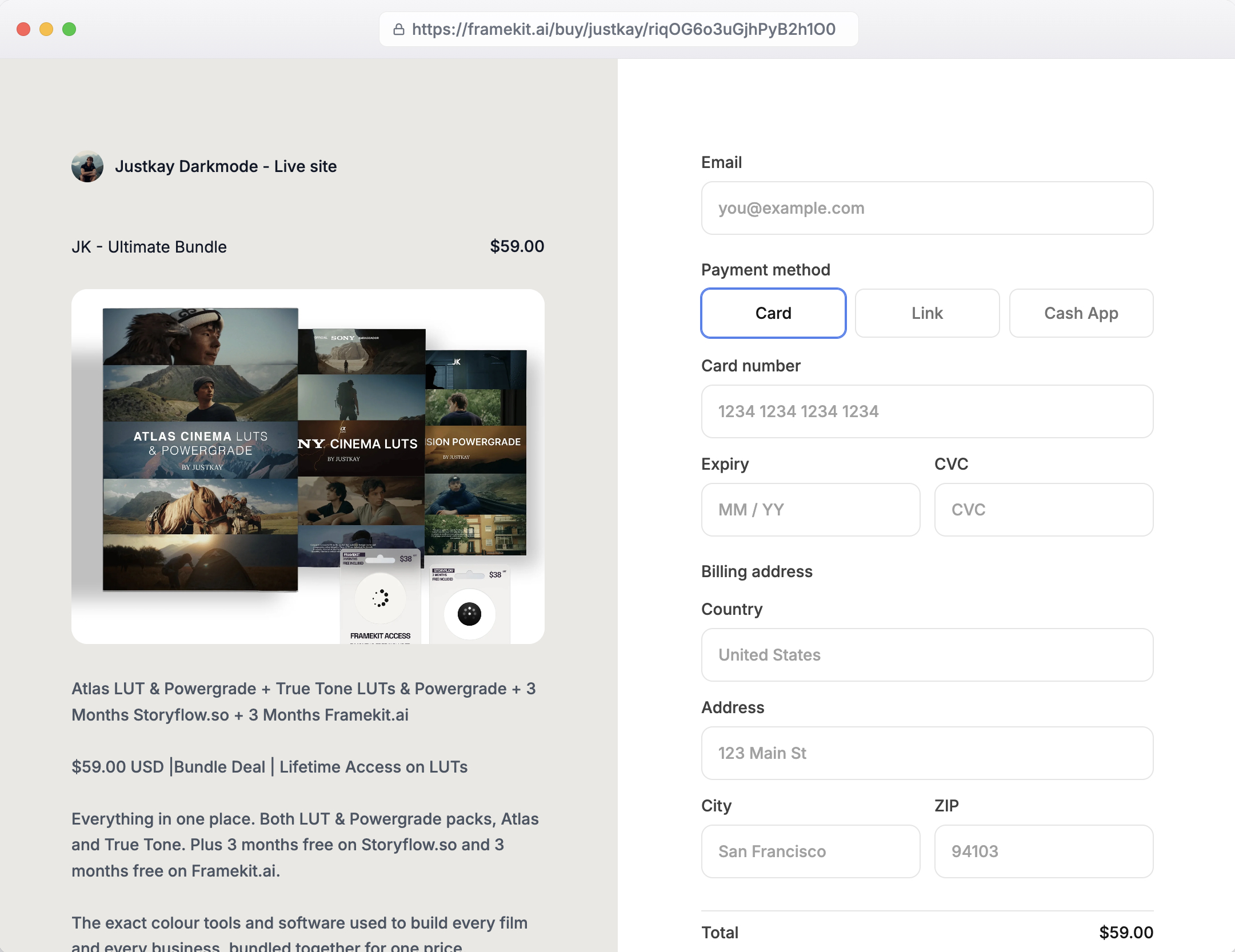
Each product also gets its own hosted checkout page on a framekit.ai/buy address, so the link in your bio can point straight at a single pack without a site behind it.
The one in our screenshot is a 59 dollar LUT bundle, and the buyer sees the product on the left, card, Link and Cash App on the right, and gets the files immediately after paying, with a way back to them later.
The number that matterson our 1,000 dollar store scenario, Ko-fi Standard takes 50 dollars, Framekit Free takes the same 50, Framekit Pro costs 19 plus 3%, so 49, and Business costs 39 flat.
Pro is the plan people assume is the sweet spot and it saves one dollar against Ko-fi at that volume. Business is the only Framekit plan worth moving for, and only past 780 dollars a month in sales.
The detail that sets it apart from a tip pagethe same login runs client galleries.
A photographer who takes commissions can deliver the finished shoot as a gallery with favourites and PIN-protected downloads, then sell a preset pack from the site next to it, all on one pooled storage allowance of 10GB free, 50GB on Starter, 300GB on Pro and 2TB on Business.
The gotchas, in order of how much they bitethere is no tip button, no donation flow, no pay-what-you-want price and no recurring billing, so memberships and monthly supporters are out entirely.
Payments go through Stripe Connect into your own Stripe account, which means you are the merchant of record and Framekit does not handle VAT or sales tax.
Framekit keeps its fee when you refund a sale, the same position as Lemon Squeezy and the opposite of Gumroad. Discount codes need Pro, where Ko-fi gives them away on every tier.
Skip it if tips or memberships pay most of your rent, or if all you want is 0% on shop sales and you are happy with your Ko-fi page, because Ko-fi Gold does that for 12 dollars a month, 27 less than Framekit Business.
Verdict: The strongest option here for a creator who sells one-off digital downloads and wants the site, the client deliveries and the shop to stop being three separate things. For a supporter-funded page it is the wrong tool, and it will stay the wrong tool until you are selling files rather than collecting coffees.
4. Gumroad
In one lineThe most recognisable name in creator commerce and, on headline percentage, the most expensive way to sell a digital file in this comparison, redeemed by the single most seller-friendly refund policy we found.
Gumroad charges 10% plus 50 cents plus sales tax per transaction, and its own fees documentation states that this does not include card processing at 2.9% plus 30 cents, which is charged separately.
On our store scenario at 1,000 dollars a month, that combination costs meaningfully more than Buy Me a Coffee's flat 5% and roughly four times what Framekit's Business plan costs outright.
The number that redeems it is the refund behaviour. When you refund a buyer, Gumroad returns its own fee on the refunded portion and keeps only the payment processing element, because processors do not return theirs.
That is the most seller-friendly refund position of any platform here, and it is the opposite of what most of these companies do.
If you sell something with a high refund rate, a course or a large bundle, that single policy can outweigh a percentage point or two.
The gotcha is the payout mechanics rather than the fee.
Gumroad holds a 7-day balance and requires a 100 dollar minimum before it pays out, so a creator doing 400 dollars a month gets paid, and a creator doing 40 dollars a month watches a balance accumulate.
Its Discover marketplace is a separate deal at a flat 30% including all processing, which is a marketing cost rather than a platform cost and should be evaluated as one.
Skip it if your margins are thin or your volume is high, because 10% plus processing compounds faster than any monthly plan.
Verdict: Worth it for the audience it brings and the refund policy it publishes, expensive for everything else. Already on Gumroad and feeling the 10%? Run the crossover maths against a fixed monthly plan.
5. Lemon Squeezy
In one lineThe only platform here whose 5% genuinely means 5%, because it includes the card processing everyone else charges on top, and it takes the tax problem off your desk entirely as merchant of record.
Lemon Squeezy charges 5% plus 50 cents and that figure includes card processing, currency conversion and taxes.
It acts as merchant of record, which means it is the seller of legal record and it handles VAT, sales tax and the associated filings.
For a creator selling a 12 dollar file to buyers in nine countries, that is not a feature, it is the removal of an entire category of work.
The specific thing to check before you commit is the surcharge list, because the headline is not the whole rate.
Non-US sales add 1.5%, PayPal adds 1.5%, subscriptions add 0.5%, payments recovered through abandoned-cart flows add 5%, affiliate referrals add 3% and affiliate payouts add 2%.
A European creator selling a subscription through PayPal is not paying 5%, and the pricing page's headline number will not tell you that.
The gotcha is refunds, and it is the exact mirror of Gumroad's policy. Lemon Squeezy's documentation says the refunded amount minus its platform fee is deducted from your next payout, so the fee stays with Lemon Squeezy.
Chargebacks add a 15 dollar dispute fee on top. Two platforms, both around 5%, opposite answers on who eats the fee when a sale unwinds.
Skip it if you are selling almost entirely to buyers in your own country, because the tax handling is the main thing you are paying for and you may not need it.
Verdict: The best answer for anyone selling internationally who does not want to think about VAT, provided you have read the surcharge list rather than the headline. The full merchant-of-record comparison is here.
6. Podia
In one lineThe most complete answer for a creator who wants memberships, courses, downloads and an email list on one bill, priced high enough that it only makes sense once the memberships are real.
Podia's Mover plan is 42 dollars a month or 504 dollars a year and still charges a 5% transaction fee. Shaker is 84 dollars a month or 1,008 dollars a year and takes that to 0%. Earthquaker is 150 dollars a month or 1,800 a year.
There is no free plan, but the 30-day trial does not ask for a card.
The crossover between the two lower plans is the number that matters: Shaker costs 42 dollars more and saves 5%, so it pays for itself at 840 dollars a month in sales.
Below that you are on Mover paying both a monthly fee and a percentage, which is the least pleasant shape of pricing in this whole comparison and the reason Podia looks expensive to people evaluating it at small volumes.
The detail that catches people is the email allowance. Podia's included sending is capped by tier, at 100, 500 and 1,000 subscribers respectively, and above those numbers email is billed.
We nearly recommended Podia to a creator with a 1,200-person list on the assumption that email was simply included, and it is not. If your list is the asset, price the list, not the plan.
Skip it if your monthly recurring income is under a few hundred dollars, because the fixed cost arrives long before the benefit does.
Verdict: A genuine Ko-fi replacement rather than a partial one, because it does memberships and selling and email together, but it wants you to already be earning. See it in context with the course platforms.
7. Beacons
In one lineA link-in-bio page that grew a store, with a free tier whose 9% seller fee is the highest number in this comparison and a paid tier that removes it entirely.
Beacons' free plan carries a 9% seller fee, 30 daily AI credits and 50 email sends a month. Creator is 8.33 dollars a month billed annually, or 100 dollars a year, and adds a free custom domain and 500 email sends.
Creator Plus is 25 dollars a month billed annually, or 300 dollars a year, and takes seller fees to 0% while adding courses, memberships and unlimited email. Creator Max is 75 dollars a month billed annually.
The crossover is 278 dollars a month in sales, which is low, and that is the honest case for Beacons: if you are selling anything at all, the free tier is the wrong place to stand.
Nine percent is nearly double Ko-fi's service fee and roughly what a marketplace charges for bringing you customers, which Beacons is not doing.
The standout is that Creator Plus is one of the few sub-30-dollar plans in this guide that includes memberships and courses. Against Podia's Shaker at 84 dollars, that is a third of the price for the same two capabilities, with less depth behind each of them.
The gotcha is that a Beacons page is a Beacons page. It is a strong link-in-bio product and a modest website, and creators who want the site to be the portfolio will feel the ceiling within a month.
Skip it if your work needs to be presented rather than listed, because this is a page of blocks and not a portfolio.
Verdict: The cheapest way to get memberships and 0% selling in one product, as long as you accept the page it gives you. Compared head to head with Linktree here.
8. Sellfy
In one lineA 0% transaction fee that is not really 0%, because every plan carries an annual sales cap and the cap is what converts the flat monthly fee back into a percentage.
Sellfy's Starter plan is 29 dollars a month billed annually, or 39 monthly, and it is capped at 10,000 dollars of sales a year. Business is 59 or 79 and caps at 50,000. Premium is 119 or 159 and caps at 200,000. The transaction fee on all of them is 0%.
Do the arithmetic the pricing page does not do for you. Starter at 348 dollars a year against its 10,000 dollar cap is an effective rate of 3.48% if you use the whole cap, and a much worse rate if you do not.
A creator doing our store scenario, 1,000 dollars a month, hits 12,000 a year and is pushed onto Business at 708 dollars a year, which against 12,000 dollars of sales is 5.9%.
That is worse than Ko-fi's 5% and worse than Buy Me a Coffee's, for a platform whose headline is 0%.
The standout is genuine: Sellfy handles print on demand alongside digital goods, which none of the other digital-first platforms here do.
If part of your shop is physical merchandise and you are leaving Ko-fi, which already sells physical items, Sellfy is the storefront here that covers print on demand and files without a second tool.
Skip it if your sales sit awkwardly above a cap, because the jump between tiers is where the effective rate spikes.
Verdict: Good at the top of a tier and poor at the bottom of the next one, which is an unusual thing to have to say about pricing. Check which end of a cap you are on before subscribing.
9. Linktree
In one lineThe default link-in-bio product, now with selling attached, and the fee it charges to sell on its cheaper plans is high enough that most sellers should either upgrade properly or use something else.
Linktree's ladder in euro runs Free at 0, Starter at 4.50 a month billed annually or 6 monthly, Pro at 10.50 or 13, Premium at 27.50 or 32, with Agency and Enterprise quoted on request.
The detail that decides it is buried in the feature lists: Starter's says "Sell products (9% seller fees)" and Premium's says "Sell digital products (0% seller fees)".
That puts the crossover at roughly 256 euro a month in sales, which is a low bar, and it means the sensible configurations are Free-plus-nothing or Premium.
The middle of the ladder is the expensive place to sell from, and it is where most people land because the monthly price looks reasonable.
The standout is reach rather than function. Linktree is the link people expect to see, its page loads on any phone, and no supporter has ever been confused by one. That is worth something real if your audience arrives from social platforms rather than search.
The gotcha is the same as Beacons', only more so: it is a list of links with a checkout bolted on, not a place to show work.
Skip it if you sell more than about 250 euro a month and do not intend to reach Premium, because 9% will quietly cost more than the upgrade.
Verdict: Fine as a front door, expensive as a shop counter unless you go to the top plan. The link-in-bio field is compared in full here.
10. Ko-fi Gold
In one lineThe alternative most people evaluating alternatives have not actually priced, because upgrading the platform you are already on is the cheapest migration available and the one nobody counts as an option.
Ko-fi Gold removes the 5% service fee on shop sales, memberships and commissions for a flat monthly cost.
That cost is 12 dollars a month, published on Ko-fi's own pricing page next to the Standard tier, and it is the single most useful number in this guide because it sets the ceiling on what leaving Ko-fi can possibly save you.
The arithmetic is simple and it is the whole review. Twelve dollars divided by the 5% you would stop paying is 240, so Gold pays for itself at 240 dollars a month in fee-bearing income. Below that, stay on the percentage.
Above it, Gold is cheaper than every migration in this guide and it costs you nothing in broken links, lost supporters or re-uploaded files.
A creator earning 1,000 dollars a month through their Ko-fi shop is paying 50 dollars in service fees for something that would cost 12.
The standout that keeps people on Ko-fi is that it never holds your money.
Payments land directly in your own Stripe or PayPal account, so there is no payout minimum, no seven-day hold and no waiting for a threshold, which is the opposite of how Gumroad and most storefronts work.
Ko-fi also states that there are no buyer fees, payout fees or marketing fees on top of the service fee.
Skip it if your problem with Ko-fi is the page rather than the percentage, because 12 dollars a month does not change what your page looks like to the person you sent there.
Verdict: The correct answer more often than a comparison guide has an incentive to admit. Price it before you price anything else here.
11. Patreon
In one lineThe largest membership platform in the category and the one entry in this comparison we could not verify, so we are naming it, describing what it is for, and declining to publish rates we did not read ourselves.
Patreon is the default answer for recurring supporter income at scale, with tier structures, member-only posts and a payment relationship that most audiences already recognise. For a creator whose Ko-fi membership is the main event, it is the obvious platform to evaluate.
We could not reach Patreon's own pricing and fees documentation during this round of research.
Rather than repeat percentages from third-party summaries, we have left Patreon out of the comparison table's fee column and out of every crossover calculation in this guide.
Fee structures in this category changed several times in the last two years, and a stale number presented confidently is worse for you than an honest gap.
What we can say without a rate card is structural, and it is the thing that actually decides Patreon against Ko-fi.
Patreon is a membership platform with selling attached, Ko-fi is a tip jar with membership and selling attached, and the two are optimised for different sizes of the same business. Patreon expects a tier ladder and a posting cadence.
Ko-fi expects a link and an occasional thank you.
Skip it if memberships are a side line, because the product assumes they are the main line and the work of maintaining tiers is real.
Verdict: Evaluate it directly on its own pricing page, which is the same advice we would give about any platform whose numbers we had not personally read. Everything else in this guide is priced from source.
What the three scenarios actually cost
Fees are easier to judge as monthly totals than as percentages. Here are the three scenarios, using only rates we verified.
| Scenario | Ko-fi Free | Ko-fi Gold | Buy Me a Coffee | Framekit Business |
|---|---|---|---|---|
| Tips, 400 a month | 0 | 12 | 20 | No tip support |
| Memberships, 300 a month | 15 | 12 | 15 | Not supported |
| Store, 1,000 a month | 50 | 12 | 50 | 39 flat |
| All three together | 65 | 12 | 85 | Not comparable |
Three things fall out of that table. Ko-fi Free's 0% on tips is a real advantage and Buy Me a Coffee charges 20 dollars a month for the same activity.
On the store line, every percentage-based platform converges on the same 50 dollars while a fixed monthly plan undercuts them and keeps undercutting them as sales grow.
And the bottom row is the finding most guides in this category miss entirely: a creator running all three income lines at these volumes pays 65 dollars a month on Ko-fi Free and 12 on Ko-fi Gold, which means the cheapest platform in this comparison is usually the one they are already using.
In one linePercentages win while you are small and lose steadily once you are not, and for anyone with mixed income the first crossover to check is Ko-fi's own 12 dollar tier at 240 dollars a month, long before any of the migrations in this guide.
Refunds, chargebacks and the fee nobody prices
Every comparison in this category prices the sale. Almost none price the unsale, and for anyone selling courses, bundles or anything above about 50 dollars, the unsale is where the money leaks.
The two clearest published positions belong to Gumroad and Lemon Squeezy, and they are opposites. Gumroad returns its own fee on the refunded portion and keeps only the payment processing element it cannot recover.
Lemon Squeezy deducts the refunded amount minus its platform fee from your next payout, so its fee stays with Lemon Squeezy, and a chargeback adds a 15 dollar dispute fee on top.
Framekit sits on the Lemon Squeezy side of that line: when you refund a sale, its 5% or 3% platform fee is not returned, although on Business there is no platform fee to lose.
Work through a concrete case. A 200 dollar course refunded once a month costs a Gumroad seller roughly the processing element, a few dollars.
The same refund on a platform that keeps its fee costs the seller that fee every time, so a 5% platform fee on a 200 dollar sale means 10 dollars gone on a sale that generated no revenue.
At one refund a week that is 40 dollars a month for nothing.
The reason this matters more on Ko-fi alternatives than on most comparisons is that tips are effectively never refunded and digital products frequently are. The moment your income shifts from the first to the second, refund policy stops being a footnote.
In one lineAsk any platform you are evaluating one question, whether it returns its own fee on a refund, and treat a vague answer as a no.

Payouts, minimums and when the money actually lands
A fee you can calculate is easier to live with than a payout schedule you cannot predict, and the payout mechanics differ more between these platforms than the percentages do.
Gumroad holds a 7-day balance and pays out once you have crossed 100 dollars, which is invisible at 1,000 dollars a month and frustrating at 60.
Buy Me a Coffee pays directly to a bank account and states availability in 44 countries, which is the number to check before anything else if you are outside the usual list.
Lemon Squeezy charges payout fees that depend on method and location, free for Stripe in the US and 1% outside it, with PayPal at 50 cents in the US and 3% outside it up to a cap.
Framekit, Payhip on its own checkout, and any platform that connects your own Stripe account behave differently again, because the money arrives on Stripe's schedule rather than the platform's.
Framekit uses Stripe Connect direct charges, so each sale is created in your own Stripe account and pays out on your normal Stripe schedule.
That is generally faster and it removes the minimum-balance problem entirely, at the cost of you being the merchant of record for tax purposes unless the platform says otherwise, which Framekit does not.
In one lineIf you are earning under a few hundred dollars a month, payout minimums will affect you more than fee percentages will.
VAT, sales tax and who is legally selling
For a creator selling a digital file to a buyer in another country, the tax question has exactly two answers, and knowing which one a platform gives you is more consequential than a percentage point.
The first answer is merchant of record. Lemon Squeezy is the seller of legal record, calculates and remits the tax, and files it. You never see a VAT registration threshold.
The second answer is that the platform gives you tools and you remain the seller, which is where most of this list sits, Ko-fi and Framekit included.
Payhip handles EU VAT on digital goods specifically, which covers the most common painful case without going all the way to merchant of record.
The practical trigger is selling to the EU. EU VAT on digital goods applies from the first sale with no small-seller threshold for cross-border sales, and the rate follows the buyer's country.
The European Commission's guidance on VAT for digital services is the primary source worth reading once, and after reading it most creators selling internationally decide the merchant-of-record premium is the cheapest thing on their bill.
In one lineIf more than a small fraction of your buyers are in the EU and you are not registered for VAT, pick a platform that is the merchant of record and stop thinking about it.
Which one should you actually pick
Work down this list and stop at the first line that describes you.
- Your income is mostly tips. Stay on Ko-fi and make sure you are on the Free tier, where tips are 0%. Buy Me a Coffee charges 5% for the same thing and no platform in this guide beats free.
- Your income is mostly memberships and Ko-fi's 5% is the only complaint. Ko-fi Gold is 12 dollars a month at 0%, so it wins above 240 dollars a month in membership income. If that describes you, the migration is unnecessary and you are done.
- Your income is mostly memberships and the page is the complaint. Payhip runs memberships on its free plan at 5%, Beacons Creator Plus at 25 dollars a month annual is the cheapest route to memberships at 0%, and Podia Shaker at 84 is the serious version.
- Your income is mostly digital sales under about 700 dollars a month. Payhip's free plan at 5% matches Ko-fi's rate and gives you a proper store, EU VAT handling and no feature gates.
- Your income is mostly digital sales above about 780 dollars a month and your Ko-fi page is fine. Ko-fi Gold at 12 dollars already takes 0% on shop sales, so move tiers rather than platforms.
- Your income is mostly digital sales above about 780 dollars a month and you want a real site. A fixed monthly plan wins. Framekit Business at 39 dollars takes 0% and gives you the portfolio site and client galleries as well. Payhip Plus at 29 takes 2% and is cheaper if you want a store without a site.
- You sell physical merchandise alongside files. Ko-fi already sells both, so staying may be simplest. If you are leaving, Sellfy adds print on demand to digital goods, subject to its annual sales cap.
- Most of your buyers are outside your own country. Lemon Squeezy, and read the surcharge list before you commit.
- You need memberships and a portfolio. Nothing in this guide does both well. Run memberships on Ko-fi or Beacons and the portfolio somewhere else, and accept the two bills.
Frequently Asked Questions
What is the best Ko-fi alternative in 2026?
The best Ko-fi alternative depends on which income line you are moving.
For tips and supporter posts it is Buy Me a Coffee, for memberships plus a shop on a free plan it is Payhip, and for one-off digital downloads sold from a portfolio site that also delivers client galleries it is Framekit, at 0% on its 39 dollar Business plan.
For many creators the honest answer is Ko-fi Gold at 12 dollars a month, which removes the service fee without moving anything.
Can Framekit take tips or run memberships like Ko-fi?
No. Framekit sells one-time digital downloads at a fixed price, so there is no tip button, no donation flow, no pay-what-you-want price and no recurring billing for memberships or subscriptions.
Creators who use it alongside Ko-fi usually keep Ko-fi for supporters and move only the product sales, which is where Framekit's fee ladder of 5%, 3% and 0% applies.
Does Ko-fi really take 0% on tips?
On Ko-fi Free, yes: the 5% service fee applies to shop sales, memberships and commissions but not to one-off tips.
On Standard, which Ko-fi's pricing page names as the default for new creators, the 5% applies to every payment type including tips.
Check which tier your account is on before you use the 0% figure in any comparison, because most guides quote it without naming the tier it belongs to.
What is the cheapest Ko-fi alternative for selling digital products?
At low volume, Payhip's free plan, because it charges the same 5% Ko-fi does but gives you a full store with no feature gates.
Above roughly 780 dollars a month in sales, a fixed monthly plan is cheaper than any percentage, and Framekit Business at 39 dollars a month with a 0% product fee is the lowest total cost we found that also includes a website.
Can I move my Ko-fi supporters to another platform?
You can export supporter contact details from most platforms, including Ko-fi and Buy Me a Coffee, and email them yourself. What you cannot move is a recurring payment.
Every active membership has to be cancelled by the supporter and re-created on the new platform, and realistic expectations are that a meaningful share will not complete that step.
Budget for losing some, and time the move for a month when you are posting regularly.
Is Buy Me a Coffee actually free?
There is no monthly fee and no paid tier, and features including publishing and emails are available to everyone. The company takes 5% of what you receive.
That is free in the sense of having no subscription and not free in the sense of costing nothing, and the distinction matters above about 600 dollars a month in income.
Which platforms let me run a membership?
Ko-fi, Buy Me a Coffee, Patreon, Payhip on every plan including the free one, Podia, Gumroad, Lemon Squeezy and Beacons on its Creator Plus plan.
Sellfy, Linktree's lower plans and Framekit do not, because their checkouts issue one-time charges rather than recurring ones.
Framekit's limitation is structural rather than a missing feature, and it is the main reason we do not recommend it to membership-led creators.
Does any of these handle EU VAT for me?
Lemon Squeezy acts as merchant of record and handles calculation, remittance and filing across jurisdictions. Payhip handles EU VAT on digital goods specifically.
The rest give you varying degrees of tooling while leaving you as the seller of record, which means the registration and filing obligation is yours.
What happens to platform fees when I refund a customer?
It depends entirely on the platform and the difference is larger than most fee gaps. Gumroad returns its own fee and keeps only the processing element. Lemon Squeezy keeps its fee and adds a 15 dollar fee on chargebacks.
Framekit also keeps its platform fee on a refunded sale. Most other platforms in this comparison do not publish a clear position, which is itself informative if you sell anything refund-prone.
Is it worth paying a monthly fee to escape a percentage?
Only above the crossover, which you can calculate exactly. Divide the monthly plan price by the percentage you would stop paying. Payhip Plus at 29 dollars saving 3% pays for itself at 967 dollars a month.
Framekit Business at 39 dollars saving 5% pays for itself at 780. Below your crossover, the percentage plan is genuinely cheaper and upgrading is a small, quiet loss every month.
Do these platforms email my supporters?
Buy Me a Coffee states explicitly that it does not email your supporters and that you can export the list at any time. Ko-fi behaves the same way.
Marketplace-style platforms are the ones to check carefully, because a platform that markets other creators to your buyers is charging you a cost that never appears on an invoice.
How many of these can replace Ko-fi completely?
Three, on the evidence here: Buy Me a Coffee, Payhip and Podia, because each covers memberships and selling in a single product, though only Buy Me a Coffee also does tips in the Ko-fi sense.
Everything else covers part of what Ko-fi does, which is why the honest recommendation for many creators is two tools rather than one, and why staying on Ko-fi is a legitimate outcome of this comparison.
The verdict
The uncomfortable finding is that Ko-fi is hard to beat on its own terms, and the number that settles it is 12 dollars.
Ko-fi Gold removes the service fee on tips, memberships, commissions and shop sales for a fixed monthly cost that undercuts every paid plan in this comparison, and it does so without you moving a single file, link or supporter.
Anyone paying more than 240 dollars a month in Ko-fi service fees is choosing to, and should fix that before evaluating a migration, including one recommended by this guide.
Where Ko-fi genuinely loses is the store.
A 5% cut with no ceiling is the wrong pricing shape for a creator selling digital products at any real volume, and it converges with every other percentage-based platform at exactly the point where a fixed monthly plan starts undercutting all of them.
That crossover sits between roughly 700 and 1,000 dollars a month in sales depending on which plan you compare, and above it the arithmetic is not close.
Our own recommendation comes with the concession stated plainly.
Framekit is the pick for a creator whose digital sales have outgrown a percentage and whose portfolio, client deliveries and shop should be one account, at 0% from 39 dollars a month.
Framekit is not for anyone paid mainly in tips or memberships, because it has no tip button, no pay-what-you-want pricing and no recurring billing, and it does not handle VAT for you the way Lemon Squeezy does.
If your Ko-fi page is a tip jar, keep it. If it has quietly become your shop and your website, that is the moment worth acting on.
For the head-to-head most people run first, with the tier trap that decides it, see Ko-fi vs Buy Me a Coffee.
Two of the platforms above are compared head to head in Payhip vs Podia, where the crossover between them lands at 2,750 dollars a month.