Framekit templates
Start from a designer-made template
 Use template
 Use template
 Use template
 Use template
 Use template
 Use template
 Use template
 Use template
The second shooter's cards are ingested, the culling is done, and you are looking at 600 frames from a Saturday wedding that need to look like your work by Friday.
You open the catalogue, apply your preset to the first frame, and start the slow crawl: exposure, white balance, a little warmth on the skin, the reception frames that were shot at ISO 6400 and need a different hand entirely.
Four hours later you are at frame 340 and it is Tuesday night. That crawl is the hour photo retouching services are sold against, and the pitch never changes: someone else edits, you get the week back.
Do that twenty-five times a year and you have spent between 100 and 150 hours editing. At the $75 an hour you charge for a commercial half day, that is $7,500 to $11,250 of your own time, spent on the least billable part of the job.
Which is why photo retouching services exist, and why the market has split into two halves that price themselves in completely different currencies: AI profile services that charge cents per frame, and human editing houses that charge dollars per shoot or a flat monthly fee.
The frustrating part is that nobody compares those two halves on the same job. AI vendors quote per photo. Editing houses quote per wedding. Retouchers quote per hour. So we priced all of them on one delivery and held it constant.
Six hundred frames is not an editing task. It is a recurring bill you pay in either money or Sundays.
A photo retouching service is a company that takes your unedited RAW files and returns finished images in your style, either by running them through an AI profile trained on your back catalogue or by handing them to a human editor who applies your look, with the work priced per image, per shoot, or per month.
The best photo retouching service in 2026 is Imagen AI, because a personal AI profile trained on your own catalogue returns a 600-frame wedding for about $30 at $0.05 per photo with no minimum order beyond $7 a month, which is roughly one twentieth of what the human houses charge for the same delivery.
The honest trade-off: Imagen matches your colour, not your judgement, so it will not fix a badly exposed reception set or do skin work, and it needs about 3,000 consistently edited photos before the profile is any good.
Aftershoot is the better value once you shoot volume (unlimited editing at $39.99 a month on Pro), ShootDotEdit is the pick when you want a human wedding editor on a flat monthly plan, and Photographer's Edit is the cheapest genuine human colour correction at $0.22 an image with no minimum.
Whichever way you go, the finished edit has to land somewhere that looks like your studio rather than a shared folder, which is the job a portfolio and client gallery does.
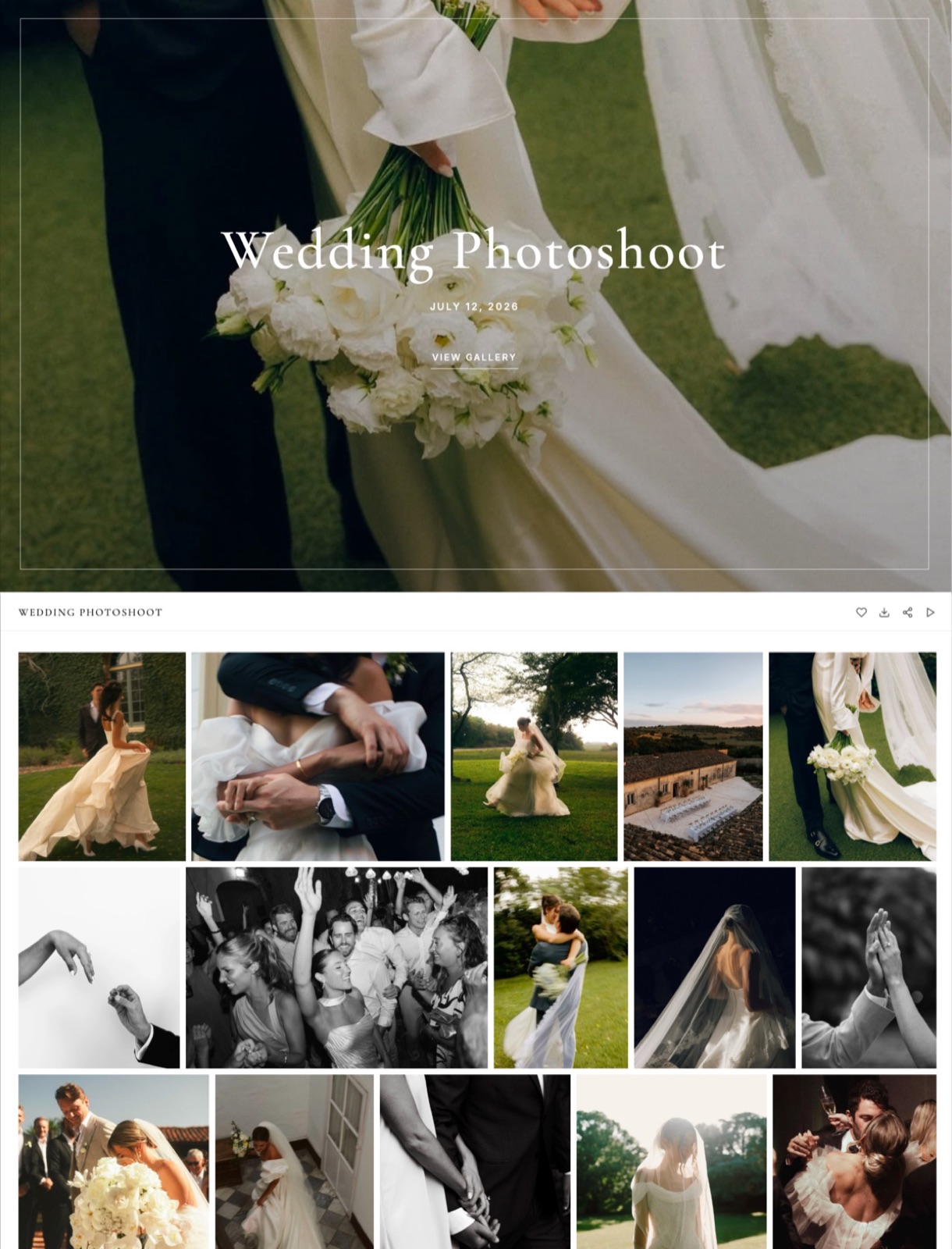
That is the part we make: Framekit delivers the retouched set as a branded client gallery with favourites and PIN-protected downloads, on the same domain as the portfolio.
It retouches nothing, so the service doing the editing comes from the ranking below.
How We Compared These Photo Retouching Services
The category is genuinely awkward to compare because these ten companies sell four different products under one label: AI colour matching, human colour correction, per-image product retouching, and hand-crafted beauty work.
We forced them onto one job so the numbers could be laid side by side.
The test artifact. One 600-frame wedding delivery: a Saturday ceremony and reception, mixed daylight and tungsten, shot on a full-frame body, already culled down from about 2,400 exposures.
Sixty of those 600 frames are portraits that would plausibly get skin retouching. Where a service prices by shoot or by month, we annualised it at 25 weddings a year, which is a busy but realistic wedding calendar.
Every price in this guide is priced against that same delivery.
Price at low and high volume. We calculated the cost of one wedding and of 25, because subscription services get cheaper per frame as you shoot more and per-image services do not.
Minimums and commitment. Minimum order sizes, monthly floors, and annual contracts are where the advertised price stops being the real price.
Turnaround guaranteed versus typical. We separated the number in the marketing from the number in the help docs, because "as fast as 48 hours" and "3 to 5 business days" are different promises.
Style matching. Does the service learn your look from your own catalogue or apply a house preset, and how many reference images does it need first?
Revisions, culling, and your data. What a second round costs, whether culling is included, how long delivered files stay available, and what becomes of your AI profile if you stop paying.
Three kinds of finding, kept apart. Measured: we ran the 600-frame catalogue through the AI services on their free trials (Imagen offers 1,000 free edits with no card, Aftershoot a 30-day full-feature trial) and judged the output against our own hand edits. Verified: every price, minimum, turnaround figure, and retention policy in this guide was checked against the vendor's own pricing page or help documentation in August 2026, and the highest-weight ones are linked inline.
Framekit's gallery and plan limits were re-verified in September 2026. Community sentiment: where we report reviewer complaints or third-party ratings, we label them as such rather than presenting them as our result.
We did not pay for a full production order at ShootDotEdit, Evolve Edits, or Pixelz, and we say so plainly in each entry.
Test conditions: fresh accounts created in August 2026, US pricing, monthly and annual rates both recorded, no promotional codes applied.
What Pricing 10 Retouching Services on One Wedding Showed
Opinions about editing services are cheap and mostly tribal. These are the figures that came out of pricing the same 600-frame delivery on all ten, verified against each vendor's published pricing in August 2026.
- 2 of 10 train an AI profile on your own catalogue rather than applying a house look (Imagen AI, Aftershoot), and both need thousands of your edited frames first: about 3,000 for Imagen, 2,500 minimum for an Aftershoot Personal AI Profile.
- The cheapest verified way to colour-correct 600 frames is $19.20 a wedding on Aftershoot Pro annualised across 25 weddings, versus $30 on Imagen pay-as-you-go, versus $119 for one human-edited wedding on ShootDotEdit's Rollover plan.
- 4 of 10 have no minimum order at all (Photographer's Edit, RetouchUp, Path, Imagen beyond its $7 monthly floor). ShootDotEdit and Evolve Edits both sell annual commitments.
- Only 1 of 10 publishes a same-day guaranteed turnaround on a standard plan: Pixelz returns Professional-plan images by 9:00 a.m. the next morning if submitted by midnight, with a 3-hour expedite available.
- Human colour correction runs $0.14 to $0.30 per image; human skin retouching runs $2.00 to $9.00 per image; high-end beauty retouching runs $20 to $50 and up per image.
- Editing 15,000 frames a year yourself at 125 frames an hour costs 120 hours. At $75 an hour that is $9,000 of your time, against $479.88 a year for unlimited AI editing on Aftershoot Pro.
For the pick that matches how you actually shoot, skip to the decision guide. First, the full field.
The 10 Best Photo Retouching Services in 2026: Full Comparison
Here is how the ratings work, because a single number across four different product categories would be meaningless without the weighting.
Each service is scored on real cost at volume 30%, style fidelity 25%, turnaround reliability 20%, workflow friction 15%, and terms including minimums, revisions, and data retention 10%.
Real cost carries the heaviest weight because it is the only criterion that compounds: a $0.20 per-image gap is $3,000 a year at 15,000 frames. Style fidelity is second because a cheap edit you have to redo is not cheap.
We are not ranking a house product here, so nothing in this weighting is tilted to favour anyone; Imagen takes the top spot on cost and profile quality while scoring a 5 on retouching depth, because it does not do skin work at all.
| Service | Best For | Model | Price on 600 frames | Our Rating |
|---|---|---|---|---|
| Imagen AI | AI colour matching at any volume | Per photo | About $30 | 9.2/10 |
| Aftershoot Edits | Unlimited AI editing plus culling | Subscription | $19.20 annualised | 9.0/10 |
| ShootDotEdit | Human wedding editors, flat fee | Subscription | $119 to $143.52 | 8.6/10 |
| Photographer's Edit | Cheapest human colour correction | Per image | $132 | 8.5/10 |
| Evolve Edits | Human editing with a retouch ladder | Per image or plan | $95.52 to $180 | 8.0/10 |
| RetouchUp | Per-image portrait retouching | Per image | $90 to $150 | 7.8/10 |
| Path | Product and ecommerce cutouts | Per image | $414 | 7.6/10 |
| Pixelz | High-volume ecommerce with SLAs | Plan plus per image | $665 | 7.4/10 |
| Upwork retouchers | High-end beauty and editorial | Hourly or per image | Not for volume | 7.0/10 |
| Removal.ai | Free and cheap background removal | Credits | Near $0 | 6.3/10 |
Every price above is the cost of the same 600-frame wedding, verified against each vendor's published pricing in August 2026. Subscription services are annualised across 25 weddings a year. Confirm current rates before committing, particularly on the annual-contract services.
Where each model actually charges you
The per-image number hides the structural differences that decide your annual bill. This is the same field split by how the money is taken, what the service learns your look from, and whether culling is in the price.
| Service | Charging model | Learns your style from | Culling included |
|---|---|---|---|
| Imagen AI | $0.05 per photo, $7 monthly floor | Your catalogue, about 3,000 frames | Yes, on Pro plans |
| Aftershoot | $39.99 a month on Pro, unlimited | Your catalogue, 2,500 frames minimum | Yes, core product |
| ShootDotEdit | $119 or $299 a month, annual term | Reference galleries you submit | No, billed separately |
| Photographer's Edit | $0.22 an image, no minimum | Uploaded samples, presets, notes | Yes, from $0.14 bundled |
| Evolve Edits | $0.30 an image or $199 a month | Submitted style guide | No |
| RetouchUp | $0.15 to $10.00 an image, no minimum | Written instructions per order | No |
| Path | From $0.39 an image, no minimum | Written spec per order | No |
| Pixelz | $7 to $1,995 a month plus per image | A style guide you set once | No |
| Upwork retouchers | Hourly or negotiated per image | Direct conversation | No |
| Removal.ai | Credits, 1 image per credit | Nothing, it is one operation | No |
1. Imagen AI: Best Overall
Our rating: 9.2/10
Imagen is the service that changed what outsourced editing costs.
You point it at a Lightroom Classic catalogue of your own finished work, it trains a Personal AI Profile on how you handle exposure, white balance, HSL, and tone curve, and from then on it renders new shoots in that profile at a per-photo price that reads like a typo next to the human houses.
Running our 600-frame wedding through it, the first thing you notice is that it is not applying a preset.
The ceremony frames shot into backlight came back with the exposure pushed the way we push it, and the tungsten-lit reception frames came back with a warmer white balance than the daylight ones, which is the specific thing a preset cannot do.
The second thing you notice is where it stops: it will not rescue a frame you underexposed by two stops with judgement, it will just apply your average correction to it.
Best forHigh-volume wedding, event, and real-estate photographers with a consistent back catalogue who want their own colour applied at machine speed and will still do a review pass.
The real numberImagen's pay-as-you-go pricing is $0.05 per photo with a $7 monthly minimum, which puts our 600-frame wedding at $30.
Each optional AI tool you switch on, such as crop, straighten, skin smoothing, or HDR merge, adds $0.01 per photo, so a realistic three-tool setup takes the wedding to $48.
Twenty-five weddings a year at 600 frames is 15,000 photos, or $750 a year at the base rate. Annual volume commitments cut that further: 18,000 photos a year saves 10%, 36,000 saves 15% at about $127.50 a month, and 72,000 saves 20%.
The detail nobody writes downthe threshold for a good profile is high. Imagen wants roughly 3,000 consistently edited photos and recommends 5,000 or more for an accurate match.
If you changed your look eighteen months ago, feeding it four years of catalogue teaches it the average of two styles, which is nobody's style. Train only on the last two seasons even if that means a smaller catalogue.
The gotchathe $7 monthly minimum is a floor, not a cap, and it bills whether you upload anything or not.
Worse for a seasonal shooter, high-resolution files in Imagen Cloud are deleted one month after you cancel, so a photographer who cancels in November and returns in March finds the profile intact and the cloud copies gone.
Treat Imagen as a processing step, never as storage.
Skip it ifyou shoot fewer than about forty jobs a year and your style is still moving, because below that depth you will spend longer correcting its output than editing. Skip it too if what you need is skin work, because Imagen does colour and tone, not retouching.
What reviewers say elsewhereImagen holds roughly a 4-star average across more than 1,100 Trustpilot reviews, with the recurring praise being time saved and consistency across a season, and the recurring complaint being the subscription mechanics rather than the edits.
Verdict: Imagen is the best photo retouching service in 2026 for photographers who deliver volume and already have a consistent catalogue to train on. Thirty dollars against roughly six hours of your Tuesday night is not a close call, and the profile genuinely reads as yours rather than as a look. It is not a retoucher and does not pretend to be. If you want the field of AI tools around it, our guide to the best AI tools for photographers covers the rest of the stack. Visit Imagen AI
2. Aftershoot Edits: Best Value at Volume
Our rating: 9.0/10
Aftershoot started as the culling tool everyone recommends and grew editing on top, which turns out to be the more useful shape: the 2,400 exposures off the cards get narrowed to 600 and coloured in one pass, with no selection set exported to a second service.
Editing our wedding on a trial Pro account, the profile match was close to Imagen's on the daylight ceremony frames and slightly behind on the mixed-light reception set, where Aftershoot ran a touch cooler than our reference edits.
What it wins on is the meter: there is not one. Every paid tier processes unlimited images, so the 600-frame wedding and the 1,400-frame corporate conference cost the same nothing extra.
Best forPhotographers who shoot enough that a per-photo rate starts to sting, and who want culling and editing to be a single step rather than two subscriptions.
The real numberAftershoot's plans are Selects at $9.99 a month billed annually (culling only), Essentials at $19.99, Pro at $39.99, and Max at $59.99, with monthly billing running $14.99, $24.99, $47.99, and $71.99 respectively.
Pro is the first tier with a Personal AI Profile trained on 2,500 or more of your images, plus three Instant AI Profiles. At $479.88 a year on Pro, 25 weddings works out at $19.20 a wedding, or $0.032 a frame across 15,000 images.
Extra AI profiles beyond your tier cost $7 a month or $70 a year each.
The detail nobody writes downEssentials looks like the value pick at $19.99 and is not, because crop, straighten, and masking sit behind a $10 a month add-on at that tier and are included at Pro.
The real Essentials price is $29.99 for a workflow most wedding photographers need, against $39.99 for Pro with a Personal AI Profile included.
The gotchaevery plan except Max is a single-device login, and the seat is enforced. A two-photographer studio sharing one account will spend the season logging each other out, and the fix is either Max at $59.99 for two devices or a second subscription.
Skip it ifyou shoot fewer than about ten paid jobs a year. At that volume Imagen's $0.05 a photo with a $7 floor beats $479.88 of subscription, and you are paying for capacity you will never use.
What reviewers say elsewherecommunity sentiment on Aftershoot is strongest on culling, where photographers report the largest time saving, and more mixed on editing, described as very good on consistent lighting and less reliable in unusual conditions.
Its G2 listing carries a small review count, so treat that aggregate with caution.
Verdict: Aftershoot Edits is the better buy than Imagen the moment you cross roughly 10,000 frames a year, because unlimited beats $0.05 a photo at that point and you get culling in the same subscription instead of paying for it twice. It loses to Imagen on profile fidelity in awkward mixed light, which is exactly where a wedding gets hard. If culling is your actual bottleneck, compare the field in our best culling software for photographers guide. Visit Aftershoot
3. ShootDotEdit: Best Human Editors on a Flat Fee
Our rating: 8.6/10
ShootDotEdit is the human alternative that prices like software. Instead of quoting per image, it sells a monthly membership that covers a set number of jobs, and real editors in a real production pipeline match your look on every frame.
For a wedding photographer who wants a person making the call on that one blown-out ceremony exit, it is the most familiar product in the category.
Style matching is the opposite of the AI services: you submit reference galleries and notes, an editing team builds a profile for your account, and it is refined through the first few jobs.
It starts from a much smaller sample, which matters enormously if you are two years into weddings rather than ten.
Best forWedding photographers doing one to four jobs a month who want human judgement on every frame and a predictable monthly bill rather than a per-image invoice that scales with a busy season.
The real numberShootDotEdit's plans run at $119 a month on the Rollover membership, which covers one wedding or two portrait sessions a month, and $299 a month on the Unlimited plan covering unlimited events.
Our 600-frame wedding on Rollover is $119, or $0.198 a frame.
Twenty-five weddings a year does not fit inside Rollover's twelve-job allowance, so the honest annualised figure is Unlimited at $3,588 a year, which is $143.52 a wedding and $0.239 a frame.
Both are annual memberships that begin with a 30-day or three-job trial.
The detail nobody writes downShootDotEdit treats roughly 700 images as the sweet spot for a wedding and sells additional images a la carte beyond that, so a 1,200-frame documentary delivery is not simply covered by the membership price.
Price the overage before you sign the annual term, because that is where the flat fee stops being flat.
The gotchaculling, straightening, and cropping are not in the base price. The membership buys colour and tone; the preparation work you hoped to hand over is billed separately or stays on your desk. Photographers arriving from an AI tool that culls for free are the ones most surprised.
Skip it ifyour calendar is seasonal. An annual membership at $119 a month is $1,428 whether you shoot in February or not, and a photographer with a nine-wedding autumn and a dead spring pays for five months of nothing.
What reviewers say elsewherecommunity sentiment on ShootDotEdit is consistently positive on turnaround reliability and season-long consistency, with the recurring criticism being that the house style creeps in where your reference set is thin.
Its published turnaround is as fast as 48 hours; treat that as the best case, not the typical one.
Verdict: ShootDotEdit is the strongest human option for a wedding photographer who wants the editing off their desk entirely and can commit to a year. It costs six to seven times what an AI profile costs on the same 600 frames, and what you are buying with that money is judgement on the hard frames plus the guarantee that a person looked at all of them. If you are weighing where your money goes across the whole business, our photography business tools guide puts editing next to the other line items. Visit ShootDotEdit
4. Photographer's Edit: Cheapest Real Human Colour Correction
Our rating: 8.5/10
Photographer's Edit is the service that makes the AI-versus-human gap look narrower than it is, because it charges twenty-two cents an image for work done by a person.
There is no membership, no contract, and no minimum order, which makes it the only human option on this list you can use for a single 40-frame engagement session without committing to anything.
The style handling sits between the two camps.
You upload examples of your finished work, your favourite Lightroom presets, and written notes, and the team references that on every order; you can hold up to three custom styles on the account and switch between them per job.
If you have not built a look yet, five house presets are free to use, named PE Standard, PE Film, PE Dark and Moody, PE Light and Airy, and PE Warm and Creamy.
Best forPhotographers who want a human pass at close to AI prices, who order irregularly, and who do not want an annual contract sitting on the books through a slow quarter.
The real numberPhotographer's Edit charges $0.22 per image for custom colour correction, which puts our 600-frame wedding at $132.
Bundling culling with colour correction starts at $0.14 an image depending on total volume and how much you are culling, which would take the same wedding to about $84 if you handed over the full 2,400-exposure card.
Retouching is separate and priced by type: Lightroom retouching is $2.00 an image, brand, maternity, and newborn retouching are $4.00, boudoir is $9.00, and custom Photoshop work is quoted at $30 an hour.
The detail nobody writes downthe Photoshop retouching menu is genuinely a la carte, and it is the most transparent per-operation price list in this comparison.
Blemish removal is $0.50, skin smoothing on the face is $0.50, minimising wrinkles is $0.75, glasses-glare removal is $1.00, braces removal is $1.00, flyaway hairs across the face is $4.00, a background swap is $3.00 to $4.00, object removal is $4.50, and a head swap is $7.00.
On our wedding, retouching the 60 portrait frames at Lightroom level is $120 on top of the $132 colour correction, so the full delivery lands at $252.
The gotchaturnaround steps down hard at 800 images. Standard delivery is 3 to 5 business days under 800 and 6 to 8 business days at 800 and above, and Premium membership only tightens that to a guaranteed 3 and 6 days. A 1,100-frame wedding sent on Monday can be a week and a half out.
Skip it ifyou need next-day delivery in season, or you shoot enough that $0.22 an image beats a flat subscription. At 15,000 frames a year that is $3,300, well above Aftershoot Pro's $479.88.
Verdict: Photographer's Edit is the best human service for photographers who order unevenly, because no minimum and no contract means a quiet March costs nothing. It is not the fastest and not the cheapest once you shoot every weekend, but it is the one human option that behaves like a utility rather than a commitment. Visit Photographer's Edit
5. Evolve Edits: A Ladder from Colour to Signature Work
Our rating: 8.0/10
Evolve Edits is built as a ladder rather than a single product, which is its best feature and the source of most confusion about it.
The rungs run from plain colour correction up through Blog Edits, Noir Edits, Premium Edits, Hybrid Edits, and custom retouching, so the same company handles the bulk gallery and the twelve hero frames that need real attention.
We did not run a paid production order here, so treat this as verified pricing rather than a measured result. The shape is clear enough: colour correction is priced per shot, retouching by the hour, and a signature frame like a commission.
Best forPhotographers who want one supplier for both the 600-frame gallery and the handful of images that need a retoucher rather than a colourist.
The real numbercolour correction runs about $0.30 a shot, which puts our 600-frame wedding at $180. Retouching is quoted around $70 an hour, and signature-level work runs up to about $150 a frame.
The Evolve Premier membership is $199 a month on a one-year commitment for unlimited colour correction with a 30-day free trial, which annualises to $2,388 and works out at $95.52 a wedding, or $0.159 a frame across 15,000 images.
The detail nobody writes downthe Premier membership only becomes rational above about eight weddings a year. Below 663 images a month at the $0.30 rate you pay more for unlimited than a la carte; at 25 weddings you pay about half the per-image rate.
Run that crossover before you sign, because the commitment is annual.
The gotchathe price list is the weakest part of the offering and reviewers say so consistently. Several tiers are not published as flat per-image figures, so your quote depends on a conversation rather than a page. Get every rung priced in writing before moving a season across.
Skip it ifyou need published, comparable pricing to budget against, or a service that will also cull. Evolve prices the edit, not the selection.
Verdict: Evolve Edits earns its place because very few suppliers cover both ends of the ladder competently, and $199 a month for unlimited colour correction is genuinely strong at 25 weddings a year. The trade-off is opacity: you cannot fully price the middle tiers from the website, and that is a real cost when you are trying to compare it against a $0.22 competitor. Visit Evolve Edits
6. RetouchUp: Per-Image Portrait Retouching
Our rating: 7.8/10
RetouchUp is the portrait studio's workhorse, and it is refreshingly boring about it: three flat retouching levels, a colour-correction rate, no contract, no minimum, and a 24-hour maximum turnaround.
Where most of this list sells you a workflow, RetouchUp sells you a transaction.
Instructions are per order rather than per account, which cuts both ways: there is no profile to train, so your first order behaves exactly like your fiftieth, but you write the same notes every time and the result tracks the quality of your brief closely.
Best forPortrait, school, and headshot photographers who need specific frames retouched to a brief and want a fixed price per image with a hard turnaround ceiling.
The real numberRetouchUp's published rates are $2.50 an image for a Complete Retouch, $5.00 for Complete Plus, and $10.00 for Special Service work, with colour correction at $0.15 to $0.25 an image and a pricing break on orders over 50 photos.
Our 600-frame wedding at the bulk colour rate is $90, or $150 at the higher rate. The 60 portrait frames at Complete Retouch add $150, so a full colour-plus-retouch delivery is $240 to $300.
The detail nobody writes downRetouchUp adjusts the retouch level to fit the instructions you write rather than the level you picked, so ordering Complete Retouch and asking for a head swap gets you re-tiered and billed higher.
That is a fair policy, but it means your invoice can differ from your basket if your notes are ambitious.
The gotchafree reworks and a satisfaction guarantee are not an unlimited revision policy. The rework path is for work that missed the brief you wrote, so a vague brief limits what you can send back.
Write instructions as if a stranger who has never seen your work is executing them, because that is what is happening.
Skip it ifyou need a whole gallery styled to your look. RetouchUp is precise on individual frames and generic on 600 of them, because no persistent profile carries your colour between jobs.
Verdict: RetouchUp is the best pick when the job is fifty specific frames and a written brief, not a season-long styling relationship. The 24-hour ceiling and the no-minimum policy make it the one service here you can call at 9 p.m. on a Tuesday for a client who needs headshots on Wednesday. It will not learn your look, and it does not claim to. Visit RetouchUp
7. Path: Product and Ecommerce Cutouts
Our rating: 7.6/10
Path is not a wedding service, and including it in a wedding-priced comparison is slightly unfair, which is exactly why the number is instructive.
It prices ecommerce operations individually, so you buy a clipping path or a ghost mannequin rather than an edit, on one of the clearest published menus in the industry.
The turnaround model is the interesting part: you choose 6, 12, 24, 48, or 96 hours and the price moves with the deadline, so speed is a purchasable variable rather than a plan tier. Right for a product catalogue with a launch date, wrong for a gallery with no deadline pressure.
Best forProduct photographers and ecommerce brands who need consistent cutouts, ghost mannequin work, and colourway variants at a per-operation price.
The real numberPath's published rates start at $0.25 for shadow work, $0.39 for a clipping path or background removal, $0.69 for photo retouching, $0.89 for ghost mannequin, $0.99 for a colour change, $1.19 for image masking or multi-clipping, $2.99 for a symmetrical edit, and $3.99 for vector conversion.
Retouching our 600 frames at $0.69 would be $414, which is thirteen times what Imagen charges, because you are buying per-frame product retouching rather than catalogue colour. Additional file copies are $0.20 each at standard turnaround.
The gotchaevery price is quoted as "from", and complexity moves it. A clipping path from $0.39 is a simple silhouette; a jewellery shot with chain and stones is priced up, and you learn that on the quote rather than the pricing page.
Use the two free trial images on the hardest thing you own, not your cleanest product shot, because hair, transparency, and reflective surfaces are the only real test.
Skip it ifyou shoot people. Path's model bills per operation, and a wedding is 600 frames of the same operation, which is the most expensive possible way to buy colour correction.
Verdict: Path is the right supplier for a product catalogue and the wrong one for a gallery, and pricing it on our wedding makes that unmistakable at $414. Buy it when the unit of work is genuinely one image with one named operation, and use volume credits, which save up to 17%, once you know your monthly count. Visit Path
8. Pixelz: Ecommerce Volume with a Real Deadline Guarantee
Our rating: 7.4/10
Pixelz is the industrial option, built for catalogues rather than clients, and the only service here that sells a deadline as a contractual feature rather than a marketing adjective.
If your problem is 4,000 product shots a month arriving on a schedule, this is the shape of supplier that solves it.
We previewed rather than paid for Pixelz, so this is verified from its documentation rather than measured. The model is a monthly plan plus a per-image charge, with the plan buying daily capacity and turnaround speed rather than a bundle of images.
Best forEcommerce teams and studios processing hundreds of product images a day who need a published delivery guarantee they can build a merchandising calendar around.
The real numberPixelz publishes three tiers: Solo at $7 to $9 a month with images at $1.45 to $1.90 and a 48-hour turnaround on up to 50 images a day; Professional at $75 to $95 a month with images at $0.95 to $1.35, next-morning delivery by 9:00 a.m. if submitted by midnight, and up to 200 images a day; and Enterprise at $1,995 a month with custom per-image pricing and turnaround from three hours.
Our 600-frame wedding on Professional would be $570 in per-image charges plus the $95 plan, or $665, which is the most expensive result in this comparison and a perfect illustration of using the wrong tool.
The gotchathe daily capacity ceiling matters more than the monthly price, because Professional caps at 200 images a day, so a 600-frame delivery consumes three days of capacity before the turnaround clock even starts.
And the per-image range is set by volume commitment, so budgeting at $0.95 when you land at $1.35 is a 42% error.
Skip it ifyou are a photographer rather than a merchandising operation. Everything Pixelz is good at, including the 9:00 a.m. guarantee and the three-hour expedite, is worthless on a wedding gallery nobody is waiting on.
Verdict: Pixelz is the best service here at the one thing it does, which is turning a large product catalogue around against a hard deadline with a published guarantee attached. On our 600-frame wedding it costs $665 and gives you nothing a $30 AI profile would not have done better, and that is the honest verdict rather than a criticism. Visit Pixelz
9. Upwork Retouchers: Hiring High-End Beauty Work Directly
Our rating: 7.0/10
There is no clean vendor answer for high-end beauty and editorial retouching, because the people who do that work at the top of the market are individuals rather than companies, and the place they are hired is a marketplace.
Upwork has enough depth in the photo-retouching category to be a real answer, and its fee mechanics are published.
This is the only entry where you buy a person rather than a pipeline, and the one with the highest variance in outcome, because the marketplace holds both $100-an-hour specialists and $8-an-hour operators under the same job title.
Best forPhotographers and brands buying a small number of genuinely high-end frames, where skin, dodge and burn, liquify, and compositing need a human whose portfolio you have personally reviewed.
The real numberhigh-end beauty retouching runs roughly $20 to $50 an image for detailed skin and dodge-and-burn work, rising past $100 an image for editorial composites and campaign-level frames, with specialist hourly rates typically $75 to $150.
Marketplace fees sit on top: Upwork's Basic client plan charges a 5% marketplace fee, reduced to 3% for eligible US clients paying by bank account, plus a one-time contract initiation fee of $0.99 to $14.99 for each new freelancer you engage.
Twelve hero frames from our wedding at $30 each is $360 plus about $18 in marketplace fee, against $132 for colour-correcting the entire 600-frame gallery elsewhere.
The gotchathe contract initiation fee is charged per new freelancer rather than per project, so trying five retouchers to find one costs five fees, and the marketplace does not hold your brief between engagements.
The photographers who do this well run one small paid test with two candidates, then build a one-person relationship and never shop it again.
Skip it ifyou need volume. Nothing about hiring individually scales to 600 frames, and every service ranked above this one is cheaper per image by an order of magnitude for bulk work.
Verdict: hiring a beauty retoucher directly is not a competitor to the services above; it is the tier that sits on top of them, and the right mental model is that you colour-correct the gallery for cents and commission the covers for tens of dollars. The trade-off is that you are also the account manager, the quality control, and the person who has to review a portfolio properly before spending money. Visit Upwork
10. Removal.ai: The Free End of the Market
Our rating: 6.3/10
At the bottom of the price ladder are the single-operation background tools, and they belong in this comparison because a surprising amount of what photographers call retouching is actually one operation repeated.
Removal.ai does background removal and nothing else, priced in credits at one image per credit or less.
FotoFuze deserves a mention alongside it and is worth checking before you spend anything: contrary to a persistent rumour that it shut down, it is still operating in August 2026 as a free background-whitening tool aimed at Etsy and Amazon sellers, and for a plain product-on-white job it does the whole task at no cost.
Nothing else in this guide has been discontinued; every service ranked here was live and taking orders when we checked.
Best forSellers and photographers who need clean cutouts or white backgrounds in volume and do not need any judgement applied to the image.
The real numberRemoval.ai's pricing gives a free background remover for low-resolution output at 0.25 megapixels for personal use, plus one free high-resolution credit at signup and unlimited free previews.
Paid access comes as a monthly subscription where unused credits roll over up to five times your monthly allowance, or a one-time credit pack whose credits stay valid for three years.
Files are capped at 12MB and 36 megapixels, and there is a 14-day money-back guarantee.
The gotchathe free tier's 0.25-megapixel output is a preview resolution licensed for personal use, not a deliverable. Using it for a client's product listing is the wrong side of the terms.
Skip it ifedge quality matters. Automated cutting is excellent on hard edges and unreliable on hair, fur, and transparency, which is exactly where Path's $1.19 image masking earns its money.
Verdict: Removal.ai and FotoFuze are the honest free floor of this market and will genuinely do a chunk of what people pay per-image suppliers for. They will not touch colour, tone, or skin, so they are a utility inside a workflow rather than a retouching service. Visit Removal.ai
What 600 Frames Actually Costs on Every Service
The comparison only becomes useful when every service is priced on the identical job, so here is the whole field against the same 600-frame wedding delivery, with the per-image figure derived from the total rather than quoted from a marketing page.
In one linecolour-correcting a 600-frame wedding costs between $19 and $180 depending on whether a machine or a person does it, and retouching sixty of those frames costs more than colouring all 600 on every human service in this guide.
Subscription services are annualised across 25 weddings a year, because that is the only fair way to compare a monthly fee against a per-image rate. Where a service publishes a price range, we used the rate a working photographer would realistically land on.
| Service | Charging model | Effective per image | Per 600-frame wedding |
|---|---|---|---|
| Aftershoot Pro | $39.99 a month, unlimited | $0.032 | $19.20 |
| Imagen AI pay-as-you-go | $0.05 a photo | $0.05 | $30.00 |
| Imagen with three AI tools | $0.08 a photo | $0.08 | $48.00 |
| RetouchUp colour, bulk rate | $0.15 an image | $0.15 | $90.00 |
| Evolve Premier at 25 weddings | $199 a month | $0.159 | $95.52 |
| ShootDotEdit Rollover | $119 a month, one wedding | $0.198 | $119.00 |
| Photographer's Edit | $0.22 an image | $0.22 | $132.00 |
| ShootDotEdit Unlimited at 25 weddings | $299 a month | $0.239 | $143.52 |
| Evolve Edits a la carte | $0.30 a shot | $0.30 | $180.00 |
| Path photo retouching | $0.69 an image | $0.69 | $414.00 |
| Pixelz Professional | $95 a month plus $0.95 | $1.108 | $665.00 |
Now add the sixty portrait frames that need skin work, because that is where the human services stop looking expensive.
Lightroom-level retouching on those sixty is $120 at Photographer's Edit, $150 at RetouchUp's Complete Retouch rate, and roughly $1,800 from a high-end retoucher at $30 a frame.
Imagen and Aftershoot apply skin smoothing as an automated adjustment but neither does blemish removal frame by frame, so the AI services price the gallery and the human services price the gallery plus the album frames.
End to end: Imagen at $48 plus $120 of Photographer's Edit retouching is $168 across two suppliers. ShootDotEdit at $119 does the colour with human judgement and leaves the retouching unbilled.
Photographer's Edit alone, doing everything, is $252. That three-way spread is the real decision, and it is far narrower than the headline rates suggest.
Outsourcing Versus 25 Weddings of Your Own Time
Every price above is meaningless until you put it next to what you charge, because the alternative to paying an editing service is not free, it is you working at your own hourly rate on the least profitable part of the job.
In one lineat 25 weddings a year, editing 15,000 frames yourself costs 120 hours, and the cheapest outsourced route beats doing it yourself at every billable rate above about $15 an hour.
The assumptions, stated openly so you can change them: 600 delivered frames a wedding at 125 frames an hour once your preset is applied, so 4.8 hours a wedding and 120 hours a year.
AI output still needs a review pass, costed at one hour a wedding. Human services need about twelve minutes of checking, so five hours a year. Your own pricing model sets the left column.
| Your billable hourly rate | Editing it yourself (120 hours) | Aftershoot Pro plus 25 review hours | Photographer's Edit plus 5 hours | ShootDotEdit Unlimited plus 5 hours |
|---|---|---|---|---|
| $50 | $6,000 | $1,729.88 | $3,550 | $3,838 |
| $75 | $9,000 | $2,354.88 | $3,675 | $3,963 |
| $125 | $15,000 | $3,604.88 | $3,925 | $4,213 |
Two things fall out of that table. The AI route wins on cost at every rate, but its margin narrows as your rate rises, because the review hours are yours and they get more expensive as you do.
And at $125 an hour every outsourced option converges into a band between $3,600 and $4,300, so the choice between an AI profile and a human editing house stops being financial and becomes a question of quality and how much of your Sunday you want back.
The variable that changes everything is your frames-per-hour rate. Edit at 60 an hour rather than 125 and the 120 hours becomes 250, doubling the DIY column, which is why slow editors have the strongest case for outsourcing and are usually the last to do it.
AI Profiles Versus Human Editors: What the Gap Buys
The price gap between the two halves of this market is between four and six times on the same 600 frames, so it is worth being precise about what the extra money is actually purchasing rather than treating human editing as simply better.
In one linean AI profile reproduces your average decision perfectly and your exceptional decision not at all, so the premium you pay a human editor is entirely for the frames where your average decision would have been wrong.
An AI profile learns from your catalogue and applies what it learned uniformly. Imagen needs about 3,000 consistently edited photos and recommends 5,000; Aftershoot sets a floor of 2,500 for a Personal AI Profile.
That training requirement, not the price, is the real barrier to entry, and it explains why AI services suit photographers eight years in and frustrate photographers two years in.
A human editor works from a far smaller sample: ShootDotEdit builds your look from reference galleries and notes, Photographer's Edit from uploaded examples, presets, and instructions with up to three saved styles.
A few dozen frames rather than a few thousand is the single strongest argument for paying six times more.
The gap shows in the ten percent of any wedding that is unusual: the sparkler exit, the mixed-tungsten dance floor, the group shot where the sun broke through.
A profile applies its learned correction; a person recognises the frame is different. If those are the album frames, you are not comparing $30 against $119, you are comparing $30 plus your own rescue pass against $119.
The Fine Print: Minimums, Revisions, Culling, and Your Files
The published per-image rate is the least interesting number on any of these pricing pages, and the terms underneath it are where a service becomes cheap or expensive in practice.
In one lineminimums, annual commitments, separately billed culling, and short file-retention windows are the four clauses that turn an advertised price into a different real price.
Minimum orders. Photographer's Edit, RetouchUp, and Path all publish no minimum order, which makes them usable for a single session. Imagen's minimum is a $7 monthly floor rather than an order size.
Aftershoot's is the plan itself. ShootDotEdit and Evolve Premier are annual commitments, so their true minimum is a year: $1,428 on ShootDotEdit Rollover and $2,388 on Evolve Premier, whether you shoot or not.
Revisions and second rounds. RetouchUp offers free reworks under a satisfaction guarantee, and Path advertises revisions on its ecommerce work, but in both cases the revision is measured against the brief you wrote rather than the result you imagined.
On the AI services the concept does not exist: re-running a catalogue through Imagen bills again at $0.05 a photo, so a second round on 600 frames is another $30.
Aftershoot's unlimited plans make re-editing free, which is quietly one of the strongest arguments for a subscription.
Culling included or extra. Aftershoot's culling is the core product and is included on every paid tier. Imagen includes culling on its Pro plans.
Photographer's Edit bundles culling with colour correction from $0.14 an image. ShootDotEdit explicitly excludes culling, straightening, and cropping from its membership price, and RetouchUp, Path, Pixelz, and Evolve do not cull at all.
If you are currently paying for a separate culling tool, count it in the comparison.
RAW upload and delivery retention. All of these services accept RAW, and the constraint is your upload rather than their intake: 600 frames of 45-megapixel RAW is roughly 35GB going up the wire. Retention matters more.
Imagen deletes uploaded high-resolution files one month after cancellation, the shortest published window we found and a genuine trap for seasonal shooters.
Never treat an editing service as an archive; that is a job for a real backup solution.
What happens to your AI profile. Your Personal AI Profile is stored by the vendor, derived from your catalogue, and not portable to a competitor.
Stop paying and you keep the catalogue that trained it, but the profile sits behind the subscription, and rebuilding an equivalent elsewhere means uploading thousands of frames again.
That is switching cost, and it belongs in a multi-year decision rather than being discovered in year three.
Confidentiality When Client Images Leave Your Drive
Handing 600 frames of a private wedding to a third party is a data decision as much as a workflow one, and most photographers' client contracts were not written with an offshore editing pipeline in mind.
In one lineyour client contracted with you, not with your editing supplier, so the obligation to say that images will be processed by a third party sits with you regardless of what the supplier's own policy says.
Three checks before you send a season's work anywhere. Read your own client agreement for language about sharing images with contractors, and add a plain sentence permitting it if there is none.
Ask the supplier where processing physically happens and whether subcontractors are used, since several human editing houses run distributed teams and that changes which data regime applies.
And decide separately for sensitive categories: boudoir, minors, and anything under a non-disclosure agreement deserve a different answer than a public wedding, and the answer is often that those frames stay on your machine.
The AI services carry one extra question, which is whether your uploads train anything beyond your own profile. Read the current privacy policy rather than a forum post, because the answer changes with policy revisions.
Where the Finished Edit Actually Lands
None of these ten services answers the question that comes immediately after the edit is done, which is where 600 finished frames go so that a client can see them, download them, and remember who made them.
Framekit is an AI website builder that gives photographers a portfolio and client galleries on their own domain, so the work that came back from your retoucher is delivered from your studio's address rather than a file-transfer link that expires.
It does not retouch anything and never will; it is the destination, not the pipeline.
Galleries are unlimited on every plan including free, with watermarking, passwords and PINs, favourites, and full-resolution and ZIP downloads, and the same site carries your portfolio and a store for digital products.
The order that works is simple: cull, retouch, deliver.
Our best culling software for photographers guide covers the first step, this guide covers the second, and our best client gallery platforms comparison covers the third, including the platforms that take a cut of print sales and the ones that do not.
If you shoot weddings specifically, the best website builder for wedding photographers guide is the narrower version.
Plans run free, $9, $19, $39, and $59 a month with 20% off annual billing, and storage scales from 10GB free to 2TB on Business, in one pool shared by your site, your galleries and your video reviews.
The Test to Run on This Week's Wedding
Do not model this on a spreadsheet, run it on one real job. Time yourself editing 100 frames from your next delivery, honestly and with the phone away, then multiply out to your full frame count and annual wedding count.
Send the same 100 frames through Imagen's 1,000 free edits and Aftershoot's 30-day trial, and price the identical delivery at Photographer's Edit's $0.22.
You end the week with three numbers on your own images: your real hourly cost, the AI cost, and the human cost.
The Decision Guide
Most photographers choose an editing service by asking which one is best, which has no answer. Ask these in order instead, and stop at the first branch that describes you.
Start here: do you have at least 2,500 to 3,000 consistently edited photos in a Lightroom catalogue, all in your current style?
- No, my catalogue is thin or my look changed recently. An AI profile has nothing to learn from. Go human: Photographer's Edit at $0.22 an image if you order unevenly, ShootDotEdit at $119 a month if you shoot one to four weddings a month. Stop here.
- Yes. Next question.
Do you shoot more than about 10,000 frames a year?
- Yes. Aftershoot Pro at $39.99 a month gives unlimited editing plus culling and makes re-edits free.
- No, or my volume swings by season. Imagen pay-as-you-go at $0.05 a photo with a $7 floor costs almost nothing in a quiet month.
Now the frames that need skin work, whatever you chose above:
- A handful of album frames: Photographer's Edit at $2.00 for Lightroom retouching or $4.00 for brand and maternity, or RetouchUp at $2.50 with a 24-hour ceiling.
- Beauty, editorial, or campaign frames: commission an individual retoucher at $20 to $50 an image.
- Products rather than people: Path per operation from $0.39, or Pixelz for a next-morning guarantee at catalogue scale.
- Just backgrounds: Removal.ai or FotoFuze, at or near free.
Frequently Asked Questions
What is the best photo retouching service in 2026?
Imagen AI is the best photo retouching service in 2026 for most working photographers, because a Personal AI Profile trained on your own catalogue returns a 600-frame wedding for about $30 at $0.05 a photo with no order minimum.
It matches colour and tone, not judgement, so it will not do skin work or rescue badly exposed frames.
Aftershoot Pro is better value above roughly 10,000 frames a year, and ShootDotEdit is the pick if you want human editors on a flat monthly fee.
How much does it cost to outsource editing a whole wedding?
Colour-correcting a 600-frame wedding costs about $30 on Imagen at $0.05 a photo, $19.20 on Aftershoot Pro annualised across 25 weddings, $119 on ShootDotEdit's Rollover plan, $132 at Photographer's Edit's $0.22 an image, and $180 on Evolve Edits at $0.30 a shot.
Retouching sixty portrait frames from that gallery adds $120 to $150 at human per-image rates. A realistic full delivery lands between $48 and $252 depending on how much a person touches.
Imagen AI vs Aftershoot: which is cheaper?
Imagen is cheaper below about 10,000 frames a year and Aftershoot is cheaper above it.
Imagen charges $0.05 a photo with a $7 monthly floor, so 15,000 frames a year is $750; Aftershoot Pro is $39.99 a month billed annually, or $479.88 for unlimited images plus culling.
Aftershoot also makes re-edits free, while re-running a catalogue through Imagen bills again. Imagen's profile matched our mixed-light reception frames more closely.
Do these services edit in my own style or apply their own look?
Imagen and Aftershoot train a profile on your own edited catalogue, needing about 3,000 photos and 2,500 photos respectively, so the output is genuinely your colour.
ShootDotEdit, Photographer's Edit, and Evolve Edits build a style from reference galleries, presets, and written notes, which needs far fewer samples but leaves more room for a house look to creep in.
Photographer's Edit lets you hold up to three custom styles plus five free house presets.
What happens to my AI profile if I stop paying?
Your Personal AI Profile lives with the vendor and is not portable to a competitor, so cancelling ends your access to it even though you keep the catalogue that trained it.
Imagen additionally deletes uploaded high-resolution files from its cloud one month after cancellation, so download everything before the window closes.
Rebuilding an equivalent profile elsewhere means uploading thousands of frames again, which is the real switching cost of committing to either AI service.
Is culling included or charged separately?
Culling is included on Aftershoot's paid plans, where it is the core product, and on Imagen's Pro plans. Photographer's Edit bundles culling with colour correction from $0.14 an image.
ShootDotEdit explicitly excludes culling, straightening, and cropping from its membership price, and RetouchUp, Path, Pixelz, and Evolve Edits do not cull at all.
If you already pay for a separate culling tool, add that subscription to any comparison against Aftershoot.
What does a second round of revisions cost?
On the AI services a second round is a second bill: re-running 600 frames through Imagen is another $30 at $0.05 a photo, while Aftershoot's unlimited plans make re-editing free.
RetouchUp offers free reworks under a satisfaction guarantee and Path advertises revisions, but both measure the revision against the written brief rather than the result you pictured, so a vague instruction limits what you can send back at no charge.
Which service has the fastest guaranteed turnaround?
Pixelz publishes the only genuine same-day guarantee in this comparison: Professional-plan images submitted by midnight are returned by 9:00 a.m. the next morning, with a three-hour expedite available and a 48-hour standard on the Solo tier.
RetouchUp advertises a 24-hour maximum. ShootDotEdit quotes as fast as 48 hours, which is a best case rather than a guarantee, and Photographer's Edit runs 3 to 5 business days under 800 images and 6 to 8 above it.
Is it safe to send client photos to a retouching service?
It is common practice, but the obligation sits with you rather than the supplier, because your client contracted with you.
Check that your own client agreement permits sharing images with contractors, ask the supplier where processing happens and whether subcontractors are used, and read the current privacy policy on any AI service to see whether uploads are used beyond your own profile.
Keep sensitive categories such as boudoir, minors, and work under a non-disclosure agreement on your own machine.
Final Verdict
After pricing ten services on the same 600-frame wedding, the pattern is that the market has split into two products at two prices, and most photographers are comparing them on the wrong axis.
Imagen AI is the best photo retouching service in 2026 for photographers with a deep, consistent catalogue.
Thirty dollars a wedding against roughly five hours of your own time is not a close decision at any billable rate, and the profile reads as your colour rather than a preset.
Aftershoot Pro takes over above about 10,000 frames a year, where unlimited editing at $479.88 plus culling in one application beats paying per photo.
Where Imagen loses: it does not retouch skin, it will not exercise judgement on the ten percent of frames that were unusual, and it is useless without 3,000 consistently edited photos to train on.
For those photographers ShootDotEdit at $119 a month or Photographer's Edit at $0.22 an image are the better fit.
Buy colour by the thousand and judgement by the frame. Run the gallery through a profile for cents, commission the album frames from a person for dollars, and stop paying human rates for work a machine reproduces perfectly.
For more, read our best client gallery platforms comparison, the best AI tools for photographers, our guide to how to price photography, and the best ways to deliver client photos.