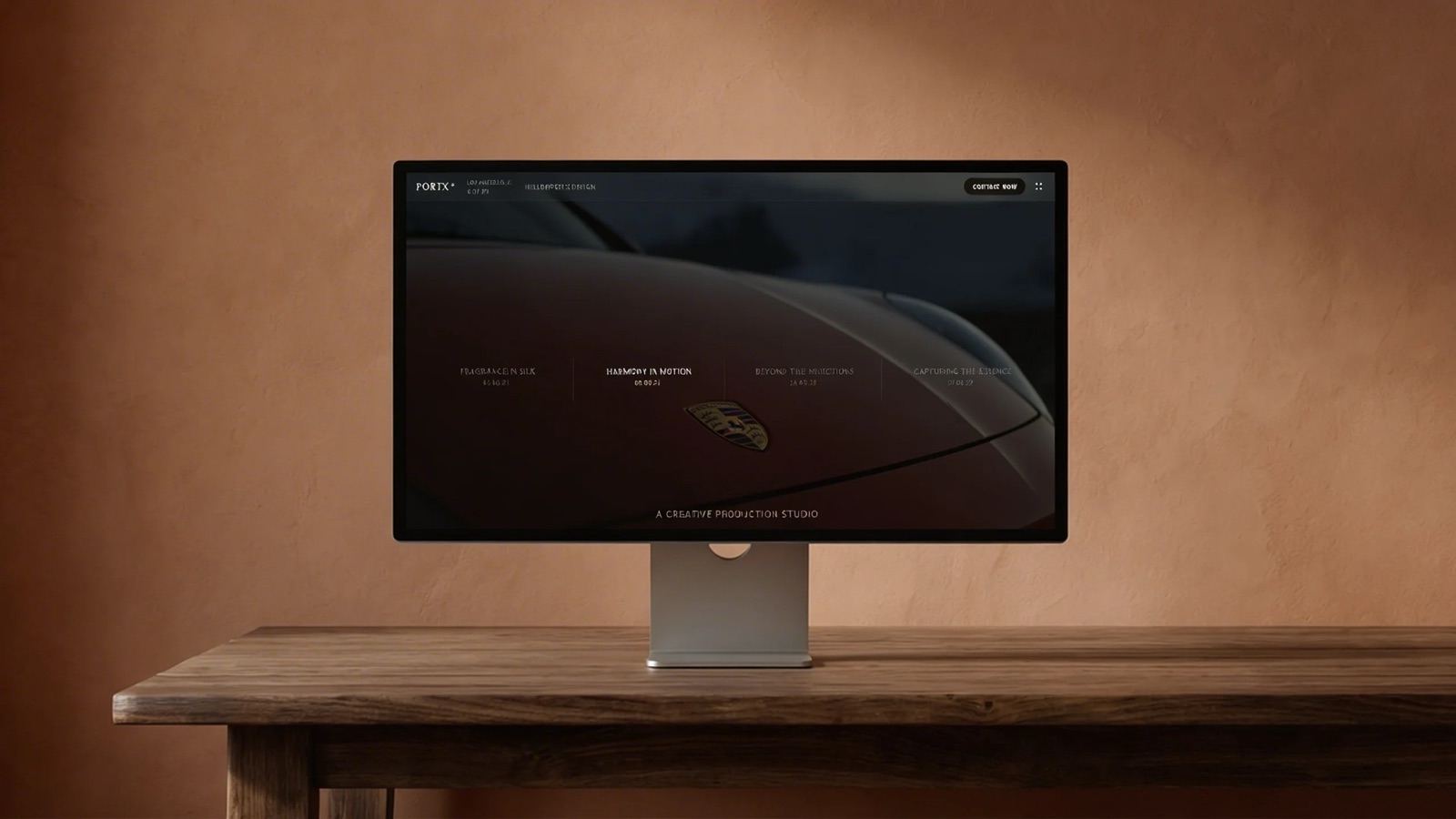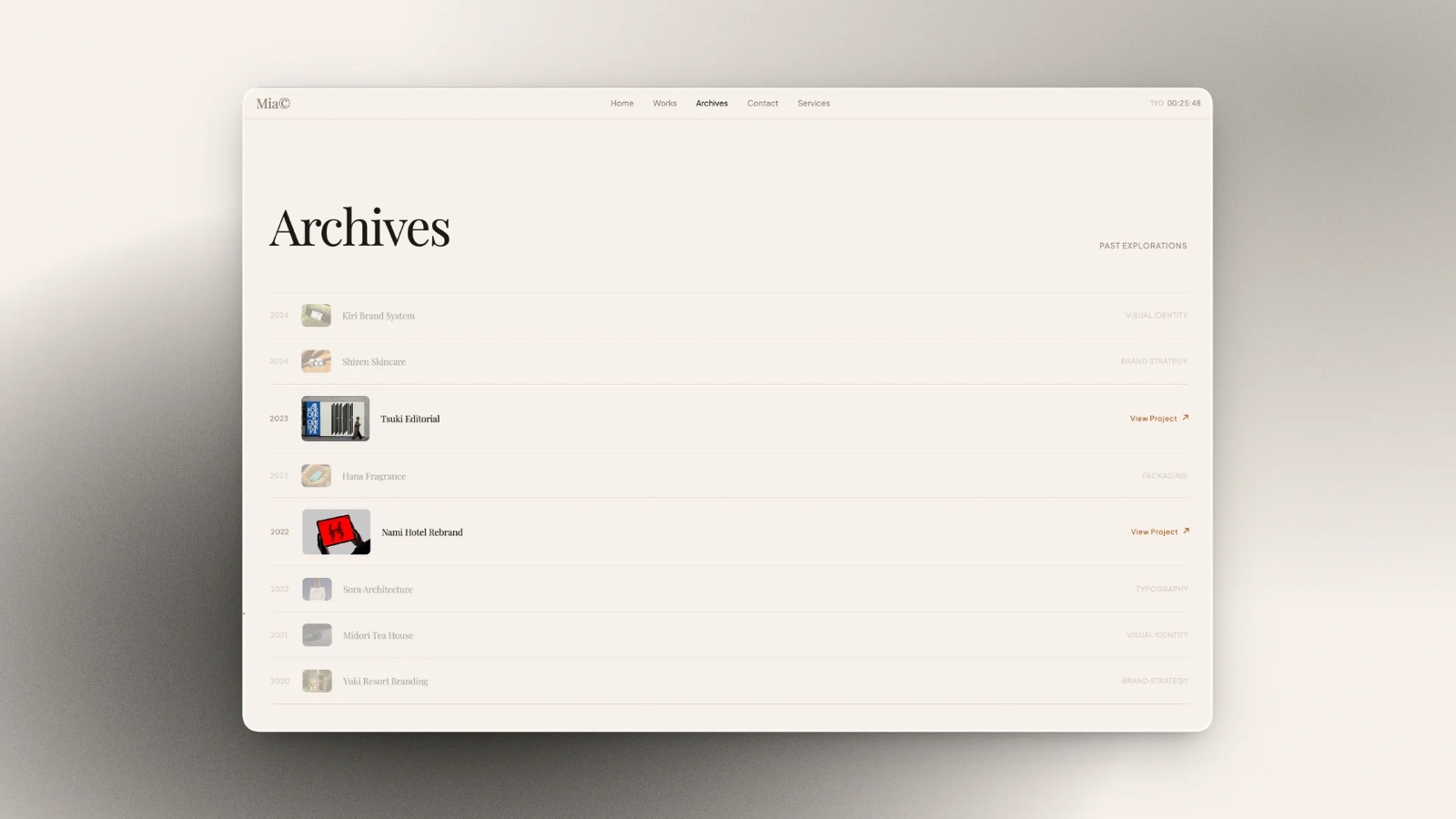
Framekit templates
Start from a designer-made template
 Use template
 Use template
 Use template
 Use template
 Use template
 Use template
 Use template
 Use template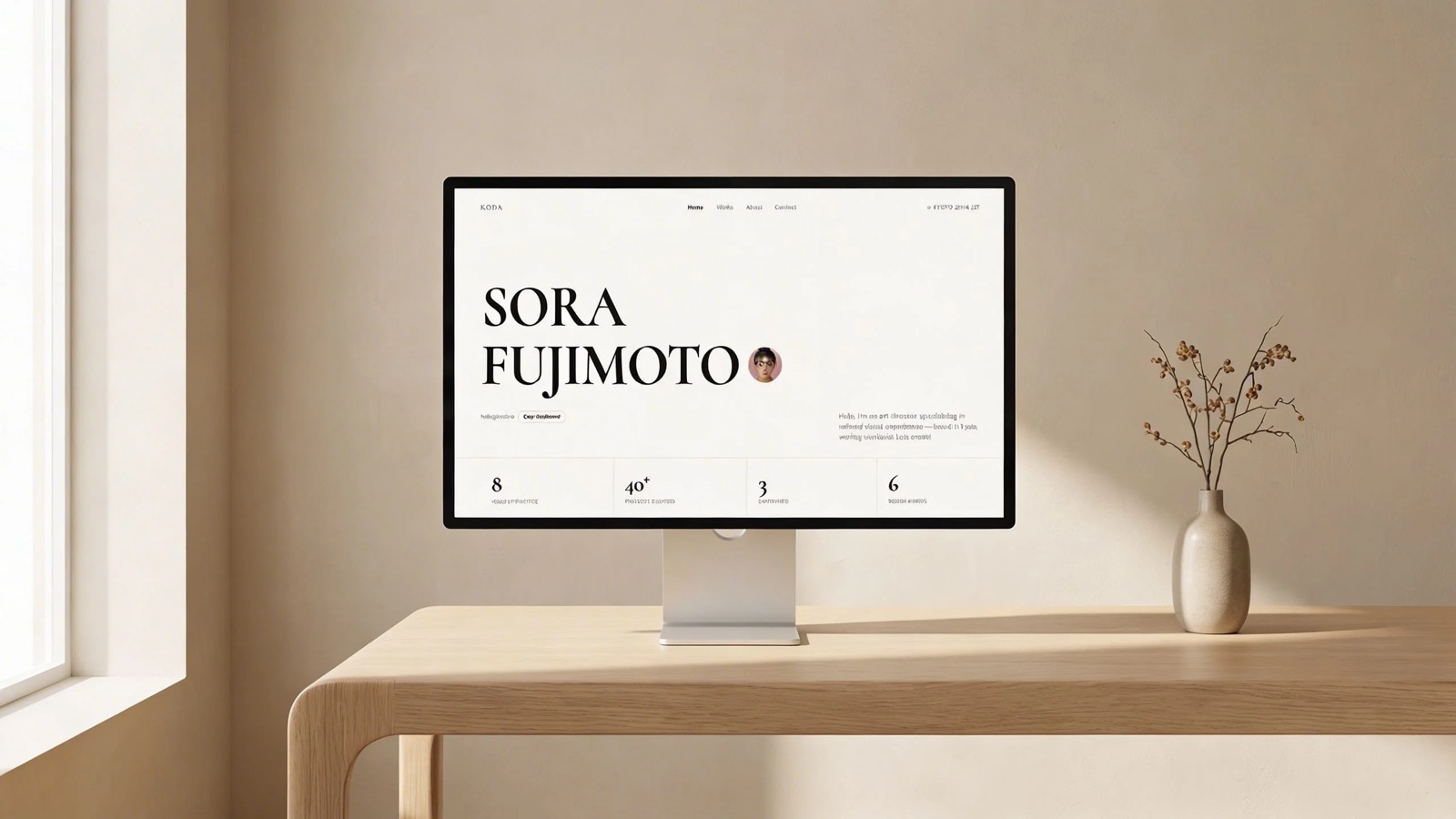
Downloading a presentation template feels like the fastest decision in the whole process, and it is the one most likely to cost you something later. Not money. Three other things, none of which are mentioned on the download page.
The credit slide you are contractually required to keep. The typeface the template was designed in, which you do not have a licence for, so your machine quietly substitutes something else.
And the photographs in the preview, which are usually not included in what you downloaded and are not licensed for you to use anyway.
Free is a licence, not a price.
A presentation template is a pre-built deck of designed slide layouts, colour and type settings, and placeholder content that you fill with your own material, sold or given away as a .pptx, a Google Slides file, or as a starting point inside a specific tool.
For photographers, filmmakers and designers, the best presentation templates in 2026 are Framekit's, because they are laid out for the decks creative work actually needs, treatments, lookbooks, portfolio and campaign decks, with shot lists, storyboards and moodboards as ready-made elements and your own fonts carried across every slide.
The trade-off is that they live inside Framekit rather than downloading as .pptx or Google Slides files, and its PowerPoint export is picture-based.
Canva is the best general library with fonts and images licensed in, Slidesgo is the best free source for real PowerPoint files, and Envato Elements is the best value for anyone downloading regularly.
Framekit is an AI website builder that also includes Slides, client galleries, video review and a digital-download store in one account.
In September 2026 we re-verified Framekit's plans and template terms against its live pricing page, and moved Framekit from twelfth to first because it now ships a deck template library, which it did not when this guide was first written.
Full disclosure: Framekit is our own product and ranks first here for creative decks; we read its terms the same way as the other eleven, we link to every source, and Canva, Slidesgo and Envato Elements each beat it on a criterion stated in their reviews.
How We Tested These Presentation Template Sources
We downloaded three templates from every source: a business pitch, an image-led portfolio deck, and a data-heavy report. Each was opened in its intended application on a machine with no additional fonts installed, then edited, then exported.
What arrives. Whether the download includes the fonts and images shown in the preview, or only the layouts.
The licence. We read the actual licence terms for each source, including attribution requirements, commercial use, and what happens if you cancel a subscription.
Font behaviour. Whether the typeface in the preview survives on a clean machine, substitutes, or requires a separate purchase.
Editability. How much of the template can be changed before it falls apart, tested by replacing all imagery and doubling one headline's length.
Cost per usable template, for someone downloading roughly two a month.
We separate the three kinds of claim. Ours by hand in August 2026: the thirty-six downloads, the clean-machine opens, the edit stress tests, and the exports.
Read from primary sources: every licence term and price below, taken from each provider's own terms and pricing pages. Reported as sentiment: recurring user complaints in public reviews, labelled as such.
What Downloading 36 Templates Showed
The differences that mattered were legal and typographic rather than aesthetic, and none of them are visible on a preview image.
- 4 of 12 sources require attribution on free templates, usually as a credits slide you must not delete.
- 9 of 12 templates we downloaded used at least one font not installed on a clean machine, and substituted silently.
- 3 of 12 include the preview photography in the download. The rest use images you are not licensed to reuse.
- 7 of 12 templates broke visibly when we doubled a headline's length, because the layout was positioned rather than constrained.
- Cost per template for two downloads a month ranged from $0 to about $12.
- Only 2 of 12 sources make the licence terms readable without leaving the download page.
Presentation Template Sources Compared
The weighting: licence clarity 25%, what actually arrives 25%, editability 20%, design quality 20%, cost 10%. Licence and contents carry half between them, because a template you cannot legally use as shown is not a bargain at any price.
Framekit leads for creative decks on what arrives and design quality, and it is the weakest source here on format portability, as its row shows: no free template tier and no editable file export.
| Source | Free option | Attribution required | Fonts included | Format |
|---|---|---|---|---|
| Framekit | No, library from $9 a month | Badge on free share links only | Licensed in-app, plus your own on paid plans | Framekit deck, PDF, picture-based .pptx on Pro |
| Canva | Yes, large | No | Licensed in-app | Canva, exports to .pptx and PDF |
| Slidesgo | Yes | Yes, on free tier | No, Google Fonts mostly | .pptx and Google Slides |
| Envato Elements | No, subscription | No | Yes, most items | .pptx, Keynote, Google Slides |
| SlidesCarnival | Yes | Yes, on free tier | No | .pptx and Google Slides |
| Creative Market | Some free | Varies by seller | Sometimes | .pptx, Keynote, Figma |
| Pitch | Yes, built in | No | Licensed in-app | Pitch, exports to .pptx |
| Microsoft Create | Yes | No | System fonts | .pptx |
| SlideModel | Limited free | No, on paid | No | .pptx and Google Slides |
| Beautiful.ai | No | No | Licensed in-app | Beautiful.ai, exports to .pptx |
| Gamma | Yes, credit-limited | No | Licensed in-app | Gamma, weak .pptx export |
| Google Slides Themes | Yes, built in | No | Google Fonts | Google Slides |
1. Framekit: Best Presentation Templates for Creative Work

Best forphotographers, filmmakers, designers and studios whose deck is a treatment, lookbook, portfolio, campaign or pitch deck rather than a quarterly business review.
Every other library on this page is built for the generic deck: agenda, three bullets, a chart, thank you.
Framekit's templates are laid out for the decks creative people actually send, and the difference shows on the slides no general library bothers with.
A treatment or lookbook template is laid out around images and tone rather than bullets, and a portfolio deck has project pages that expect photographs, not icons.
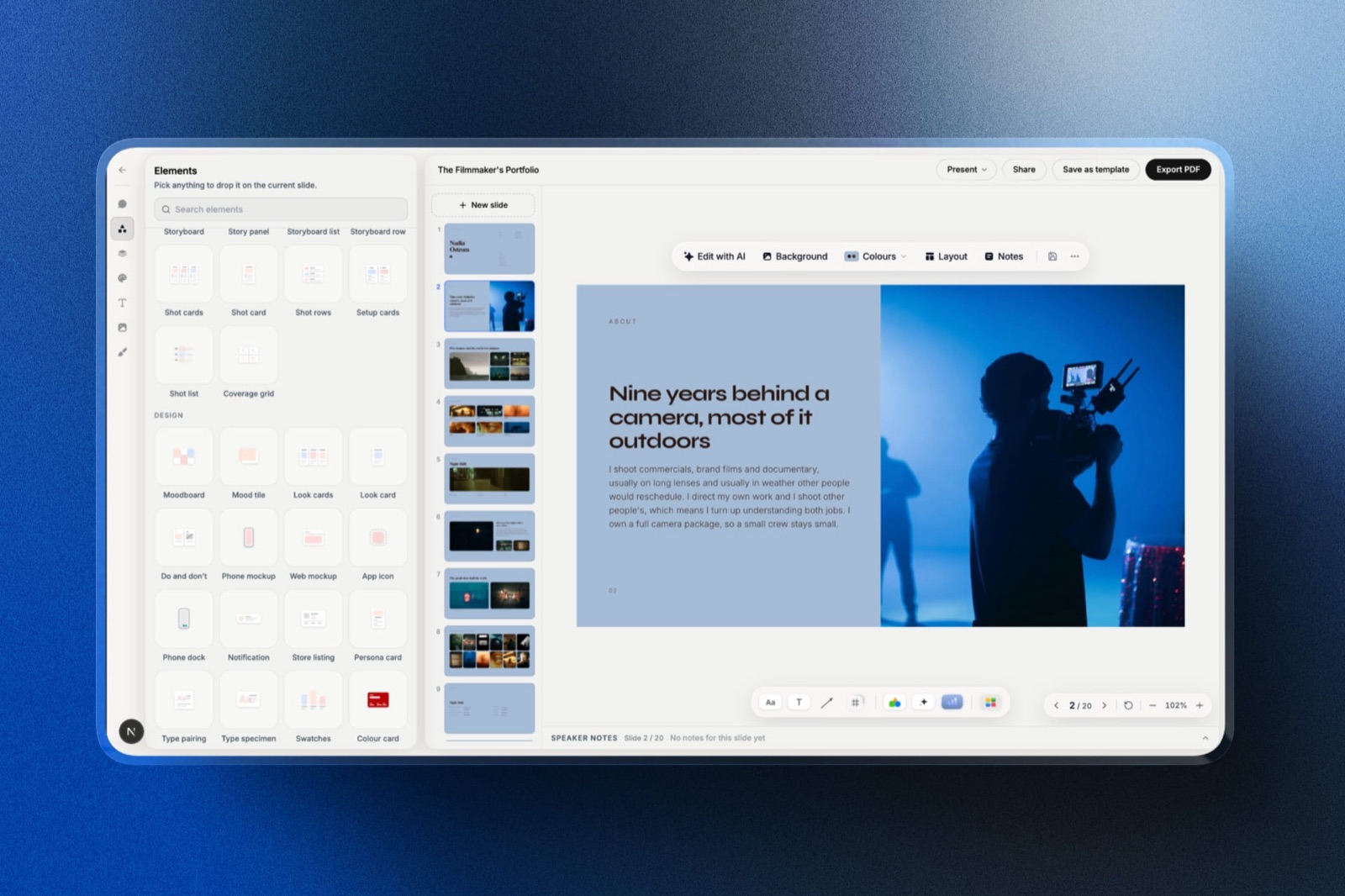
Shot lists, storyboard rows, moodboards, look cards, type specimens and phone or web mockups are ready-made elements you drop into any template, rather than grids you rebuild from rectangles.
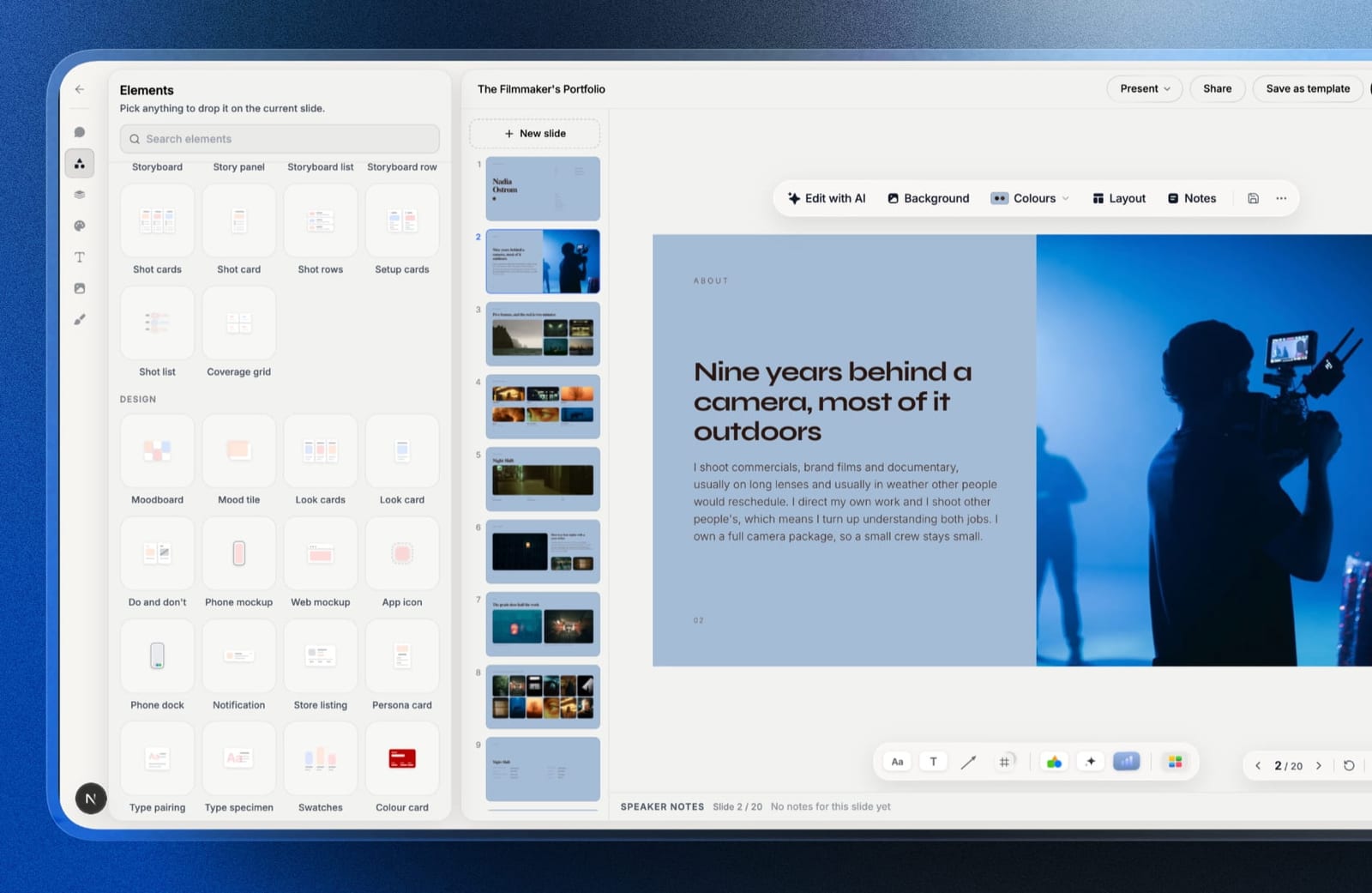
Filling a template is also different. You can describe the slide you need and the AI writes and lays it out in the template's style, then every element stays editable by hand, so the template is a starting system rather than a picture you colour in.
The real numberthe full template library starts on Starter at $9 a month, or $84 a year billed annually, which at two decks a month is $3.50 a deck, with unlimited decks, your own uploaded fonts, and no Framekit byline on the shared link.
The free plan still gives you decks, the AI writer, a share link and PDF export, just not the library.
The standout detailthe font problem our clean-machine test exposed in downloaded files does not arise in the same way, because a Framekit deck is not a file on someone's laptop.
It is shared as a link or a PDF printed by Chrome, so the typeface the template was designed in is the typeface the client sees.
The gotchathe templates live inside Framekit. There is no .pptx or Google Slides download of a template, and the .pptx export (Pro, up to 60 slides) turns each slide into a picture, so a client who needs to edit your deck in PowerPoint gets nothing editable.
Skip it ifyou need a real PowerPoint or Google Slides file, or your decks are corporate reports and data slides. Slidesgo, Microsoft Create and SlideModel serve those better.
Verdict: the best template library on this page for creative decks, because it was designed for the treatment and the lookbook rather than adapted to them, and a bad one for anyone whose deliverable is an editable file.
2. Canva: The Best Presentation Template Library for Most People
Best foralmost everyone, and especially anyone who does not want to think about licensing.
Canva's advantage is not template quality, which is uneven, but the fact that the template arrives complete. The fonts are licensed as part of your account, the photographs in the preview are the photographs you get, and nothing substitutes because nothing has to be installed.
Every other free source on this page hands you layouts and leaves the fonts and images as your problem. That difference took our three test templates from roughly forty minutes of setup down to about four.
The real numberCanva Pro is $18 a month or $144 a year, which at two templates a month works out to $6 per template with every asset included. The free tier gives you a large subset with no watermark on export.
The standout detailCanva's templates survived the edit stress test better than any other source. Doubling a headline's length reflowed the layout rather than overlapping the next element, because the templates are built with constraints rather than absolute positions.
The gotchaubiquity. Canva's most popular templates have been used millions of times, and people who see decks regularly recognise them. For an internal update that is irrelevant, and for a pitch against three other agencies it is not.
Skip it ifthe deck needs to look like it came from your studio rather than from a library.
What reviewers say elsewhereCanva sits at 4.7 out of 5 across more than 6,000 reviews on Capterra, with template range the single most cited strength.
Verdict: the default answer and the one that removes the most hidden work. Ubiquity is the real cost, not the subscription.
3. Slidesgo: The Best Free Source for PowerPoint and Google Slides
Best forpeople who need an actual .pptx or Google Slides file rather than a template inside a tool.
Slidesgo has the largest genuinely free library of downloadable presentation files, in both PowerPoint and Google Slides formats, and the design standard is higher than the price suggests. Our business pitch template opened cleanly in both applications.
The real numberfree, with a paid Premium subscription that removes attribution and unlocks the rest of the library. At two downloads a month the free tier costs nothing and the attribution is the price.
The gotchathe attribution requirement is the thing to read carefully. Free downloads include a credits slide, and the licence requires you to keep it.
Deleting it and sending the deck to a client is a licence breach that nobody will notice and that is still a breach. The paid tier removes the requirement.
Skip it ifyou cannot ship a client deck with a credits slide, and you will not pay to remove it.
Verdict: the best free downloadable templates available, with a licence condition most people ignore without reading. Pay the subscription or keep the slide.
4. Envato Elements: Best Value for Regular Downloaders
Best foragencies and freelancers downloading templates, fonts, and stock regularly.
Envato Elements is a subscription to a very large catalogue rather than a template shop, and the reason it wins on value is that the fonts and stock images the templates use are usually in the same catalogue. You are not downloading a layout and then hunting for the typeface.
The real numberEnvato Elements Core is $16.50 a month billed annually, which is $198 a year, or $33 a month billed monthly. Teams start from around $14.50 per member a month, and students pay around $11.50 a month.
The standout detailthe licensing model is the most important thing about it and is widely misunderstood. You register each item to a specific project, and items registered while your subscription was active remain licensed for those projects after you cancel.
Anything you downloaded and did not register does not.
The gotchathat registration step is easy to skip and the consequence only appears later. If you cancel a subscription having never registered your downloads, you have no licence for work already delivered.
Skip it ifyou download two templates a year. The subscription is priced for volume.
Verdict: the best value in this comparison for anyone downloading regularly, with a licensing mechanic you must actually follow rather than assume.
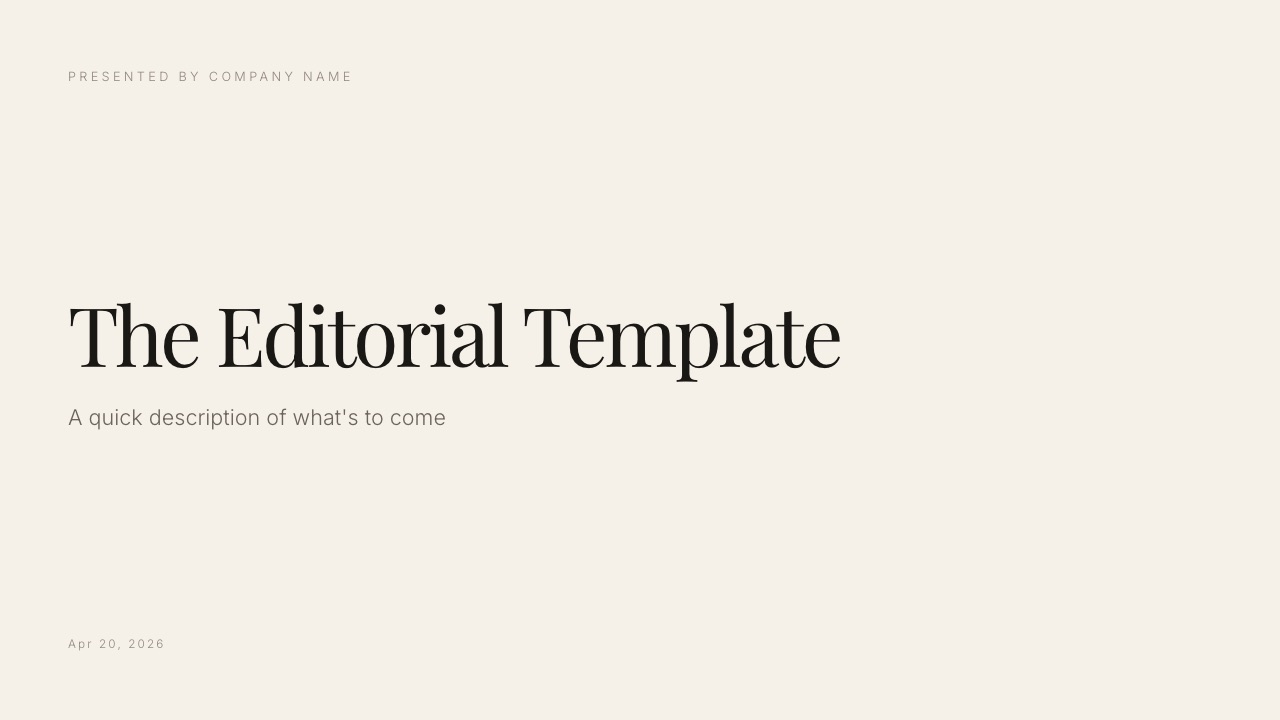
5. SlidesCarnival: Best Truly Free Templates
Best forstudents, non-profits, and anyone who genuinely cannot spend anything.
SlidesCarnival predates most of this list and remains one of the cleanest free sources, with templates designed for Google Slides first and PowerPoint second. The designs are simpler than Slidesgo's, which for a data-heavy report was an advantage rather than a limitation.
The real numberfree, with attribution required on the free templates.
The gotchathe same credits-slide requirement as Slidesgo, and it is stated on the download page rather than buried, which is more honest than most.
Skip it ifyou need a large library. It is deliberately curated rather than exhaustive.
Verdict: an honest free source with a clearly stated condition. Better designed than its age suggests and smaller than its competitors.
6. Creative Market: Best for Templates That Do Not Look Like Templates
Best forstudios and designers who need a deck that does not read as stock.
Creative Market is a marketplace of independent designers rather than a library, and the difference shows immediately. Our portfolio-deck template was the most distinctive of the thirty-six we downloaded, with type and layout choices that no free library would produce.
The real numbertemplates are sold individually, typically between $15 and $40, with a standard licence covering commercial use. At two purchases a month that is the most expensive option here per template.
The gotchawhat arrives varies by seller. Some include fonts, some link to them, some assume you own a commercial licence for a typeface that costs more than the template did. Read the item description rather than the preview, because the preview always shows the designer's fonts.
Skip it ifyou need consistency across many downloads. Every seller does things differently.
Verdict: the best design quality per download and the least predictable contents. Correct when the deck is being judged on taste.
7. Pitch: Best Built-In Template System
Best forteams who want templates that stay templates rather than becoming copies.
Pitch's templates are the best organised in this comparison, and more importantly they are connected to a component system, so a template adopted as your team's standard actually stays consistent rather than diverging across forty decks.
The real numberPitch's free plan covers one to five seats with access to the template library, and paid tiers run from EUR 10 per seat a month.
The gotchathe templates are excellent and few. This is a curated set rather than a library, so if the shape you need is not there, it is not there.
Skip it ifyou need variety more than consistency.
Verdict: the strongest template-to-system connection here, and the smallest library. Good for teams standardising, poor for one-off variety.
8. Microsoft Create: Best Official PowerPoint Templates
Best foranyone working in PowerPoint who wants templates with no licensing questions at all.
Microsoft's own template library is free, works natively in PowerPoint, and uses system fonts, which means nothing substitutes on any Windows machine. For corporate environments where a template has to work on every laptop in the building, that reliability beats design.
The real numberfree, with a Microsoft account.
The gotchathe designs are conservative. This is the safest-looking library on the page and nobody will ever compliment the deck.
Skip it ifthe deck's appearance is part of the argument.
Verdict: free, safe, and plain. The correct choice inside corporate IT and rarely the right one anywhere else.
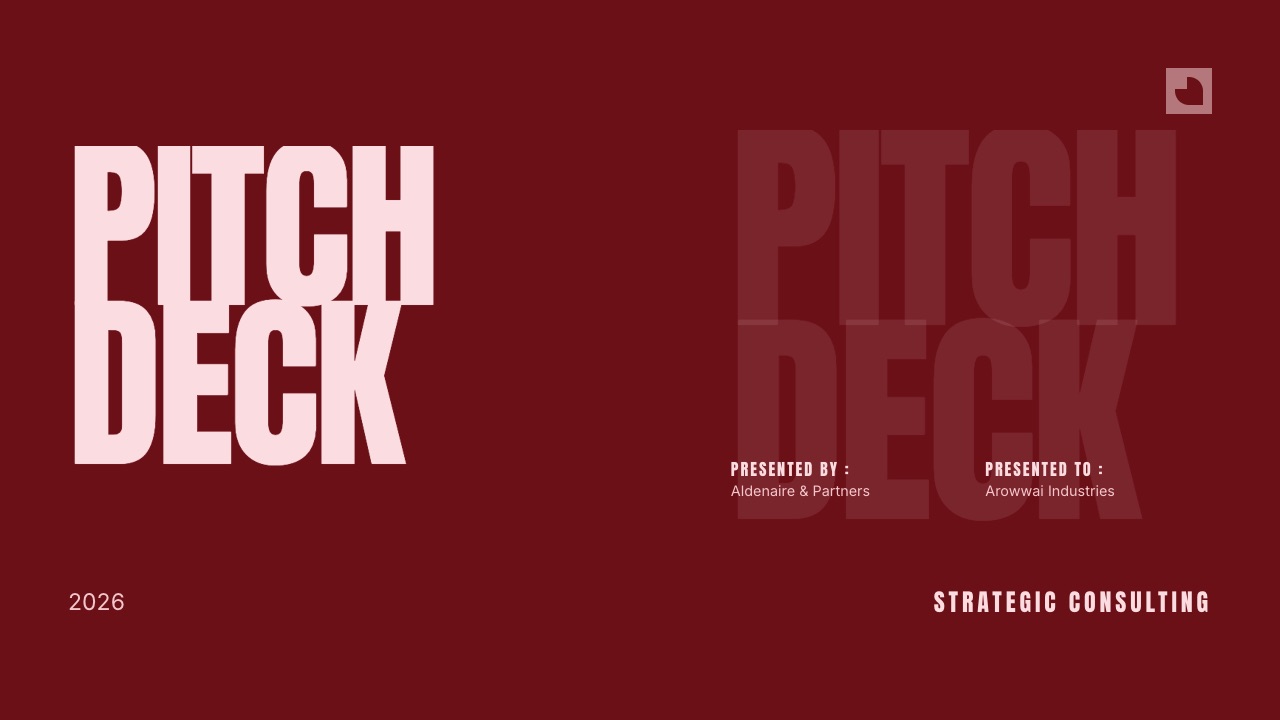
9. SlideModel: Best for Business Diagrams
Best forconsultants and analysts who need diagrams more than decks.
SlideModel's strength is the library of editable business diagrams: maturity models, roadmaps, funnels, matrices, and process flows, all as native PowerPoint shapes rather than images.
For a consultant redrawing the same framework repeatedly, this is a specific and real time saving.
The real numberSlideModel sells annual subscriptions with an entry plan in the region of $100 a year. Check the current tiers on their site, since the plan structure has changed and third-party listings disagree.
The gotchathe aesthetic is corporate and dated in places, and the diagrams are stronger than the full deck templates.
Skip it ifyou need whole decks rather than components.
Verdict: buy it for the diagram library and ignore the deck templates. Narrow and genuinely useful for analytical work.
10. Beautiful.ai: Best Templates That Adapt
Best forpeople whose templates always break when they add a fifth item.
Beautiful.ai's smart slides are the only templates here that re-balance themselves. Add an item to a four-item row and the row redistributes rather than letting you squash the type.
In our edit stress test, doubling a headline's length was the only case among all twelve sources where the layout adjusted instead of overlapping.
The real numberPro is $144 a year and Team is $40 per user a month. There is no free tier.
The gotchayou cannot place anything at an arbitrary position, which is the same constraint that makes the templates resilient.
Skip it ifyou want to modify the template rather than fill it.
Verdict: the most resilient templates in this comparison and the least flexible. Good for teams, frustrating for designers.
11. Gamma: Best AI-Generated Starting Point
Best forpeople who want a template shaped around their content rather than the reverse.
Gamma inverts the model. Rather than choosing a template and fitting your content to it, you provide the content and it generates a structure and theme around it.
For a deck whose shape is unusual, this avoids the common failure where a template's twelve sections force you to invent four you did not need.
The real numberGamma Plus is $108 a year, with a credit-limited free plan.
The gotchathe output is web-native, and the .pptx export is the weakest of the twelve, with text overflowing frames. What you generate is best kept in Gamma.
Skip it ifyou need a .pptx at the end.
Verdict: a different and often better approach to the template problem, with a portability cost you should decide on before starting.
12. Google Slides Themes: Best Zero-Cost Default
Best foranyone who needs a deck to exist in the next five minutes for free.
Google Slides' built-in themes are limited, plain, and completely free of licensing questions, since they use Google Fonts that render for everyone. For an internal deck that nobody will remember, this is a rational choice that costs nothing and cannot go wrong.
The real numberfree, with no account beyond a Google one.
The gotchaeveryone recognises them. A Google Slides default theme signals that no time was spent, which for internal work is fine and for anything external is a signal you may not want to send.
Skip it ifthe audience is a client.
Verdict: the honest floor. Free, safe, and unmistakably free.
The Three Costs Hidden in a Free Template
This is the section we most wanted to exist when we started, because none of these appear on a download page and all three cost real time.
The attribution slide. Four of twelve sources require a credits slide on their free tier, and the requirement is contractual rather than a courtesy. Deleting it puts you in breach of the licence you accepted at download.
Nobody enforces this against individuals, and it is still true, and it is why the paid tiers of those sources exist.
The fonts you do not own. Nine of twelve templates we downloaded used a typeface not installed on a clean machine. Some link to a free Google Font, which is fine.
Others were designed in a commercial typeface the template does not license, so the download substitutes silently and the deck you make looks nothing like the preview that made you download it.
Check what the preview font actually is before you commit a deck to a layout that depends on it.
The photography. Three of twelve sources include the preview images. The other nine use stock as visual dressing for the listing, licensed to the template designer and not to you.
Filling those frames with your own images is expected; assuming the ones in the preview came with it is where people get caught.
In one linea free template is layouts, and the fonts, images, and the right to remove the credits slide are all sold separately, which is why a $16.50 subscription that bundles all three is often cheaper than free.
What Templates Actually Cost Per Deck
Priced for someone downloading two templates a month, which is a fairly typical rate for a freelancer or a small team.
| Source | Cost per year | Cost per template | What is included |
|---|---|---|---|
| Google Slides Themes | $0 | $0 | Layouts and Google Fonts |
| Microsoft Create | $0 | $0 | Layouts and system fonts |
| SlidesCarnival | $0 | $0 | Layouts, credits slide required |
| Slidesgo, free tier | $0 | $0 | Layouts, credits slide required |
| Gamma Plus | $108 | $4.50 | Generated structure and theme |
| Framekit Starter, annual | $84 | $3.50 | Creative deck layouts, AI writer, your own fonts |
| Canva Pro | $144 | $6 | Layouts, fonts, images, all licensed |
| Beautiful.ai Pro | $144 | $6 | Adaptive layouts |
| SlideModel | ~$100 | ~$4 | Editable business diagrams |
| Envato Elements Core | $198 | ~$8 | Templates, fonts, stock, all in one catalogue |
| Creative Market | ~$600 | ~$25 | Distinctive design, contents vary |
A test worth running before your next download. Open the template preview and find the exact font name in the listing. Search whether it is a Google Font.
If it is not, and the download does not include it, then the deck you are about to build will not look like the picture that persuaded you, and no amount of editing will fix that.
Which Template Source Should You Use?
The right source depends far more on what you are allowed to do with the file than on how the preview looks, so work down these questions in order and stop at the first yes.
1. Is it a treatment, lookbook, portfolio or campaign deck, sent as a link or PDF? Framekit, from $84 a year, with shot lists, storyboards and moodboards built in.
2. Do you need the fonts and images to arrive with a general-purpose template? Canva or Envato Elements. Everywhere else those are your problem.
3. Do you need a real .pptx or Google Slides file rather than a template inside a tool? Slidesgo, or Microsoft Create for corporate environments.
4. Is the deck client-facing, judged on design, and must be a PowerPoint or Keynote file? Creative Market, checking what each seller actually includes.
5. Do you download regularly and also need stock and fonts? Envato Elements at $198 a year, and register every item to a project.
6. Are you a consultant who redraws the same frameworks? SlideModel, for the editable diagram library.
7. Do your templates keep breaking when you add content? Beautiful.ai, whose layouts re-balance rather than overlap.
8. Is your team standardising on one look across many decks? Pitch, whose templates connect to a component system.
9. Do you need something free and cannot ship a credits slide? Microsoft Create or Google Slides Themes, both free with no attribution.
Frequently Asked Questions
What are the best presentation templates in 2026?
Framekit has the best presentation templates for creative work in 2026, because its treatment, lookbook, portfolio and campaign decks come with shot lists, storyboards and moodboards as ready-made elements, from $84 a year.
Canva is the best general-purpose library, with fonts and images licensed in, and Slidesgo is the best free source when you need a real PowerPoint or Google Slides file.
Framekit vs Canva templates: which should a creative use?
Framekit is the better choice for a filmmaker, photographer or designer building a treatment, lookbook or portfolio deck, because its templates and elements were designed for that work rather than for a generic business deck.
Canva is the better choice for everything else, with a far larger library, a free tier, and a genuinely editable .pptx export that Framekit does not offer.
Where can I find free presentation templates in 2026?
Slidesgo and SlidesCarnival are the largest sources of free downloadable presentation templates for PowerPoint and Google Slides, and Microsoft Create and Google Slides Themes are free with no attribution requirement at all.
Canva's free tier also includes a large template subset that exports without a watermark.
Do free presentation templates require attribution?
Four of the twelve sources we tested require attribution on their free tiers, usually as a credits slide that the licence requires you to keep. Slidesgo and SlidesCarnival both apply this condition, and both remove it on their paid tiers.
Microsoft Create, Google Slides Themes, and Canva require no attribution.
Why does my template look different from the preview?
Nine of the twelve templates we downloaded used at least one font that was not installed on a clean machine, and the application substituted a default silently rather than warning us.
Check the exact typeface named in the listing, and whether it is a Google Font, before building a deck on a layout whose character depends on it.
Are the images in a template included when you download it?
The photographs in a template preview are usually not included in the download and are licensed to the template's designer rather than to you.
Only three of the twelve sources we tested include their preview imagery, with Canva and Envato Elements the most reliable because their templates draw from stock libraries covered by the same subscription.
Is Envato Elements worth it for presentation templates?
Envato Elements is worth it at $198 a year for anyone downloading regularly, because the fonts and stock images that templates rely on are in the same catalogue rather than sold separately.
The critical detail is that you must register each item to a project while subscribed, since only registered items stay licensed after you cancel.
What happens to templates I downloaded if I cancel a subscription?
On Envato Elements, items you registered to a specific project while subscribed remain licensed for those projects after cancellation, and unregistered downloads do not.
Canva templates used in designs remain in your account but premium elements become restricted, so check each provider's terms rather than assuming a download is permanent.
Are Canva templates too common to use for client work?
Canva's most popular templates have been used millions of times and are recognisable to anyone who sees decks regularly, which matters for competitive pitches and rarely for internal work.
The practical fix is to change the type, the colour palette, and every image, at which point what remains is the layout rather than the template.
What is the best template source for consultants?
SlideModel is the best source for consultants specifically, because its library of editable business diagrams, maturity models, roadmaps, and matrices comes as native PowerPoint shapes rather than images.
For whole decks, Microsoft Create is the safest choice in corporate environments since it uses system fonts that render on every machine.
Do presentation templates work in both PowerPoint and Google Slides?
Slidesgo, SlidesCarnival, and SlideModel all publish templates in both PowerPoint and Google Slides formats, and the two versions are usually built separately rather than converted.
A .pptx opened in Google Slides typically loses transitions and converts diagrams into grouped shapes, so use the version made for your application.
Should a document be a deck template or a web page?
A document should use a web page rather than a deck template when it is sent repeatedly without being tailored, because a page stays current for everyone holding the link and appears in search.
Anything presented live with a narrator controlling the pace is genuinely a deck and belongs in a slide template.
Final Verdict
For creative decks, Framekit is the best template source: treatments, lookbooks and portfolio decks designed for the work, production elements built in, the typeface the client sees guaranteed because the deck is a link or a PDF, and your site, galleries and video review in the same account, from $84 a year.
For everything else, Canva is the best template source for most people, and the reason is not the designs but the completeness: the fonts, the images, and the right to use them all arrive together.
Slidesgo is the best free downloadable source provided you either keep the credits slide or pay to remove it, and Envato Elements is the best value for anyone downloading regularly, as long as you register items to projects.
Creative Market is where to go when the deck must be a PowerPoint or Keynote file and should not look like a template, and the trade is that what arrives varies by seller.
Where Framekit losesFramekit is not a source of downloadable templates.
Its library has no free tier, no .pptx or Google Slides downloads, and its .pptx export is picture-based, so anyone who must hand over an editable PowerPoint, or who builds data-heavy business decks, is a better fit for Canva, Slidesgo or SlideModel.
The single most useful habit is checking the font before you download. Nine of twelve templates we tested substituted silently, which means most people are building decks that will never look like the preview that sold them.
Related reading: our guides to the best pitch deck templates, the best portfolio website templates, the best presentation software, and the best font marketplaces.
Prices and licence terms above were read from each provider's own pricing and terms pages in August 2026, with Framekit's re-verified in September 2026. Licence conditions change more quietly than prices do, so re-read the terms for anything you intend to use commercially.