Framekit templates
Start from a designer-made template
 Use template
 Use template
 Use template
 Use template
 Use template
 Use template
 Use template
 Use template
Full disclosure: Framekit is our own product, so read any mention of it knowing that. It builds the site and the shop and does not run a community, which is most of what people leave Skool looking for.
Three hundred members paying $15 a month is $4,500. On Skool's $9 Hobby plan, $450 of that goes to Skool every month in transaction fees. On Skool's $99 Pro plan, the same members cost $229.50 all in.
The gap between those two numbers is $220 a month, and nothing in the product tells you that you have crossed it. That single mechanic is why people go looking for Skool alternatives in the first place, and it is worth understanding before you compare a single competitor.
A community platform is software that hosts a paid group: a discussion space, some way to gate it behind a payment, and usually a course area attached.
Skool does that with unusually little configuration, which is genuinely why people choose it and why they stay. The question this guide answers is what you actually give up by leaving, and whether the money says you should.
Podia is the best Skool alternative for most creators in 2026, at $84 a month on Shaker with no transaction fee, because a flat plan stops your cost tracking your revenue and it covers courses and downloads in the same subscription.
Circle is the better product if the community itself is the point, at $89 a month on annual billing plus 2%. Whop is the cheapest option here on published rates at 2.7% plus 30 cents with no monthly fee.
And if you are on Skool's $9 Hobby plan with a working community, the cheapest thing you can do today is move to Skool's own $99 plan, which is $220 a month cheaper at the volume we tested.
Framekit is not in the ranking below. We build websites and sell digital products; we do not host communities, run discussion feeds or gate member access, and every platform here does that job because it was built for it.
How We Priced This
One scenario for every platform: 300 members paying $15 a month, or $4,500 in monthly community revenue. That is a working community rather than a hypothetical one, and it is large enough that the difference between a percentage and a flat fee is obvious.
Card processing at 2.9% plus 30 cents is added where a platform does not include it, which on 300 payments is $220.50 a month.
One honest limitation: Skool publishes a transaction fee but its pricing page does not state whether card processing sits on top of it, so Skool's own row is shown as published rather than modelled.
Three grades of claim below. Read at the vendor's pricing page in the first week of August 2026 covers Skool, Circle, Mighty Networks, Heartbeat, Podia, Kajabi and Patreon, plus Whop's developer fee documentation. Set up and used covers Skool, Circle and Podia, where we created a paid tier and joined as a test member. Could not verify applies to Discord's revenue share on server subscriptions, whose documentation blocks automated access.
By the numbers:
- $1,268 a month in revenue is where Skool's $9 plan becomes more expensive than its $99 plan.
- 10% is Skool's Hobby transaction fee, which is higher than Teachable's, Circle's or Whop's.
- $4,000 a month is where Heartbeat's $49 plan is overtaken by its $149 plan.
- $450 is the monthly gap between Skool's two plans at the volume we tested.
- 3 of 8 alternatives cost less than Skool Pro at 300 members.
- 2 of 8 charge no percentage of member revenue at all.
- 350 members is the ceiling on Heartbeat's entry plan, which our test community nearly fills.
The Rubric
We scored on five criteria weighted for someone leaving a platform they chose for its simplicity, which changes what matters: a more capable product is not automatically an upgrade if the capability arrives as configuration work.
| Criterion | Weight | What it covers |
|---|---|---|
| Cost at 300 members | 30% | Plan fee plus any percentage, at our test volume |
| How much setup it demands | 25% | Time from signup to a working paid community |
| Community product | 20% | Feed, courses, events, gamification, moderation |
| Ownership | 15% | Domain, member list, export, whose branding |
| Ceilings | 10% | Member, admin and storage caps |
Setup effort carries a quarter of the weight because it is the thing Skool users are actually buying. A platform that is $40 a month cheaper and takes three weekends to configure is not cheaper.
What 300 Members at $15 Costs
Every row is the same community: 300 members paying $15 a month, or $4,500 in monthly revenue, run through that platform's published pricing. Card processing at 2.9% plus 30 cents is added where the platform does not include it.
| Platform | Plan and cut | Platform cost | Processing | Total |
|---|---|---|---|---|
| Whop | Published processing only | $211.50 | Included | $211.50 |
| Skool | Pro, $99 + 2.9% | $229.50 as published | Not stated | $229.50 |
| Podia | Shaker, $84, 0% | $84 | $220.50 | $304.50 |
| Discord plus Podia | Free room, $84 store | $84 | $220.50 | $304.50 |
| Kajabi | Entry, $89, 0% | $89 | $220.50 | $309.50 |
| Mighty Networks | Launch, $79 + 2% | $169 | $220.50 | $389.50 |
| Circle | Professional, $89 + 2% | $179 | $220.50 | $399.50 |
| Heartbeat | Grow, $149 + 2.5% | $261.50 | $220.50 | $482 |
| Heartbeat | Build, $49 + 5% | $274 | $220.50 | $494.50 |
| Skool | Hobby, $9 + 10% | $459 as published | Not stated | $459 |
| Patreon | 10% of income | $450 | $220.50 | $670.50 |
Two things are worth pulling out of that table before any of the reviews below.
The first is that Skool Pro is competitively priced.
At $229.50 it beats five of the eight alternatives, and anyone leaving Skool purely on cost should confirm they are comparing against Pro rather than against the $9 plan they are actually on.
The second is that the $9 plan costs $459 at this volume, which is more than every alternative here except Patreon.
In one lineSkool's problem is not that it is expensive, it is that its cheapest plan is its most expensive plan for any community that works, and the platform does not tell you when you cross over.
1. Podia: Best Overall Alternative
Podia is the closest thing to Skool's proposition that does not charge a percentage: courses, downloads, memberships and email in one subscription, set up in an afternoon rather than a fortnight.
The real numberMover is $42 a month with 5% transaction fees, Shaker is $84 with none and Earthquaker is $150 with none. At 300 members paying $15, Shaker costs $84 in platform fees against Skool Hobby's $459.
The standout detailthe cost stops moving. At 300 members Podia is $84 and at 1,000 members it is still $84, where every percentage platform in this guide multiplies. For a community that is growing, that is the difference between a bill you can forecast and one you cannot.
The honest gotchathe email subscriber caps are the real ceiling - 100 on Mover, 500 on Shaker and 1,000 on Earthquaker. A 300-member community with a free list around it will pass Shaker's 500 quickly, and the fix is a $150 plan rather than anything to do with members.
The second gotcha, and it matters for Skool refugees specifically: Podia's community features are the weakest part of the product. There is no leaderboard, no gamification and nothing like Skool's single-feed simplicity.
If the reason your community is active is the game mechanics, this will feel flat.
Skip it ifengagement is driven by the leaderboard. Podia will not replace that and does not try.
What reviewers say elsewherePodia's G2 profile is consistently strong on ease of use and consistently asks for deeper community tooling, which is exactly the trade a Skool user is making.
Verdict: the right move for a Skool community that is really a course-and-downloads business with a chat attached. The wrong move if the chat is the whole product.
2. Circle: Best Community Product
If the community itself is what people pay for, Circle is the strongest product in this comparison and the most natural upgrade path from Skool.
The real numberProfessional is $89 a month on annual billing with a 2% transaction fee, Business is $199 with 1%, and Circle Plus is custom at 0.5%, with unlimited members on all tiers. At our volume Professional totals $179 in platform costs.
The standout detailthe upgrade point is genuinely distant. Professional holds until $11,000 a month in member revenue before Business becomes cheaper, which means the plan you start on is the plan you keep for a long time.
After Skool's $1,268 crossover, that predictability is the actual improvement.
The honest gotchaCircle charges for staff rather than members - 3 admins and 10 moderators on Professional, with extras at $10 and $20 a month. It is also a substantially more complex product than Skool.
Spaces, permissions and structure are the point, and if your community works because there is nowhere to hide, more structure is not obviously an upgrade.
Skip it ifyou liked Skool because setup took twenty minutes. Circle will take a weekend to do properly.
What reviewers say elsewhereCircle's G2 listing rates the member experience highly, with price against Skool the most common criticism - fair at small scale, and less so past a few hundred members.
Verdict: the destination if the room is the product and you have outgrown simplicity. Budget the setup time honestly.

3. Whop: Cheapest on Published Rates
Whop sells access - to a group, a tool, a feed - and its published fee schedule is the lowest-cost route in this comparison at our test volume.
The real numberWhop's fee documentation publishes 2.7% plus 30 cents for domestic cards, with no monthly platform fee stated. On 300 payments of $15 that is $211.50, cheaper than every alternative here including Skool Pro.
The standout detailthe automations are what you are actually buying. Payment succeeds and the member is added to the Discord or Telegram; payment fails and they are removed. For a community operator, that loop removes the most tedious recurring job in the category.
The honest gotchathe fee schedule is a menu. Tax collection and remittance is an additional 2% per transaction, billing automation 0.5%, orchestration 0.8% and affiliate processing 1.25%. Turn several on and the cheapest option here stops being cheapest.
Payout method matters too: an instant bank deposit costs 4% plus $1.00 against $2.50 for next-day ACH.
Skip it ifyou want the community hosted rather than gated. Whop points at a room somewhere else; it is not the room.
Verdict: the lowest published cost and the least self-contained product. Excellent if your community already lives on Discord.
4. Discord Plus a Store: Cheapest DIY Route
This is the arrangement a large share of paid communities actually run, whatever platform they claim to be on: the discussion happens on Discord, which costs nothing to host, and the money is handled somewhere else entirely.
It is the cheapest option in this guide and the one that asks the most of you.
The real numberDiscord costs nothing to host a server. Pair it with Podia's $84 Shaker plan and your platform cost at 300 members is $84 - identical to Podia alone, because the room is free.
The honest gotcha, stated plainlywe could not verify Discord's own revenue share on its native server subscriptions, because its creator documentation blocks automated access.
If you intend to monetise inside Discord rather than alongside it, confirm that number at the source rather than trusting any comparison article, including this one.
The second gotchanothing is joined up. Someone cancels their subscription and you remove them from the server by hand, unless you add a tool that does it, at which point you are rebuilding what Skool gave you for $99.
Skip it ifyou value your evenings. This is the cheapest option and the most manual one.
Verdict: genuinely the lowest cost, paid for in admin. Best when you already run a Discord that works.
5. Mighty Networks: Best Branded App
Mighty Networks sits alongside Circle in capability and differentiates on two things Skool does not offer at all: a branded mobile app and live programming built into the product.
The real numberLaunch is $79 a month with a 2% transaction fee, Scale is $179 with 1%, members unlimited on both. At our volume Launch totals $169 in platform costs, ten dollars a month under Circle.
The standout detailthe plans publish storage and streaming allowances, which almost nobody else in this category does - 200 GB and 20 streaming hours a month on Launch, 500 GB and 30 hours on Scale. If your community runs live calls, that is the ceiling that will actually constrain you.
The honest gotcha20 streaming hours is roughly five a week, and a community built on twice-weekly calls plus office hours will pass it. The upgrade to 30 hours costs $100 a month.
Skip it ifnobody would install an app. The app is a meaningful part of what you are paying for.
Verdict: the pick if you run live sessions or want your community on a home screen. Otherwise Circle is the closer product and Podia is cheaper than both.

6. Kajabi: Best If Courses Lead
Kajabi is a full creator business platform where a community sits alongside courses, funnels and email, aimed at businesses selling at higher prices than a $15 membership.
The real numberentry pricing is $89 a month, or $71 billed annually, with the next tier at $179 or $143, with no transaction fee. At our volume that is $89 in platform costs, close to Podia and with no percentage.
The honest gotchathe fit rather than the price. A $15-a-month community on Kajabi means paying for funnels, sequences and a marketing apparatus you will largely not open. The economics improve sharply as your price point rises and deteriorate as it falls.
Skip it ifthe community is the whole business and it is cheap. You are buying a course platform.
Verdict: correct if your Skool community was the front door to a real course business, and oversized for anything else.
7. Heartbeat: Purpose-Built, Priced by Members
Heartbeat is a dedicated community platform with events, courses and threads, priced on member count with a transaction fee that falls as you move up.
The real numberBuild is $49 a month for up to 350 members with a 5% transaction fee, Grow is $149 for up to 5,000 members at 2.5%, and Scale is $849 at 1.25%, with roughly 17% off annual billing on the first two.
The honest gotcha, and it is the same shape as Skool'sBuild and Grow cross over at $4,000 a month in member revenue. Our 300-member community at $4,500 is already past it, so the $49 plan costs $274 while the $149 plan costs $261.50.
The cheap plan is again the expensive plan, and Build's 350-member ceiling means our test community is nearly at the limit anyway.
The standout detailthe branded mobile app is included on Scale rather than sold separately, which at $849 a month is a different market from this guide but worth knowing if you are planning ahead.
Skip it ifyou are cost-sensitive. Two platforms here do the same job for less.
Verdict: a capable product that prices itself out of the Skool conversation at exactly the size most Skool communities are.
8. Patreon: Only If You Need Discovery
Patreon is the most expensive option in this comparison and the only one that will introduce you to members you do not already have.
That is the entire trade, and for a creator leaving Skool it is usually the wrong one, because a working Skool community means the audience problem is already solved.
The real number10% of the income you earn on Patreon, plus processing, conversion and payout fees. At our volume that is $450 a month in platform cut alone - the same as staying on Skool's Hobby plan and nearly double Skool Pro.
The honest gotchathe community tooling is thin next to everything else here. Patreon is a membership and payments layer with a feed, not a community platform, and a Skool user would find it a downgrade in almost every respect except reach.
Skip it ifyou already have the audience. You are paying a discovery fee retrospectively.
Verdict: the wrong move for almost any Skool community, and the right one for a creator who has not yet built an audience anywhere.
The Crossover Table Every Platform Here Hides
In one linefive of the platforms in this guide sell a cheap entry plan with a percentage attached, and every one of them becomes the more expensive option at a threshold nobody emails you about.
| Platform | Cheap plan | Better plan | Crossover |
|---|---|---|---|
| Skool | Hobby, $9 + 10% | Pro, $99 + 2.9% | $1,268 a month in revenue |
| Heartbeat | Build, $49 + 5% | Grow, $149 + 2.5% | $4,000 a month in revenue |
| Podia | Mover, $42 + 5% | Shaker, $84 + 0% | $840 a month in revenue |
| Circle | Professional, $89 + 2% | Business, $199 + 1% | $11,000 a month in revenue |
| Mighty Networks | Launch, $79 + 2% | Scale, $179 + 1% | $10,000 a month in revenue |
Two of those thresholds are trivially low and three are genuinely distant, and that difference is the most useful thing in this guide for choosing a platform you will not have to re-evaluate in six months.
Skool's crossover arrives at 85 members paying $15. Podia's arrives at 56. Circle's and Mighty's do not arrive until you are running a substantial business, which is what a pricing structure looks like when it is not designed to catch you.
The test to run before you migrate anywhere
- Take your current monthly community revenue.
- Multiply by your plan's percentage and add the plan fee.
- Do the same for the next plan up on the same platform.
- Only if the second number is still worse should you start reading about alternatives.
At 300 members paying $15, a creator on Skool Hobby who does this finds $459 against $229.50 and saves $2,754 a year without changing platform.

What You Actually Lose Leaving Skool
In one lineyou lose the thing that made it work, which is that there was nothing to configure and nowhere for a member to get lost.
Skool's product decisions are unusually opinionated and that is the whole value. One feed. One course area. A leaderboard. No spaces, no channels, no permissions matrix.
Communities that die on Circle sometimes survive on Skool for exactly this reason, because a member opens it and there is one obvious place to be.
Three specific losses worth pricing before you move:
Gamification. The leaderboard and points system drive a measurable share of daily engagement in most Skool communities. Circle, Podia and Kajabi have nothing equivalent.
If your community's activity graph has a leaderboard-shaped bump in it, moving will flatten it.
Setup time. Skool takes about twenty minutes to have a paid community running. Circle and Mighty Networks are weekend projects done properly, because they ask you to design an information architecture before anyone can post.
The single feed. More structure is not more engagement. Splitting a community across eight spaces is how a busy room becomes eight quiet ones, and it is the most common self-inflicted wound in this category.
What you gain, in exchange: a plan whose cost does not rise with your success, a community on your own domain rather than a Skool URL, and in Circle's and Mighty's case a considerably deeper product if you actually need one.
Migrating a Community, Realistically
In one lineyou are asking people to change a daily habit, which is harder than asking them to change a bookmark, and a hard cutover is how communities die.
Members export as a list and re-subscribe by hand. Stored card details cannot move between processors, so every paying member has to enter payment details again on the new platform. Expect to lose a share, weighted toward the least engaged.
Content does not transfer. Posts, threads and course structure generally have to be rebuilt or abandoned. Most people abandon them, which is fine for discussion and painful for a course library.
Run both for a month. New members join the new place, all new activity happens there, and the old room goes quiet rather than being switched off. This costs one month of two subscriptions and is the difference between a migration and a collapse.
Announce it three times. Once early, once at the switch, once after. People miss the first two.
The Adjacent Job: Selling Things That Are Not Memberships
This section covers the part we work on, and it is labelled so you can skip it. Framekit is deliberately not in the ranking above.
Framekit is an AI website builder for photographers, filmmakers, designers and other creators, and it does not host communities. There is no feed, no member gating, no leaderboard and no recurring membership billing.
Every platform ranked above does that job and we do not attempt it.
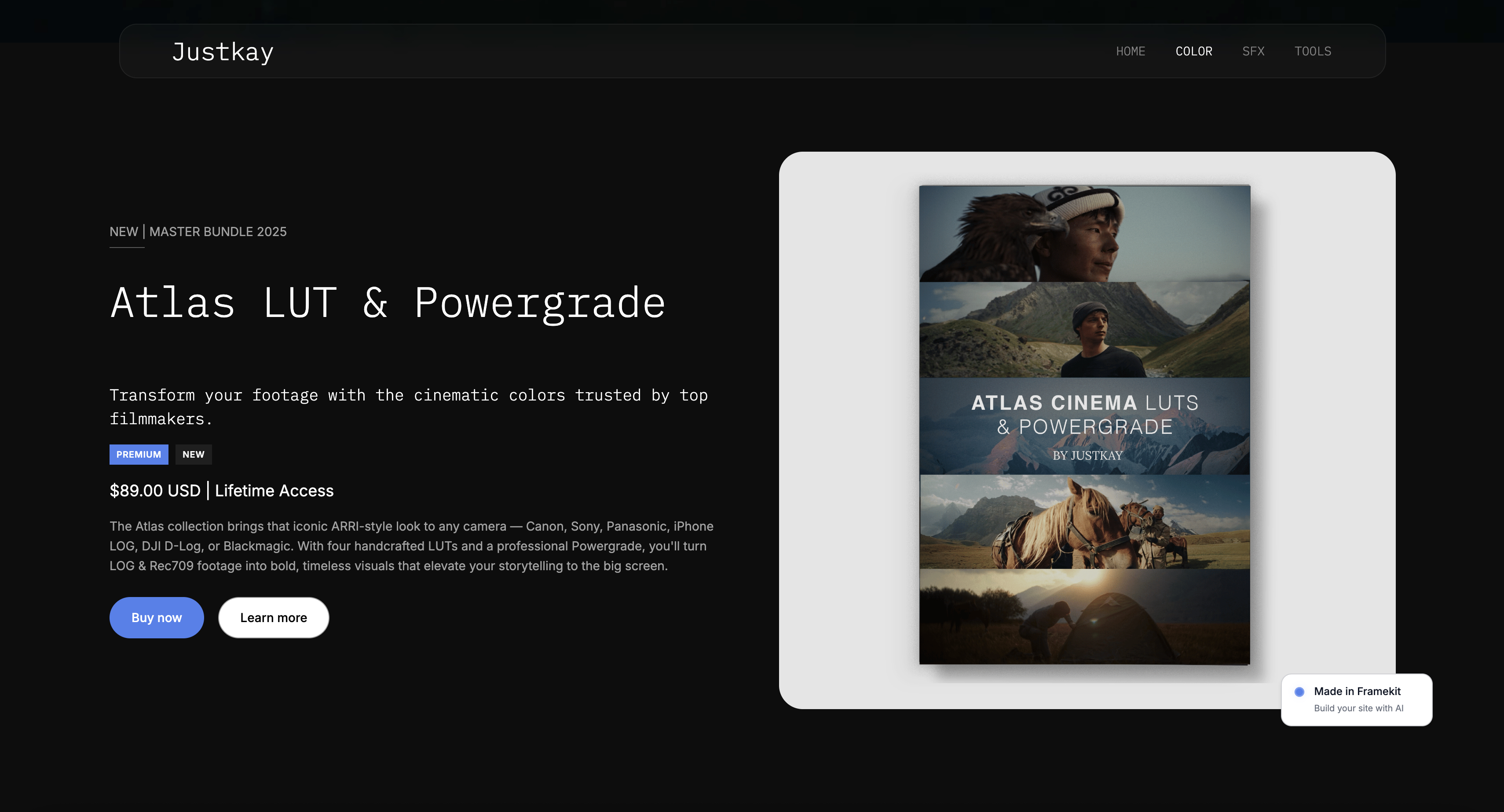
What most community operators also have is a catalogue of things that are not the membership: templates, presets, ebooks, LUTs, one-off workshops.
Running those through a community platform means paying community-platform rates to deliver a file, and on a percentage plan it means paying a cut of every one.
The arrangement that works is a community platform for the community and a website you own for the products and the public-facing work, since closed communities are invisible to search by design.
Framekit's transaction fee on product sales is 5% on Free and Starter, 3% on Pro at $19 a month and 0% on Business at $39 a month, with card processing on top, and the flat plan overtakes the percentage at $780 a month in sales.
Decision Guide
This is ordered by the question that decides it, and the first two are about staying rather than leaving, because for a large share of readers the money says stay and the engagement says stay louder. Work down and stop at the first yes.
1. Are you on Skool's $9 Hobby plan with real revenue?
Yes: move to Skool Pro at $99 before you consider anything else. At 300 members paying $15 it saves $229.50 a month and requires no migration at all.
2. Is the leaderboard why your community is active?
Yes: stay on Skool. Nothing in this guide replaces it, and the engagement is worth more than the fee difference.
3. Do you sell courses and downloads alongside the community?
Yes: Podia on Shaker at $84 with no percentage, watching the 500-subscriber email cap.
4. Is the community itself the product, and have you outgrown one feed?
Yes: Circle at $89 a month on annual billing plus 2%, accepting a weekend of setup.
5. Do you run live sessions or want a branded app?
Yes: Mighty Networks on Launch at $79 plus 2%, checking the 20 streaming hours against your calendar.
6. Does your community already live on Discord?
Yes: keep it there and gate it with Whop at 2.7% plus 30 cents, or handle payments with Podia and remove people by hand.
7. Do you have no audience yet?
Yes: Patreon, knowing it is the most expensive option here and that you are buying discovery rather than software.
Frequently Asked Questions
These are the questions that come up once a community is running and the monthly bill starts to feel disconnected from what the platform is doing.
What is the best Skool alternative in 2026?
Podia is the best Skool alternative for most creators in 2026, at $84 a month on its Shaker plan with no transaction fee, because a flat plan stops your platform cost tracking your revenue and it covers courses and downloads in the same subscription.
Circle at $89 a month on annual billing plus 2% is the stronger community product, and Whop at 2.7% plus 30 cents is the cheapest on published rates if your community already lives on Discord.
How much does Skool actually cost?
Skool publishes two plans: Hobby at $9 a month with a 10% transaction fee, and Pro at $99 a month with a 2.9% transaction fee, both with unlimited members and courses.
At 300 members paying $15 a month, Hobby costs $459 and Pro costs $229.50. The two plans cross over at $1,268 a month in revenue, which is 85 members at that price.
Is Skool's 10% transaction fee worth it?
Only while your community is small. At under about 85 members paying $15, the $9 plan is genuinely the cheapest way to run a paid community anywhere in this guide.
Above that, the 10% costs more than the $99 plan, and by 300 members it costs $229.50 a month more. The fee is not unreasonable; the problem is that nothing prompts you to move when it stops being a good deal.
Skool vs Circle: which is better?
Skool is better for simplicity and Circle is better for structure, and the cost depends entirely on which Skool plan you compare.
At 300 members paying $15, Skool Pro is $229.50 and Circle Professional is $399.50 including processing, so Skool is cheaper.
Circle gives you spaces, permissions, a branded subdomain and a pricing curve that does not bite until $11,000 a month in revenue; Skool gives you a single feed, a leaderboard and a twenty-minute setup.
Which community platform has no transaction fee?
Podia and Kajabi both charge a flat monthly fee with no percentage of member revenue - $84 on Podia's Shaker plan and $89 on Kajabi's entry plan.
Every other platform in this guide takes a cut of between 1% and 10%, though Circle and Mighty Networks are at the low end with 2% on their entry plans, falling to 1% above.
Will I lose members if I move off Skool?
Some, and the number depends on how you do it. Stored card details cannot transfer between processors, so every paying member has to re-subscribe on the new platform, and a share will not get around to it.
Running both platforms in parallel for a month, with all new activity in the new place, converts a cliff into a slope and is worth the cost of one duplicate subscription.
What does Skool have that other platforms do not?
The leaderboard and points system, and the absence of everything else.
Skool's gamification measurably drives daily engagement in a way no other platform in this comparison replicates, and its refusal to offer spaces, channels or permissions means members open it and immediately know where to be.
Both are real features, and both are lost by moving.
Is Whop cheaper than Skool?
On published rates, yes. Whop's fee documentation lists 2.7% plus 30 cents per transaction with no monthly platform fee, which on 300 payments of $15 is $211.50 against Skool Pro's $229.50.
The qualification is that Whop's optional services are priced separately - 2% for tax handling, 0.5% for billing automation - and instant payouts cost 4% plus $1.00 against $2.50 for next-day ACH.
Can I run a paid community on Discord for free?
You can run the room for free, and you still need something to take the money. The common arrangement is Discord for discussion plus a payment platform to handle subscriptions and access, which costs whatever that platform charges.
We could not verify Discord's own revenue share on native server subscriptions because its creator documentation blocks automated access, so confirm that at the source if you plan to monetise inside Discord.
How many members do I need before a flat plan beats a percentage?
At Skool's rates, 85 members paying $15 a month. More generally, divide the flat plan's price by the percentage: Podia's $84 Shaker plan beats its 5% Mover plan at $840 a month in revenue, and Skool Pro beats Hobby at $1,268.
Every platform in this guide has such a number and none of them publish it.
Do these platforms handle sales tax on memberships?
Mostly not. Skool, Circle, Podia, Kajabi, Mighty Networks and Heartbeat all leave VAT and sales-tax registration and filing with you. Whop offers tax collection and remittance as an optional service priced at 2% per transaction.
If you have members across several countries, that obligation is a real annual cost that no fee table in this guide includes.
What happens to my community if the platform shuts down or bans me?
Access ends and your members are unreachable unless you hold their email addresses somewhere else. This is the single most important operational habit in this category: export your member list on a schedule and keep it outside the platform.
It takes minutes and it is the only protection that works across every scenario.
Does Framekit host communities?
No. Framekit builds websites and sells digital products, with no discussion feed, member gating or recurring membership billing. Every platform ranked in this guide is the right tool for a community and we are not one of them.
Where a website matters to a community operator is the public page that persuades people to join, since closed communities cannot be found by search.
The Verdict
Podia wins this guide because it removes the mechanic that makes Skool expensive. At $84 a month with no cut, your bill at 300 members is the same as your bill at 800, and for a community that is working, predictability is worth more than a few dollars either way.
Circle is the better product if you have genuinely outgrown a single feed, and its pricing does not punish growth until $11,000 a month. Whop is cheapest on published rates and least self-contained. Discord plus a store is cheapest overall and most manual.
But the honest headline is the one in the opening paragraph. Skool Pro at $99 beats five of the eight alternatives here at 300 members, and the creator being hurt is the one on the $9 plan, who is paying $459 a month for a plan advertised at nine dollars.
Fixing that requires no migration, no re-subscription emails and no lost members - just a different button in the account they already have.
Where Framekit losesFramekit does not host communities at all. No feed, no gating, no leaderboard, no membership billing. Every platform in this ranking does the job this guide is about and we do not, which is why we are absent from it rather than tucked in at number eight.
Verdict: check your Skool plan first. If you are on Pro and still want to leave, Podia at $84 for the flat cost, Circle at $89 a month on annual billing plus 2% for the better product. And whatever you choose, do not migrate a community in a single weekend.
Plan prices and transaction fees were read from each vendor's published pricing page during the first week of August 2026, and Whop's from its developer fee documentation.
Discord's revenue share on server subscriptions is flagged in place as unverified. Community platform pricing moves often, so confirm the tier you are on before modelling a year.
Related readingthe best membership platforms for creators, the best Whop alternatives, the best Teachable alternatives, the best subscription billing platforms for creators, and how to price digital products.
The two platforms most people weigh against each other after ruling out Skool are covered in Kajabi vs Circle, including the revenue figure where the cheaper one stops being cheaper.
Two of the alternatives above are priced head to head in Circle vs Podia.