Framekit templates
Start from a designer-made template
 Use template
 Use template
 Use template
 Use template
 Use template
 Use template
 Use template
 Use template
Fifty students a month at $199 is $9,950. On Teachable's Starter plan, $746.25 of that goes to Teachable in transaction fees alone, on top of the $39 you already paid for the plan.
On Teachable's own Builder plan, the same fifty students cost you $89 and nothing else.
Before you read a single review below, check which Teachable plan you are on, because the most expensive option in this entire comparison is Teachable's cheapest one, and the fix for a large share of people searching for Teachable alternatives is an upgrade rather than a migration.
A Teachable alternative is any platform that hosts and sells online courses: video lessons, student accounts, a checkout, and some way of tracking who has completed what.
There are excellent reasons to leave Teachable and several of them are below. Being charged 7.5% is a reason to change plans first.
Podia is the best Teachable alternative for most course creators in 2026, at $84 a month on its Shaker plan with no transaction fee, because it covers courses, downloads, memberships and email in one subscription without charging per sale.
Systeme.io is the value pick at $17 a month with 0% fees and a genuinely usable free tier. LearnWorlds is the strongest course product if teaching quality is what you actually care about, at $99 a month on Pro Trainer.
And if your course is really a community with lessons attached, Circle or Skool will serve you better than any course platform will.
Framekit does not appear in the ranking below. We build websites and sell digital products; we do not host courses, track student progress or issue certificates, and every platform here does that better than we do because they are built for it.
How We Priced This
One scenario throughout: a $199 course sold to 50 students a month, or $9,950 in monthly revenue. Where a platform does not include payment processing, we have added 2.9% plus 30 cents, which is the rate LearnWorlds publishes on its own pricing page as the standard processor charge.
Three grades of claim:
- Read at the vendor's pricing page in the first week of August 2026: Teachable, Podia, LearnWorlds, Systeme.io, Kajabi, Circle, Skool, Mighty Networks, Payhip and Gumroad.
- Built a course and enrolled a test student on Podia, Systeme.io and Skool, which is where the notes about setup and the student experience come from.
- Could not verify. Thinkific's pricing page blocks automated access, so its entry carries no figures and says so.
By the numbers:
- 7.5% is Teachable's transaction fee on its Starter plan. Builder and above are 0%.
- $666.67 a month in sales is where Teachable's $89 Builder plan becomes cheaper than its $39 Starter plan.
- $5 per enrollment is LearnWorlds' charge on its own entry plan, which crosses over at 14 students a month.
- $1,003 separates the cheapest and most expensive way to sell the same $9,950.
- 5 products is the cap on Teachable's Starter plan.
- 2 of 10 alternatives here have a genuinely free tier.
- 0% transaction fee is offered by six of the ten, at monthly prices from $17.
The Rubric
We scored on five criteria, weighted for the person actually reading this: someone who already has a course running on Teachable and is deciding whether moving it is worth the disruption.
That is a different question from choosing a first platform, and it produces a different order.
| Criterion | Weight | What it covers |
|---|---|---|
| Cost at 50 students a month | 30% | Plan fee plus any per-sale or per-enrollment charge |
| Course product quality | 25% | Lessons, quizzes, drip, certificates, completion tracking |
| Migration cost | 20% | Moving content, students and active subscriptions |
| Ceilings | 15% | Product, student, contact and admin limits |
| What else it replaces | 10% | Email, downloads, community, funnels |
Migration is weighted heavily because it is the reason people stay on platforms they have outgrown. Moving a course is not moving a file: it is moving video, structure, student records and, if you sell payment plans, active subscriptions that cannot transfer between processors.
What 50 Students a Month Actually Costs
Every row is the same month: a $199 course sold fifty times, or $9,950 in revenue, run through that platform's published pricing. Payment processing at 2.9% plus 30 cents is added separately except where a platform bundles it.
| Platform | Plan | Platform cost | Processing | Total |
|---|---|---|---|---|
| Systeme.io | Startup, $17, 0% | $17 | $303.55 | $320.55 |
| Podia | Shaker, $84, 0% | $84 | $303.55 | $387.55 |
| Kajabi | Entry, $89 | $89 | $303.55 | $392.55 |
| Teachable | Builder, $89, 0% | $89 | $303.55 | $392.55 |
| LearnWorlds | Pro Trainer, $99, 0% | $99 | $303.55 | $402.55 |
| Payhip | Pro, $99, 0% | $99 | $303.55 | $402.55 |
| Mighty Networks | Launch, $79 + 2% | $278 | $303.55 | $581.55 |
| Circle | Professional, $89 + 2% | $288 | $303.55 | $591.55 |
| LearnWorlds | Starter, $29 + $5 per enrollment | $279 | $303.55 | $582.55 |
| Skool | Pro, $99 + 2.9% | $387.55 | $303.55 | $691.10 |
| Teachable | Starter, $39 + 7.5% | $785.25 | $303.55 | $1,088.80 |
| Gumroad | 10% + 50c | $1,020 | Included | $1,020 |
| Thinkific | Not verified | Not published | Not published | Not published |
Teachable's Starter plan is the most expensive row in that table, and it is the plan a cost-conscious creator would have chosen.
The arithmetic is unkind in a specific way. Starter costs $39 and charges 7.5%; Builder costs $89 and charges nothing. They cross over at $666.67 a month in sales, which is fewer than four $199 students.
Anyone selling more than that on Starter is paying for the privilege of a cheaper plan, and at our fifty-student volume they are paying $696.25 a month more than Builder for a worse plan with fewer products.
In one lineif you are on Teachable Starter and selling anything at all, upgrading to Builder will save you more money than most of the migrations in this guide.
1. Podia: Best Overall Alternative
Podia is the closest thing to a like-for-like Teachable replacement that also does several other jobs, covering courses, digital downloads, memberships and email marketing in one subscription with no cut of your sales.
The real numberMover is $42 a month with 5% transaction fees, Shaker is $84 with none and Earthquaker is $150 with none.
At our fifty-student volume, Shaker costs $84 against Mover's $539.50, so the more expensive plan is $455 a month cheaper. That pattern recurs across this entire category and it catches people every time.
The standout detailthe email tool is included rather than integrated, with subscriber caps of 100, 500 and 1,000 by plan. For a course business, the email list is the asset that produces the next launch, and having it in the same product as the checkout removes a subscription and a sync.
The honest gotchathose email caps are low and they bite before anything else does. Fifty students a month is 600 a year, so a Shaker plan's 500-subscriber ceiling arrives inside the first year even before you count people who joined a list without buying.
Skip it ifyou need serious course-delivery features. Podia's lessons are competent and plain; if you want assessments, learning paths and detailed completion analytics, LearnWorlds is a different class of product.
What reviewers say elsewherePodia's G2 profile consistently praises ease of setup and consistently asks for deeper course functionality, which is a fair summary of the trade.
Verdict: the sensible default for a creator whose course sits alongside downloads and a mailing list. Buy Shaker, not Mover.
2. Systeme.io: Best Value by a Wide Margin
Systeme.io is the cheapest credible option in this guide and it is not close. It bundles courses, funnels, email and affiliates, and takes no percentage of sales on any plan including the free one.
The real numberthe free plan covers 2,000 contacts, 3 funnels and 1 course, Startup is $17 a month, Webinar is $47 and Unlimited is $97, with 0% transaction fees throughout. Our fifty-student month costs $17 in platform fees on Startup.
The standout detailthe free tier is genuinely usable rather than a trial. One course, 2,000 contacts and unlimited email is enough to launch and validate something real without paying anything, which no other platform in this comparison offers.
The honest gotchayou can feel the price in the interface. The design is dated next to Teachable and LearnWorlds, the course player is basic, and the whole product prioritises breadth over polish. If your course sells partly on the impression it makes, that matters.
Skip it ifpresentation is part of your value. A $997 course delivered through a plain player is a harder sell than the same course delivered well.
Verdict: unbeatable economics and a real aesthetic cost. For a creator whose audience cares about the content rather than the container, this is the obvious answer.
3. LearnWorlds: Best Actual Course Product
If you evaluate these platforms on how well they teach rather than how well they sell, LearnWorlds wins. Interactive video, assessments, certificates, learning paths and completion analytics are core rather than bolted on.
The real numberStarter is $29 a month with a $5 per-enrollment fee, Pro Trainer is $99 with none, and Learning Center is $299, with annual billing around 20% cheaper.
The honest gotcha, and it mirrors Teachable'sthat $5 per enrollment is the trap on the entry plan. At fifty students a month, Starter costs $279 while Pro Trainer costs $99.
The crossover is fourteen students a month, so almost anybody with a working course should be on the $99 plan and the $29 headline is close to irrelevant.
The standout detailthe interactive video, where you can attach questions and branching directly to the timeline, is the only feature in this comparison that changes what a course can be rather than how it is sold.
Skip it ifyour course is a set of recorded videos and nothing more. You would be paying for pedagogy you are not using.
Verdict: the best teaching tool here. Go straight to Pro Trainer and ignore the entry plan.
4. Kajabi: Best for High-Ticket Businesses
Kajabi is the most complete business platform in this comparison, built for people selling expensive courses with funnels, email sequences and communities wrapped around them.
It is the platform that assumes your course is the centre of a marketing operation rather than a product you list and forget.
The real numberentry pricing is $89 a month, or $71 billed annually, with the next tier at $179 a month or $143, with no transaction fee. On our test month that is $89 in platform costs, level with Teachable's Builder plan.
The standout detailat $89 with no percentage, Kajabi is priced identically to Teachable Builder while including substantially more marketing apparatus. For anyone leaving Teachable and moving up rather than sideways, that is the direct comparison to make.
The honest gotchathe fit question. Kajabi assumes you are running launches, funnels and sequences, and if you are simply selling a course to an existing audience you will use a fraction of it while paying for all of it.
Skip it ifyour business is one course and an email list. The overhead is real.
Verdict: the natural upgrade for a course business that has become a marketing business. Overkill for anything smaller.
5. Circle: Best If the Course Is Really a Community
A large share of courses that work are actually communities with lessons attached, and if that describes yours, a course platform is the wrong shape entirely.
The real numberProfessional is $89 a month on annual billing with a 2% transaction fee and Business is $199 with 1%, members unlimited on both.
At our volume Professional totals $288 in platform costs, so you are paying roughly $200 a month more than Podia for a different product rather than a better one.
The standout detailCircle now hosts courses natively, so the choice is no longer community-or-course. The 2% is the price of getting both in the place where the discussion already happens.
The honest gotchathe percentage. At $9,950 a month, 2% is $199, and unlike a flat plan it grows with you. Circle's Business plan at 1% crosses over at $11,000 a month in sales, which is just above our test case.
Skip it ifnobody talks. A quiet community is an expensive folder.
Verdict: the right destination when the cohort is the product. Price the 2% honestly against a flat-fee course platform.
6. Skool: Cheapest Community-Plus-Course
Skool bundles a community, a course area and a leaderboard into one deliberately simple product, and it has taken a real share of the audience that used to buy course platforms.
The real numberHobby is $9 a month with a 10% transaction fee and Pro is $99 a month with 2.9%, both with unlimited members and courses. At fifty students a month, Pro costs $387.55 in platform fees and Hobby would cost $1,004.
The honest gotchathat 10% on the Hobby plan is higher than Teachable's 7.5%, so a creator moving from Teachable Starter to Skool Hobby to save money would be moving to a more expensive arrangement. The two plans cross at $1,268 a month in revenue, which is six $199 students.
The standout detailthe simplicity is the product. There is one feed, one course area and almost nothing to configure, which is why communities that die on more capable platforms sometimes survive here.
Skip it ifyou need design control, detailed course structure or a public presence that search engines can see.
Verdict: excellent at small scale on the right plan, and a genuine trap on the $9 one at any real volume.
7. Payhip: Cheapest Way to Just Sell the Course
Payhip is not a course platform in the way the others here are, and for a meaningful share of creators that is precisely the point: it sells and delivers the thing without asking you to rebuild it inside a learning management system.
The real numberthe free plan takes 5%, Plus is $29 a month at 2% and Pro is $99 a month with no transaction fee. At our volume Pro costs $99, matching LearnWorlds Pro Trainer while doing far less.
The standout detailfunds settle into your own Stripe or PayPal account rather than a platform balance, which is a structural difference the course platforms above do not offer.
The honest gotchathere is no student progress tracking, no certificates and no real course experience. If your buyers expect a proper course interface, this will feel like being handed a folder.
Skip it ifthe course experience is part of what you sell.
Verdict: the right answer for a creator selling a video course as a product rather than running a school.
8. Mighty Networks: Best Branded App
Mighty Networks competes directly with Circle and differentiates on two things a course creator may care about a great deal: branded mobile apps that put your course on a home screen, and live programming built into the same product rather than bolted on through a video call link.
The real numberLaunch is $79 a month with a 2% transaction fee, Scale is $179 with 1%, members unlimited on both. Our test month costs $278 in platform fees on Launch.
The standout detailthe plans publish storage and streaming allowances - 200 GB and 20 streaming hours a month on Launch, 500 GB and 30 hours on Scale. For a course with live sessions, streaming hours will constrain you before student count does, and almost nobody else states the limit at all.
The honest gotcha20 streaming hours is about five a week. A cohort course with twice-weekly live calls and office hours will pass it.
Skip it ifyour course is recorded and asynchronous. You are paying for live infrastructure you will not use.
Verdict: the pick if the course runs live or the app matters. Otherwise Circle is the closer comparison and Podia is cheaper than both.
9. Gumroad: Fastest Migration, Highest Cost
Gumroad will have your course selling again within an hour of leaving Teachable, and at fifty students a month it is the most expensive option in this guide apart from Teachable's own Starter plan.
The real number10% plus 50 cents per sale, or $1,020 a month on our test volume. That is $936 a month more than Podia's Shaker plan for a substantially worse course experience.
The honest gotchathere is no course structure to speak of. Gumroad sells and delivers files, so a multi-module course becomes a download or a link to something else.
Skip it ifyou have volume, structure or both.
Weighing the fee? Gumroad's fees explained works through the arithmetic.
Verdict: a landing pad rather than a destination. Use it for a week while you set up something else.
10. Thinkific: Could Not Verify
Thinkific is one of the two platforms most often compared directly against Teachable, with a similar shape, a similar audience and a similar history.
It belongs on any Teachable shortlist, which is exactly why its absence of a verifiable price here is worth stating rather than papering over.
The real numberwe do not have one. Thinkific's pricing page blocks automated access, so unlike every other entry here there is no figure we can stand behind.
Any specific Thinkific price you read in a comparison article, including the absence of one here, deserves checking against the vendor's own page.
Skip it ifyou need to compare total cost precisely from public information before booking a demo.
Verdict: a serious product and, for this guide's purposes, an unpriceable one. Check it yourself if it is on your shortlist.
The Two Entry Plans That Cost the Most
In one linein this category the cheapest plan is frequently the most expensive plan, and two of the biggest names do it in the same way.
Teachable Starter charges $39 a month plus 7.5% per sale. LearnWorlds Starter charges $29 a month plus $5 per enrollment. Skool Hobby charges $9 a month plus 10%. Podia Mover charges $42 plus 5%.
All four are the plan a careful creator picks when validating an idea, and all four become the most expensive option in their own product line almost immediately.
Here is where each one flips:
| Platform | Cheap plan | Better plan | Crossover |
|---|---|---|---|
| Teachable | Starter, $39 + 7.5% | Builder, $89 + 0% | $666.67 a month in sales |
| LearnWorlds | Starter, $29 + $5 per enrollment | Pro Trainer, $99 | 14 students a month |
| Skool | Hobby, $9 + 10% | Pro, $99 + 2.9% | $1,268 a month in sales |
| Podia | Mover, $42 + 5% | Shaker, $84 + 0% | $840 a month in sales |
Every one of those thresholds is low. Four $199 students clears Teachable's, fourteen students clears LearnWorlds', and none of these platforms will email you when you cross it.
The counter-argument is fair and worth stating: percentage plans exist so that a creator with no sales pays nothing much, and that is genuinely useful while you are validating. The problem is not the plan, it is that nobody moves off it at the right moment.
The test to run right now
- Take last month's course revenue.
- Multiply by your platform's percentage, and add your plan fee.
- Compare that against the next plan up with a 0% fee.
If the second number is smaller, you are paying a monthly fine for a cheaper subscription. On Teachable Starter at fifty students, that fine is $696.25 a month.
What Migrating a Course Actually Involves
Every platform above will tell you that switching is easy, and for the videos it broadly is.
The parts that are not easy are the parts nobody demos: the student progress that does not transfer, the payment plans that cannot move between processors, and the sales page URL that quietly stops existing.
In one linethe videos are the easy part, and the payment plans are the part that costs you students.
Content moves, slowly. Video has to be downloaded and re-uploaded, and course structure generally has to be rebuilt by hand because there is no standard interchange format between these platforms. For a ten-module course, budget a weekend rather than an evening.
Students move, with an email. Enrolment records export as a list and import as a list. Every platform here supports it. What does not survive is progress: who had watched what, and how far through they were.
On a course people work through over months, that loss is real and irritating.
Payment plans do not move. If you sell a $199 course as three payments of $69, those are subscriptions, and stored card details cannot transfer between processors without a formal agreement.
Every active payment plan has to be re-authorised by the student or written off. This single fact keeps more people on the wrong platform than any feature does.
Your course URLs die. If your sales page has been linked to or ranks in search, changing its address deletes that quietly. Redirect rather than delete, and keep the old page alive pointing at the new one.
The practical sequence that works: launch the new platform, send new students there, run both for one cohort, and migrate the back catalogue while nobody is mid-purchase. It costs one month of two subscriptions and saves the students you would otherwise lose in a hard cutover.
The Adjacent Job: The Products Around the Course
This section is about the part we work on. It is labelled so you can skip it, and Framekit is deliberately absent from the ranking.
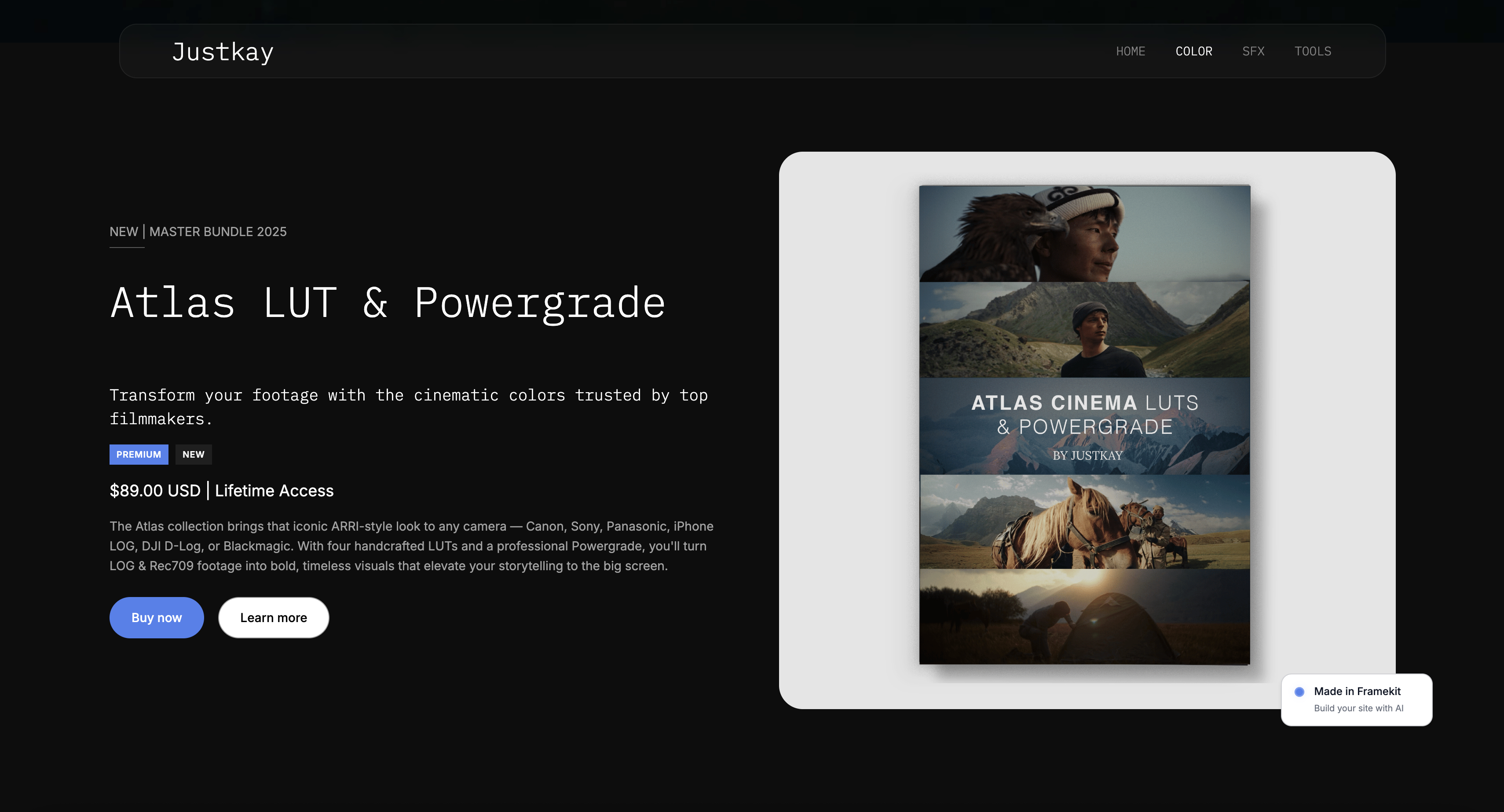
Framekit is an AI website builder for photographers, filmmakers, designers and other creators, and it does not host courses. There is no lesson structure, no student progress tracking, no drip scheduling and no certificates.
If you are choosing a course platform, choose from the ten above; nothing here is a substitute for them.
What most course creators also have, though, is everything that is not the course: the preset packs, the templates, the LUTs and the ebooks that sell to the same audience at lower prices and require none of the course apparatus.
Running those through a course platform means paying course-platform prices for file delivery, and the fee tables above show what that costs.
The arrangement that tends to work is a course platform for the course and a website you own for everything else, with both linked from the same place.
Framekit's transaction fee on product sales is 5% on Free and Starter, 3% on Pro at $19 a month and 0% on Business at $39 a month, with card processing on top, and the flat plan overtakes the percentage at $780 a month in sales.
Decision Guide
This is ordered by the question that decides it, and the first one is not about alternatives at all, because for a large share of readers the cheapest fix is inside the account they already have. Work down and stop at the first yes.
1. Are you currently on Teachable's Starter plan?
Yes: price Builder at $89 before you price anything else. At any real volume it is cheaper than Starter and cheaper than most of this guide.
2. Is teaching quality the thing you care about most?
Yes: LearnWorlds on Pro Trainer at $99. Skip its $29 entry plan, which charges $5 per enrollment.
3. Do you sell downloads and memberships alongside the course?
Yes: Podia on Shaker at $84 with no transaction fee, watching the email subscriber cap rather than the student count.
4. Is budget the binding constraint?
Yes: Systeme.io at $17 a month with 0% fees, or its free plan while you validate. Accept a plainer interface.
5. Is the cohort the product, rather than the lessons?
Yes: Circle at $89 a month on annual billing plus 2%, or Skool Pro at $99 if you want it simpler and cheaper.
6. Do you run live sessions or want a branded app?
Yes: Mighty Networks on Launch at $79 plus 2%, checking the 20 streaming hours a month against your schedule.
7. Do you just want to sell a video course as a file?
Yes: Payhip Pro at $99 with no cut, and skip the learning management system entirely.
8. Do you need to be selling again today?
Gumroad, and set the date you will move, because at fifty students a month it costs $936 more than Podia.
Frequently Asked Questions
These are the questions people ask once they have started pricing a move, which is when plan structure and migration cost turn out to matter more than the feature comparison did.
What is the best Teachable alternative in 2026?
Podia is the best Teachable alternative for most course creators in 2026, at $84 a month on Shaker with no transaction fee, because it covers courses, digital downloads, memberships and email in one subscription.
Systeme.io is the value choice at $17 a month with 0% fees, and LearnWorlds on its $99 Pro Trainer plan is the strongest course product if teaching features matter more than breadth.
How much does Teachable actually cost?
Teachable's published plans are Starter at $39 a month with a 7.5% transaction fee, Builder at $89 with no transaction fee, and Growth at $189, with annual billing at $29, $69 and $139 respectively.
The transaction fee is what makes the real cost diverge from the headline: at $9,950 a month in sales, Starter costs $785.25 while Builder costs $89.
Should I leave Teachable or just change plans?
Change plans first if you are on Starter.
Teachable's Starter and Builder plans cross over at $666.67 a month in sales, which is under four $199 students, so almost anyone with a working course is losing money by staying on the cheaper plan.
Once you are on Builder at $89 with no transaction fee, Teachable is competitively priced against everything in this guide and the reasons to leave become product reasons rather than cost ones.
Which course platform has the lowest fees?
Systeme.io at $17 a month with 0% transaction fees is the cheapest credible option here, and it has a free plan that supports one course and 2,000 contacts.
Among more polished platforms, Podia's Shaker at $84 and Teachable's own Builder at $89 both take no percentage. Payment processing at roughly 2.9% plus 30 cents applies on all of them and is unavoidable.
Podia vs Teachable: which is better?
Podia is better if you sell more than a course, and Teachable is better if the course is the whole business.
At the plans that make sense, Podia's Shaker is $84 and Teachable's Builder is $89, both with no transaction fee, so cost is close to level.
Podia includes downloads, memberships and email marketing in that price; Teachable has the stronger course-specific tooling and a more established student experience.
Can I move my students from Teachable to another platform?
Yes for the list, partly for everything else. Student email addresses, enrollments and purchase records export and import cleanly on every platform here.
Course progress generally does not transfer, so students resume with their completion history reset.
Active payment plans are the real problem: those are subscriptions, and stored cards cannot move between processors, so each student has to re-authorise.
Is LearnWorlds' $29 plan good value?
Only below fourteen students a month. LearnWorlds Starter is $29 plus $5 per enrollment, which at fifty students is $279 against $99 for the Pro Trainer plan with no per-enrollment charge.
The crossover is fourteen enrollments a month, so the entry plan suits validation and almost nothing else.
Do any course platforms have a free plan?
Systeme.io has a genuinely usable free tier covering one course, 2,000 contacts, three funnels and unlimited email with 0% transaction fees.
Payhip's free plan sells and delivers a course as a product for a 5% cut without any course structure. Most other platforms here offer trials rather than free tiers.
What is the cheapest way to sell a course to 50 students a month?
Systeme.io's Startup plan at $17 a month plus payment processing, which totals about $320 on $9,950 of sales. The most expensive way is Teachable's Starter plan at $1,088.80 all in, followed by Gumroad at $1,020.
The gap between the cheapest and most expensive way to sell exactly the same course is $768 a month.
Does Kajabi cost more than Teachable?
No, at the plans that matter they are level. Kajabi's entry plan is $89 a month and Teachable's Builder plan is $89 a month, both with no transaction fee.
Kajabi includes more marketing apparatus - funnels, email sequences, communities - for the same price, which makes it the natural comparison for anyone leaving Teachable rather than a step up in cost.
Should I use a course platform or just sell the videos as a download?
Sell them as a download if the value is the content and the buyer is self-directed, which for most creative skills courses is true. Payhip Pro at $99 with no cut will deliver a video course as a product perfectly well.
Use a course platform when completion matters - when you want progress tracking, drip release, quizzes or certificates, or when the price point makes buyers expect a school rather than a folder.
Does Framekit host online courses?
No. Framekit builds websites and sells digital products, and it has no lesson structure, student progress tracking, drip scheduling or certificates. Every platform ranked in this guide does that job properly.
What Framekit is useful for is the other products a course creator sells - the templates, presets and files - which cost course-platform prices to deliver through a course platform.
What happens to my course if I stop paying the platform?
Access for your students generally ends, and how much notice you get varies by platform and is set out in the terms rather than on the pricing page.
Two protections are worth having regardless of platform: keep your own master copies of every video and asset outside the platform, and keep a current export of your student list.
Both take an hour and remove the worst version of this problem.
The Verdict
Podia wins this guide because it removes a subscription rather than adding one.
At $84 a month with no cut of sales, it covers the course, the downloads, the memberships and the email list, and for the kind of creator who ends up on Teachable in the first place that combination is usually what they actually needed.
Systeme.io deserves more attention than it gets, at $17 a month with a real free tier and no transaction fees, if you can live with an interface that has clearly had less design attention than its rivals.
LearnWorlds is the best product here for anyone who cares about teaching rather than selling. Kajabi is priced identically to Teachable's Builder plan while doing considerably more.
But the most useful finding in this comparison is not about any alternative. Teachable's Starter plan, at $39 plus 7.5%, is the most expensive option in this entire guide at fifty students a month, and it costs $696.25 more per month than Teachable's own Builder plan. A great many people searching for Teachable alternatives are looking at the wrong problem, and the fix is one click inside the account they already have.
Where Framekit loses, and it is not closeFramekit does not host courses at all. No lessons, no students, no certificates, no drip.
Every one of the ten platforms above is a better fit for the job this guide is about, which is why we are not in the ranking and why you should close this page with one of their names rather than ours.
Verdict: check your Teachable plan first. If you are on Builder or Growth and still want to leave, Podia at $84. If budget rules, Systeme.io at $17. If teaching quality rules, LearnWorlds at $99. And do not migrate a course with live payment plans in a single weekend.
Plan prices and transaction fees here were read from each vendor's published pricing page during the first week of August 2026, except Thinkific, which blocks automated access and is flagged in place.
Course platform pricing changes often, so confirm the tier you are on before modelling a year.
Related readingthe best tools to sell online courses, the best membership platforms for creators, the best checkout tools for selling digital products, the best payment processors for digital products, and how to price digital products.
For the direct comparison with the other incumbent, including the three crossover figures that decide which tier you should be on, see Teachable vs Kajabi.
For the comparison from the other direction, see the best Thinkific alternatives, which finds Teachable Builder to be the strongest straight swap.