Framekit templates
Start from a designer-made template
 Use template
 Use template
 Use template
 Use template
 Use template
 Use template
 Use template
 Use template
Pixieset is a good product and it is not your website. That is the realisation that starts most of these migrations: a photographer notices the delivery link says pixieset.com, the portfolio lives somewhere else, and two subscriptions are paying for one job.
The migration itself is easier than photographers expect. The hard part is sequencing, because live galleries belong to clients who did not agree to your platform change.
A client gallery migration is the process of shifting client delivery from a hosted gallery platform onto a site you own and control, so that new galleries publish from your domain while existing galleries retire on their own schedule rather than breaking.
Framekit is the destination most of these moves have in mind: one plan that publishes the portfolio and the client galleries from the same domain, which is what collapses the two subscriptions described above into one.
Move in two seasons, not one weekend: keep Pixieset running while you build the new site, deliver every new job from your own domain from a chosen start date, let existing Pixieset galleries expire naturally, and export your originals before you cancel.
The honest trade-off is print sales, because Pixieset fulfills physical prints through pro labs and a website builder does not, so print-led photographers should either stay or plan a direct lab relationship first.
Framekit is an AI website builder with client galleries included, which is the shape most photographers are moving toward: one subscription covering the portfolio and the delivery.
Why Photographers Leave Pixieset
The reasons photographers give cluster into four, and only one of them is a complaint about the product itself. Pixieset does its job well; the question is whether its job is the one you need done.
Two subscriptions for one job. Pixieset's published pricing puts Basic at $10 a month with 10GB, and most photographers using it also pay $12 to $18 a month for a portfolio site, which is $260 to $340 a year for what one plan can cover.
The address is not yours. Even with a connected domain, Pixieset hosts the gallery, so the pages behind that address belong to the platform. Cancel and every link you have ever sent stops resolving, with nothing to redirect.
Design ceiling. Pixieset's galleries are polished and they look like Pixieset galleries. Photographers whose brand is the product eventually want the delivery to match the site rather than approximate it.
Storage economics. 10GB on Basic is three to six weddings, and moving up the ladder for storage alone gets expensive next to plans that include a website.
The reason not to leave is equally clear: if print and album sales through pro labs are real revenue, Pixieset does something a website builder does not, and no amount of ownership compensates for losing a working print business.
What You Can Take, and What You Cannot
In one lineyou can take your original files, your client list, and your domain, and you cannot take your gallery URLs, your Pixieset-hosted pages, or any store history, which is why the migration is a forward-looking exercise rather than a transfer.
| Asset | Can you move it | How |
|---|---|---|
| Original photo files | Yes | Download per gallery before cancelling |
| Client email list | Yes | Export contacts from your account |
| Custom domain | Yes | Repoint DNS to the new site |
| Gallery URLs | No | They stop resolving when the plan ends |
| Gallery design and settings | No | Rebuild as a house style on the new platform |
| Store orders and history | No | Export any reports you need for accounting |
| Favorites and client selections | No | Screenshot or record any you still need |
| Search rankings for gallery pages | No | Those accrued to Pixieset, not to you |
The last row is worth sitting with. Every gallery link shared over the years built authority for a domain that is not yours, which is the cost of a hosted delivery that nobody prices at the time.
The Two-Season Migration
Run the move across two seasons and not one client experiences a change at all. Attempt it in a weekend and somebody's wedding gallery disappears while they are still sending the link to relatives.
Weeks 1 to 2: build the new site. Set up the website, connect your domain or a subdomain, and rebuild your portfolio.
On Framekit this starts from a prompt describing your studio and takes an afternoon rather than a project; the free plan lets you build and preview before paying anything.
Week 3: set your house gallery style. Choose a cover style, typography, ground, and grid, then save them as defaults so every future gallery inherits the look. Decide your access policy: gallery password, download PIN, download window, and gallery lifespan.
Week 4: run one live test. Deliver a real job from the new site to a friendly client and ask them what the experience was like on their phone. This is the step people skip and the one that catches problems.
Month 2 onward: new jobs only. From a chosen date, every new delivery goes out from your own domain. Nothing on Pixieset changes.
Months 2 to 12: let the old galleries retire. Existing Pixieset galleries run to their expiry dates. Clients who received them keep working links throughout, which is the whole point of the timeline.
Before you cancel: export everything. Download originals from any gallery you want to keep, export your contacts, and pull any store reports your accountant needs. Then cancel, and not before.
The domain step. If your domain currently points at Pixieset, repoint it at the new site when the new site is ready, and expect a short propagation window. If you were on a Pixieset subdomain, there is nothing to repoint and nothing to recover.

What Replaces Each Pixieset Feature
Be honest with yourself about the swap before you commit, because two of the features you are using every week have no direct replacement on a website builder and pretending otherwise will cost you money.
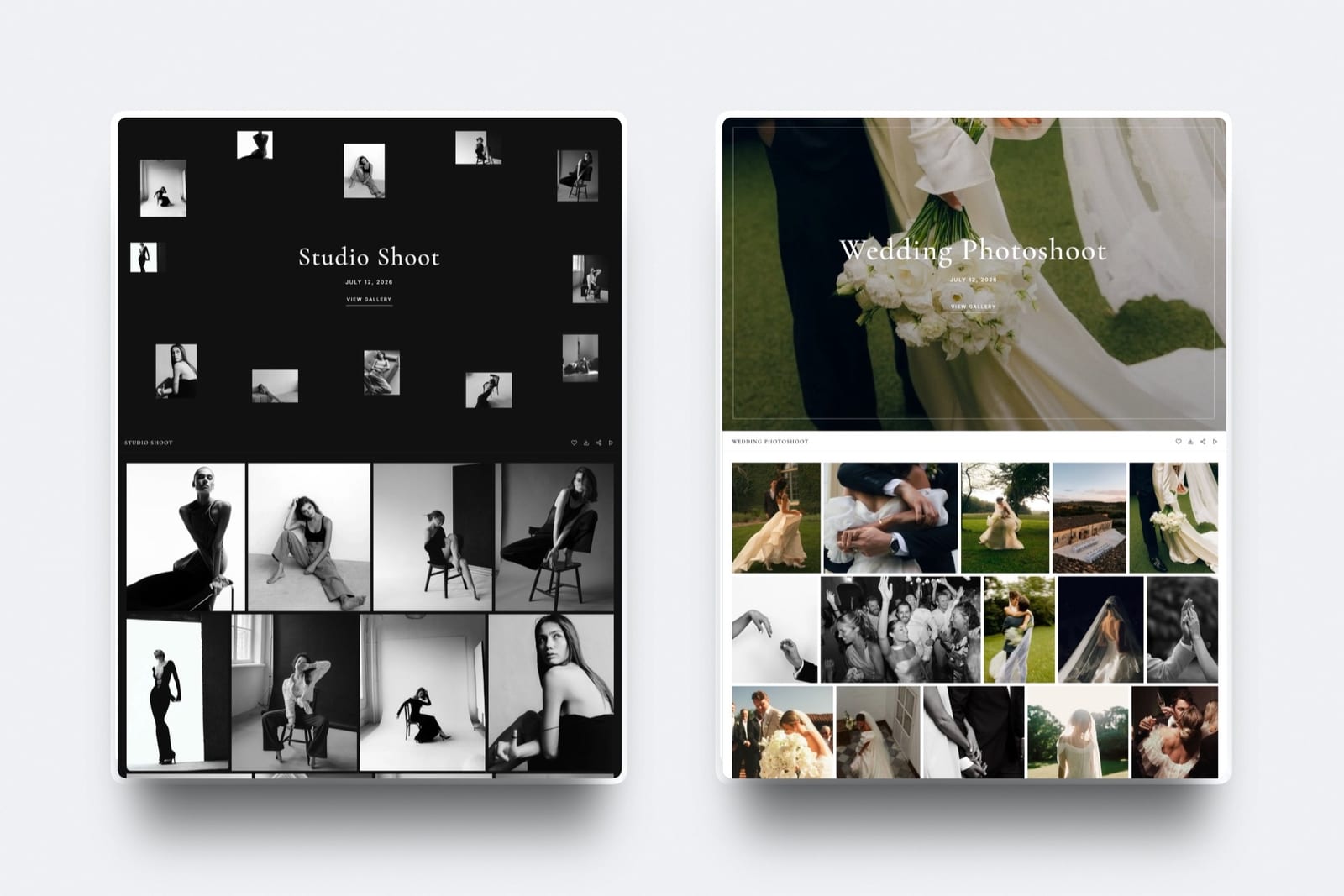
Galleries. Framekit delivers unlimited client galleries on every plan with no commission, published as pages of your own site, with watermarking, gallery passwords, a separate download PIN, favorites, slideshows, auto-expiry, and branded email sharing on every plan including free.
Storage is one pool per account covering the site, the galleries and video reviews together, and it runs 10GB free, 50GB Starter, 300GB Pro, and 2TB Business.
The website. This is the upgrade rather than the swap: a real builder rather than a companion site, with a blog, custom code on higher plans, and your own uploaded fonts on gallery pages from the $9 Starter plan.
Client emails. Framekit's share-by-email screen ships with six starter templates covering wedding, portrait, editorial, event, general delivery, and reminder scenarios, and lets you save your own.
The store. Partly replaced. Framekit sells digital files, licences, and downloads through a store on the same site at 5% on Free and Starter, 3% on Pro, and 0% on Business at $39 a month. It does not sell physical prints.
Print fulfilment. Not replaced. This is the real gap.
If you sell framed prints and albums through Pixieset's lab integration, moving means either invoicing collectors and ordering from a lab yourself, which keeps 100% of the margin and costs you the automation, or staying on Pixieset for that part of your business.
Our print fulfilment comparison covers the lab options.
The CRM. Not replaced.
Pixieset Suite's client management has no equivalent in a website builder, so photographers relying on it should keep a separate tool such as those in our studio management comparison.
The Cost Comparison
Here is the arithmetic for a photographer delivering 30 galleries a year while also running a portfolio site, which is the situation almost everyone considering this move is actually in, with every plan price below re-verified in September 2026.
| Setup | Annual cost | What it covers |
|---|---|---|
| Pixieset Basic plus a separate website | $260 to $340 | 10GB galleries, portfolio site, print store |
| Pixieset higher tier plus a website | $400 to $560 | More storage, portfolio site, print store |
| Framekit Starter | $108 | 50GB pooled, full site, digital store, own domain |
| Framekit Pro | $228 | 300GB pooled, full site, digital store, custom code |
The saving is real and it is not the main reason to move. The main reason is that the second column's assets belong to you: the domain, the pages, and the links keep working regardless of what you pay next year.
Run your own version: add your Pixieset plan to your website subscription, then compare it to a single plan covering both. If the single plan is cheaper and the galleries are equivalent, the only question left is print sales.

Mistakes to Avoid
Cancelling before exporting. Pixieset gives you a window, not forever. Download originals from every gallery you care about first.
Migrating in your busy month. Move between seasons. A migration during wedding season means a live problem while you are shooting.
Trying to move live galleries. You cannot, and attempting it means asking clients to accept a new link for photos they already have. Let them expire instead.
Forgetting the print business. If prints are revenue, decide how you will fulfil them before you leave, not after a client asks for a framed 16 by 24.
Leaving your old links unaccounted for. If your Pixieset galleries appear in your email signature, on social profiles, or in a client portal, update those references before you cancel.
Rebuilding gallery settings per job. Set a house style once so every new gallery inherits it. Photographers who configure each gallery from scratch quietly recreate the friction they were trying to escape.
Frequently Asked Questions
How do I move from Pixieset to my own website?
Move across two seasons rather than in a weekend: build the new site and set your gallery house style while Pixieset keeps running, deliver every new job from your own domain from a chosen start date, let existing Pixieset galleries expire on their own schedule so no client link breaks, and export your originals and contacts before you cancel.
The only feature without a direct replacement is print fulfilment through pro labs.
Can I transfer my Pixieset galleries to another platform?
No. No gallery platform transfers live galleries to a competitor, so anything you want to keep must be downloaded and re-uploaded, and the existing URLs stop working when the subscription ends.
This is why the practical migration is forward-looking: new jobs go to the new platform and old galleries retire naturally, which costs you one or two overlapping months of subscription and breaks nothing.
What happens to my Pixieset galleries if I cancel?
Your galleries go offline and the delivery links stop working, generally immediately or after a short grace period, and any custom domain you connected stops resolving to anything.
Pixieset provides a window to download your originals during cancellation, so export everything you want to keep before the account closes rather than after. Store history and client favorites are not portable.
Will I lose SEO by moving off Pixieset?
You lose nothing that was yours, because gallery pages hosted on Pixieset built authority for Pixieset rather than for your domain.
If your public portfolio was also on Pixieset with a connected custom domain, take the usual precautions: recreate the important pages at matching paths on the new site and keep the domain rather than abandoning it.
Our guide to switching website builders covers redirects in detail.
Can I keep selling prints after leaving Pixieset?
Yes, but not the same way.
Pixieset connects galleries to pro labs so a client orders inside the gallery; a website builder does not, so you either invoice the client and place the lab order yourself, which keeps 100% of the margin and costs you the automation, or you keep a print-capable platform for that part of your business.
Decide this before you move, not after a client asks for a framed print.
How long does the migration take?
About four weeks of actual work spread across a quieter period: two weeks to build the site and portfolio, one week to set your gallery house style and access policy, and one week to run a live test delivery with a friendly client.
The full transition takes up to twelve months because you are waiting for existing galleries to expire rather than doing anything, which is the part that protects your clients.
Is Framekit a direct replacement for Pixieset?
For delivery, yes, and for print sales, no.
Framekit delivers unlimited galleries on every plan with no commission, published from your own domain, with watermarking, passwords, a download PIN, favorites, auto-expiry, and email sharing included, plus a full website builder Pixieset does not match.
It has no print lab and no CRM, which are the two things Pixieset users most often need to replace separately.
What should I export before cancelling Pixieset?
Original files from every gallery you want to keep, your client contact list, any store or sales reports your accountant needs for the tax year, and a record of client favorites you still intend to act on.
Screenshot anything that only exists as a setting, such as your pricing structures, if you plan to recreate them elsewhere. Do all of this before you downgrade, since features can disappear before the account closes.
Should I tell clients I am changing platforms?
Only the ones with live galleries, and only if their gallery is affected, which under the two-season timeline it should not be. New clients simply receive a link from your own domain and notice nothing.
If you do need to move a live gallery, send a short note with the new link and the same password rather than an explanation about platforms, which is your problem rather than theirs.
Is it worth moving off Pixieset just to save money?
The saving is real, typically $150 to $250 a year for a photographer paying separately for galleries and a website, and it is the weaker reason to move.
The stronger reason is ownership: the domain, the pages, and the search authority stay with you, and delivery links keep working regardless of what you pay next year.
If print revenue is meaningful, neither reason outweighs losing lab fulfilment.
The Short Version
Build the new site while Pixieset runs, set a house gallery style, test one live delivery, then send every new job from your own domain and let the old galleries expire.
Export originals and contacts before you cancel, and solve print fulfilment before you leave rather than after.
The point is not the saving. It is that the address you hand a client, and everything that accrues to it, ends up belonging to you.
Related reading: best Pixieset alternatives, our full client gallery platform comparison, best client galleries with custom domains, and how to switch website builders.
If you are weighing whether to move at all, read is Pixieset worth it and Framekit vs Pixieset.

