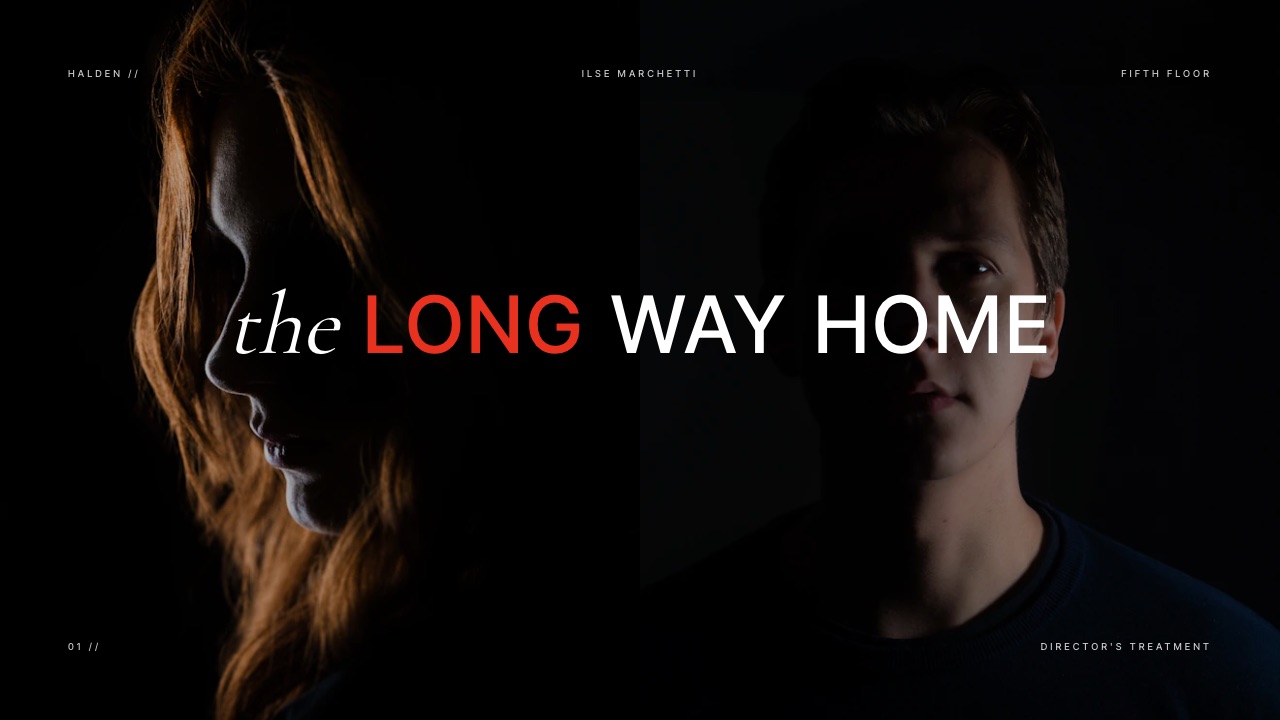
Framekit templates
Start from a designer-made template
 Use template
 Use template
 Use template
 Use template
 Use template
 Use template
 Use template
 Use template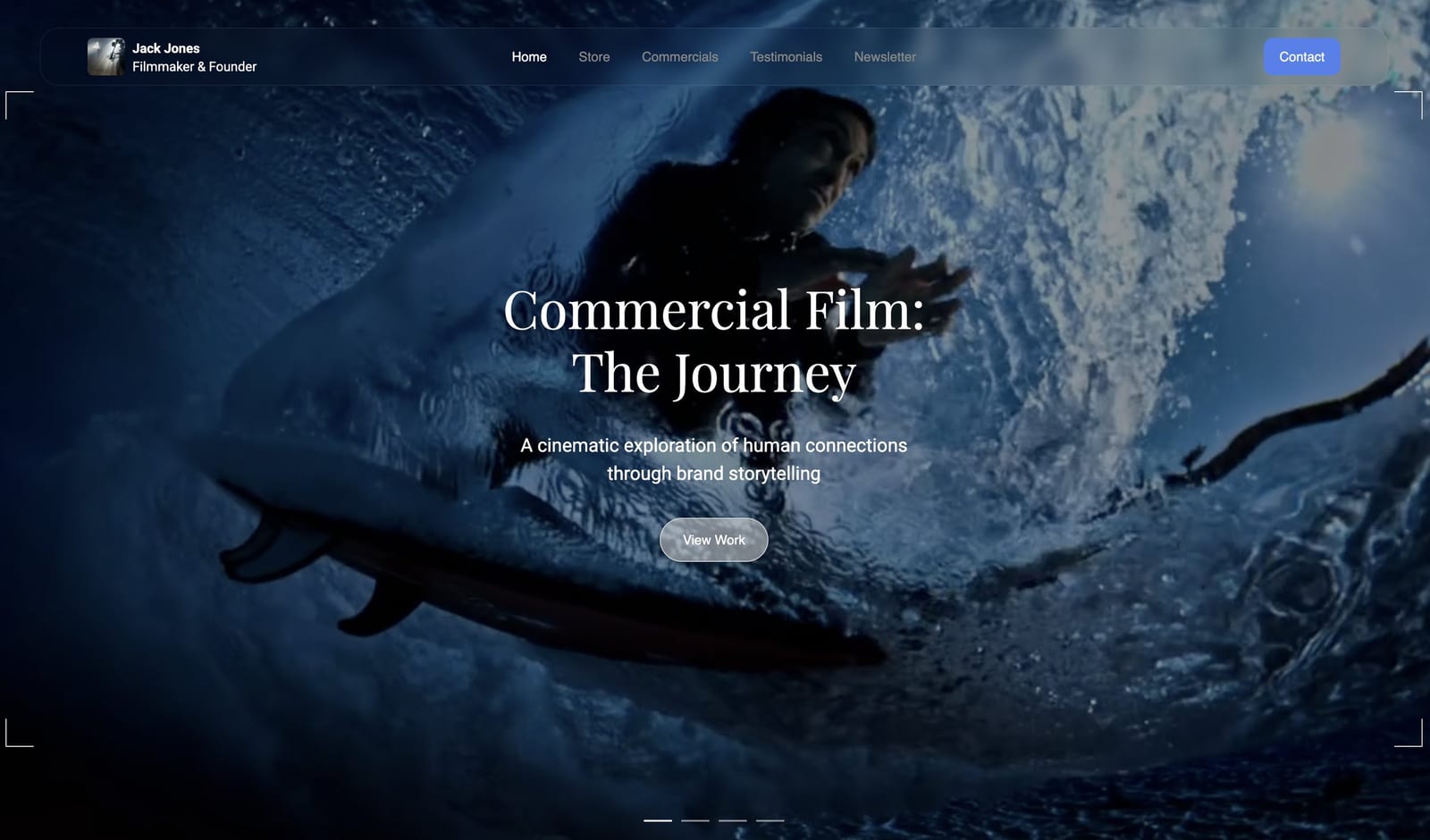
One of the tools in this comparison prices itself by your production budget.
Not by how many people use it, not by how many shoot days you have, but by how much money your film has: from $1,500 a project for a film budgeted between $1M and $6M, rising to $5,000 and then to a quote.
Another one gives away call sheets, scheduling and script breakdown for nothing.
Both are producing the same document, which a first assistant director will send out at 9pm and everyone will read on a phone in a car park at 6am.
A call sheet app is software that builds and distributes the daily production document telling every cast and crew member where to be, when, in what order the day runs, and what the weather and safety information is, then tracks who has confirmed receipt.
Productions use them in place of the spreadsheet-and-email process that still runs a surprising share of the industry.
None of the nine replaces the documents that come before the shoot day. Framekit Slides is where a lot of small productions build those, with shot lists, storyboard rows, a coverage grid and moodboards as ready-made elements inside a treatment that exports to PDF on any plan.
The best call sheet app for most independent productions in 2026 is StudioBinder, reported at $42 a month for its Starter tier, because it handles call sheets, shooting schedules, shot lists and contacts in one place and produces a document that looks professional without design work.
Filmustage is the genuine free option, because its entire non-AI toolset including call sheets and scheduling costs nothing. SetHero is the cheapest paid entry at a reported $19 a month.
The trade-off at the top of this market is that pricing stops tracking usage and starts tracking your budget.
Updated in September 2026: we re-verified Framekit's plans and rewrote our own section, since Framekit now includes Slides with shot list and storyboard elements plus video review; call sheet app prices are as checked in August 2026.
How We Compared 9 Call Sheet Tools
We built the same production in every tool: a five-day short with a twelve-person crew, six cast members, three locations and a night exterior, then generated and distributed a call sheet for day three, the one with the location move and the child performer.
We looked at how each tool handled the schedule, the contact list, the weather and hospital lookups, the distribution and the confirmation tracking.
The evidence divides three ways. Anything about how a tool behaved, what its output looked like, and where the workflow snagged is from building that production.
Pricing was taken from each vendor's own page where the page rendered figures on 9 August 2026, and the entries say so when it did not.
Assessments of what larger productions require come from industry practice as publicly documented, and are marked as reported.
Several vendors in this category route their pricing through redirects or sales conversations.
StudioBinder, Yamdu, SetHero, Celtx and Croogloo all redirected rather than serving a readable page, so their figures are third-party sourced and labelled in each entry. Setkeeper and Filmustage published figures we could read directly.
In one linenine tools, one identical five-day short with a location move and a child performer, prices read at source where the vendor served one and openly attributed where they did not.
What Building the Same Call Sheet Nine Times Showed
The finding that reorganises this category is that a call sheet is not a hard document to produce, and the price range across tools that produce it spans more than two orders of magnitude. What you are paying for at the top is not a better call sheet.
- Producing call sheets for a five-day short costs between $0.00 and about $300 a shoot day depending on the tool.
- 1 tool prices itself explicitly by your production's budget rather than by usage, starting at $1,500 a project.
- 1 tool gives away call sheets, scheduling, breakdown and budgeting entirely, charging only for AI features.
- The cheapest paid entry in the category is a reported $19 a month.
- Every tool here produced an acceptable call sheet. The differences were in scheduling, distribution tracking and how much of the rest of production they absorbed.
- The most common real-world alternative, a spreadsheet and an email, still works and costs nothing, and what it lacks is confirmation tracking.
For the tool matched to your production's size, jump to the decision guide.
What a Call Sheet Costs Per Shoot Day
Production software is bought by the month or by the project and consumed over a finite number of shoot days, which makes cost per shoot day the only figure that compares a five-day short against a twenty-day feature honestly.
| Tool | How it is priced | Five-day short | Twenty-day feature |
|---|---|---|---|
| Filmustage, non-AI tools | Free | $0.00 a day | $0.00 a day |
| Spreadsheet and email | Free | $0.00 a day | $0.00 a day |
| SetHero | Reported from $19 a month | About $3.80 a day | About $1.90 a day |
| StudioBinder Starter | Reported $42 a month | About $8.40 a day | About $4.20 a day |
| Yamdu | Reported from 39 euro a month per project | About 7.80 euro a day | About 3.90 euro a day |
| StudioBinder Indie | Reported $85 a month | About $17.00 a day | About $8.50 a day |
| StudioBinder Professional | Reported $127 a month | About $25.40 a day | About $12.70 a day |
| Setkeeper Starter | $1,500 a project | About $300.00 a day | About $75.00 a day |
| Setkeeper Pro | $5,000 a project | About $1,000.00 a day | About $250.00 a day |
The twenty-day column assumes a single month of subscription, which is optimistic: prep and wrap mean most productions pay for two or three months around a twenty-day shoot, so double or triple those figures for a realistic feature.
The Setkeeper rows look absurd next to the others and they are not aimed at the same customer.
That plan starts at a production budget of $1M, where $1,500 is 0.15% of the budget and the software is buying document security, watermarking and distribution control that a $30,000 short has no use for.
The number is only shocking if you read the table as a like-for-like comparison, which is exactly the mistake this table exists to prevent.
In one linethe same daily document costs between $0.00 and about $300 a shoot day, and the expensive tiers are priced against your budget rather than your usage.
The 9 Best Call Sheet Apps in 2026: Full Comparison
Scores are out of 10 across four weighted criteria: the quality and speed of producing the actual call sheet (30%), distribution and confirmation tracking, meaning whether you know who has read it (25%), how much of the surrounding production it handles such as scheduling, breakdown and contacts (25%), and cost at independent scale (20%).
Distribution tracking carries a quarter because it is the one thing a spreadsheet genuinely cannot do, and it is the reason to buy software at all.
| Tool | Pricing model | Reported entry price | Free tier | Best for | Score |
|---|---|---|---|---|---|
| StudioBinder | Per month | About $42 | Yes | Most independent productions | 8.9 |
| Filmustage | Free, AI features paid | $0 for call sheets | Yes, substantial | Zero-budget productions | 8.4 |
| SetHero | Per month or per project | About $19 | Trial | Call sheets specifically | 8.1 |
| Yamdu | Per project, per month | About 39 euro | Trial only | European productions | 7.7 |
| Celtx | Per month | About $14.99 entry | Yes | Script to schedule pipeline | 7.3 |
| Setkeeper | Per project, by budget | $1,500 | Trial only | Funded features and series | 7.0 |
| Croogloo | Quote | Not published | No | Distribution and security | 6.4 |
| Scenechronize | Enterprise | Not published | No | Studio productions | 6.1 |
| Spreadsheet and email | Free | $0 | Not applicable | One-day shoots | 5.5 |
A spreadsheet finishing last in a software comparison is not a joke entry. It is what most low-budget productions actually use, it produces a perfectly legal and readable call sheet, and its single real deficiency is that you never know who opened it.
1. StudioBinder: Best for Independent Productions
StudioBinder is the tool most independent productions land on, and the reason is that it covers the whole pre-production stack rather than just the daily document.
What it feels like to usejoined up in a way the single-purpose tools are not.
The shooting schedule, the shot list, the contact database and the call sheet share the same data, so a location change at 4pm updates the call sheet rather than requiring you to remember three places.
On our day-three call sheet with the location move, that single behaviour saved the mistake that a spreadsheet workflow makes constantly.
The real numberreported at a free tier, with Starter at about $42 a month, Indie at about $85 and Professional at about $127. StudioBinder's pricing page redirected rather than serving us a readable version, so these figures are third-party sourced.
On a five-day short the Starter tier is about $8.40 a shoot day.
The detail nobody writes aboutthe weather, sunrise, sunset and nearest-hospital lookups populate automatically from the location.
That sounds like a convenience and it is a safety document requirement: the nearest emergency room on a call sheet is the thing nobody reads until the day somebody needs it, and manually looking it up for three locations is exactly the task that gets skipped at 11pm.
The gotchathe free tier is genuinely limited on the things a real production needs, particularly around how many projects and users it allows. It is a demonstration rather than a working plan, and budgeting from the free tier is how productions discover the real cost mid-prep.
Skip it ifyou are shooting one day with four people, where the setup cost exceeds the benefit and a spreadsheet is faster.
Verdict: the correct default for anything from a serious short upward. Buy the tier that covers your crew size, expect to pay for the prep months as well as the shoot, and use the schedule rather than only the call sheet builder.
Building the site the finished film lives on? We compared the options in the best website builders for filmmakers.
2. Filmustage: The Free One Nobody Mentions
Filmustage markets itself almost entirely on AI script breakdown, and the considerably more interesting fact for anyone making a film without money is what the product quietly gives away underneath all of that marketing.
What it feels like to useconventional production software with an AI layer bolted on top. The breakdown, scheduling, call sheets, budgeting, storyboards, location management and exports all work in the ordinary way, and the AI features sit alongside them as a paid addition rather than as the product.
Manual script breakdown, budgeting, call sheets, storyboards, scheduling, location management, team collaboration and PDF and Excel exports are listed as always free.
The detail nobody writes about, and it is the reason this entry is second: a production that never touches the AI features gets a complete call sheet and scheduling tool for nothing, indefinitely, with one active project.
For a student film, a first short or a spec commercial, that is the whole requirement met at zero cost, and almost nobody in this category mentions it because the marketing is about the AI.
The gotchaone active project on the free tier is the constraint. A production company running three films at once is not served, and the free AI breakdown covers only 20% of scenes, which is a demonstration rather than a workflow.
Skip it ifyou need multiple concurrent projects, or your team is large enough that per-user collaboration limits bite.
Verdict: the best free option in this comparison by a distance, and an easy first stop before paying anyone. Use the manual tools, ignore the coins, and upgrade only if the AI breakdown genuinely saves you a day.
3. SetHero: Cheapest Way to Do This Properly
SetHero focuses tightly on call sheets and production reports rather than attempting to own the whole of pre-production the way the broader platforms do, and it prices itself accordingly at the bottom of the paid range.
What it feels like to usefast at the one job. Building and sending a call sheet took fewer steps here than in the broader platforms, because there is less surrounding structure to populate first.
The confirmation tracking, showing who has opened and confirmed, is the core of the product rather than a feature of it.
The real numberreported from $19 a month, scaling by the number of projects a year and the size of productions, with one-time per-project pricing also available for a single film. On a five-day short that works out at about $3.80 a shoot day.
The detail nobody writes aboutthe option to buy a single project outright rather than subscribing is unusual in this category and it matches how independent production actually works.
Films happen in bursts with months of nothing between them, and a monthly subscription across a year of one shoot is money spent on the gaps.
The gotchait does less than StudioBinder deliberately, so if you also want shot lists, storyboards, breakdown and a contact database, you will end up running a second tool.
Skip it ifyou want one system for all of pre-production.
Verdict: the best value paid option for someone whose actual problem is call sheets rather than production management. Ask about the one-time project pricing before defaulting to a subscription.
4. Yamdu: The European Per-Project Option
Yamdu is a full production management platform with notably strong adoption across European film and television production, and it differs from most of this field in pricing per project rather than per company, which changes the arithmetic considerably.
What it feels like to usecomprehensive and slightly heavier than StudioBinder, aimed at productions with departments rather than at a director and a producer. Crew management, scheduling, breakdown and communication all sit in one place, and the structure assumes a real production hierarchy.
The real numberreported from about 39 euro a month per project, with no free plan and a 14-day trial that requires no card. On a five-day short that is about 7.80 euro a shoot day.
The gotchaper-project pricing means a company running three productions pays three times, which is the opposite of how the per-company subscriptions work.
For a production house with overlapping projects that changes the arithmetic substantially, and it is worth modelling before committing.
Skip it ifyou run several projects simultaneously, where a per-company subscription is cheaper.
Verdict: a strong platform whose pricing model suits a company doing one film at a time and penalises one doing four. Check your own project pattern against it.
5. Celtx: From Script to Schedule
Celtx approaches production from the script end, and its argument is that the breakdown, schedule and call sheet should descend from the screenplay rather than be rebuilt from it.
What it feels like to usecoherent if you write in it, and less compelling if you do not. Tagging elements in the script populates the breakdown, which populates the schedule, which populates the call sheet. For a writer-director on a short, that chain removes a full day of re-entry.
The real numberreported at about $14.99 a month for its entry writing tier with up to three projects, with production features on higher tiers. Celtx's pricing page redirected rather than serving readable figures, so these are third-party sourced.
The gotchathe entry price everyone quotes is the writing plan, not the production one. Reaching call sheets and scheduling means a higher tier, and comparing Celtx's $14.99 against StudioBinder's $42 is comparing a screenwriting subscription against a production one.
Skip it ifyour script was written elsewhere, which removes most of the integration advantage.
Verdict: the right choice for a writer-director who wants one system from first draft to call sheet, and an awkward fit for a producer joining a project after the script is locked.
6. Setkeeper: Priced by Your Budget, Not Your Usage
Setkeeper serves funded features and television series rather than independent shorts, and it is included in this comparison mainly because its pricing model explains something important about how this entire market works above a certain budget.
What it feels like to usebuilt around document control rather than document creation.
Watermarking, distribution tracking, secure script sides, a production office email address and archiving are the core, which tells you what its customers are actually worried about: not whether the call sheet looks nice, but whether an unreleased script leaks.
All plans include watermarking, email distribution, script sides, a custom production office email, security options and studio hub access. There is no free tier.
The detail nobody writes aboutthe tiers are defined by production budget, explicitly, on the pricing page. That is value-based pricing stated more openly than most software vendors manage, and it is worth understanding rather than resenting.
At a $1M budget, $1,500 is 0.15% of the film, and the alternative is a leak.
The gotchaif you are reading this article because you are making a short film, this tool is not expensive, it is simply not for you, and no amount of feature comparison will make it so.
Skip it ifyour production budget is below the entry band, which is most productions.
Verdict: the right answer for a funded feature where document security is a real risk, and completely irrelevant below that. Its main service to this article is showing where the category's pricing logic changes.
7. Croogloo: Distribution and Security First
Croogloo occupies broadly similar territory to Setkeeper, focused on distributing production documents to large crews across many departments with granular control over who receives which version of what.
What it feels like to useadministrative rather than creative, which is correct for its purpose. The problem it solves is getting the right document to two hundred people in the right departments with an audit trail, not designing the document.
The real numbernot published. Croogloo routes pricing through a sales conversation, and its page redirected rather than serving figures, so we have nothing to quote.
The gotchaunpublished pricing in this tier of the market usually means it scales with production size, and the practical consequence is that you cannot budget for it during development without a call.
Skip it ifyour crew fits in one email thread.
Verdict: a serious tool for large productions and unquotable for anyone comparing options on a website, which is a reasonable position for its market and unhelpful for this comparison.
8. Scenechronize: The Studio Standard
Scenechronize, part of Entertainment Partners, is production document management at studio scale, and it sits alongside payroll, accounting and residuals systems as part of a much larger infrastructure rather than competing with the independent tools above.
What it feels like to useenterprise software with the expectations that implies: onboarding, administration and integration with the rest of a studio's production infrastructure.
The real numbernot published, and sold through enterprise agreements.
The gotchatools at this level are frequently chosen by a studio rather than by a production, so an individual producer may find the decision already made. That is worth knowing before evaluating alternatives that will not be approved.
Skip it ifyou are not on a studio production, which for readers of this article is nearly everyone.
Verdict: included for completeness at the top of the market. If it is right for you, your production accountant already told you so.
9. A Spreadsheet and an Email: Still the Most Used Method
The most widely used call sheet tool in independent film is a spreadsheet template, exported to PDF and sent to a mailing list, and it deserves an honest entry rather than a dismissal.
What it feels like to useentirely under your control and entirely manual. A good template covers everything a paid tool produces: schedule, cast, crew, locations, weather, hospital, safety notes. Nothing about the document itself is worse.
The real number$0.00, forever, at any scale.
The detail nobody writes aboutthe one thing it genuinely cannot do is tell you who has read it. On a five-day short with twelve crew that is manageable through replies.
On a twenty-day feature with sixty people, chasing confirmations manually is a real job, and that job is what the paid tools are actually selling.
The gotchamanual re-entry across the schedule, the call sheet and the contact list is where errors enter, and a call sheet error is a person in the wrong place at 6am. That risk rises with the number of changes rather than with the size of the crew.
Skip it ifyour production changes frequently, which is when linked data earns its cost.
Verdict: entirely legitimate for a one-day shoot or a small stable production, and the wrong tool the moment the schedule starts moving. Most people reading this should try Filmustage's free tier before defaulting to it.
What Actually Belongs on a Call Sheet
In one linea call sheet has about a dozen required elements and two that are safety matters rather than conveniences, and every tool in this comparison produces them, which is why the software choice is not really about the document.
Working from the top of the page down.
Production title, date, day number and unit. Day 3 of 5 tells a crew member more about the state of the shoot than anything else on the page.
General crew call and the shooting call. These are different times and conflating them is the most common error on amateur call sheets. Crew call is when you arrive; shooting call is when the camera turns over.
The location, with an address that works in a mapping app, plus parking instructions, which are the thing that actually causes lateness. A location move mid-day needs both addresses and the travel time between them.
Sunrise, sunset and weather. Not decoration. A day exterior scheduled after sunset is a scheduling failure that a call sheet exposes if the times are printed on it.
The nearest hospital, with an address and a phone number. This is a safety document element and it is the one most often missing from spreadsheet call sheets, because looking it up per location is tedious.
Automatic lookup is a genuine argument for the paid tools.
The schedule for the day, scene by scene, with pages, cast numbers, location and any notes about stunts, animals, children or effects.
Cast list with individual calls, pickup times and whether they are travelling themselves.
Department notes, which is where the actual coordination lives: what camera needs, what the art department is prepping, who is wrapping what.
Safety notes and any special conditions, including anything requiring a permit, a marshal, a chaperone for a child performer or a medic.
Contact details for the key crew, because the useful call sheet is the one somebody can act on from a car with one bar of signal.
Two elements are legal or safety obligations in most jurisdictions rather than choices: the hospital information and the notification of any hazardous activity. If your process is producing call sheets without them, changing tools is less urgent than changing the template.
The Confirmation Problem Is What You Are Buying
In one linethe difference between free and paid in this category is knowing who has read the call sheet, and that is worth more on a large production and almost nothing on a small one.
A call sheet sent to sixty people by email produces no information. You know it left; you do not know that the second AC opened it, that the actor saw the earlier pickup, or that the location move reached the sound department.
The paid tools solve this in the same way: each recipient gets a personalised link, opens are tracked, confirmations are requested, and the production coordinator gets a list of who has not responded.
On a five-day short that list is short enough to chase by text. On a twenty-day feature with a rotating crew, chasing manually is a part-time job.
That gives a clean rule for whether to pay at all. Count the people receiving the call sheet and count how often the schedule changes.
Fewer than about fifteen people on a stable schedule, and a spreadsheet with a read receipt is genuinely fine. More than that, or a schedule that moves, and the tracking is the whole value.
The second-order benefit matters more than it sounds: a tracked call sheet creates a record. When something goes wrong on a shoot day, being able to demonstrate that the safety notes were distributed and confirmed is a different position from believing they were.
Who Actually Produces the Call Sheet, and When
In one linethe call sheet is drafted by the assistant director from the schedule, checked by the production coordinator against the contact list, approved by the producer and released the evening before, and understanding that chain explains what the software is really for.
Software comparisons in this category describe features. Productions have a process, and the tool either fits it or creates friction.
The first assistant director owns the day. The schedule, the order of scenes, the estimated timings and the department requirements come from the AD, who has been rebuilding tomorrow all afternoon based on how today actually went.
The call sheet is the output of that rebuild.
The production coordinator owns the distribution. Contacts, agents, cast pickups, unit drivers and who receives which version are coordinator territory, and a tool with a weak contact database creates more work here than it saves everywhere else.
The producer approves it. Anything with cost or risk attached, overtime, an added location, a stunt, gets signed off before it goes out.
It is released the evening before, conventionally around twelve hours ahead. That timing is not arbitrary: crew need to know their call in time to plan travel and rest, and a call sheet arriving at midnight for a 6am call is a real problem rather than a discourtesy.
The consequence for tool choice is that the software has to support a fast, late edit by one person and an immediate re-release.
On our day-three test, the tools that handled this best let the AD change the location and reissue in under two minutes, with recipients notified that a revised version existed.
The ones that handled it worst required rebuilding the distribution list.
A revised call sheet is normal rather than a failure, and any tool that makes reissuing painful will produce productions that avoid reissuing, which is how people arrive at yesterday's location.
The Ways a Call Sheet Actually Goes Wrong
In one linefive failure modes cause nearly every call sheet problem, none of them is about design, and knowing them tells you which software features are worth paying for.
The address is right and the parking is not. The single most common cause of a late crew is people circling a location looking for somewhere to leave a van.
Parking instructions, and a separate unit base address where relevant, prevent more lateness than any reminder feature.
A revision goes out and somebody works from the old one. This is the failure the confirmation tracking exists to catch.
Without it, a reissued call sheet is a hope rather than a fact, and the person who missed it is usually the one who was driving when it arrived.
The weather changed and the schedule did not. Automatic weather on the sheet is only useful if somebody reads it in time to move the day exterior. Tools that surface a changed forecast rather than merely printing yesterday's are doing something genuinely useful.
A child performer's hours were not checked. Minors carry legal restrictions on working hours, required breaks and chaperone presence that vary by jurisdiction, and those constraints belong on the call sheet where the AD and the chaperone can both see them.
This is the one on our test day, and no tool prompted for it automatically.
The hospital was the nearest one to the office, not to the location. Automatic hospital lookup per location is a small feature that removes a real risk, and it is the strongest single argument for paid software over a template.
The pattern across all five is that the expensive failures are informational rather than aesthetic. A plain call sheet with correct parking, a confirmed distribution and the right hospital beats a beautifully designed one without them, every day.
What Changes on a Union or Regulated Production
In one lineonce a production is covered by union agreements or child performance regulations, the call sheet stops being a convenience document and starts carrying compliance information, which narrows the useful tool list.
This is where the free-template approach starts to strain, and it is worth knowing before you scale up.
Turnaround. Agreements typically specify a minimum rest period between wrap and the next call. That constraint interacts directly with the schedule, and a call sheet that violates it creates a penalty and a safety problem.
Tools that flag a turnaround breach when you set tomorrow's call are doing genuine compliance work.
Meal breaks. Timing and penalties are specified, and the meal break belongs on the schedule rather than being assumed. A day that runs long without a break scheduled is a cost as well as a welfare issue.
Minors. Working hours, tutoring time, chaperone requirements and permitted call windows are regulated and vary by jurisdiction. These need to appear on the sheet.
Health and safety documentation. Risk assessments, permits, marshals for traffic or water or fire work, and the notification of any hazardous activity all attach to specific days and belong in the distribution.
The practical implication for this comparison is narrower than it might appear.
None of the tools here automates compliance, and what the better ones provide is structure that makes omissions visible: fields that exist and are empty are harder to forget than fields that were never in your template.
If you are moving from a spreadsheet to software as a production grows, that visibility is the actual upgrade rather than the design.
Prep Months Are the Cost Nobody Budgets
In one lineproduction software is used for far longer than the shoot, and the per-shoot-day figures in this article understate real cost by two or three times because of that.
A twenty-day feature does not occupy one month of a subscription. Breakdown and scheduling start in prep, frequently two months before the first shoot day, and the tool stays in use through wrap and sometimes into post for reports and continuity records.
So the honest arithmetic on a twenty-day feature at StudioBinder's reported Indie tier is not $85. It is $85 across perhaps three months, which is $255, or about $12.75 a shoot day rather than $8.50.
Three practical consequences.
Budget the tool as a line item across the production period, not as one month. This is the single most common underestimate in indie production software budgeting.
Check whether per-project pricing is cheaper for your shape. Tools offering a one-time project price, such as SetHero's reported option, become better value the longer the prep, because a fixed project fee does not care that you started three months early.
Decide when the subscription ends. Productions routinely keep paying for months after wrap because nobody owned the cancellation. Put the end date in the schedule.
Run This Test Before You Subscribe
Take the messiest day of your actual schedule, the one with the location move or the night exterior or the child performer, and build only that day in the free tier of two tools. Filmustage's free plan and StudioBinder's free tier both allow this.
Then send it to two people who will be on that day and ask one question: is there anything here you would still have had to ask me about.
That question finds the gaps a feature list does not. In our experience the answers are always the same kinds of thing: parking, the travel time between locations, who is bringing what, and when the child performer's chaperone is required.
Tools differ in how well their templates prompt for those, and the only way to find out is to build a real day rather than a demo.
If both tools produce a document that answers everything, take the cheaper one. If one prompted you for something you had forgotten, that prompt is worth the subscription on its own.
Where Framekit Fits Before and After the Call Sheet
Every tool above runs the production days, and none of them handles the documents on either side: the treatment and shot list that win the job, and the review, delivery and case study that follow wrap. This is what we build, so read it as disclosure rather than a tenth entry.
Framekit is an AI website builder with a Slides tool made for pre-production documents.
Shot lists, shot cards, storyboard rows, a coverage grid and moodboards are ready-made elements, and the AI writes and lays out a treatment or production deck from a description, all editable, exportable to PDF on every plan and shareable as a link.
It is not linked to a schedule, so a reordered shot list does not update a call sheet the way StudioBinder's does.
After wrap, the same account runs frame-accurate video review for the client's notes on each cut, a client gallery for delivering the final files and stills, and a page on your site for the finished film.
Two honest limits. Framekit does not build call sheets, schedules, breakdowns or crew confirmations, and it is not an alternative to anything ranked above.

The Decision Guide
Work down these questions in order and stop at the first yes, because in this category the size of your crew and how often your schedule changes decide the answer far more reliably than any feature comparison will.
Is your crew under about fifteen people on a stable one or two day shoot? If yes, a spreadsheet template and an email are genuinely sufficient, provided the template includes the hospital and safety information.
Is the budget zero and the production a single project? If yes, Filmustage's free tier, which includes call sheets, scheduling, breakdown and budgeting at no cost with one active project.
Do you want one system for schedule, shot list, contacts and call sheets on an independent production? If yes, StudioBinder, reported from about $42 a month, and budget for the prep months rather than the shoot alone.
Is your actual problem call sheets and confirmations rather than production management? If yes, SetHero at a reported $19 a month, and ask about its one-time per-project option.
Did the script originate with you and do you want the breakdown to descend from it? If yes, Celtx, checking which tier actually includes the production features rather than the writing ones.
Are you a European production working one project at a time? If yes, Yamdu at a reported 39 euro a month per project, and model the cost if you ever run two.
Is your production funded above $1M with real script security concerns? If yes, Setkeeper from $1,500 a project, or Croogloo, and treat the fee as a fraction of a percent of budget rather than as software spend.
Frequently Asked Questions
What is the best call sheet app in 2026?
The best call sheet app for most independent productions in 2026 is StudioBinder, reported from about $42 a month, because the call sheet, shooting schedule, shot list and contact database share the same data so a change in one updates the others.
Filmustage is the best free option, since its entire non-AI toolset including call sheets and scheduling costs nothing. SetHero is the cheapest paid entry at a reported $19 a month.
Is there a free call sheet app?
Yes.
Filmustage's free plan includes manual script breakdown, budgeting, call sheets, storyboards, scheduling, location management, team collaboration and PDF and Excel exports, with one active project and projects that stay open indefinitely.
StudioBinder and Celtx also have free tiers, though both are more limited. A spreadsheet template exported to PDF also costs nothing and produces a perfectly valid call sheet.
How much does call sheet software cost?
Call sheet software costs between nothing and about $300 a shoot day depending on which part of the industry you are in.
Filmustage's call sheet tools are free, SetHero is reported from $19 a month, StudioBinder from about $42, Yamdu from about 39 euro a month per project, and Setkeeper starts at $1,500 a project for productions budgeted between $1M and $6M.
The expensive tiers are priced against your production budget rather than your usage.
Why is some production software priced by production budget?
Because at the top of this market the software is insuring against a risk proportional to the budget rather than performing a task proportional to usage.
Setkeeper's published tiers run from $1,500 for productions budgeted at $1M to $6M up to a quote above $20M, and what those plans sell is document watermarking, distribution control and security.
On a $1M film, $1,500 is 0.15% of the budget and the alternative is a script leak.
What should be on a call sheet?
A call sheet needs the production title, date and day number, the general crew call and the separate shooting call, the location address with parking instructions, sunrise and sunset times, weather, the nearest hospital with address and phone number, the scene-by-scene schedule with pages and cast numbers, individual cast calls, department notes, safety notes for any hazardous activity, and contact details for key crew.
The hospital details and hazard notices are safety obligations rather than optional extras.
Do I need call sheet software for a small shoot?
Probably not. With fewer than about fifteen people on a stable one or two day schedule, a spreadsheet template emailed as a PDF does the job, and its only real deficiency is that you cannot tell who has read it.
The point at which software earns its cost is when the crew grows or the schedule starts changing, because linked data prevents the re-entry errors that put people in the wrong place.
What is the difference between crew call and shooting call?
Crew call is when crew members are required to arrive on location, and shooting call is when the camera is expected to turn over on the first setup.
They are usually separated by an hour or more to allow for unloading, setting up and preparing the first shot.
Conflating them is the most common error on call sheets produced by people new to production, and it causes either an idle crew or a late start.
Can I track who has read the call sheet?
Yes, and it is the main functional difference between free and paid tools in this category.
StudioBinder, SetHero, Yamdu, Setkeeper and Croogloo all send personalised links, track opens and request confirmations, giving a production coordinator a list of who has not responded.
A spreadsheet emailed as an attachment gives you no information beyond the fact that it sent.
StudioBinder vs Celtx: which is better?
StudioBinder is better if you are joining a project after the script exists and want scheduling, shot lists, contacts and call sheets in one production-focused system.
Celtx is better for a writer-director who wants the breakdown and schedule to descend directly from a screenplay written in the same tool.
Note that Celtx's frequently quoted entry price is its writing plan, so compare production tiers rather than headline figures.
How long will I need the subscription for?
Longer than the shoot, which is the most common budgeting mistake in this category.
Breakdown and scheduling typically start two months before the first shoot day and the tool stays in use through wrap, so a twenty-day feature realistically means two or three months of subscription rather than one.
Budget it across the production period and put the cancellation date in the schedule, because productions routinely keep paying for months after wrap.
Are AI script breakdown tools worth it?
They are worth trying free before paying, which Filmustage allows on 20% of scenes.
AI breakdown is genuinely fast at tagging obvious elements such as characters, props and locations, and it still requires a human pass, because the elements it misses are the ones that cost money on the day.
Treat it as a first draft that saves hours rather than as a finished breakdown, and price it against what a day of your first AD's time is worth.
Can I use project management software instead?
You can, and most general project tools produce a poor call sheet because they have no concept of a shooting day, cast numbers, pages or sunrise.
They are useful alongside production software for the wider coordination rather than instead of it.
The specific things you lose are automatic weather and hospital lookups, industry-standard document layout, and confirmation tracking designed around a crew list.
What is the difference between a shot list and a call sheet?
A shot list describes what will be filmed, shot by shot, and a call sheet tells each person where to be and when on a given day.
StudioBinder links the two so changes flow through; Framekit Slides builds shot lists and storyboards inside a treatment or production deck but does not produce call sheets.
Final Verdict: The Best Call Sheet App in 2026
StudioBinder is the answer for most independent productions, at a reported $42 a month for its Starter tier, because the linked schedule, shot list, contacts and call sheet prevent the re-entry errors that put someone in the wrong place at 6am.
Budget it across your prep months rather than your shoot days.
If the budget is genuinely zero, Filmustage's free tier is the finding of this comparison: call sheets, scheduling, breakdown and budgeting at no cost, indefinitely, on one active project.
Very few articles about this category mention it, because the vendor markets its AI rather than the free tools underneath.
Where this category loses, plainly: nothing here produces a better call sheet than a good spreadsheet template.
What the paid tools sell is linked data and confirmation tracking, and if your crew is small and your schedule stable, you are buying neither.
And at the top of the market pricing detaches from usage entirely and attaches to your budget, which is worth understanding rather than comparing feature by feature.
Where Framekit loses, and it is worth stating directly: we do not build call sheets, schedules or breakdowns, our shot lists are not linked to a schedule, and we are not an alternative to anything ranked above.
If a production tool is what you came for, the nine routes here are your list and we are not on it.
The short version. Most independent productions: StudioBinder. Zero budget: Filmustage's free tier. Call sheets specifically: SetHero, and ask about per-project pricing. Writer-director: Celtx, on a production tier.
Europe, one project at a time: Yamdu. Funded feature with security concerns: Setkeeper. A one-day shoot with four people: a spreadsheet, with the hospital details on it.
Related readingthe best website builders for filmmakers, the best screenwriting software, the best storyboarding software, the best project management tools for creative teams, and the best film festival submission platforms.