Framekit templates
Start from a designer-made template
 Use template
 Use template
 Use template
 Use template
 Use template
 Use template
 Use template
 Use template
A wedding gallery is forwarded to parents, bridesmaids, groomsmen, and half the guest list within about six hours of delivery. Forty people who just attended a wedding look at your photographs, at exactly the moment they are most likely to be thinking about photography.
Almost every photographer lets all forty leave without a trace.
Email capture on a client gallery means requiring, or inviting, a visitor to give their email address before they can view or download, so the people your delivery reaches become contacts rather than anonymous traffic.
Framekit, Pixieset, Pic-Time, CloudSpot, and ShootProof all support gathering visitor emails at the gallery, and Framekit includes email registration on every plan including free with the setting switched off by default, which is the right default because collecting data you cannot justify is a liability rather than an asset.
The honest trade-off is friction: every capture gate costs you some viewers, so use it on shareable galleries and never on the delivery to the client who paid you.
Full disclosure: Framekit, ranked #1 below, is our own product. Every platform is linked and we state where each beats us: CloudSpot ties capture into a studio system we do not have, Pic-Time turns captured contacts into print sales we cannot make, PhotoShelter offers per-user access records we do not, and Dropbox takes file types our galleries reject.
How We Compared These Platforms
Email capture is a small feature with large consequences, so here is the basis for each claim and the areas we did not examine.
- Verified from primary sources: capture behaviour, where the contacts go and every plan limit were taken from each vendor's published documentation in September 2026.
- Assessed hands-on: how much friction capture adds before a client sees a photograph, and whether it can be turned on per gallery rather than account-wide.
- Not assessed: downstream marketing automation, which is a separate category of product.
No speed figures or performance scores are published here for any platform.
Framekit is an AI website builder with client galleries included, so captured contacts land on the same site as your portfolio and your enquiry page.
What Email Capture Is Actually Worth
The numbers are modest on any single gallery and meaningful across a year of them, which is why email capture is worth configuring carefully once and then leaving alone rather than revisiting every month.
A wedding gallery typically reaches 20 to 60 unique visitors. A corporate delivery reaches 4 to 12. A family session reaches 5 to 15.
Across 30 weddings a year, that is 600 to 1,800 people who looked at your work, in a context where they were emotionally engaged and where at least some of them are planning their own wedding.
Even at a conservative capture rate, a photographer delivering 30 weddings a year can add several hundred contacts annually without buying a single ad. Those are warm contacts: they have seen your work, they know somebody who hired you, and they associate you with a good day.
The honest counterweight: an email address is only worth something if you send something to it. A list you never email is a compliance obligation with no upside, which is the position most photographers who switch this feature on end up in.
The Comparison
The weighting to read this with: whether capture can be enabled per gallery rather than account-wide carries the most weight, because a blanket gate costs you goodwill on private deliveries, then where the contacts end up, then cost.
Under the opposite weighting, where capture exists to feed a print-sales engine, Pic-Time wins and Framekit does not place, since there is nothing to sell at the other end.
Here is what each platform offers at the gallery itself rather than in your dashboard, verified from vendors' published documentation and plan configurations in August 2026.
| Platform | Email capture at the gallery | On which plans | Off by default |
|---|---|---|---|
| Framekit | Yes, email registration before viewing | Every plan including free | Yes |
| Pixieset | Yes | Paid plans | Confirm with support |
| Pic-Time | Yes | Paid plans | Confirm with support |
| CloudSpot | Yes, email capture on galleries | Paid plans | Confirm with support |
| ShootProof | Yes | Paid plans | Confirm with support |
| SmugMug | Limited | Plan-based | Confirm with support |
| PhotoShelter | Yes, per-user access instead | Higher plans | Not applicable |
| PicDrop | No, professional workflow tool | Not applicable | Not applicable |
| Dropbox | No | Not applicable | Not applicable |
The row worth noticing is the last column. A capture gate switched on by default collects addresses before you have decided what to do with them, which is exactly backwards from a compliance point of view.
1. Framekit: Email Registration, Off Until You Want It

Our rating: 9.2/10
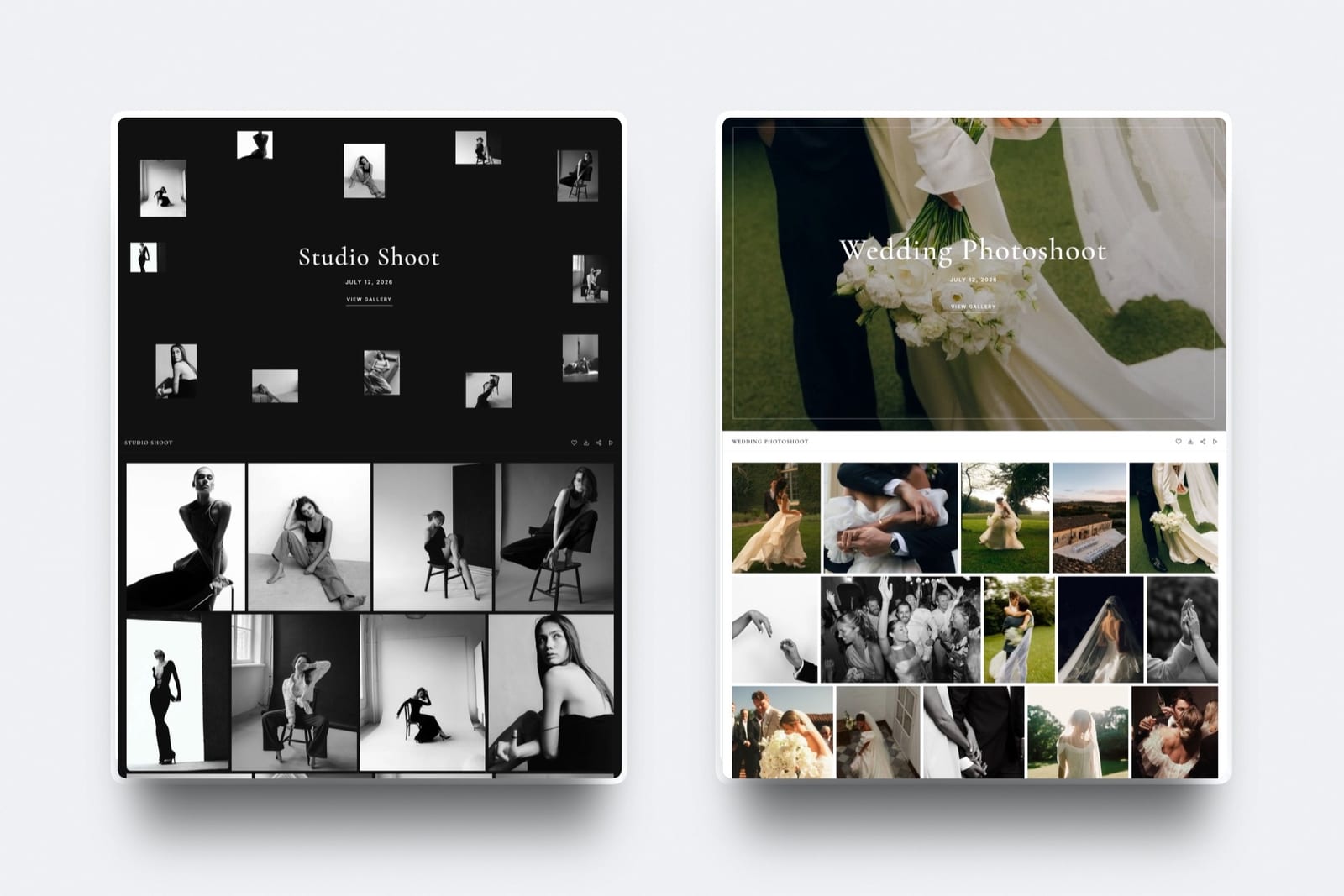
Framekit includes email registration on every plan, including free: switch it on for a gallery and a visitor gives an address before they can open it.
It is off unless you enable it, which is the correct default for a feature that creates a data-protection obligation the moment it runs.
Because the gallery sits on your own website, the contacts and the traffic arrive at the same property as your portfolio and your enquiry page, so a guest who registers and then browses your work is one session rather than two disconnected events.
Best forPhotographers who want capture on shareable galleries, keep it off for paying clients, and actually send something to the list afterwards.
Key features:
- Email registration before gallery viewing, available on every plan including free
- Off by default, per gallery, so you decide which galleries capture and which do not
- Gallery passwords and a separate download PIN, so capture can be combined with real access control
- Galleries published on your own domain from $9 a month, so the contact and the portfolio visit are the same session
- Subscriber capacity of 500 on Free, 1,000 on Starter, and 5,000 on Pro for the list you build
The gotchacapture and a password together is two steps before a single photograph, which is more friction than most consumer galleries should carry. Choose one or the other per gallery rather than stacking them.
Skip it ifprint sales are your income, since there is no print lab, or if you want a full marketing automation platform rather than a capture point.
Verdict: the most sensible implementation in the category, mainly because of the default. A feature that collects personal data should be opt-in, and here it is. Start free at framekit.ai.
2. CloudSpot: Capture Tied to a Studio System
Our rating: 8.6/10
CloudSpot's galleries support email capture and, more usefully, sit next to invoicing, contracts, and client management from its Lite tier at $17 a month per its pricing page, so a captured contact is in the same system where you would quote them.
Verdict: the tightest loop from captured address to actual booking, provided you run your admin there too. Visit CloudSpot
3. Pixieset: Capture Plus the Familiar Client Experience
Our rating: 8.4/10
Pixieset supports gathering visitor emails and pairs it with the most familiar gallery experience in the category, with its $10 Basic plan connecting a domain and removing the store commission per Pixieset's published pricing.
Verdict: a solid implementation attached to the gallery your clients have most likely used before. Our Pixieset alternatives guide covers the field. Visit Pixieset
4. Pic-Time: Capture Feeding a Selling Engine
Our rating: 8.2/10
Pic-Time is the only platform here where a captured address feeds directly into automated print campaigns, which is the clearest commercial use of the feature in the category.
Its help center also notes free-plan storage dropping from 10GB to 3GB three months after account creation.
Verdict: the best capture-to-revenue path if you sell prints, and irrelevant if you do not. Visit Pic-Time
5. ShootProof: Capture With No Commission Behind It
Our rating: 7.9/10
ShootProof supports visitor capture and charges 0% commission on every plan per its published pricing, so anything a captured contact eventually buys comes back to you whole.
Verdict: capture attached to the best print economics in the category. Visit ShootProof
6. PhotoShelter: Named Users Rather Than Captured Addresses
Our rating: 7.5/10
PhotoShelter approaches this differently: rather than capturing anonymous visitors, it gives named users individual access, which is what organisations ask for and what a marketing list is not.
Verdict: the right model for institutional work and the wrong one for gathering wedding guests. Visit PhotoShelter

7. SmugMug: Archive First, Capture Second
Our rating: 7.2/10
SmugMug's defining strength is unlimited photo storage from around $13 a month, and its visitor-capture tooling is clearly secondary to that archive purpose rather than a feature the product is built around.
Verdict: buy it for the storage. Our SmugMug alternatives guide covers delivery-first tools. Visit SmugMug
8. PicDrop: Deliberately No Capture
Our rating: 7.0/10
PicDrop is a professional selects and delivery tool with no marketing layer at all, which is correct for its audience: art directors do not want to give an email address to look at a shortlist.
Verdict: the right absence of a feature. Visit PicDrop
9. Dropbox: No Capture, No Gallery
Our rating: 5.8/10
A shared folder captures nothing and tells you nothing, which is the baseline every gallery platform improves on. See client gallery vs Dropbox for the full comparison.
Verdict: the reason this category exists. Visit Dropbox
When Not to Use Email Capture
In one linenever put a capture gate in front of the client who paid you, because asking a couple for their email address to see their own wedding photographs is the single most tone-deaf thing a gallery can do, and it is what happens when a photographer enables the setting account-wide instead of per gallery.
Not on the delivery to the paying client. They bought the photographs. Gating them behind a form reads as a bait-and-switch on the most emotionally significant delivery you will make.
Not on commercial or corporate deliveries. A marketing team downloading assets they commissioned will find a capture gate obstructive and unprofessional, and someone in that chain will complain.
Not stacked with a password. Two steps before a single photograph loses viewers, particularly on phones. Choose access control or capture, not both.
Not without a lawful basis and a plan. If you cannot say why you are collecting the address, what you will send, and how someone opts out, do not collect it.
Our GDPR guide covers the obligations that follow.
Not as a substitute for asking. A line in the delivery email saying "if you would like to hear when I open dates for next year, reply and I will add you" converts better than a form and creates no compliance work.
Where It Does Work
Shareable highlight galleries. A public or lightly protected highlights set from a wedding, shared deliberately for guests, is the ideal place: those visitors are not your client, they arrived voluntarily, and they are self-selecting as interested.
Event and conference coverage. Attendees who want their photographs are happy to give an address for them, and the organiser usually expects it.
Portfolio galleries used as lead magnets. A behind-the-scenes set or a styled-shoot gallery, promoted deliberately, is marketing rather than delivery.
Free resources. A guide, a preset, or a location list delivered through a gallery is a straightforward exchange the visitor understands.
Then send something. A short seasonal note twice a year is enough, and it is the difference between a list and a liability. Our comparison of email marketing tools for photographers covers where to keep it.
Frequently Asked Questions
Which client galleries have email capture?
Framekit, Pixieset, Pic-Time, CloudSpot, and ShootProof all support gathering visitor email addresses at the gallery, with Framekit including email registration on every plan including free and leaving it switched off by default.
PicDrop and Dropbox have no capture at all, which is correct for their professional and file-transfer audiences, and PhotoShelter uses named per-user access rather than anonymous capture.
Should I require an email address to view a client gallery?
Not on the delivery to the client who paid you, which is the most common misuse of the feature. Requiring a couple to submit an email address to see their own wedding photographs reads as a bait-and-switch at the worst possible moment.
Use capture on shareable highlight galleries, event coverage, and lead-magnet galleries, where visitors arrive voluntarily and the exchange is understood.
How many emails can a wedding gallery capture?
A wedding gallery typically reaches 20 to 60 unique visitors, so across 30 weddings a year that is 600 to 1,800 people who saw your work, of whom a fraction will register.
The value is not the raw count but the context: these people attended a wedding you photographed, they are emotionally engaged, and some of them are planning their own. Even a modest capture rate adds several hundred warm contacts a year.
Is email capture GDPR compliant?
It can be, and it creates obligations the moment you switch it on: you need a lawful basis, a privacy notice explaining what you collect and why, a way for people to opt out, and a retention period.
Collecting addresses you have no plan for is a liability rather than an asset.
Framekit leaves email registration off by default for exactly this reason, and our GDPR guide covers the wider requirements.
Does email capture reduce gallery views?
Yes, every gate does, which is the trade you are making. A form before a single photograph loses some visitors outright and more on phones, and stacking capture with a password roughly doubles that effect.
Use one gate per gallery, put capture only where the visitor arrived voluntarily, and leave the paying client's delivery entirely ungated.
What should I send to captured contacts?
Something, twice a year, or do not collect them. A short seasonal note when you open dates, a behind-the-scenes piece, or a genuinely useful guide is enough to keep a list warm and legitimate.
A list nobody emails is compliance work with no upside, and it is where most photographers who enable this feature end up within a year.
Can I capture emails and still password-protect a gallery?
Technically yes on most platforms, and you should usually choose one. Two steps before any photographs appear is meaningful friction, particularly for less technical clients on phones.
The sensible pattern is a password on the private client delivery with no capture, and capture with no password on a shareable highlights gallery you actively want forwarded.
Which platform has the best email capture?
Framekit for the default, since email registration is available on every plan including free and off unless you enable it per gallery, which is the right posture for a data-collecting feature.
Pic-Time for the commercial loop, since captured addresses feed automated print campaigns directly. CloudSpot for the business loop, since a captured contact sits in the same system as your invoicing and quotes.
Where do captured emails go?
Into the platform's subscriber or contact list, from where most photographers export them to a dedicated email tool. Framekit carries subscriber capacity of 500 on Free, 1,000 on Starter, and 5,000 on Pro.
Because the gallery sits on your own domain, a visitor who registers and then browses your portfolio is one session on your site rather than two disconnected events on someone else's.
Is it worth capturing emails from corporate deliveries?
No, and it is likely to cost you the relationship. A marketing team downloading assets they commissioned expects frictionless access, and a capture gate in front of their own files reads as obstructive.
Corporate contacts come from the work and the invoice, not from a form. Keep capture for consumer galleries that get forwarded and for genuinely optional shareable sets.
Can I use Framekit's email capture and a password on the same gallery?
You can, but you usually should not.
Capture plus a password is two steps before the client sees a single photograph, which is more friction than most consumer galleries should carry, so pick one gate per gallery: the password for private work, the email registration for galleries you expect to be forwarded.
Registration is off by default and you turn it on per gallery rather than account-wide.
What is not here is a marketing automation platform: this is a capture point that feeds your list, and if you want sequences and segmentation built in, a studio system like CloudSpot is closer to that.
Final Verdict: The Best Client Gallery With Email Capture in 2026
Nine platforms, and the feature is less rare than the discipline around it. Most photographers either never switch capture on or switch it on everywhere, and both are wrong.
Framekit is the best implementation because it is available on every plan including free and off unless you enable it for a specific gallery, which means you decide where capture belongs rather than a default deciding for you.
The contact and the portfolio visit also land on the same domain, which is the point of delivering from your own site.
Where Framekit loses: we have no print lab, so a captured contact cannot be sold a framed print through us, and Pic-Time's automated campaigns turn addresses into print orders in a way we do not attempt.
If your list is meant to sell prints rather than book sessions, Pic-Time is the better tool.
Use capture on galleries people arrive at voluntarily, never on the delivery to the client who paid you, and send something to the list twice a year. Without that last part, none of this is worth doing.
Related reading: our full client gallery platform comparison, best email marketing tools for photographers, best lead magnet tools for creators, and how to use client galleries to get referrals.
For the compliance side see best GDPR-compliant client galleries.