Framekit templates
Start from a designer-made template
 Use template
 Use template
 Use template
 Use template
 Use template
 Use template
 Use template
 Use template
Almost every photographer already pays for Dropbox, which makes the question reasonable: if the files arrive at full resolution and the client can download them, why pay again for a gallery?
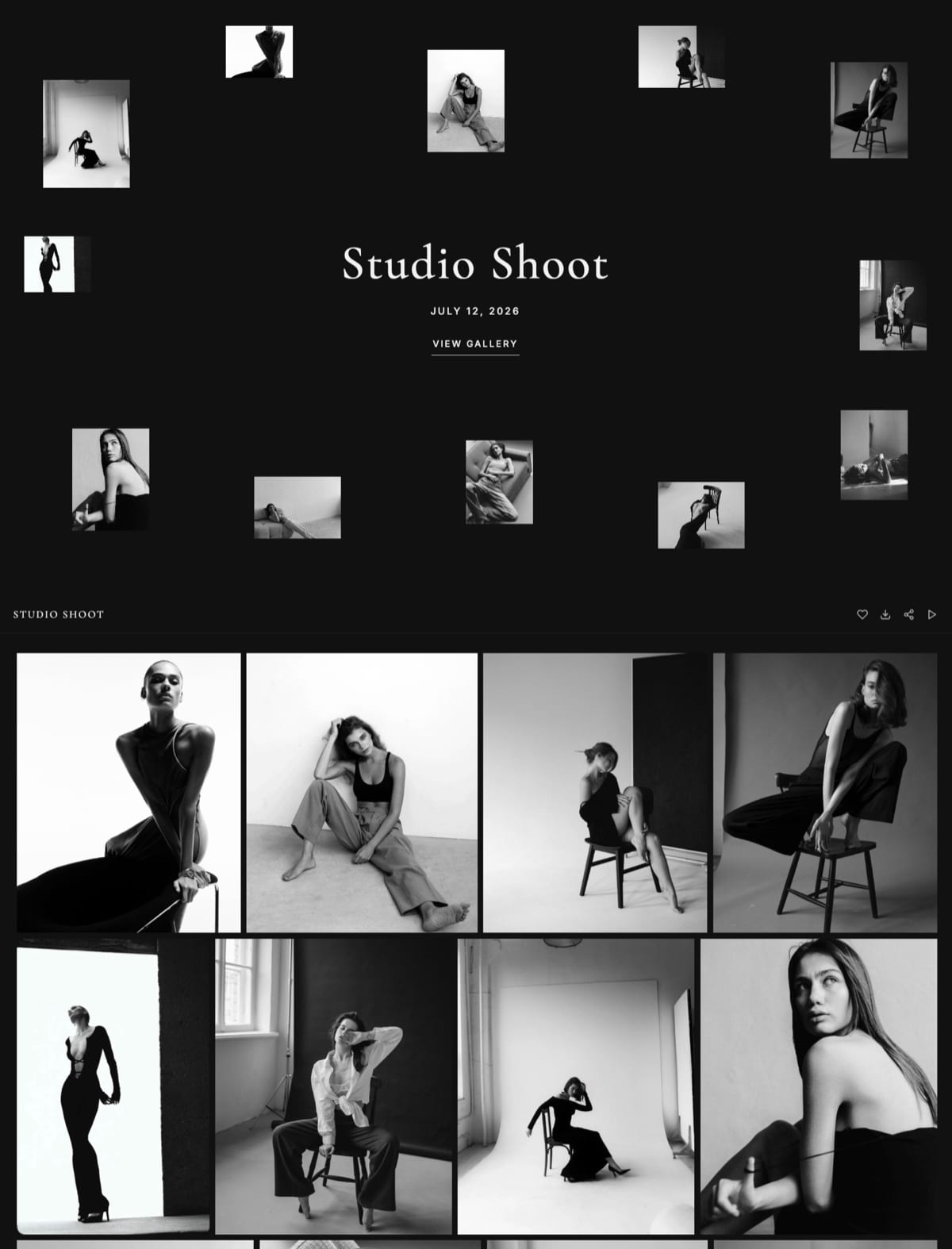
Here is the answer in one image. Open a Dropbox link on a phone and you get a list of file names in a system font. Open a client gallery on a phone and you get a cover photograph with the client's name on it.
Same photographs. One of them looks like a delivery from a studio and the other looks like a folder from a colleague.
A client gallery is purpose-built photo delivery software that presents finished images as a branded web page with favorites, download control, watermarking, expiry, and often a print store, while Dropbox is general-purpose cloud storage that syncs and shares folders of any file type.
Framekit is an AI website builder with client galleries included, which is why the delivery half of that split can sit on your own domain instead of a vendor's, and why it does not replace the Dropbox half at all.
Use Dropbox for working files, retoucher exchange, RAW archives, video masters, and anything a collaborator will process further, and use a client gallery for every finished delivery a paying client opens.
Dropbox genuinely wins on per-gigabyte price, format tolerance, per-person folder permissions, and two-way exchange; a gallery wins on presentation, favorites, download gating, expiry, reprint paths, and a link that carries your brand.
The honest trade-off is that this means running two tools rather than one.
Framekit is an AI website builder with client galleries included, which is why the delivery half of that split can sit on your own domain instead of a vendor's.
Framekit's plan storage in this guide was re-verified on 19 September 2026 and the years-of-deliveries maths redone on the current pools.
Client Gallery vs Dropbox, Side by Side
Both routes were tested on the same job: 620 edited images from a two-day commercial shoot, roughly 7GB in total, delivered to a marketing team of four people who opened it on a mix of phones and laptops.
| Client gallery | Dropbox | |
|---|---|---|
| File types accepted | JPEG, PNG, WebP, GIF | Anything, including RAW, TIFF, PSD, ProRes |
| Per-file ceiling | 25MB to 100MB typical | Effectively unlimited |
| What the client sees first | A cover with their name | A file list |
| Your branding | Yes, on paid plans | None |
| Favorites and selections | Yes | No |
| Watermarked previews | Yes | No |
| Download gating | Password plus a separate PIN | Permissions, no password |
| Per-person access | Rarely | Yes, by email address |
| Two-way upload from the client | Rarely | Yes |
| Expiry and reminders | Built in | Manual link revocation |
| Reprint or sales path | Yes on most platforms | None |
| Mobile experience | Built for browsing photos | Built for managing files |
| Price per gigabyte | Higher | Lower |
Read the rows top to bottom and the split writes itself: Dropbox owns everything that happens before the work is finished, and a gallery owns everything that happens after.
Where Dropbox Genuinely Wins
There are four situations where a client gallery is simply the wrong tool and no amount of feature comparison changes that, and recognising them saves you from buying software to solve a problem you do not have.
Any file that is not a finished JPEG. RAW files, layered TIFFs and PSDs, ProRes masters, InDesign packages, and project folders all belong in cloud storage.
Client galleries including Framekit accept JPEG, PNG, WebP, and GIF only, so the retoucher exchange has to live somewhere else by design rather than by oversight.
Per-person permissions. Dropbox grants access by email address, which means you can see who has a folder and remove one person without disturbing anyone else.
Most galleries use a shared password, which is proportionate for consumer work and thin for regulated or enterprise clients.
Two-way exchange. When the client uploads references, briefs, or logos back to you, that is a shared folder job. Gallery platforms are one-directional by design.
Price per gigabyte. Two terabytes for around $12 a month is cheaper than any gallery storage on the market. If raw capacity is your binding constraint, cloud storage wins outright and it is not close.
If your recipient is a retoucher, an editor, a printer, or a second shooter, stop reading and keep using Dropbox. The case for a gallery only starts when the recipient is paying you.

Where a Client Gallery Wins
In one linea gallery wins every part of the job that happens after the work is finished, because presentation, favorites, download gating, expiry, and a branded link are the things that convert a delivery into referrals and reprints, and a shared folder produces none of them at any price.
The first thirty seconds. A cover image with the client's name reads as a studio. A file list reads as an internal transfer.
The marketing team in our test opened the gallery version on phones and the Dropbox version on desktop, which tells you something about which one felt browsable.
Favorites replace an email thread. Without them, selection arrives as prose describing images by position. With them, you receive a list. For album design, print recommendations, and commercial selects this is the single largest time saving in the switch.
Downloads behave predictably. Client galleries deliver full-resolution files and whole-gallery ZIPs without a client account.
Framekit handles files up to 100MB each and includes a separate download PIN on every plan, so a viewing link can be shared freely while collection stays gated.
Dropbox large-folder downloads regularly prompt a sign-in and behave inconsistently on phones.
Watermarking and staged release. Proofing safely means watermarked previews and clean files after approval. Dropbox has neither, so photographers proofing through it either trust the client or email files manually after invoicing.
Expiry is deliberate rather than forgotten. Galleries let you close downloads at 60 to 90 days and keep viewing open for a year, with a reminder before the deadline. A shared folder stays open until you remember to revoke it, which is usually never.
Reprints have somewhere to land. A folder terminates the relationship at the download. A gallery keeps an ordering path open through the six-to-eighteen-month window when most reorders actually arrive.
The link builds your business. This is the one that compounds. A gallery on your own domain sends returning clients to your site and puts your portfolio one click from the most enthusiastic moment of the engagement.
A Dropbox link builds authority for Dropbox, permanently.
The Cost Comparison, Counted Honestly
Dropbox looks decisively cheaper until you count what each subscription is actually replacing in your stack. Here is the arithmetic for a photographer delivering 30 galleries a year at roughly 1.5GB of finished files each.
| Setup | Annual cost | Covers |
|---|---|---|
| Dropbox 2TB only | About $144 | Storage and working files, no gallery |
| Dropbox 2TB plus a website | About $320 to $360 | Storage and a portfolio, no gallery |
| Dropbox 2TB plus a gallery plus a website | About $520 to $620 | Everything, three subscriptions |
| Framekit Pro plus Dropbox 2TB | About $372 | Galleries, website, shop, and working files |
| Framekit free plus Dropbox 2TB | About $144 | Same, capped at 10GB of pooled gallery and site storage |
The row that surprises people is the fourth. Because a builder with galleries included replaces both the gallery subscription and the website subscription, the combined bill for a complete setup lands below the three-tool stack most photographers are already running.
Run it on your own statements. Add what you pay for cloud storage, for a portfolio site, and for any gallery tool. That total is the number a consolidated setup has to beat, not the price of Dropbox alone.
The Split That Actually Works
Most professional studios end up running exactly this split, and it is worth saying clearly that it is not a compromise or a failure to consolidate. The two tools are solving genuinely different problems.
Dropbox holdscamera originals, retoucher exchanges, video masters, client-supplied references and brand assets, contracts and paperwork, and your own archive.
The gallery holdsfinished JPEGs the client sees, split into named sets, with a cover, a password, a download PIN, an expiry date, and favorites switched on.
Nothing holds both. The most common workflow failure is delivering finished work from the same folder structure the retoucher used, which exposes working files, confuses version control, and makes the client hunt for the folder called Final_v3_APPROVED.
One rule for decidingif the recipient will open the file in Photoshop, it is a Dropbox job. If they will look at it, it is a gallery job.
Migrating the Delivery Half
Switching the delivery half costs far less than photographers expect, mainly because you do not migrate anything at all. You change what happens on the next job and leave every existing shared folder untouched.
Start with the next job, not the archive. Deliver your next shoot as a gallery and leave every existing Dropbox link exactly where it is. Nobody is returning to a 2024 shared folder because you changed tools.
Keep paying for Dropbox. This is not a replacement, and treating it as one is how photographers end up with RAW files in a system that rejects them.
Size the gallery plan for finished files only. Delivered JPEGs are a fraction of your working data: 30 weddings is 45GB to 60GB of delivery against several terabytes of originals. That difference is why gallery storage looks expensive per gigabyte and is cheap in practice.
Rewrite the delivery email once. A gallery changes what the message should say: link, password, download window, how favorites work, and how long the gallery stays live.
Framekit ships six starter email templates covering wedding, portrait, editorial, event, general delivery, and reminder cases.
Tell clients with live folders nothing at all. Existing links keep working. Only new jobs change.
Frequently Asked Questions
Is Dropbox good enough for delivering client photos?
Dropbox delivers the files correctly and communicates nothing about your studio.
The client sees a file list rather than photographs, large downloads often prompt a sign-in and behave unpredictably on phones, and there are no favorites, watermarks, download windows, or reprint path.
It remains the right tool for sending working files to retouchers, editors, and printers, which is a genuinely different job from handing finished work to a paying client.
Should photographers use Dropbox or a client gallery?
Both, for different halves of the workflow. Dropbox owns everything before the work is finished: RAW files, layered masters, video, client-supplied references, and two-way exchange.
A client gallery owns everything after: presentation, favorites, download gating, expiry, reprints, and a branded link.
The deciding rule is simple, if the recipient will open the file in an editing application it is a Dropbox job, and if they will look at it, it is a gallery job.
Can I deliver RAW files through a client gallery?
No on essentially every client gallery platform, including Framekit, which accepts JPEG, PNG, WebP, and GIF rather than camera or working formats.
This is a deliberate design choice rather than a gap, since galleries are built to present finished work and a set of 500 RAW files runs 25GB to 45GB.
If a client is contractually entitled to camera files, deliver them separately through cloud storage with a written release attached.
Is Dropbox cheaper than a client gallery?
Per gigabyte, decisively yes: two terabytes of Dropbox is around $144 a year while 100GB of gallery storage typically costs $200 to $330.
The comparison changes when you count what else each subscription covers, because a builder with galleries included also replaces the portfolio website most photographers pay for separately.
A complete setup of galleries, website, and cloud storage frequently costs less than the three separate tools it replaces.
Can clients download photos from Dropbox without an account?
Usually for single files and unreliably for large folders, which is where the friction shows up.
Multi-gigabyte folder downloads regularly prompt a sign-in and fail quietly on mobile browsers, and a client who cannot open your delivery does not debug it, they email you.
Client galleries avoid this entirely: Framekit delivers full-resolution files and whole-gallery ZIPs without any client account.
Can I password-protect a Dropbox folder?
Password protection on shared links is available on Dropbox's paid business tiers rather than as a standard consumer feature, and even then it protects viewing rather than gating downloads separately.
Client galleries treat these as different controls: Framekit includes a gallery password plus an independent download PIN on every plan, so a client can share the viewing link with a wider team without also handing over every full-resolution file.
Which is better for wedding photo delivery, Dropbox or a gallery?
A gallery, clearly. Wedding delivery involves a large set of images, an emotional first viewing, family members who will be forwarded the link, favorites needed for an album, and reprint requests arriving months later.
Dropbox fails on all five, and the folder view is a poor way to present the most expensive purchase most couples make that year.
Does Dropbox compress my photos?
No, Dropbox stores and transfers files unchanged, so a full-resolution JPEG arrives at full resolution.
The weakness of folder delivery is presentation and control rather than image quality: the client sees file names instead of photographs, cannot mark favorites, cannot be given a download window, and lands on a page that belongs to a technology company rather than to your studio.
How much gallery storage do I need if I keep RAW files in Dropbox?
Far less than your total data, because delivered JPEGs are a fraction of what you shoot: 30 wedding galleries is 45GB to 60GB of finished files against several terabytes of originals.
That means Framekit's $9 Starter plan at 50GB holds about a year of deliveries and its $19 Pro plan at 300GB holds five years or more, while Dropbox continues to hold the archive. Splitting the two is what keeps both bills sensible.
What is the best client gallery to pair with Dropbox?
Framekit if you want the gallery on your own domain with no commission on delivery and the portfolio website included in the same plan, ShootProof if print sales matter and you want 0% commission on every plan, or Pixieset on its $10 Basic plan for the most familiar hosted client experience.
Our client gallery platform comparison ranks the full field on delivery, ownership, and cost.
The Verdict
Dropbox is not losing this comparison. It is winning a different one. For working files, format tolerance, per-person permissions, two-way exchange, and price per gigabyte, nothing here beats it and a gallery should not try.
For the moment a paying client opens your work, it is the wrong tool by design, and every job delivered that way costs you selections you never receive, reprints that never have a path, and a first impression built by somebody else.
Run both. Keep the archive where it belongs and put the finished work somewhere that looks like your studio, ideally on a domain you own so the client who returns next year lands on your portfolio rather than a folder.
Related reading: client gallery vs Google Drive, client gallery vs WeTransfer, our full client gallery platform comparison, and best Dropbox alternatives for photographers.
For the archive side see best cloud storage for photographers and best photo backup solutions.
Dropbox publishes its current plan limits on its pricing page.