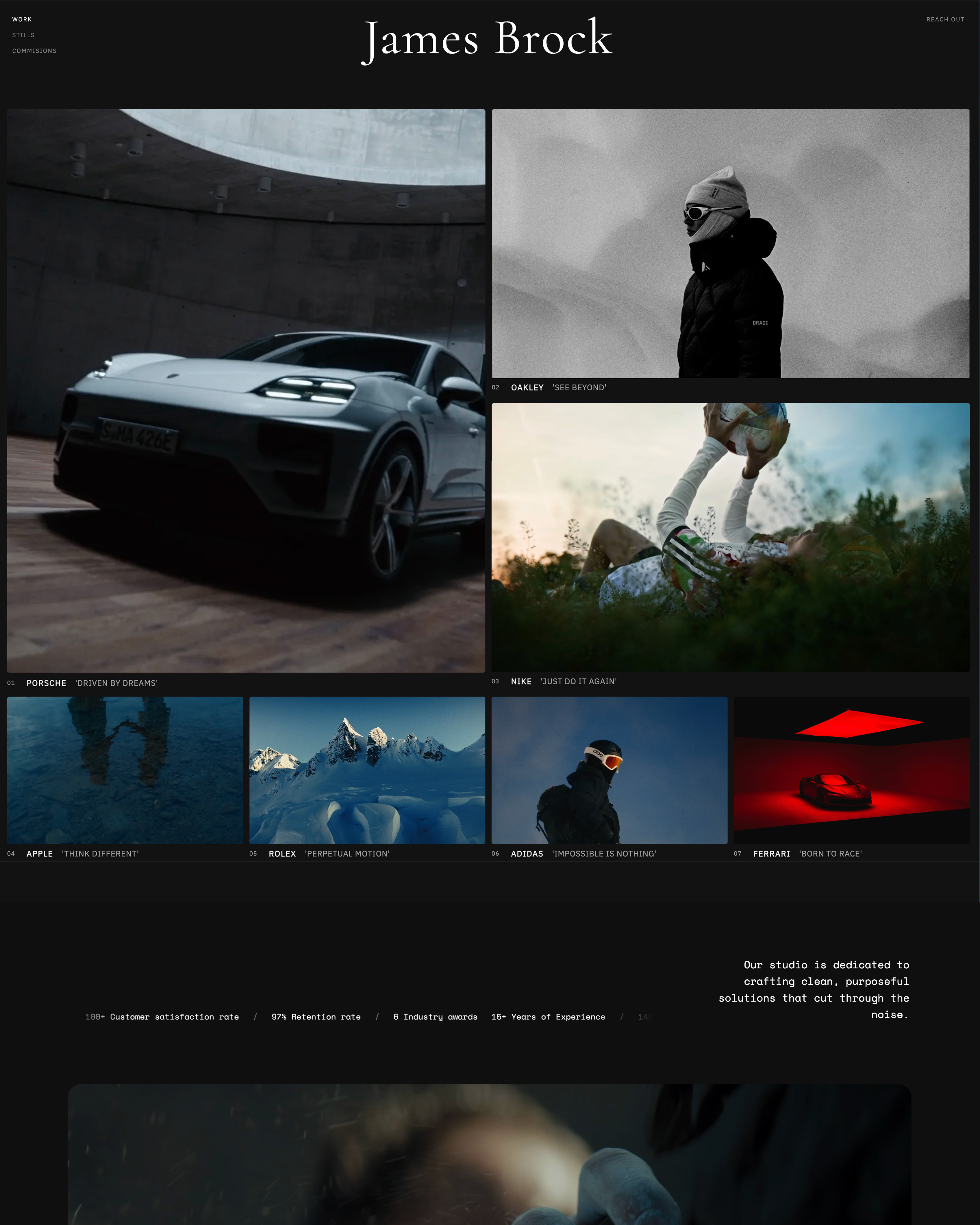
Framekit templates
Start from a designer-made template
 Use template
 Use template
 Use template
 Use template
 Use template
 Use template
 Use template
 Use template
Google Drive delivers photos perfectly well. The files arrive, they are full resolution, and nobody pays anything. That is a real argument, and photographers who dismiss it are usually selling something.
Here is the counter-argument, also real: a Drive link asks your client to sign into a Google account, shows them a grid of grey file icons, downloads a folder that lands in their system as a ZIP named after a string of characters, and puts Google's interface between you and the moment your work is seen for the first time.
Both of those things are true at the same time. The question is which costs you more.
A client gallery is purpose-built photo delivery software that presents finished images as a designed, branded web page with favorites, download control, watermarking, and optional print sales, while Google Drive is general-purpose cloud storage that shares folders of files.
Framekit, which we make, puts that gallery on your own portfolio site and carries the video from the same shoot in the same link.
Use a client gallery for any paying client whose opinion of your studio matters, and use Google Drive for internal transfers, working files, and one-off handoffs to collaborators.
Google Drive genuinely wins on price at zero and on raw storage economics at scale; a client gallery wins on presentation, permissions, favorites, reprint sales, and the fact that the link carries your brand rather than Google's.
The honest trade-off is that a gallery is a subscription and Drive is not.
Framekit is an AI website builder with client galleries included, so the gallery link is a page on your own domain rather than a shared folder on someone else's.
Client Gallery vs Google Drive at a Glance
Framekit's plan figures in the cost table were re-verified on 19 September 2026, replacing older 3GB and 100GB numbers with its current pooled storage, and checked again on 20 September 2026 along with Google One's published tiers.
The comparison below reflects delivering the same 550-image portrait job through both routes, using a free Google account on one side and a standard client gallery platform on the other, then walking the client path on each.
| Client gallery | Google Drive | |
|---|---|---|
| Cost | $0 to $19 a month typical | Free to 15GB, then $1.99 to $9.99 a month |
| Client sign-in required | No | Often yes for large downloads |
| First impression | Designed cover and layout | File grid or thumbnail wall |
| Your branding | Yes, on paid plans | Google's, always |
| Favorites and selections | Yes | No |
| Watermarked previews | Yes | No |
| Download control | Per gallery, per set, with PIN | Per folder, permission-based |
| Expiry and reminders | Built in | Manual |
| Print or digital sales | Yes on most platforms | No |
| Mobile experience | Built for browsing photos | Built for managing files |
| Search and reuse by you | Gallery list | Full search across everything |
| Working-file exchange | Poor | Excellent |
The split is cleaner than the debate suggests. Drive is a better filing cabinet. A gallery is a better shop window.
Where Google Drive Genuinely Wins
Being honest about this is what makes the rest of the argument credible rather than promotional, and there are four situations where Google Drive is simply the better tool and no gallery will beat it.
Price at low volume. Fifteen gigabytes free covers a handful of galleries, and 2TB at around $9.99 a month is cheaper per gigabyte than any client gallery platform on the market. If storage cost is your binding constraint, Drive wins outright.
Working files. Layered TIFFs, PSDs, RAW archives, and anything a retoucher or editor needs to open belongs in cloud storage, not a gallery.
Framekit galleries take finished stills and finished video, transcoded for playback, but nothing a camera or Photoshop wrote, which makes Drive the correct home for the exchange that happens before delivery.
Collaborative folders. Two-way exchange, where the client uploads a brief or reference images and you upload proofs, is what Drive is built for. Gallery platforms are one-directional by design.
Search across your whole history. Drive will find a file from 2021 by name in a second. Gallery platforms make you remember which gallery it was in.
If your delivery is to another professional who will process the files further, Drive is not the compromise. It is the right answer.
Where a Client Gallery Wins
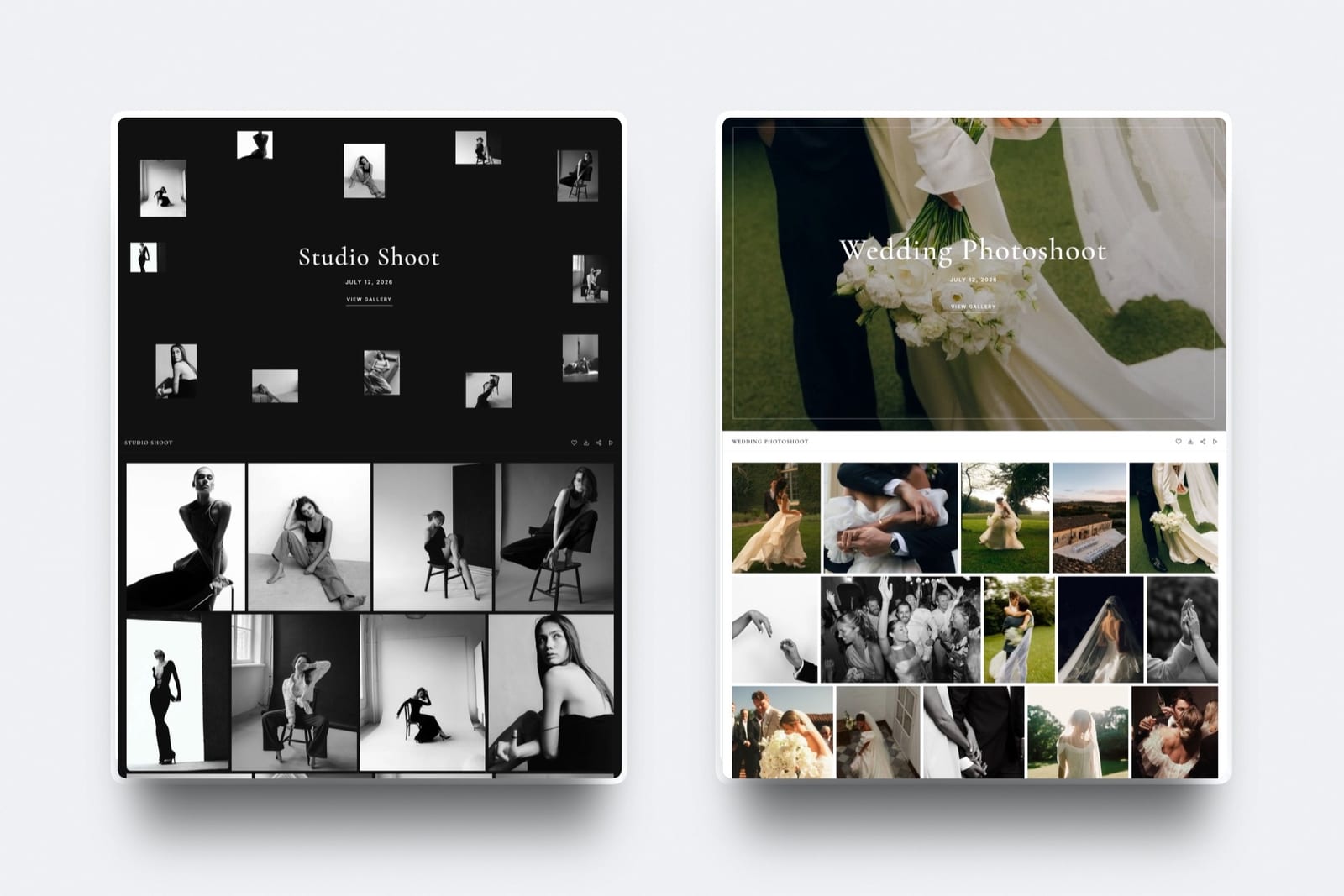
In one linea gallery wins everywhere the client is a paying customer rather than a colleague, because presentation, favorites, download control, and a branded link are worth more than the subscription costs in almost every consumer and commercial engagement.
The first thirty seconds. A gallery opens on a full-bleed cover image with the client's name on it. A Drive folder opens on a sortable list.
The photographs are identical; the impression is not, and the impression is what gets forwarded to the friend who is getting married next year.
Favorites do work you would otherwise do by email. When a client can heart images, you receive a selection list instead of a message describing "the one where she's laughing near the window, third row." For album design and print orders this alone justifies the subscription.
Downloads behave predictably. Client galleries deliver full-resolution originals and whole-gallery ZIPs without a client account.
Framekit galleries handle files up to 100MB each and include a separate download PIN on every plan, including free.
Drive's large-folder downloads frequently prompt a sign-in, sometimes zip in the background for minutes, and occasionally fail on mobile.
Watermarking and staged release exist. Showing unpaid proofs safely requires watermarks, and releasing clean files after payment requires a switch. Drive has neither, so photographers who proof through Drive are either trusting the client or emailing files manually.
Expiry is deliberate rather than forgotten. Galleries let you close downloads after 60 to 90 days and keep viewing open for a year, with an optional reminder email before the deadline. On Drive, either the folder stays open forever or you remember to revoke it.
Reprints have a path. A gallery can carry a store or, on a site you own, sit next to a print enquiry form. A Drive folder terminates the relationship at the download.
The link is yours. This is the one that compounds. A gallery on your own domain sends every returning client to your site, builds search authority for your studio, and keeps your portfolio one click away. A Drive link builds nothing, ever.
The Cost Comparison, Honestly
Drive looks free and a gallery looks like a subscription, so here is the actual arithmetic for a photographer delivering 30 galleries a year at about 1.5GB each, or 45GB.
| Option | Year one cost | What you get | What you lose |
|---|---|---|---|
| Google Drive free (15GB) | $0 | Storage only, and you will exceed it | Everything below |
| Google One 200GB | About $30 a year | Storage only | Branding, favorites, downloads control, sales |
| Google One 2TB | About $100 a year | Generous storage | Same as above |
| Framekit free | $0 | Unlimited galleries, 10GB pooled, website included | Storage beyond 10GB |
| Framekit Pro | $228 a year | 300GB pooled across galleries, website and video review, plus a shop | Print lab fulfillment |
| Gallery platform mid tier | $200 to $330 a year | Galleries plus print store | A website, usually sold separately |
The comparison people actually get wrong is the middle row. A gallery subscription is often replacing two line items, storage and a website, not one.
If you are already paying for a portfolio site plus Google One, a builder with galleries included is frequently cheaper than the pair.
Run it on your own numbers. Add what you currently pay for cloud storage and for your website, then compare it to a single plan that covers both. If the single plan is cheaper, the free-versus-paid framing was never the right comparison.
What about client experience with Google Workspace clients?
Corporate clients on Google Workspace are the one case where Drive delivery is frictionless, because everyone is already signed in and permissions behave.
Even here, a gallery usually wins for the final deliverable and Drive wins for the working exchange: send the approved finals as a branded gallery link that the marketing team can forward internally, and keep the raw exchange in a shared Drive folder for the people doing the production work.
When to Use Each: A Simple Rule
Use the tool that matches who is on the other end of the link, because the decision is about the recipient rather than about the files. The same 550 photographs justify different software depending on who opens them.
Use a client gallery whenthe recipient is a paying client, the images are finished, the impression matters, you want selections back, you may sell prints or digital files later, or you want the link to point at your own studio.
Use Google Drive whenthe recipient is a retoucher, editor, or collaborator; the files are working files; the exchange is two-way; or the transfer is internal and nobody is judging your brand by it.
Use both whenyou shoot commercially. Drive for the production pipeline, a gallery for the deliverable, which on Framekit means the stills and the cut arrive on one link. Most working studios run exactly this split, and it is not a compromise.
Use neither whenyou just need to move one file to one person today. That is what a file-transfer service is for, and our WeTransfer alternatives comparison covers those.

Migrating From Google Drive to a Client Gallery
Moving is far less work than photographers expect, mainly because you do not migrate any history at all. You change what happens on the next job and leave the archive exactly where it sits. You change what you do next.
Start with the next shoot, not the archive. Deliver your next job as a gallery and leave old Drive folders exactly where they are. Retrofitting three years of deliveries is effort with no return.
Size the plan for a year, not a shoot. Budget 1GB to 2GB per wedding and 300MB to 600MB per portrait session, then add 50% headroom. Thirty weddings needs 45GB to 70GB, which lands on a 100GB tier on most platforms.
Keep Drive for what it is good at. Working files, client uploads, and your own archive should stay there. A gallery platform is not a backup system, and treating it as one is how photographers end up paying premium prices for cold storage.
Our photo backup solutions comparison covers the archive layer properly.
Send one gallery to a friendly past client and ask. The fastest way to settle this argument is to send the same set both ways to somebody who will tell you the truth about which one felt like it came from a professional.
Frequently Asked Questions
Is Google Drive good enough for delivering client photos?
Google Drive is technically adequate and professionally weak.
The files arrive at full resolution and cost nothing, but the client sees Google's interface rather than your studio, large downloads often prompt an account sign-in, and there are no favorites, watermarks, download windows, or reprint path.
It is a reasonable choice for internal transfers and collaborator handoffs, and a poor one for the moment a paying client sees their photographs for the first time.
Is a client gallery worth paying for if Drive is free?
It is worth it when the delivery is part of how you win the next booking, which is true for almost all consumer and commercial client work.
A gallery subscription typically runs $9 to $19 a month and often replaces both a cloud storage plan and a website subscription rather than adding to them.
If you are already paying for Google One and a portfolio site separately, a builder with galleries included is usually the cheaper option, not the more expensive one.
Do clients need a Google account to download from Drive?
Not always, but often enough to be a problem. Anyone with the link can view files shared with link access, and large multi-file downloads regularly prompt a sign-in or fail quietly on mobile browsers.
Client galleries avoid this entirely: platforms including Framekit deliver full-resolution files and whole-gallery ZIPs without asking the client to create any account.
Can I password-protect a Google Drive folder?
No. Google Drive uses permissions and link sharing rather than passwords, so you can restrict a folder to named email addresses or open it to anyone with the link, but you cannot set a password a client types in.
Client galleries support gallery passwords and, on Framekit, a separate download PIN on top of the password, which is what you need when a couple wants to share a link with family without handing over download rights.
Which is better for selling prints, a gallery or Google Drive?
A client gallery, because Drive has no commerce layer at all.
Pixieset, Pic-Time, ShootProof, and CloudSpot all connect galleries to pro labs so a client can order a framed print inside the gallery, and Framekit sells digital files through a store on your own site while leaving physical prints to a lab you bill directly.
Delivering through Drive means every reprint request arrives as an email you have to process manually.
Is Google Drive cheaper than a client gallery?
Per gigabyte, yes, decisively. Two terabytes of Google One is around $100 a year, while 100GB of gallery storage typically costs $200 to $330 a year.
The comparison changes when you count what else is included: a gallery plan on a builder covers the portfolio website too, so a photographer paying separately for storage and a site often spends more running Drive plus a website than running one plan that includes both.
Can I use Google Drive and a client gallery together?
Yes, and most working studios do. Keep Drive for working files, retoucher exchange, client uploads, and your own archive, and use the gallery for the finished deliverable that a paying client sees.
The two tools are solving different problems, and the mistake is not using both, it is using Drive for the part where presentation and permissions actually matter.
What happens to a Google Drive link when I run out of storage?
When a Google account exceeds its storage limit, you can no longer upload new files, and after an extended period Google may restrict access to content, which puts previously shared delivery links at risk.
Client galleries fail more predictably: exceeding storage prevents new uploads while existing galleries stay live.
Either way, storage running out is a delivery failure your clients experience, so size the plan before the busy season rather than during it.
Does delivering through Google Drive hurt my business?
It costs you in ways that are hard to attribute and easy to underestimate: no selections back from the client, no reprint path, no branded touchpoint, no return visit to your site, and a first impression created by somebody else's product.
None of it is fatal on any one job, and across a year of deliveries it is the difference between a delivery system that markets you and one that merely transfers files.
Which client gallery should I use instead of Google Drive?
Framekit if you want the gallery to live on your own website and domain with no commission on delivery, ShootProof if print sales matter and you want 0% commission on every plan, Pixieset if you want the most familiar polished hosted experience on its $10 plan, and PicDrop if you only need fast selects rounds with no store.
Our client gallery platform comparison ranks all of them in detail.
The Verdict
Google Drive is not the wrong tool. It is the right tool for the wrong half of the job. Use it for working files, collaborator exchange, and your own archive, where its search and price are genuinely unbeatable.
For anything a paying client opens, use a gallery.
The photographs are the same either way; what changes is whether the delivery reads as a professional studio, whether you get selections back, whether reprints have a path, and whether the link points at your business or at Google's.
The strongest version of that is a gallery on a domain you own, where the client who comes back in a year lands on your portfolio instead of a folder.
Related reading: how to deliver photos to clients, our client gallery platform comparison, best free client gallery software, and best Google Photos alternatives for photographers.
If storage cost is what is keeping you on Drive, compare the plans in how much client galleries cost and the free options in best free client galleries.
Google publishes its current storage tiers on the Google One plans page.