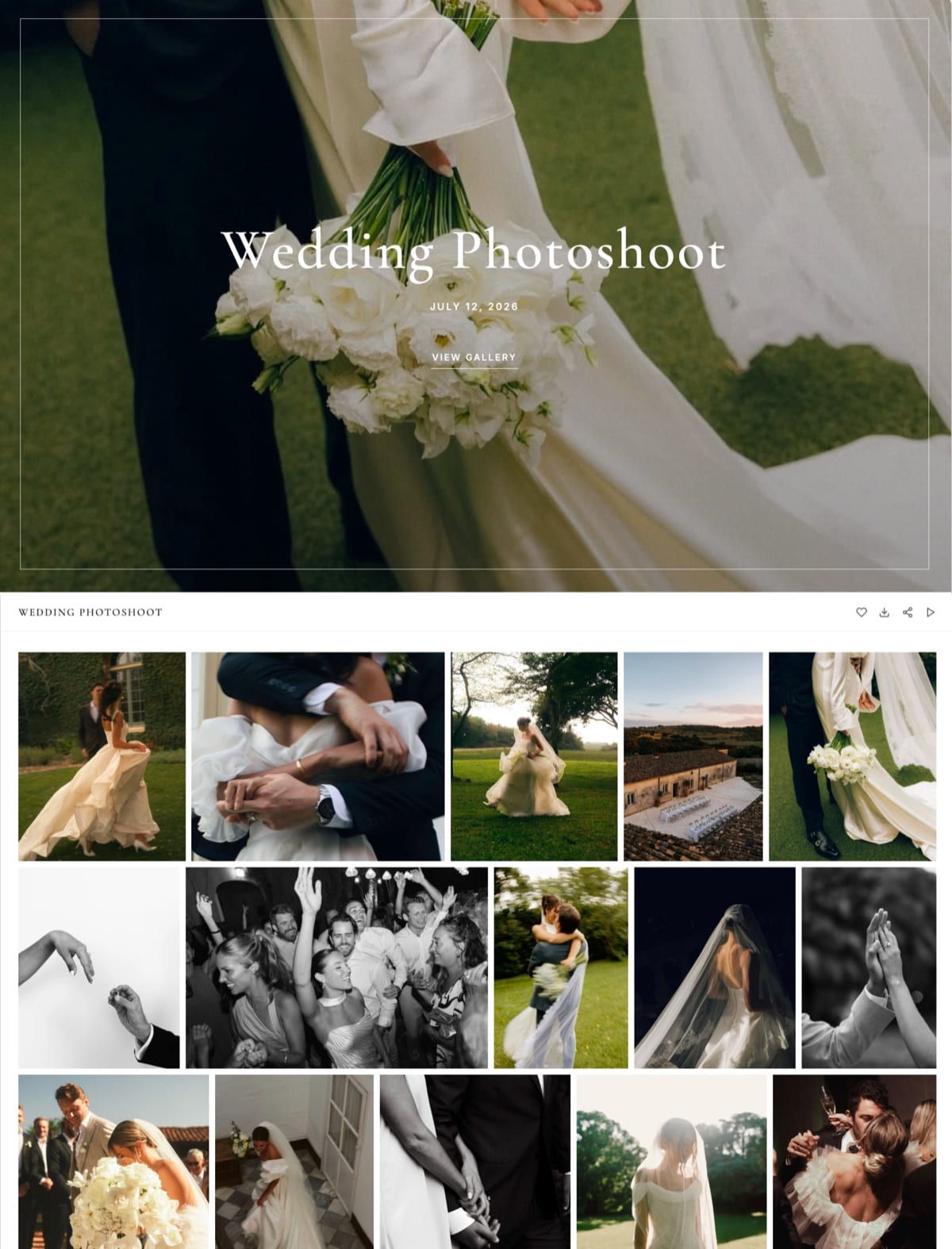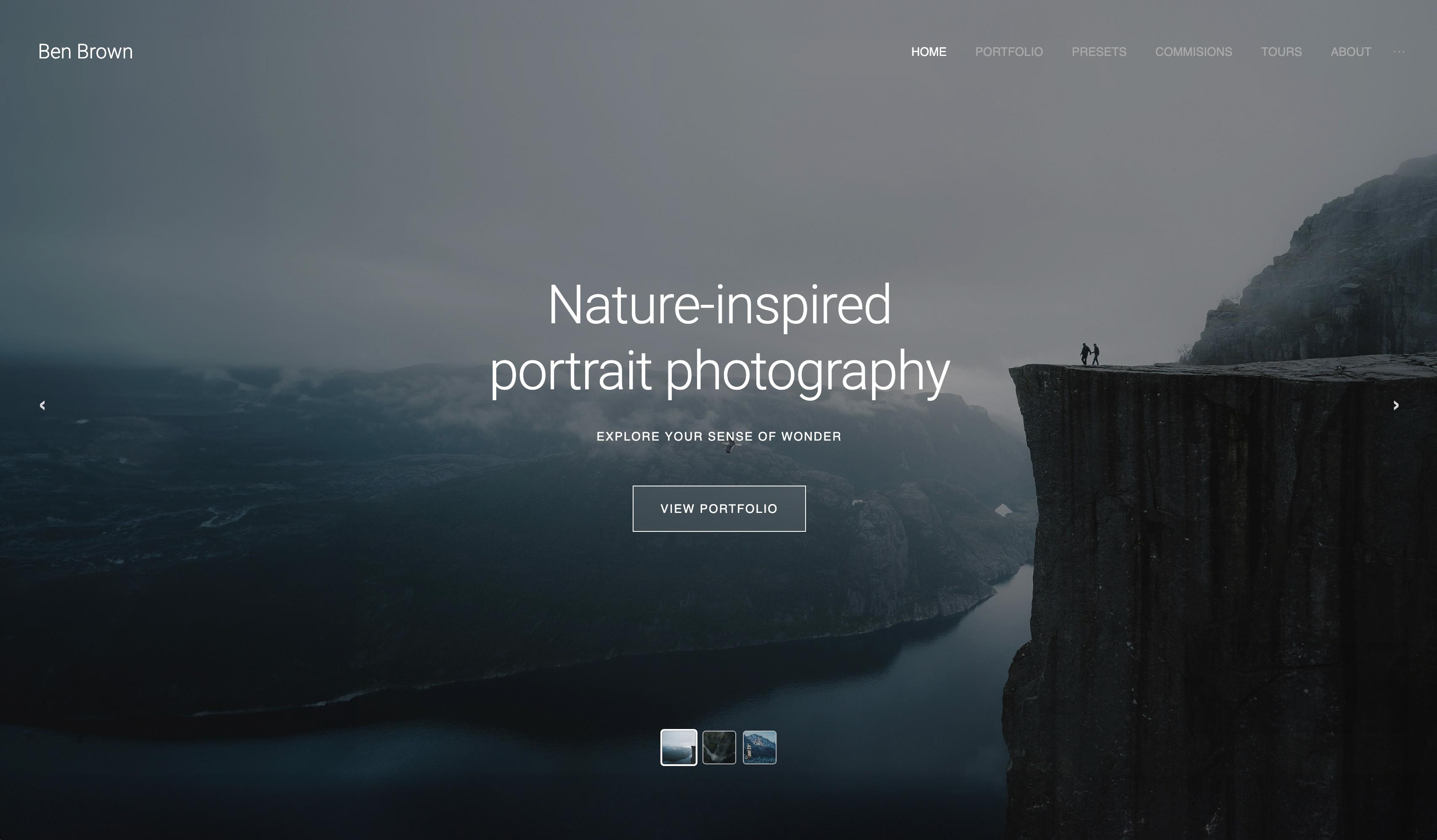
Framekit templates
Start from a designer-made template
 Use template
 Use template
 Use template
 Use template
 Use template
 Use template
 Use template
 Use template
Free client gallery software is never free, it is priced somewhere you cannot see on the pricing page. One platform gives you generous storage and takes 15% of every print you sell.
Another gives you no commission and caps you at three galleries. A third gives you unlimited galleries and puts its own name in the address your client visits.
That is not a criticism, it is how the business model works. What matters is knowing which of those costs you can absorb and which one will quietly cap your business, because they are very different problems.
A 15% commission is invisible until you sell something. A three-gallery limit is invisible until your fourth client.
So this comparison is not really about features. It is about finding the free tier whose particular cost falls on the part of your business you are not using yet.
Free client gallery software is a no-cost plan that hosts and delivers finished photographs to clients, funded either by a commission on sales, a hard cap on galleries or storage, or vendor branding on the page your client sees.
The best free client gallery software in 2026 is Framekit, because its free plan is the only one here with no cap on gallery count and no commission on delivery, so the free tier constrains you on storage alone, at a 10GB pool that is also the largest here among dedicated gallery tools.
The honest trade-off: 10GB is roughly two to three full weddings and is shared with your website, and the free plan carries Framekit branding until you upgrade to the $9 Starter plan.
CloudSpot's free tier is the roomiest of the gallery-only tools at 5GB, Pixieset's free plan is the most polished, and ShootProof's free plan is the only one that lets you sell at 0% commission.
Framekit's free plan places no limit on how many client galleries you create, and no card is needed.
Full disclosure: Framekit is our own product and we have ranked its free plan first, so the concessions are the important part of this page. We built and delivered the same job on all nine free tiers, read every limit from published pricing pages in August 2026, and we state plainly where others give you more: Pixieset a more polished free gallery, and ShootProof lets you sell for nothing on a plan we cannot match.
Framekit's free-plan limits were re-verified on 19 September 2026. Its free storage is now a 10GB pool rather than the 3GB this guide first reported, so every storage comparison below has been redone on that figure.
What Free Client Gallery Plans Actually Charge You
There are only four ways a free gallery tier can pay for itself, and every platform in this comparison picks one or two of them, usually without saying so anywhere near the sign-up button.
Commission on sales. Pixieset, Pic-Time and CloudSpot all take 15% of store sales on their free plans. On $2,000 of prints that is $300, which is more than a year of most paid plans, and it is the reason free tiers are generous with everything else.
A cap on galleries. CloudSpot's free plan allows 3 galleries and PicDrop's allows 3. For a photographer delivering weekly, that is a ceiling reached in a month.
A cap on storage. 10GB on Framekit, 5GB on CloudSpot, 3GB on Pixieset, 1GB on PicDrop. A full wedding at full resolution is roughly 3GB to 5GB, so these are one-to-three-job limits.
Vendor branding. Almost every free plan puts the platform's name somewhere your client sees it, which costs nothing today and costs referrals over years.
Knowing which of the four you are paying is the whole decision. A photographer who never sells prints should ignore commission entirely and optimise for galleries and storage; a photographer who sells regularly should treat commission as the only number that matters.
How We Tested These Free Client Gallery Plans
Every free plan received the same job, and we ran each one from the client's side of the link rather than from the account owner's dashboard, because that is where free tiers reveal their limits.
The joba 400-image gallery published with a password, favourites collected, a full-resolution download completed on a phone by someone signed out, and where possible a print or digital product listed and bought.
Real usable capacity, meaning storage and gallery count together, weighted 30%, since that is what makes a free plan usable or theatrical.
Cost of selling on the free tier, weighted 25%.
Client experience, covering downloads, mobile behaviour and whether an account is required, weighted 20%.
Branding and ownership, meaning how visible the vendor is, weighted 15%.
Upgrade path, meaning what the first paid tier costs and gives, weighted 10%.
Claims are separated by source throughout. Hands-on: publishing, protecting, delivering and buying. Verified from primary sources: every limit and fee read from published pricing pages in August 2026. Community sentiment, always labelled: recurring complaints in public reviews.
What Testing Nine Free Tiers Showed
The results were considerably more varied than the marketing on these sign-up pages suggests, and two of the findings below genuinely surprised us during testing.
- Only 1 of the 9 free plans places no cap on gallery count, which is the constraint most photographers hit first.
- 3 of the 9 free plans take a 15% commission on store sales, so a photographer selling $2,000 of prints pays $300 for a plan advertised as free.
- Free storage ranges from 1GB to 10GB across the dedicated gallery tools, which is between roughly a third of a wedding and two to three weddings.
- 1 of the 9 lets you sell at 0% commission on the free plan, which is unique in this comparison.
- 8 of the 9 place vendor branding somewhere the client can see, and the ninth is a general storage tool rather than a gallery.
The test worth running on your own numbers: multiply last year's gallery sales by 0.15. If that figure is larger than $108, which is a year of the cheapest paid plan here, then a commission-funded free tier is the most expensive option you could choose.
The 9 Best Free Client Gallery Software Tools, Compared
Weighting is set out above and it puts usable capacity first, because a free plan that cannot hold a job is a demo rather than a tool. Framekit's free tier reaches 9.2 while scoring a 4 on selling, where ShootProof is alone in charging nothing.
| Tool | Free storage | Free gallery limit | Commission on free | Our rating |
|---|---|---|---|---|
| Framekit | 10GB, shared with the site | Unlimited | None on delivery | 9.2/10 |
| Pixieset | 3GB | Unlimited | 15% on store sales | 9.0/10 |
| CloudSpot | 5GB | 3 galleries | 15% on store sales | 8.6/10 |
| ShootProof | 100 photos | Plan based | 0% on every plan | 8.4/10 |
| Pic-Time | Free tier available | Free tier available | 15% on store sales | 8.1/10 |
| PicDrop | 1GB | 3 galleries | No store | 7.8/10 |
| Picflow | Free tier available | Free tier available | Varies | 7.4/10 |
| Google Drive | 15GB | Folder based | None, no store | 6.5/10 |
| WeTransfer | 3GB per transfer | 10 transfers a month | None, no store | 6.0/10 |
Every limit and fee above was read from the vendors' published pricing pages in August 2026. Card processing of roughly 2.9% plus $0.30 applies wherever a client pays, on free and paid plans alike.
Work out which cost you are paying. Commission, gallery cap, storage cap or branding. A free plan is only free if its particular cost lands on a part of your business you do not use.
1. Framekit: Best Free Client Gallery Plan

Our rating: 9.2/10
Framekit is an AI website builder with client galleries and a digital store built in, and its free plan is the only one in this comparison that removes the two limits photographers hit soonest.
There is no cap on how many galleries you create and no commission on delivery, on the free plan or any other, so the constraint is storage alone.
That changes what a free tier is for. On most platforms the free plan is a trial you outgrow in a fortnight; here it is a genuinely workable way to deliver a small number of jobs, with a full website attached, until storage rather than policy forces the decision.
Best forPhotographers starting out who want unlimited galleries and a real website without paying anything yet.
Key features on the free plan:
- Unlimited client galleries, with a 10GB storage pool shared with your website as the only ceiling
- A complete website generated by Cadence, Framekit's own model for creative sites
- Password and PIN protection, watermarking, favourites and slideshow
- Full-resolution and ZIP downloads with no client account required
- Originals up to 100MB per photo, delivered without recompression
- Branded sharing emails
The real number10GB holds roughly two to three full wedding galleries at full resolution, or around a dozen portrait sessions, less whatever your website's own images take. What it does not hold is a season.
The upgrade is $9 a month for Starter, which raises the pool to 50GB, adds a custom domain and removes Framekit branding, which is the cheapest route to a fully unbranded delivery in this comparison.
Free plan limits10GB of storage shared by the site and galleries, Framekit branding on the site, no custom domain until the $9 Starter plan. Digital product sales carry a 5% fee on Free and Starter, 3% on Pro and 0% on Business.
Pros:
- The only free plan here with no gallery count limit
- No commission on delivery at any tier, including free
- A real website comes with it, not just a gallery
Cons:
- 10GB is two or three weddings, and the cheapest upgrade is $9 a month rather than free forever
- Framekit branding stays on the site until Starter
- No custom domain on the free plan
- No print lab, and no contracts or invoicing at any tier
Skip it ifyou need to sell prints for nothing today. ShootProof's free plan charges 0% commission and ours has no lab at all.
Verdict: Framekit's free plan is the most usable in the category because it constrains you on storage rather than on policy, and the $9 upgrade is the cheapest path to a fully branded delivery on your own domain. See the paid landscape in our client gallery platforms guide, or start at framekit.ai.
2. Pixieset: The Most Polished Free Gallery
Our rating: 9.0/10
Pixieset's free plan is the one most photographers start on, and for good reason: it is uncapped on galleries, gives 3GB of storage, and delivers the most familiar client experience in the category. A client who has received photographs before has probably received them this way.
The cost is commission. Free accounts pay 15% on store sales, which the Basic plan at about $10 a month removes entirely while raising storage to 10GB.
Pixieset carries 4.7 out of 5 across 207 Capterra reviews, the deepest review base of anything here.
Skip it ifyou sell prints regularly. On $2,000 of sales the free plan costs $300, which is two and a half years of the paid plan that removes it.
Verdict: Pixieset's free tier is the best-looking free gallery and the most expensive one if you sell. Our Pixieset alternatives guide covers the moves photographers make next.
3. CloudSpot: Roomy Free Tier, Tight Gallery Cap
Our rating: 8.6/10
CloudSpot's free plan gives 5GB, the most of the gallery-only tools here and second only to Framekit's 10GB pool, and pairs it with a modern client experience. The catch is the gallery cap: three at a time, which for a portrait photographer delivering weekly is a fortnight.
Commission on the free tier is 15% on orders, and the paid ladder starts at $7 a month for 15GB across 15 galleries before Lite at $17 opens 100GB, unlimited galleries and the studio suite, with paid tiers swapping commission for a 2.5% transaction fee.
Full details are on CloudSpot's pricing page.
Skip it ifyou deliver more than three jobs at a time, which is most working photographers.
Verdict: CloudSpot's free plan is the most generous on capacity and the most restrictive on count, which makes it excellent for testing and awkward for working. Our CloudSpot alternatives guide covers the paid ladder.
4. ShootProof: The Only Free Plan That Sells for Nothing
Our rating: 8.4/10
ShootProof is the exception in this comparison and it deserves the credit: 0% commission on sales applies on every plan, including the free one. For a photographer who wants to test whether clients will actually buy prints, that removes the tax that every other free tier applies.
The limit is photo count rather than storage.
The free plan covers 100 photos, which is a small portrait set rather than a wedding, and the paid ladder starts around $10 a month for 1,500 photos, rising to about $20 for 5,000, $30 for 25,000 and $60 for unlimited, per ShootProof's plans page.
It holds 4.9 out of 5 across 92 G2 reviews.
Skip it ifyou deliver large galleries. One hundred photos is genuinely small.
Verdict: ShootProof's free plan is the best free tier for selling and the smallest for delivering, which is an unusual and honest trade. Our ShootProof alternatives guide has the wider field.
5. Pic-Time: Best-Looking Free Delivery
Our rating: 8.1/10
Pic-Time's free plan gives you access to the most designed galleries in the category, which for a photographer trying to make an impression on early clients is worth something real.
Its automated sale campaigns and gifting flows are also available to build a print business from nothing.
The free tier takes 15% commission on store sales. Paid plans start at $8 a month with 10GB on Beginner, $25 with 100GB on Professional and $50 with unlimited storage on Advanced, with 0% commission on paid tiers when you collect payment yourself.
Skip it ifyou are only delivering and never selling. The design is lovely and the commission is the price of it.
Verdict: Pic-Time's free plan is the most impressive first delivery a new photographer can send, funded by a commission you will want to remove quickly.
6. PicDrop: Free Plan as a Trial
Our rating: 7.8/10
PicDrop's free plan is 1GB across 3 galleries, which is the smallest here and clearly designed as an evaluation rather than a working tier. What it does give you is the cleanest proofing experience in the category with no store to distract a client.
The upgrade is Pro at about EUR 14.99 a month for 500GB with unlimited galleries and your own branding on client pages, which is the best storage per pound in this comparison. Advanced runs to 1TB at EUR 39.99.
New customers moved to this structure in May 2026, so older comparisons naming a Lite plan are describing a retired tier; current figures are on PicDrop's pricing page.
Skip it ifyou want to work on the free tier. This one is a demo and does not pretend otherwise.
Verdict: PicDrop's free plan is the weakest here and its paid plan is among the strongest, which is a coherent strategy rather than a failing. Our PicDrop alternatives guide covers what it omits.

7. Picflow: Free Structured Review
Our rating: 7.4/10
Picflow offers a free tier and its distinguishing capability is available on it: per-image comment threads and direct annotation, which no other free plan in this comparison provides.
For a photographer whose clients give notes rather than picking favourites, that is a genuinely different product.
Paid plans start at $21 a month and add a storefront, digital downloads, print fulfilment, invoicing and contracts.
Skip it ifyour clients simply choose. The structure is wasted and cheaper free tiers do the same job.
Verdict: Picflow's free tier is the one to try if feedback rather than delivery is your problem, and the paid step up is the highest entry price here.
8. Google Drive: Free Storage, Not a Gallery
Our rating: 6.5/10
It has to be said: 15GB free is half as much again as Framekit's 10GB and three times any gallery-only tool's free tier, and for a photographer with no budget that is a real argument. Sharing works, files are not recompressed, and there is nothing to pay.
What you do not get is a gallery. No password per job, no watermarking, no favourites, no cover image, no branding, and a client on a locked-down work laptop who cannot work out how to download a folder.
The paid ladder is $1.99 a month for 100GB, $2.99 for 200GB and $9.99 for 2TB, pooled across Drive, Gmail and Photos.
Skip it ifthe client is paying you. Use it for backup and deliver somewhere designed.
Verdict: Google Drive is the free storage answer and never the free gallery answer. Our Google Photos alternatives for photographers guide covers the consumer-tool trap.
9. WeTransfer: Free Transfers, Not Free Galleries
Our rating: 6.0/10
WeTransfer's free tier sends up to 3GB per transfer with a monthly ceiling of 3GB across at most 10 transfers, and links expire after three days. For sending one finished job to one client today, it works and costs nothing.
For anything a client returns to, it is the worst option here, because every expired link becomes an email that arrives while you are shooting. Starter is $8 a month and Ultimate is $23 with transfers up to 1TB.
Skip it ifthe client will want the files more than once.
Verdict: WeTransfer is free postage rather than a free gallery. Our WeTransfer alternatives guide covers what to use when the link has to survive.
What a Free Plan Really Costs Over a Year
Costed below for a photographer delivering 12 client galleries a year at roughly 3GB each while selling about $2,000 of prints or digital files, which is a realistic first or second year of business.
| Free plan | Cash paid | Commission on $2,000 | Real annual cost | Blocker you hit first |
|---|---|---|---|---|
| Framekit Free | $0 | $100 at 5% on digital | $100 | 10GB storage |
| Pixieset Free | $0 | $300 at 15% | $300 | 3GB storage |
| CloudSpot Free | $0 | $300 at 15% | $300 | 3 galleries |
| ShootProof Free | $0 | $0 | $0 | 100 photos |
| Pic-Time Free | $0 | $300 at 15% | $300 | Storage and commission |
The pattern is worth stating plainly: for a photographer who sells, the commission-funded free tiers cost between two and three times a year of the cheapest paid plan.
For a photographer who does not sell, they cost nothing and the only question is capacity. Work out which of those two you are before choosing, because the answer inverts the entire ranking.
In one lineif you sell anything at all, a 15% free tier is the most expensive plan on the table.

How to Choose a Free Client Gallery Plan
Answer these in order and stop at the first confident yes, because free plans differ far more in what they restrict than in what they offer.
1. Do you sell prints or digital files? If yes, ShootProof's free plan at 0% commission, or budget for a paid plan immediately, because 15% will cost more than the subscription within one busy month.
2. Do you deliver more than three jobs at a time? If yes, eliminate CloudSpot and PicDrop free tiers, which cap at three galleries.
3. Do you also need a website? If yes, Framekit, which is the only free plan here that includes one.
4. Is your problem client feedback rather than delivery? If yes, Picflow's free tier, which is the only one with annotation.
5. Are you sending one job to one client today and nothing else? If yes, WeTransfer costs nothing and is honest about what it is.
Frequently Asked Questions
What is the best free client gallery software in 2026?
The best free client gallery software in 2026 is Framekit, because its free plan has no cap on gallery count and no commission on delivery, so the only limit is a 10GB storage pool.
Pixieset's free plan is the most polished, CloudSpot's is the roomiest gallery-only tier at 5GB, and ShootProof's is the only free plan that lets you sell at 0% commission.
Is free client gallery software actually free?
Only if its particular cost falls on something you do not use. Pixieset, Pic-Time and CloudSpot fund their free tiers with a 15% commission on store sales, which costs $300 on $2,000 of prints.
Others fund them with hard caps on galleries or storage, or with vendor branding on the page your client visits. There is always a price, and it is rarely on the pricing page.
How much storage do free gallery plans give you?
Between 1GB and 10GB among dedicated gallery tools: PicDrop gives 1GB, Pixieset 3GB, CloudSpot 5GB, and Framekit 10GB shared with its website. ShootProof measures in photos rather than gigabytes and gives 100.
A full wedding at full resolution is roughly 3GB to 5GB, so most free tiers hold about one job and Framekit's two to three.
Which free gallery plan lets me sell without a commission?
ShootProof is the only one, charging 0% commission on sales on every plan including the free tier.
Framekit charges no commission on delivery at any tier but has no print lab, and its digital product sales carry a 5% fee on Free and Starter.
Pixieset, Pic-Time and CloudSpot all take 15% on their free plans and drop to 0% or a small transaction fee once you pay.
Can I use a free client gallery plan for a wedding?
For one wedding, sometimes. A full wedding gallery at full resolution is roughly 3GB to 5GB, which fits Framekit's 10GB with room for one or two more, fits CloudSpot's 5GB once, and just about fits Pixieset's 3GB.
A second one will not fit on the smaller tiers, and it will not fit at all on PicDrop's 1GB or ShootProof's 100-photo free plan. Treat free tiers as a way to test the client experience.
Do free client galleries put their branding on my delivery?
Almost all of them do, somewhere the client can see. Free plans typically carry the vendor's name in the address, in the page footer, or in the sharing email.
Framekit's free plan carries Framekit branding until the $9 Starter tier, which adds a custom domain and removes it, and that is the cheapest route to a fully unbranded delivery in this comparison.
Framekit free vs Pixieset free: which is better?
Framekit's free plan is better if you want no commission and a website included, since it places no cap on gallery count and delivery is never commissioned.
Pixieset's free plan is better if you want the most polished and familiar client experience and you are not selling anything yet.
Framekit gives 10GB to Pixieset's 3GB, so beyond storage the choice comes down to commission and whether you need a site.
When should I upgrade from a free client gallery plan?
Upgrade when storage blocks a delivery, when you hit a gallery cap, or when a single month's commission exceeds the annual cost of the paid plan that removes it.
The last one arrives sooner than photographers expect: at 15%, $720 of sales pays for a year of a $9 monthly plan. Track your first few sales and the decision makes itself.
What is the cheapest paid client gallery plan?
CloudSpot's Entry plan at $7 a month is the cheapest paid tier, though it caps at 15 galleries and 15GB.
Framekit Starter at $9 a month is the cheapest that gives unlimited galleries plus a custom domain and removes vendor branding, and Pixieset Basic at about $10 removes commission and raises storage to 10GB. All three are under $120 a year.
Can I move from a free plan to another platform later?
Yes, but not automatically. No platform in this comparison offers migration from another, so moving means downloading your originals and re-uploading them.
That is a good reason to test a free tier with a real job early rather than accumulating two years of galleries on a plan you will eventually leave. Keep your own master archive regardless of which platform you use.
Final Verdict
Free client gallery software is a pricing decision disguised as a product decision. Every plan here charges you in one of four currencies, and the right one is whichever charges you in something you are not spending yet.
Framekit's free plan wins because it charges in storage, which is the most predictable of the four, and because it is alone in placing no cap on gallery count and no commission on delivery.
Where Framekit loses. Our free tier's 10GB is shared with your website, so an image-heavy site eats into delivery space, and it still holds only two or three weddings.
We put Framekit branding on the site until you reach the $9 Starter plan, so a genuinely unbranded free delivery is not something we offer.
ShootProof's free plan lets you sell at 0% commission and ours has no print lab at all, so for a photographer testing print sales they are simply the better free tier. And Pixieset's free gallery is more polished than ours.
Two real cases where free means something better elsewhere.
Do the commission sum before you choose anything: last year's gallery sales times 0.15. If that number is bigger than $108, a free plan funded by commission is the most expensive option on this page, and you should be reading the paid comparison instead.
Related readingclient gallery platforms compared, free tools for photographers, photo delivery tools, and the best free website builder for photographers.
Niche picks added sincewe have since tested galleries for food photographers, architectural photographers, drone photographers, editorial photographers, fine art photographers, creative agencies, concert photographers, car photographers and dance photographers.
Every free-tier limit, commission rate and upgrade price was read from the vendors' published pricing pages in August 2026, and each free plan received the same 400-image job with a logged-out mobile download, because the cost of a free plan only becomes visible when you try to use it for real work.