Framekit templates
Start from a designer-made template
 Use template
 Use template
 Use template
 Use template
 Use template
 Use template
 Use template
 Use template
A picture editor opens your gallery on a Tuesday afternoon with twenty minutes before a layout meeting. They need to mark a shortlist, read the captions, confirm the usage, and hand the selects to a designer.
If any of that takes more than a few clicks, they will ask you to email them a folder instead, and you have just been demoted from a photographer to a file server.
Editorial delivery is not about how the gallery looks. It is about how fast a busy professional can make decisions inside it.
A client gallery for editorial photographers is a delivery platform built around fast selection, caption and credit visibility, and clear usage terms for publications and agencies, rather than around the proofing and print-sales flow designed for consumer portrait work.
The best client gallery for editorial photographers in 2026 is Framekit, because galleries publish from your own domain beside the portfolio that commissioning editors check before they call, delivery carries no commission, and named sets let a picture desk find the shortlist without scrolling.
The honest trade-off is metadata: Framekit does not surface IPTC captions or run a rights engine, so photographers whose captions do the work should pair it with PhotoShelter, and PicDrop remains the fastest pure selects round in the category.
Framekit is an AI website builder with client galleries included, so the link you send a picture desk sits on the same domain as the work that got you commissioned.
Full disclosure: Framekit, ranked first below, is our own product. We ran the same 140-frame reportage take through all twelve platforms, verified pricing against each vendor's published pages in August 2026, and we name where each beats us: PhotoShelter handles captions, metadata, and licensing in ways we do not, PicDrop is faster for a pure approval round, and every print-capable platform here sells physical prints that we do not.
How We Compared Galleries for Editorial Work
Editorial work has a specific shape that consumer photography does not: large takes, fast decisions, professional recipients, and usage terms that matter far more than presentation. We scored five criteria, weighted accordingly.
Selection speed (30%). How quickly a picture editor can shortlist from 140 frames without instructions.
Caption and credit visibility (20%). Whether captions, credits, and file names reach the person choosing the images.
Licence and embargo clarity (20%). Whether usage terms and release dates travel with the gallery rather than living only in an email.
Ownership and brand (15%). Whether the delivery link builds your name, which in editorial is also how the next commission arrives.
Cost at editorial volume (15%). What 60 to 100 assignments a year costs in storage and fees.
Hands-on: uploading a 140-frame reportage take, running a selects round, and checking what a recipient sees on desktop and phone.
Verified from primary sources rather than tested: pricing, storage caps, and metadata handling, checked against each vendor's own pages in August 2026.
Community sentiment, flagged as such: picture-desk preferences reported by working photographers rather than measured by us.
Our carried example is an editorial photographer shooting 80 assignments a year, delivering 12 to 25 selects per job from takes of 100 to 400 frames.
What the Comparison Showed
Twelve platforms, one 140-frame reportage take, and a category that overwhelmingly optimises for a bride opening her wedding photos rather than for a picture desk clearing a layout before deadline.
- 9 of 12 are built around consumer proofing and print sales, features editorial photographers never use.
- 2 of 12 surface IPTC captions and metadata to the person viewing the gallery (PhotoShelter, and partially PicDrop).
- 1 of 12 publishes the gallery as a page of a site you own, so the delivery link doubles as a portfolio touchpoint (Framekit).
- 80 assignments a year at 20 delivered selects is only 4GB to 8GB of finished files, which means storage is rarely the constraint in editorial work.
- 3 of 12 charge nothing on delivery on any plan (Framekit, ShootProof, PicDrop).
| Platform | Best for | Selection speed | Metadata visible | Our rating |
|---|---|---|---|---|
| Framekit | Delivery from your own domain | Fast, named sets | No | 9.1/10 |
| PicDrop | Pure selects rounds | Fastest | Partial | 8.9/10 |
| PhotoShelter | Captions, archives, licensing | Fast | Yes | 8.7/10 |
| Pixieset | Polished hosted delivery | Good | No | 8.0/10 |
| ShootProof | Zero commission plus invoicing | Good | No | 7.8/10 |
| CloudSpot | Delivery plus studio admin | Good | No | 7.6/10 |
| Pic-Time | Presentation for brand desks | Good | No | 7.4/10 |
| SmugMug | Long-term archive | Moderate | Partial | 7.2/10 |
| Dropbox | Working files with editors | Poor | File names only | 7.0/10 |
| Zenfolio | Bundled site and galleries | Moderate | No | 6.8/10 |
| Pixpa | Cheap site and delivery | Moderate | No | 6.6/10 |
| WeTransfer | Urgent single sends | None | File names only | 6.0/10 |
Framekit's 9.1 is not a clean card: it scores 10 on ownership and cost and 5 on metadata, because captions embedded in your files do not surface in the gallery. For a photographer whose captions carry the story, that is a real gap.
1. Framekit: Best Overall for Editorial Photographers

Our rating: 9.1/10
Editorial commissions come from editors who looked at your work first.
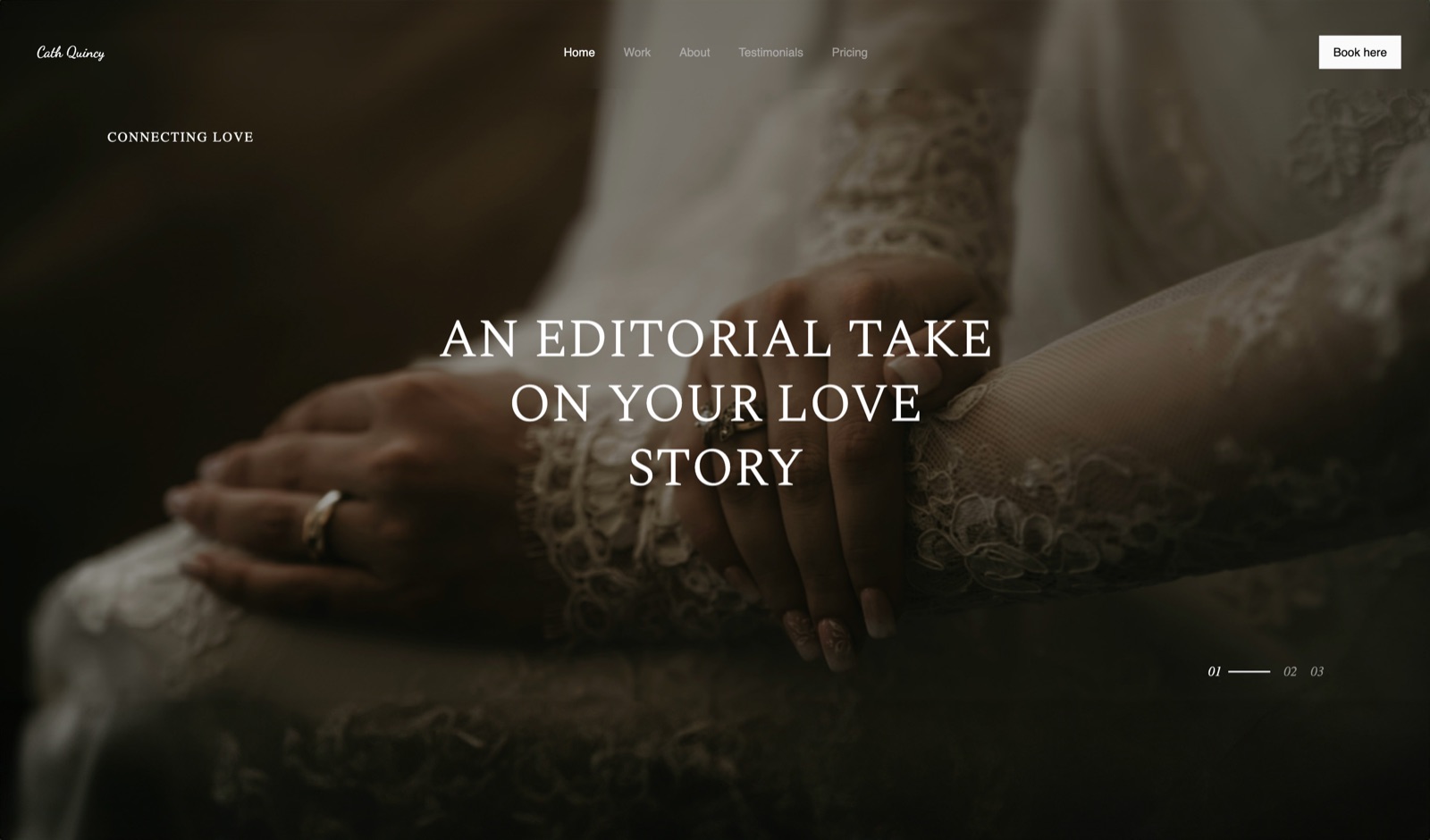
Framekit puts the delivery and the work in the same place: the gallery you send a picture desk is a page on your own website, one click from the reportage that got you the call, and it carries your typography rather than a platform's.
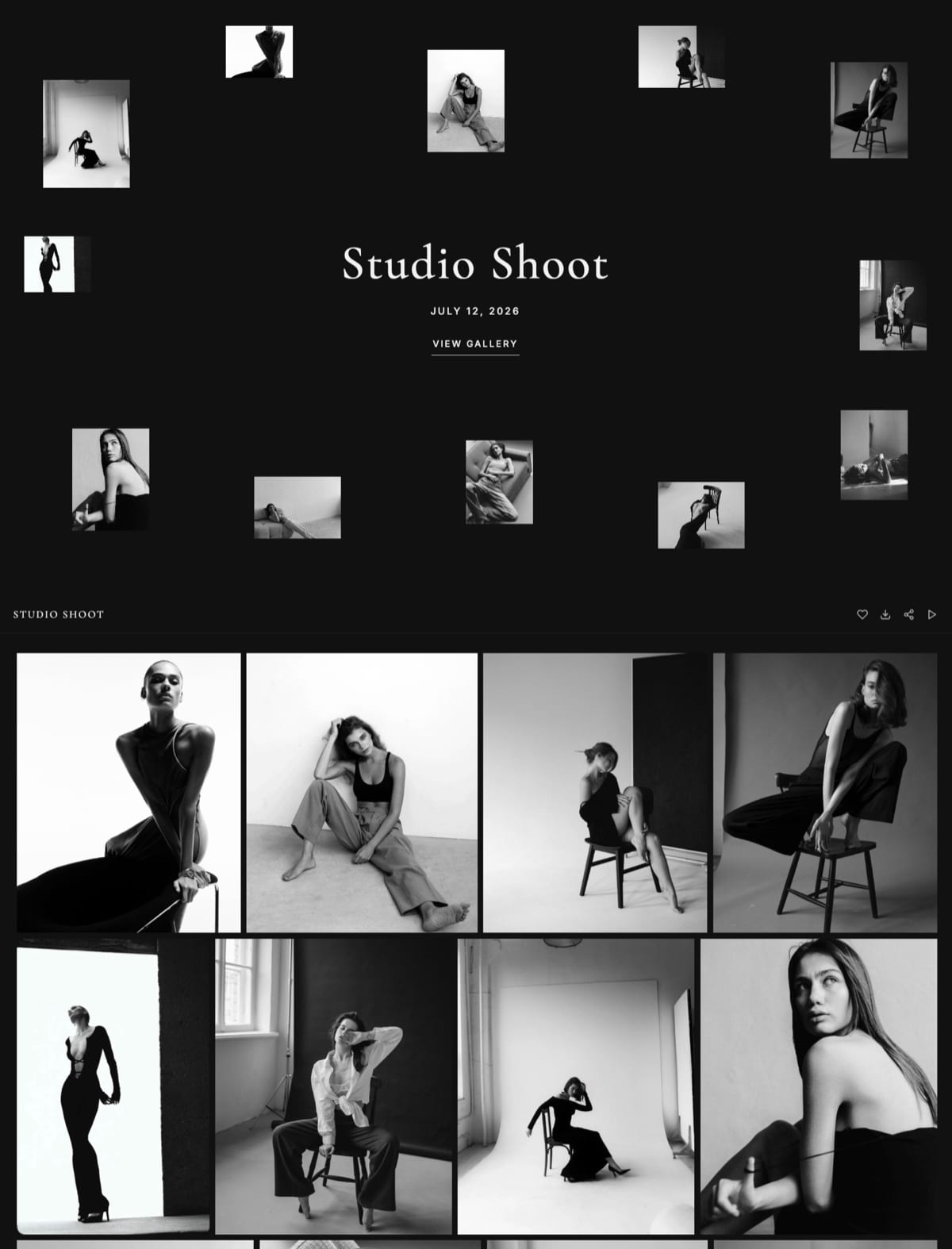
Running the test take took eight minutes. We generated the site, created a gallery, uploaded 140 frames split into Selects, Full Take, and Verticals, set a password, and shared it by email.
The editor opened the Selects set first, hearted eleven frames, and downloaded them individually at full resolution without an account.
Best forEditorial and reportage photographers who want the delivery link to be a portfolio touchpoint and whose captions travel in a separate document or email.
Key features:
- Named sets inside one gallery, so Selects, Full Take, and Verticals live at one link rather than three
- Unlimited galleries on every plan, sharing one storage pool with the site at 10GB free, 50GB Starter, 300GB Pro, and 2TB Business, which is generous for editorial file sizes
- Watermarking, gallery passwords, a separate download PIN, favorites, auto-expiry, and branded email sharing on every plan including free
- Full-resolution originals up to 100MB per photo, delivered individually or as a whole-gallery ZIP with no recipient account required
- Galleries available in seven languages, which matters for photographers working across European titles
The real number80 assignments a year at roughly 60MB of delivered selects each is under 5GB, which fits the 10GB free plan for two full years and disappears inside the 50GB on the $9 Starter plan after that.
Starter also puts the gallery on your own domain, which in editorial is worth more than storage: your link appears in commissioning threads, forwarded between desks, for years.
The gotchaIPTC captions embedded in your files do not display in the gallery, so captions have to travel in the delivery email or a separate document. If your work depends on captions reaching the sub-editor directly, this is the reason to pair Framekit with PhotoShelter.
Skip it ifyou license from a searchable archive or your captions are the deliverable. Both are real editorial businesses and both are better served elsewhere.
Verdict: the best pick for commissioned editorial work where the priority is fast selection and a delivery that markets you, and the wrong pick for a caption-heavy archive business. Start free at framekit.ai.
2. PicDrop: The Fastest Selects Round in the Category
Our rating: 8.9/10
PicDrop was built for exactly this loop, and it shows. A picture editor opens a link, marks selects with a keyboard, and you get a list. There is no store, no upsell, no cover design, and nothing to learn.
The company is German and its infrastructure is German too, which matters for photographers working with European publishers who ask about data handling before they ask about anything else.
The gotchaPicDrop is a workflow tool with almost no brand surface, so a delivery through it says nothing about your studio. That is a deliberate design choice and it costs you a marketing touchpoint on every job.
Skip it ifyou want the delivery to look like your work. Use it as the approval round in front of a branded delivery instead.
Verdict: the tool picture editors like most and the one that does least for your name. Excellent as one half of a workflow. Our PicDrop alternatives guide covers combined options. Visit PicDrop
3. PhotoShelter: Best for Captions, Archives, and Licensing
Our rating: 8.7/10
PhotoShelter is the only platform here that treats metadata as a first-class citizen.
IPTC captions, credits, keywords, and rights information survive from your export through the gallery to the download, which for a photojournalist is the difference between a usable delivery and a folder of numbers.
It also carries the licensing infrastructure editorial photographers with archives actually need: searchable libraries, usage records, and a route to sell a picture twice.
Skip it ifevery assignment is commissioned, delivered once, and never licensed again. The archive machinery is overhead for a purely commissioned practice.
Verdict: the professional answer for caption-led and archive-led editorial work, and the platform to pair with something more presentable if you also want a shop window. Our PhotoShelter alternatives guide covers lighter delivery. Visit PhotoShelter
4. Pixieset: Polished Hosted Delivery
Our rating: 8.0/10
Pixieset gives you the most familiar hosted gallery in the category, which is worth something when your recipient is a brand marketing team rather than a picture desk. Collections handle the Selects and Full Take split cleanly.
Its free plan carries 3GB and a 15% store commission per Pixieset's published pricing, while $10 Basic lifts storage to 10GB, connects a domain, removes branding, and takes the commission to zero.
For editorial volumes, 10GB is more than enough.
Verdict: an easy, well-made hosted option, priced as a second subscription on top of whatever your portfolio costs. Our Pixieset alternatives guide covers the moves. Visit Pixieset

5. ShootProof: Zero Commission With Invoicing
Our rating: 7.8/10
ShootProof charges 0% on every plan according to its published pricing and bundles contracts and invoicing, which matters for editorial photographers chasing payment from publications with long terms.
The interface is built around consumer proofing, so a good part of it is irrelevant to a picture desk.
Verdict: buy it for the invoicing and the economics, not for the editorial workflow. Visit ShootProof
6. CloudSpot: Delivery Plus Business Admin
Our rating: 7.6/10
CloudSpot's Lite tier at $17 a month bundles galleries with invoicing, contracts, and scheduling and removes the 15% commission applied on its Free and Entry plans, per its pricing page.
Verdict: a coherent consolidation if your admin currently lives in spreadsheets. Set a custom gallery URL before your first send, because the default address carries neither your brand nor theirs. Visit CloudSpot
7. Pic-Time: Presentation for Brand Desks
Our rating: 7.4/10
Pic-Time makes the best-looking galleries here, which helps when you are delivering to a brand or agency rather than a newsroom. The store automation underneath is not something editorial photographers will use.
Its pricing page notes free storage drops from 10GB to 3GB after six months.
Verdict: the presentation pick for commercial-editorial crossover work, and overbuilt for a picture desk. Visit Pic-Time
8. SmugMug: The Cheap Long Archive
Our rating: 7.2/10
SmugMug's unlimited photo storage from around $13 a month is the cheapest place to keep a decade of assignments online, and it retains some metadata. The print-sales cut is irrelevant to editorial work.
Verdict: an archive with galleries attached. Buy it for the storage. Our SmugMug alternatives guide covers delivery-first tools. Visit SmugMug

9. Dropbox: What Picture Desks Ask For Anyway
Our rating: 7.0/10
Plenty of editors will simply ask for a Dropbox link, and it works: files arrive, names are preserved, and nobody has to learn anything. It is also branding-free, selection-free, and gives you no signal about which frames were used.
Verdict: the path of least resistance and the one that teaches an editor nothing about you. Fine for the working exchange, weak as a delivery. Our Dropbox alternatives for photographers comparison covers the upgrade. Visit Dropbox
10. Zenfolio: Bundled Site With a Sales Fee
Our rating: 6.8/10
Zenfolio pairs a template website with galleries and print sales, and charges a 7% commerce fee on the order sub-total on every plan.
For editorial photographers who never sell through the platform, the fee is avoidable and the bundle is average.
Verdict: a reasonable one-subscription answer aimed at a consumer business you are not running. Visit Zenfolio
11. Pixpa: Cheapest Site-and-Gallery Bundle
Our rating: 6.6/10
Pixpa puts a portfolio, galleries, and a blog on your own domain for around $8 a month, which is the cheapest combined price here. The design ceiling matters more in editorial than in most genres, because commissioning editors judge the portfolio hard.
Verdict: the budget bundle, with a portfolio that will not win you a cover. Visit Pixpa
12. WeTransfer: The Deadline Tool
Our rating: 6.0/10
WeTransfer exists in editorial for one legitimate reason: something is due in forty minutes. For that it is unbeatable, and everything else about it, expiry, branding, and the absence of any selection tool, is wrong for a professional relationship you want to repeat.
Verdict: keep it for the deadline, not for the delivery. See client gallery vs WeTransfer for what that trade costs. Visit WeTransfer
Captions, Credits, and Embargoes
In one lineeditorial delivery fails on information rather than on images, because a frame without a caption, a credit line, or a clear usage date is a frame a sub-editor cannot publish, and no amount of gallery design fixes that.
Captions have to reach the desk. If your platform does not surface IPTC data, put the captions in a plain text document inside the download or in the body of the delivery email, numbered to match file names. It is unglamorous and it is what gets your work published correctly.
Credit lines belong in the file and the email. Embed the credit in IPTC on export and repeat it in the delivery email, because the two will be read by different people at different stages.
Embargoes need a date, not a request. Put the release date in the gallery title or description, not only in a covering note. Anything that is not visible where the file is downloaded will be missed by whoever downloads it.
Name files usefully. Surname, publication or subject, sequence. A picture desk handling forty photographers' work in a week will not rename anything, and your file names become your presence in their system.
Deliver a shortlist, not a take. Editorial selection is your job as much as the editor's, and 15 well-chosen frames earn more repeat commissions than 140 uncurated ones.
Our guide to how many photos to deliver has the counts by genre.
Keep the take available for two weeks. Editors change their minds after the layout meeting, and a Full Take set behind the selects means the second request is a click rather than a re-upload.
How to Choose: A Decision Tree
Three questions, answered about the work you actually invoice rather than the work you would like to be commissioned for. The first branch that matches your revenue is your platform.
Do your captions or your archive earn money?
- Yes, I license from an archive or my captions are essential. Choose PhotoShelter. Stop here.
- No, everything is commissioned and captioned in the email. Continue.
Do you want the delivery link to build your own name?
- Yes, editors should land near my work. Choose Framekit: galleries publish from your own domain, delivery is free on every plan, and the same subscription runs the portfolio.
- No, speed is everything and branding is irrelevant. Choose PicDrop.
What else does your business need?
- Invoicing and chasing slow publications: ShootProof, or CloudSpot Lite if you also want scheduling.
- The most presentable delivery for brand and agency work: Pixieset on Basic, or Pic-Time.
- A cheap decade-long archive of assignments: SmugMug.
Frequently Asked Questions
What is the best client gallery for editorial photographers?
The best client gallery for editorial photographers in 2026 is Framekit, because galleries publish from your own domain beside the portfolio commissioning editors check, delivery carries no commission on any plan, and named sets let a picture desk reach the shortlist immediately.
PicDrop is faster for a pure selects round and PhotoShelter is the better choice if IPTC captions and licensing are central to your work, since Framekit does not surface embedded metadata.
How many photos should an editorial photographer deliver?
Deliver 12 to 25 finished selects for a typical assignment, with the full take available behind them if the editor wants more.
Editorial selection is part of the commission rather than an optional extra, and a tight shortlist earns more repeat work than a large uncurated take.
Keep the full take live for around two weeks, since editors frequently revisit after a layout meeting.
Do client galleries preserve IPTC captions and credits?
Most do not display them, and this is the single biggest gap between consumer gallery platforms and editorial needs.
PhotoShelter surfaces IPTC captions, credits, and keywords properly, and PicDrop handles some metadata; Framekit, Pixieset, Pic-Time, CloudSpot, and ShootProof do not surface embedded captions in the gallery.
Where captions matter, deliver them in the email or a numbered text document alongside the files.
How do I handle embargoes in a client gallery?
Put the release date in the gallery title or description where the person downloading will see it, not only in a covering email that may never reach the sub-editor.
Use a gallery password so the link cannot circulate freely before the date, and consider delivering a watermarked preview set first and clean files on the embargo date. Anything that is not visible at the point of download will be missed.
Should editorial photographers use Dropbox or a client gallery?
Use a gallery for the delivery and keep cloud storage for the working exchange with retouchers and picture desks that specifically ask for it.
A Dropbox link tells an editor nothing about you, offers no selection tool, and produces no signal about which frames were chosen.
A gallery on your own domain does all three and puts your portfolio one click from the person commissioning your next job.
How much storage does an editorial photographer need?
Far less than most photographers assume: 80 assignments a year at 12 to 25 delivered selects is only 4GB to 8GB of finished files.
That means storage is rarely the deciding factor in editorial, and Framekit's 10GB free tier covers a first year outright where Pixieset's 3GB runs out midway through it.
Choose on selection speed, metadata handling, and where the gallery lives rather than on gigabytes.
Is a password enough protection for embargoed images?
A password is the minimum and a separate download gate is better.
Framekit includes a gallery password plus an independent download PIN on every plan, which allows an editor to view before an embargo lifts while full-resolution files stay locked until you release them.
For high-sensitivity work, deliver watermarked previews during the embargo period and clean files afterward.
PhotoShelter vs Framekit for editorial photography?
Choose PhotoShelter if captions, keywords, and licensing revenue are central to how you work, because it surfaces IPTC metadata and runs a real rights and archive system that Framekit does not have.
Choose Framekit if your assignments are commissioned and delivered once and you want the gallery to sit on your own domain next to the portfolio that wins commissions, at no commission and with the website included in the same subscription.
What should an editorial delivery email include?
The gallery link and password, the number of selects and where the full take sits, the credit line exactly as it should appear, the usage terms and any embargo date, and captions either inline or as a numbered attachment.
Keep it short enough to read on a phone between meetings. Our guide to how to write a photo delivery email covers the structure in detail.
Can I sell prints of editorial work through a client gallery?
Yes on Pixieset, Pic-Time, ShootProof, CloudSpot, SmugMug, and Zenfolio, which all fulfill through pro labs, and no on Framekit, which sells digital files rather than physical products.
Editorial print sales are usually a small side line rather than core revenue, and they are complicated by the rights position on commissioned work, so check your contract before you list anything from an assignment.
Final Verdict: The Best Client Gallery for Editorial Photographers in 2026
Twelve platforms, one reportage take, and a category built almost entirely for consumer proofing. Editorial delivery is a decision-support problem: a busy professional, a large take, and twenty minutes.
Framekit is the best client gallery for editorial photographers in 2026 because it makes the shortlist fast to reach, costs nothing per delivery, and puts the link on the domain where your commissioning work lives, which is the only marketing that reliably works in this field.
Where Framekit loses: we do not surface IPTC captions, keywords, or credits, we have no rights management, and we sell no prints.
Photojournalists whose captions carry the story should be on PhotoShelter, photographers running pure approval rounds should be on PicDrop, and anyone licensing an archive should not be on us at all.
PicDrop is the selects pick, PhotoShelter is the caption and archive pick, Pixieset is the polished hosted default, and ShootProof has the best economics with invoicing attached.
But if the link you send should also be the reason you get commissioned again, deliver from a site you own.
Related reading: our full client gallery platform comparison, the picks for commercial photographers and fashion photographers, and what to include in a client gallery.
Editorial photographers building the portfolio side should read our best website builder for photojournalists comparison, and the delivery economics are broken down in cheapest client gallery software.
