Framekit templates
Start from a designer-made template
 Use template
 Use template
 Use template
 Use template
 Use template
 Use template
 Use template
 Use template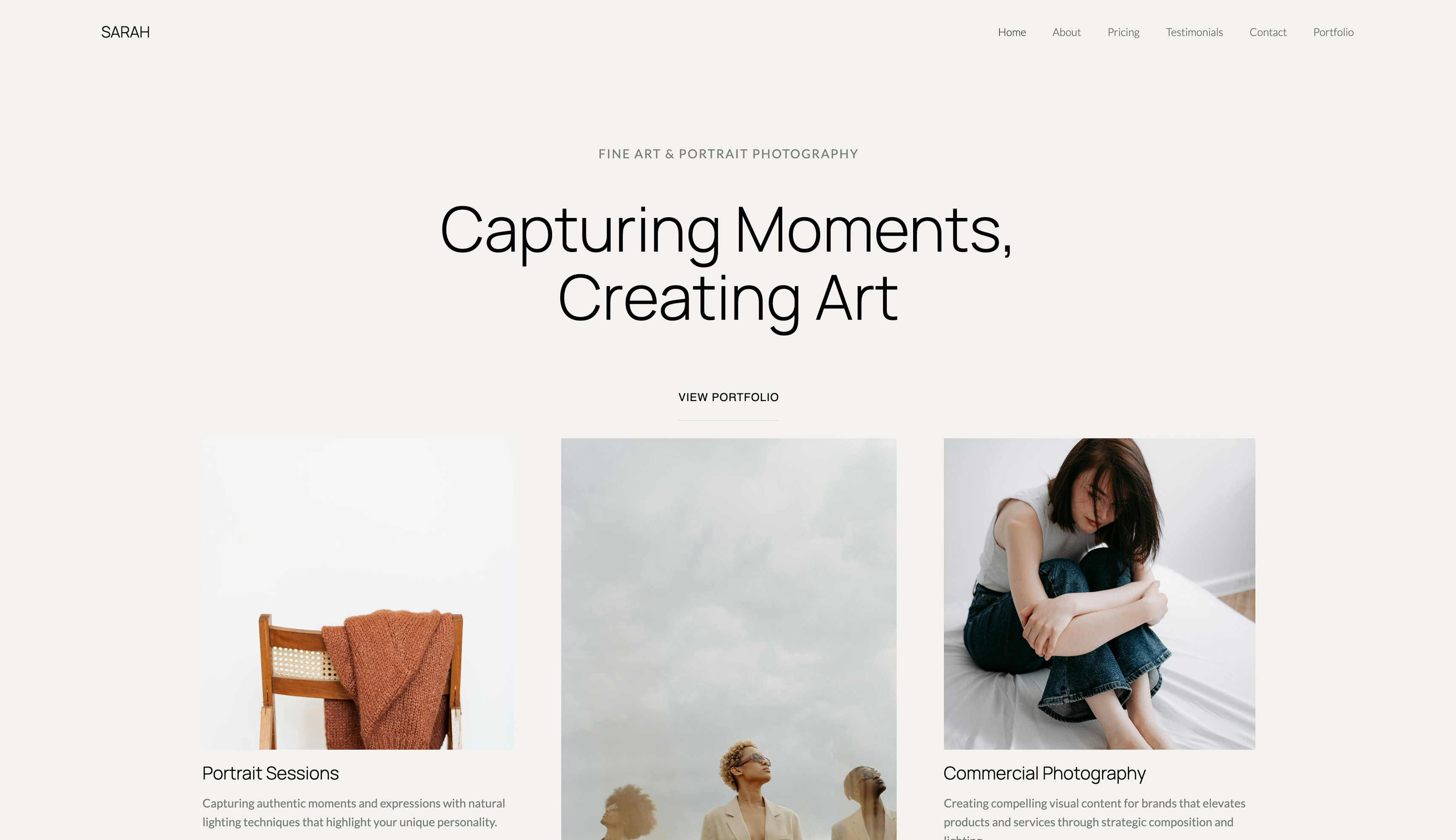
Free client galleries are rarely free. They are financed, and the financing is the thing to compare.
One platform funds its free tier by taking 15% of everything you sell through it, another by capping storage so low that a single wedding fills it, a third by putting its own branding in front of your client.
All of those are legitimate business models and all of them cost you something that does not appear on a pricing page.
So the honest question is not which gallery is free, it is what each free tier is charging you instead of money, and whether that price is one your particular business can afford to pay.
A free client gallery is a hosted, private web page for delivering images to clients at no subscription cost, funded by the provider through commission, storage limits, branding or an upgrade path.
All seven here are genuinely usable and none of them is free in the way the word implies.
For photographers who want a genuinely free client gallery in 2026, Framekit is our pick, because every gallery feature is on the free plan including watermarking, password and PIN protection, downloads and email sharing, with unlimited galleries and 10GB of storage, and there is no commission because there is no store.
Pixieset's free tier is the better-looking product and charges 15% on any store sales. Google Drive is the honest answer if you need more room than that and do not need protection.
The limitation on ours is that 10GB is about ten delivered jobs, so it is a starting point rather than a destination.
How This Ranking Was Weighted
Free tiers hide their limits in different places, so the order the criteria were applied in is worth stating before the ranking is read.
What the free plan actually publishes carries the most weight, then whether the delivery carries your name rather than a platform's, then how much is withheld to force an upgrade, then raw storage.
Under the opposite weighting, where free capacity is the only thing that matters, Google Drive wins outright and Framekit places well down the list, since 10GB is modest by comparison.
Disclosure: Framekit is our product and we rank its free plan first. We delivered the same 40-image job on every free tier here, we link to every competitor, and we say what each one is really charging. Pixieset gives a nicer client experience for free, and Google Drive still gives more raw space, and both of those are real advantages.
How We Tested Seven Free Tiers
Each free plan received the same delivery: 40 finished images at roughly 25MB, about 1GB, sent to a recipient with no account.
We then looked for the financing model in each case, by checking what happened at the storage ceiling, what branding appeared in front of the client, and what a store sale would have cost.
Three kinds of claim appear below. Anything delivered and inspected we did ourselves on the free tier rather than on a trial of a paid one.
Anything read at source is a limit or a fee taken from a vendor's own page or shipped plan configuration during August 2026.
Anything called the financing model is our reading of how the free tier pays for itself, stated as analysis rather than as a vendor's claim.
Every account was new, and where a free tier offered a temporary trial of paid features we ignored those and tested only what remains permanently free.
There are no star ratings in this comparison. The aggregators block automated access, and reprinting a number we could not open would be exactly the sort of unverified figure this guide is written against.
By the numbers7 free tiers tested. 40 images, about 1GB per job. Free ceilings run from 3GB to 15GB, or roughly three to fifteen delivered jobs. 15% is the commission two free tiers charge on store sales. 1 of 7 includes every protection feature at no cost.
The Comparison Table
The rubric is weighted for what free actually means: features included without payment 30%, storage ceiling 25%, what the free tier costs you indirectly 25%, client experience 20%.
The third criterion is the one every other comparison omits, and it is the reason free tiers differ far more than their feature lists suggest.
| Tool | Free storage | Protection included | What it charges instead | Client experience | Our rating |
|---|---|---|---|---|---|
| Framekit | 10GB | All of it | An upgrade path, nothing else | Good | 8.8/10 |
| Pixieset | 3GB | Partial | 15% of store sales | Best in class | 8.5/10 |
| Google Drive | 15GB shared | None | Your attention to permissions | Plain | 8.2/10 |
| CloudSpot | Plan-based | Partial | 15% on entry tiers | Good | 7.8/10 |
| Pic-Time | Plan-based | Partial | 15% on the free tier | Very good | 7.6/10 |
| WeTransfer | Size-capped per send | None | Advertising and a hard expiry | Plain | 6.8/10 |
| Behance | Not applicable | None | It is public, not private | Not a delivery tool | 5.4/10 |
Behance is in the table to be ruled out, because photographers do occasionally use it as a delivery mechanism and it has no privacy model at all.
1. Framekit: Everything Included, Nothing Withheld

Framekit is an AI website builder for photographers, filmmakers and designers whose client galleries come with the site, including on the free plan. What makes the free tier unusual is not its 10GB of storage, generous as that is for a free plan, but that nothing is withheld.
Watermarking, password and PIN protection, favourites, downloads and email sharing are all present at no cost, and galleries are unlimited in count. The only thing that changes as you pay is how much you can store.
The real number10GB of storage shared by the site and the galleries, which at roughly 1GB per delivered job of 40 images is about ten live deliveries. Starter at $9 a month takes that to 50GB, Pro at $19 to 300GB and Business at $39 to 2TB.
The standout detailthere is no commission of any kind, because there is no store taking a cut of sales. A photographer delivering client work on the free plan pays nothing and gives up nothing on the transaction side, which is not true of two other free tiers here.
The gotcha10GB is still a free tier. It is a starting point for a photographer with a handful of clients, and ten live deliveries will not carry a wedding season.
Clearing delivered galleries once a client has downloaded extends it considerably, and at some point you will upgrade, which is exactly how the free tier is financed.
The second gotchathe 100MB per-file cap applies on every plan including this one, so layered masters never travel through it.
Skip it ifyou need more than about ten jobs live at once and do not want to pay, in which case Google Drive's 15GB buys you a little more room and none of the protection.
Verdict: the most complete free gallery in this comparison and the one that runs out of room soonest, which is an honest trade rather than a hidden one.
2. Pixieset: The Best Free Client Experience
Pixieset's free tier produces the nicest thing to open of anything here, and for a photographer whose clients are consumers that is a genuine competitive advantage at no cost.
The real number3GB of storage, under a third of our free ceiling, with a 15% commission on any store sales. Basic removes that commission at $8 a month on annual billing or $10 monthly, with 10GB.
The standout detailthe mobile gallery. Clients open these on phones and Pixieset has spent years on that specific experience, which shows immediately next to the rest of this list.
The gotchathe 15% is the financing model, and it only costs you if you sell. A photographer using the free tier purely for delivery pays nothing, and one selling $2,000 of prints a year through it pays $300, which is more than three years of the paid plan that removes it.
Skip it ifyou sell anything at all through the gallery, in which case the $96 annual plan pays for itself almost immediately.
Verdict: the best free experience for your client, with a commission that punishes exactly the photographers who make it succeed. Our Pixieset alternatives guide covers where people go next.
3. Google Drive: Most Storage, No Protection
Google Drive is the pragmatic free answer when volume matters more than presentation, because 15GB of shared storage is more than any dedicated gallery free tier here offers.
The real number15GB shared across Drive, Gmail and Photos, which is more usable in practice than it sounds and less than it appears if your inbox is full.
The standout detailfilenames and folder structure survive perfectly, and a client can download everything in one action without an account, which is the core delivery requirement met at no cost.
The gotchano watermarking, no expiry, no download control and permissions that are easy to misconfigure. What you save in money you spend in care, and a wrongly shared folder is a real risk rather than a theoretical one.
Google's own documentation on sharing files is worth reading once, because the difference between restricted and anyone-with-the-link is where the accidents happen.
Skip it ifthe images are sensitive, or the delivery represents your business to a new client.
Verdict: the most capacity and the least control, which for internal or low-stakes delivery is a perfectly reasonable trade.
4. CloudSpot: A Real Product, Free at the Edges
CloudSpot's free tier is a genuine gallery product rather than a demonstration, which makes it a reasonable place to start before its paid plans, which begin at around $3 a month.
The real numberstorage is plan-based and modest on the free tier, with 15% commission on free and entry tiers and 0% on Full Suite plans.
The standout detailthe paid upgrade is the cheapest in this category, so the step off the free tier costs less here than anywhere else.
The gotchathe same 15% commission model, and a free ceiling you will meet quickly at any real volume.
Skip it ifyou sell prints, where the commission applies.
Verdict: the gentlest upgrade path in the category.

5. Pic-Time: Free With the Nicest Design
Pic-Time's free tier gives access to the most designed galleries in this comparison, which for a photographer whose clients judge presentation is worth trying even if you eventually pay.
The real number15% commission on the free tier, with 0% on paid plans when you collect payment yourself, and paid plans starting around $25 a month.
The standout detailthe automated client marketing, which is available in some form and genuinely converts print sales for consumer photographers.
The gotchathe jump to paid is the largest here, and the free tier's commission means the photographers who benefit most from the automation pay the most for it.
Skip it ifthe eventual paid price is out of reach, because you will want it.
Verdict: the most impressive free tier to look at and the most expensive to grow into.
6. WeTransfer: Free Sending, Not Free Galleries
WeTransfer's free tier remains the fastest way to move a set of files to somebody once, and it is not a gallery in any meaningful sense.
The real numbera size cap per transfer and an expiry you do not control, with paid tiers above it.
The standout detailzero friction for both parties, no account on either side, and it passes through most corporate mail systems.
The gotchaadvertising in front of your client, a link that dies on the platform's schedule rather than yours, and no record of what you sent to whom.
Skip it ifyou deliver to the same clients repeatedly, where re-uploading becomes the cost.
Verdict: free file sending, correctly described, and not a client gallery.
7. Behance: Free and Public
Behance is free and is included here to be ruled out, because photographers occasionally use it as a delivery route and it has no concept of privacy.
The real numberfree, with no storage ceiling worth worrying about and no private delivery at all.
The standout detailas a portfolio with an audience it is genuinely valuable, and for a photographer with no budget it is a good place to be visible.
The gotchaeverything you post is public. There is no password, no expiry and no download control, so client work goes up where anybody can see it.
Skip it ifthe images belong to a client, which in a client gallery they do by definition.
Verdict: a fine free portfolio and not a delivery tool under any circumstances.
What Each Free Tier Is Actually Charging
In one linefree tiers are financed in four ways, and knowing which one you are on tells you exactly when it will start costing you.
By commission. Pixieset, Pic-Time and CloudSpot all take a percentage of store sales on their free tiers, typically 15%.
This costs nothing if you never sell and a great deal if you do, and the crossover is startlingly early: $2,000 of annual print sales at 15% is $300, against $96 for the annual plan that removes it.
If you sell through the gallery, the free tier is the expensive option.
By storage. Framekit's 10GB, Pixieset's 3GB and the ceilings elsewhere are all designed to be enough to prove the product and not enough to run a business.
This costs you nothing directly and eventually costs you an upgrade, which is the most honest of the four models because the moment it starts charging you is visible in advance.
By attention. Google Drive gives you far more room and asks you to be careful, and the cost lands only when somebody misconfigures a share. That is a genuine cost with an unpredictable distribution: usually zero, occasionally severe.
By your client's experience. WeTransfer shows advertising to the person you are delivering to, and platform branding elsewhere does a milder version of the same thing. You are paying with a small amount of your professional presentation on every delivery.
The useful question is which of those you can afford. A photographer with no print sales and three clients pays nothing real on almost any of these.
A photographer selling $5,000 of prints a year on a 15% free tier is paying $750 for a plan that costs $96, and would be better off paying.

When Free Stops Being Enough
In one linethe free tier ends at a predictable point in almost every photography business, and knowing which point yours is approaching prevents an emergency upgrade in the middle of a delivery.
The storage wall. At roughly 1GB per delivered job, a 3GB tier is about three live galleries and a 10GB tier about ten.
Wedding and event photographers hit this within a month or two of the season starting, portrait photographers within a quarter or so, and a stylist or a designer delivering occasional sets may never reach it.
The first sale. On a commission-financed free tier, the moment you sell anything the arithmetic changes, and it changes fast.
This is the most common way photographers lose money on a free plan without noticing, because 15% of a print order does not feel like a subscription.
The client who asks for a password. Free tiers vary enormously on protection, and the day a corporate or a boudoir client asks how their images are secured is the day the answer matters.
Framekit includes protection at no cost specifically so that this question never forces an upgrade.
The second year. Free tiers are excellent at year one and awkward at year three, because delivered galleries accumulate and old clients still expect their links to work.
Decide a retention policy early, and clear galleries on a schedule rather than when you run out of room.
And the presentation moment. Sooner or later you will send a gallery to a client you very much want to impress, and platform branding in front of your work will bother you.
That is the intended emotional design of most free tiers and it is not dishonest, but it is worth recognising for what it is.
Getting the Most From a Free Plan
In one linemost photographers exhaust a free tier faster than they need to, by leaving finished work online and delivering files larger than anyone asked for.
Clear galleries once a client confirms. The single most effective habit. A delivered, downloaded gallery is finished work occupying live storage, and a short note saying the link expires in 30 days is normal professional practice rather than a limitation.
Deliver at the size the client needs. A client posting to social does not need 25MB files, and delivering web-sized versions alongside the full-resolution set means most galleries can be a fraction of their size. Ask what the images are for before you export.
Use one gallery per job, not per revision. Where gallery count is unlimited this does not matter, and where it is metered it matters enormously.
Do not use the gallery as a backup. It is the most common cause of a full free plan and it is the wrong tool for the job. Your archive belongs on your own storage, with a proper backup, and the gallery holds only what a client currently needs.
Watermark the previews and not the finals. Free tiers that include watermarking, which is not all of them, let you do this at no cost, and it prevents the specific problem of a client using a proof.
And upgrade deliberately rather than urgently. Every free tier here is designed to run out at a moment you did not plan for. Watching your storage once a month turns that into a decision rather than an interruption.
How to Choose in Four Questions
Restating the picks would repeat the guide. Answer these four in order and stop at the first yes, because that is what decides it.
- Do you sell prints or digital products through the gallery? Avoid the 15% commission tiers entirely and pay the $96 a year that removes it, or use a platform with no store at all.
- Do you need more than about ten live deliveries at once, for free? Google Drive's 15GB, and be careful with permissions.
- Do you need passwords, watermarking or download control at no cost? Framekit, where all of it is on the free plan.
- Are you sending files once to somebody you will never deliver to again? WeTransfer, and accept the advertising.
Frequently Asked Questions
What is the best free client gallery in 2026?
Framekit's free plan is our pick, because every gallery feature is included at no cost, including watermarking, password and PIN protection, downloads and email sharing, with unlimited galleries and no commission on anything.
Pixieset's free tier gives your client a nicer experience and charges 15% on store sales, and Google Drive offers 15GB if you need more room and no protection.
Are free client galleries really free?
Not exactly. They are financed, usually by commission on your sales, by a storage ceiling that eventually forces an upgrade, by asking you to manage permissions carefully, or by showing your client branding and advertising.
Knowing which model you are on tells you when the free tier will start costing you and how much.
How much storage do I get free, and is it enough?
Between 3GB and 10GB with the dedicated gallery products, Pixieset at the bottom and Framekit at the top, which at roughly 1GB per 40-image delivery is three to ten live jobs. Google Drive's 15GB is the outlier.
Whether that is enough depends entirely on your genre: an event photographer will exhaust it in weeks and a stylist delivering occasional reference sets may never approach it.
Is a 15% commission on a free plan worth avoiding?
Yes, as soon as you sell anything. Fifteen per cent of $2,000 in annual print sales is $300, against roughly $96 for the annual paid plan that removes it, so the crossover arrives at a few hundred dollars of sales.
Free tiers with commission are cheapest for photographers who never use the store and most expensive for those who use it well.
Can I use Google Drive as a client gallery?
You can, and many photographers do. It delivers files reliably, preserves filenames and needs no account from the recipient, which is the core of the job.
What you give up is watermarking, expiry, download control and any professional presentation, plus the risk of a misconfigured share, so it suits low-stakes delivery rather than sensitive or client-facing work.
What happens when I run out of free storage?
Uploads stop, which is why it is worth watching rather than discovering.
The fix is either upgrading or clearing delivered galleries, and the second is good practice regardless: a gallery a client has already downloaded is finished work occupying live space, and a stated expiry of around 30 days is normal.
Do free galleries include password protection?
Some do and some reserve it for paid plans, which is exactly the kind of difference that matters the first time a client asks how their images are secured.
Framekit includes password and PIN protection, watermarking and download controls on the free plan specifically so the question never forces an upgrade.
Should I use a free gallery for professional client work?
For low-stakes delivery, yes, and there is no shame in it.
For work where the images are sensitive, where a client is judging your professionalism, or where you sell through the gallery, the paid tier is usually cheap enough to be an easy decision, and the commission-financed free tiers become the expensive option the moment you make a sale.
How do I make a free plan last longer?
Clear galleries once a client confirms they have downloaded, deliver files at the size the client actually needs rather than full resolution by default, keep one gallery per job rather than per revision, and never use the gallery as a backup.
Most photographers exhaust a free tier well before they needed to.
Is Behance a client gallery?
No. Everything on Behance is public, with no passwords, expiry or download control, so client work posted there is visible to anyone. It is a good free portfolio with a real audience of art directors and it should never be used to deliver a client's images.
How long does Framekit's free 10GB actually last?
About ten live deliveries, at roughly 1GB per job of 40 images, and that pool is shared with your website's media. That is a genuine starting point for a photographer with a handful of clients and it is not a wedding season.
Clearing galleries once a client has downloaded stretches it considerably, and at some point you upgrade, which is how the free tier is paid for and we would rather say that than imply otherwise.
Starter at $9 a month takes it to 50GB, Pro at $19 to 300GB and Business at $39 to 2TB. What is not withheld on the free plan is the delivery itself: unlimited galleries, password protection and no commission.
The Verdict
For a photographer wanting a genuinely free client gallery in 2026, Framekit is the pick: every protection feature included at no cost, unlimited galleries, no commission on anything, and 10GB of storage on a domain you own.
Pixieset gives your client a better-looking experience for free and charges 15% on store sales, and Google Drive gives half as much again with none of the controls.
Where Framekit loses, plainly: 10GB is about ten live deliveries and will not carry a busy season, and Google Drive still hands you more raw space for nothing.
There is no print store, so photographers selling wall art should be on a platform that fulfils. Pixieset's client experience is better than ours.
And the free plan is financed by the expectation that you will eventually upgrade, which we would rather state than leave you to work out.
Whatever you choose, find out how your free tier is financed before you build a business on it. That is the only number in this category that matters.
Related reading: best client gallery platforms, best free website builder for photographers, best website builders with client galleries, and best free tools for photographers.
Also in this series: client Galleries for Commercial Photographers, client Galleries for Sports Photographers and website Builders for Boudoir Photographers.
Newer in this clusterwe have since covered how much storage photographers need with real per-genre numbers, client galleries with client uploads for two-way exchange, and client galleries for photography teams for studios with associates.
Free-tier limits and commissions were read from each vendor's published pages during August 2026, and Framekit's free-plan features come from the shipped plan configuration rather than marketing copy.