Framekit templates
Start from a designer-made template
 Use template
 Use template
 Use template
 Use template
 Use template
 Use template
 Use template
 Use template
Most working photographers are paying two subscriptions to solve one problem. A website builder for the portfolio, bought first, and a client gallery product for delivery, bought later when the first one turned out not to do it.
Nobody chose that arrangement on purpose. It accumulated.
It is also expensive in a quiet way. A typical pairing runs about $324 a year, and a single tool covering both runs $108 to $228, which means a great many photographers are spending an extra $96 to $216 annually on a capability they already own in one of the two products.
A website builder with client galleries is a hosted tool that produces both your public portfolio and the private, password-protected pages you deliver client work through, on one subscription and one domain.
Only a handful genuinely do both, and this guide is about which ones and how well.
For photographers who want the portfolio and the client delivery on one subscription in 2026, Framekit is the best website builder with client galleries, because galleries are unlimited in count on every plan including the free one and every protection feature is included at every tier, with one pooled storage allowance covering the site and the galleries, from 10GB free to 2TB on the $39 Business plan.
Pixieset Suite is the strongest alternative if you also want a print store, and Format is the tidiest portfolio of the group at $10 a month. The limitation is that Framekit has no print lab and no per-image commenting.
How This Ranking Was Weighted
Combining a site and client delivery in one product is a trade, so the order these criteria were applied in decides the winner.
How good the portfolio half is carries the most weight, because that is the part that wins the work, then whether galleries are included rather than a separate bill, then storage, then print revenue.
Under the opposite weighting, where selling framed prints through the gallery is the business, Pixieset Suite wins outright and Framekit does not place, since we have no print store.
Disclosure: Framekit is our product and we rank it first. We built the same portfolio and delivered the same 40-image job on all twelve, we link to every competitor, and we say where each beats us. Pixieset Suite beats us on print sales, SmugMug beats us on storage, and four of the twelve here do not include galleries at all and are in the table so you can see what a second subscription would cost you.
How We Tested Twelve Builders
Each tool got the same two jobs: publish a 24-image portfolio on a custom domain, and deliver a private 40-image client gallery, roughly 1GB, to a recipient with no account.
Four of the twelve cannot do the second job at all, which is itself the finding this guide exists to surface.
Three kinds of statement appear below. Anything built and delivered we did ourselves in both directions.
Anything read at source is a price or a limit taken from a vendor's own page or shipped plan configuration during August 2026.
Anything called common practice describes how photographers typically assemble a stack rather than something we measured.
We used new accounts, prices in USD where published, and annual billing quoted as each vendor presents it. Where galleries required a higher tier we configured that tier and noted the real entry price rather than the headline one.
There are no star ratings here. The review aggregators refuse automated access, and printing a number we could not open would undermine the point of testing anything.
By the numbers12 builders tested. 8 include client galleries, 4 do not. 1GB per delivered job. $324 is a common two-subscription total, against $108 for the cheapest single-tool answer that does both properly. 1 of 12 includes every gallery protection feature on its free plan.
The Comparison Table
The rubric is weighted for the specific question this guide answers: gallery capability included 30%, portfolio quality 25%, total annual cost for both jobs 20%, selling 15%, protection and access control 10%.
Portfolio quality stays high because a gallery bolted onto an ugly site is not a solution, it is a compromise you will resent.
| Builder | Galleries included | Gallery count limit | Portfolio quality | Both jobs, per year | Our rating |
|---|---|---|---|---|---|
| Framekit | Yes, every plan | Unlimited | Strong | $0 to $228 | 9.1/10 |
| Pixieset Suite | Yes | Plan-based | Good | About $336 annual | 8.8/10 |
| Format | Yes, proofing | Plan-based | Best in class | $120 to $180 | 8.6/10 |
| Pixpa | Yes | Plan-based | Adequate | About $58 to $86 | 8.2/10 |
| Zenfolio | Yes | Plan-based | Dated | About $84 to $192 | 7.8/10 |
| SmugMug | Yes | Generous | Dated | About $282 | 7.6/10 |
| WordPress | Via plugins | Plugin-dependent | Depends on build | Hosting plus your time | 7.0/10 |
| Wix | Limited | Not comparable | Adequate | $204 to $348 | 6.8/10 |
| Squarespace | No | Not applicable | Good | $228 plus a gallery tool | 6.6/10 |
| Webflow | No | Not applicable | Strong | $180 plus a gallery tool | 6.4/10 |
| Adobe Portfolio | No | Not applicable | Good | $240 plus a gallery tool | 6.0/10 |
| Carrd | No | Not applicable | Minimal | $19 plus a gallery tool | 5.4/10 |
The bottom four are the point of the table. They are decent products that solve half of this problem, and photographers routinely buy one of them and then discover the other half is a separate bill.
1. Framekit: Best Overall

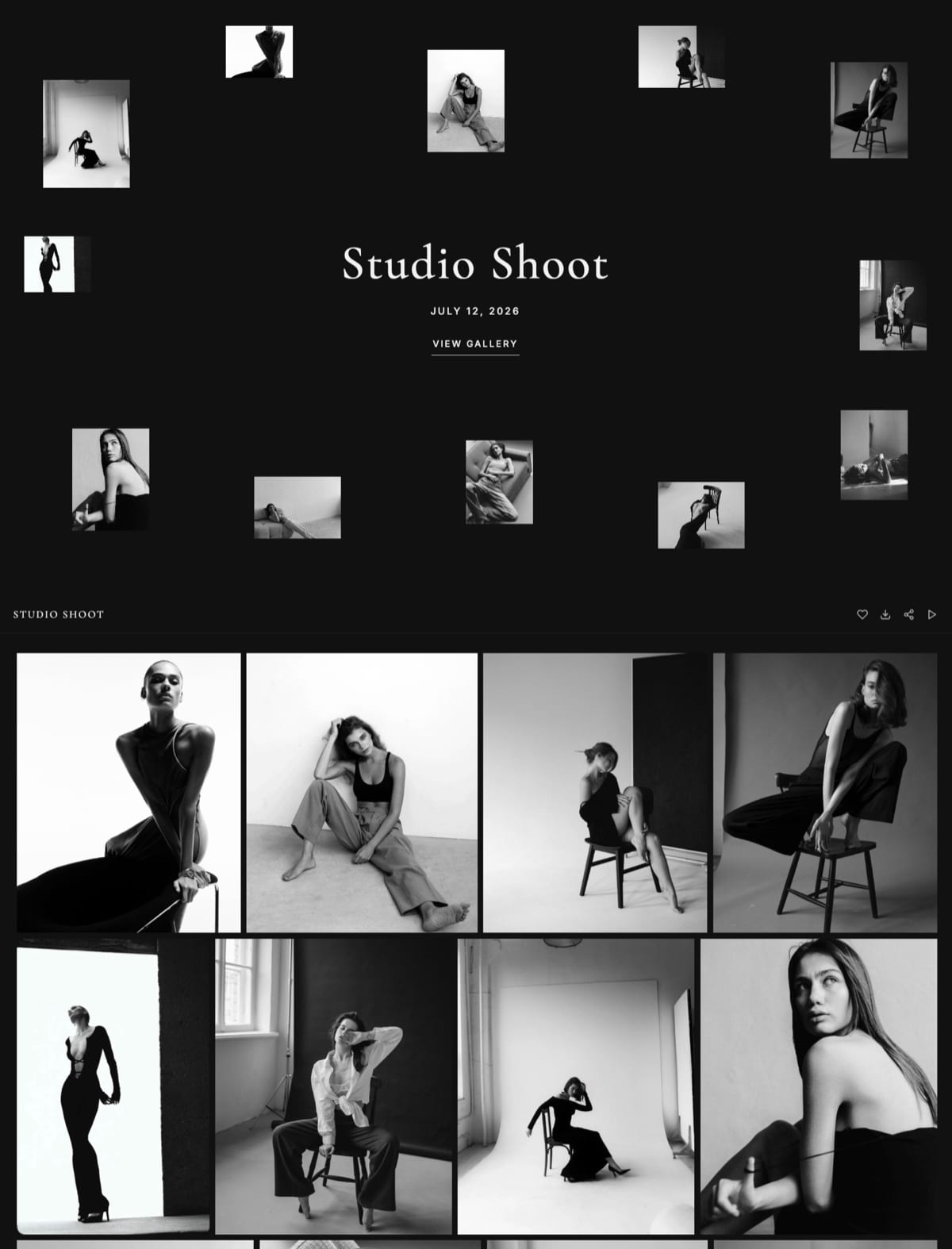
Framekit is an AI website builder aimed at photographers, filmmakers and designers, and it is unusual in this list because the galleries were not added later as a feature to compete on. They are on every plan, including the free one, with no count limit.
Building the portfolio took about twenty minutes and delivering the client gallery took four. The recipient opened it without an account and downloaded the set as one archive with filenames intact.
The real numberstorage is one pool shared by the site and the galleries, at 10GB on the free plan, 50GB on Starter at $9 a month, 300GB on Pro at $19 and 2TB on Business at $39.
At roughly 1GB per delivered job that is about ten, fifty, three hundred and two thousand jobs respectively, and the site is included at every tier rather than billed separately.
The standout detailthe protections do not move with price. Watermarking, password and PIN protection, favourites, downloads and email sharing are on the free plan exactly as they are on Business, and only storage changes. Every other product here reserves something for a higher tier.
The gotchathere is no print lab. If your business is selling framed wall art, the fulfilment is yours and Pixieset Suite or SmugMug will serve you better.
The second gotchano per-image commenting, so revision rounds happen in email. For portrait and event work that is fine and for commercial retouching rounds it is not.
Skip it ifprint sales are the revenue, or your clients expect tracked per-image approvals.
Verdict: the best answer to the specific question of one subscription for both jobs, and not the best answer if you sell prints.
2. Pixieset Suite: Best With a Print Store
Pixieset Suite is the product built explicitly to solve this problem, bundling a website with the client galleries Pixieset is already known for, plus a print store that actually fulfils.
The real numberSuite runs $28, $38 and $55 a month on annual billing, or $35 and $50 monthly, which is a different and higher ladder than the standalone Pixieset Client Gallery plans at $8, $16 and $24 annually.
The standout detailthe print pipeline. For a portrait, wedding or family photographer whose income includes wall art, this is the only product in the top half of this list that turns a delivered gallery into a fulfilled order without your involvement.
The gotchait is the most expensive genuine both-jobs option here at roughly $336 a year on the entry annual tier, and the website half is competent rather than distinguished.
Skip it ifyou sell no prints, in which case you are paying a premium for a pipeline you will not use.
Verdict: the right pick for a print-selling photographer and overpriced for a delivery-only one.
3. Format: Best Portfolio of the Group
Format has the best-looking portfolio in this comparison by a clear margin, and it includes proofing galleries rather than selling them separately, which puts it in the small group that genuinely does both jobs.
The real numberBasic is $10 a month billed annually with a stated normal rate of $14, Pro is $12 annually or $17 monthly, and Pro Plus is $15 annually or $26 monthly. Store commission is 0% across plans.
The standout detailrestraint. If the portfolio matters more to you than the delivery, and for many photographers it should, this is the tool that flatters the work most.
The gotchathe galleries are proofing-shaped rather than delivery-shaped, and storage allowances suit a photographer sending occasional sets rather than one delivering weekly.
Skip it ifdelivery volume is high.
Verdict: the most beautiful both-jobs option, with the delivery half as the junior partner.
4. Pixpa: Cheapest That Does Both
Pixpa is the cheapest product in this comparison that genuinely covers the portfolio and the client galleries, which for a photographer early in their career is the relevant fact.
The real numberLite is about $4.80 a month on annual billing with 20GB and Standard about $7.20 with 100GB, so roughly $58 or $86 a year for both jobs together.
The standout detail100GB for about $86 a year is the cheapest way into three-figure storage in this guide, and no other product here bundles a site, galleries, a store and a blog for less.
The gotchaeverything is competent and nothing is excellent, and the templates will not impress a client evaluating you on presentation.
Skip it ifthe site is doing credibility work with commercial clients.
Verdict: the value answer, with a ceiling on how serious it looks.
5. Zenfolio: Galleries With Commerce
Zenfolio bundles a template website with client galleries and a print store, charging a flat commerce fee rather than a tiered one, which makes the economics unusually easy to predict when you are building a price list.
The real numberplans run about $7 a month for Basic without e-commerce, about $9.20 for Professional with e-commerce and 150GB, and about $16 for Advanced, with a flat 7% commerce fee on every order.
The standout detail150GB on a roughly $9.20 plan is generous, and the flat 7% never changes as you grow.
The gotchathe site half looks its age, and 7% of a real print business is more than the 0% plans charge.
Skip it ifpresentation or print margin matters.
Verdict: generous storage and predictable fees in a dated wrapper.
6. SmugMug: Storage Without Limit
SmugMug bundles a template website with galleries and print sales, and its distinguishing feature is unlimited storage, which no other product here offers at any price.
The real numberthe Portfolio plan is about $23.50 a month on annual billing, roughly $282 a year, with Pro at about $37, and SmugMug takes 15% of print and download sales with fulfilment through approved labs.
The standout detailunlimited storage genuinely removes a whole category of decision, which for a photographer with a decade of archives is worth real money.
The gotcha15% commission and no choice of lab, plus a website that looks like a photo-hosting product rather than a portfolio.
Skip it ifthe portfolio is client-facing in a competitive market.
Verdict: the best storage and the weakest presentation.
7. WordPress: Both Jobs, With Work
WordPress can be made to do both jobs completely, with a portfolio theme and a gallery plugin, and the result belongs to you outright in a way no hosted product in this comparison can match.
The real numberhosting from a few dollars a month, plus plugin licences, plus the maintenance time that never appears in a comparison table.
The standout detailyou control the image handling, the metadata and the delivery mechanism, which no hosted product here allows.
The gotchaplugin drift, security updates and the fact that gallery plugins are rarely as good as dedicated products.
Skip it ifnobody will own the maintenance.
Verdict: the most control and the most work. Our WordPress alternatives guide is the better starting point for most photographers.
8. Wix: Broad but Shallow Galleries
Wix has gallery functionality alongside a great deal else, and its annual ladder runs Light $17, Core $29, Business $39 and Business Elite $159, with an app market covering most of what the core product leaves out.
The real numberCore at $29 a month, about $348 a year, is the realistic tier for a professional site, and the gallery features are not comparable to a dedicated delivery product.
The standout detailbreadth. Bookings, marketing email and a store in the same subscription is genuinely useful for a photographer running a whole business from one place.
The gotchathe galleries are a feature rather than a product, with weak access control and no real delivery workflow.
Skip it ifclient delivery is a core part of your week.
Verdict: many jobs done adequately, including this one.

9. Squarespace: No Galleries

Squarespace appears in this comparison for two reasons: an enormous number of photographers already use it, and it does not include client galleries at all, which is the specific gap that sends people looking for a second subscription.
The real numberBasic is $19 a month billed annually, about $228 a year, and a delivery product on top adds $96 to $282 depending which you choose.
The standout detailpage-level passwords, which some photographers use as an improvised gallery, and which work for a small set with no downloads or expiry.
The gotchathere is no delivery workflow, no download controls and no watermarking, so this is a website plus a second subscription rather than a solution.
Skip it ifyou are trying to consolidate.
Verdict: a good site that is only ever half of this problem.
10. Webflow: No Galleries, Best Control
Webflow builds the most controllable website in this entire comparison and includes nothing whatsoever resembling a client gallery, which makes it the clearest example of a product solving exactly half of the problem this guide is about.
The real numberBasic is $15 a month annually with no CMS and Premium $25, the renamed CMS tier, with Team at $2,500 a month above it on an annual contract and Workspace seats billed separately at Free, Core $19 and Growth $49.
The standout detailtotal control over image handling and structure, which matters if the portfolio is doing serious work.
The gotchadelivery is entirely absent, so the real annual cost is $180 plus whatever gallery product you add.
Skip it ifconsolidation is your goal.
Verdict: the best half-solution here.
11. Adobe Portfolio: Free, No Galleries
Adobe Portfolio comes with Creative Cloud, and the Adobe plans page lists the Photography plan at US$19.99 a month with 1TB, Lightroom alone at US$11.99 and Creative Cloud Pro at US$69.99.
The real numberno marginal cost for the site if you already pay Adobe, and the 1TB of cloud storage doubles as a rough delivery mechanism through shared links.
The standout detailthe storage you are already paying for is genuinely usable for sending files, which makes this the cheapest half-answer in the guide.
The gotchano client galleries with passwords, downloads or watermarking, and the site ends with the subscription.
Skip it ifclient delivery needs to look professional.
Verdict: free with your existing spend, and not a delivery tool.
12. Carrd: One Page, No Galleries
Carrd is $19 a year for a single page and has no gallery capability whatsoever, which puts it here as the cheapest possible half of a two-product stack rather than as a candidate for consolidating one.
The real number$19 a year, plus a full gallery subscription on top, which makes the pairing cheaper than most but not by as much as the headline suggests.
The standout detailit is the cheapest way to have a credible URL while you spend your money on the delivery half instead.
The gotchano portfolio depth, no galleries, no growth.
Skip it ifyou have more than one thing to show.
Verdict: a link with a gallery subscription attached.
The Two-Subscription Problem
In one linemost photographers assembled their stack rather than choosing it, and the second subscription was bought to fix a gap the first one created.
The sequence is always the same. You buy a website builder because you need a portfolio. Six months later a client needs images delivered, your builder cannot do it properly, and you buy a gallery product. Both renew annually and neither gets reviewed.
Here is what the common pairings actually cost against the single-tool answers.
| Configuration | Per year | Covers both jobs |
|---|---|---|
| Pixpa Standard alone | About $86 | Yes |
| Framekit Starter alone | $108 | Yes |
| Format Basic alone | $120 | Yes |
| Framekit Pro alone | $228 | Yes, with 300GB |
| Webflow Basic plus Pixieset Basic | About $276 | Yes, two bills |
| Squarespace plus Pixieset Basic | About $324 | Yes, two bills |
| Pixieset Suite | About $336 | Yes, with prints |
| Adobe Portfolio plus ShootProof | About $360 | Yes, two bills |
The gap between the cheapest genuine single tool and the common two-subscription pairing is roughly $240 a year, which is not transformative and is also not nothing, and it recurs.
The honest counter-argument. Two specialised products can be better than one general one.
Webflow builds a better site than Framekit does, and Pixieset delivers a nicer gallery than Format does, so a photographer who genuinely needs the best of both is not being wasteful by paying twice. The waste is paying twice by accident.
The test to run: open your bank statement, find every subscription that touches your photography, and write next to each what it does that the others do not. Most photographers find at least one line with nothing to write.

What "Includes Galleries" Should Actually Mean
In one lineseveral builders claim galleries and provide a password field, which is not the same thing, and the gap only becomes obvious when a client cannot download their photographs.
If you are choosing on this criterion, these are the capabilities that separate a real delivery product from a marketing claim.
Download control. Whether the client can download at all, whether you can allow full-resolution or web-sized, and whether you can switch it off. A gallery a client cannot download from is a slideshow.
A whole-set archive. One button, one zip, everything. Making a client save 40 images individually is the most common way an otherwise good tool reveals itself as a photo page rather than a delivery tool.
Password or PIN protection per gallery. Not a site-wide password, and not an unlisted URL, which is obscurity rather than protection.
Watermarking on previews. Essential for proofing and for anything unreleased, and frequently reserved for higher tiers.
Expiry. So that a delivered job stops being reachable, which protects both your storage and your licensing.
Unlimited gallery count, or a limit you will not hit. This is the one photographers overlook.
Storage is easy to estimate and gallery count is not, and a wedding photographer delivering forty jobs a year on a plan that allows fifteen active galleries has a problem that no amount of storage fixes.
Filenames preserved on download. Trivial-sounding and load-bearing for any client whose system ingests by filename.
How to Choose in Four Questions
Restating the picks would repeat the guide. Work down these four and stop at the first yes, because that is the constraint deciding for you.
- Do you sell framed prints through a lab? Pixieset Suite at about $336 a year, or SmugMug if unlimited storage matters more than presentation.
- Is the portfolio the thing your clients judge you on? Format at $120 a year, which includes proofing galleries and looks better than anything else here.
- Do you deliver frequently and want one subscription with no gallery limit? Framekit, on Starter at $108 or Pro at $228 depending on how much you keep online.
- Is the budget genuinely tight? Pixpa Standard at about $86 a year, which does both jobs adequately and neither brilliantly.
Frequently Asked Questions
Which website builders include client galleries?
Eight of the twelve tested do: Framekit, Pixieset Suite, Format, Pixpa, Zenfolio, SmugMug, WordPress through plugins, and Wix in a limited form. Squarespace, Webflow, Adobe Portfolio and Carrd do not, which means a delivery product is a separate subscription on top of those four.
Is it cheaper to use one tool or two?
Usually one, by roughly $240 a year. A common pairing such as Squarespace plus Pixieset Basic runs about $324 annually, while single tools that do both properly run from about $86 for Pixpa Standard to $228 for Framekit Pro.
The exception is a photographer who genuinely needs the best site and the best galleries, in which case paying twice is a choice rather than an accident.
What does a real client gallery need to include?
Download control, a whole-set archive download, per-gallery password or PIN protection, watermarking on previews, an expiry you set, and a gallery count that will not run out.
Several builders advertise galleries and provide only a password field, which becomes obvious the first time a client tries to download forty images individually.
Why does gallery count matter more than storage?
Because storage is easy to estimate and gallery count is not.
A photographer delivering forty jobs a year needs forty galleries regardless of whether each is 500MB or 5GB, and a plan limiting active galleries will stop you for reasons unrelated to how much you have uploaded.
Framekit's galleries are unlimited on every plan, which removes that constraint entirely.
Can I use Squarespace for client delivery?
Only improvised. Squarespace has page-level passwords, which some photographers use for small sets, but there is no download control, no watermarking, no expiry and no whole-set archive, so it is not a delivery workflow. Budget for a separate gallery product if you stay on it.
Which option is cheapest for both jobs?
Pixpa Standard at about $86 a year is the cheapest genuine both-jobs answer, followed by Framekit Starter at $108 and Format Basic at $120.
Framekit's free plan technically does both at no cost with 10GB of pooled storage, which is roughly ten delivered jobs, so it suits a photographer just starting rather than one working steadily.
Do any of these include a print store?
Pixieset Suite, Zenfolio, SmugMug and Format all sell prints in some form, with commissions ranging from 0% on Format to a flat 7% on Zenfolio to 15% on SmugMug.
Framekit has no print lab at all, which is the clearest reason for a print-led photographer to choose one of the others.
How much gallery storage do I actually need?
About 1GB per delivered job of 40 finished images at 25MB each.
That means 10GB covers roughly ten live jobs and 100GB about a hundred, and most photographers need less than they assume because delivered galleries can be cleared once a client has downloaded.
Storage requirements grow with what you keep, not with what you deliver.
Is Adobe Portfolio enough if I already pay for Lightroom?
For the portfolio, often yes, and it costs nothing extra on a plan you already hold.
For client delivery it is not, because there are no galleries with passwords, download controls or watermarking, so you would be pairing it with a delivery product and paying about $360 a year in total.
Should the portfolio or the galleries decide my choice?
The portfolio, in most cases, because it is the thing prospective clients judge and the thing you cannot easily compensate for.
Delivery is a solved problem at several price points, while a site that undersells your work costs you bookings you never hear about. Choose the site you want and check that its galleries clear the bar in the section above.
How many client jobs fit in each Framekit plan?
At roughly 1GB per delivered job, about ten on the free plan's 10GB, fifty on Starter at $9 a month, three hundred on Pro at $19 and two thousand on Business at $39.
Storage is one pool shared by the site and the galleries, and the website is included at every tier rather than billed as a second subscription, which is the whole argument for one tool instead of two.
The limitation to weigh against that: there is no print lab, so if selling framed wall art is the business, fulfilment is yours and Pixieset Suite or SmugMug will serve you better.
The Verdict
For photographers consolidating onto one subscription in 2026, Framekit is the pick: galleries on every plan including the free one, unlimited in count, with watermarking, passwords, downloads and email sharing at every tier, and storage from 10GB free to 2TB at $39 a month, all on a domain you own.
Pixieset Suite is the honest choice if you sell prints, and Format is the better answer if the portfolio is what your clients judge you on.
Where Framekit loses, plainly: no print lab, so a print-led business should buy Pixieset Suite or SmugMug instead. No per-image commenting, so tracked revision rounds happen elsewhere.
Format builds a better-looking portfolio than we do at a lower price, and Pixpa bundles a site and galleries for about $86 a year, well under half what our Pro tier costs.
Whatever you choose, check the gallery count limit rather than only the storage. That is the constraint that stops photographers mid-year, and it is the one nobody reads.
Related reading: best client gallery platforms, best website builders for photographers, best Pixieset alternatives, and best ways to deliver client photos.
Also in this series: ways to Sell Digital Products on Instagram and website Builders for Animators.
Plan prices were read from each vendor's published pages during August 2026, with Adobe and Webflow confirmed on 10 August. Framekit's gallery limits and storage tiers come from the shipped plan configuration.