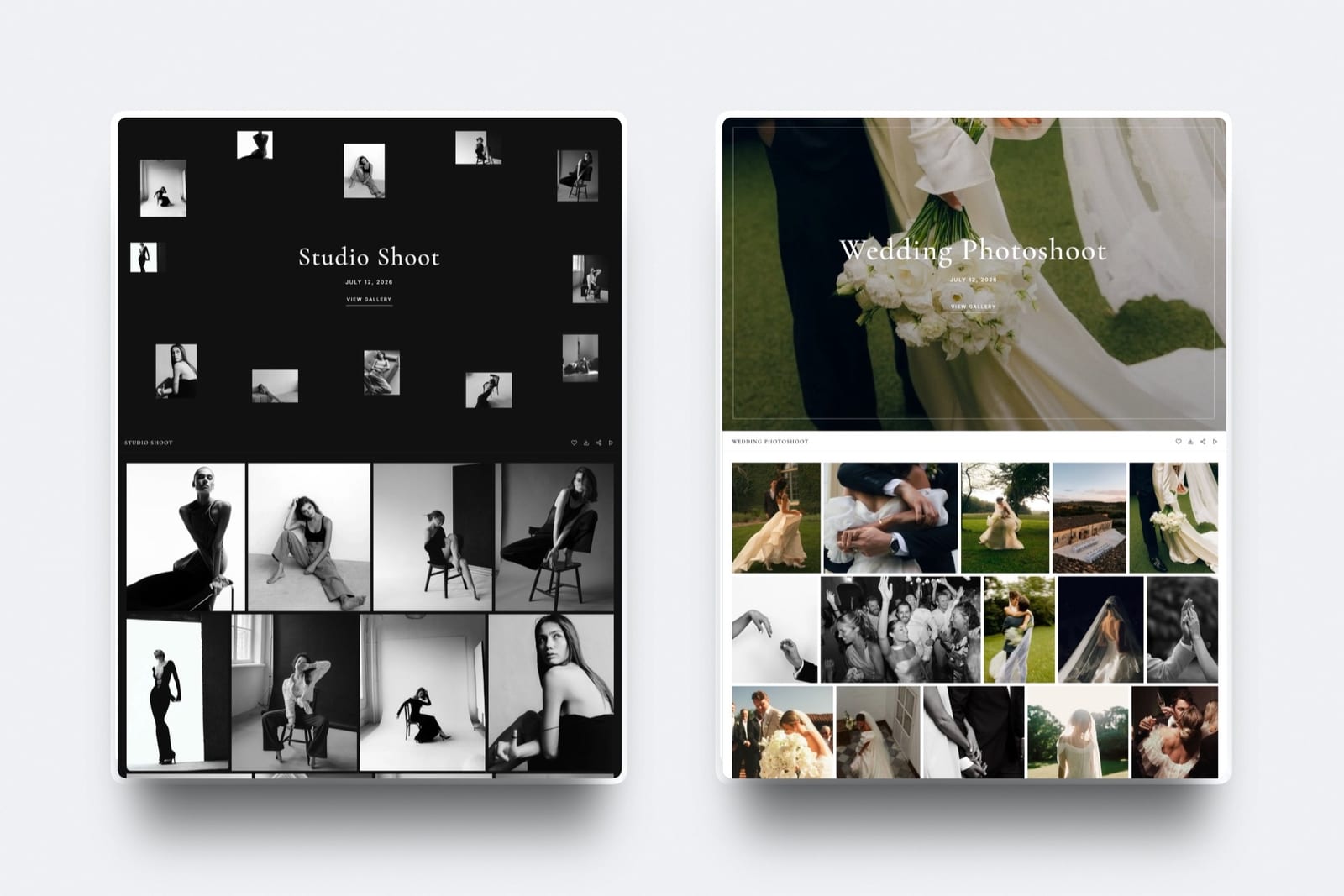
Framekit templates
Start from a designer-made template
 Use template
 Use template
 Use template
 Use template
 Use template
 Use template
 Use template
 Use template
Filestage's cheapest paid plan is 199 dollars a month. That is 2,388 dollars a year, it includes ten team members whether you have ten or three, and additional seats are sold in bundles of five, so growing from ten people to eleven costs the same as growing to fifteen.
None of that is unreasonable for the buyer Filestage is built for, which is a marketing department where a missed approval costs more than the software.
It is completely unreasonable for a three-person studio that wanted structured feedback on a video, and that mismatch is why this page exists.
A Filestage alternative is a review and approval platform that collects feedback on creative work and routes it to a decision, priced for the size of team you actually have rather than for a ten-seat minimum.
Re-verified September 2026: Framekit's free storage and drawing tools were corrected below, since it now gives 10GB pooled and lets reviewers draw on the frame.
The best Filestage alternative in 2026 is Framekit for small teams, at 9 dollars a month flat with unlimited review projects and no seat count at all, which is roughly one twenty-second of Filestage's entry price.
ReviewStudio is the best free alternative with unlimited users and guests on 5GB.
If you need Filestage's actual workflow rather than a cheaper review tool, Ziflow at the same 199 dollars is the direct competitor and PageProof at 249 dollars gives unlimited reviewers with a real audit record.
Full disclosure: Framekit is our own product, ranked first here on price and simplicity. It does not do reviewer groups, due dates, multi-stage routing, review reports or verified approval, which is most of what Filestage actually sells. If you are leaving because Filestage was too much tool, we are a good answer. If you are leaving because it was not enough, we are the wrong page and Ziflow and PageProof are below.
How We Tested 11 Filestage Alternatives
We ran a campaign approval that genuinely needs structure: a 45-second video, a set of static ads and a landing-page mockup, reviewed by a creative lead, a brand manager and a legal reviewer in that order, across two rounds.
Then we ran the same job with only three people and no ordering requirement, which is what most teams shopping for a Filestage alternative actually have.
Testing both shapes matters, because a tool that looks absurdly cheap on the second job may be incapable of the first, and a comparison that only runs one of them will mislead half its readers.
Measured means we built the review. Verified means the figure was read at the vendor's own published pricing page and linked.
Enterprise tiers on Ziflow, PageProof and Filestage itself are quoted from published pages and were not tested, since none has a self-serve trial or a published price.
What the 199 dollars is actually buying
Filestage's paid tiers are not selling better commenting. Starter at 199 dollars a month buys unlimited projects and files, due dates and reminders, version comparison, team-only comments, custom branding and password-protected links.
Business at 329 dollars adds review agents, automations, a third reviewer group, project templates, external partner uploads, comment labels, review reports, webhooks and API access. Every one of those is about coordinating people.
If you do not have people to coordinate, you are buying an empty workflow engine.
What the Same Job Costs Elsewhere
Every figure below was read at the vendor's own published pricing page in August 2026, and priced for both test jobs so the two shapes stay distinguishable.
- Filestage Starter is 2,388 dollars a year. Framekit Starter is 108 dollars, Kollaborate Small Business is 300, SyncSketch Indie for three is 324.
- The free Filestage tier allows 10 team members and unlimited reviewers, then caps you at 1 active project and 5 new files a month, which is a demo rather than a working plan.
- 4 of 11 alternatives support genuine multi-stage approval routing: Ziflow, PageProof, GoVisually and ReviewStudio on its Advanced tier.
- 2 of 11 charge a flat account price with no seat concept at all: Framekit and Kollaborate.
- Only 2 of 11 publish a distinction between an activity log and an exportable compliance record: PageProof and Ziflow, both on Enterprise.
- 3 of 11 have a free tier you could run the three-person job on: Framekit, ReviewStudio and Krock.io.
- GoVisually Lite at 16 dollars per user looks like the obvious cheap swap and supports no video at all, which makes the real entry price 33 dollars per user with a three-user minimum.
| Alternative | Entry price | Seats included | Multi-stage routing | Three people, 1 year |
|---|---|---|---|---|
| Framekit | Free, then 9 dollars a month | No seat concept | No | 108 dollars |
| ReviewStudio | Free, then 12 dollars per user | Unlimited on free | On Advanced, 5-seat minimum | 432 dollars |
| Ziflow | Free, then 199 dollars a month | 15 on Standard | Yes, priced by stage | 2,388 dollars |
| PageProof | 249 dollars a month | Unlimited reviewers | Yes, automated workflows | 2,988 dollars |
| Frame.io | Free, then 15 dollars per member | 5 on Pro | No, status per asset | 540 dollars |
| Krock.io | Free, then 10 dollars per user | Unlimited team on Pro | No | 360 dollars |
| GoVisually | 16 dollars per user, video from 33 | 1 to 5 on Lite | Approval checklists | 1,188 dollars on Pro |
| Wipster | 9.95 dollars a month | 1 on Light | No, comments as tasks | 718.20 dollars |
| Kollaborate | 7 dollars a month | 5 on Small Business | No | 300 dollars |
| SyncSketch | Free, then 9 dollars per user | 15 on Indie | Status management | 324 dollars |
| Dropbox Replay | Add-on from 10 dollars | Follows Dropbox plan | No | From 360 dollars |
Jump to the decision tree if you already know whether you need the workflow or just the reviews.
The Best Filestage Alternatives in 2026: Our Rankings
Ranked in two groups, because Filestage users leave for two opposite reasons and one list would serve neither well. Entries one to six are cheaper tools for people who did not need the workflow; seven onwards are for people who did. The first four get full reviews.
1. Framekit: Cheapest Escape From the Seat Floor

Framekit is an AI website builder with video review built in, and against Filestage it is almost a different category of product rather than a competitor, which is the point.
There is no seat concept at all. Not unlimited seats, none: every collaborator comments as a guest, so three reviewers or thirty cost the same 9 dollars a month.
Review projects are unlimited on every plan including free, against Filestage free's 1 active project and 5 new files a month. Reviewers can draw on the paused frame as well as comment at a timecode.
The review page carries your logo, typeface and accent colour and sits at your own subdomain, with password protection, an optional email gate, expiry with a reminder and a download toggle all working on the free plan, where Filestage puts custom branding and password links behind the 199 dollar tier.
The real number108 dollars a year on Starter against Filestage Starter's 2,388. That is a 2,280 dollar annual difference for the three-person job, and the honest reading is not that Framekit is a bargain, it is that the two tools are solving different problems and one of them was never yours.
The honest gotchano reviewer groups, no due dates, no multi-stage routing, no review reports, no verified approval, no team-only comment lane and no automations. That is a list of most of what Filestage's paid tiers exist to provide.
Client approval on Framekit is one person marking one asset approved, recorded and notified, with no audit trail behind it.
Skip it ifapproval in your organisation happens in a defined order, or anyone has ever needed to prove who signed off on what.
Verdict: the right answer for the studio that bought Filestage for structured video feedback and only ever used the comments. The wrong answer for anyone who used the workflow.
2. ReviewStudio: Best Free Alternative With Real Approval
ReviewStudio gives away the thing Filestage charges for.
The free Starter tier includes unlimited users and unlimited guests on 5GB, with approval management, task management, versioning, compare mode and present mode, across all file formats.
The real numberPro is 12 dollars per user monthly at 15, or 12 annually, with 25GB per user, so three people cost 432 dollars a year against Filestage's 2,388.
Advanced at 20 dollars per user annually adds client and project teams, comment privacy and workflow automations, and carries a five-user minimum, so three people pay for five at 1,200 dollars.
The standout detailpresent mode on a free tier. One person drives playback while others observe, which is a live-review capability Filestage does not offer at any price.
The gotchathe five-seat minimum on Advanced is the same trap Filestage has, in miniature. The tier with the workflow features is the tier that stops being cheap.
Verdict: the best landing spot if you want approvals and annotation without paying anyone, and the closest thing here to Filestage's capability at a fraction of the cost, as long as you stay off Advanced.
3. Ziflow: The Direct Competitor
If you are leaving Filestage because it did not do enough, Ziflow is the like-for-like swap and it is priced identically: Standard at 199 dollars a month with 15 users and 1TB, Pro at 329 dollars with 20 users and 2TB.
The real numberZiflow includes 15 users on Standard where Filestage includes 10, so at the same 199 dollars you get five more people. Both sell additional seats in packs of five.
The standout detailworkflow stages are the explicit pricing axis rather than a feature buried in a tier. One stage free, two on Standard, three on Pro, unlimited on Enterprise.
That makes it far easier to work out what you are buying than Filestage's reviewer-group model, where the limit is on groups rather than sequence.
The gotchathe free Personal tier retains review history for 60 days and then removes it, so a free Ziflow account cannot serve as a record of anything.
Verdict: more users for the same money and clearer workflow pricing. The correct move for a marketing team that wants Filestage's shape from a different vendor, and no help at all to anyone shopping on price.

4. PageProof: If the Approval Must Be Provable
Team is 249 dollars a month or 2,499 a year, and Team Plus is 399 a month, both including unlimited reviewers, unlimited proofs and unlimited versions of any file type with no seat arithmetic whatsoever.
The real number249 dollars flat versus Filestage's 199 for ten members. The moment you exceed ten people, PageProof is cheaper, and it never asks you to buy seats in blocks of five.
The standout detailit publishes the difference between a basic audit that tracks proof activity and a full audit and compliance export, with digital signing for verified approvals, rather than leaving you to discover on a sales call which one you bought.
Filestage's verified approval sits on Enterprise with no published price.
Verdict: the upgrade rather than the alternative. Choose it if what failed at Filestage was evidence rather than cost.
5. Frame.io: If the Work Is Mostly Video
Pro is 15 dollars per member per month with 2TB included, frame-accurate range comments, drawn annotation, version stacks, and Premiere Pro and Final Cut panels. Three people cost 540 dollars a year.
Verdict: a far better video review tool than Filestage and a far worse approval workflow, with no routing, no stages and no audit. Right when the deliverable is a cut and the approver is one producer.
6. Krock.io: Most Storage at a Small-Team Price
Pro is 10 dollars per user per month with unlimited team size and from 2TB, unlimited reviewers on every plan, and review for video, image, audio and PDF in one account with 4K playback named explicitly.
Verdict: the closest thing to Filestage's multi-format coverage at a creator price. No routing, but a storyboard tool and real storage.
7. GoVisually: For Packaging and Compliance Work
Lite is 16 dollars per user per month with 15 active projects and one approval checklist, Pro is 33 dollars per user with a three-user minimum, and a CPG compliance suite starts from 499 dollars a month with automated checks against more than twenty regulatory frameworks.
The gotchaLite supports no video or GIF at all. If video is part of your work, the real entry price is Pro at 33 dollars per user with three users minimum, or 1,188 dollars a year.
Verdict: the specialist swap if your approvals are about labels, claims and print readiness. Check the video limitation before you are attracted by the Lite price.

8. Wipster: Comments as a Checklist
Light is 9.95 dollars a month with 50GB for one person, with pinpoint annotation and Premiere Pro and After Effects extensions, and comments that become tasks you tick off.
Verdict: the closest thing to a workflow at a solo price, since a checklist is a lightweight approval process. Team at 19.95 dollars per user makes three people 718.20 dollars a year.
9. Kollaborate: Flat Pricing, Twelve Tiers
Small Business is 25 dollars a month for 60GB and 5 team members, rising through twelve published tiers to 539 dollars for 10TB, with unlimited projects and unlimited bandwidth throughout.
Verdict: real team members at a flat price, which is the specific combination Framekit lacks and Filestage overcharges for. Dated interface.
10. SyncSketch: For Shot-Based Approval
Indie is 9 dollars per user monthly billed yearly with 15 users, 50GB and status management for review items, which is a lightweight approval state.
Verdict: the alternative for animation and VFX studios who bought Filestage for want of anything better. The PDF session export is the best evidence artifact on this page outside PageProof.
11. Dropbox Replay: If Filestage Was Only Ever Review
Frame-accurate comments, drawing and live shared-cursor sessions as an add-on from 10 dollars a month, with no account needed for reviewers.
The bundled entitlement on paid Dropbox plans is four file uploads.
Verdict: the cheapest way to keep reviewing if your files already live in Dropbox and the approval process was never real.
Why Approval Software Costs Twenty Times What Review Costs
In one linethe price gap between a 9 dollar review tool and a 199 dollar approval platform is not a feature gap, it is the cost of coordinating people, and it only pays for itself when you have people to coordinate.
Set the two jobs side by side. Our three-person test, no ordering requirement, runs on Framekit at 108 dollars a year, ReviewStudio free, Krock.io at 360 or Frame.io at 540.
Our full campaign approval, with a creative lead then a brand manager then legal, in order, with a record of each decision, runs on Ziflow at 2,388 dollars, PageProof at 2,988 or Filestage at 2,388.
The second group costs roughly twenty times the first and the reviewers see almost the same thing. What the money buys is sequence, deadlines, reporting and, at the top, evidence. Those are organisational products.
A three-person studio buying them is purchasing the ability to enforce an order on three people who sit in the same room.
The test you can runlook at your last ten approvals and count how many needed to happen in a specific sequence, and how many you could not have resolved with a message. If the answer to both is zero, everything above 20 dollars a month on this page is solving someone else's problem.
The inverse is equally true and worth stating without hedging. If a missed legal review would cost you a client or a regulator's attention, the 2,388 dollars is trivial, and the cheap half of this page is a false economy that will eventually cost far more than it saves.

What You Give Up Below the 199 Dollar Line
In one linefour capabilities disappear entirely when you drop below the workflow tier, and knowing their names is the difference between a saving and a mistake.
Sequenced routing. One group must approve before the next is asked. Available on Ziflow, PageProof, GoVisually and ReviewStudio Advanced. Absent on Framekit, Frame.io, Krock.io, Kollaborate, Wipster, SyncSketch and Dropbox Replay.
Deadlines and reminders. Filestage's due dates chase people for you. Below the line you chase them yourself, which is fine at three people and untenable at eleven.
Reporting. Review reports on Filestage Business turn the approval history into a summary you hand to a client. Nothing in the cheap half produces one.
Evidence. Verified approval, digital signing and compliance export sit on Enterprise tiers at Filestage, PageProof and Ziflow alike. Below the line, an approval is a state change by a logged-in user, which is fine for a project and thin for a dispute.
The honest framing is that Filestage's price is mostly correct for its buyer and mostly irrelevant to a creator. The mistake is not that Filestage is expensive.
It is that a lot of small studios bought it because it appeared in a comparison of review tools, when it was never competing in that category.
Which Filestage Alternative Fits You? A Decision Tree
Work through these in order and stop at the first yes. The first two questions decide which half of this page you belong in, and everything after that is detail.
- Does approval need to happen in a defined order? Ziflow at 199 dollars a month, which prices stages explicitly, or PageProof at 249 with unlimited reviewers.
- Does anyone need to prove who approved what? PageProof, whose Enterprise tier publishes both digital signing and a full compliance export.
- Do more than ten people review, and did the seat blocks annoy you? PageProof, which has no seat count at all at 249 dollars flat.
- Are your deliverables labels, packaging or regulated claims? GoVisually, and budget Pro at 33 dollars per user because Lite has no video.
- Is the work mostly video, approved by one producer? Frame.io at 15 dollars per member, or Krock.io at 10 dollars per user for more storage.
- Are there three of you and no real process? Framekit at 9 dollars a month flat, or ReviewStudio's free tier if you also proof images and PDFs.
- Did you want to stop paying entirely? ReviewStudio free with unlimited users, or Framekit free with unlimited projects.
- Do you also need a portfolio, client galleries and a store on one bill? Framekit. Our client portal tools comparison covers the wider client-facing stack.
Frequently Asked Questions
What is the best Filestage alternative in 2026?
It depends on why you are leaving. For small teams that never used the workflow, Framekit at 9 dollars a month flat with unlimited review projects and no seat concept is the cheapest complete escape.
For teams that need Filestage's actual capability, Ziflow at the same 199 dollars a month includes 15 users rather than 10, and PageProof at 249 dollars includes unlimited reviewers with a published audit record.
Why is Filestage so expensive?
Because it is priced for a marketing department rather than a creative team.
Starter is 199 dollars a month including ten members whether you have ten or three, seats are added in bundles of five, and what the paid tiers add is coordination, reviewer groups, due dates, automations, review reports and API access, rather than better commenting.
If you do not have people to coordinate, you are buying an empty workflow engine.
Is there a free alternative to Filestage?
Yes, three. ReviewStudio's free tier is the most capable, with unlimited users and unlimited guests on 5GB including approval management, versioning, compare mode and present mode.
Framekit's free plan allows unlimited review projects on 10GB of pooled storage, 3GB of it video, with drawing, password protection and expiry. Krock.io's free plan is 1 user on 2GB with unlimited reviewers.
Filestage's own free tier caps you at 1 active project and 5 new files a month.
Which Filestage alternative supports multi-stage approval?
Four of them. Ziflow prices workflow stages directly, from one on the free tier to unlimited on Enterprise. PageProof includes automated workflows and reminders on every plan. GoVisually offers approval checklists from its Lite tier.
ReviewStudio adds workflow automations on Advanced, which carries a five-user minimum. Framekit, Frame.io, Krock.io, Kollaborate, Wipster, SyncSketch and Dropbox Replay all treat approval as a single step.
What does Filestage's free plan actually allow?
10 team members and unlimited reviewers on 2GB, with annotation tools, two reviewer groups and all file types, then a hard limit of 1 active project and 5 new files per month.
Three rounds of revisions on a single job uses four of those five monthly uploads, which is why it functions as a permanent demo for a department evaluating the paid tiers rather than as a working plan.
How much cheaper is Framekit than Filestage?
Framekit Starter is 108 dollars a year against Filestage Starter's 2,388, a difference of 2,280 dollars annually for a three-person team.
The comparison is only meaningful if you do not use Filestage's workflow, since Framekit offers no reviewer groups, no due dates, no routing, no review reports and no verified approval.
It is not a cheaper Filestage; it is a different and much smaller product.
Does Framekit have approval workflows?
Only in the simplest form. A client marks an asset approved, the decision is recorded against that asset and you are notified instantly. There is no sequencing, no reviewer groups, no deadlines, no audit trail and no electronic signature.
For regulated work or any multi-stage sign-off, Ziflow, PageProof and Filestage Enterprise are all built for that and Framekit is not.
Is Ziflow cheaper than Filestage?
At the same headline price, Ziflow gives you more. Both entry tiers are 199 dollars a month, and Ziflow Standard includes 15 users against Filestage Starter's 10.
Ziflow Pro at 329 dollars includes 20 users and 2TB, matching Filestage Business's 329 dollars and 3TB. The clearer difference is structural: Ziflow prices workflow stages explicitly, so what you are buying is easier to work out.
Can I approve video and print in the same tool?
Yes, on several. Ziflow supports over 1,200 file types, Filestage supports all file types on every tier including free, ReviewStudio handles all formats with compare mode, and Krock.io covers video, image, audio and PDF.
The one to watch is GoVisually, whose 16 dollar Lite tier supports no video or GIF at all, making Pro at 33 dollars per user the real entry point for mixed work.
What happens to my Filestage approval history if I leave?
It stays inside Filestage, as approval history does across this entire category. Review reports on the Business tier can be produced before you go, and nothing on this page can import them afterwards.
If any approval might be questioned later, export or screenshot the record before downgrading, since the practical value of an approval is exactly its retrievability.
Which alternative is best for a three-person studio?
Framekit at 108 dollars a year if you need timestamped video feedback and simple client approval, or ReviewStudio's free tier if you also review images and PDFs and can work within 5GB.
Both avoid the seat-block pricing that makes Filestage awkward at small scale. Avoid ReviewStudio Advanced at that size, since its five-user minimum makes three people pay for five.
Do any alternatives include an audit trail?
Two publish one clearly. PageProof provides a basic audit on Team and Team Plus that tracks key proof activity, with a full audit and compliance export plus digital signing on Enterprise.
Ziflow provides a one-year audit trail on its Pro tier and a permanent one on Enterprise with electronic signatures. Every other alternative in this comparison records approvals as a state change without an exportable trail.
Final Verdict
Framekit is the best Filestage alternative in 2026 for the specific reader this page mostly serves: a small studio that bought a workflow platform to solve a feedback problem.
At 9 dollars a month flat with unlimited review projects, no seat count and client-facing controls on the free plan, it costs about one twenty-second of Filestage Starter, and for a team of three with no ordering requirement it does everything that was actually being used.
Ziflow is the right swap if Filestage was correct for you and you simply want more for the money, since 199 dollars buys 15 users there against 10. PageProof is the right upgrade if approvals need to be provable.
Where Framekit loses, and who should not switch to it. Framekit has no reviewer groups, no due dates, no sequenced routing, no review reports, no team-only comment lane, no automations, no API and no verified approval.
That is the substance of what Filestage sells, so if your approvals happen in an order, chase themselves with reminders, or might be disputed, moving to Framekit would replace a working process with a comment box.
Four alternatives on this page do routing properly and we are not one of them.
The mistake worth avoiding is treating 199 dollars a month as inherently unreasonable. It is a fair price for coordinating eleven people and an absurd one for coordinating three, and which of those you are is the only question that matters here.
Related readingclient approval software compared, the 12 best video review tools, the best Frame.io alternatives, and the best free video review tools.
Prices were read at each vendor's published pricing page in August 2026 and priced against two deliberately different test jobs, a sequenced campaign approval and a flat three-person review, because a single scenario would have favoured one half of this comparison unfairly.