Framekit templates
Start from a designer-made template
 Use template
 Use template
 Use template
 Use template
 Use template
 Use template
 Use template
 Use template
A client watches your 30-second product spot, pauses at 00:14, and drags a red circle around the price badge in the lower third. That drawing is the most precise feedback in this entire industry. It fixes when and it fixes where, and it takes them four seconds.
Then it has to reach your timeline, and this is where video annotation tools separate. On two of the nine tools below, the markup arrives in your editing software as a marker you can click.
On the rest, you sit with a browser tab on one monitor and After Effects on the other, transcribing.
A video annotation tool is a platform that lets a reviewer draw shapes, arrows or freehand marks directly onto a paused video frame, attaches that drawing to an exact timecode, and stores it as reviewable feedback alongside the comment.
The best video annotation tool in 2026 for client work is Framekit, because a client with no account can draw on the paused frame with five tools, pin the drawing to a timecode or a range, and approve the version, all on a free plan with unlimited projects and flat pricing.
The trade-off is the handoff: Framekit has no editing-software panel, so Frame.io is the pick when you want marks to land in Premiere Pro or Final Cut as markers.
SyncSketch is the pick for animation and VFX drawover, Wipster for After Effects, and Dropbox Replay for live drawing sessions with shared cursors.
Full disclosure: Framekit is our own product and it ranks first here, a change from August 2026, when it had no drawing tool and ranked ninth. We tested every tool on the same commercial and say in each review where it beats us: Frame.io and Wipster on NLE handoff, SyncSketch on brushes, 3D and its PDF export, Dropbox Replay on live sessions, and Ziflow on non-video file types.
How We Tested 9 Video Annotation Tools
The test project was a 30-second product commercial with heavy motion graphics, which is the format where annotation earns its keep: almost every note is about the position, size or timing of an element on screen, and almost none of them can be described in a sentence.
Three reviewers marked up the same cut across two rounds, on fresh accounts, in August 2026.
We scored four things. Drawing precision: the tools available, whether you can pick colour and stroke, and whether a mark can span a range of time rather than a single frame. Persistence: does the annotation stay attached to the frame across a new version. Export: can the markup leave the platform as something an artist who is not in the review can open. Handoff: does the note reach an editing application, which is the only measure that removes work rather than relocating it.
We added two criteria after readers asked, because they decide whether annotation happens at all: client friction, meaning whether a reviewer can draw without an account, and cost, priced for three people for a year.
In September 2026 we re-verified Framekit after it shipped frame drawing and re-ranked it on all six criteria.
Measured means we drew on the frame ourselves. Verified means we read it at the vendor's documentation and linked it, which covers the enterprise tiers and the integration behaviour we could not exercise on a trial account.
Nothing here is repeated from a vendor's marketing page without one of those two labels.
Why annotation is not automatically better than a timecode
Drawing fixes a coordinate. It does not fix a meaning. "Circle around the badge" still leaves open whether the client wants it moved, resized, recoloured or removed, so most annotations arrive with a sentence attached anyway.
The measurable win is narrower than the category implies: annotation removes the ambiguity of where, and only where.
If your notes are about pacing, music, structure or copy, and most edit notes are, a timestamped sentence carries the same information and every tool has those.
What Nine Annotation Tools Actually Do With a Drawing
Read at each vendor's own documentation or pricing page in August 2026.
- 8 of 9 support drawing directly on the frame. The one that does not, Vimeo, supports timestamped comments instead.
- Only 2 of 9 carry annotations into editing software: Frame.io, through Premiere Pro and Final Cut panels, and Wipster, through Premiere Pro and After Effects extensions.
- 1 of 9 exports a review session as a document an outsider can open: SyncSketch, as a PDF with screenshots and annotations.
- 1 of 9 supports real-time collaborative drawing where reviewers see each other's cursors: Dropbox Replay.
- 4 of 9 include drawing on a permanently free plan: Framekit, Frame.io, ReviewStudio and Filestage.
- The cheapest paid plan with drawing is Framekit Starter at 9 dollars a month for the whole account, level with SyncSketch Indie at 9 dollars per user a month billed yearly, and ahead of Wipster Light at 9.95 dollars.
- The most expensive is Filestage Starter at 199 dollars a month, which is a marketing-department price for a drawing tool.
| Tool | Draws on frame | Range-based marks | Exports markup | Reaches an NLE | Entry price |
|---|---|---|---|---|---|
| Framekit | Yes, five tools | Yes, comment on an in and out range | Comment log as CSV, not the drawings | No | Free, then 9 dollars a month |
| Frame.io | Yes | Yes | Yes, export and print with thumbnails | Premiere Pro, Final Cut | Free, then 15 dollars per member |
| SyncSketch | Yes, custom brushes | No | Yes, PDF summary | No | Free, then 9 dollars per user |
| Wipster | Yes, shapes and arrows | No | Comments become tasks | Premiere Pro, After Effects | 9.95 dollars a month |
| Dropbox Replay | Yes, live and shared | Yes, comment on a range | No | No | Add-on from 10 dollars a month |
| ReviewStudio | Yes | No | Basic reporting on Pro | No | Free, then 12 dollars per user |
| Filestage | Yes | No | Review reports on Business | No | Free, then 199 dollars a month |
| Ziflow | Yes, 1,200 file types | No | Audit trail on Pro | No | Free, then 199 dollars a month |
| Vimeo | Not confirmed | No | No | No | About 8 euros a month |
If you are not certain annotation is what you need, the decision tree settles it in four questions. The reviews come first.
The Best Video Annotation Tools in 2026: Our Rankings
Ranked on the whole loop, from how easily a client can make a drawing to whether it survives a new version and reaches your edit, weighted drawing precision 25%, client friction 25%, cost 20%, persistence 15% and handoff 15%.
Handoff is weighted below client friction because a drawing that never gets made because the client would not sign up is worth nothing, however well it would have exported. The top four get the full treatment.
| Criterion (weight) | Framekit | Frame.io | SyncSketch | Wipster |
|---|---|---|---|---|
| Drawing precision (25%) | 8 | 9 | 10 | 8 |
| Client friction (25%) | 10 | 7 | 6 | 8 |
| Cost for three (20%) | 10 | 6 | 8 | 5 |
| Persistence across versions (15%) | 9 | 10 | 8 | 7 |
| Handoff and export (15%) | 4 | 10 | 8 | 8 |
| Weighted total | 8.45 | 8.20 | 8.00 | 7.25 |
Framekit's 4 on handoff is the honest weak spot: its drawings stay in the browser, and Frame.io's 10 there is the whole reason it remains the pick for Adobe editors.
1. Framekit: Best for Client Annotation

Framekit is an AI website builder with video review built in, and its annotation is designed around the least technical person in the chain.
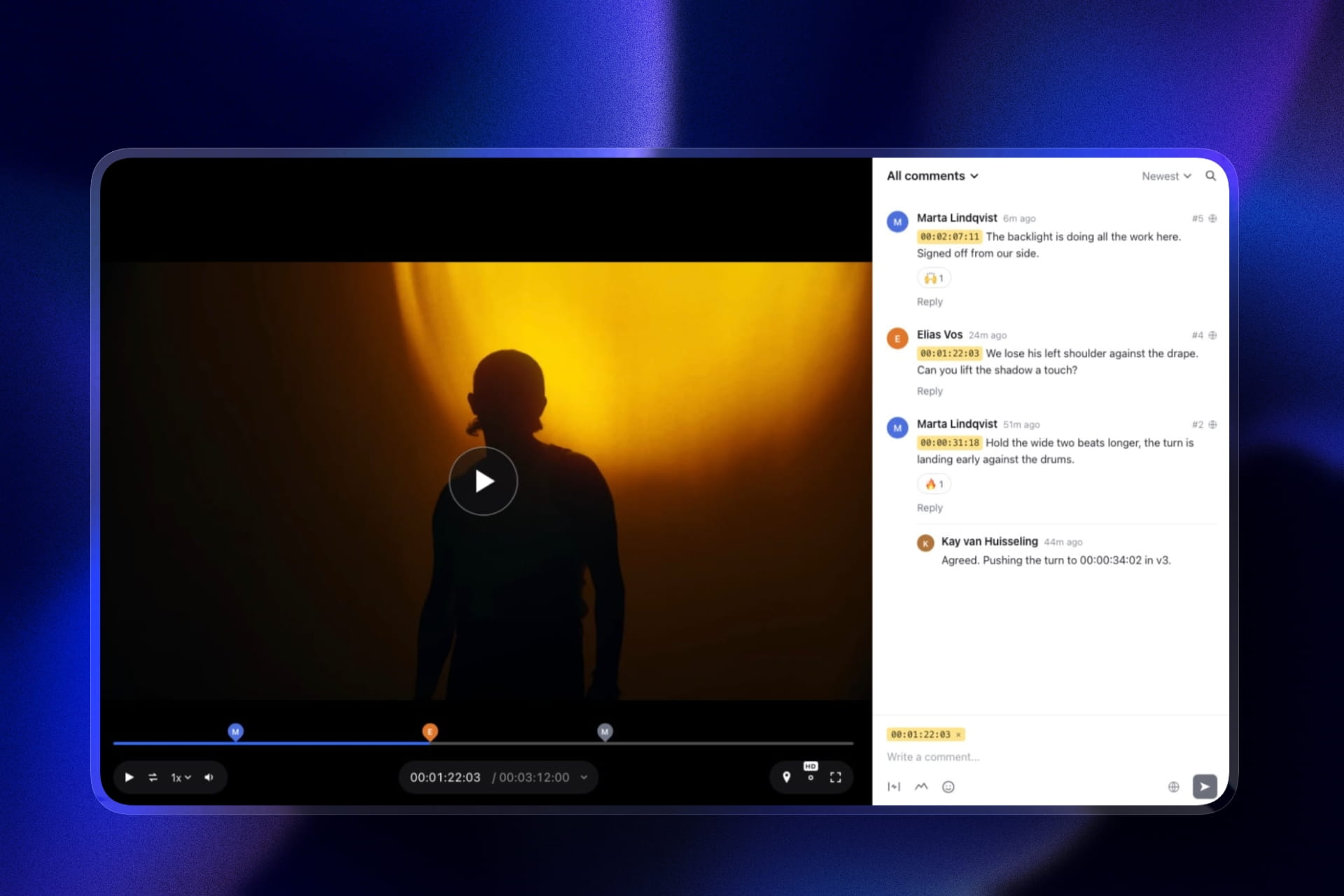
A client opens the review link, types a name, pauses the cut, picks freehand, arrow, line, rectangle or ellipse, marks the frame, and posts the comment. Nobody is asked to create an account unless you switch on the optional email gate.
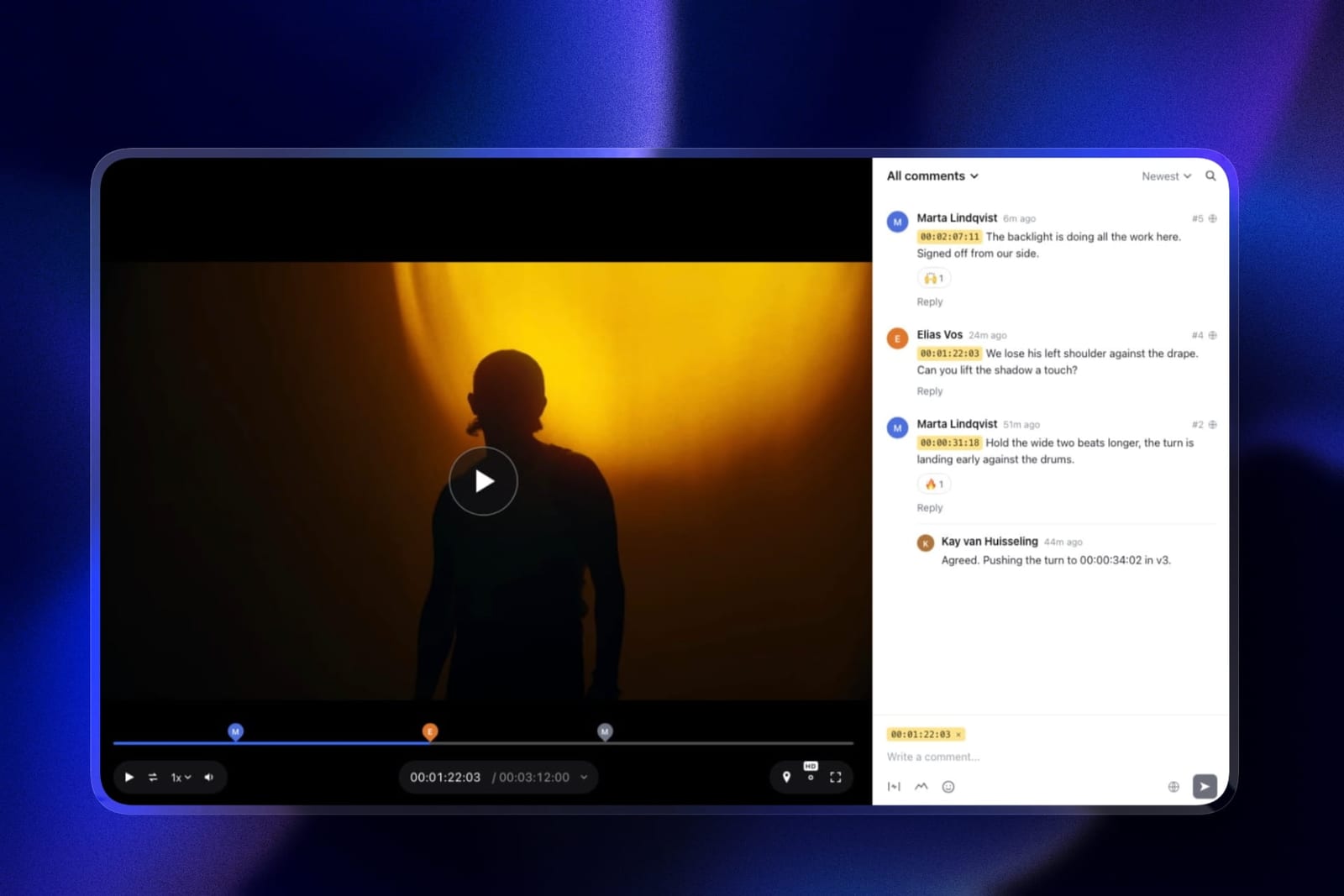
The real number0 dollars to start, with drawing, unlimited review projects and a 500MB per-file cap on the free plan, then 9 dollars a month flat on Starter for the whole account. Three reviewers for a year cost 108 dollars, against 540 on Frame.io Pro and 324 on SyncSketch Indie.
The standout detaila drawing can ride on a range comment.
A reviewer sets an in and an out point across the badge's four-second slide, circles where it should settle, and the note covers the movement rather than one frame, which is the thing motion-graphics notes usually need and single-frame tools cannot express.
Colours and stroke width scale with the frame, so a mark made on a phone lands in the same place on a 4K monitor.
The honest gotchathe drawing stops at the browser. There is no Premiere Pro, Final Cut, Resolve or After Effects panel, so you still scrub to each note by hand, and the comment log exports as a CSV of text and timecodes without the drawings.
Files attached to comments, a reference frame for example, need Pro.
Skip it ifyou edit in Premiere Pro or Final Cut and retype more than a few dozen notes a week, or your work is 3D and shot-based VFX where SyncSketch's brushes and model viewer do what Framekit does not attempt.
Verdict: the best annotation tool for getting precise marks out of real clients in 2026, because the drawing is free, account-free and flat-priced. Pair it with discipline rather than a panel, or buy Frame.io if the panel is the point.
2. Frame.io: Best Handoff Into Premiere and Final Cut
Frame.io treats an annotation as a first-class object rather than a decoration, and the difference shows up in three places nobody else covers at once.
Marks are frame-accurate and can be range-based, so a note covers 00:14 to 00:18 instead of one instant, which matters enormously for motion graphics where the problem is a movement rather than a moment.
Annotations are listed alongside comments, and the whole set can be downloaded, printed with annotation thumbnails, and copied and pasted between assets, which is on every tier including free.
The real numberannotation is available on the free plan, which is 2GB with 2 projects and 2 members. Paid starts at 15 dollars per member per month, so three people annotating cost 540 dollars a year.
The standout detailcopy and paste of comments between assets. When you cut a new version and want the unresolved notes to travel with it, you are not re-creating them. Version stacks handle most of this automatically, but the manual escape hatch exists and no other tool here has it.
The gotchathe Premiere Pro and Final Cut panels are the reason to buy this, and they are the part you cannot evaluate from the pricing page. Budget an afternoon to set the panel up and confirm your markers land where you expect before you commit a client job to the workflow.
Skip it ifyou draw alone. Every structural feature here assumes reviewers plural, and a solo editor annotating their own cut is paying seat pricing for a notebook.
Verdict: the only tool in this comparison where a client's drawing becomes a marker in your timeline on both major editing platforms. That is the whole category's stated goal and Frame.io is closest to achieving it.
3. SyncSketch: Best Drawover for Animation and VFX
SyncSketch is the only tool here designed by people who assume the drawing is the note rather than an accessory to it. Team at 19 dollars per user monthly adds customisable sketching brushes and 3D model support, and the whiteboard lets you sketch across a timeline rather than onto a single frame.
The real numberIndie is 9 dollars per user per month billed yearly with up to 15 users and 50GB, which is the cheapest per-seat drawing in this comparison and roughly half what Frame.io Pro costs per person.
The standout detailthe PDF summary, and it is the most underrated feature on this page. SyncSketch generates a document containing the session's screenshots, annotations and comments, which you email to the artist who was not in the review.
Every other tool here requires the recipient to have an account and open the platform. This one produces an artifact that outlives the subscription.
The gotchafree Light is under 1GB of storage with a 2GB monthly upload allowance, which will not hold a working project. Treat it as a demo.
Skip it ifyou cut live action. The brushes, the 3D viewer and the shot-based structure are built for iteration on animation, and a commercial edit uses none of it.
Verdict: the best drawing tools in the category and the best export. It loses to Frame.io only on the handoff, and if your artists work from a document rather than a timeline that loss does not apply to you.
4. Wipster: Best Annotation for Premiere Pro and After Effects
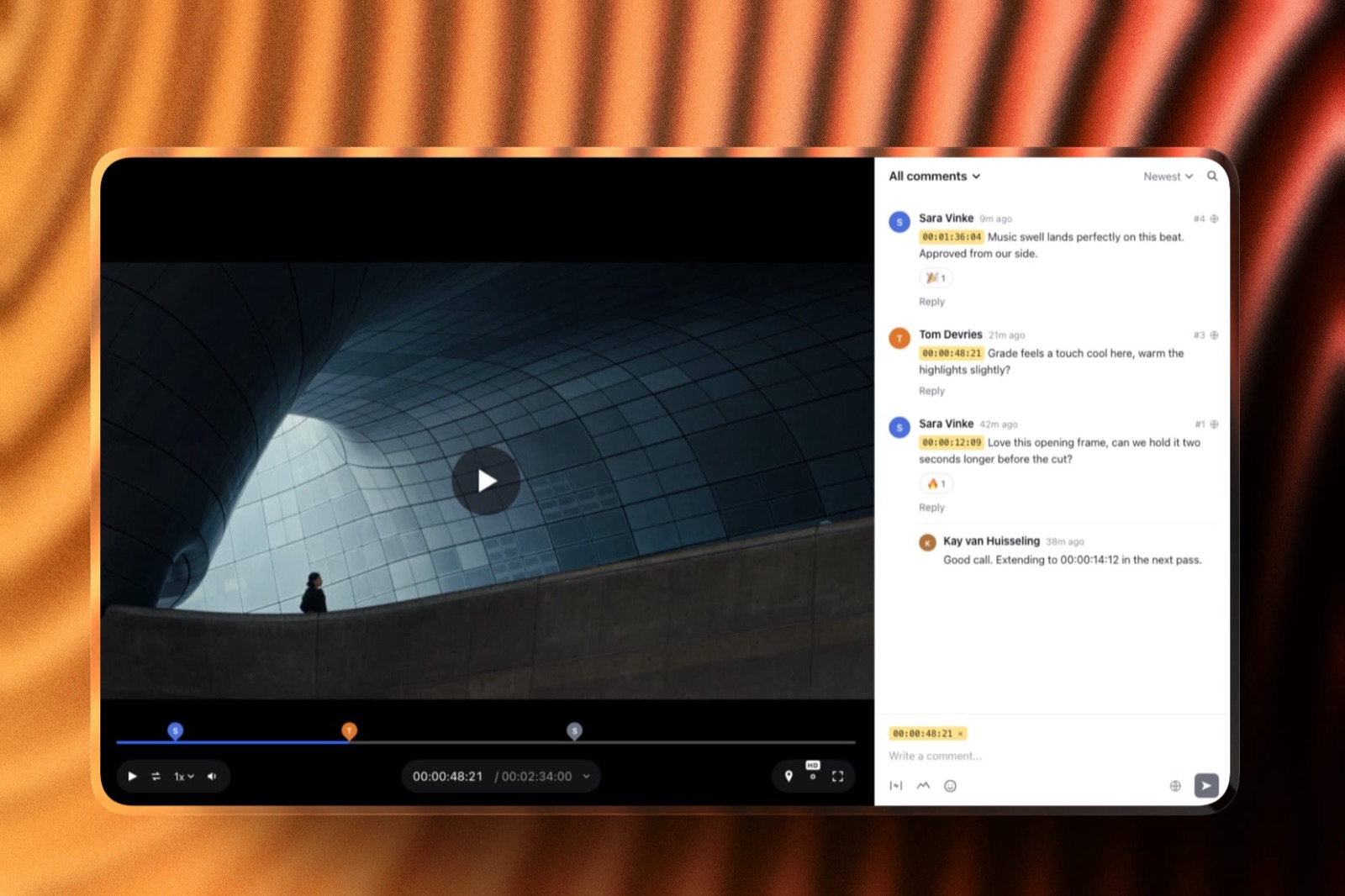
Wipster is the second of the two tools here that closes the loop back into an editing application, and it is the cheaper one by a wide margin. Pinpoint annotation with shapes, arrows and freehand drawing sits alongside frame-accurate comments, and the Premiere Pro and After Effects extensions surface that feedback next to your timeline.
The real numberLight is 9.95 dollars a month billed annually with 50GB, for one person, with the extensions included. Frame.io's equivalent capability starts at 15 dollars per member.
For a solo motion designer working in After Effects, this is the cheapest route to annotated feedback that reaches your project.
The standout detailcomments become tasks that you check off as you complete them. It sounds like project-management garnish until you have forty notes across three versions, at which point the difference between a comment thread and a checklist is whether you ship having missed something.
The gotchathe Team tier at 19.95 dollars per user monthly starts at 250GB and climbs through add-ons, so a studio storing masters rather than review exports pays twice, once for seats and once for space.
What reviewers say elsewhereWipster rates 4.8 out of 5 across 75 reviews on Capterra, a high score on a smaller sample than the category leaders.
Verdict: the value pick for anyone whose day is spent in After Effects. It does not have Frame.io's range-based marks or export depth, and it costs a third as much for the one feature that actually saves time.
5. Dropbox Replay: Best Live Drawing Session
Replay's annotation is good, and its live review is the genuinely distinctive thing on this page.
Reviewers draw directly on the frame with colour and stroke-width control, can comment on a range of time, and in a live session everyone sees everyone else's cursor and drawing appear in real time.
The standout detailno Dropbox account is required to leave feedback. A client opens a browser and draws. Several dedicated review platforms cannot manage that, and it removes the most common point of failure in any client review, which is the client not wanting to sign up for anything.
The gotchathe Replay entitlement bundled into paid Dropbox plans is listed as four file uploads. Four. A single job with three rounds exhausts it, and beyond that you buy the add-on from 10 dollars a month on top of your storage bill.
Verdict: the best tool here for a scheduled live review with a group, and a poor tool for asynchronous work at volume because of that four-file entitlement. Excellent as an add-on to storage you already pay for, illogical as a starting point.
6. ReviewStudio: Best Free Annotation for Large Groups
ReviewStudio puts drawing, versioning, compare mode and present mode on a free tier with 5GB and unlimited users and guests, which is the most annotation capability available at no cost anywhere in this comparison.
The gotchathe upgrade path is steep. Pro is 12 dollars per user annually, and Advanced, where comment privacy and client teams live, carries a five-user minimum, so a three-person studio pays for five seats.
Verdict: start here if you want to test whether your clients will actually draw, because it costs nothing to find out and the answer determines everything else on this page.
7. Filestage: Best Annotation Across an Approval Chain
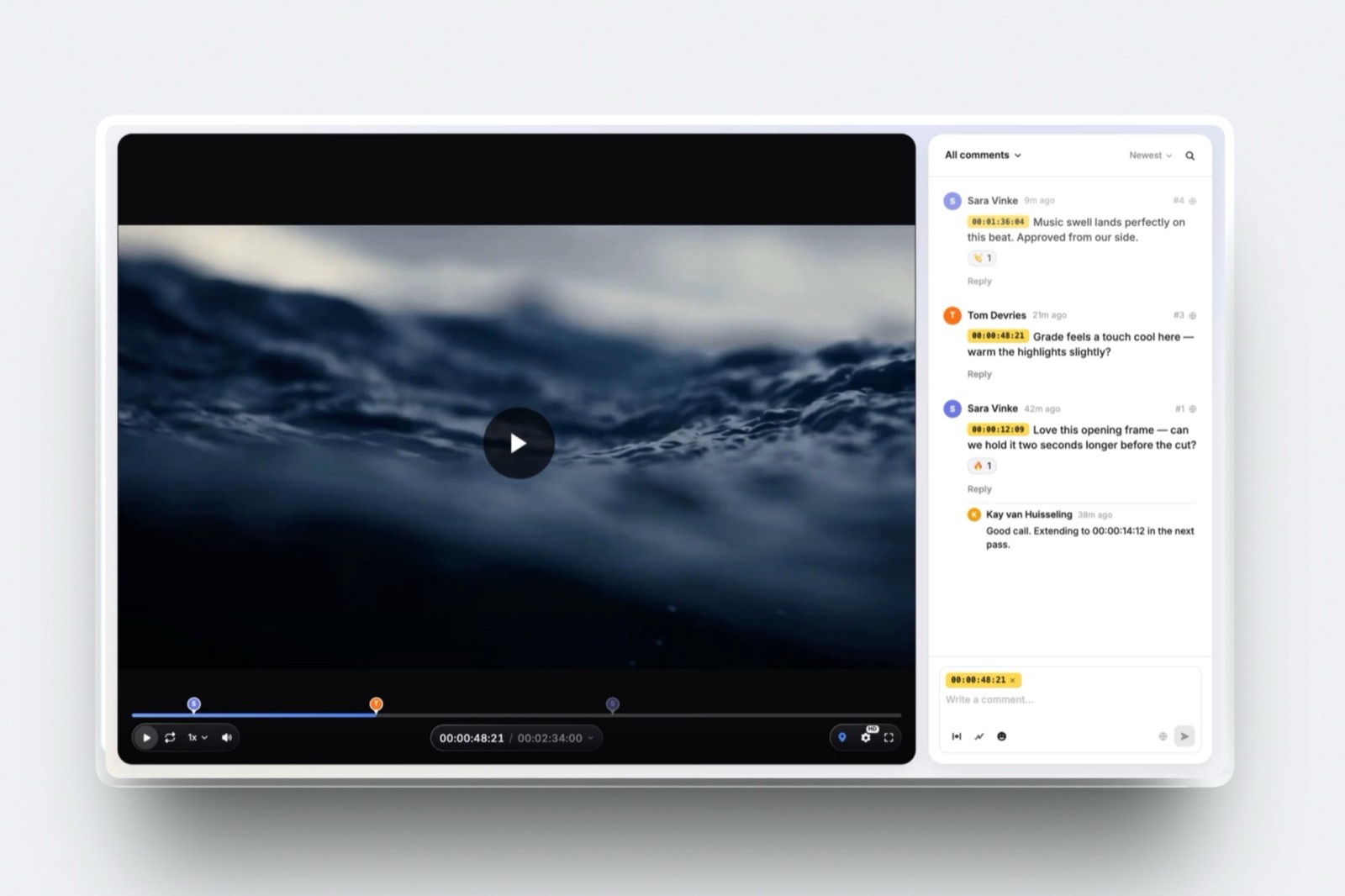
Filestage's annotation is competent rather than remarkable, and the reason to choose it is what surrounds the drawing: reviewer groups, due dates, version comparison and review reports that show who annotated what and when.
The real numberStarter is 199 dollars a month and includes 10 members. As a drawing tool that is indefensible. As the system of record for a brand's sign-off process it is priced normally for its market.
Verdict: buy it for the approval chain, not for the pen. If fewer than ten people annotate your work, everything above this entry is a better tool for less money.
8. Ziflow: Best Multi-Format Markup
Ziflow marks up over 1,200 file types, so the same annotation vocabulary covers your video, your packaging dieline and your print-ready PDF.
For an agency whose deliverables are mixed, that consistency is worth more than any single tool's drawing depth.
The gotchathe free Personal tier keeps review history for 60 days, after which your annotations are gone. On a free plan, treat that as a deletion date.
Verdict: the best markup tool here for people who do not only make video, and an unnecessary one for people who do.
9. Vimeo: Timestamped, Not Annotated
Vimeo Review supports timestamped comments and status updates on each video, and its own documentation and marketing describe that rather than drawing tools.
We could not confirm frame annotation anywhere in Vimeo's published material, so we are not claiming it in either direction.
Verdict: a good review layer attached to a good host, and not an annotation tool by any evidence we could verify. If drawing is a requirement, look higher up this page. If hosting is the real problem, our Vimeo alternatives comparison is the more useful page.
Whether an Annotation Survives the Handoff
In one linean annotation is only worth its premium if it reaches the application where you will act on it, and on seven of these nine tools it stops at the browser tab and you retype it by hand.
Follow one drawing through the whole chain. The client circles the price badge at 00:14. On Frame.io, that mark appears in your Premiere Pro or Final Cut panel as a marker at 00:14 that you click to open.
On Wipster, the same thing happens in Premiere Pro or After Effects. On the other seven, the drawing lives in a browser, you look at it, you scrub your timeline to 00:14 yourself, and you carry the meaning across in your head.
That gap is the difference between annotation as a feature and annotation as a workflow.
It is also why the price ranking on this page looks strange: Wipster at 9.95 dollars a month removes more labour than Filestage at 199 dollars, because the expensive tool routes approvals between people and the cheap one routes notes into software.
The test you can runcount the notes on your last job, then count how many you retyped or manually scrubbed to. Multiply that number by the minutes each one cost. If the answer is over an hour a job, the handoff feature is worth more than every other difference on this page combined.
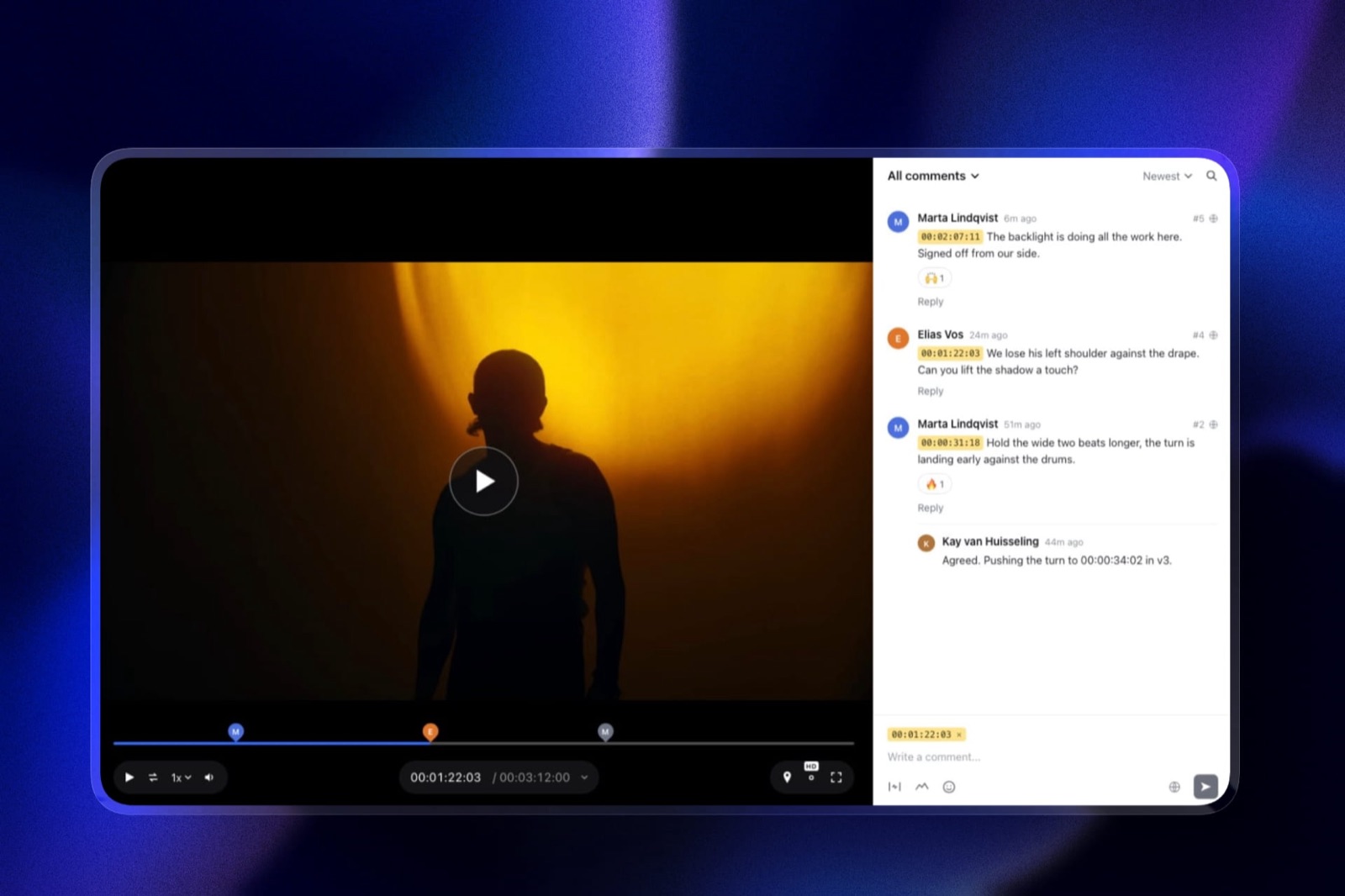
What Annotation Does Not Fix
In one linedrawing removes the ambiguity of where a note applies and leaves every other kind of ambiguity exactly where it was, which is why annotated feedback still arrives with a sentence attached.
A circle around a logo can mean move it, shrink it, change its colour, change its timing or remove it. The reviewer knows which; the drawing does not carry it.
In our two rounds, every annotation in the test project had a written comment attached, and in most cases the comment alone would have been sufficient once the timecode was fixed.
This is not an argument against annotation. It is an argument about which problem you are buying a solution to.
If your feedback is currently arriving by email with no timecodes, the large win available to you is timestamps, and every tool on this page including the two without drawing delivers it.
Annotation is the second win, it is smaller, and it costs more.
There is one clear exception and it is worth naming. When the subject of a note is a spatial relationship, an element's position, a mask edge, a composite seam, a tracking error, prose genuinely cannot express it and drawing genuinely can.
That is why SyncSketch exists and why animation and VFX studios pay for it without hesitating.
Do You Actually Need Annotation? A Decision Tree
Work through these in order and stop at the first yes, because the questions are sequenced by how completely each one settles the choice rather than by how prominent the feature is in vendor marketing.
- Are most of your notes about where something sits in the frame? If no, you do not need an annotation tool, you need timestamped comments, and Framekit's free plan or Vimeo at about 8 euros will do it. Stop here.
- Are your reviewers clients who will not create an account? Framekit, where guests draw on the frame and approve the version on the free plan, with no seat for anyone.
- Do you edit in Premiere Pro or Final Cut and want notes as markers? Frame.io. It is the only tool here covering both.
- Do you work mainly in After Effects? Wipster, at a third of Frame.io's per-person cost, with the extension included on the 9.95 dollar plan.
- Is your work animation, VFX or 3D? SyncSketch. The brushes, the 3D viewer and the PDF summary are built for exactly that and nothing else here competes.
- Do you need everyone drawing at the same time in a live session? Dropbox Replay, and budget for the add-on rather than the four bundled uploads.
- Do you need to annotate video and print in one system? Ziflow, for the file-type coverage.
- Do more than ten people sign off in a defined order? Filestage.
- Do you want a large internal group drawing on a free plan? ReviewStudio's free tier, which includes drawing, unlimited users and 5GB.
Frequently Asked Questions
What is the best video annotation tool in 2026?
Framekit is the best video annotation tool in 2026 for client work, because reviewers draw on the frame without an account, drawings attach to a timecode or an in and out range, and the whole feature set sits on a free plan with unlimited projects and flat pricing.
Frame.io is the better choice when you want those marks inside Premiere Pro or Final Cut as markers, SyncSketch for animation and VFX drawover, and Wipster for After Effects at 9.95 dollars a month.
Which video annotation tools work with Premiere Pro?
Two. Frame.io offers Premiere Pro and Final Cut Pro panels, and Wipster offers Premiere Pro and After Effects extensions.
Every other tool in this comparison, including SyncSketch, Dropbox Replay, ReviewStudio, Filestage and Ziflow, keeps annotations inside its own web interface, so you read the note in a browser and scrub your timeline manually.
Can I annotate video for free?
Yes, on four tools. Framekit's free plan includes drawing on unlimited review projects, with 3GB of the 10GB pooled storage available for video and a 500MB per-file cap.
Frame.io's free plan includes annotations on 2GB with 2 projects and 2 members. ReviewStudio's free plan includes drawing on 5GB with unlimited users and guests.
Filestage's free plan includes annotation tools on 2GB but restricts you to 1 active project and 5 new files a month. SyncSketch's free Light tier includes the drawing tools but under 1GB of storage.
What is the difference between video annotation and timestamped comments?
A timestamped comment fixes when a note applies; an annotation fixes when and where by drawing on the paused frame.
Annotation is meaningfully better for notes about position, scale, masks and composites, and roughly equivalent for notes about pacing, structure, music, copy or length.
Since most annotations still carry a written comment, the practical gain is narrower than the feature list suggests.
Do annotations stay attached when I upload a new version?
On tools with version stacks, yes, the annotation stays attached to the version it was made on and the stack keeps the history.
Frame.io additionally allows comments and annotations to be copied and pasted between assets, which is the manual route when a note applies to a new cut.
Check this behaviour before committing, because a tool that loses markup on re-upload turns every revision into a re-review.
Can I export annotations to send to someone without an account?
Mostly no, with one clear exception. SyncSketch generates a PDF summary of a review session containing screenshots, annotations and comments, which anyone can open. Frame.io lets you download and print comments with annotation thumbnails.
On the remaining tools the markup is viewable only inside the platform by someone with access.
Does Framekit support drawing on video frames?
Yes, on every plan including free.
Framekit reviewers draw on the paused frame with freehand, arrow, line, rectangle and ellipse tools, and the drawing is saved with a comment pinned to a timecode or an in and out range, alongside threads, reactions and approval statuses.
It does not send those drawings to Premiere Pro, Final Cut or After Effects, which Frame.io and Wipster do, and its CSV export carries comment text and timecodes rather than the drawings.
What is the cheapest video annotation tool?
Framekit is the cheapest for a team, because Starter is 9 dollars a month for the whole account rather than per person, and the free plan already includes drawing.
SyncSketch Indie is also 9 dollars, but per user per month billed yearly, and Wipster Light at 9.95 dollars a month includes the Premiere Pro and After Effects extensions.
ReviewStudio's free tier includes drawing on 5GB with unlimited users.
Can clients annotate without creating an account?
Yes on Framekit, where reviewers draw as guests by default and an email gate is optional, and on Dropbox Replay, which explicitly does not require a Dropbox account to leave feedback including drawings.
Most other tools allow guest reviewers by link, though the exact behaviour varies by plan, and some require an email address before the page opens.
This is worth testing with a real client before you commit, because sign-up friction is the most common reason a review link goes unanswered.
Is annotation worth paying more for?
Only if the subject of your notes is a region of the frame. For motion graphics, VFX, compositing and 3D, drawing removes ambiguity that words cannot, and the premium is easily justified.
For narrative edits, brand films and social cuts, where notes are about pacing and structure, timestamped comments carry the same information and the annotation premium buys precision you will not use.
Which annotation tool is best for a live review with a group?
Dropbox Replay, because its live review sessions show every participant's cursor and drawing in real time as they make them, and no account is needed to join.
SyncSketch has presentation mode where one person drives while others observe, and ReviewStudio includes present mode on its free tier. Frame.io and Wipster are built around asynchronous review rather than live sessions.
Can I annotate images and PDFs in the same tool as video?
Yes, and this is where the proofing platforms separate from the video-first ones. Ziflow supports over 1,200 file types, Filestage supports all file types on every tier including free, and ReviewStudio handles all formats with compare mode.
Frame.io handles stills and documents alongside video with document markup. SyncSketch and Wipster are focused on time-based media.
Final Verdict
Framekit is the best video annotation tool in 2026 for anyone whose annotations come from clients, because drawing on the frame, range comments, version stacks and approvals are free, account-free for the reviewer, and flat-priced for you.
Three reviewers for a year cost 108 dollars on Starter, or nothing on the free plan.
Frame.io is the right answer when the handoff matters more than the client, because it gets a client's drawing into both Premiere Pro and Final Cut as something you can click.
SyncSketch is the better tool if your work is animation or VFX, and its PDF summary is the most portable export on this page. Wipster is the value pick for After Effects.
Where Framekit loses, and who it is not for. Framekit will not carry a mark into your timeline, its export does not include the drawings, and it has no 3D viewer or custom brushes.
If you retype dozens of notes a week in Premiere Pro, Frame.io saves more time than we do. If you supervise shots on an animation or VFX pipeline, SyncSketch is the better fit.
And if you proof packaging or PDFs alongside video, Ziflow covers file types Framekit does not.
Buy the drawing if your clients draw. If you have never once wished you could circle something, timestamps alone will serve you, and Framekit's free plan covers both.
Related readingthe 12 best video review tools, the best free video review tools, the best AI tools for filmmakers, and website builders for video editors.
Studio-scale drawover is covered in video review for animation studios.
Designers weighing static work against timeline work should also read client feedback tools for designers.
Annotation behaviour above was confirmed against each vendor's own product documentation in August 2026, and Framekit's drawing tools and limits were re-verified in September 2026.
Where a capability could not be confirmed in published material, as with drawing on Vimeo, we say so rather than guessing in either direction.