
Framekit templates
Start from a designer-made template
 Use template
 Use template
 Use template
 Use template
 Use template
 Use template
 Use template
 Use template
You do not need a website to sell a digital product. You need a way to take money and a way to hand over a file, and there are ten ways to do both that you could set up before lunch.
Let us be straightforward about this, because most guides on this topic are written by people who sell websites: going without one is the right decision at the start. It costs nothing, it takes an hour, and it answers the only question that matters at the beginning, which is whether anybody will pay you for this at all.
Building a site first is a way of feeling productive while avoiding that question.
What is also true is that every one of these methods has a price, and most of them charge a percentage.
A percentage costs nothing when you sell nothing and increases forever as you succeed, which means each of these has a point where it becomes more expensive than the thing it saved you from.
A no-website selling method is any route to a paid transaction that does not require you to own or build a site: a hosted product link, a marketplace listing, a payment link shared in a message, or a storefront somebody else runs.
The best way to sell a digital product without a website in 2026 is a Framekit buy link on the free plan, because it gives you a hosted checkout, instant file delivery and the buyer's email, pays into a Stripe account in your name, and becomes your store later with nothing to migrate, for a 5% fee that drops to 0% on a flat plan.
The trade-off is tax: Framekit is not a merchant of record, so Lemon Squeezy is the pick if VAT worries you. A Stripe Payment Link is the cheapest start if you will send files by hand, and Payhip's free plan is the closest like-for-like at the same 5%.
Full disclosure: Framekit is our product and we rank it first. It shipped standalone buy links, so it now belongs in this list rather than beside it. We priced every method the same way and each review says where it beats us: Stripe on raw cost, Payhip and Lemon Squeezy on tax, Etsy on bringing buyers, Whop on its published rate.
How We Priced This
One product throughout: a $29 digital product, with methods compared on fees, setup time, and the monthly volume at which each becomes more expensive than simply having a cheap website.
Card processing at 2.9% plus 30 cents applies where the method does not include it.
In September 2026 we re-verified Framekit's store features and fees against its plan table and product page, after its direct buy links made it a no-website method in its own right; its entry describes documented behaviour, not a timed test.
Three grades of claim. Read at the vendor's own page in the first week of August 2026 covers Stripe, Gumroad, Payhip, Lemon Squeezy, Sellfy, Big Cartel, PayPal and Whop's fee documentation. Used directly covers Stripe Payment Links, Gumroad, Payhip and Lemon Squeezy. Not verifiable at source covers Etsy and Ko-fi, both of which block automated access to their fee pages.
The comparison point we use throughout is a $9-a-month site plan with a 5% transaction fee, and a $39-a-month plan with no transaction fee, because those are the two shapes a cheap website costs and they are what these methods are actually competing against.
Both are Framekit's own paid plans, which is worth knowing when you read the crossover column.
By the numbers:
- 10 minutes is a realistic setup time for the fastest method here.
- $0 is what five of these ten cost per month.
- 5 sales a month is where a 10% method costs more than a $9 site.
- 12 sales a month is where it costs more than a $39 site with no per-sale fee.
- 18 sales a month is the same crossover for a 5%-plus-50-cents method.
- 1 method here is genuinely free at any volume, and it is not the one most people choose.
- 2 of 10 would not show us a fee page.
The Crossover Table
This is the number to know before you pick anything: how many $29 sales a month it takes before each method costs more than paying for a website.
| Method | Fee | Cost at 5 sales | Crosses a $9 site at | Crosses a $39 site at |
|---|---|---|---|---|
| Framekit, free plan | 5% | $7.25 | Never, same 5% | 27 sales |
| Payhip, free plan | 5% | $7.25 | Never, it matches | 27 sales |
| Stripe Payment Link | 2.9% + 30c | $5.70 | Never | 34 sales |
| Lemon Squeezy | 5% + 50c | $9.75 | 18 sales | 20 sales |
| Whop | 2.7% + 30c | $5.42 | Never | 36 sales |
| PayPal Checkout | 2.99% + 49c | $6.79 | 46 sales | 24 sales |
| Etsy, reported | About 20% | About $29 | 2 sales | 7 sales |
| Gumroad | 10% + 50c | $17 | 5 sales | 12 sales |
| Big Cartel | $15/mo flat | $15 | Immediately | Never |
| Sellfy | $39/mo flat | $39 | Immediately | Never |
Two things fall out of that table and both are worth stating plainly.
The first is that the free-to-start methods are genuinely cheap at genuinely small volumes, which is exactly the point at which you should be using them. Five sales a month on a Stripe Payment Link costs $5.70. Nothing about that is a trap.
The second is that the crossovers arrive sooner than people expect. Five sales a month is not a milestone, and above it a 10% method costs more than the site it saved you from building.
Etsy's reported fifth crosses at two sales, which is why the marketplace argument is always about discovery rather than cost.
In one linesell without a website until you are selling regularly, then check this table, because the crossover is measured in single-digit sales rather than in hundreds.
1. Framekit Free Plan: Best Buy Link That Grows Into a Store

Framekit is an AI website builder with a digital-download store built in, and the part that matters for this guide is that the store does not need the website.
You upload the file, set a price, and get a direct buy link that opens a hosted checkout page.
Paste it in a bio, a DM, a newsletter or a YouTube description; the buyer pays, the file downloads straight away, and they can come back for their files later.
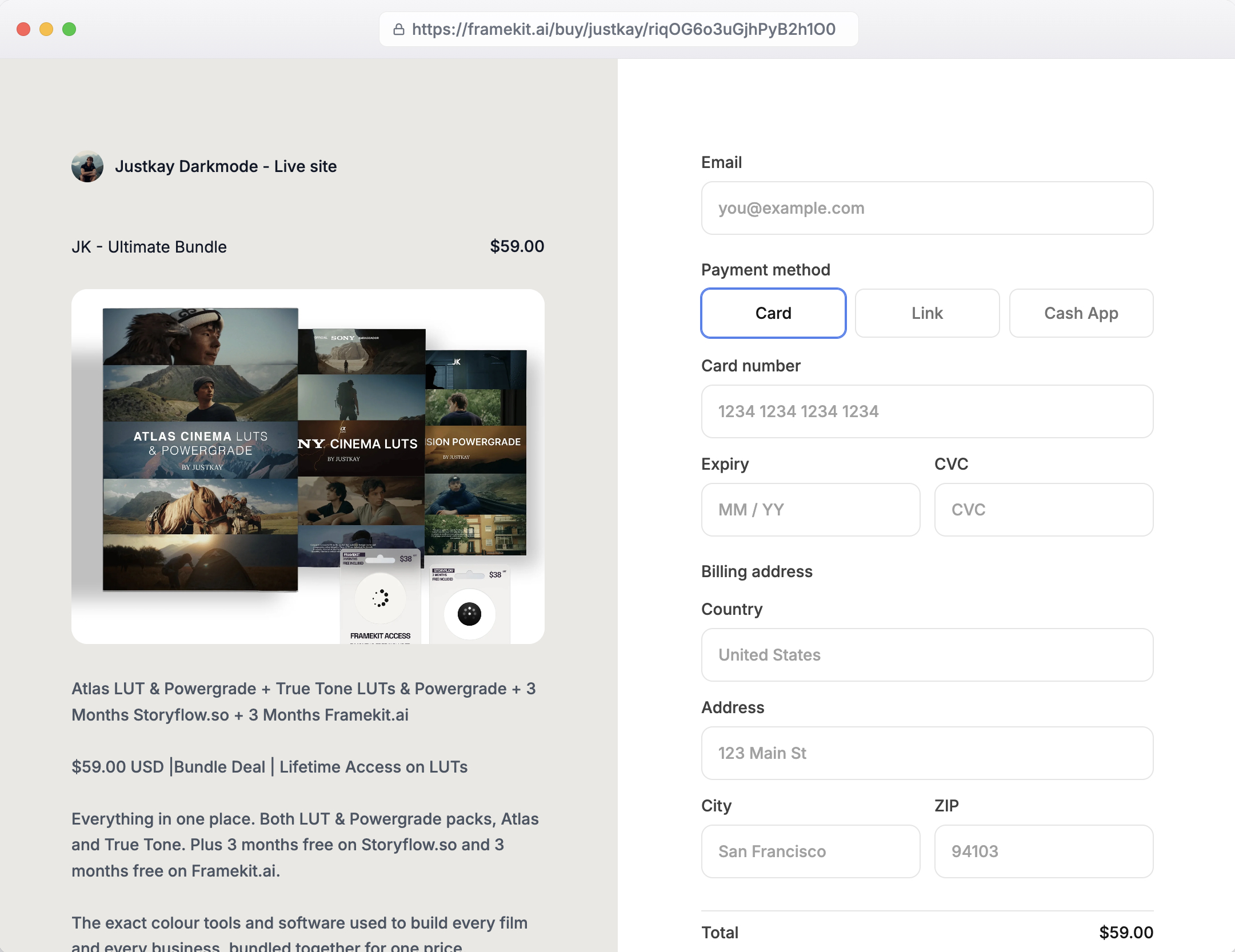
The real number0 dollars a month and a 5% Framekit fee on the free plan, with Stripe's processing on top. At five sales of $29 that is $7.25 to Framekit, the same as Payhip's free plan.
The difference is where the fee goes next: 3% on Pro at $19 a month and 0% on Business at $39, so at 27 sales a month the flat plan becomes the cheaper one and the percentage stops for good.
The standout detailthe money is paid into a Stripe account in your name, not held in a platform balance, and every buyer's email lands in your order list.
When you do build the site, the same products appear on it; there is nothing to migrate because the store already existed. Unlimited products and free products for lead magnets are included on every plan.
The honest gotchaFramekit is not a merchant of record. VAT and sales tax on digital products stay your job from the first sale, which Payhip handles for EU VAT and Lemon Squeezy handles entirely.
The checkout page carries a Powered by Framekit line on every plan, discount codes need Pro, and there are no subscriptions, memberships, licence keys or pay-what-you-want pricing.
Skip it ifyou sell to EU consumers and never want to think about VAT, or your product is a recurring membership rather than a file.
Verdict: the best way to sell a file without a website in 2026 if you expect to keep selling, because it costs the same as the free options while you test and it is already the store you would move to later. A Stripe Payment Link is cheaper for the first five sales if you do not mind emailing files by hand.
2. Stripe Payment Links: Fastest and Cheapest
A Stripe Payment Link is a URL that takes a card payment. You create a product, set a price, get a link, and put it wherever your audience already is. There is no store to design and nothing to maintain.
The real numberthe software is free. You pay only card processing, which on the European table served to us is 1.5% plus 0.25 euros for standard cards and is commonly quoted at 2.9% plus 30 cents in the US. At five sales of $29 that is roughly $5.70.
Setup timeabout ten minutes from a cold Stripe account, most of which is entering your bank details.
The standout detailthe checkout is genuinely good. Wallet buttons, mobile behaviour and localisation are all handled, which is better than several platforms in this guide charging a monthly fee.
The honest gotcha, and it is the one that mattersPayment Links take the money and do not deliver the file. You get a payment and an email address, and fulfilment is yours - manually, or by pairing it with a delivery tool. At five sales a month, sending files by hand is fine. At fifty it is a job.
Skip it ifyou cannot face manual delivery and do not want to add a second tool.
Verdict: the cheapest and fastest way to find out whether anybody will pay you. Pair it with delivery once the answer is yes.
3. Payhip Free Plan: Best With EU VAT Handled
Payhip's free plan is the closest match to Framekit's here, and it wins on one point: a hosted storefront, a checkout, automatic file delivery and EU VAT handling, with no monthly cost at all.
The real numberthe free plan takes 5%, with Plus at $29 a month and 2% and Pro at $99 with no transaction fee. At five sales of $29, the free plan costs $7.25 plus your own processing.
Setup timeunder an hour, including uploading a product and writing a description.
The standout detailit connects to your own Stripe or PayPal account, so the money lands somewhere you control rather than in a platform balance waiting for a payout cycle, and PayPal as a buyer option is a real advantage for audiences who distrust card forms.
The honest gotchathe storefront is generic, and at a certain point "my shop is a payhip.com page" starts to matter to how buyers perceive you. That point is different for everyone and it is real.
Skip it ifbrand perception is central to what you sell.
Verdict: the best free option in this guide if you sell to EU consumers and want VAT handled, and a close second to Framekit for everyone else.
4. Gumroad: Fastest to a Real Storefront
Gumroad remains the shortest path from a finished file to a working product page with delivery attached, and it is the method most people think of first.
The real number10% plus 50 cents per sale, which at five sales of $29 is $17 a month and at twenty sales is $68.
Setup timeabout twenty minutes.
The honest gotchathe crossover is early. At five sales a month, Gumroad costs $17 against $9 for a cheap site plus $7.25 in transaction fees - so it is already the more expensive option at a volume most people would describe as "barely selling".
By twelve sales a month it costs more than a $39 site that takes no percentage at all.
The standout detailGumroad Discover can bring you buyers at 30%, which is a marketplace fee rather than a platform fee. If Discover is finding your customers, evaluate it against Etsy rather than against a website.
Skip it ifyou are selling regularly. This is the clearest early-crossover in the guide.
Already there? Gumroad's fees explained has the detail and the best Gumroad alternatives covers where people move.
Verdict: an excellent first week and an expensive first year.
5. Lemon Squeezy: Best With All Tax Handled
Lemon Squeezy gives you a hosted store with no monthly fee and becomes your merchant of record, which means international sales tax stops being your problem from the first sale.
The real number5% plus 50 cents per transaction with processing included, or $9.75 at five sales of $29.
Setup timeunder an hour.
The standout detailfor someone selling their first product internationally - which is every digital product - the tax question arrives immediately and is genuinely confusing. Having it handled from day one for no monthly fee is worth more than the fee difference against a bare payment link.
The honest gotchathe crossover against a $9 site arrives at 18 sales a month, and at 20 sales it also passes a $39 site with no per-sale fee.
Skip it ifall your buyers are domestic and you are already registered.
Verdict: the best no-monthly-fee option for anyone worried about tax, with a crossover far enough out to be comfortable.
6. Whop: Cheapest Published Rate
Whop's published fee schedule is the lowest per-transaction cost in this guide for any method that includes both a storefront and file delivery, which makes it worth a look even though the platform is built around a different kind of product.
The real number2.7% plus 30 cents for domestic cards with no monthly platform fee stated, or $5.42 at five sales of $29.
Setup timearound half an hour.
The honest gotchathe fee schedule is a menu with add-ons priced separately - 2% for tax collection and remittance, 0.5% for billing automation - and instant payouts cost 4% plus $1.00 against $2.50 for next-day ACH.
It is also oriented toward community and access products rather than file downloads.
Skip it ifyour product does not fit the access-and-community shape the platform is built around.
Verdict: the cheapest rate here, on a platform designed for a slightly different job.
7. Etsy: The Only Method That Brings Buyers
Every other method in this guide requires you to already have an audience. Etsy is the one that supplies one, and for somebody starting from nothing that difference outweighs every fee comparison on this page.
The real numbernot verifiable at source, because Etsy blocks automated access to its fee documentation.
Reported combined charges - listing, transaction, payment processing and Offsite Ads - come to around a fifth of a sale, which on $29 is roughly $5.80 per sale or $29 at five sales a month. Confirm at Etsy's own page before relying on it.
Setup timean hour or two, including photographs and listing copy.
The standout detailsearch intent. People arrive on Etsy looking for a thing rather than for you, which no payment link or hosted store can replicate.
The honest gotchathe crossover against a $9 site is two sales a month, which sounds damning and misses the point. You are not paying Etsy for infrastructure, you are paying for customers, and the comparison against a website is only meaningful once you have your own traffic.
Skip it ifyou already have an audience that will buy from a link you post.
Verdict: the right first move for anyone with no audience, and the most expensive habit to keep once you have one.
8. PayPal: Most Recognised, Least Elegant
PayPal payment links and invoices are the method most people already have set up, and a meaningful share of buyers trust the button more than they trust a card form on a page they have never seen.
The real number2.99% plus $0.49 for standard PayPal Checkout and 2.89% plus $0.29 for Expanded Checkout, or about $6.79 at five sales of $29 on the standard rate.
Setup timeten minutes if you already have an account.
The honest gotchano file delivery, no storefront, and account holds are the most commonly reported problem among sellers. Do not let a PayPal balance be the only place your revenue lives.
Skip it ifyou have any alternative and your buyers are comfortable with cards.
Verdict: a good second payment option and a poor primary method.
9. Big Cartel and Sellfy: Hosted Stores With Flat Fees
These are the two methods in this guide that charge a flat monthly fee instead of a percentage, and that single difference inverts the arithmetic completely - they are the worst options at low volume and the best ones above about thirty sales a month.
The real numbersBig Cartel has a free Gold plan with Platinum at $15 a month and Diamond at $30, and Sellfy starts at $39 a month billed monthly or $29 yearly with 0% transaction fees.
Setup timeone to two hours.
The standout detailat low volume these are the most expensive options in the table, and above roughly thirty sales a month they are the cheapest. That is the whole logic of flat pricing and it is why they appear at the bottom of a guide aimed at people starting out.
The honest gotchaif you are paying $15 or $39 a month for a hosted store, you are already paying website prices - and a website you own would cost the same and keep the domain, the SEO and the customer list.
Skip it ifyou are pre-revenue. Come back at thirty sales a month.
Verdict: genuinely good products in the wrong guide. If a flat monthly fee is acceptable to you, the no-website constraint has stopped applying.
10. Ko-fi: Cheapest If You Already Have Supporters
Ko-fi sits between a tip jar and a shop, taking payments directly into your own PayPal or Stripe account, and on its paid tier it takes no platform cut at all.
The real numberwe could not verify it. Ko-fi blocks automated access to its pricing page, so unlike every verified entry above there is no figure here we can stand behind. Its published position is that the paid Gold tier removes the platform fee entirely; check the current price yourself.
Setup timeunder half an hour.
The standout detailthe audience context. Ko-fi buyers arrive predisposed to support a creator rather than to shop, which changes conversion in a way no fee table captures.
The honest gotchathe shop is unmistakably a Ko-fi page, which suits some creators and undercuts others.
Skip it ifyou want the storefront to read as a business.
Verdict: well suited to creators with an existing supportive following, on pricing you will need to check at the source.
What You Are Actually Giving Up
In one linethe cost of no website is not the fee, it is four assets you do not accumulate, and three of them compound.
Being honest about this matters more than the fee table, because the fees are small and these are not.
Search traffic. A product page on your own domain can rank and bring you buyers for years. A payment link cannot rank, and a hosted store page ranks for the platform rather than for you. This is the single largest thing you forgo, and it compounds.
The email list. Most methods here will give you buyer emails; marketplaces frequently will not, or restrict what you may do with them. A list is the asset that makes your second product easier to sell than your first.
Domain trust. A checkout at your-name.com converts differently from one at platform.com/your-name. Nobody can tell you by how much - we have not run that test and neither has anyone publishing a number - but the direction is not in dispute.
Independence. Every method here can change its terms, its fees or its mind. That risk is small on any given day and it is not zero, and it is the reason the sensible endpoint for most sellers is a site plus a marketplace rather than either alone.
Against all of that: none of it matters if nobody wants your product, and you find that out fastest with a payment link and an afternoon. Build the site when the sales tell you to.
The test that tells you when to build one
- Count last month's sales.
- Multiply by your method's fee.
- Compare with $9 to $39 a month.
- If the fee is larger, you are now paying for a website and not receiving one.
At a 10% method, that crossover is five sales a month. At 5% plus 50 cents it is eighteen. Both are small enough that most people who are selling at all have already passed them.
What Changes When the Buy Link Becomes a Site
In one linea buy link answers whether anyone will pay, and the site is only worth building once the crossover test says so, which is why the method you start with should be one you do not have to leave.
The honest position: for a first product, do not build a site. Use a buy link, find out whether anyone pays, and spend the setup time on the product instead.
What you should avoid is starting somewhere you will have to migrate away from, because moving products, buyer lists and links later is the tedious part.
That is the argument for starting on Framekit's free plan rather than a marketplace page: the buy link, the product, the delivery and the buyer emails are already the store.
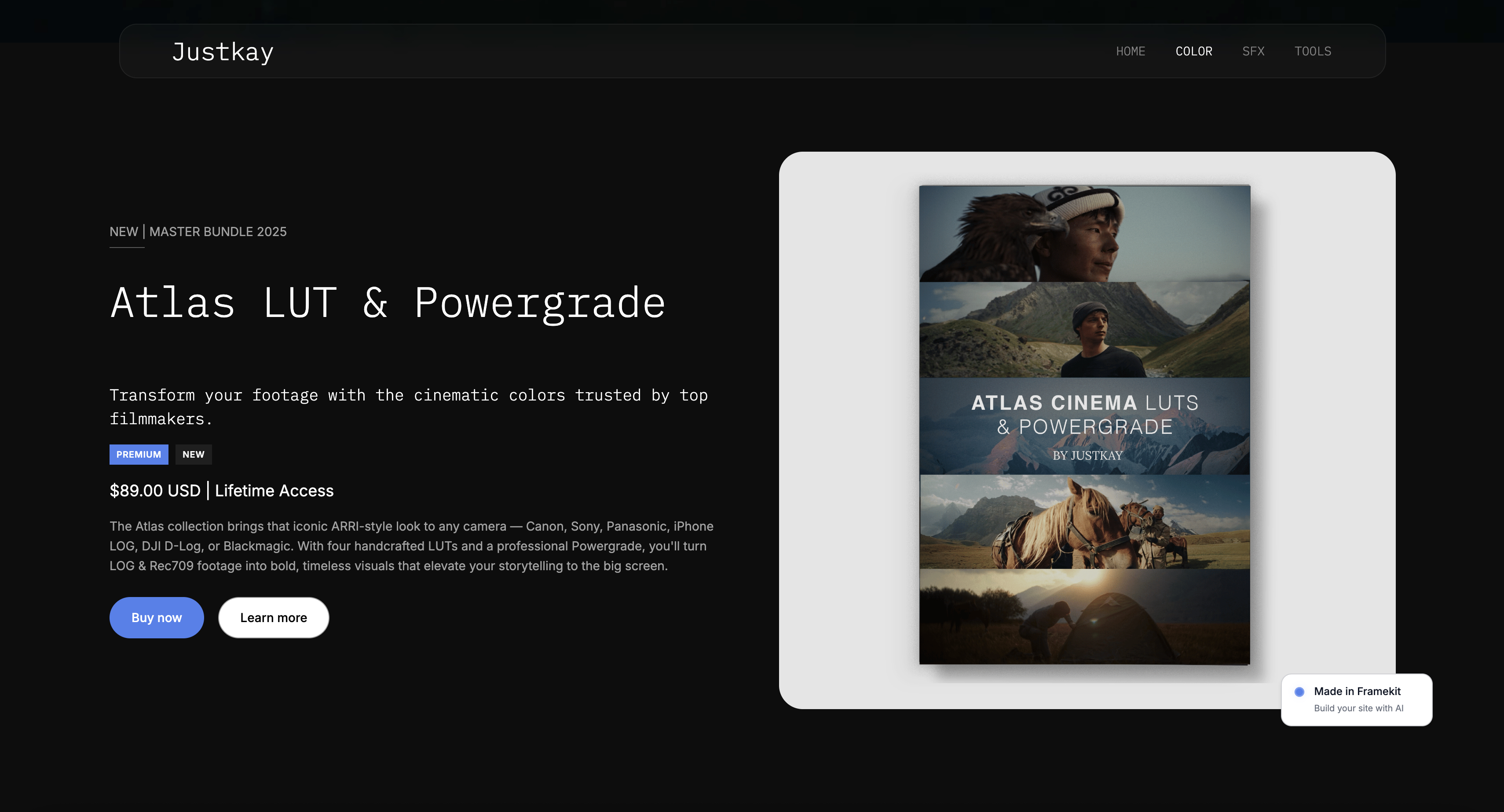
When the numbers say build, the site adds the four assets in the section above, specifically the product page on your own domain that can rank, and a paid plan adds your custom domain.
Framekit is an AI website builder, so that step is a description of your work rather than a weekend of templates.
If the traffic you are working with is short-form video rather than a bio link, the routes narrow further. We priced them in the TikTok selling guide.
Decision Guide
This is ordered by where you actually are rather than by which method is best in the abstract, because the right answer changes completely between your first sale and your fiftieth. Work down and stop at the first yes.
1. Do you sell to EU consumers and want VAT handled for you?
Yes: Payhip's free plan at 5% for EU VAT on digital goods, or Lemon Squeezy at 5% plus 50 cents for all tax. Stop here.
2. Have you never sold this product and do not mind emailing files?
Yes: a Stripe Payment Link, today. Cost about $5.70 at five sales, setup ten minutes.
3. Do you want automatic delivery, your buyer emails and a store you will not have to leave?
Yes: a Framekit buy link on the free plan at 5%, falling to 0% on the $39 plan once you pass about 27 sales a month.
4. Do you have no audience at all?
Yes: Etsy, and treat the reported fifth as a customer acquisition cost rather than a platform fee.
5. Are you selling more than about twelve times a month?
Then the no-website question has answered itself. Compare a $39 flat plan against your current method and you will find the flat plan cheaper.
6. Are you already paying $15 to $39 a month for a hosted store?
Then you are paying website prices without the domain, the SEO or the list. Price a site against it.
Frequently Asked Questions
These are the questions people ask before their first sale, along with a few they only ask afterwards, when the percentage starts showing up as a number they notice.
What is the best way to sell digital products without a website?
A Framekit buy link on the free plan is the best way to sell a digital product without a website in 2026, because it includes a hosted checkout, instant file delivery and the buyer's email for a 5% fee with nothing monthly, pays into a Stripe account in your name, and turns into your own store later without a migration.
A Stripe Payment Link is cheaper per sale if you deliver files by hand, and Lemon Squeezy or Payhip are better if you need VAT handled.
Can I really sell digital products for free?
Almost.
Five methods here have no monthly cost - Framekit's free plan, Stripe Payment Links, Payhip's free plan, Lemon Squeezy and Gumroad - but all of them take a percentage or a per-transaction fee, so "free" means paying per sale rather than per month.
The genuinely cheapest at low volume is a Stripe Payment Link at roughly 2.9% plus 30 cents.
At what point should I get a website?
At about five sales a month if you are using a 10% method, and around eighteen if you are on 5% plus 50 cents. The test is simple: multiply last month's sales by your method's fee and compare it with $9 to $39 a month.
If the fee is larger, you are already paying for a website without having one.
How do I deliver the file if I use a payment link?
Manually at first, which is fine at low volume - you receive a payment notification with an email address and send the file.
Above roughly twenty sales a month that becomes a chore, and the fix is either a method that includes delivery, like Payhip or Lemon Squeezy, or a dedicated delivery tool paired with your payment link.
Is Gumroad the cheapest way to start?
No, though it is among the fastest. At 10% plus 50 cents, five sales of a $29 product costs $17 a month, against $7.25 on Payhip's free plan and about $5.70 on a Stripe Payment Link.
Gumroad's advantage is that it includes a product page and delivery in a single setup, which is worth something at the very beginning and stops being worth it quickly.
Can I sell digital products on Instagram or TikTok?
Not natively in most regions, so what people mean by this is putting a payment or store link in a bio or a message.
Any method in this guide works for that, and the practical constraint is the single-link limit rather than the selling mechanism. The link you choose is the decision; the platform is just where you share it.
Do I need to charge VAT if I sell without a website?
Yes, on the same terms as anyone else - the absence of a website changes nothing about tax. Selling digital products to EU consumers brings VAT in at the buyer's location from the first sale.
Lemon Squeezy handles it by acting as merchant of record, Payhip handles EU VAT on digital goods, and with a bare payment link the obligation is entirely yours.
What is the catch with free selling platforms?
The percentage, and the four assets you do not build: search traffic, an email list, domain trust and independence. The percentage is visible and small at first.
The assets are invisible and compound, which is why the honest advice is to start free and move once you are selling regularly rather than to stay free indefinitely.
Will people trust a checkout that is not on my own site?
Enough of them to prove your product works, which is what this stage is for. A hosted checkout at a recognised platform converts perfectly well - Gumroad, Payhip and Stripe are all familiar or professional-looking.
The trust difference against your own domain is real and unmeasured, and it matters more as your prices rise.
Can I use a marketplace and a payment link at the same time?
Yes, and it is a sensible combination. The marketplace supplies discovery and the link captures buyers you reach yourself, at a much lower fee. The only discipline required is consistent pricing, since marketplaces generally dislike being undercut and buyers notice when they are.
Which method gives me my customers' email addresses?
Framekit, Stripe, Payhip, Lemon Squeezy, Gumroad and Whop all give you buyer emails.
Marketplaces are the exception - they typically restrict what you may do with buyer contact details, which is the substantive difference between renting discovery and owning a customer relationship.
Does Framekit make sense for a first product?
Yes, on the free plan, and not on a paid one. Framekit's free plan gives you a buy link, hosted checkout and instant delivery for 5% with no monthly cost, which is the same price as Payhip's free plan.
Do not pay for Starter or Business until the crossover test says so: the $39 plan with no fee only beats 5% at about 27 sales a month of a $29 product.
Framekit vs Payhip: which is better without a website?
Both charge 5% on their free plans and both deliver files automatically. Payhip wins if you sell to EU consumers, because it handles EU VAT on digital goods and Framekit does not.
Framekit wins if you plan to build a site, since the buy link, products and buyer list are already your store, and its fee falls to 0% on a flat $39 plan rather than on Payhip's $99 Pro.
The Verdict
A Framekit buy link on the free plan wins because it answers the first question, whether anybody will pay you, without committing you to a place you will have to leave.
Hosted checkout, instant delivery and the buyer's email for 5% and nothing monthly, paid into a Stripe account in your name, and the same products become your store when the numbers say build.
A Stripe Payment Link is the cheapest way to test, roughly $5.70 at five sales a month, with the caveat that you will be emailing files by hand. Payhip's free plan is the better answer for EU sellers who want VAT handled at the same 5%.
The finding worth carrying away is the crossover, because it is much earlier than the framing of this question suggests. At around five sales a month of a $29 product, a 10% method costs more than a $9 website would. Not fifty sales, not five hundred.
Five. Anybody selling regularly on a percentage method is already paying website prices without receiving a website.
Where Framekit losesFramekit is not a merchant of record, so VAT and sales tax stay with you, which makes Payhip or Lemon Squeezy the better fit for anyone selling to EU consumers who does not want to register.
It does not bring buyers the way Etsy does, it has no subscriptions or memberships, and a bare Stripe link costs less per sale if you are happy to deliver by hand.
Verdict: start with a free buy link this afternoon. Count your sales at the end of the month, run the crossover test, and build the site when the arithmetic tells you to rather than when a guide does.
Fees and plan prices were read from each vendor's published page in early August 2026, with Framekit's re-verified in September 2026, except Etsy and Ko-fi, both of which block automated access and are flagged in place.
Payment processing rates are served by country on several of these platforms, so confirm your own before modelling.
Related readinghow to start selling digital products, the best free product-selling software, the best checkout tools for selling digital products, the best digital product delivery tools, and what it costs to sell digital products online.