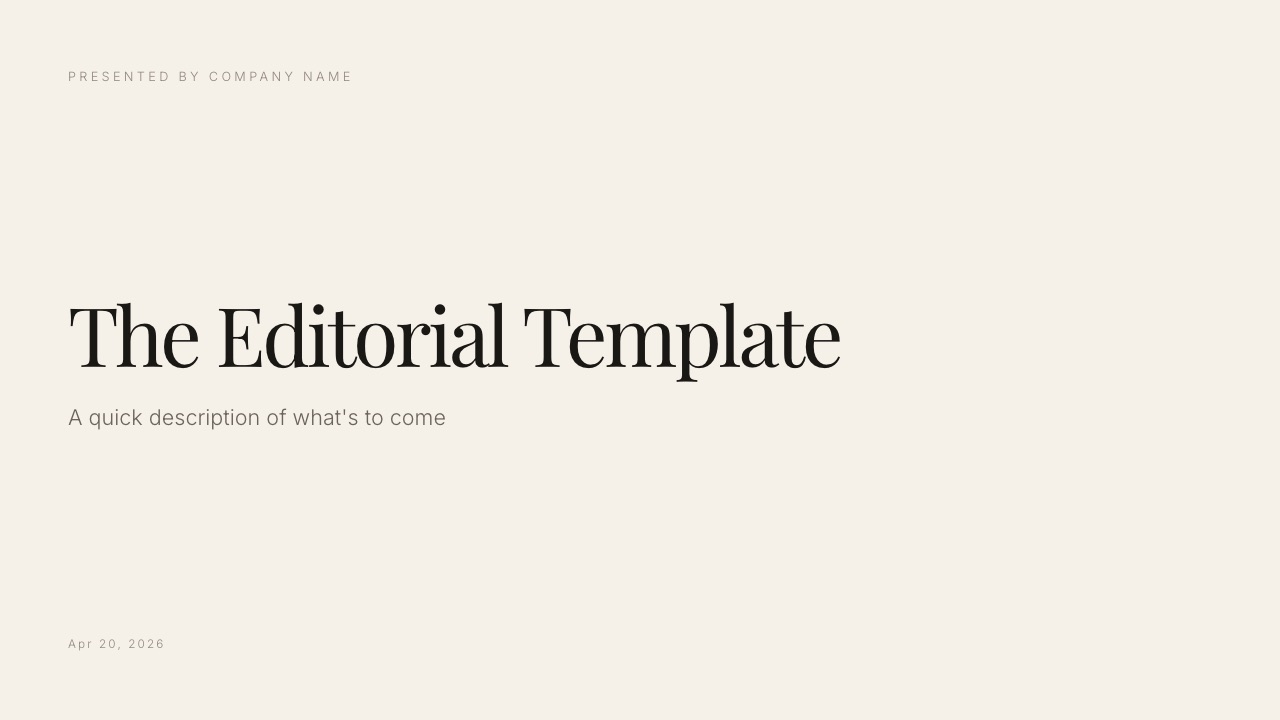
Framekit templates
Start from a designer-made template
 Use template
 Use template
 Use template
 Use template
 Use template
 Use template
 Use template
 Use template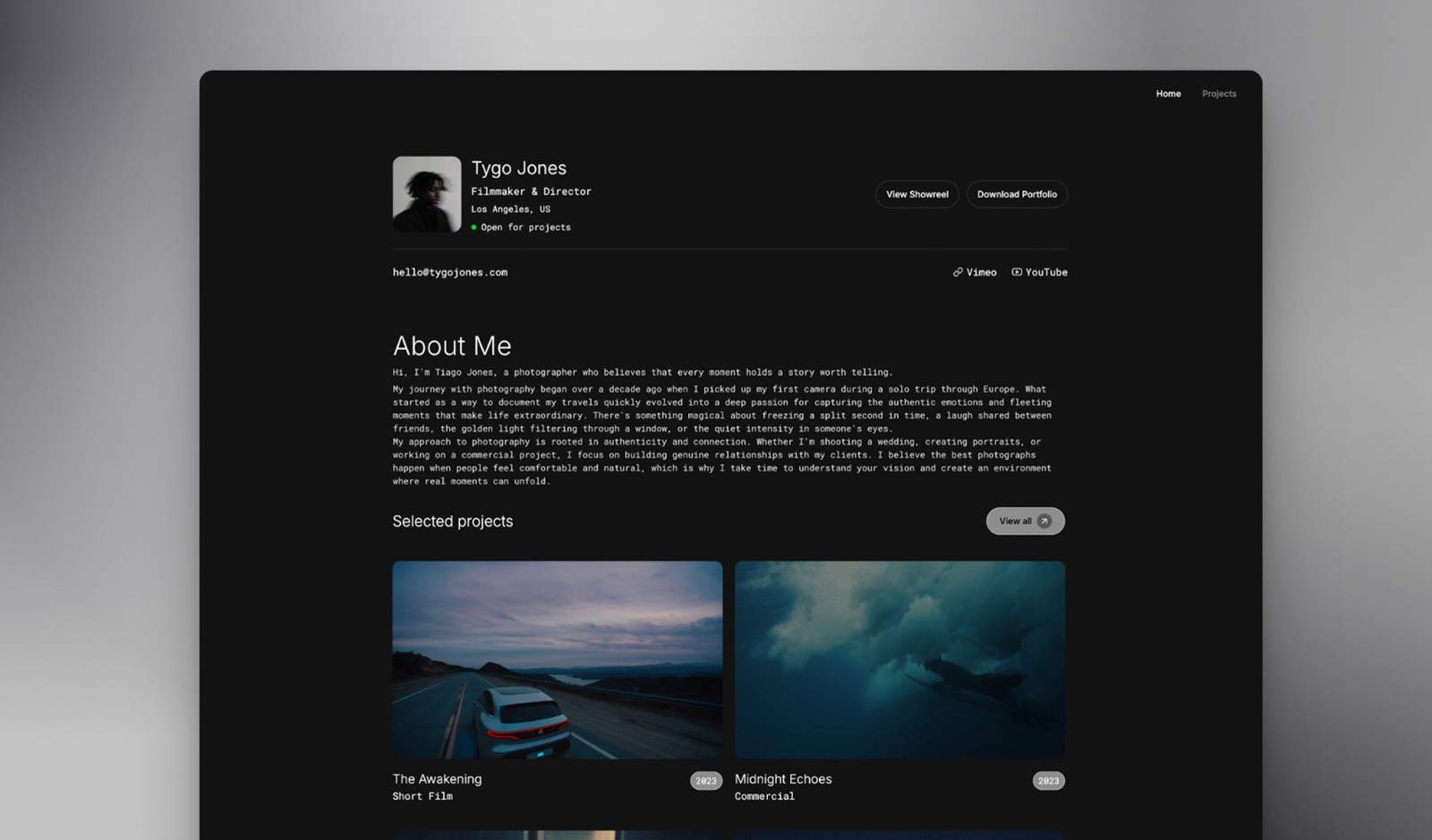
The Keynote versus PowerPoint question is not really about features, and pretending otherwise is why most comparisons of the two are useless. Keynote is free, has better typographic defaults, and animates more elegantly.
PowerPoint costs money, looks worse out of the box, and is the format the rest of the world actually opens.
Everyone knows this. The useful question is what each one costs you at the point of handover, which is where we spent most of our testing.
A presentation app is software that assembles designed slides into something you present live, export as a file, or share as a link, handling layout, typography, transitions, and speaker notes in one place.
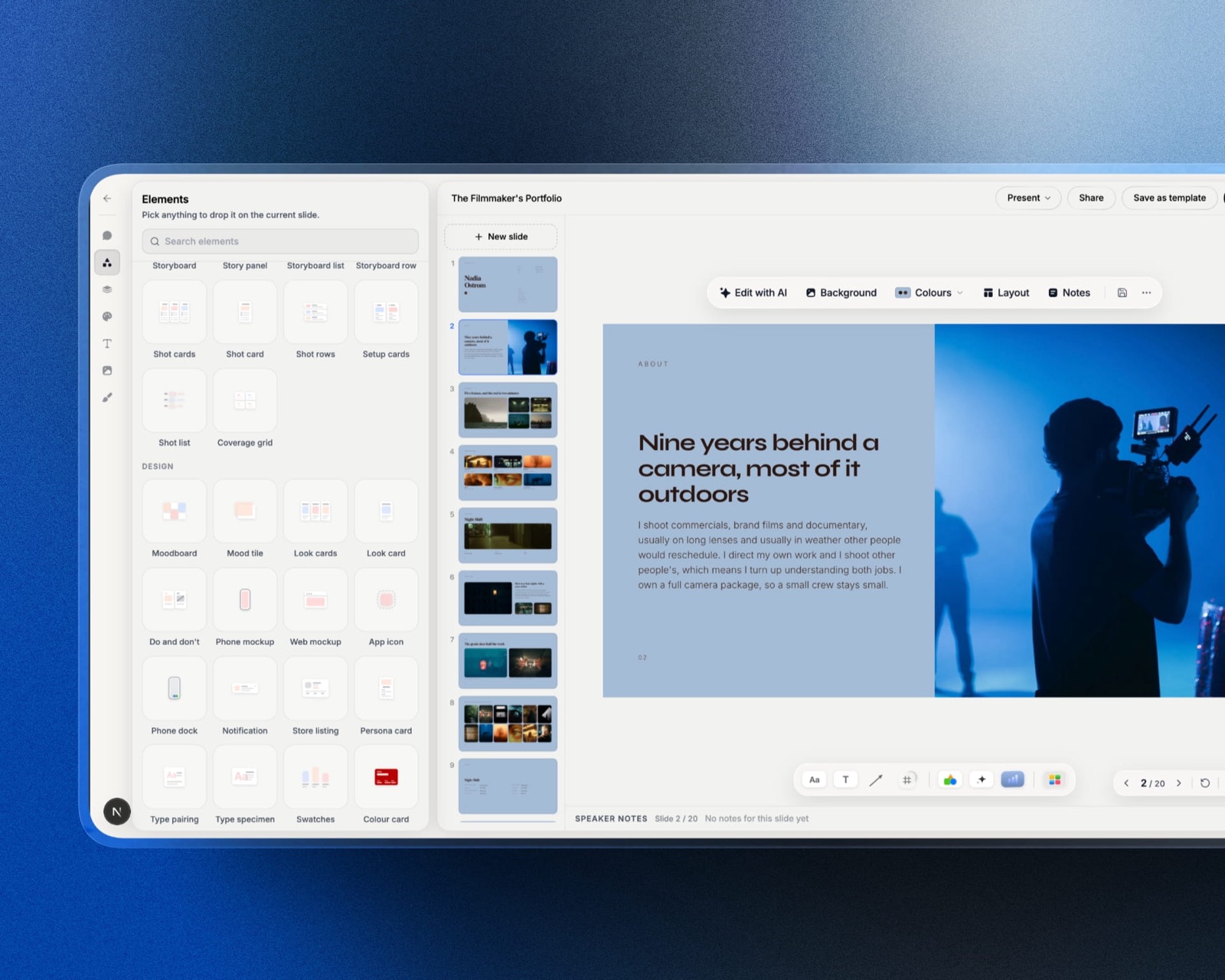
Framekit Slides is the creative-work variant of that idea, described below, and it shares one account with your website, your client galleries and your store.
Choose Keynote in 2026 if you present live from a Mac and hand over a PDF afterwards, because it is free, its motion is the best available on any platform, and its typographic defaults will make an average deck look considered.
Choose PowerPoint if the editable file leaves your hands, because .pptx is the format everyone opens, it embeds fonts so your deck looks identical on machines that lack them, and Keynote's Magic Move does not survive an export at all.
The cost of choosing wrong is a rebuild, not a preference. Framekit is the runner-up to name for a treatment, lookbook or portfolio deck that stays a link and a PDF, and it is no use at all for a file somebody else has to edit.
_Re-verified 19 September 2026: we corrected our own line, which said Framekit does not make decks, after its Slides editor shipped. Re-verified again 20 September 2026, when a second stale line further down still denied the slide editor, speaker notes and .pptx export._
Framekit is an AI website builder that also runs client galleries, Slides decks, a digital-download store and video review in one account.
Its Slides editor builds 16:9 decks with an AI slide writer and creative elements such as shot lists and moodboards, presents full screen, shares a link and exports a PDF on every plan, but its PowerPoint export turns each slide into a picture and there is no Keynote export, no presenter view and no .pptx import, so it is not the tool for a deck that has to leave your hands as an editable file.
How We Compared Keynote and PowerPoint
We built one deck twice, natively in each application: eighteen slides, a full-bleed cover, four image-led case study spreads, a services grid, a two-column pricing table, a Magic Move or Morph logo sequence, a six-step build slide, and three slides using a licensed display font.
We then exported each version to the other's format, plus PDF, and opened everything on a Windows laptop and a Mac neither of which had our fonts installed. Every visible difference was logged.
Design output was judged on the finished slide, not the feature list.
Handover was tested by sending the editable file to two people, one on Windows and one on a Mac without the source application.
Collaboration was tested with three simultaneous editors in each tool's native sharing flow.
Cost was priced for one person and for a household or small team.
To be clear about what is evidence and what is reading: the builds, exports, cross-platform opens, and collaboration sessions were done by us in August 2026. Prices are Apple's and Microsoft's own published figures.
Anything described as a common frustration comes from public reviews and is labelled that way rather than presented as our own measurement.
Keynote vs PowerPoint at a Glance
| Keynote | PowerPoint | |
|---|---|---|
| Price | Free on Apple devices, free at iCloud.com | $99.99/yr Personal, $199.99/yr Family |
| Free version for anyone | Yes, browser at iCloud.com | Yes, PowerPoint for the web |
| Runs natively on Windows | No | Yes |
| Signature transition | Magic Move | Morph |
| Font embedding on export | No | Yes, when licensing permits |
| Real-time co-editing | Yes, via iCloud | Yes, via OneDrive |
| Offline editing | Yes, full | Yes, full |
| Presenter tools | Rehearse, multipresenter slideshow | Presenter Coach, Designer |
| Native file format | .key | .pptx |
Round 1: What You Actually Pay
Keynote is free and there is no asterisk on that. It comes with every Mac, iPad, and iPhone, and anyone at all, including a Windows user with no Apple hardware, can create and edit Keynote documents in a browser at iCloud.com using a free Apple Account.
PowerPoint costs $99.99 a year through Microsoft 365 Personal, or $199.99 a year for Microsoft 365 Family covering up to six people.
Office Home 2024 is a one-time purchase around $149.99 with no upgrade path to the next release. PowerPoint for the web is free with a Microsoft account and handles ordinary decks, minus Morph and some advanced features.
In one lineKeynote costs nothing at any scale and PowerPoint costs about $33 per person a year on the Family plan, which is small enough that price should not decide this unless it is a genuine constraint.
Round 2: Which One Makes a Better-Looking Deck
Keynote wins, and it wins for a reason that is easy to miss: the defaults. Its stock themes use better type pairings, more generous spacing, and more restrained colour than PowerPoint's, so a deck made by someone with no design training comes out noticeably better in Keynote.
Push both to their limits and the gap narrows. PowerPoint's alignment tools are more precise, its Designer pane proposes genuinely useful layouts from your content, and slide masters give stronger structural control across a long deck.
A designer working carefully can produce equivalent work in either.
The honest summary is that Keynote raises the floor and PowerPoint raises the ceiling, and most people are affected far more by the floor.
In one lineif nobody on your team is a designer, Keynote will make your decks look better with no extra effort, and that advantage disappears the moment someone who knows what they are doing takes over.
Round 3: Motion, Where Keynote Is Genuinely Ahead
Keynote wins. Magic Move remains the best implementation of object-matched transitions on any platform, and Cinematic transitions, animated drawing, and the object build system are all a step above their PowerPoint equivalents in feel rather than capability.
PowerPoint's Morph does the same fundamental job, matching objects between slides and interpolating the difference, and does it well. Rebuilding our logo sequence took ninety seconds in Keynote and three minutes in PowerPoint, and the Keynote version had better easing.
The important caveat sits in the next round, because motion is exactly what does not travel.
In one lineKeynote has the better motion system by a clear margin, and PowerPoint has the motion system that still exists after you send the file to someone else.
Round 4: Handover, Where PowerPoint Wins Decisively
PowerPoint wins this round decisively, and it is the round that settles the comparison for most professional users, because everything Keynote does better in the first three rounds stops existing the moment the editable file leaves your machine.
Exporting a Keynote deck to .pptx converts Magic Move to a hard cut or a generic dissolve, flattens sequential builds so a six-step reveal becomes one slide with everything visible, drops comments entirely, and substitutes any font the recipient does not have without warning either party.
In our test, three of eighteen slides needed manual repair after export.
Going the other way, a .pptx opened in Keynote fared better. Morph became a fade and SmartArt converted to grouped shapes, but the layout held and the deck was usable with two slides needing attention.
Font embedding is the specific mechanic underneath most of this. PowerPoint can embed a typeface in the file when the licence permits it, so the deck renders correctly on a machine that has never seen the font. Keynote cannot.
That is why a Keynote deck exported to .pptx arrives on a Windows machine in a substituted face, looking plausible and wrong.
In one lineif the editable file leaves your hands, Keynote costs you a rebuild every time, and the free price tag stops being the relevant number.
Round 5: Collaboration
PowerPoint wins on reach and Keynote wins on simplicity. Both support three people editing at once. Keynote's collaboration runs through iCloud, works in a browser, and requires each editor to have a free Apple Account.
PowerPoint's co-authoring runs through OneDrive or SharePoint and requires a Microsoft account.
The difference is who your collaborators already are. In a company standardised on Microsoft, everyone already has the account and the co-authoring works with no setup.
In a mixed group of freelancers, the Apple Account requirement is one more sign-up, and the Windows users among them will be doing it in a browser rather than an app they know.
Neither is as frictionless as Google Slides, where an outside reviewer can comment with no account at all.
In one linecollaboration in both tools works properly only inside their own account ecosystem, so pick whichever one your collaborators are already signed into rather than whichever has the nicer feature list.

Round 6: Presenting Live
This is closer than expected and splits by feature. Keynote's multipresenter slideshow lets several people control one deck from different devices, which is genuinely useful for a joint pitch, and its rehearse mode with a second display is clean and unfussy.
PowerPoint's Presenter Coach is the more useful individual tool, giving feedback on pace, filler words, and whether you are reading the slides. For anyone preparing a talk alone, that is worth more than a better rehearsal display.
Both handle presenter notes, timers, and second screens competently.
In one lineKeynote is better for presenting together and PowerPoint is better for practising alone, which means the answer depends on whether your pitch has one voice or three.
Round 7: Platform Reality
PowerPoint wins on availability without argument. It runs natively on Windows, macOS, iOS, Android, and the web. Keynote runs natively on Apple platforms and in a browser everywhere else.
The browser version is better than its reputation and it is not the same product. Some transitions do not render, font handling is more limited, and performance on a very large deck is noticeably heavier than the Mac application.
In one lineif any regular editor of your decks is on Windows, Keynote puts them in a browser version of the app while you use the real one, and that asymmetry causes more friction over a year than any feature gap.
What Each One Costs You Over Three Years
Neither software bill is large, and for most people the deciding number is not in the first column at all. What matters is the second kind of cost below, the one that never appears on an invoice because it is paid in rebuild time at the point of handover.
| Keynote | PowerPoint | |
|---|---|---|
| Software cost, 3 years, one person | $0 | $299.97 |
| Software cost, 3 years, family of five | $0 | $599.97 |
| Rebuild cost when the file is handed over | High: motion, builds, and fonts all break | None: it is the native format |
| Cost when a Windows colleague edits | Browser-only editing at iCloud.com | None |
| Cost when a Mac colleague edits | None | None; PowerPoint for Mac is included |
A test worth running. Look at your last ten decks and count how many were handed over as an editable file rather than presented and sent as a PDF.
If the number is zero or one, Keynote is free and better and there is nothing to think about. If it is five or more, you have been paying for PowerPoint in rebuild time rather than in dollars, and the $99.99 is the cheaper of the two costs.
Where Neither Belongs
Some of what people build in both applications is not a presentation at all. A capabilities overview, a rate card, a services one-pager, a case study sent to a new prospect every few weeks.
These are documents you maintain and re-send, and a slide file is a poor container for them, because it goes stale in a downloads folder and no search engine has ever indexed one.
We make a website builder, so read that as a disclosed interest.
The limits are worth stating: Framekit Slides has no presenter view, no live co-editing, and no editable .pptx, since its PowerPoint export turns each slide into a picture, so anything with a presenter in the room belongs in Keynote or PowerPoint.
The narrow point is that a document you re-send indefinitely was probably always a page.
Which Should You Choose?
The choice is decided almost entirely by what happens to the file after you finish it, so work down these questions in order and stop at the first one you answer yes to. Everything above that line matters less than you think.
1. Does the editable file leave your hands? Choose PowerPoint. Keynote loses motion, builds, and fonts on every export.
2. Is anyone who edits your decks on Windows? Choose PowerPoint, unless you are content with them working in a browser.
3. Do you present live from a Mac and send a PDF afterwards? Choose Keynote. It is free, it looks better, and nothing is lost.
4. Does your brand use a licensed typeface? Choose PowerPoint, for font embedding.
5. Is motion part of how the work is judged? Choose Keynote for the better system, and accept a rebuild if the file has to travel.
6. Do several people present the same deck together? Choose Keynote, for the multipresenter slideshow.
7. Are you preparing a talk alone and want feedback on delivery? Choose PowerPoint, for Presenter Coach.
8. Is the deck really a treatment, lookbook or portfolio piece rather than a boardroom deck? Choose Framekit Slides, whose templates and shot-list and moodboard elements are cut for that work, and accept that it presents full screen without a presenter view.
9. Is the deck really a document you send repeatedly? Neither. Publish it once as a page.
Frequently Asked Questions
Is Keynote better than PowerPoint?
Keynote is better than PowerPoint for design defaults, motion quality, and price, since it is free on every Apple device and free in a browser at iCloud.com.
PowerPoint is better for handover, font embedding, Windows support, and anything that has to be edited by someone outside your team, because .pptx is the format the rest of the world opens.
Can Windows users open Keynote files?
Windows users cannot open .key files natively, but anyone with a free Apple Account can create, open, and edit Keynote documents in a browser at iCloud.com, including on Windows.
The browser version drops some transitions and has more limited font handling, so it is a workable route rather than a full equivalent of the Mac application.
Does Keynote export to PowerPoint cleanly?
Keynote's PowerPoint export loses Magic Move and Cinematic transitions, flattens sequential builds so a multi-step reveal becomes one static slide, strips comments, and substitutes any font the recipient lacks without warning.
In our eighteen-slide test, three slides required manual repair after export.
Is PowerPoint worth paying for if Keynote is free?
PowerPoint is worth $99.99 a year if your editable decks are handed to other people, because font embedding and native .pptx compatibility remove a rebuild that Keynote forces on every export.
If you present from a Mac and share a PDF afterwards, Keynote is free and produces a better-looking result, and there is no reason to pay.
Which has better animations, Keynote or PowerPoint?
Keynote has better animations, with Magic Move offering smoother object-matched transitions and better easing than PowerPoint's Morph, alongside Cinematic transitions and animated drawing.
PowerPoint's Morph does the same job well and, crucially, is the version that still works after the file is sent to someone else.
Can you collaborate in real time in Keynote?
Keynote supports real-time collaboration through iCloud, in the app or in a browser, with each editor needing a free Apple Account. PowerPoint offers co-authoring through OneDrive or SharePoint with a Microsoft account.
Neither allows an outside reviewer to comment without signing up, which is where Google Slides still has an advantage over both.
Is PowerPoint free anywhere?
PowerPoint for the web is free with a Microsoft account and handles most everyday decks, though it excludes the Morph transition and some advanced desktop features.
The full desktop application requires Microsoft 365 at $99.99 a year, or a one-time Office Home 2024 licence at around $149.99 with no upgrade path to future releases.
Which one should a design studio use?
A design studio presenting from Macs should use Keynote for its typography and motion, and deliver PDFs rather than editable files so nothing breaks.
Studios whose decks are edited by clients should use PowerPoint, because a Keynote export loses precisely the craft the studio is being judged on.
Do Keynote fonts break when I send a deck?
Keynote does not embed fonts on export, so a licensed typeface will substitute silently on any machine that does not have it installed, and neither sender nor recipient is notified.
The safe options are to export a PDF, to outline headline type as an image, or to build the deck in PowerPoint where embedding is supported.
Is a slide deck the right format for a capabilities overview?
A slide deck is the wrong format for a capabilities overview that gets sent repeatedly, because every recipient keeps a copy that ages while your rates and case studies change.
A page on your own domain shows the current version to everyone holding the link and can be found in search, which no .key or .pptx file can do.
Final Verdict
Keynote is the better application and PowerPoint is the better choice for most professionals, which is an unsatisfying conclusion that the testing kept producing.
Keynote's motion, typography, and price are all genuinely superior, and every one of those advantages evaporates at the moment of export. If your decks are presented and then shared as PDFs, use Keynote and enjoy it.
If they are handed over as editable files, PowerPoint's $99.99 a year buys you the absence of a rebuild.
The trade-off nobody states clearly enough is that Keynote's free price is subsidised by your time at handover. That is a fine deal if the handover never happens, and a bad one if it happens monthly.
Framekit is not an alternative to either and does not try to be. We would only push back on treating every deck as a deck, since a fair number of them are documents that would be better published once and linked to forever.
Related reading: our roundups of the best Keynote alternatives, the best PowerPoint alternatives, our PowerPoint versus Google Slides comparison, and the best presentation software.
Pricing above reflects Apple's and Microsoft's published figures in August 2026. Microsoft adjusted its consumer subscription pricing within the past two years, so verify the current rate before renewing.