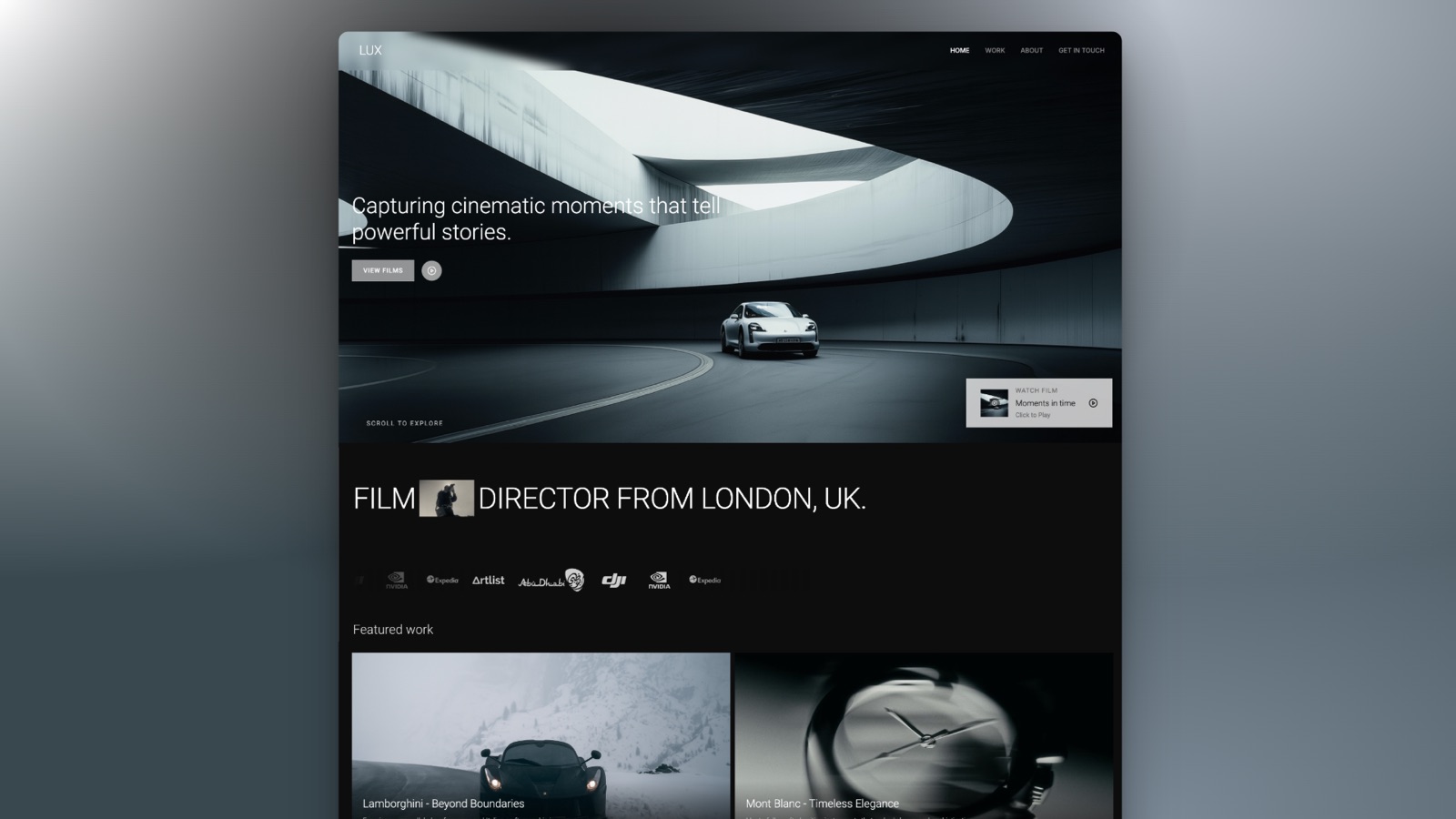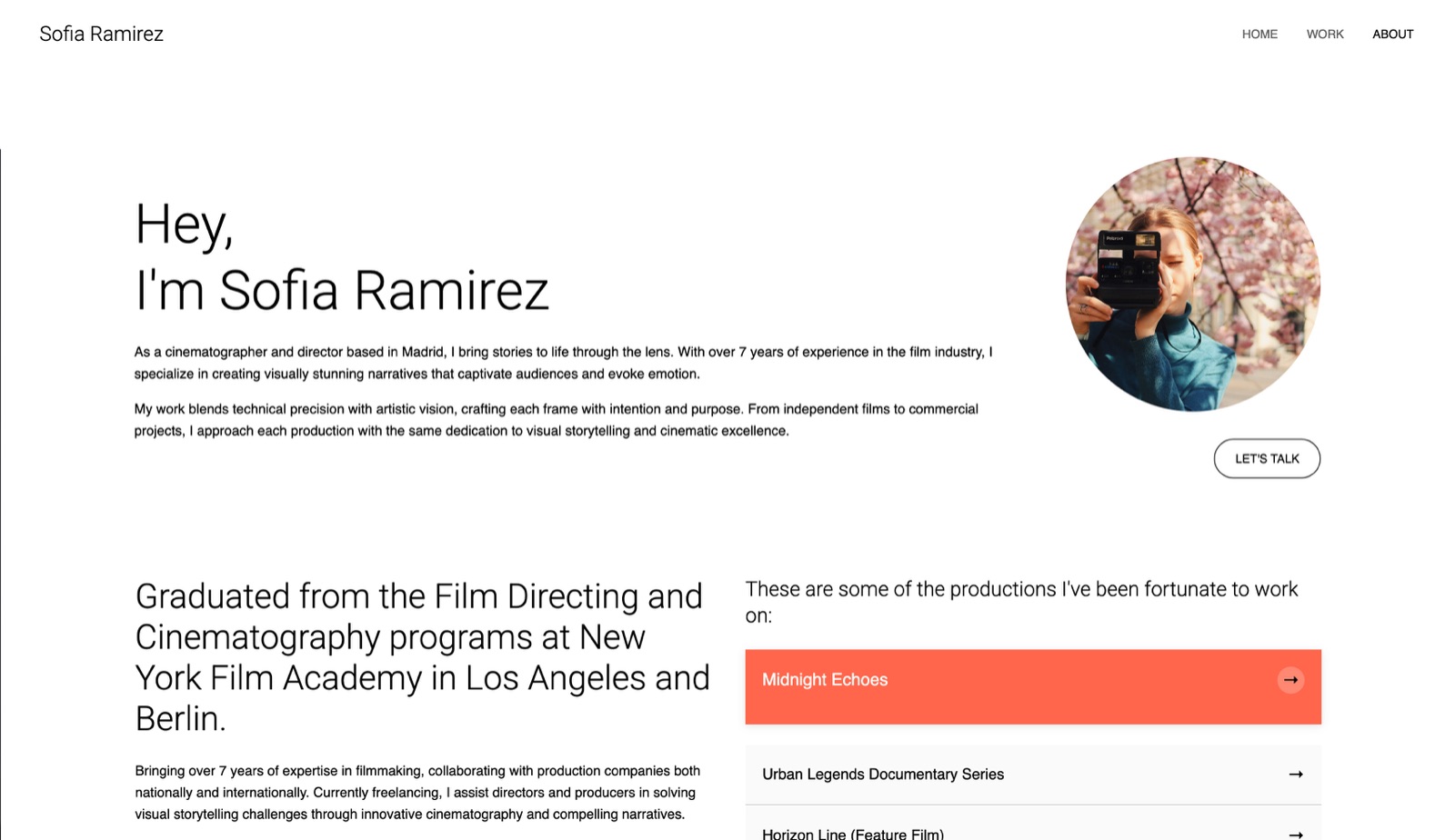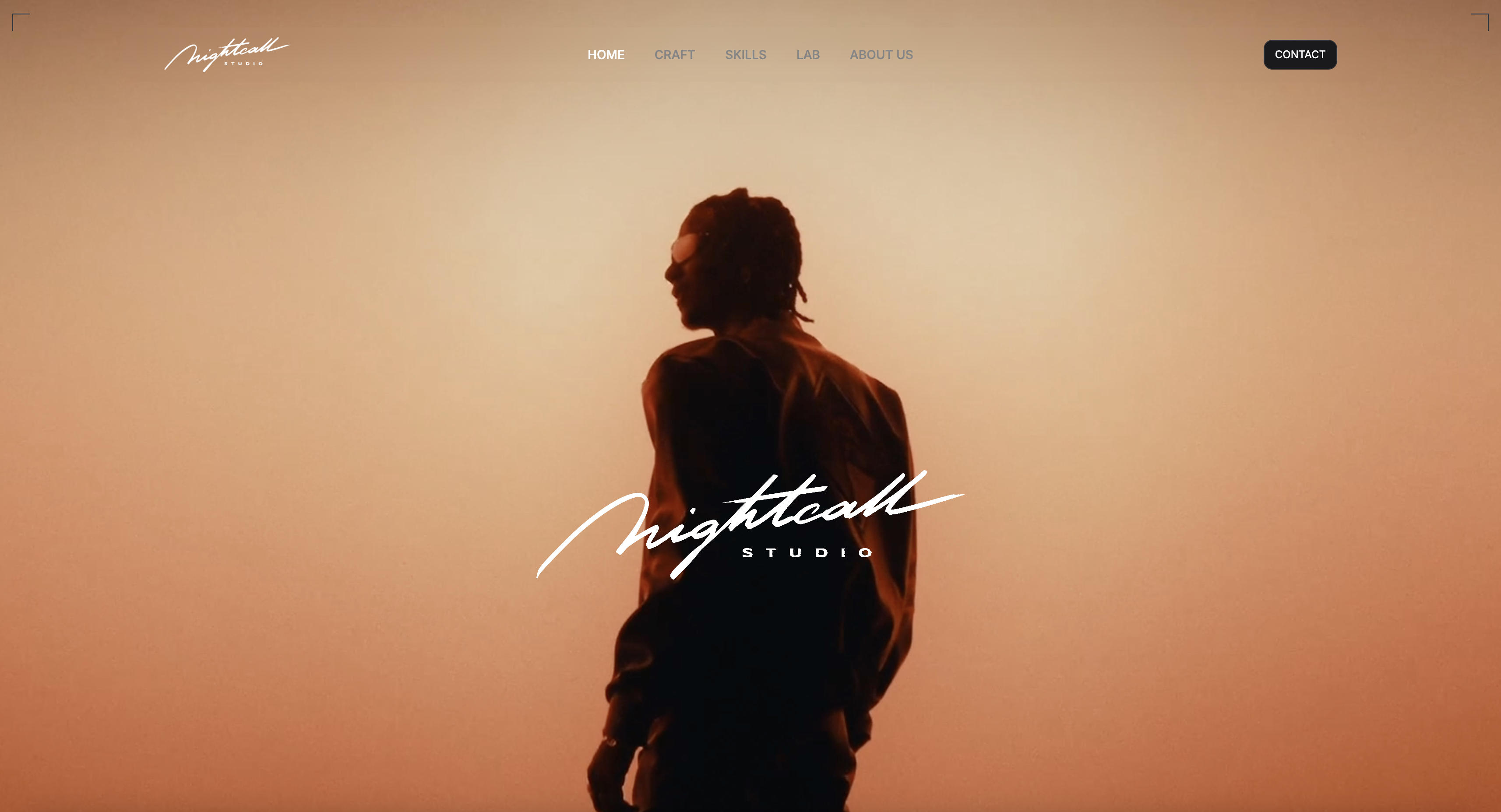
Framekit templates
Start from a designer-made template
 Use template
 Use template
 Use template
 Use template
 Use template
 Use template
 Use template
 Use template
Zeroheight's Starter plan costs a reported $49 per editor a month and allows two styleguides.
Read that again if you deliver brand books for a living. Two. A studio that finishes six identities a year cannot use the paid entry tier of one of the best-known tools in this category, because it runs out of brand books in April.
Meanwhile Corebook sells agencies unlimited brand projects for a reported $69 a month, and Notion will publish a brand book to a public URL for nothing at all.
A brand guidelines tool is a platform for publishing a brand's logo rules, colour values, typography, imagery direction and asset downloads as a living web page rather than a static PDF, so the client's team always sees the current version.
The best brand guidelines tool for studios delivering client work in 2026 is Corebook Studio, at a reported $69 a month for unlimited brand projects or a reported $1,100 one-time permanent licence, because it is the dedicated guidelines tool here that does not charge you more for having more clients.
Standards is the better answer for a small team wanting a polished result fast, at $40 a month including two seats with unlimited published sites.
Frontify is the enterprise standard and prices on monthly active users, which means your client's staff reading the guidelines is what generates your bill.
Framekit is the pick for a studio that presents the brand as a deck and also builds the client's site, because its Slides tool ships swatches, type specimens and mockups as elements, decks are unlimited, and $9 a month covers every client, though its deck links have no password and it has no asset download portal.
The honest caveat is that a free Notion page delivers a usable brand book, and for many freelancers that is the correct answer.
- 1Corebook StudioTop pickThe Only Tool That Does Not Punish You for Having Clients
- 2StandardsThe Best-Looking Result, and Unlimited Sites
- 3Framekit SlidesBest for a Brand Book Presented as a Deck
- 4BrandpadThe Studio Favourite We Could Not Price
- 5FrontifyThe Enterprise Standard, Priced by Your Client's Headcount
Disclosure: Framekit is our product and we placed it third, for brand books delivered as a presentation alongside the site rather than as a governed brand portal. Its entry is written from Framekit's published features and plans, and the reviews on either side of it say where each tool beats it.
Updated in September 2026: we added Framekit Slides, which launched after this guide first ran, and re-verified Framekit's plans against its live pricing page; other prices are as read during the original comparison.
How We Compared 9 Brand Guidelines Tools
We priced one specific business rather than a generic user: a small studio delivering six client brand books a year, each needing a custom domain or at least a clean URL, password protection, asset downloads and a client who will log in occasionally for the next three years.
For each tool we recorded the price, what the price is charged against, and how many brands the tier actually permits.
Figures were read from vendor pricing pages during this comparison and each entry says which grade of claim it is. Where a page rendered no prices, we say so rather than substituting a number from a reseller.
Judgments about which model suits a studio versus a brand owner are ours.
Two of the nine publish no prices at all. Frontify states openly that it does not display fixed pricing and prices on monthly active users instead, and Brandfolder directs everyone to a quote.
Brandpad's pricing table is client-rendered and did not reach us, though its free Starter tier is documented.
In one linenine tools, six client brand books a year, priced on what the vendor actually charges against rather than on the headline number.
What Pricing Six Brand Books Showed
The finding that reorders this category is that the number on the pricing page is charged against four different things, and which one it is matters more than how large it is.
- Per brand, per seat, per monthly active user and per nothing at all are all live pricing models here.
- The paid entry tier of one major tool caps you at 2 styleguides, which makes it unusable for a studio.
- One tool sells unlimited brand projects for a reported $69 a month, and a permanent licence for a reported $1,100.
- Frontify counts external partners and freelancers toward your bill if they log in once a month.
- 2 of the 9 publish no prices whatsoever, and a third did not render its table to us.
- A free Notion page publishes a brand book to a public URL with no cap on published pages.
For the tool matched to how you actually work, jump to the decision guide.
Cost Per Client Brand Book Delivered
Six brand books a year is a realistic output for a two or three person studio. Here is what each tool costs to deliver them, and where the model breaks.
| Tool | What the price is charged against | Cost a year | Books that tier allows | Cost per book |
|---|---|---|---|---|
| Notion, free | Nothing | $0.00 | Unlimited published pages | $0.00 |
| Corebook Studio, one-time | Nothing after purchase | Reported $1,100 once | Unlimited | About $61.11 over three years |
| Standards Pro | Seats, 2 included | $480.00 | Unlimited published sites | $80.00 |
| Corebook Studio, subscription | Nothing per brand | Reported $828.00 | Unlimited | $138.00 |
| Framekit Starter | Nothing per brand | $84.00 billed yearly | Unlimited decks | $14.00 |
| Figma Professional | Full seats | $192.00 | Unlimited files | $32.00 |
| zeroheight Starter | Editors | Reported $588.00 | 2 styleguides | Cannot deliver 6 |
| Brandpad | Not readable | Free tier exists | Not readable | Not readable |
| Frontify | Monthly active users | Quote only | Not stated | Quote only |
| Brandfolder | Quote only | Quote only | Not stated | Quote only |
The row that should stop a studio owner is zeroheight's. At a reported $49 per editor a month, the Starter plan permits two styleguides and up to five editors.
That is a plan designed for a product team maintaining its own design system, not for an agency delivering client identities, and the tier above it is priced by conversation.
The row that should interest them is Corebook's one-time option. At a reported $1,100 with unlimited brand projects, a studio delivering six books a year for three years pays about $61.11 a book and then keeps working without renewing anything.
And the row nobody expects to see at the top is Notion's, at zero.
In one linethe same six brand books cost between nothing and a quote, and the tool that caps you at two is not the cheapest one.
The 9 Best Brand Guidelines Tools in 2026: Full Comparison
Scores are out of 10 across four weighted criteria: whether the pricing model fits delivering multiple client brands (30%), the quality of the published result a client actually sees (30%), how much of a brand system it can hold including assets and tokens (25%), and speed to a first publishable book (15%).
Pricing model fit leads because in this category the wrong model does not cost you more, it stops you working.
| Tool | Model | Entry price | Brands allowed | Best for | Score |
|---|---|---|---|---|---|
| Corebook Studio | Per studio | Reported $69 a month | Unlimited | Agencies delivering client identities | 8.7 |
| Standards | Per seat | $40 a month, 2 seats | Unlimited sites | Small teams wanting polish fast | 8.5 |
| Framekit Slides | Per account | Free, $9 a month Starter | Unlimited decks | Brand books presented as decks, plus the site | 8.1 |
| Brandpad | Not readable | Free Starter tier | Not readable | Design studios, on reputation | 8.0 |
| Frontify | Per monthly active user | Quote only | Not stated | Large in-house brand teams | 7.8 |
| zeroheight | Per editor | Reported $49 an editor | 2 on Starter | Product design systems, not agencies | 7.5 |
| Notion | Per seat, free tier viable | Free | Unlimited pages | Freelancers and lean studios | 7.3 |
| Figma | Per seat | $16 a full seat a month | Unlimited files | Teams already living in Figma | 7.0 |
| Brandfolder | Quote only | Quote only | Not stated | Enterprises managing assets at scale | 6.5 |
Framekit scores third on pricing fit and speed to a first book, and lowest of the top five on system depth, because a deck holds no token export, no permissioned asset library and no password on its link.
Two entries are ranked partly on reputation and structure rather than on prices we could read, and both say so in their reviews.
Ranking a tool we could not price is a compromise, and the alternative, leaving well-regarded products out because their marketing site is a single-page application, would serve you worse.
1. Corebook Studio: The Only Tool That Does Not Punish You for Having Clients
PriceRead at source on Corebook's agency pricing page. Corebook Studio is $69 a month with unlimited brand projects, 3GB storage per project, a studio dashboard, reusable templates, the full editor and unlimited team collaborators.
A one-time licence is $1,100 with the same unlimited projects, and the page states that when you buy a Corebook Studio licence it is yours forever.
Brand owner plans are separate, with a reported $119 a month tier adding custom domain, custom fonts, password protection, viewer accounts and an asset library.
Best forStudios and agencies delivering brand identities to clients, repeatedly.
Rating8.7 out of 10
Corebook is the dedicated guidelines tool in this comparison whose pricing best understands what an agency is. Unlimited brand projects on a $69 a month plan means the fourteenth client costs the same as the first, and that is the entire argument.
Every competitor here charges against something that scales with your success: seats as your team grows, styleguides as your client list grows, or monthly active users as your clients' teams grow. Corebook charges against the studio and stops.
The reusable templates matter more than they sound. If your studio has a house structure for brand books, and most do, you build it once and every subsequent project starts there.
That converts a five-day deliverable into a two-day one, which at agency rates dwarfs the subscription.
The detail that stood out is the one-time licence at $1,100. In a category where every other paid option renews, a permanent purchase with unlimited projects is close to unheard of.
A studio delivering six books a year pays about $61.11 a book across three years and about $30.56 across six, and the number keeps falling.
The gotcha is storage. 3GB per project sounds generous until a client brand book carries video, high-resolution photography direction and a full asset library, at which point it is not. Check your heaviest past project against that ceiling before committing.
The other honest limit is that Corebook is less known than Frontify or zeroheight, which occasionally matters when a corporate client's procurement team has opinions about vendors.
Skip it ifyou are a single brand owner rather than a studio, because the brand owner plans at a reported $119 a month are priced against a different and more expensive logic.
Verdict: the correct default for anyone delivering brand books as client work, and the one-time licence at a reported $1,100 is the best value in this article by a wide margin. Verify the 3GB per project ceiling against your heaviest deliverable and then buy it.
2. Standards: The Best-Looking Result, and Unlimited Sites
PriceRead at source. Pro starts at $40 a month, billed per seat with 2 seats included and additional seats at $20 a month.
It includes unlimited published sites, 2GB storage per site, custom domains, custom fonts, password-restricted pages, AI integrations, SSO for viewers, multi-language support and secure API access.
Enterprise is custom, adding more storage, an agent-ready API, automatic localisation, backups with version history and domain-verified access.
Best forSmall teams who want the published book to look designed rather than templated.
Rating8.5 out of 10
Standards produces the most attractive published output in this comparison, and for a deliverable whose entire job is to demonstrate design competence, that is not a superficial criterion. A brand book that looks like a form is a bad advertisement for the studio that made it.
The pricing shape is the second reason it ranks here. Unlimited published sites on the entry tier means the same structural advantage Corebook has, with two seats included at $40 a month rather than one.
Multi-language support is the detail that separates it from most of this list, and it is the sort of requirement that appears late and expensively.
A client with European operations will ask for the guidelines in three languages, and having that on the entry tier rather than in a quote is worth real money.
Password-restricted pages plus SSO for viewers on the same tier is unusually complete too. Most tools here make you choose between a public book and an enterprise conversation.
The gotcha is per-seat billing. At $20 a month per additional seat, a five-person studio pays $100 a month rather than $40, which changes the comparison against Corebook's flat studio pricing considerably.
Standards is cheaper for one or two people and more expensive for four or more.
Storage is also 2GB per site, slightly tighter than Corebook's 3GB, and the same warning applies for asset-heavy books.
Skip it ifyour team is large enough that per-seat pricing overtakes a flat studio fee, which happens at about three additional seats.
Verdict: the best published result in the category, sensibly priced for one to three people, with unlimited sites removing the cap that ruins zeroheight for agencies. Buy it if the look of the deliverable is part of the pitch, which for a design studio it usually is.
3. Framekit Slides: Best for a Brand Book Presented as a Deck

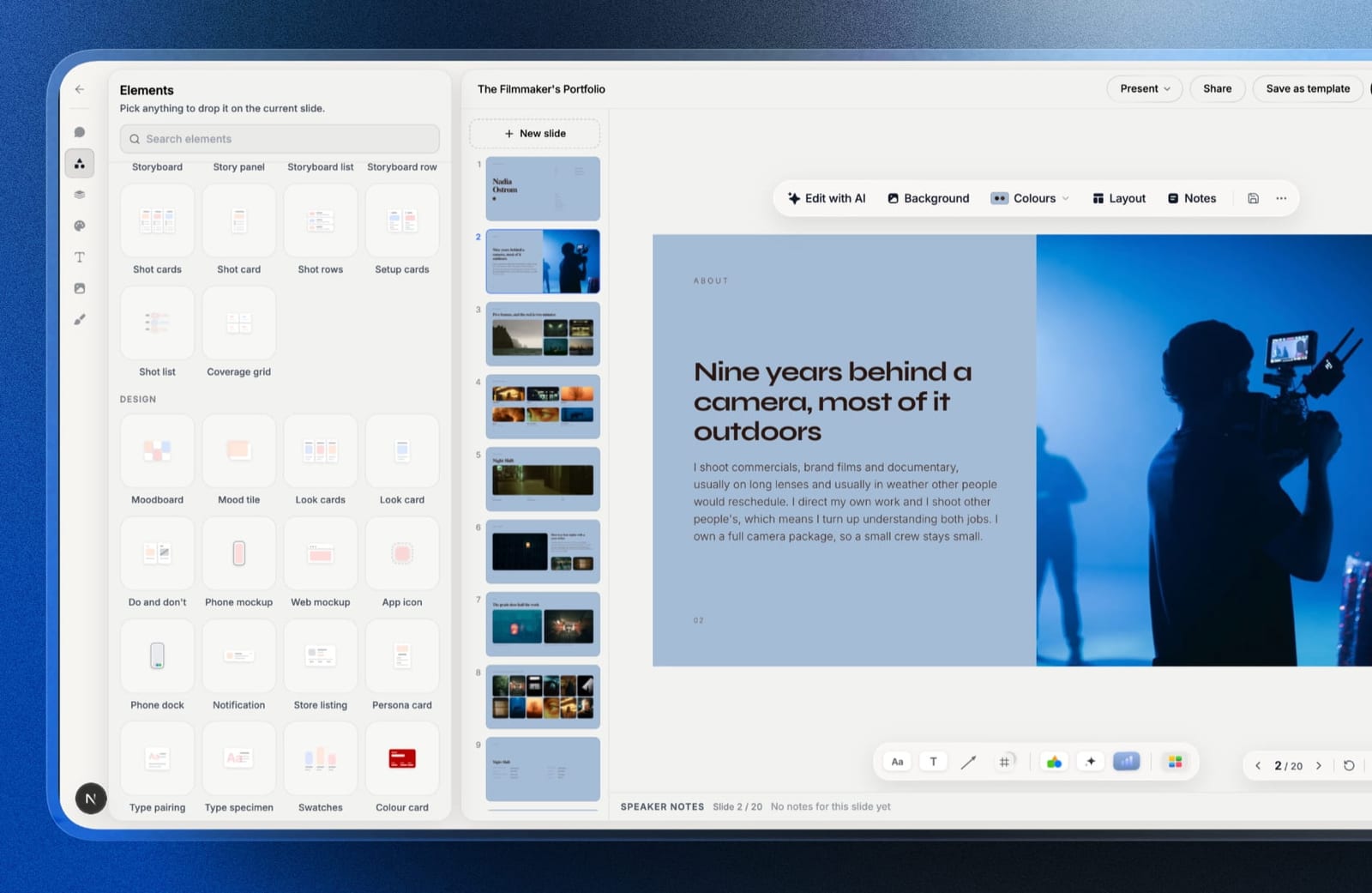
Framekit is an AI website builder, and its Slides tool is where a studio can build the brand book as a presentation: the identity walked through slide by slide, the way it is usually presented to the client on the day, and then left behind as a link.
The AI writes and lays out slides from a description and everything is editable by hand, with the client's own fonts and colours applied across every slide and speaker notes on each one.
The elements are the reason it belongs here.
Colour swatches, type specimens, phone and web mockups, moodboards and charts are ready-made, so a colour page, a typography page and an application page are layouts rather than something you draw from scratch.
You present full screen, share a link, or export a PDF on every plan.
The real numberdecks are unlimited on every plan, so six client brand books a year cost the same as one. Starter at $84 a year billed yearly adds custom fonts, the template library and removal of the Framekit byline, which works out at $14 a book, and the same plan builds the client's website.
The standout detailthe brand book and the site that applies it live in one account. The palette on the colour slide and the palette on the homepage are set by the same studio in the same tool, which removes the drift this category exists to prevent.
The gotchait is a deck, not a brand portal. Shared deck links have no password, there is no permissioned asset download library, no design tokens, and no live multi-cursor editing.
PowerPoint export starts on Pro and is picture-based, so a client who wants to edit the book in PowerPoint cannot.
Skip it ifthe client needs governed downloads, token sync with code, or password-protected guidelines. Corebook, Standards and zeroheight are built for those.
Verdict: the cheapest per-book route here for a studio that presents identities and builds the sites that carry them, and the wrong tool for a brand portal with permissions. See Framekit Slides.
4. Brandpad: The Studio Favourite We Could Not Price
PriceNot readable. Brandpad's pricing table is rendered client-side and did not reach our requests.
What is documented is a Starter plan at $0, described as being for brands looking to digitise without cost, and paid tiers that include templates, custom fonts, unlimited brand receivers and views of live guidelines, unlimited bandwidth and hosting with automatic backup.
Best forDesign studios who want a tool built specifically around the way identity work is delivered.
Rating8.0 out of 10
Brandpad has a reputation among independent identity studios that is disproportionate to its size, and having read what it publishes about its own thinking on pricing and craft, that reputation looks earned rather than marketed.
The structural detail worth knowing is unlimited brand receivers and views. In a category where Frontify meters the people who look at the guidelines, a tool that does not is making a specific and studio-friendly choice.
Your client can hand the book to their whole marketing department without it appearing on your invoice.
The free Starter tier at $0 is the other thing to note. It exists so a brand can move off a PDF without a purchase decision, which is a sensible on-ramp and a genuinely useful thing for a freelancer testing whether a live brand book changes how clients behave.
We are declining to give a cost per brand book because we could not read the prices, and a comparison that fills that gap with a number from a reseller is worse than one that admits it. Check the current tiers yourself before choosing between this and Corebook.
Skip it ifyou need to know the price before you invest time in a tool, which is a legitimate position and the reason this sits third rather than first.
Verdict: by reputation and by structure this belongs near the top of the category, and we cannot rank it above tools whose economics we verified. Worth pricing yourself if you deliver identity work, particularly for the unlimited viewers.
5. Frontify: The Enterprise Standard, Priced by Your Client's Headcount
PriceQuote only. Frontify states that by not displaying fixed pricing it engages directly with customers to propose a tailored package.
Pricing is based on monthly active users, the count of unique users engaging with the platform each month, calculated on a six-month average. External partners and freelancers count toward that number if they log in at least once a month.
Viewers who do not log in are not counted.
Best forLarge in-house brand teams governing a brand across many countries and agencies.
Rating7.8 out of 10
Frontify is the most complete brand platform here and it is not close. Guidelines, digital asset management, creative collaboration, approval workflows and library governance in one place, which for an organisation with a real brand team is the correct architecture.
The pricing model is the thing to understand before you enter a sales conversation, because it is unusual and it has a direction of travel.
Monthly active users means you are charged for engagement. The more thoroughly your brand guidelines are adopted across the business, the more the platform costs.
That is defensible as a value-based model and it is also a strange incentive for a tool whose purpose is to get everybody using the brand correctly.
The clause worth flagging is that external partners and freelancers count if they log in once a month.
An organisation working with a dozen freelance designers and three agencies is paying for those people to read its brand rules, which is exactly the population you most want reading them.
The mitigation is real and worth stating fairly: viewers who do not log in are not counted, so a publicly readable guidelines site does not accumulate charges. The cost attaches to participation, not to reading.
For a studio delivering client books, none of this works. You would be charged for your client's adoption of a brand you already handed over.
Skip it ifyou are an agency rather than a brand owner, because the model prices the wrong thing for your business entirely.
Verdict: the right platform for a large in-house brand team and the wrong one for anybody delivering client work. Go into the quote conversation knowing the six-month averaging and the freelancer clause, because those are the levers that move the number.
6. Zeroheight: Excellent for Design Systems, Structurally Wrong for Agencies
PriceRead at source. Free gives 1 editor, 1 styleguide, 1 token set, basic integrations and an AI assistant.
Starter is a reported $49 per editor a month billed monthly with a 15% saving on annual billing, allowing up to 5 editors, 2 styleguides, 3 token sets, a custom domain and appearance, commenting and governance, with a 14-day trial.
Enterprise is custom, with 5 or more editors, 5 or more styleguides, 10 token sets, SSO, API access and analytics.
Best forProduct teams documenting a design system that connects to code.
Rating7.5 out of 10
Zeroheight is very good at the job it was built for, which is documenting a design system where the tokens in the guidelines are the tokens in the codebase.
The token set support, the Figma and Storybook integrations and the governance features are ahead of everything else in this comparison for that use case.
If you are a product designer publishing a system your engineers consume, this is a strong choice and the free tier with one styleguide and one token set is a genuinely usable starting point.
The problem is the shape of the paid tier for anyone else. Starter allows 2 styleguides. A studio delivering client identities produces one per client, so the plan is exhausted at the second client and the only route onward is an Enterprise conversation with no published price.
That is not a flaw, it is a positioning decision, and it is the single most important fact for the largest group of people searching this category. Zeroheight is priced for a company documenting its own system, not for an agency documenting other people's.
The per-editor model compounds it. At a reported $49 an editor, a three-person studio pays a reported $1,764 a year to publish two brand books, against Standards at $480 for unlimited sites.
Skip it ifyou deliver more than two brands, which describes essentially every agency and freelancer in this audience.
Verdict: best in class for product design systems and the wrong tool for client identity work, and the pricing page makes that clearer than the marketing does. If you are an agency, the 2-styleguide cap on Starter is where this decision ends.
7. Notion: The Free Brand Book Most Freelancers Should Consider
PriceRead at source, in euros on the page served to us. Free is 0 per seat with published pages on notion.site, a 10 external guest limit, 5MB file uploads per item, a Notion AI trial and Notion Calendar.
Plus is 9.50 a seat a month and Business is 19.50, with the page stating up to 20% saving on yearly billing. Enterprise is custom.
Best forFreelancers and lean studios whose clients need clear rules more than they need a beautiful microsite.
Rating7.3 out of 10
The uncomfortable truth about this category is that most of what a brand book must do is communicate rules clearly, and a free Notion page does that.
Unlimited published pages on the free tier means you can hand every client a live URL that updates when you update it, which is the core promise the paid tools are selling.
What you give up is real and worth naming. The book looks like Notion. There is no custom domain on the free tier, the typography is Notion's, and a client who is paying for identity work may reasonably notice that their brand guidelines are not branded.
For a freelancer at the start of their career, that trade is usually correct. Spending a reported $828 a year on Corebook to deliver two brand books is worse economics than spending nothing and putting the difference into the actual design work.
The limits to check are specific. The 5MB per-item upload cap makes Notion poor as an asset library, so logo packages and font files need to live elsewhere and be linked. The 10 external guest limit applies to collaborators rather than to readers of a published page.
Skip it ifthe visual quality of the deliverable is part of what the client is buying, which becomes true as your rates rise.
Verdict: the honest zero-cost answer, and a better starting point than most of this category admits. Move to Corebook or Standards when a client's brand book needs to look as considered as the brand, not before.
8. Figma: Where the Brand Already Lives, and Not a Guidelines Tool
PriceRead at source. Starter is free with unlimited drafts and 150 AI credits a day up to 500 a month. Professional is $16 a month for a full seat, $12 for a dev seat and $3 for a collab seat.
Organization, billed annually, is $55 for a full seat, $25 dev and $5 collab. Enterprise, billed annually, is $90 full, $35 dev and $5 collab. Viewers can access files without purchasing seats.
Best forTeams whose brand assets already live in Figma and who want one source rather than two.
Rating7.0 out of 10
Figma is in this comparison because it is where a great deal of brand documentation actually ends up, whether or not that was anyone's plan.
The identity was designed here, the components live here, and publishing a guidelines page as a Figma file avoids the duplication problem every dedicated tool creates.
Much of that identity work now starts in a generator, as our comparison of AI logo makers sets out.
The line that matters most for this use case is that viewers can access files without purchasing seats.
A studio can hand a client read access to the brand documentation without adding a seat to anyone's bill, which is the opposite of Frontify's model and considerably friendlier for client work.
The collab seat at $3 a month is the other underrated detail. A client stakeholder who needs to comment rather than edit costs a fifth of a dev seat and a sixth of a full one.
What Figma is not is a guidelines product. There is no password-protected microsite, no custom domain, no structured asset library with download buttons, and no way to present rules to a marketing manager who has never opened a design tool.
Handing a non-designer a Figma file and calling it brand guidelines is a common and bad practice.
Skip it ifthe audience for the book includes people outside the design team, which is almost always the point of a brand book.
Verdict: the cheapest way to document a brand for other designers and a poor way to deliver one to a client. Free viewers and $3 collab seats make it excellent as the source of truth feeding a proper published book elsewhere.
9. Brandfolder: Asset Management First, Guidelines Second
PriceQuote only. Brandfolder publishes no figures and directs all enquiries to a demo or a quote.
Two tiers are described: Premium, positioned for organisations wanting scalable digital asset management with analytics, bulk asset management and tagging, including OCR document intelligence, SSO, asset lifecycle controls and video AI; and Enterprise, for large-scale deployments, adding custom automation, granular permissions, multi-brand organisational controls, BI data connectors and branded vanity URLs.
Best forEnterprises whose actual problem is thousands of assets rather than a set of rules.
Rating6.5 out of 10
Brandfolder is a digital asset management platform that also publishes guidelines, and the ordering of those two things is the entire review.
If your problem is that four thousand product photographs are scattered across three drives and nobody can find the current logo, this is the correct category of software and Brandfolder is a credible choice in it.
If your problem is that a brand needs documented rules, this is a large amount of machinery aimed at something else.
The multi-brand organisational controls on Enterprise are genuinely relevant to holding companies and groups managing several brands with separate permission structures, which is a real requirement that most of this list cannot meet.
Quote-only pricing puts it out of reach of the audience this article is mostly written for. A freelancer or small studio will not get a useful answer from that sales process, and should not spend the time finding out.
Skip it ifyou are anyone other than an organisation with a genuine asset management problem, because the guidelines capability alone does not justify the process.
Verdict: a serious DAM platform with guidelines attached, priced by conversation, and the wrong shape for studios and freelancers. Ranked last here for fit rather than for quality.
Four Pricing Models, and Which One Is Charging You for Success
Every tool here charges against something, and the thing it charges against tells you who it was built for more reliably than any feature list.
| Model | Tools | What grows your bill | Right for |
|---|---|---|---|
| Per studio or account, flat | Corebook Studio, Framekit | Nothing | Agencies delivering many client brands |
| Per seat | Standards, zeroheight, Figma, Notion | Your team growing | Teams with stable headcount |
| Per styleguide | zeroheight Starter, capped at 2 | Your client list growing | Companies documenting one system |
| Per monthly active user | Frontify | Your client's adoption growing | Large in-house brand teams |
| Quote only | Frontify, Brandfolder | Whatever they decide | Organisations with procurement |
Read that middle column as a forecast of your own bill in three years.
A studio on a per-styleguide model is penalised for winning clients, which is the single worst incentive a supplier can attach to an agency.
A brand team on a monthly-active-user model is penalised for the guidelines being adopted, which is the outcome the guidelines exist to produce.
Per-seat is the most familiar model and it is fine as long as your team is stable.
Standards at $40 a month with two seats included is good value for a pair, and at $20 for each additional seat a five-person studio reaches $100 a month, at which point Corebook's flat reported $69 for the whole studio is straightforwardly cheaper.
The general rule for anyone doing client work is to pay against something you control. Your studio size you control. Your client's marketing department logging in you do not.
In one linepick the model that charges against something you control, which for an agency rules out per-styleguide and per-active-user immediately.
What a Brand Book Has to Contain to Be Used
The tooling question is downstream of a content question that most studios answer too thinly, and a beautiful microsite documenting the wrong things is still a PDF nobody opens.
A brand book that actually gets used covers logo files with clear rules on minimum size, clear space and what not to do; colour values in hex, RGB, CMYK and Pantone, with contrast pairings that clear the WCAG minimum of 4.5 to 1 for body text, which our comparison of colour palette tools covers in detail; typography including the licensed weights, which is a real cost worth understanding before you specify a family, the fallback stack and real examples at real sizes; imagery direction shown as approved and rejected examples rather than adjectives; and downloadable asset packages organised by the job the person doing the downloading is trying to do.
That last point is where most brand books fail. They are organised by asset type, because that is how the designer thinks.
The person opening them is trying to make a social post, a slide or a job advert, and organising downloads by task rather than by file type is the single change that most increases whether the book gets used.
The tools differ here in ways the pricing pages do not show. Corebook, Standards, Brandpad and Frontify all support structured asset libraries with downloads. Notion needs assets hosted elsewhere because of its 5MB per-item cap.
Figma has no download story for non-designers at all.
In one lineorganise the asset downloads by the task the reader is doing, not by file type, because that is what determines whether the book is used or ignored.
The Website Is Half the Brand Delivery
This is our own category, so read the argument below as an interested party making its case, and read the limits at the end of the section as the honest part of it rather than as a formality we appended.
A brand book documents the identity, and for the studios who deliver them the site is usually part of the same engagement, which is why our guide to website builders for graphic designers treats the two as one deliverable.
A brand book documents the identity.
The website is where the identity is first demonstrated, and for most client projects the two are delivered together, which means the studio ends up managing both the guidelines and the site that proves them.
Framekit is where the brand gets applied as well as presented.
Colour and type are system properties of the site, so the palette in the brand book and the palette on the site stay the same thing rather than drifting apart over two years of edits, and the Slides deck reviewed at number three can hold the book itself.
Where this argument loses, plainly. A deck is not a brand portal, and nothing here replaces Corebook or Standards for governed guidelines.
If the client needs a governed asset library with permissioned downloads, that is a different product and we do not offer it. And if the brand has to govern print, packaging and environmental applications, no website tool touches that.
The honest split is that the tools ranked above document the brand and this applies it, and a client project usually needs both.
In one lineguidelines tools document the identity and a builder demonstrates it, and delivering client work generally requires one of each.
The Decision Guide
Work down this list until a branch matches your situation, because the pricing models in this category differ so much by business shape that a general ranking is close to useless on its own.
You are a studio or agency delivering client brand books. Corebook Studio, at a reported $69 a month or a reported $1,100 one-time for unlimited projects. The flat studio price is the whole argument.
You present identities as a deck and usually build the client's site too. Framekit, with unlimited decks and the site on one plan at $9 a month, accepting that deck links have no password.
You are one or two people and the deliverable's appearance is part of the pitch. Standards Pro at $40 a month with two seats and unlimited published sites.
You have four or more people needing edit access. Corebook again, because Standards at $20 an additional seat overtakes a flat studio fee at about three extras.
You are a freelancer with two clients and no budget. Notion, free, with assets hosted elsewhere because of the 5MB item cap. Upgrade when your rates make the difference irrelevant.
You are documenting a design system that connects to code. zeroheight, and use the free tier first because one styleguide and one token set covers a single system.
You are an in-house brand team at a large company. Frontify, and go into the quote conversation knowing that monthly active users is the meter and that freelancers who log in count.
Your real problem is thousands of scattered assets. Brandfolder or a comparable DAM, quote only, and accept that the guidelines are a feature rather than the product.
Your brand documentation is for other designers only. Figma, where viewers are free and collab seats are $3 a month.
You want a tool built by people who think about identity work specifically. Brandpad, priced yourself, because we could not read its table and its structure and reputation are both strong.
Frequently Asked Questions
How much do brand guidelines tools cost?
Between nothing and a quote.
Notion's free tier publishes unlimited pages, Framekit Slides makes unlimited decks free and adds custom fonts at $9 a month, Standards Pro is $40 a month with two seats, Corebook Studio is a reported $69 a month for unlimited brand projects or a reported $1,100 once, and zeroheight Starter is a reported $49 per editor a month.
Frontify and Brandfolder publish no prices at all.
What is the best brand guidelines tool for an agency?
Corebook Studio, because it charges a flat studio fee for unlimited brand projects rather than charging per styleguide or per seat. The distinction matters enormously: a per-styleguide plan is a bill that grows every time you win a client.
Framekit vs Corebook for client brand books?
Corebook is better when the client needs a governed brand portal with asset downloads, password protection and a custom domain for the guidelines, at a reported $69 a month for unlimited projects.
Framekit is better when the brand book is a presentation left behind as a link and the studio also builds the client's website, because unlimited decks and the site sit on one $9 a month plan.
Why does zeroheight only allow two styleguides?
Because it is built for product teams documenting their own design system, where one or two styleguides is the normal requirement.
It is not a limitation aimed at agencies, it is evidence that agencies are not the intended customer, and it is the clearest signal in this comparison of who each tool is for.
What does monthly active user pricing mean for my bill?
Frontify counts unique users who engage with the platform each month, averaged over six months, and external partners and freelancers count if they log in at least once monthly. Viewers who do not log in are not counted.
In practice the bill grows as adoption grows, so a successful rollout is also a more expensive one.
Can I just use a PDF for brand guidelines?
You can, and the reason not to is version drift. A PDF is correct on the day you send it and wrong within a year, because the moment a colour or a logo changes, every copy anyone downloaded is now a source of errors. A live URL is the entire argument for this category.
What should a brand book actually include?
Logo files with minimum size, clear space and misuse rules; colour in hex, RGB, CMYK and Pantone with safe contrast pairings; typography with licensed weights, a fallback stack and real examples; imagery direction shown as approved and rejected examples; and asset downloads organised by the task the reader is doing rather than by file type.
Do I need a custom domain for a client's brand book?
It is worth having and it is not essential. Standards includes custom domains on its $40 a month Pro tier and Corebook includes them on its brand owner plans, while Notion's free tier does not.
For a client paying meaningfully for identity work, brand.clientname.com reads considerably better than a platform subdomain.
Which tools let clients view the guidelines without costing me money?
Brandpad documents unlimited brand receivers and views, Figma allows viewers without purchasing seats, and Notion's published pages are public. Frontify does not count viewers who never log in, but does count anyone who does.
Check this before you choose, because a book nobody is allowed to read is not a deliverable.
One field almost every brand book omits is the font licence, and it is the only part of an identity that can expire, as our comparison of twelve font marketplaces explains.
The Verdict
Corebook Studio is the best brand guidelines tool for studios in 2026, at a reported $69 a month or a reported $1,100 once for unlimited brand projects, because it is the only dedicated guidelines tool here whose price does not rise when your business does.
Standards is the better buy for one or two people who want the published result to look designed, at $40 a month with unlimited sites and two seats included, and it stops being the better buy at about three additional seats.
Framekit Slides is the cheapest per-book answer for a studio that presents the identity as a deck and builds the site that carries it, at $14 a book on Starter. Framekit is not for a governed brand portal: its deck links have no password and it has no asset download library.
Frontify is the correct enterprise platform and the wrong agency one, and anyone entering that conversation should know that the meter is monthly active users on a six-month average, with freelancers counted.
The finding worth carrying away is the one the pricing pages make plain once you read them side by side.
Four of these tools charge against something you control and three charge against something you do not, and zeroheight's Starter tier caps a paying customer at two styleguides, which quietly excludes every agency from the paid entry point of one of the category's best-known products.
So the last recommendation is the least expected.
If you are a freelancer with a small client list, publish the brand book on a free Notion page, host the assets elsewhere, and spend nothing until a client's brand deserves better than Notion's typography.
That day comes, and it is later than the pricing pages would like you to believe.