Framekit templates
Start from a designer-made template
 Use template
 Use template
 Use template
 Use template
 Use template
 Use template
 Use template
 Use template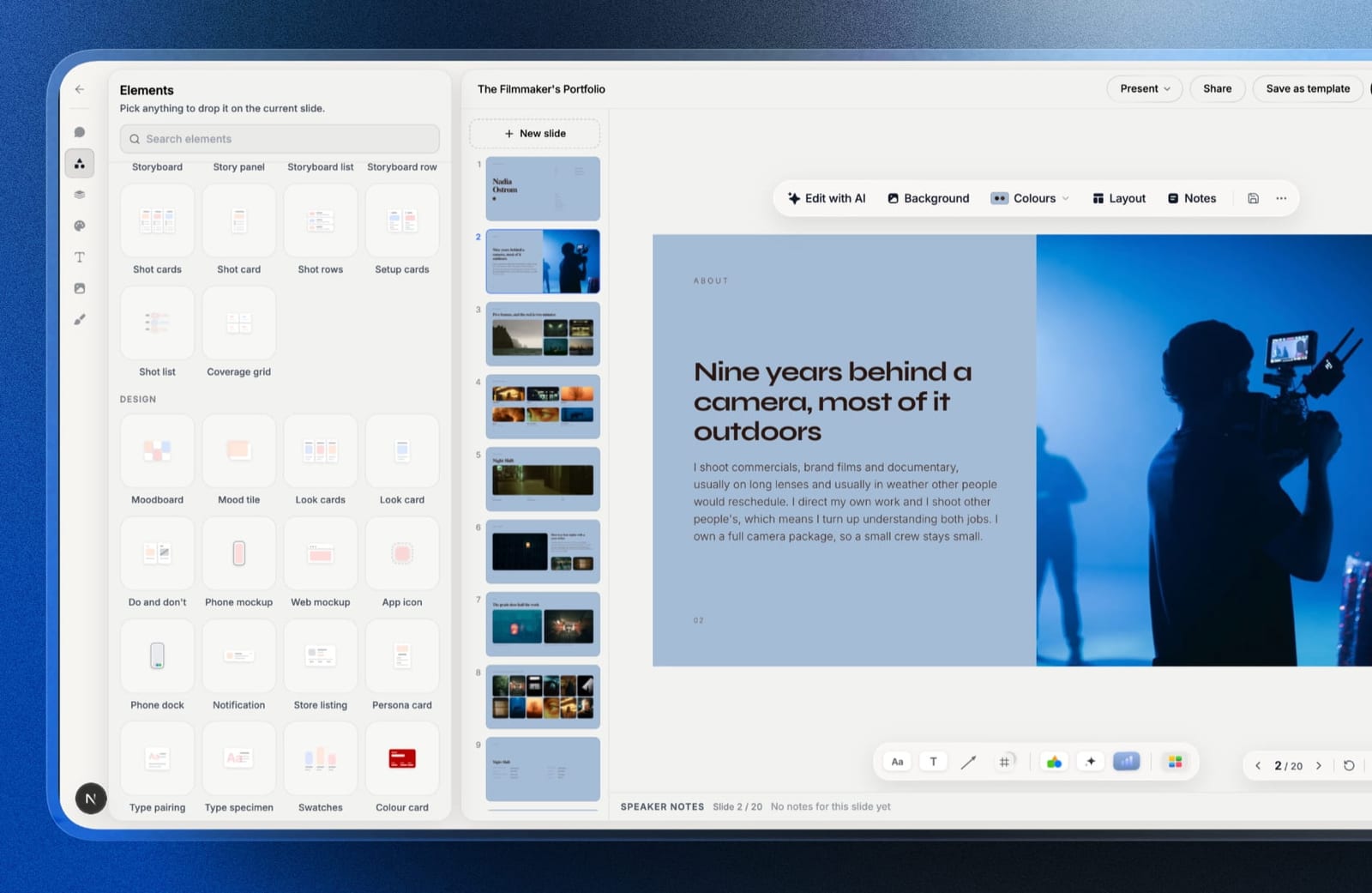
DocSend earned its position honestly. Send a document as a unique link per recipient, watch page-by-page as an investor reads it, require an email, block the download, revoke access when the conversation dies.
For a raise, that is genuinely better information than any editor feature.
The reason people go looking for DocSend alternatives is what happens when a second and third person want in. The Advanced plan includes three users, and each one after that costs $90 per month.
That is not a typo and it is not per year. Four users is $1,080 a year more than three.
Three seats, then a cliff.
A document sharing platform is a tool that puts a file behind a trackable link rather than an attachment, so you control who opens it, learn how far they read, and can withdraw access afterwards.
Framekit sits on the other side of that definition. Its Slides links and site pages are open to anyone holding the URL by design, which makes it the tool for a deck you want forwarded rather than one you want gated, so it is not ranked below.
The best DocSend alternative in 2026 is Papermark, because it is open source, self-hostable, has a genuinely free document-sharing tier, and covers the features people actually use DocSend for - per-recipient links, page analytics, email gating, watermarking, and data rooms.
The honest trade-off is that it is a younger product with a smaller support organisation than a Dropbox-owned service.
Pitch is the pick if the deck and the tracking should live in one tool, Gamma is the cheapest way to get tracked links at all, and Qwilr is the answer when the document needs a signature.
Full disclosure: Framekit is our own product and it is not ranked below, because its web pages and Slides deck links are open to anyone with the link and DocSend's entire purpose is controlled private sharing. It appears once, in a clearly labelled section about the documents that should not be gated at all.
In September 2026 we re-verified what Framekit's deck links can and cannot do; competitor prices are as checked in August 2026.
How We Tested These DocSend Alternatives
We ran the same document through every tool: a sixteen-slide seed deck plus a four-document data room containing a cap table, a financial model, a customer list, and a set of contracts.
The carried scenario is a founder raising over six months, sending to forty investors, with three people on the team who need to send things.
Per-recipient tracking. Not just whether a link was opened, but which page held attention and for how long, and whether the link was forwarded.
Access control. Email gating, passcodes, expiry, download blocking, watermarking, and NDA acceptance before viewing.
Data room behaviour. Whether a folder of documents can be shared with granular permissions rather than one link per file.
Seat model. What happens when the second and third person need to send, since this is the specific thing that pushes people off DocSend.
Cost over a six-month raise, and again over a full year, at published rates.
Three kinds of finding, kept apart. Ours by hand in August 2026: the ten setups, a test send to five recipients per tool, the download-block and expiry tests, and the data-room permission tests.
From published pricing: every figure below, linked where it carries the argument. From other people: recurring complaints in public reviews, always labelled as sentiment rather than as our result.
What Sending One Deck Ten Ways Showed
The category divides on two questions that no feature grid surfaces, and both of them decide the bill rather than the capability: whether an extra sender costs real money, and whether your documents are ever allowed to leave the vendor's servers.
- 6 of 10 have a genuinely free tier. DocSend has none, only a fourteen-day trial.
- 4 of 10 report page-by-page dwell time rather than a single open event.
- 1 of 10 is open source and self-hostable, which is the only option here where the documents never leave infrastructure you control.
- Cost for three senders over a year ranged from $0 to $1,800, and adding a fourth sender ranged from $0 to $1,080 extra.
- 5 of 10 support NDA acceptance or email gating before a document opens.
- Only 3 of 10 offer a real data room with per-folder permissions rather than a pile of individual links.
DocSend Alternatives Compared
The weighting: tracking depth 25%, access control 20%, seat model and cost 25%, data room capability 15%, ease of sending 15%.
Cost carries as much as tracking because the seat cliff is the stated reason most people arrive here, and several tools that match DocSend on features cost a fraction of it at four users.
| Tool | Free tier | Page-level analytics | Data room | Cost, 3 senders / year |
|---|---|---|---|---|
| DocSend | No, 14-day trial | Yes | Yes, Advanced tier | $1,800 (Advanced) |
| Papermark | Yes | Yes | Yes | EUR 288 (Pro) |
| Pitch | Yes, 1-5 seats | Yes, Team tier | No | ~EUR 540 |
| Gamma | Yes, credit-limited | Yes, per card | No | $324 |
| Storydoc | No, trial only | Yes, per section | No | $712.80 |
| Qwilr | No, trial only | Yes | No | $1,260 |
| PandaDoc | No, trial only | Yes | No | ~$684 |
| Canva | Yes | Views only | No | $900 (Teams) |
| Dropbox | Yes, limited | No | Yes, on higher tiers | Varies by plan |
| Notion | Yes | No | No | $360 (Plus) |
| Google Slides | Yes | No | No | $0 |
1. Papermark: The Best DocSend Alternative Overall
Best forfounders and firms who want DocSend's capabilities without DocSend's seat economics.
Papermark is the closest functional match in this comparison and the only one where you can run the whole thing yourself.
Per-recipient links, page-by-page analytics, email capture, dynamic watermarking, passcodes, and NDA gating before a document opens are all present, and our four-document data room worked with per-folder permissions rather than four separate links.
The real numberPapermark's document-sharing tier is free, with Pro at EUR 24 a month and Business at EUR 59. Its data-room tiers start at EUR 99 a month billed annually.
Against DocSend Advanced at $1,800 a year for three users plus $90 a month for each one after, the arithmetic is not close.
The standout detailit is open source and self-hostable, which means a fund or a company with a security review can run it on their own infrastructure and never send a cap table to a third party at all. Nothing else on this page offers that.
The gotchait is a younger product with a smaller organisation behind it. If you need a vendor with an enterprise support contract and a decade of procurement paperwork, that is a real argument for the incumbent, and we would not pretend otherwise.
Skip it ifyour investors or acquirers specifically expect a DocSend link, which still happens and is a real social convention rather than a technical requirement.
Verdict: the strongest replacement on every axis except vendor maturity, and the only one where your documents can stay on your own servers. Start with the free tier and you will know within a week.
2. Pitch: Best When the Deck and the Tracking Should Be One Tool
Best forteams tired of building a deck in one place and sending it from another.
DocSend does not make documents, which means every raise involves two subscriptions and an export step. Pitch collapses that: build the deck, send an advanced link, and see which investor read the traction slide twice, without the file ever becoming a PDF.
The real numberPitch is priced per seat at EUR 10 for Plus, EUR 15 for Team, and EUR 20 for Business, so three people on Team is roughly EUR 540 a year. Advanced links, where the analytics live, require Team.
The gotchathere is no data room. A cap table, a model, and a set of contracts are not slides, and Pitch has no answer for them, so a serious diligence process still needs somewhere else.
Skip it ifyou send documents rather than decks.
Verdict: the right choice when the artefact is a deck and nothing else, and incomplete the moment diligence starts.
3. Gamma: The Cheapest Route to Tracked Links
Best forearly founders who want to know whether anyone opened it and cannot justify $1,800 a year.
Gamma reports per-card dwell time on shared links, which is genuinely comparable to what most people use DocSend for, at $108 a year per person. On our test send it showed one recipient spending ninety seconds on the traction section and four seconds on the team page.
The real numberGamma Plus is $108 a year, and the free plan is credit-limited rather than feature-limited, so the tracking works before you pay anything.
The gotchathe access controls are thin. There is no NDA gating, no dynamic watermarking, and no data room, so anything genuinely confidential is not well served here.
Skip it ifthe documents are sensitive rather than merely private.
Verdict: the best value for a pre-seed founder who wants signal rather than security, and the wrong tool for diligence.

4. Storydoc: Best Section-Level Reading Data
Best forsales teams whose follow-up depends on knowing exactly what was read.
Storydoc's analytics are the most detailed here after DocSend's, reporting engagement per section on a document that reflows properly on a phone. For a deck opened on mobile by someone in a taxi, that combination is better than a paginated PDF with tracking bolted on.
The real numberStarter is $19 a month or $237.60 a year per seat, so three senders cost $712.80. There is no free plan.
The gotchano slide export at any tier and no data room, so nothing you build there can be filed, archived, or handed to a lawyer.
Skip it ifthe document has to exist as a file at the end.
Verdict: excellent reading data on a better mobile artefact, with a portability weakness you should decide on before you build.
5. PandaDoc: Best When the Document Gets Signed
Best foranyone whose tracked document ends in a signature rather than a meeting.
PandaDoc tracks opens and time per page like DocSend, and then does the thing DocSend does not: collects a legally binding signature, with an audit trail, inside the same document.
The real numberEssentials runs about $19 per user a month billed annually, roughly $228 a year each, with Business around $49. Essentials caps at two seats and excludes CRM integrations, which is the tier most small teams land on.
The gotchathe viewer is functional rather than attractive, and it is built around contracts. A pitch deck sent through PandaDoc reads as paperwork, which is the wrong signal during a raise.
Skip it ifthe document is a pitch rather than an agreement.
Verdict: the right tool for the signing end of a deal and the wrong one for the courtship.
6. Qwilr: Best for Tracked Proposals
Best foragencies and studios whose tracked document is a proposal with a price on it.
Qwilr produces a web document with analytics, an interactive quote block where the client toggles options, an e-signature, and a card payment for the deposit. For winning work rather than raising money, that is a more complete answer than DocSend.
The real numberQwilr Starter is $35 per user a month billed annually, which is $420 a year, so three seats cost $1,260. The Growth plan has a five-seat minimum at $55 each, making the real cost of stepping up $3,300 a year.
The gotchathat seat minimum is easy to miss and it is where custom branding lives, so the tier most studios eventually want is a wall rather than a step.
Skip it ifyou are fundraising. It is built for the sell side of a commercial deal.
Verdict: the strongest proposal tool here and priced for teams that close deals regularly.

7. Canva: Best If You Already Pay for It
Best forteams who want a shareable link and already have the subscription.
Canva shares any design as a link with view counts, password protection, and an expiry date, which covers the light end of what DocSend does at no marginal cost if Canva is already in your stack.
The real numberCanva Pro is $144 a year and Canva Teams is $25 per user a month, so three people cost $900 a year, and the free tier shares links too.
The gotchaanalytics are views and dates only. You will not know which of forty investors opened it, which is the entire reason DocSend exists.
Skip it ifper-recipient data drives your follow-up.
Verdict: a reasonable free-lunch option for low-stakes sharing and not a real replacement for tracking.
8. Dropbox: Best If DocSend Came With Your Plan
Best forteams already paying Dropbox who have not checked what their plan includes.
DocSend is owned by Dropbox, and depending on your plan some document-sharing and link-control features are already available to you, alongside real file storage and folder permissions that behave like a data room.
The real numberit varies by plan, which is precisely why it is worth checking before buying anything new. Look at what your current tier includes before adding a separate subscription.
The gotchaDropbox's own link sharing does not give you page-by-page analytics. You get access control and storage, not reading behaviour.
Skip it ifthe analytics are the point.
Verdict: the option most likely to already be paid for, and the least likely to tell you anything about how a document was read.
9. Notion: Best Free Private Link
Best forfounders who want a clean shareable document and no subscription.
A published Notion page reads well on any device, can be restricted to specific people, and costs nothing on a personal account. For an update to existing investors rather than a cold send, it is completely adequate.
The real numberNotion is free for personal use, with Plus at $10 per user a month billed annually, or $360 a year for three.
The gotchano analytics of any kind, no watermarking, no expiry, and no NDA gate.
Skip it ifyou need to know anything at all about who read it.
Verdict: the honest free option for documents where trust already exists.
10. Google Slides: The Zero-Cost Floor
Best foranyone who needs to send something today and has no budget.
Google Slides shares a link with granular permissions, works everywhere, and costs nothing at any team size. It is the floor of this category and a great many funded decks were sent this way before DocSend existed.
The gotchano per-recipient tracking, no watermarking, and no download blocking that survives a screenshot. You are sending a document and hoping.
Verdict: free and functional, with none of the intelligence that makes this category worth paying for.
What the Seat Cliff Actually Costs
The seat cliff is the number that brings most people to this page in the first place, so here it is laid out properly across a full year, at three senders and again at four, which is where the arithmetic stops being subtle.
| Setup | 3 senders | 4 senders | Difference |
|---|---|---|---|
| Google Slides | $0 | $0 | $0 |
| Papermark Pro | ~EUR 288 | ~EUR 288 | Flat, not per seat |
| Gamma Plus | $324 | $432 | $108 |
| Notion Plus | $360 | $480 | $120 |
| Pitch Team | ~EUR 540 | ~EUR 720 | ~EUR 180 |
| PandaDoc Essentials | ~$684 | ~$912 | ~$228 |
| Storydoc Starter | $712.80 | $950.40 | $237.60 |
| Canva Teams | $900 | $1,200 | $300 |
| Qwilr Starter | $1,260 | $1,680 | $420 |
| DocSend Advanced | $1,800 | $2,880 | $1,080 |
A test that takes two minutes. Count how many people in your company have sent a tracked document in the last quarter. If it is one or two, DocSend Personal at $120 a year is genuinely good value and none of this matters.
If it is four or more, you are paying more for the fourth seat than most of this page costs in total, and that is the moment to move.
In one lineDocSend is fairly priced for a solo sender and steeply priced for a team, so the decision is almost never about features and almost always about how many people press send.

The Documents That Should Not Be Gated
One marked section, and the only mention of anything we build.
Every tool above exists to control access, and a meaningful share of what gets put behind a DocSend link does not need controlling at all: the company overview, the product one-pager, the case study, the thing you send to anyone who asks what you do.
Framekit is an AI website builder for startups and studios, and the observation is narrow.
Gating a document that is not confidential costs you something real: it cannot be found in search, it cannot be forwarded without friction, and the person who would have shared it with a useful stranger does not.
For creative studios, the ungated document is usually a deck: a capabilities pitch, a treatment, a portfolio or media kit.
Framekit Slides, the deck tool inside Framekit, shares those as a link anyone can open, and publishing a change updates the deck at the same address.
You can reset the link so a forwarded copy stops working, unpublish the deck, or export a PDF for the recipient who wants a file, all on the free plan.

The limits, plainly: Framekit has no per-recipient links, no open or page analytics, no email gating, no password, no watermarking, no expiry date, no NDA acceptance, and no data room.
It is not an alternative to any of the ten tools above for anything confidential, and if you are sending a cap table you should ignore this section entirely.
Which DocSend Alternative Should You Choose?
The right answer depends on how many people send, how sensitive the documents are, and whether the tool also has to create them, so work down these questions in order and stop at the first yes.
1. Do four or more people need to send tracked documents? Papermark, whose pricing is flat rather than per seat, or Gamma if the documents are decks.
2. Are the documents genuinely confidential, with diligence attached? Papermark for a real data room with NDA gating, and self-host it if security review demands.
3. Should the tool also build the deck? Pitch, budgeting for the Team tier where advanced links live.
4. Does the document end in a signature? PandaDoc for contracts, Qwilr for proposals with a price.
5. Is the goal simply knowing whether anyone opened it? Gamma at $108 a year.
6. Are you already paying for Dropbox or Canva? Check what your current plan already includes before adding anything.
7. Is it an update to people who already trust you? Notion or Google Slides, free.
8. Is the document not actually confidential? Publish it instead of gating it.
Frequently Asked Questions
What is the best DocSend alternative in 2026?
Papermark is the best DocSend alternative for most teams, offering per-recipient links, page-by-page analytics, email gating, watermarking, NDA acceptance, and data rooms, with a free document-sharing tier and flat rather than per-seat pricing.
It is also open source and self-hostable, which is the only option here where confidential documents never leave your own infrastructure.
How much does DocSend cost per user?
DocSend Personal is $10 a month billed annually for one user, Standard is $45 a month, and Advanced is $150 a month for three users.
Each additional user on Advanced costs $90 per month, so a fourth sender adds $1,080 a year, which is the single steepest per-seat charge in this comparison.
Does DocSend have a free plan?
DocSend has no free plan, only a fourteen-day trial of the Advanced tier. Papermark, Gamma, Canva, Notion, and Google Slides all have permanently free tiers, and Papermark's free tier includes real per-recipient link sharing with analytics.
Is there an open source DocSend alternative?
Papermark is open source and can be self-hosted on your own infrastructure, which means cap tables, models, and contracts never pass through a third-party service.
It offers the same core features people use DocSend for, including page-level analytics, dynamic watermarking, passcodes, and NDA gating before a document opens.
Which tools show page-by-page reading analytics?
DocSend, Papermark, Storydoc, and PandaDoc all report engagement at the page or section level rather than a single open event, and Pitch and Gamma do the equivalent for slides and cards.
Canva reports view counts only, and Notion, Dropbox link sharing, and Google Slides report nothing per recipient.
Can you send a pitch deck without DocSend?
You can send a pitch deck through Papermark's free tier, Gamma at $108 a year, or Pitch's advanced links on the Team tier, all of which report who opened it and how far they read.
Google Slides and Notion will send the deck for nothing but tell you nothing about what happened next.
What is the difference between document sharing and a data room?
Document sharing puts a single file behind a trackable link, while a data room shares a structured folder of documents with per-folder permissions, NDA gating, and access logs suitable for diligence.
Only DocSend, Papermark, and Dropbox offer real data rooms in this comparison; the deck-focused tools do not.
Does blocking downloads actually protect a document?
Blocking downloads prevents casual saving and forwarding, and it does not stop anyone determined, since a screenshot or a photograph of the screen defeats it entirely.
Treat download blocking and dynamic watermarking as deterrents that make leaks traceable rather than as controls that make them impossible.
Should investor updates be tracked?
Tracking a cold investor send is genuinely useful because it tells you which fund to chase and what landed.
Tracking an update to existing investors who already back you adds little and can read as distrust, which is why many founders use a free tool such as Notion for updates and a tracked link only for new conversations.
Does everything need to be behind a link?
A meaningful share of what gets gated is not confidential at all, including company overviews, product one-pagers, and published case studies.
Gating those costs you discoverability in search and makes them harder for a supporter to forward, so it is worth separating the documents that need control from the ones that only need to be findable.
What should a creative studio use for a deck that does not need tracking?
A creative studio can send an untracked capabilities deck, treatment or portfolio through Framekit Slides, which shares it as an open link that updates in place, can be reset or unpublished, and exports a PDF, all on its free plan.
It has no password, email gate or reading analytics, so any deck where you need to know who opened it belongs in Papermark, Pitch or DocSend instead.
Final Verdict
Papermark is the DocSend alternative most teams should try, and the reason is structural rather than featural: its pricing is flat where DocSend's is per seat, and its code is yours to run if a security review demands it.
On a four-person team the gap is roughly $2,600 a year for a very similar capability set.
The honest counterweight is vendor maturity. DocSend is a Dropbox product with a support organisation, procurement paperwork, and a decade of investors expecting its links. If that matters to your buyers, it is a real reason to stay, and the $90 seat is the price of it.
Where Framekit loseswe do not do controlled sharing at all.
No per-recipient links, no analytics, no password, no watermarking, no expiry, no NDA gating, no data rooms, which is why we excluded ourselves from this ranking rather than finding a spot in it; a Slides deck link can only be reset or unpublished.
Every tool above beats us at the job this page is about. Our only point is that some of what people gate was never confidential.
If you take one number away, take the $1,080. That is what a fourth person pressing send costs you per year, and it is more than most of this page charges for everything.
Related reading: our guides to the best pitch deck software, the best presentation tools for startups, how to share a presentation online, and the best client proposal software.
Prices above were read from each vendor's published pricing in August 2026. Per-seat rules and additional-user charges in this category are often listed separately from headline prices, so check both lines before committing a team.