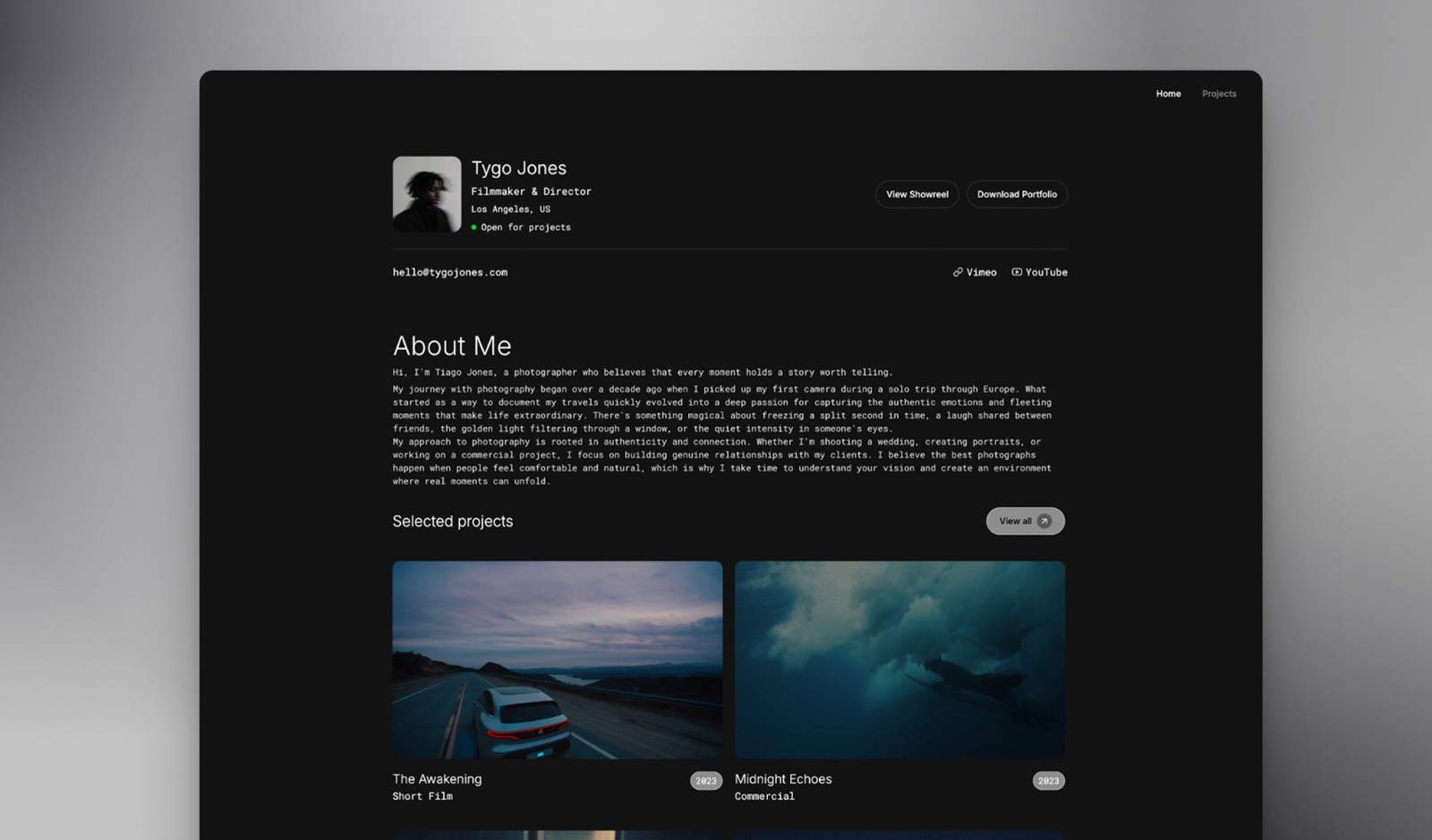
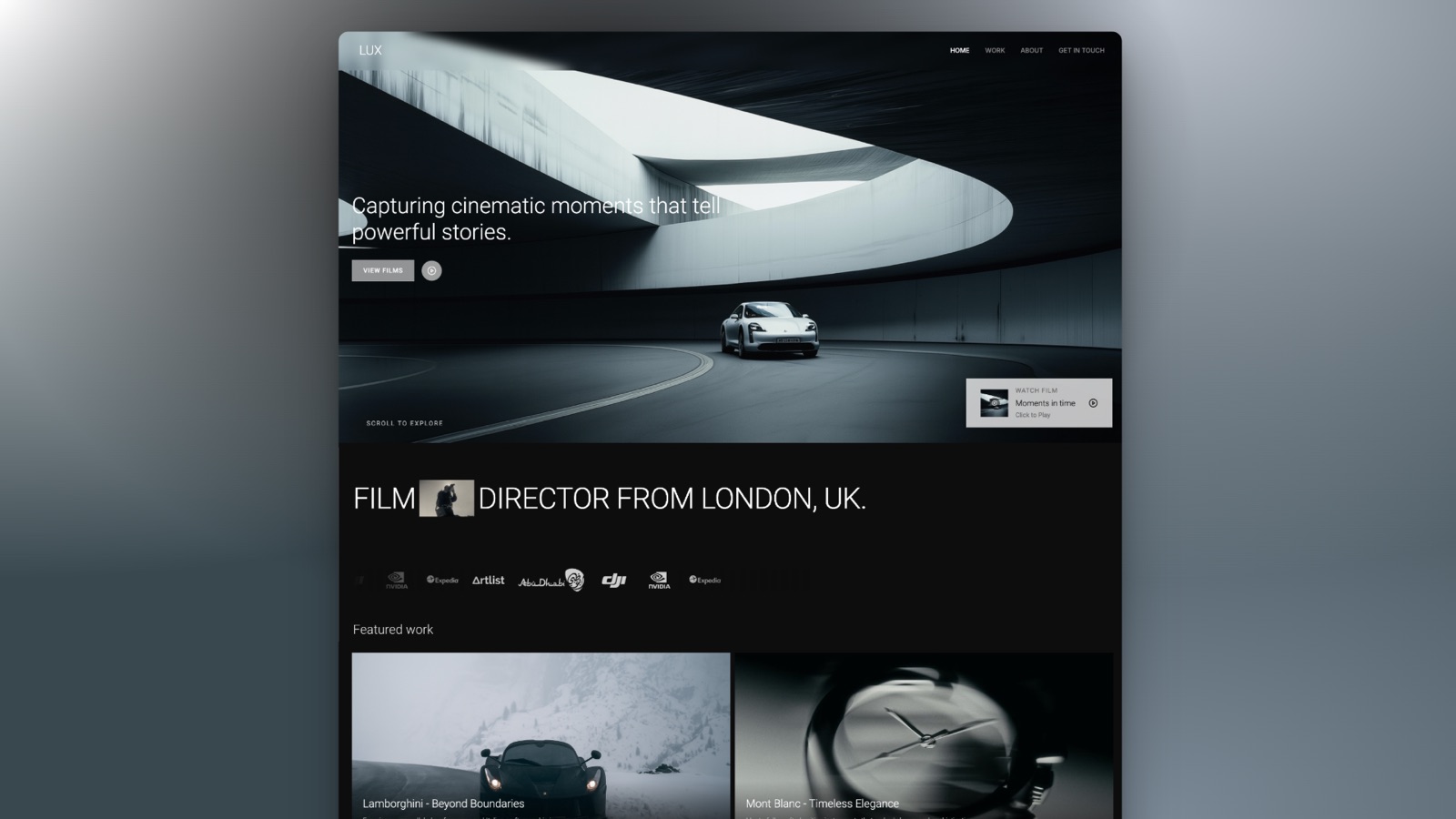
Framekit templates
Start from a designer-made template
 Use template
 Use template
 Use template
 Use template
 Use template
 Use template
 Use template
 Use template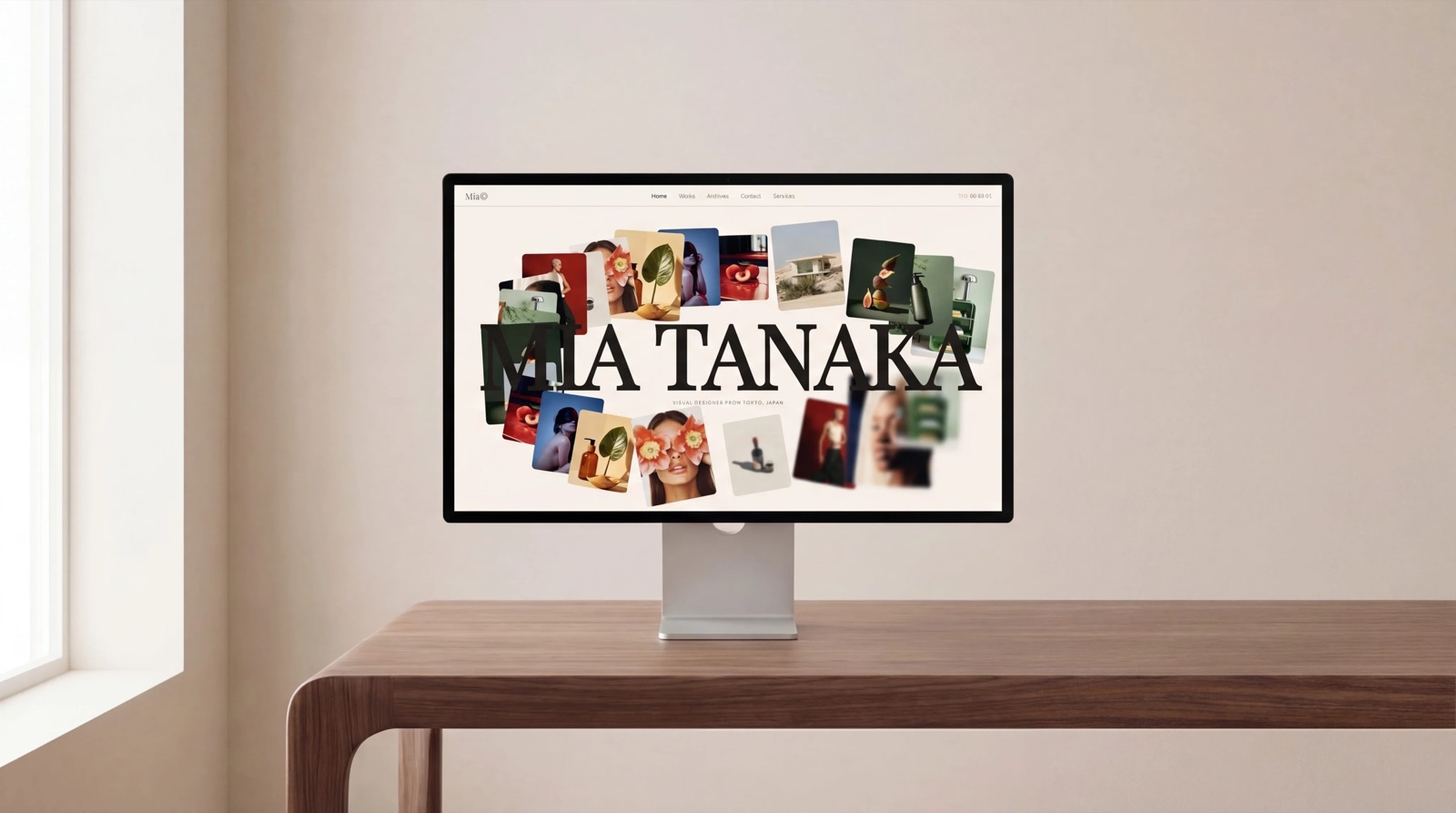
The invoice that started this comparison was for $203.88.
It was a renewal notice for a website builder a photographer had signed up to two years earlier at $2.99 a month, and it arrived with no warning because the introductory rate had simply ended. Nothing had been mis-sold.
The number on the original checkout page was real. It was also, by design, a number that only existed once.
That is the shape of the no-code website builders market in 2026. The advertised price and the price you actually pay are different numbers, separated by anywhere from twelve to forty-eight months, and almost no comparison article does the arithmetic that connects them.
So we did. We built the same site thirteen times.
A no-code website builder is a tool that lets you design, publish, and host a working website by dragging elements and filling in fields rather than writing HTML, CSS, or server code.
The category has quietly split into three species that share the name, and buying across species is the most expensive mistake available here.
Framekit is the best no-code website builder in 2026 for photographers, filmmakers, designers, and anyone whose site is their portfolio, because the site, the client list, the store, and the search traffic all stay yours rather than living inside a marketplace.
The trade-off is real: its free plan does not include a custom domain, so a genuinely free custom-domain site means Framer or Carrd instead.
Framer is the better pick for designers who want motion and precise layout control, Squarespace is the better all-rounder if you also sell physical goods, and Carrd is unbeatable for a one-page site at $19 a year.
Full disclosure: Framekit, ranked first below, is our own product. We built the same seven-page site on all thirteen platforms, we link to every competitor, and we say plainly where each one beats us. Webflow gives more structural control than our editor does. Framer's free tier includes a custom domain and ours does not. Wix ships more built-in business features than we do. Google Sites costs nothing at all, forever, and for some readers that is the correct answer.
Framekit's plan details were re-verified on 19 September 2026, when we also corrected how its store checkout works: the store lives on your site, but the payment step is a Framekit-hosted page.
How We Tested 13 No-Code Website Builders
We did not score these tools against a generic feature checklist, because feature checklists are written by vendors.
We rebuilt one real artifact in every product: a seven-page site for a working photographer, made of a home page, a work index, three project pages with twenty-two images between them, an about page, and a contact page with a working form.
Where the platform could sell things, we also added a four-product shop with one carried example product, a $24 Lightroom preset pack, priced identically everywhere.
Every build started from a fresh account created in August 2026, on a European connection, with no existing subscription to the vendor or its parent company.
That last condition matters more than it sounds: several platforms in this category are much cheaper if you already pay the company for something else, and a test account that inherits a discount produces a price no new reader will see.
We split every finding into three kinds, and we label them in the reviews:
Measured means we did it inside the product: built the pages, hit the limit, connected the domain, published, and in several cases cancelled to see what survived. Verified means we read it on the vendor's own pricing page or documentation in August 2026 and are reporting it rather than testing it. Community sentiment means enough users report the same thing publicly that it is worth knowing, and we did not reproduce it ourselves.
One honest note on sourcing, because it changes how you should read the ratings sections in most comparison articles.
The large third-party review aggregators blocked our automated checks during this round of testing, so rather than quote star ratings we could not confirm, this guide cites primary sources: each vendor's own live pricing page, read on the date of writing, and linked inline so you can check the number yourself.
A rating we cannot verify is worth less than a price you can click.
The rubric, published so you can disagree with it: ownership and portability 25 percent, design quality on a real portfolio 25 percent, true cost over three years 20 percent, selling and payments 15 percent, ease of first publish 15 percent.
Portability carries the heaviest single weight because the worst outcome in this category is not overpaying, it is a site, an audience, and five years of search history that you cannot take with you.
That weighting favours our own product on one axis, so we have shown below where it costs us on others.
In one linethirteen builders, one seven-page photographer site with a $24 product in the shop, fresh August 2026 accounts, weighted toward what happens in year three rather than what happens on signup day.
By the Numbers
Thirteen platforms, one site, one month. These are the extractable facts that changed our ranking, and most of them are invisible on the pricing pages that generated them.
- 3 of 13 include a custom domain on a genuinely free plan: Framer, Google Sites via a Workspace domain you already own, and Adobe Portfolio when a Creative Cloud subscription is already being paid.
- 2 of 13 publish a site with an introductory rate that more than triples on renewal. Hostinger's Premium builder is the clearest case, at $2.99 a month up front and $10.99 a month afterwards.
- $19 per year is the cheapest route to a real site on your own domain with no branding, via Carrd Pro.
- $2,500 per month is the entry price of Webflow's Team plan, the tier directly above its $25 Premium site plan, on an annual contract. There is nothing between those two numbers.
- 7 percent is what Squarespace's entry Basic plan takes from digital content and membership sales, on top of payment processing.
- 2 static pages is the total allowance on Webflow's free Starter plan, which rules it out for the seven-page test site before design ever enters the conversation.
- $59 per month is what Bubble charges to take an app off its free tier, which is roughly thirty-seven times the annual cost of Carrd Pro.
- 10 pages and no custom domain is what our own free plan gives you, which is more pages than Webflow's free tier and less domain than Framer's.
- $6.75 becomes $9 on Pixpa's Creator plan, because its advertised two-yearly rate is a first-period introductory price and the renewal is the standard one.
- 1 of 13 exports its code at all. Webflow does, on a paid Workspace plan rather than a site plan, and the export drops the CMS, ecommerce content, site search, forms, and password protection.
The Full Comparison Table
Prices below were read off each vendor's own pricing page in August 2026 and are quoted in the currency that page served us. Squarespace served euros to a European connection, so euros is what we print, because a conversion rate quoted today is a wrong number tomorrow.
| Builder | Species | Free plan | Entry paid price | Custom domain on free |
|---|---|---|---|---|
| Framekit | Portfolio and store | 10 pages, 10GB storage | $9/mo Starter | No |
| Framer | Design-led site | 30 pages, 1GB bandwidth | $10/mo Basic | Yes, on yearly billing |
| Squarespace | All-rounder | Trial only, 14 days | 11 euro/mo Basic | No |
| Wix | All-rounder | Yes, with Wix ads | $17/mo Light | No |
| Pixpa | Portfolio and store | Trial only, 15 days | $9/mo Basic | No |
| Webflow | Structural control | 2 static pages | $15/mo Basic | No |
| Carrd | One-pager | 3 sites, no domain | $19/year Pro | No |
| Durable | AI first draft | 1 site on a subdomain | $22/mo Launch, yearly | No |
| Adobe Portfolio | Portfolio only | Bundled with Creative Cloud | No separate price | Yes, if subscribed |
| Hostinger | Bundled hosting | No | $2.99/mo intro, $10.99 renewal | No |
| WordPress.com | Writing-led | 1GB, with ads | $4/mo Personal | No |
| Google Sites | Internal and simple | Yes, unlimited | Free | Via Workspace |
| Bubble | Web app, not a site | Yes, under construction | $59/mo Starter | No |
The "species" column is the most useful thing on this page. A portfolio builder wants images to look expensive and get out of the way.
An all-rounder wants to run a whole small business and will sell you scheduling, email, and invoicing whether or not you asked. An app builder wants a database. Pick the species first and thirteen options collapse to three.
1. Framekit: Best Overall for Creative Portfolios

Framekit is an AI website builder made for photographers, filmmakers, designers, and creators who need a portfolio that looks designed rather than templated, with client galleries and a digital store attached to the same site.
In this test it was the only platform where the seven pages, the twenty-two images, the four-product shop, and the contact form all lived in one place without a plugin, an app-store install, or a second subscription.
The real numberthe free plan publishes up to 10 pages with a single 10GB storage pool covering the site and the client galleries, and takes a 5 percent fee on product sales.
Starter at $9 a month raises that to 30 pages and a 50GB pool, adds your own custom domain, and removes Framekit branding.
Pro at $19 a month goes to 200 pages, a 300GB pool, custom HTML, CSS and JavaScript, three team members, and drops the sale fee to 3 percent. Business at $39 a month takes the sale fee to 0 percent.
That fee structure is the thing to understand before you commit, and we would rather explain it than have you discover it. Framekit's cut on product sales starts at 5 percent and falls to zero on a flat $39 monthly plan.
A marketplace percentage never falls.
The crossover is $780 a month in sales, which is $39 divided by 5 percent: below that, staying on a cheap plan and paying the percentage is the correct financial choice, and above it the flat plan wins and then stays flat forever.
On our carried $24 preset pack, the 5 percent fee is $1.20 and the 3 percent fee is 72 cents.
The standout detailthe store and the gallery are the same site as the portfolio, on the same domain, so a client who arrives from a search result for your name lands on pages you own and browses your products there.
When they buy, the payment step is a hosted Framekit checkout page (framekit.ai/buy) that carries your name and logo with a small Powered by Framekit line, and it lists no other sellers, so unlike a marketplace checkout it never offers your buyer a rival's product at the moment they decided to buy.
The gotchathe free plan does not include a custom domain, and it carries Framekit branding. Framer's free tier does include a domain on yearly billing.
If your budget is genuinely zero and a branded subdomain is unacceptable, we are not the cheapest honest answer, and pretending otherwise would be the easiest lie in this article to catch.
Skip it ifyou are building a web application with user accounts, a database, and custom logic. That is Bubble's job, not ours, and the gap is not close.
Skip it too if you sell physical goods with shipping, inventory, and variants, because the Framekit store is built for digital products and does not do that at all.
Verdict: The best pick if your website is your portfolio and your income partly comes through it. The wrong pick if you need an app, a warehouse, or a site that costs nothing on your own domain.
2. Framer: Best for Design Control Without Code
Framer is what happens when a design tool grows a publishing pipeline, and it shows in the first ten minutes.
Laying out the three project pages felt like working in a design canvas rather than filling slots in a template, and the result was the best-looking version of the test site that we did not build ourselves.
It is also the version that took longest, because a canvas gives you enough freedom to make a mess and no opinion about whether you have.
The real numberthe free plan gives 30 pages, 2 CMS collections, 1,000 CMS items, 1GB of monthly bandwidth, and up to 3 editors, and it includes a free .com domain on yearly billing.
Basic is $10 a month for 150 pages and 50GB of bandwidth.
Pro is $30 a month for 100GB, ten CMS collections, and 2,500 CMS items, with metered overages after that: $20 per additional 100 pages up to a 700-page ceiling, $40 per additional 10 CMS collections, $20 per additional 10,000 items, and $40 per additional 100GB of bandwidth up to 2TB.
The standout detaila free custom domain on the free tier, billed yearly. Almost nothing else in this comparison does that, and for a designer who wants a personal site on their own name at zero marginal cost it is the single strongest offer in the category.
The gotchaadditional editors are $20 a month each on Basic and Pro for design access, and $10 a month for content-only access on Pro.
A two-person studio where both people edit is paying $30 a month on Basic before anyone has published anything, and the seat cost is easy to miss because the headline price looks like a site price.
Skip it ifyour site is mostly a shop. Framer will host a store through integrations, but selling is not what the product is organised around, and the seven-page portfolio came together far faster than the four-product shop did.
Verdict: The best design ceiling in the category for someone who thinks visually and is willing to spend the time. If you want the site finished tonight, this is not the shortest path to it. Coming from a template builder and wondering what you would gain, our Framer alternatives guide covers the trade in both directions.
3. Squarespace: Best All-Rounder

Squarespace remains the safest default in this category and the reason is not design, it is completeness.
The test site had a working contact form, scheduling, invoicing, email campaigns, and a shop available without installing anything, and each of those parts was competent rather than excellent.
For a photographer who wants one bill and one login for the whole business, that trade is often correct.
The real numberthe pricing page served us three self-serve plans on annual billing: Basic at 11 euro a month, Core at 17 euro, and Advanced at 29 euro.
A sales-led Premium tier for growing service businesses sits above them, quoted on request rather than listed. The part that gets missed is that Squarespace runs two separate transaction fees.
On Basic, physical store sales carry a 2 percent fee and digital content and memberships carry 7 percent. On Core, store sales drop to 0 percent but digital content stays at 5 percent. Only Advanced takes both to zero.
That 7 percent is the number to hold onto if you sell downloads. On our $24 preset pack, Squarespace Basic keeps $1.68 before Stripe's processing fee, and it keeps taking it at the same rate whether you sell four packs a year or four hundred.
The standout detailCore includes complete customisation with CSS and JavaScript and unlimited contributors, which is unusual at 17 euro a month. Most platforms in this comparison put code access and multiple editors on separate, higher tiers, and several charge per seat on top.
The gotchathere is no free plan, only a 14-day trial. Every other builder here except Squarespace and Hostinger will let you keep something published without paying, and that changes how you can test it.
You cannot leave a Squarespace site up for three months to see whether the project survives.
Skip it ifyou are precious about layout. Squarespace's templates are well-made and firmly opinionated, and fighting one costs more time than accepting it.
Verdict: Buy Squarespace when you want the whole small business in one subscription and you are selling physical goods. If your products are downloads, read the 7 percent line on Basic twice before you sign. Our Squarespace alternatives guide for creatives covers where that trade stops being worth it.
4. Wix: The Most Built-In Features Per Dollar
Wix wins the feature count and it is not close. Building the test site surfaced booking, a CRM, email marketing, a logo maker, an AI text editor, and a link-in-bio tool without leaving the dashboard, and none of them cost extra.
The cost of that abundance is an editor with a lot of surface area, and a first hour that involves closing more panels than you open.
The real numberthe plans page quotes yearly-billing rates of $17 a month for Light, $29 for Core, $39 for Business, and $159 for Business Elite, with a free plan that keeps Wix advertising on your site.
The jump worth planning around is Light to Core, because Light is where most people land from a search and Core is where the marketing and commerce tooling that made them choose Wix actually turns on.
The standout detailthe free tier stays free indefinitely rather than converting to a trial, and it publishes a real, working site.
It carries Wix ads and a Wix subdomain, so it is not a professional home, but as a place to build and rebuild for a month before paying anyone, it is more generous than most.
The gotchaWix does not let you change template after publishing without rebuilding the pages. That constraint is well documented and still catches people in year two, when the site needs a refresh and the answer turns out to be starting again inside the same subscription.
Skip it ifdesign consistency matters more to you than feature count. The abundance that makes Wix good for a service business makes it hard to keep a photography portfolio quiet and typographically clean.
Verdict: The most software for the money in this comparison, and the least restraint. If you are running a business with bookings and a shop, that is a fair deal. If you are presenting a body of visual work, it is a lot of noise to keep switching off. We compare the two approaches directly in Framekit vs Wix.

5. Pixpa: Best Zero-Commission Store for Creatives
Pixpa is the closest direct competitor to what we build, and the fairest thing we can do is say so.
It bundles a portfolio, unlimited client galleries, a blog, and a store into one subscription aimed squarely at photographers and designers, and the seven-page test site plus the four-product shop went up inside a single afternoon with nothing bolted on.
On the two axes creatives care about most, presenting work and selling it, this is the entry that pushed hardest on our own ranking.
The real numberthe pricing page lists four plans at standard monthly rates of $9 for Basic, $15 for Creator, $20 for Professional, and $25 for Advanced.
Basic covers 10 pages or galleries, 200 images, 3GB of storage, and up to 3 products. Creator lifts pages and images to unlimited with 5GB of storage and up to 10 products.
Professional is 25GB and up to 100 products, and Advanced is 100GB and unlimited products. Every plan carries unlimited client galleries and takes no commission on sales.
The standout detail, and it is in the fine printPixpa's advertised prices are first-period prices.
The page's own footnote states that yearly and two-yearly plans include a 25 percent introductory discount on the first billing period and then renew at standard pricing, which is 20 percent off monthly for yearly and 40 percent off monthly for two-yearly.
So the Creator plan advertised at $6.75 a month on a two-year term renews at $9 a month. That is a far gentler step than Hostinger's, and it is the same mechanism, and almost nobody writing about Pixpa mentions it.
The honest comparison, since we are ranked above itat steady state, Pixpa Creator and Framekit Starter both cost $9 a month, and Pixpa takes 0 percent of your sales where we take 5 percent.
If you sell downloads at any real volume on a $9 plan, Pixpa keeps more of your money than we do, and no amount of feature comparison changes that arithmetic.
What you give up for it is a two-year prepayment to reach that rate, a 10-product ceiling on Creator, and 5GB of storage against our 15GB.
Our answer to the fee is that it falls to 3 percent at $19 and 0 percent at $39 while a store cap and a storage cap do not move, but if your situation is "ten products, low storage, sell steadily", Pixpa is the better financial choice and we would rather you knew.
The gotchathe free custom domain covers year one only, and renews at the registrar's standard rates rather than Pixpa's. That is normal in this category and it is still a line worth reading before you treat the domain as included.
Skip it ifyour site needs to grow past a store into something structurally custom. Pixpa is well-built inside its shape and does not have Framer's or Webflow's ceiling.
Verdict: The strongest value in this comparison for a photographer who sells a small, stable catalogue of digital products and wants galleries in the same subscription. If we were not in this market, this is the entry we would tell that reader to buy.
6. Webflow: Best Structural Control, With a Cliff
Webflow gives you the closest thing to hand-written markup that a visual tool can offer, and for anyone who understands the box model it is still the most precise instrument here.
It is also the platform whose pricing changed most dramatically since the last time most comparison articles were updated, and the change is severe enough to alter who should buy it.
The real numberthe pricing page now shows a free Starter tier limited to 2 static pages, 1GB of bandwidth, and 50 form submissions on a webflow.io domain.
Basic is $15 a month billed yearly for 300 static pages, 10GB of bandwidth, unlimited form submissions and password protection, but no CMS at all. Premium, a newer tier at $25 a month billed yearly, is where the Webflow CMS starts.
Above that the site plans stop and the platform plans begin: Team is $2,500 a month on an annual contract, and Enterprise is quote-only.
Read that ladder again, because it is the single most consequential fact in this article. The step above $25 a month is $2,500 a month. There is no $60 or $150 site plan for a growing studio that outgrows Premium.
Webflow does sell separate Ecommerce and Workspace plans alongside the site plans, so the ladder is not quite as bare as the site-plan column implies, but nothing in it is a general-purpose step up from Premium.
Add-ons soften it slightly at the edges, with Analyze from $9 a month and Optimize from $299, but the structural gap is real.
The standout detail2 static pages on the free plan is the strictest free tier in this comparison by a wide margin. Our seven-page test site could not be built on it.
If you have been told to try Webflow free to see if you like it, you will be evaluating a two-page version of a product you would buy for seven.
The gotchathe CMS is what most people actually want from Webflow, and it is now gated to the $25 Premium plan. A blog, a project archive, or a filterable work index all require it. Budgeting Basic and discovering that is a $120-a-year surprise.
Skip it ifnobody on the project enjoys thinking about layout systems. Webflow rewards that taste and punishes its absence, and it is the only tool here where a beginner can produce a site that is both broken and beautiful.
Our Webflow alternatives guide is the honest next stop if that describes you.
Verdict: Still the best tool in the category for a designer who wants control and is comfortable with structure. A worse buy than it was a year ago for anyone whose ambitions sit between a portfolio and an enterprise.
7. Carrd: The Best $19 in Web Publishing
Carrd does one thing and refuses to do anything else, which is why it survives in a market where everything else grows features every quarter. It builds a single page.
The test site could not be built on it, and that is not a criticism of Carrd, it is the point of Carrd, so we rebuilt the home page alone and judged it on that.
The real numberthe free tier builds and publishes up to three sites with the core features included, and Pro starts at $19 a year, with a 7-day free trial.
Pro is what unlocks custom domains with SSL, more than three sites, forms including payment-enabled ones, third-party widgets and embeds, analytics, and removal of the Carrd footer branding.
Nineteen dollars a year is $1.58 a month. The cheapest monthly plan from any other builder in this comparison, Personal on WordPress.com at $4 a month, costs 2.5 times as much per year. Framer Basic costs six times as much.
This is the price floor of the entire category and nothing else is near it.
The standout detailpayment-enabled forms on Pro mean a Carrd page can take money through Stripe or PayPal without a store, which for a single product, a single service, or a deposit link is genuinely all the commerce infrastructure required.
The gotchait is one page, permanently. There is no multi-page mode waiting on a higher tier. Every Carrd site that eventually needs an about page and a work archive becomes a migration, and migrations from Carrd are manual because there is nothing structured to export.
Skip it ifyou have more than about a dozen images to show. A photographer's work index wants pages, and stacking it into one scroll is a compromise your work will pay for.
Verdict: The correct answer for a link page, a launch page, a personal card, or a single offer, and the wrong answer for a portfolio. At $19 a year it is close to unbeatable inside its own boundary. For the moment you outgrow it, we have a guide to Carrd alternatives.
8. Durable: The Fastest First Draft
Durable generates a complete small-business website from a short description in well under a minute, and the first draft is more coherent than that description deserves.
For a service business that needs to exist online by Friday, this is a real capability rather than a demo.
For a portfolio, the same speed produces something generic, because the model has no images of yours to work with and fills the gap with stock.
The real numberthe pricing page shows a free tier with one website on a durable.site subdomain, 5 AI images a month, 10 AI chat messages a month, and a CRM capped at 10 customers.
Launch is $22 a month billed yearly, or $25 monthly, and adds a custom domain, unlimited traffic, custom code, and automatic lead replies. Grow is $41 a month billed yearly, or $49 monthly.
The standout detailthe product is not really a website builder, it is a small-business operations tool with a website attached. The CRM, the invoicing, and the AI lead replies are where the pricing tiers actually differ, and the site is the entry point rather than the product.
The gotcha5 AI images a month on the free plan is a limit you will hit during your first build, not during your second month. The free tier is a demonstration, not a home.
Skip it ifyour work is the visual argument. A generated layout populated with stock photography is the opposite of a portfolio, and no amount of editing quite removes the tell.
Verdict: The best tool here for a plumber, a consultant, or a studio that needs a service page and a booking form by the weekend. The wrong tool if the images are the reason someone is on the site. Our Durable alternatives guide covers the creative-side options in more depth.

9. Adobe Portfolio: Free If Creative Cloud Is Already On Your Card
Adobe Portfolio is the least-discussed serious option for creatives, largely because it is not sold separately and therefore never appears in a pricing comparison. It is bundled with a paid Creative Cloud subscription.
If you are a photographer already paying Adobe every month for Lightroom, the marginal cost of a clean, competent portfolio site is zero, and the Lightroom sync means getting images onto it is the shortest path in this entire comparison.
The real numberthere isn't one, and that is the finding. There is no way to buy Adobe Portfolio on its own at any price.
Its cost is whatever Creative Cloud plan you already hold, which means for one reader it is effectively free and for another it is the reason not to consider it at all.
We are not quoting a Creative Cloud figure here because Adobe's plans page did not resolve for our checks in August 2026, and we would rather leave a gap than print a number we could not confirm on the day.
The standout detailcustom domains are supported and the Lightroom integration is genuinely tight, so a gallery updated in your catalogue can reach the live site without a manual export-and-upload cycle. Nothing else in this comparison connects to a photographer's actual working library.
The gotchathe site is a feature of a subscription, not an asset. Stop paying Adobe, for any reason, and the site goes with it. That is a different kind of risk from a builder you can downgrade to a free tier and leave standing.
Skip it ifyou want to sell anything. Portfolio has no store, and bolting one on means sending buyers to a third-party checkout somewhere else entirely.
Verdict: The best-value portfolio in the category for an existing Adobe subscriber, and an odd reason to start paying Adobe if you are not one. See our Adobe Portfolio alternatives for the exit routes.
10. Hostinger: Cheapest Year One, Most Expensive Surprise
Hostinger's website builder is bundled with hosting and sold at a price that makes every other entry in this table look expensive, on the condition that you buy four years at once.
The builder itself is capable and unremarkable: the seven-page test site went up without incident, the templates are fine, and the AI tools do what the marketing says.
The real numberthe website builder page advertises the Premium plan at $2.99 a month, charged as $143.52 for 48 months, renewing at $10.99 a month.
Business is $3.79 a month, charged as $181.92 for 48 months, renewing at $16.99. The renewal rate is 3.7 times the introductory rate on Premium and 4.5 times on Business.
Run that over six years on Premium. Four years at $2.99 is $143.52. Two years at $10.99 is $263.76. The cheap half of that arrangement is the first two-thirds of it, and the total is $407.28 for six years of a builder most readers chose because it cost three dollars.
The standout detailthe Business builder plan sells up to 1,000 products with zero transaction fees, which at $3.79 a month introductory is the cheapest zero-fee selling in this comparison by a distance.
That is a genuinely strong offer for the first four years, and we would rather say so than pretend the renewal invalidates it.
The gotchathe 48-month term is the mechanism, not a detail. The advertised price requires paying $143.52 up front for four years of a product you have used for zero days. Buying twelve months instead moves you to a materially higher monthly rate.
Skip it ifyou are not confident the project will still exist in four years. Most portfolio sites change platform within that window, and this is the one plan here where doing so wastes money you already spent.
We put the full arithmetic in our guide to website builder renewal prices.
Verdict: The best price in the table for someone certain of a four-year commitment, and a trap for everyone else. Judge it on the renewal number, not the signup number.
11. WordPress.com: Best for Writing-Led Sites

WordPress.com is the managed, hosted version of the software that runs a large share of the web, and it is the best editor here for anyone whose site is mostly words.
The test site's project pages read well and the publishing workflow is calmer than any drag-and-drop canvas. The image-led home page was the weakest of the thirteen.
The real numberthe pricing page lists, on annual billing, Free at 1GB of storage with WordPress.com advertising, Personal at $4 a month with 6GB, Premium at $8 a month with 13GB, Business at $25 a month with 50GB, and Commerce at $45 a month.
Plugins, which are the entire reason most people want WordPress, start at the $25 Business plan.
That plugin gate is the tier that matters. A reader who chooses WordPress.com for its ecosystem and budgets the $4 Personal plan has bought a version of WordPress without the ecosystem.
The real entry price for WordPress-as-people-imagine-it is $25 a month, which is the same as Webflow Premium and more than Framekit Pro.
The standout detail13GB of storage on the $8 Premium plan is generous against this field, and the export is the most complete in the comparison. A WordPress export file is a real, portable, standards-based archive of your content, which is more than any other platform here offers.
The gotchathe free tier runs advertising you do not control on pages you wrote. For a professional site that is disqualifying, and the fix is $4 a month rather than free.
Skip it ifyour site is a gallery. The block editor treats images as content inside articles, and a photographer's work index built this way always looks like a blog wearing a portfolio's clothes.
Verdict: The right pick for essays, journalism, and long-form work, and the best export story in this article. The wrong pick if the pictures are the point. Our WordPress alternatives guide covers the visual-first options.
12. Google Sites: The Genuinely Free Option
Google Sites is free, permanent, unlimited in site count, and completely uninterested in being beautiful. It exists to publish information inside and around an organisation, and it does that reliably.
We include it because a comparison of no-code builders that omits the only zero-cost, zero-catch option is not being straight with the reader.
The real numberzero. There is no paid tier of Google Sites, no page limit that we could reach with a seven-page test site, and no advertising inserted into your pages.
Connecting a custom domain requires Google Workspace, which is a paid product, so the honest version is that the site is free and the professional address is not.
The standout detailit is the only builder in this comparison with no commercial pressure applied to the user at all. Nothing upsells, nothing expires, and nothing changes price in year three. For a documentation site, a resource hub, a class page, or an internal wiki, that is a real feature.
The gotchadesign control is minimal by design, and the output is recognisably a Google Site to anyone who has seen one. You cannot fix this with effort.
Skip it ifthe site represents you commercially. A prospective client who lands on a Google Sites page draws a conclusion about your rate before reading a word.
Verdict: The correct answer for anyone whose real requirement is "publish this information at no cost", and the wrong answer for anyone selling creative work. Free is a feature until it is a signal.
13. Bubble: The Wrong Species, Included on Purpose
Bubble is in this comparison because a large share of people searching for a no-code website builder actually need a no-code app builder, and finding that out after two weeks of building is expensive.
Bubble builds software: user accounts, databases, logic, workflows, and now mobile. It will also produce a website, badly and slowly, in the same way a lathe will technically cut bread.
The real numberthe pricing page lists Free at $0 for projects under construction, Starter at $59 a month, Growth at $209 a month, Team at $549 a month, and Enterprise on request, with up to 20 percent off annual billing.
Compute is metered as workload units, so real bills for real traffic sit above the plan price rather than at it.
The standout detailthe free plan is explicitly framed as being for projects under construction rather than as a home for a live product, which is unusually honest for the category and worth crediting.
The gotcha$59 a month is the floor for anything published, and the workload model means a successful app costs more than a failing one in a way a website plan does not.
Skip it ifwhat you are building has pages rather than users. If you cannot name the database tables your idea needs, you want a website builder, and any of the twelve entries above will serve you better and cheaper.
Verdict: Excellent at a job none of the other twelve can do, and a poor way to publish seven pages of photographs. Included here so you can rule it out deliberately rather than by accident.
What a No-Code Site Actually Costs in Year Three
In one linethe price you compare at signup is rarely the price you pay for most of the time you own the site, and the gap is largest on the plans that advertise the lowest number.
Introductory pricing in this category works in one of three ways, and each fails differently.
The renewal step. Hostinger's Premium builder is $2.99 a month for 48 months and $10.99 a month afterwards.
That is not hidden, it is printed on the page, and it is still the most commonly misread number in web hosting because the comparison happens on the first figure.
Over six years the blended rate is about $5.66 a month, which is a fine price, and roughly double what the buyer thought they agreed to.
The tier gate. WordPress.com Personal is $4 a month and does not run plugins. Webflow Basic is $15 a month and does not run a CMS. Squarespace Basic is 11 euro a month and takes 7 percent of digital sales.
In each case the advertised entry price buys a version of the product without the feature that made you choose the product, and the real entry price is one tier up.
The seat and overage meter. Framer charges $20 a month per additional design editor. Framer Pro meters pages, CMS collections, CMS items, and bandwidth above its included amounts. Bubble meters workload.
These are honest models and they make the annual cost of a growing site genuinely hard to predict in advance.
Here is a test you can run in ninety seconds, on your own numbers rather than ours. Open your current builder's billing page and find the renewal rate rather than the rate you pay. Multiply it by 36.
Add the seat cost for every person who edits, times 36. Add your transaction-fee percentage times your last twelve months of sales, times three.
The result is what the next three years cost at today's usage, and for most readers it is between two and four times the number they have in their head.
For a portfolio with a small store, the three-year totals in this test landed roughly like this: Carrd Pro at $57, Framekit Starter at $324, Framer Basic at $360, WordPress.com Premium at $288, Wix Light at $612, Hostinger Premium at about $204 across the first three years and rising sharply in year five, Pixpa Creator at about $270 once the introductory period ends, and Squarespace Core at 612 euro.
None of those include payment processing, and all of them assume nobody adds a seat.

The Export Question: What Happens When You Leave
In one linenone of the thirteen platforms in this comparison lets you take a working, self-hosted copy of the finished site with you, and the differences that matter are in how much of your content survives the move.
This is the part of the category that pricing pages never address, and it is the reason portability carries the heaviest weight in our rubric. There are three grades of exit.
Content export, structured. WordPress.com is the clear leader.
Its export produces a standards-based archive that another WordPress installation can read directly, which means the writing, the categories, the media references, and the URLs are all recoverable. Nothing else here comes close.
Content export, partial. Squarespace, Wix, and Framekit will all give you your content in some usable shape: pages, images, product lists, and subscriber records.
Squarespace can export a subset of pages into a WordPress-compatible format, with known gaps around galleries and index pages. The design does not travel in any of these cases.
Code export, with the working parts removed. Webflow is the only platform here that hands you the site's own HTML, CSS, and JavaScript, and it is worth understanding exactly what that buys.
Export requires a paid Workspace plan on top of your site plan, and Webflow's own documentation states that CMS, user accounts, and ecommerce content are not included, that Collection lists render their empty state and Collection pages show no bound content, that password protection stops applying, and that site search and forms including file upload will not work on the exported site.
So you get the design and the static pages, and the database, the search, and the contact form stay behind. For a brochure site that is a genuine escape hatch.
For a project archive driven by the CMS it is a screenshot with better typography.
Nothing structured at all. Carrd, Google Sites, Adobe Portfolio, and Durable are effectively rebuild-on-exit. Your images are yours and everything else is a screenshot and a copy-paste job.
For a one-page Carrd site that is a two-hour problem. For a three-year-old Durable site with a CRM full of leads it is not.
There is a fourth thing to check that almost nobody does, and it costs the most when it goes wrong: the email list and the search history.
If your subscribers live inside the builder, confirm you can export them as a CSV before you have five hundred of them.
If your site ranks, confirm you can set 301 redirects on the new platform for the old URLs, because a portfolio that has ranked for a photographer's name for four years loses that position in the move if the URLs change and nothing forwards.
This is the mechanism behind the vague advice to "own your platform": ownership is not a feeling, it is a redirect map and a CSV.
Which Builders Actually Sell Things
In one lineevery builder here will take a payment, and the difference that matters is what percentage they keep and whose brand the buyer sees at the moment they enter a card.
On our carried $24 preset pack, the platform cut alone, before payment processing, works out as follows. Squarespace Basic keeps 7 percent, which is $1.68. Squarespace Core keeps 5 percent, which is $1.20. Pixpa keeps nothing on any plan.
Framekit Free and Starter keep 5 percent, which is $1.20, dropping to 3 percent on Pro at 72 cents and to zero on Business. Hostinger's Business builder plan and Wix's commerce tiers keep nothing beyond processing.
Carrd keeps nothing and provides nothing beyond a payment form. Adobe Portfolio and Google Sites do not sell at all.
The second variable is less visible and compounds harder.
A hosted checkout on a third-party domain shows your buyer another company's brand at the exact moment they have decided to trust you, and in several cases offers them a route to browse other sellers.
A checkout that carries your brand and lists nobody else's products does not.
We go through that mechanism in detail, with the fee arithmetic, in our guide to website builders for selling digital products.
The third variable is tax. None of the builders in this comparison acts as merchant of record, which means EU VAT and US sales tax obligations remain yours.
If that sentence made you uncomfortable, the honest recommendation is a merchant-of-record platform rather than any website builder here, and we would rather send you to one than sell you a site that leaves you exposed.
How to Choose: A Decision Tree
In one linework down these questions in order and stop at the first one that describes you, because the later questions only matter if the earlier ones did not decide it.
- Does your idea have users, accounts, and a database? Then it is an app, not a site. Go to Bubble and accept the $59 a month floor. Nothing else in this article will get you there.
- Is your budget genuinely, permanently zero, and is the site not commercial? Google Sites. It is free forever with no catch and no upsell, and it will look like what it is.
- Is it one page? Carrd Pro at $19 a year, and do not overthink it. Come back when you need a second page.
- Do you already pay Adobe every month? Adobe Portfolio costs you nothing extra and syncs with Lightroom. Check it before paying anyone else.
- Is the site mostly writing? WordPress.com, and budget the $8 Premium plan rather than the $4 one unless you are certain you will never want a plugin.
- Do you need bookings, invoicing, and a physical shop in one subscription? Squarespace Core, or Wix Core if you want more built-in tooling and care less about typography.
- Are you a designer who wants control and enjoys the work? Framer, with the free tier and its yearly-billing domain as a genuinely free starting point, or Webflow if you want structure and can live below the $25 Premium ceiling.
- Do you sell a small, fixed catalogue of digital products and want client galleries in the same bill? Pixpa, on the Creator plan, and check the renewal rate rather than the advertised one. At ten products or fewer it is the cheapest zero-commission route in this comparison.
- Is the site your portfolio, and does part of your income come through it? Framekit. Start on the free plan, move to Starter at $9 when you want your own domain, and only pay for the 0 percent fee tier once your sales pass $780 a month.
Frequently Asked Questions
What is the best no-code website builder in 2026?
For photographers, filmmakers, designers, and creators whose site is their portfolio, Framekit is the best no-code website builder in 2026, because the portfolio, the client galleries, the store, and the search traffic all live on one domain you control.
For pure design freedom, Framer is stronger. For an all-in-one small business, Squarespace is stronger. There is no single winner across all three jobs, which is why this guide separates them by species.
Is there a genuinely free no-code website builder with a custom domain?
Yes, but only three. Framer includes a free .com domain on its free plan when billed yearly. Google Sites will use a domain you already own through Google Workspace.
Adobe Portfolio supports a custom domain if you already pay for Creative Cloud. Every other builder in this comparison, including Framekit, requires a paid plan for a custom domain.
Why is Webflow suddenly more expensive?
Webflow's site plans now run Starter free, Basic at $15 a month and Premium at $25 a month billed yearly, and the next tier up is the Team plan at $2,500 a month on an annual contract.
The CMS, which is the main reason most people choose Webflow, starts on Premium. The free Starter tier is capped at 2 static pages, so it cannot host a normal portfolio.
What does Squarespace charge on digital product sales?
Squarespace applies a separate transaction fee to digital content and memberships: 7 percent on the Basic plan, 5 percent on Core, and 0 percent on Advanced.
This is different from its online store fee, which is 2 percent on Basic and 0 percent on Core and Advanced. On a $24 download, Basic keeps $1.68 before payment processing.
Is Hostinger's $2.99 website builder price real?
It is real and it is temporary. Hostinger's Premium website builder is $2.99 a month when you buy 48 months up front, charged as $143.52, and it renews at $10.99 a month.
The Business plan is $3.79 a month on the same term, renewing at $16.99. Judge the plan on the renewal rate, which is 3.7 to 4.5 times the introductory rate.
Can I move my site to another builder later?
Not intact. No platform in this comparison exports a working, self-hosted copy of the finished site. WordPress.com has by far the best content export, producing a standards-based archive another WordPress site can import.
Squarespace, Wix, and Framekit export content in partial form. Carrd, Google Sites, Adobe Portfolio, and Durable are rebuild-on-exit.
Before you commit, check that you can export your email subscribers as a CSV and set 301 redirects on the destination platform.
What is the cheapest no-code website builder that looks professional?
Carrd Pro at $19 a year, if a single page is enough, since that price includes a custom domain, SSL, forms, and removal of Carrd branding.
For a multi-page site, WordPress.com Personal at $4 a month and Framekit Starter at $9 a month are the next steps up, and Framer's free plan with its yearly-billing domain is the cheapest way to get a multi-page site onto your own name at no cost.
Do I need a website builder if I already sell on a marketplace?
If your income depends on being found, yes, because a marketplace listing builds the marketplace's search position rather than yours, and the customer relationship stays with them.
The practical test: if the marketplace closed your account tomorrow, could you still contact the people who bought from you?
If the answer is no, a site you own is not a luxury, and the fee arithmetic usually favours it long before the branding argument does.
How much should a portfolio site cost per year?
Between $19 and $360 a year for almost every reader of this guide. Carrd Pro sits at the bottom at $19, Framekit Starter at $108 a year, Framer Basic at $120, WordPress.com Premium at $96, and Wix Light at $204.
Anything above $400 a year for a portfolio should be buying you something specific, such as a store with no transaction fee or multiple editor seats.
We break the whole budget down in our guide to what a photography website costs.
Does an AI website builder produce a site good enough to show clients?
For a service business, usually yes on the first pass. For a portfolio, not without your own images and your own edit, because the model fills the gaps with generic stock and a creative portfolio is judged on exactly those gaps.
Every AI builder tested here produced a usable structure and a forgettable page, and the work of making it yours is where the time still goes.
Does Framekit charge a fee on what I sell, and when does it stop?
Framekit takes 5 percent of product sales on the Free and Starter plans, 3 percent on Pro at $19 a month, and 0 percent on Business at $39 a month.
The number worth remembering is the crossover: $39 divided by 5 percent is $780, so below roughly $780 a month in sales you are better off on a cheap plan paying the percentage, and above it the flat plan is cheaper and keeps getting cheaper as you grow.
That is the opposite of a marketplace cut, which stays the same percentage no matter how much you sell.
Final Verdict
If your website is your portfolio and part of your income arrives through it, Framekit is the pick, and the reason is ownership rather than price: the pages, the client galleries, the store, the email list, and the search position all sit on one domain that belongs to you, and the sale fee falls from 5 percent to 0 percent on a flat plan rather than climbing forever as a percentage would.
Where Framekit loses. Our free plan does not include a custom domain and Framer's does, which makes Framer the better free starting point for a designer on a zero budget.
Webflow gives more structural control to anyone who wants to think in layout systems. Wix ships more built-in business tooling.
Pixpa charges no commission at all on the same $9 a month that we charge 5 percent on, which makes it the better financial choice for anyone selling a small catalogue steadily.
WordPress.com has a far better export story, and if you want the strongest guarantee that you can leave with your content intact, that is the honest recommendation.
If you sell physical goods with shipping and inventory, our store does not do that at all and Squarespace or Wix should get your money. And if you need user accounts and a database, none of this applies and you want Bubble.
The one recommendation that holds across all thirteen: choose on the renewal price and the export path, not the signup price and the template gallery. Those two numbers are the ones you will live with.
Related readingthe best free website builders, website builders for creative professionals, and what website builder renewal prices really cost.