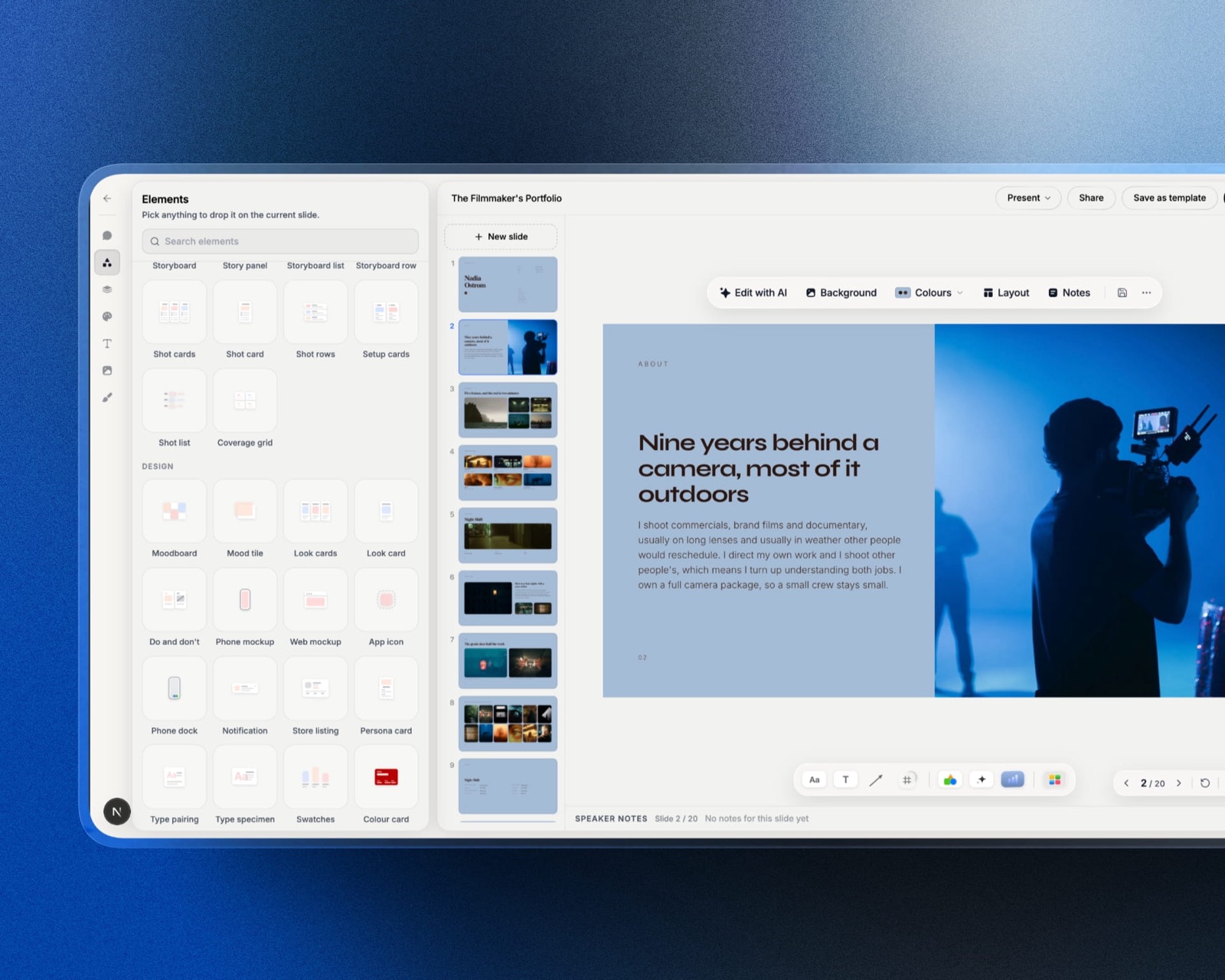
Framekit templates
Start from a designer-made template
 Use template
 Use template
 Use template
 Use template
 Use template
 Use template
 Use template
 Use template
Every teleprompter app solves the same problem: scrolling text at reading speed. They have all solved it. Several do it for nothing.
None of them solves the problem you actually have, which is that the text is in one place and the lens is in another, and your eyes go to the text. That is a geometry problem, and no subscription fixes geometry.
A teleprompter app is software that scrolls a script at a controllable speed, usually with mirrored text for use with a beam-splitter rig and increasingly with voice-following that advances the script as you speak.
Creators, presenters and filmmakers use them to deliver written material while looking at a camera.
Whatever you read the script off, the video has to land somewhere afterwards.
Framekit is that destination for a lot of presenters: a site on your own domain where a talking-head series, a set of client explainers or a speaker reel sits with the context and the contact route around it.
The best teleprompter setup in 2026 is the Elgato Prompter at $299.99, because it puts the text directly in front of the lens with a beam splitter and its Camera Hub software is free, which is the only approach in this comparison that solves the eyeline problem rather than managing it.
For software alone, Speakflow's free tier and BIGVU's free tier both do the job, Speakflow Plus at $15 a month adds voice-following, and Descript's AI eye contact correction is the credible software workaround.
The trade-off is that everything cheaper than the hardware is treating a symptom.
Updated in September 2026: we re-verified Framekit's plans and refreshed our section on where finished to-camera work lives. Prompter hardware and app prices are as checked in August 2026.
How We Compared 12 Teleprompter Tools
We recorded the same 600-word script in every setup: a piece to camera in a home office, shot on a mirrorless camera with the prompt at lens height where the hardware allowed it and on a laptop below the lens where it did not, plus a phone-only version of each app for the mobile-first tools.
We looked at scroll control, voice-following accuracy when deliberately improvising off-script, mirrored output, and how far the resulting eyeline drifted from the lens.
Three kinds of claim appear below. Anything about scroll behaviour, how voice-following coped with a paraphrase, and how each configuration looked on playback is from those recordings.
Vendor pricing was taken from published pages on 9 August 2026, with individual entries stating plainly when a page would not render figures.
Technical background on why prompters are built the way they are is drawn from published reference material and cited where it carries weight.
Three vendors did not serve readable prices. PromptSmart routes pricing through a separate page we could not read, Teleprompter.com redirected, and Parrot's figures conflict between sources. Those entries use third-party reporting and say so.
In one linetwelve setups, one identical 600-word script recorded at lens height and below it, with prices read at source wherever the vendor published them.
What Recording the Same Script Twelve Times Showed
The result that matters is not about features. Every app scrolled text acceptably, several were free, and the visible difference on playback came almost entirely from where the text was, not from which software displayed it.
- The cost of prompting 24 recorded hours a year ranges from $0.00 to about $49.50 an hour.
- 5 of the 12 setups cost nothing at all and prompt perfectly well.
- The only setups that eliminated visible gaze drift were the ones that put the text on the lens axis, which is hardware rather than software.
- 1 hardware product at $299.99 includes its software free, and costs less than the most expensive subscription here within four months.
- 2 of the tools now sell AI eye-contact correction as a paid feature, which is software solving a problem hardware solved decades ago.
- The free tier of the most popular mobile app caps recordings at 9 minutes and exports watermarked 720p, which makes it a prompter rather than a recording tool.
For the setup matched to how you actually shoot, jump to the decision guide.
What Prompting an Hour on Camera Actually Costs
A working creator might record 24 hours of finished talking-head material a year, which is two hours a month. Pricing every route against that figure puts a one-time hardware purchase and a monthly subscription on the same scale.
| Setup | How it is priced | Cost in year one | Per recorded hour | After year one |
|---|---|---|---|---|
| CuePrompter | Free, browser | $0.00 | $0.00 | $0.00 |
| Speakflow Free | Free | $0.00 | $0.00 | $0.00 |
| BIGVU Free | Free, 9-minute cap | $0.00 | $0.00 | $0.00 |
| Parrot Teleprompter | Reported free | $0.00 | $0.00 | $0.00 |
| OBS with a text source | Free, open source | $0.00 | $0.00 | $0.00 |
| Teleprompter.com yearly | Reported $7.50 a month billed yearly | About $90.00 | About $3.75 | Repeats |
| PromptSmart Starter | Reported about $99.96 a year | About $99.96 | About $4.17 | Repeats |
| BIGVU Starter | $149 a year | $149.00 | About $6.21 | Repeats |
| Speakflow Plus | $15 a month billed annually | $180.00 | $7.50 | Repeats |
| BIGVU AI Pro | $229 a year | $229.00 | About $9.54 | Repeats |
| Elgato Prompter | $299.99 once, software free | $299.99 | About $12.50 | $0.00 |
| Speakflow Studio | $99 a month billed annually | $1,188.00 | $49.50 | Repeats |
The Elgato row is the one worth reading twice. It is the second most expensive option in year one and the cheapest option by year three, because $299.99 once against $229 a year crosses over inside sixteen months, and against Speakflow Studio it crosses in under four.
The five zeroes at the top are also real. A free browser prompter and a phone propped next to the lens produces the same words at the same speed as a $229 subscription.
What the subscriptions add is voice-following, recording, storage and, at the top, AI correction of the problem the hardware would have prevented.
In one lineprompting 24 hours a year costs $0.00 to about $49.50 an hour, and the one-time hardware purchase is the most expensive option in year one and the cheapest by year three.
The 12 Best Teleprompter Setups in 2026: Full Comparison
Scores are out of 10 across four weighted criteria: how close the setup gets your eyeline to the lens (35%), scroll and voice-following control (25%), cost over three years (20%), and how well it fits an existing recording workflow (20%).
Eyeline carries the largest share because it is the only thing a viewer notices, and because it is the criterion the entire software category quietly ignores.
| Setup | Type | Price | Eyeline | Best for | Score |
|---|---|---|---|---|---|
| Elgato Prompter | Hardware plus free software | $299.99 once | On axis | Anyone recording regularly | 9.1 |
| Beam-splitter rig plus a free app | Hardware plus free software | From about $50 | On axis | The cheapest correct answer | 8.6 |
| Speakflow | Web and app | Free, $15, $99 | Off axis | Voice-following on a budget | 8.2 |
| BIGVU | Mobile-first app | Free, $12, $19, $49 | Off axis | Social creators who record on a phone | 7.9 |
| Descript Eye Contact | AI correction in post | Subscription | Corrected after | Fixing footage already shot | 7.6 |
| Teleprompter.com | Web and app | Reported free to $19.99 | Off axis | Cross-platform simplicity | 7.3 |
| PromptSmart | App | Reported from about $9.99 | Off axis | Voice-following pioneers | 7.0 |
| Riverside | Recording platform | Subscription | Off axis | Remote interviews and podcasts | 6.8 |
| CuePrompter | Browser | Free | Off axis | The zero-effort free option | 6.5 |
| Ecamm Live | Mac live production | Subscription | Off axis | Mac live streaming | 6.2 |
| OBS with a text source | Free, open source | $0 | Off axis | Streamers already in OBS | 5.9 |
| Parrot Teleprompter | App plus cheap rigs | Reported free | Depends on rig | Phone-based prompting | 5.6 |
A beam-splitter rig with a free app scores second while costing a fraction of the leader, and that is the honest shape of this category. The Elgato wins on integration and build rather than on physics, because the physics is identical in a $50 rig.
1. Elgato Prompter: The One That Solves the Actual Problem
The Elgato Prompter is a small display with a beam splitter that mounts in front of your lens, and it is the only entry in this comparison that puts the text and the camera in the same place.
What it feels like to usethe difference is immediate and slightly startling on playback.
Reading from a screen below the lens produces a recording where you are visibly looking at something else; reading through the beam splitter produces one where you are looking at the viewer.
Nothing about the software causes that, and no amount of scroll tuning substitutes for it.
The real number$299.99, with the Camera Hub software a free download.
The box includes a DSLR and mirrorless backplate, nine step-up rings covering 49mm to 82mm, a Facecam backplate, a universal shroud backplate and bracket, mounting screws and a 200cm USB-C cable.
Against BIGVU's $229 a year it pays for itself inside sixteen months, and against Speakflow Studio in under four.
The detail nobody writes aboutthe nine step-up rings are the part that determines whether this works with your camera, and they are included rather than sold separately.
Rigs that require you to source a matching ring for a 67mm or 77mm lens are the ones that sit in a cupboard, and covering 49mm to 82mm in the box removes that failure.
The gotchait needs a computer. The prompter connects by USB to a Windows or Mac machine running Camera Hub, so a phone-only creator shooting on the move is not the customer. It also adds bulk in front of the lens, which matters for handheld or run-and-gun work.
Skip it ifyou record occasionally, or entirely on a phone, where the cost cannot be justified and a cheaper rig does the same physics.
Verdict: the right purchase for anyone recording to camera regularly, and the only option here that fixes the eyeline rather than working around it. Buy it once, use free software, and stop paying subscriptions for a scrolling text box.
Publishing the videos afterwards? We compared where to host them in the best video hosting platforms.
2. A Beam-Splitter Rig With a Free App: The Cheapest Correct Answer
A beam splitter is a piece of angled glass that reflects a screen into your eyeline while letting the lens see through it, and the principle is the same whether the glass costs $50 or $300.
What it feels like to useentirely dependent on build quality, and the physics works regardless. A tablet or phone mounted under a 45-degree glass, with any free mirrored-text app running on it, produces the on-axis eyeline that every software-only setup fails to produce.
The real numberrigs start at roughly $50 and the software can be $0.00 using CuePrompter, Parrot or Speakflow's free tier. Total year-one cost of about $50 against $229 for BIGVU AI Pro, for the same result on the only criterion that matters.
The detail nobody writes aboutthe glass has a correct side. Beam splitters are coated, and mounting one the wrong way round produces a dim reflection and a visible ghost image in the recording. This is the single most common reason people conclude a cheap rig does not work, and it is a two-second fix.
The gotchacheap rigs are fiddly. Balancing a tablet in front of a lens, keeping the glass clean, and managing the cable is real friction, and friction is what stops people using a prompter at all.
Skip it ifsetup friction will stop you recording, which is a genuine and common outcome and the main argument for the integrated product.
Verdict: the best value in this whole comparison and the one most people should try first. Fifty dollars and a free app beats every subscription here on the thing viewers notice.
3. Speakflow: Best Software-Only Option
Speakflow is a browser-based prompter built around genuinely useful voice-following rather than fixed-speed scrolling, and its free tier is comfortably the most capable no-cost software in this comparison, which makes it the natural first stop for anyone unwilling to pay yet.
What it feels like to usethe voice-following, which it calls Flow, is the reason to be here. It advances the script as you speak and holds position when you improvise, which removes the fixed-speed problem that makes traditional prompting feel like a race.
On our deliberate paraphrase test it recovered without jumping ahead, which several competitors did not.
Plus works out at $7.50 a recorded hour at 24 hours a year.
The detail nobody writes aboutthe virtual teleprompter overlay on the Plus tier puts the script over your video-call window, which is the specific thing that makes it useful for webinars, remote interviews and pitches rather than only for recorded pieces.
That is a different use case from most of this category and it is not marketed loudly.
The gotchanone of this addresses eyeline. Voice-following makes reading more natural and your eyes are still on a screen that is not the lens, so a Speakflow subscription plus a $50 rig is a better purchase than a Speakflow subscription alone.
Skip it ifyou only need fixed-speed scrolling, where the free tier or CuePrompter covers you.
Verdict: the best software in this comparison and the clearest illustration of its limits. Take the free tier, add a rig, and upgrade to Plus only if unlimited voice-following genuinely changes how you deliver.
4. BIGVU: Best for Phone-First Creators
BIGVU is built around recording on a phone with the prompter overlaid on the camera view, which is the workflow a large share of social creators actually use.
What it feels like to usean all-in-one capture app rather than a prompter. Script, prompt, record, caption and publish happen in one place, and for someone producing several short videos a week that consolidation is worth more than any individual feature.
A Super Agent tier runs $239 a month or $2,868 a year.
The detail nobody writes aboutthe free tier's 9-minute recording cap persists on the $12 Starter tier and only lifts to 59 minutes on AI Pro at $19.
If your videos run past nine minutes, the tier you need is $229 a year rather than $149, and the pricing page presents that as a feature difference rather than a hard wall.
The gotchaAI eye contact fix appears at the $19 tier, which is the company selling you a software correction for the geometry problem its own workflow creates. It works, and a beam splitter and a free app would have prevented the need.
Skip it ifyou shoot on a camera rather than a phone, where the whole design assumption breaks down.
Verdict: the best phone-first prompting and recording app here, with a pricing ladder that hides its most important limit in the recording cap rather than the feature list. Check your typical video length before choosing a tier.
5. Descript Eye Contact: Fixing It Afterwards
Descript's Eye Contact effect adjusts a subject's gaze in post so that footage recorded looking at a script appears to be addressed to the lens, and it is the most honest version of the software workaround.
What it feels like to useunnervingly effective within limits. On modest gaze drift, where you were reading a few degrees below the lens, it produces a natural result and preserves blinking and expression.
On larger drift, where you were clearly reading from a laptop off to one side, it produces the uncanny stare people complain about.
The real numberincluded in Descript's subscription rather than sold separately, so the cost depends on which plan you hold for editing anyway. For someone already editing in Descript, the marginal cost is zero.
The detail nobody writes aboutit works best on exactly the footage that needed it least. Small corrections look invisible; large ones look wrong. That means the tool rewards you for getting the geometry roughly right in the first place, which is an argument for a rig rather than against the feature.
The gotchait is a change to a recording of a person's face, which for journalism, testimony, legal or documentary contexts is a decision with implications beyond aesthetics. Fine for a marketing video, worth thinking about elsewhere.
Skip it ifyou can fix the eyeline in camera, which is cheaper, faster and produces a better result.
Verdict: genuinely useful for rescuing footage already shot, and the wrong thing to design a workflow around. Best treated as a repair rather than a method.
6. Teleprompter.com: Straightforward and Cross-Platform
Teleprompter.com covers the basics across desktop and mobile with mirrored text and recording, aimed at people who want one tool that works everywhere without configuration.
What it feels like to useunremarkable in a good way. Scroll control is responsive, mirroring works as expected for rig use, and the recording features are adequate rather than a reason to choose it.
The real numberreported with a free version and paid plans from about $19.99 a month, or about $7.50 a month billed yearly. Its pricing page redirected rather than serving readable figures, so these are third-party sourced.
The gotchathe gap between the monthly and yearly rates is unusually large in this category at a reported $19.99 against $7.50, which means anyone paying monthly is paying more than twice the annual rate. Check the billing toggle carefully.
Skip it ifyou want voice-following, where Speakflow and PromptSmart are stronger.
Verdict: a solid, unexciting choice that does what it says across platforms. Take the annual billing or take something else.
7. PromptSmart: The Voice-Following Pioneer
PromptSmart built its reputation on VoiceTrack, which follows your speech rather than scrolling at a fixed rate, and it remains one of the better implementations.
What it feels like to useforgiving. It advances as you speak, stops when you pause or improvise, and resumes when you return to the script, which is the behaviour that makes prompting feel like talking rather than reading aloud against a clock.
The real numberreported at about $9.99 a month for its Starter Pack and about $19.99 a month for Teams, with annual billing bringing Starter to an effective $8.33 a month at about $99.96 a year. Its pricing page could not be read directly, so these figures are third-party sourced.
The gotchavoice-following depends on you saying roughly what is written. Heavy improvisation, multiple speakers, or a noisy environment all degrade it, and the failure mode of a prompter that has lost its place mid-sentence is worse than a fixed scroll you were controlling.
Skip it ifyou present from bullet points rather than a full script, where voice-following has nothing to follow.
Verdict: a strong option for anyone delivering a written script closely, and worth comparing directly against Speakflow's Flow, which does the same job with a more legible price.
8. Riverside: Prompting Inside a Recording Platform
Riverside is a remote recording platform for podcasts and interviews that includes a teleprompter, which makes it relevant if you are already recording guests through it.
What it feels like to useconvenient rather than specialised. The prompter sits in the recording interface, so a host reading an intro or a sponsor message does not need a second device. As a general-purpose prompter it is not competitive.
The real numberincluded in Riverside's subscription tiers rather than priced separately, so the marginal cost for an existing subscriber is zero.
The gotchain remote recording the eyeline problem doubles, because you are looking at a guest's video, a prompter and a lens. Deciding in advance which one you look at during which part of the recording is worth more than any feature.
Skip it ifyou are not already using it for recording.
Verdict: a useful included feature rather than a reason to subscribe, and a reminder that many creators already have a prompter inside a tool they pay for.
9. CuePrompter: The Free Browser Default
CuePrompter is a free browser teleprompter that has existed in more or less this form for years, requires no account or installation of any kind, and does exactly one thing without any attempt to sell you a second one.
What it feels like to usedated and instantaneous. Paste text, set speed and font size, choose mirroring if you are using a rig, and go. There is nothing to learn and nothing to pay.
The real number$0.00, with no account, no limits and no recording.
The gotchano voice-following, no recording, no script storage. It is a scrolling text display, which is what a teleprompter was before the category acquired subscriptions.
Skip it ifyou need the script to wait for you.
Verdict: the correct answer for anyone who wants to try prompting tonight without spending or signing up. Pair it with a rig and it beats most of the paid list on the criterion that matters.
10. Ecamm Live: For Mac Live Production
Ecamm Live is a Mac live-streaming and production application with a built-in teleprompter, aimed at people producing live shows rather than recording pieces to camera.
What it feels like to usepart of a much larger production tool. The prompter is one panel among scenes, overlays, guests and switching, and it makes sense in the context of running a live show single-handed.
The real numberincluded in the subscription rather than priced separately.
The gotchait is Mac only, and buying it purely for prompting would be an extravagant way to acquire a scrolling text box.
Skip it ifyou are not producing live video on a Mac.
Verdict: a good feature inside a good product for a specific audience, and not a teleprompter purchase.
11. OBS With a Text Source: Free and Fiddly
OBS Studio, the free open-source streaming and recording application, can display a scrolling script through a text source with a scroll filter, or through community prompter plugins.
What it feels like to usecapable and manual. Setting it up takes twenty minutes of filter configuration, and once configured it costs nothing and works reliably.
The real number$0.00, open source, at any usage.
The gotchacontrol during a take is awkward. Starting, stopping and adjusting speed mid-recording is not what OBS is designed for, and a dedicated prompter with a remote is meaningfully easier when something goes wrong on take four.
Skip it ifyou are not already an OBS user, where the setup cost exceeds the value.
Verdict: worth knowing about if OBS is already open on your machine, and not worth learning OBS for.
12. Parrot Teleprompter: Phone Prompting With Cheap Rigs
Parrot is best known for inexpensive phone-based teleprompter hardware sold alongside a companion app, aimed squarely at the bottom of the market where the buyer wants on-axis prompting without spending three hundred dollars to get it.
What it feels like to usebasic and functional. The app scrolls and mirrors, and the value is in the rigs, which put a phone in front of a lens for a fraction of the integrated products.
The real numberreported as free with no in-app purchases by one source and as a $4.99 one-time purchase by another, a conflict we could not resolve, so treat the app cost as nominal either way.
The gotchaphone-sized prompt text at reading distance means fewer words on screen, which means faster scrolling and more frequent glances. The screen size is a real constraint that no software setting removes.
Skip it ifyou read from long paragraphs rather than short lines.
Verdict: a legitimate cheap entry into on-axis prompting, and the place where the rig matters far more than the app.
Why the Eyeline Is the Whole Game
In one linea teleprompter works by putting the text on the lens axis using angled glass, and every setup that skips the glass is asking you to look at two places at once, which viewers register as evasiveness without knowing why.
The mechanism is worth understanding because it explains why the free options can beat the paid ones.
A traditional prompter uses a beam splitter: a sheet of glass angled in front of the lens reflects a screen toward the presenter while the camera sees straight through it.
The text appears to float where the lens is. Your eyes read the text and the camera records you looking at the lens, because those are the same direction.
Remove the glass and the geometry breaks. Text on a laptop below the camera means your eyes are angled down. Text on a phone beside the camera means they are angled sideways.
The angle is small, often only a few degrees, and it is exactly the signal humans are best at detecting. Viewers do not consciously think about gaze angle; they think the person seems shifty, or distracted, or reading, and they are right.
Three consequences follow, and they reorder this entire comparison.
Software cannot fix it during recording. No scroll algorithm changes where your screen physically is. This is why the feature lists in this category do not address the thing that determines the result.
Distance reduces it. The further the camera is from you, the smaller the angular difference between the lens and a screen just below it.
A prompt on a laptop is far worse for a close-up webcam shot than for a camera three metres away, which is why studio setups sometimes get away with less.
AI correction is a repair, not a solution. Descript, BIGVU and several others now sell gaze correction, and it works best on small drift and worst on large. The tools are compensating for a choice made at the point of recording.
The practical conclusion is uncomfortable for the software vendors and useful for you: spend $50 on glass before spending $229 a year on an app.
Writing a Script That Survives Being Read Aloud
In one linemost prompter problems are script problems, because text written to be read on a page has sentence structures nobody can deliver naturally, and no amount of scroll tuning rescues a paragraph that was never meant to be spoken.
Four habits change the result more than any tool in this comparison.
Write in short sentences with one idea each. A written sentence can carry three clauses and a parenthetical. A spoken one cannot, and attempting it produces the flat, hurried delivery that makes prompted video sound prompted.
Read every draft aloud before it goes near the prompter. Anything you stumble on twice is not a delivery problem, it is a writing problem, and the fix is rewriting rather than practising.
Use contractions and the words you actually say. Scripts drift formal on the page. Nobody says "do not" or "it is" in conversation, and a prompter faithfully delivers whatever formality you wrote.
Mark the breaths. A line break where you intend to pause does more for delivery than any speed setting, because the prompter respects your formatting and your eye uses white space to plan the next phrase.
There is a structural point too. Scripts that work on camera tend to front-load the point of each section rather than building to it, because a viewer who loses the thread mid-paragraph does not rewind, they leave.
Writing that way also makes the prompt easier to follow, since each block is self-contained.
The test that catches most of it: record thirty seconds, watch it back with your eyes closed, and listen for whether it sounds like you talking or you reading. If it sounds like reading, the script needs work, not the software.
Scroll Speed, Line Length and Font Size
In one linethree settings decide whether prompting feels comfortable or like chasing a bus, and the correct values depend on your distance from the screen rather than on any default.
Line length is the setting nobody adjusts and should. Narrow columns of three to five words per line let your eye take a whole line in one movement, which is why broadcast prompters are narrow.
A full-width line forces your eyes to track left to right visibly, and that movement is recorded.
Font size follows distance. The rule that works is to set the text large enough that you can read it comfortably at your actual recording distance without leaning, then go one size larger, because you will read it under pressure with a camera running.
Speed should be set from a real read, not guessed. Load your actual script, read it at the pace you intend to deliver, and adjust until the line you are speaking sits in the same position on screen throughout.
If you are constantly catching up or waiting, the speed is wrong, and voice-following exists precisely to remove this problem.
Two more practical notes. Mirrored text is required for beam-splitter rigs and wrong for a screen you read directly, and forgetting to toggle it is the most common first-time error in this category.
And a remote or a foot pedal to start, stop and adjust speed is worth more than most paid features, because the alternative is reaching toward the camera mid-take.
Run This Test Before You Buy Anything
Before spending anything on this category, record the same 60 seconds of your own script twice using only equipment you already own, and change exactly one variable between the two takes.
First, with the script on your laptop or phone below or beside the lens, using any free app. Second, with the script printed in large type and taped immediately beside the lens, as close to the axis as you can get it without appearing in shot.
Watch both back. The second one will look better, and it cost nothing, and no paid app can produce that difference.
That result tells you what to spend money on. If the improvement is dramatic, buy glass: a $50 rig or the $299.99 integrated product.
If it is marginal, because you shoot at distance or from an angle where it does not show, then you are the person for whom a free app is genuinely sufficient, and you have just saved yourself a subscription.
Where the Finished Videos Should Live
Every tool above helps you say the words. None of them is where the finished video does its job, which for most creators is a page somebody can find, watch and act on rather than a feed that shows it once.
Framekit is an AI website builder for creators, filmmakers and photographers, so a talking-head series, a course, a set of client explainers or a speaker reel can live on a site you own, with the videos embedded, the context around them and a contact route attached.
For anyone producing to-camera content regularly, the practical benefit is that a body of work accumulates somewhere permanent instead of scrolling away.
Two honest limits. Framekit does not prompt, record or edit video, and it is not an alternative to anything ranked above. And it is not a video host, so the files themselves still want a dedicated video platform embedded into the page rather than relying on us for playback.
The Decision Guide
Work down these in order and stop at the first yes, and note that the first question is about hardware rather than software, which is the point of this entire article.
Do you record to camera regularly and care how it looks? If yes, buy glass. The Elgato Prompter at $299.99 with free software, or a beam-splitter rig from about $50 with any free app. This is the only decision here that changes the recording.
Do you record on a phone, on the move, for social? If yes, BIGVU, choosing the tier by your typical video length rather than by feature list, because the 9-minute cap persists to $149 a year and lifts at $229.
Do you deliver a full written script closely and want it to wait for you? If yes, Speakflow, whose free tier includes limited voice-following and whose $15 a month Plus tier removes the limit.
Do you present on video calls, webinars or pitches rather than recording? If yes, Speakflow Plus for its overlay, or whatever prompter is already inside your recording platform.
Have you already shot footage with the eyeline wrong? If yes, Descript's Eye Contact, understanding it works best on small corrections and worst on large ones.
Do you want to try prompting tonight for nothing? If yes, CuePrompter in a browser, with the text taped as close to the lens as you can manage.
Are you already in OBS, Ecamm or Riverside? If yes, use the prompter you are already paying for before buying another one.
Frequently Asked Questions
What is the best teleprompter app in 2026?
The best teleprompter setup in 2026 is the Elgato Prompter at $299.99, whose Camera Hub software is a free download, because it is the only mainstream option that places the text on the lens axis using a beam splitter.
For software alone, Speakflow has the strongest free tier and the best voice-following, BIGVU is the best phone-first recording app, and CuePrompter is a free browser prompter that needs no account.
Is there a free teleprompter app?
Yes, several.
CuePrompter runs in a browser with no account, Speakflow's free tier includes auto-scrolling and limited voice-following, BIGVU's free plan includes the prompter with a 9-minute recording cap and watermarked 720p export, Parrot's app is reported free, and OBS can display a scrolling script through a text source.
Paired with a cheap beam-splitter rig, any of them produces a better result than a paid app used without one.
How much do teleprompter apps cost?
Teleprompter software costs between nothing and about $99 a month.
BIGVU runs $12 a month or $149 a year for Starter and $19 or $229 for AI Pro, Speakflow is $15 a month billed annually for Plus and $99 for Studio, PromptSmart is reported from about $9.99 a month, and Teleprompter.com is reported at $19.99 monthly or about $7.50 billed yearly.
The Elgato Prompter is $299.99 once with free software.
Why do I still look like I am reading?
Because the text is not where the lens is. Reading from a screen below or beside the camera angles your eyes a few degrees off axis, and that is exactly the signal viewers detect as evasiveness or distraction.
A beam splitter solves it by reflecting the text onto the lens axis so that reading and looking at the camera are the same direction. No software setting changes the physical position of your screen.
Do I need a beam splitter teleprompter?
If you record to camera regularly and care how it looks, yes, and it is the single highest-return purchase in this category. A rig starts at about $50 and the Elgato Prompter is $299.99 with free software.
If you record occasionally, at a distance, or from an angle where the drift does not show, a free app with the screen as close to the lens as possible is genuinely sufficient.
What is voice-following and is it worth it?
Voice-following advances the script as you speak rather than scrolling at a fixed rate, holding position when you pause or improvise and resuming when you return to the text. Speakflow calls it Flow and PromptSmart calls it VoiceTrack.
It is worth paying for if you deliver a full written script closely, and worth nothing if you present from bullet points, because there is no script for it to follow.
Can AI make me look at the camera?
Yes, within limits. Descript's Eye Contact and BIGVU's AI eye contact fix both adjust gaze in post so footage recorded looking at a script appears addressed to the lens, preserving blinking and expression.
They work well on small drift and produce an uncanny result on large drift, so they reward getting the geometry roughly right in the first place.
For journalism, documentary or testimony, altering a recording of someone's face is a decision worth considering separately.
What is the best teleprompter for a phone?
BIGVU is the strongest phone-first option because the prompter overlays the camera view and the recording, captioning and publishing happen in the same app.
Parrot's app plus one of its inexpensive rigs is the cheapest way to get on-axis prompting with a phone. The constraint on any phone setup is screen size: fewer words fit, so the text scrolls faster and you glance more often.
Should I write my script differently for a teleprompter?
Yes, and script problems cause more prompting failures than software does.
Write short sentences carrying one idea each, use contractions and the words you actually say, read every draft aloud and rewrite anything you stumble on twice, and use line breaks where you intend to pause.
Text written to be read on a page has clause structures that nobody delivers naturally, and a prompter faithfully reproduces whatever formality you wrote.
What font size and scroll speed should I use?
Set the font large enough to read comfortably at your actual recording distance without leaning, then increase it one step, because you will be reading under pressure.
Keep lines short, around three to five words, so your eye takes each line in one movement rather than tracking visibly left to right.
Set speed by reading your real script and adjusting until the line you are speaking stays in the same screen position throughout.
Do I need mirrored text?
Only with a beam-splitter rig, where the text is reflected off glass and must be reversed to read correctly. If you are reading directly from a screen, mirroring makes it illegible.
Forgetting to toggle this setting is the most common first-time error in the category, and every app in this comparison offers the option.
Is a teleprompter cheating?
No, and every broadcaster, politician and corporate presenter you have watched used one.
What audiences object to is not the prompter, it is the delivery it produces when the script was written to be read rather than spoken and the eyeline is off.
Fix those two things and prompted delivery is indistinguishable from unprompted, which is the entire reason the technology has been standard in broadcast for decades.
Can I use a teleprompter for video calls and webinars?
Yes. Speakflow's Plus tier includes a virtual teleprompter overlay that sits over a video-call window, and several recording platforms include prompters for hosts.
The eyeline problem is worse on calls because you are dividing attention between the participants' video, the prompt and the lens, so deciding in advance which one you look at during which part of the call is worth more than any software feature.
Final Verdict: The Best Teleprompter Setup in 2026
Buy glass. The Elgato Prompter at $299.99 with free Camera Hub software is the best integrated option, and a beam-splitter rig from about $50 with a free app achieves the same physics for a fraction of the cost.
That single purchase does more for how your videos look than every subscription in this comparison combined, and after year one it costs nothing.
For software, Speakflow has the best free tier and the best voice-following, at $15 a month billed annually if you need it unlimited.
BIGVU is the right answer for phone-first social creators, provided you pick the tier by your typical video length rather than the feature list. CuePrompter is free, instant and entirely adequate.
Where this category loses, plainly: almost every product in it is priced and marketed as though scrolling text were the difficult part, and it is not.
The difficult part is geometry, most of these tools ignore it, and two of them now charge extra to correct in post the problem their own workflow creates.
Where Framekit loses, and it is worth stating directly: we do not prompt, record or edit video, we do not host it, and we are not an alternative to anything ranked above. If a prompter is what you came for, the twelve setups here are your list and we are not on it.
The short version. Record regularly: Elgato Prompter at $299.99, or a $50 rig with a free app. Best free software: Speakflow or CuePrompter. Phone-first social: BIGVU, chosen by recording length.
Close script delivery: Speakflow Plus or PromptSmart. Footage already shot wrong: Descript Eye Contact. Already in OBS, Ecamm or Riverside: use the prompter you have.
Related readingthe best video hosting platforms, the best screen recording tools for creators, the best video editing software, the best AI avatar video tools, and the best website builder for UGC creators.