Framekit templates
Start from a designer-made template
 Use template
 Use template
 Use template
 Use template
 Use template
 Use template
 Use template
 Use template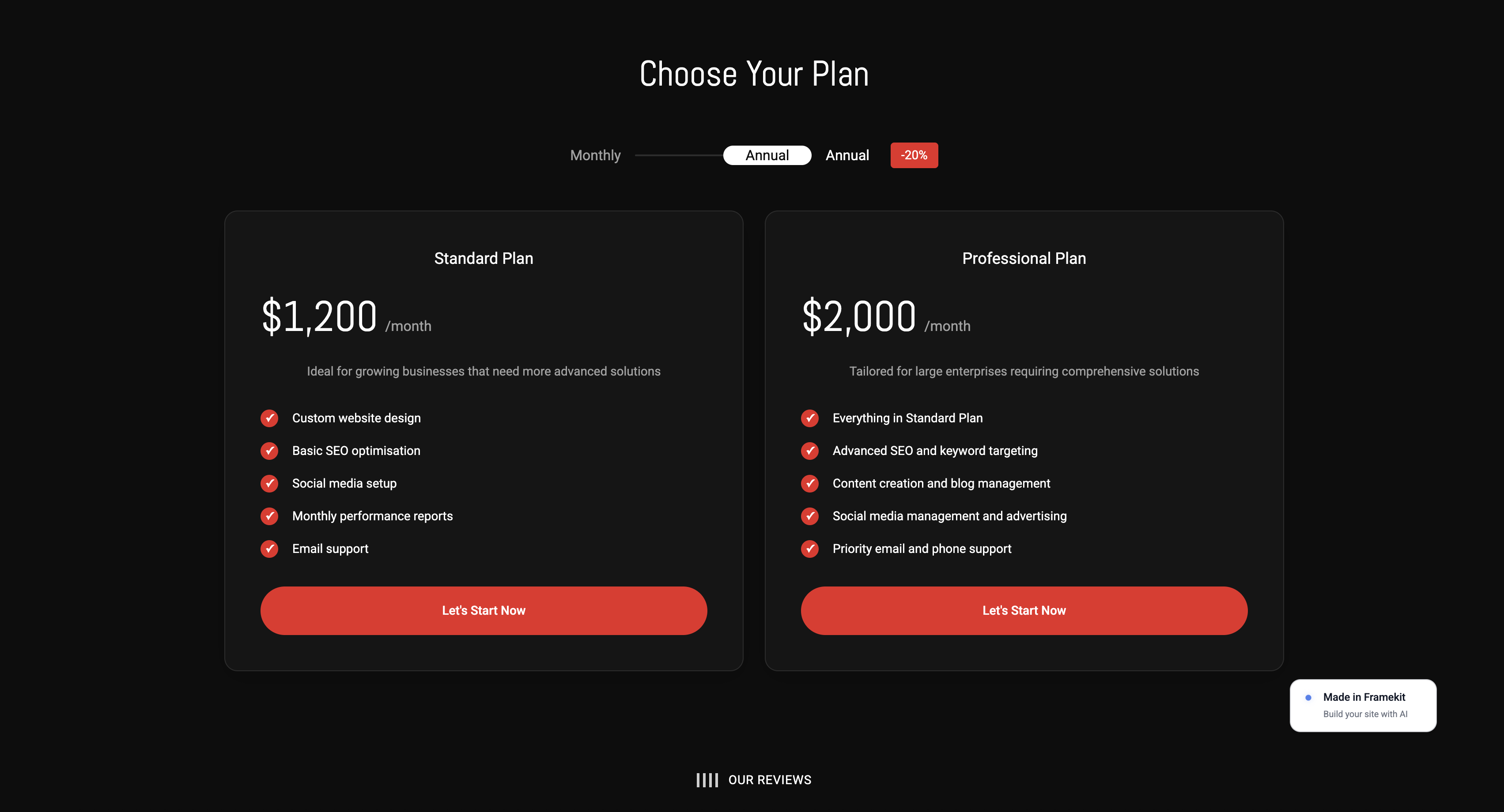
Legal wants the disclaimer longer. Brand wants the logo bigger. The product lead wants a feature mentioned that legal will then object to. HR thinks the music is too casual.
The VP who commissioned the video wants their name in the credits, and none of these five people has spoken to any of the others.
An in-house video team's problem is not that the feedback is bad.
It is that eleven people leave notes independently, several of those notes contradict each other, and the editor becomes the arbiter of an internal disagreement they have no authority to settle.
The video does not ship because nobody has decided anything, and the tool everyone is using presents all eleven opinions as though they carry equal weight.
That is the specific failure this category can fix, and only some of it does. The tools that help do not have better commenting; they have structure that turns a group of stakeholders into a single decision.
This page was updated in September 2026: Framekit's plans were re-verified, and we added a third place for the in-house team that never had eleven stakeholders in the first place.
A video review tool for corporate video teams is a platform that collects feedback from many internal stakeholders and resolves it into one approval, using reviewer groups, sequencing and deadlines rather than leaving an editor to reconcile contradictions by hand.
The best video review tool for corporate video teams in 2026 is Filestage, at 199 dollars a month with ten members, because reviewer groups with due dates are the most direct answer to stakeholder sprawl in this comparison.
Ziflow at the same price includes 15 users and prices workflow stages explicitly, and PageProof at 249 dollars flat handles unpredictable reviewer counts with a published audit record.
Framekit ranks third only for the smallest in-house teams, where one or two people sign off: it has no routing at all.
Full disclosure: Framekit is our own product and we rank it third for one reader only, the in-house team with a single approver. It has no reviewer groups, no sequencing, no due dates and no exportable audit trail, which is most of the subject of this article, and every tool built for stakeholder sprawl beats it at that job.
How We Tested 12 Tools for Corporate Review
We reproduced the failure rather than a clean workflow: a 3-minute internal announcement video sent to eleven reviewers at once, including a legal reviewer and a brand lead whose notes we wrote to deliberately contradict each other.
Two rounds. Then we measured how much work it took the editor to arrive at a single actionable instruction. August 2026, fresh accounts.
The result was clearer than expected. On tools without reviewer groups, the editor received eleven parallel comment streams and had to escalate the contradiction by email, outside the platform entirely.
On tools with groups, the contradiction surfaced inside the group and was resolved before it reached the edit.
Measured means we ran both rounds with eleven reviewers. Verified means the figure was read at the vendor's own published pricing page and linked inline.
Enterprise tiers on Filestage, Ziflow and PageProof carry no published price and were not tested.
The three mechanisms that consolidate feedback
Reviewer groups. Stakeholders are bundled, and the group produces one decision rather than five opinions. This is the mechanism that most directly addresses sprawl, and Filestage builds its whole product on it.
Sequencing. Groups are asked in order, so legal reviews before the video reaches distribution and brand does not comment on a cut legal will force you to change anyway. Ziflow prices this explicitly as workflow stages.
Deadlines with reminders. A stakeholder who has not responded is the most common reason a corporate video misses its date, and automated chasing removes that from the editor's job. Filestage, Ziflow and PageProof all include it.
What Stakeholder Sprawl Actually Costs
Every figure below was read at the vendor's own published pricing page in August 2026 and priced for an in-house team of four plus eleven stakeholder reviewers.
- 5 of 12 tools support reviewer groups or sequenced routing. The other 7 present all stakeholder comments in one undifferentiated stream.
- Filestage Starter at 199 dollars a month includes 10 members, so a four-person team pays for ten, and additional seats come in bundles of five.
- Ziflow Standard is the same 199 dollars a month and includes 15 users, making it the better value on seats at an identical price.
- PageProof Team at 249 dollars a month includes unlimited reviewers with no seat arithmetic, which suits an eleven-stakeholder review better than either.
- External stakeholder reviewers do not consume paid seats on any tool in this comparison, so the seat count only ever covers your own team.
- The cheapest tool here with any real routing is ReviewStudio Advanced at 20 dollars per user annually, with a five-user minimum.
- 3 of 12 publish an approval record beyond a status change: PageProof, Ziflow and Filestage, all on tiers with unpublished prices.
| Tool | Reviewer groups | Sequencing | Deadlines | Team of four, 1 year |
|---|---|---|---|---|
| Filestage | Yes, core to the product | Group order | Due dates and reminders | 2,388 dollars, 10 seats |
| Ziflow | Yes | Workflow stages, priced by tier | Proof deadlines | 2,388 dollars, 15 users |
| Framekit | No | No | Link expiry with a reminder | 108 dollars on Starter, one account |
| PageProof | Workflow-based | Automated workflows | Reminders on every tier | 2,988 dollars, unlimited |
| Frame.io | No, status per asset | No | No | 1,200 dollars on Team |
| ReviewStudio | Client and project teams on Advanced | Automations on Advanced | Checklists | 1,200 dollars on Advanced, 5-seat floor |
| Approval Studio | Task assignment | Automation on Enterprise | Task deadlines | 1,920 dollars on Pro |
| GoVisually | Approval checklists | Checklist order | Not published | 1,584 dollars on Pro |
| Krock.io | No | No | No | 480 dollars |
| Wipster | No, comments as tasks | No | No | 957.60 dollars on Team |
| Vimeo | No | No | No | About 228 euros |
| Kollaborate | No | No | No | 300 dollars |
Jump to the decision tree if you already know how many people sign off.
The Best Video Review Tools for Corporate Video Teams in 2026
Ranked for the two shapes of in-house team. The first two places go to the tools that resolve many stakeholders into one decision, since that is the corporate problem at scale and it is barely related to review quality.
Third goes to the commonest small shape, one video lead and one approving manager, which never needed routing. Everything after is ordered by how much sprawl it absorbs. The first four get full reviews.
1. Filestage: Built for Stakeholder Sprawl
Filestage is the tool in this comparison whose central concept is the thing corporate teams actually struggle with. Starter is 199 dollars a month with 10 members, reviewer groups, due dates and reminders, version comparison, team-only comments, custom branding and password-protected links.
The real number2,388 dollars a year, and a four-person in-house team pays for ten included members. That looks wasteful until you price the alternative: one delayed launch because a stakeholder never responded costs a corporate team more than a year of this in wasted production time alone.
The standout detailunlimited reviewers alongside those ten members is the detail that makes it fit. Your eleven stakeholders are guests, not seats, so sprawl on the review side costs nothing while the structure that organises them is what you are buying.
The gotchaseats are added in bundles of five, so a team growing from ten to eleven pays the same as growing to fifteen. Review reports, automations and external partner uploads all sit on Business at 329 dollars a month.
Skip it ifyour sign-off is one marketing manager. At that size you are buying an empty workflow engine and Frame.io or Krock.io will serve you better for a fraction of the cost.
Verdict: the most direct answer to the eleven-stakeholder problem, and correctly priced for an organisation where a delayed video has a real cost.
2. Ziflow: Same Price, More Seats, Explicit Stages
Ziflow matches Filestage's entry price and beats it on seats. Standard is 199 dollars a month with 15 users and 1TB, Pro is 329 dollars with 20 users and 2TB, and workflow stages are the explicit pricing axis: one on the free tier, two on Standard, three on Pro, unlimited on Enterprise.
The real number15 users against Filestage's 10 at the same 199 dollars. For a corporate team of four that difference is theoretical, and for a team of twelve it is the whole decision.
The standout detailpricing the stages directly makes the purchase legible in a way Filestage's reviewer-group model does not. If your process is legal, then brand, then distribution, that is three stages and you know before signing that Pro at 329 dollars is the tier you need.
The gotchathe free Personal tier retains review history for 60 days and then removes it, which for a corporate team with any compliance obligation is disqualifying rather than inconvenient.
Verdict: the better buy if your sign-off is genuinely sequential, and the better value on seats at every headcount above ten.
3. Framekit: Best for Small In-House Teams With One Approver

Framekit is an AI website builder with video review built in, and it answers a different corporate question from the two tools above: what should a one-person or two-person internal video function use when sign-off is a single comms manager rather than a committee?
For that team, Filestage's reviewer groups are an empty engine, and Framekit's lighter structure is enough.
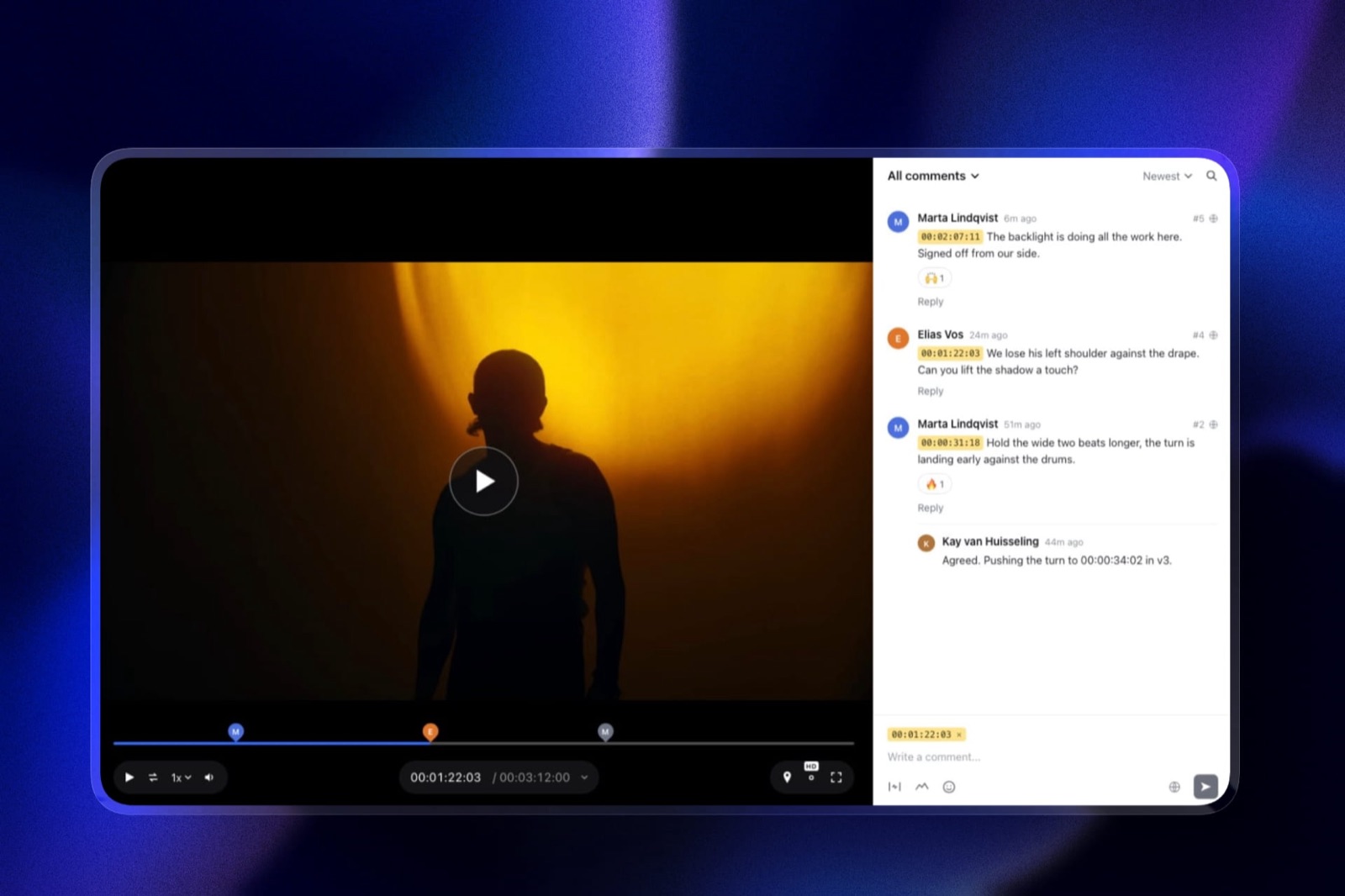
Stakeholders open a link without an account and leave comments pinned to the frame or across a range, with a pen and shapes when "move the lower third" is easier drawn than typed.
Each cut carries a status, needs review, in progress, approved or needs changes, which the approver can set themselves, and new cuts stack as versions with the old notes kept.
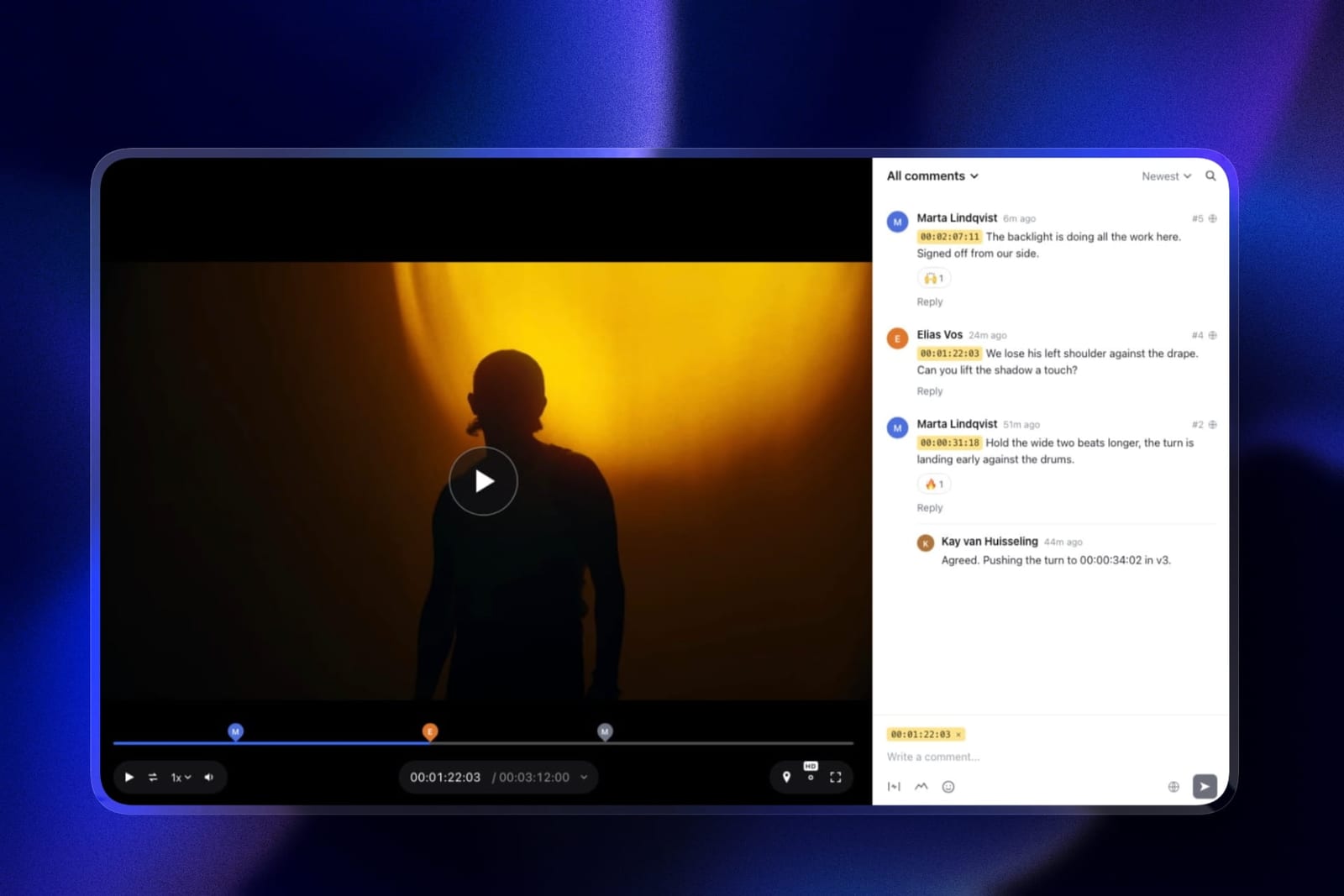
The real number108 dollars a year on Starter against Filestage's 2,388, with every stakeholder commenting free. Pro at 19 dollars a month adds a 2GB per-file cap and 150GB of video.
The standout detaila lightweight record. With the email gate on, every reviewer gives an address before the page opens, and the activity log records who commented, who set a cut to approved and who downloaded it.
That is not a compliance export, but it answers "did the comms director sign off on v3" without an email search.
The honest gotchano reviewer groups, no sequencing, no due dates and no reminders to stakeholders. Eleven people commenting on a Framekit page produce eleven comments in one thread, which is exactly the failure the tools above exist to prevent.
Skip it ifmore than about three people sign off, or they disagree with each other. Buy Filestage or Ziflow.
Verdict: the right tool for the small internal team whose approval is one person, at a small fraction of the routing platforms' price. The wrong tool the moment legal, brand and HR all want a say.
4. PageProof: Best When Reviewer Count Is Unpredictable
Team is 249 dollars a month or 2,499 a year, and Team Plus is 399 a month, both including unlimited reviewers, unlimited proofs and unlimited versions of any file type, with automated workflows and reminders on every tier.
The real number2,988 dollars a year flat, with no seat arithmetic anywhere. Against Filestage and Ziflow at 2,388, it costs more until your own team exceeds their included seats, and then it stops moving entirely while they start selling blocks of five.
The standout detailit publishes the difference between a basic audit that tracks proof activity and a full audit with compliance export and digital signing on Enterprise.
For a corporate team in a regulated sector, that distinction is the buying decision, and PageProof is the clearest about where the line sits.
Verdict: the right choice when stakeholder counts vary unpredictably between projects, and when someone may eventually need to prove who approved what.
5. Frame.io: Best Review, No Routing
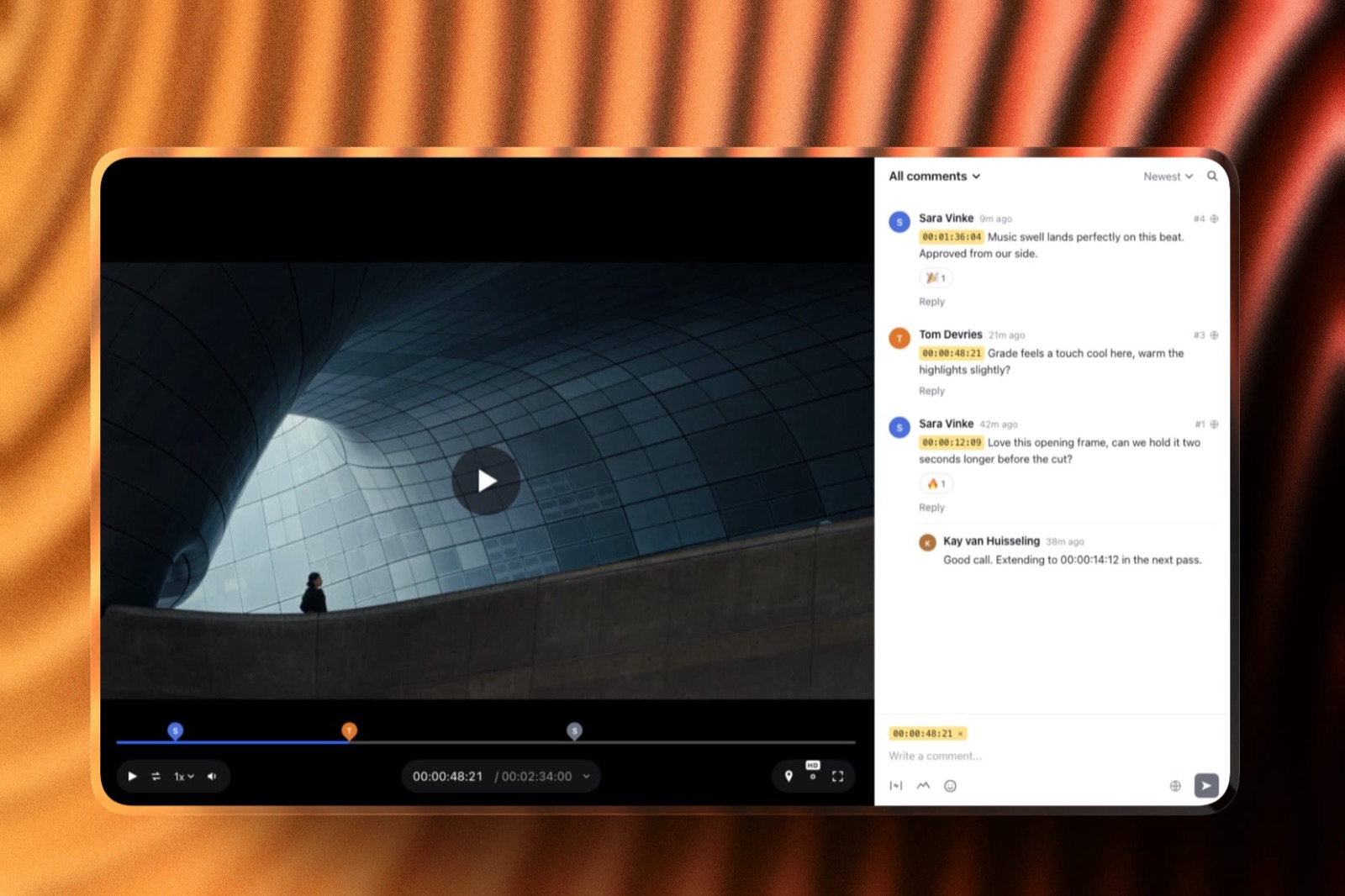
Team is 25 dollars per member per month with internal comments and restricted projects and folders, on top of Pro's frame-accurate range comments, drawn annotation, version stacks and editorial panels.
The real number1,200 dollars a year for a four-person team, roughly half of Filestage or Ziflow, with by far the best review tooling here and none of the consolidation.
The gotchathere is no reviewer-group concept, no sequencing and no deadlines, so eleven stakeholders produce eleven parallel comment streams and your editor still arbitrates. Internal comments help by separating your team's discussion from the stakeholders', which is a genuine partial fix.
Verdict: the right answer for a corporate team whose sign-off is two or three people, where the review quality matters more than the routing. The wrong answer at eleven.
6. ReviewStudio: Cheapest Real Structure
Advanced at 20 dollars per user annually adds client and project teams, comment privacy, workflow automations and API access with a five-user minimum, over a free tier that already gives unlimited users and guests on 5GB.
Verdict: 1,200 dollars a year, because the five-user minimum means a team of four pays for five, and that is still the cheapest genuine routing in this comparison by a wide margin. Weaker than Filestage on deadlines and reminders, and the price difference is substantial enough to justify testing it first.
7. Approval Studio: If Print Is in Scope
Pro is 160 dollars a month for five or more users with a spellchecker, on-screen ruler and barcode scanner, colour separation, 1000% zoom, task assignment, analytics and unlimited external reviews, with video review supported alongside.
Verdict: a corporate team producing brochures and packaging as well as video gets one system for both at roughly two thirds of Ziflow's price. Its consolidation is task-based rather than group-based, which is weaker.
8. Krock.io: Cheap, Fast, Unstructured
Pro is 10 dollars per user with unlimited team size and from 2TB, unlimited reviewers on every plan, 4K playback and review across video, image, audio and PDF.
Verdict: 480 dollars a year for four with real storage, and no routing whatsoever. The right pick for an internal team whose stakeholders genuinely agree with each other, which is rarer than it sounds.
9. Wipster: Notes as a Checklist
Team is 19.95 dollars per user monthly with team-only comments, custom branding, closed captions and 250GB to start, with annotation and Premiere Pro and After Effects extensions.
Verdict: turning comments into checkable tasks is a lightweight consolidation, since the editor works a list rather than re-reading a thread. It does not resolve contradictions, it just organises them.
10. GoVisually: Compliance-Led Approval
Pro is 33 dollars per user with a three-user minimum, 250 active projects and unlimited external reviewers, with approval checklists and a compliance suite from 499 dollars a month covering more than twenty regulatory frameworks.
The gotchaLite at 16 dollars per user supports no video or GIF at all, so Pro is the real entry point for a video team.
Verdict: for corporate teams in regulated sectors whose output includes labels and claims as well as video. Overspecialised otherwise.
11. Vimeo: Distribution, Not Coordination
Standard is 19 euros a month billed annually with 5 users and 4TB, with review and collaboration tools included and the reviewed file able to become the internal or public embed.
Verdict: genuinely useful for corporate teams because internal videos usually need hosting afterwards, and no help at all with eleven stakeholders. Often correct as a second tool rather than the first.
12. Kollaborate: Storage, Not Structure
Small Business is 25 dollars a month for 60GB and 5 team members, rising through twelve flat tiers with unlimited projects and bandwidth.
Verdict: real team seats at a flat price and no routing at all. Listed last for this audience specifically, since coordination is the entire requirement here.
What Contradictory Feedback Actually Costs
In one linethe expensive part of corporate review is not the number of notes, it is the number of notes that cannot both be actioned, and an editor without authority cannot resolve those at any speed.
Watch the failure play out. Legal asks for a longer disclaimer, which pushes the runtime past the slot the internal comms team booked. Brand asks for a bigger logo, which the design lead has already refused twice.
The editor now holds two instructions they cannot both follow and no standing to choose. What happens next is an email thread outside the review tool, a meeting, and four days.
Reviewer groups resolve this by construction. If legal and compliance are one group and the group produces one decision, the contradiction is settled among people who have the authority to settle it, before it reaches production.
Sequencing resolves the second class of problem, where brand comments on a cut that legal is about to force a change to, by simply not asking brand yet.
Price it against the tools. Filestage and Ziflow are 2,388 dollars a year.
One four-day delay on one video, counting the editor's time, the meeting and the missed publication date, will typically exceed that on its own in an organisation of any size.
This is the rare part of this series where the expensive tools are straightforwardly correct.
The test you can runlook at your last three videos and count the notes you could not action without asking someone to decide between two stakeholders. If that number is above zero on every video, you have a routing problem rather than a review problem, and no amount of better commenting will fix it.
What Corporate Teams Buy That They Do Not Need
In one linein-house teams consistently overspend on seats and underspend on structure, because seats are the number on the pricing page and structure is buried in a feature table.
Two corrections save real money. First, your stakeholders are not seats. On every tool in this comparison, external and internal reviewers can comment by link without consuming a paid seat.
A team of four with eleven stakeholders needs four seats, not fifteen, and buying fifteen is the most common corporate overspend in this category.
Second, annotation is rarely the constraint. Corporate feedback is overwhelmingly about copy, claims, runtime, music and logo placement, all of which are expressible in a sentence with a timecode.
The drawing tools that justify a premium in animation and motion work are nearly idle here, so paying for them is optional in a way the routing is not.
Where corporate teams genuinely underspend is the audit record. Three tools publish anything beyond a status change, PageProof, Ziflow and Filestage, and all three put the strong version on an Enterprise tier with no published price.
If your organisation would ever need to demonstrate that legal approved a specific cut on a specific date, that conversation should happen at purchase rather than after an incident.
Which Tool Fits Your Corporate Team? A Decision Tree
Work through these in order and stop at the first yes. The first question decides whether you belong on the expensive half of this page at all.
- Do more than five people sign off, with contradictions between them? Filestage at 199 dollars a month, or Ziflow at the same price with 15 users rather than 10.
- Must approvals happen in a fixed order? Ziflow, where workflow stages are the published pricing axis.
- Does reviewer count swing wildly between projects? PageProof at 249 dollars flat with unlimited reviewers and no seat blocks.
- Might someone need to prove who approved what? PageProof, Ziflow or Filestage, and budget for their Enterprise tiers, since the strong audit sits there on all three.
- Do you also approve packaging, labels or regulated claims? GoVisually for compliance checking, or Approval Studio for print tooling at a lower price.
- Is sign-off one manager, with one person running video? Framekit at 9 dollars a month, with approval statuses and an activity log. If it is two or three people who agree, Frame.io at 25 dollars per member for the best review tooling, or Krock.io at 10 dollars per user for the best value.
- Do you want routing on the smallest possible budget? ReviewStudio Advanced at 20 dollars per user with a five-user minimum.
- Does the finished video need hosting afterwards? Vimeo, usually as a second tool rather than your review platform. Our client approval software comparison covers the sign-off half in more depth.
Frequently Asked Questions
What is the best video review tool for corporate video teams in 2026?
Filestage is the best video review tool for corporate video teams in 2026, at 199 dollars a month with ten members, because reviewer groups with due dates and reminders are the most direct answer to stakeholder sprawl.
Ziflow costs the same and includes 15 users with workflow stages priced explicitly, and PageProof at 249 dollars flat handles unpredictable reviewer counts with a published audit record.
How do I stop eleven stakeholders leaving contradictory notes?
Use reviewer groups so a group of stakeholders produces one decision rather than several opinions, and sequence those groups so legal reviews before brand comments on a cut legal will change.
Filestage builds its product around groups, Ziflow prices sequencing directly as workflow stages, and ReviewStudio offers client and project teams on its Advanced tier.
Tools without these mechanisms leave the editor arbitrating disputes they cannot settle.
Do stakeholders need paid seats to review?
No, and this is the most common corporate overspend in this category. On every tool in this comparison, external and internal stakeholder reviewers can comment by link without consuming a paid seat.
A team of four with eleven stakeholders needs four seats. Filestage advertises unlimited reviewers alongside its ten members, and PageProof includes unlimited reviewers at every tier.
Is Filestage or Ziflow better for corporate video?
They cost the same at entry and differ structurally.
Ziflow Standard includes 15 users against Filestage Starter's 10 at 199 dollars a month, supports over 1,200 file types, and prices workflow stages explicitly so you can tell in advance which tier your process needs.
Filestage organises around reviewer groups with due dates and includes team-only comments at its floor. Choose Ziflow for sequential sign-off and breadth, Filestage for group-based consolidation.
Why does corporate review software cost so much more than creator tools?
Because it prices coordination rather than commenting. The 199 dollar tier does not give you better annotation than a 10 dollar tool; it gives you reviewer groups, sequencing, deadlines with automated chasing and reporting.
Those exist to resolve disagreement between stakeholders, which is a problem creators and freelancers do not have. If your sign-off is one manager, the expensive tier is solving a problem you do not have.
Framekit vs Filestage for an in-house video team: which fits?
Filestage fits a team with many stakeholders and Framekit fits a team with one approver. Filestage Starter at 199 dollars a month has reviewer groups, due dates and reminders that consolidate eleven opinions into one decision.
Framekit at 9 dollars a month has none of that routing, but gives a single approver timestamped comments, drawing, approval statuses, an email gate and an activity log of who approved and downloaded each cut.
Do we need an audit trail for internal videos?
It depends entirely on your sector and it is worth deciding at purchase rather than after an incident.
Only PageProof, Ziflow and Filestage publish an approval record beyond a status change, and all three put the strong version, with compliance export or electronic signatures, on Enterprise tiers with no published price.
If a regulator or an internal auditor might ever ask who approved a specific claim, raise it during procurement.
How much should an in-house video team budget?
Between 480 and 2,988 dollars a year for a four-person team, and the spread is entirely about routing rather than review quality.
Krock.io is 480, Frame.io Team is 1,200, ReviewStudio Advanced is 1,200 on its five-seat floor, Filestage and Ziflow are 2,388, and PageProof is 2,988.
The right number depends on how many people sign off and whether they disagree, not on how much video you make.
What causes corporate videos to miss their launch date?
An unresponsive stakeholder, more often than any production problem.
That is why deadlines with automated reminders appear on exactly the tools built for this audience: Filestage's due dates, Ziflow's proof deadlines and PageProof's reminders on every tier.
Removing the chasing from the editor's job is a scheduling feature disguised as a review feature, and it is worth more than most feature comparisons suggest.
Do corporate teams need annotation?
Rarely. Corporate feedback is overwhelmingly about copy, claims, runtime, music and logo placement, which are all expressible in a sentence attached to a timecode.
Drawing tools justify their premium in animation, VFX and motion work where the note concerns a region of the frame. For an internal comms video, routing matters and annotation is close to optional.
Can one tool cover video, print and internal comms?
Yes, and it is often the right corporate purchase.
Ziflow supports over 1,200 file types, Filestage supports all file types on every tier including free, and Approval Studio covers print tooling and video review together from 160 dollars a month.
Watch GoVisually specifically: its 16 dollar Lite tier supports no video or GIF at all, so Pro at 33 dollars per user is the real entry point.
What happens to our approvals if we switch tools?
They stay with the platform you leave, on every tool in this comparison, and nothing here can import another vendor's approval history.
Filestage's review reports on Business and PageProof's audit export are the two artifacts most worth extracting before a migration.
For a corporate team with any compliance exposure, treat the export as part of the switching cost rather than an afterthought.
Final Verdict
Filestage is the best video review tool for corporate video teams in 2026 because it treats the actual problem, which is that eleven stakeholders produce contradictions an editor has no authority to resolve.
Reviewer groups turn a crowd into a decision, due dates with reminders remove chasing from the editor's job, and unlimited external reviewers mean the sprawl side costs nothing while the structure is what you pay for.
Ziflow is the better buy on seats at the same price and the better model if your sign-off is genuinely sequential. Framekit is the pick for the small internal team whose video is approved by one manager, at 9 dollars a month.
PageProof is the answer when reviewer counts are unpredictable or an approval might need proving.
Where Framekit loses, and why a larger corporate team should not buy it. Framekit has no reviewer groups, no sequencing, no deadlines, no stakeholder reminders and no exportable audit trail, so eleven stakeholders leave eleven comments in one thread.
It ranks third only for teams with a single approver. If more than about three people sign off, the 2,388 dollars that Filestage or Ziflow costs is money well spent rather than money saved.
The one thing worth changing regardless of budget: stop buying seats for stakeholders. They review by link on every tool here, and that mistake alone funds most of the upgrade this page recommends.
Related readingclient approval software compared, the best Filestage alternatives, video review tools for creative agencies, and the 12 best video review tools.
Competitor prices were read at each vendor's published pricing page in August 2026, Framekit's were checked again in September 2026, and all were priced for an in-house team of four plus eleven stakeholder reviewers, since stakeholders review by link and do not consume seats on any tool in this comparison.