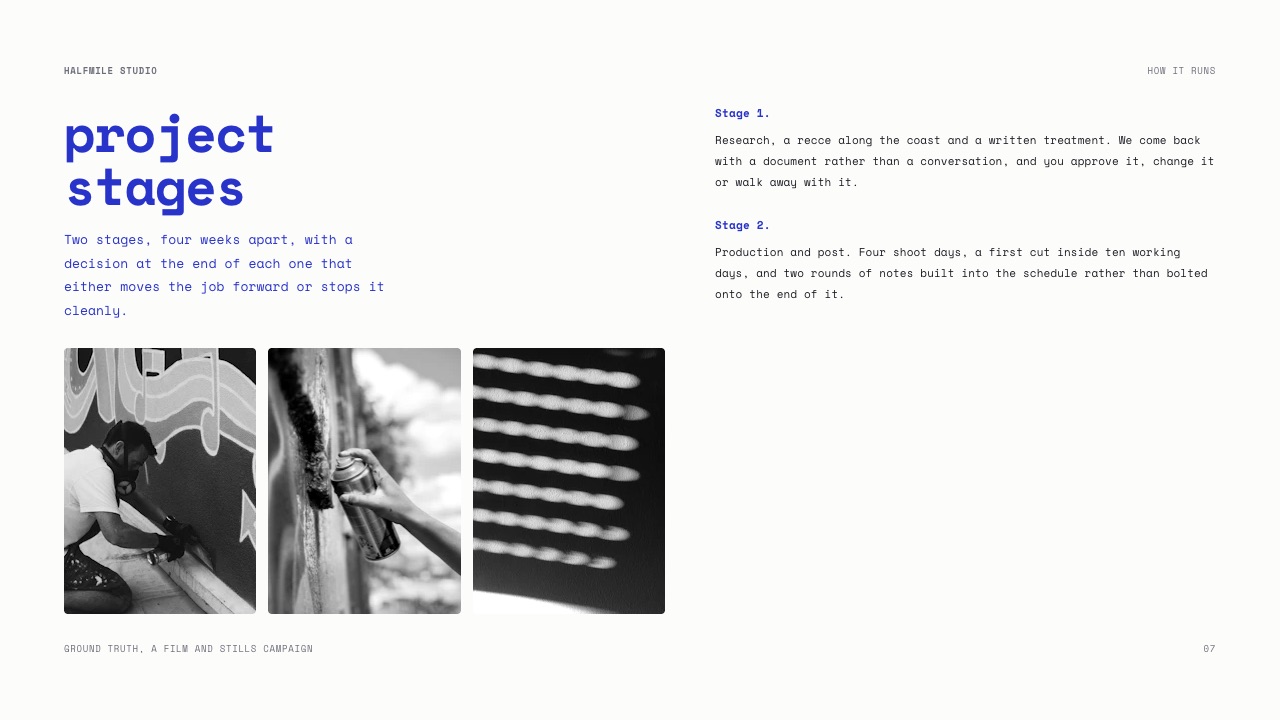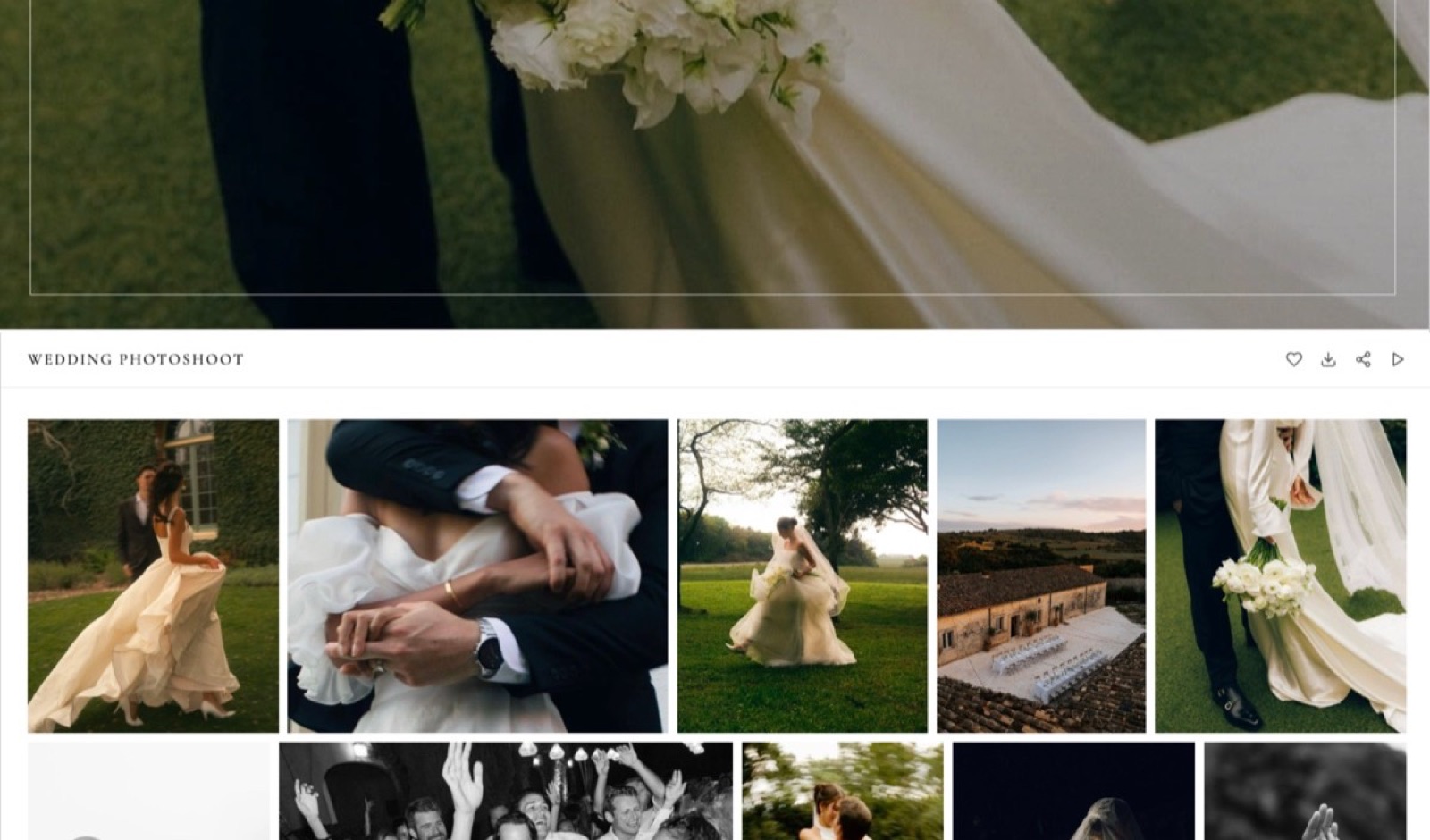
Framekit templates
Start from a designer-made template
 Use template
 Use template
 Use template
 Use template
 Use template
 Use template
 Use template
 Use template
Watermarking tools for photographers solve a problem that is smaller than most people think and different from what they expect. A watermark does not prevent theft.
Anyone determined to take an image will crop, clone or simply screenshot it, and the tools to remove a mark have never been more available.
What a watermark does is signal ownership, deter casual reuse, and keep an unfinished image visibly unfinished.
That reframing changes which tool you need. If the job is deterring casual reuse of a proof, you want a watermark applied dynamically by the gallery, so the mark exists on the version the client sees and never touches your master file.
If the job is stamping a file that will travel, you want a batch export tool that bakes the mark in permanently.
Most photographers do the second when they need the first, which means they now have two copies of every image and a folder naming problem.
A watermarking tool is software that overlays a logo, signature or text onto photographs, either dynamically at the moment a viewer loads them in a gallery, or permanently during export so the mark travels with the file.
The best watermarking tool for photographers in 2026 is Framekit for gallery-side marking, because watermarking is available per gallery on every plan including free, applied to what the client sees while your originals stay untouched, on a site you own.
The honest trade-off: Framekit's positioning and opacity controls are simpler than Pixieset's and it has no batch export at all.
Lightroom Classic is the best tool for permanently baking marks into exports, Pixieset has the most granular gallery watermark controls, and ShootProof pairs watermarking with the best sales terms.
Framekit watermarks the client-facing gallery on every plan, including the free one.
Full disclosure: Framekit is our own product and it leads the gallery half of this list, so read the concessions. We watermarked the same 200-image set on all eleven tools, verified prices against published pages in August 2026, and we say clearly what we do not do: no batch export, no per-image positioning, and less control over opacity and scale than several platforms below.
When Watermarking Helps and When It Hurts
Getting this judgement wrong costs photographers real work and real goodwill, so it is worth being blunt about the four cases that cover almost every situation you will meet.
Proofing rounds: watermark. An unselected, unretouched frame should be visibly provisional. A mark stops a client using a proof as a final and stops a rejected frame circulating as your work.
Final client deliveries: do not watermark. The client paid for usable files. A watermark on a delivered wedding gallery or a brand library makes the images useless for the purpose they were bought for, and generates a request you will have to answer anyway.
Public portfolio images: usually not. A visible mark across a portfolio image reduces its impact and rarely deters anyone. Use a small corner mark if you must, and accept that its function is attribution rather than protection.
Images licensed for preview: watermark heavily. Where a buyer is evaluating before paying, a substantial mark is the point, and it should be removed only when the licence is paid.
The rule that follows is simple: mark what is not paid for yet, and leave alone what is. Photographers who watermark everything are usually solving a fear rather than a problem.
How We Tested These Watermarking Tools
We ran two separate jobs across these eleven tools, because dynamic gallery marking and baked-in export marking are genuinely different products that happen to share a name and a purpose.
The gallery joba 200-image proofing gallery published with a logo watermark, checked for whether the mark applied to previews only or to downloads, and whether the original file remained untouched.
The export jobthe same 200 images batch-exported with a watermark baked in, timed and inspected for positioning consistency across landscape and portrait frames.
Control over the mark, meaning position, scale, opacity and per-image adjustment, weighted 25%.
Whether originals stay clean, weighted 25%, since this is the difference between a reversible and an irreversible workflow.
Batch capability, weighted 20%.
Availability across plans, weighted 15%, because several platforms gate watermarking behind an upgrade.
Client-facing behaviour, meaning whether the mark survives a download and how it looks on mobile, weighted 15%.
Claims are labelled by source. Hands-on: applying marks, exporting, downloading and inspecting the results. Verified from primary sources: prices and plan gating read from published pages in August 2026. Community sentiment, always identified: recurring public complaints.
What Watermarking 200 Images Eleven Times Showed
The findings below separate the two categories of watermarking tool far more clearly than any side-by-side feature comparison would, and one of them contradicts how most photographers currently work.
- 8 of the 11 tools apply watermarks dynamically in a gallery, leaving your original files untouched, and 3 bake marks into exported copies.
- 6 of the 8 gallery tools let you choose whether downloads carry the mark or not, which is the setting that decides whether proofing and delivery can share one gallery.
- Watermarking is available on the free plan of 4 of the 11, and gated behind a paid tier on the rest.
- Positioning control ranges from a single corner choice to full opacity, scale and per-orientation placement.
- Batch export of 200 marked images took a single pass in a desktop tool and was not possible at all in most gallery platforms.
The audit worth doing on your own workflow: open your last delivered gallery and check whether the downloads carried a watermark. Photographers regularly discover they have been delivering marked finals to paying clients because a proofing setting was never turned off.
The 11 Best Watermarking Tools for Photographers, Compared
Ratings below are scored within each tool's own category, because comparing a desktop batch exporter against a gallery's dynamic overlay on one scale would be meaningless.
Framekit reaches 9.1 for gallery-side marking while scoring a 2 on batch export, which it does not offer at all.
| Tool | Type | Watermarking available from | Originals stay clean | Our rating |
|---|---|---|---|---|
| Framekit | Gallery, dynamic | Free plan | Yes | 9.1/10 |
| Pixieset | Gallery, dynamic | Free plan | Yes | 9.0/10 |
| Lightroom Classic | Desktop, baked in | Adobe Photography plan | Yes, on export copies | 8.9/10 |
| ShootProof | Gallery, dynamic | Free plan | Yes | 8.6/10 |
| Pic-Time | Gallery, dynamic | Free plan | Yes | 8.4/10 |
| PicDrop | Gallery, dynamic | Paid plans | Yes | 8.1/10 |
| CloudSpot | Gallery, dynamic | Paid plans | Yes | 7.9/10 |
| SmugMug | Gallery, dynamic | Paid plans | Yes | 7.7/10 |
| PhotoShelter | Gallery, dynamic | Paid plans | Yes | 7.5/10 |
| Picflow | Gallery, dynamic | Paid plans | Yes | 7.3/10 |
| Zenfolio | Gallery, dynamic | Paid plans | Yes | 7.0/10 |
Prices and plan gating were read from the vendors' published pricing pages in August 2026. Adobe's Photography plan bundles Lightroom Classic and Photoshop and is priced separately from the gallery platforms in this table.
Check your last delivery. If the downloads carried a watermark, you have been sending paying clients unusable files and nobody told you.
1. Framekit: Best Gallery Watermarking

Our rating: 9.1/10
Framekit is an AI website builder with client galleries and a digital store built in, and its watermarking earns the top spot for one unfashionable reason: it is available on every plan, including free, applied per gallery rather than per account.
That means the proofing round can carry a mark and the final delivery can be clean, without maintaining two copies of anything.
Because the mark is applied to what the client sees rather than to your files, nothing is irreversible.
Turn watermarking off on a gallery and the same images become clean deliverables immediately, which is the workflow most photographers actually want and the one that batch exporters cannot provide.
Best forPhotographers who want proofs marked and finals clean, without keeping two versions of every image.
Key features:
- Watermarking available on every plan including free, configured per gallery
- Originals stay untouched, so removing a mark is a setting rather than a re-export
- Unlimited galleries, so a marked proofing gallery and a clean delivery gallery cost nothing extra
- Password and PIN protection and download control alongside the mark
- Galleries served from your own domain, built by Cadence, Framekit's own model for creative sites
- Originals up to 100MB per photo, delivered without recompression when the mark is off
The real numberwatermarking costs nothing on any Framekit plan, including the $0 tier, whereas PicDrop, CloudSpot, SmugMug, PhotoShelter, Picflow and Zenfolio all gate it behind a paid plan starting between $7 and $21 a month.
For a photographer who only needs marks on the occasional proofing round, that difference is the entire budget.
PricingFree $0 (3GB, unlimited galleries, watermarking included), Starter $9/mo (10GB, custom domain, branding removed), Pro $19/mo (100GB), Business $39/mo (1,000GB). Annual billing takes 20% off.
Pros:
- Watermarking on every plan, including free, rather than as a paid upgrade
- Per-gallery rather than per-account, so proofs and finals differ without duplicate files
- Reversible, since the original file is never modified
Cons:
- No batch export, so you cannot produce permanently marked files for use elsewhere
- Positioning and opacity controls are simpler than Pixieset's
- No per-image placement adjustment for awkward compositions
- No tiled or repeating watermark option for high-risk preview work
Skip it ifyou need permanently marked files that travel outside a gallery. That is Lightroom Classic's job and no gallery platform substitutes.
Verdict: Framekit is the best gallery watermarking tool in 2026 because the feature is universal rather than premium and reversible rather than baked in. It cannot produce a marked file for you to email. See how it fits delivery in our client gallery platforms guide, or start at framekit.ai.
2. Pixieset: Most Control Over the Mark
Our rating: 9.0/10
Pixieset gives the most granular gallery watermark controls in this comparison: position, scale, opacity and the ability to apply marks to previews while leaving approved downloads clean.
For a photographer running proofing and delivery through the same platform, that flexibility is the practical differentiator.
Its free plan gives 3GB with a 15% commission on store sales, Basic at roughly $10 a month raises storage to 10GB and removes the commission, and Plus at roughly $20 gives 100GB.
Its Capterra score is 4.7 out of 5 from 207 published reviews, the largest sample in this guide.
Skip it ifyou want the gallery on your own domain rather than a vendor subdomain.
Verdict: Pixieset has the best watermark controls in the category and the same ownership limitation as every dedicated gallery tool. Our Pixieset alternatives guide covers the alternatives.
3. Lightroom Classic: Best for Baked-In Marks
Our rating: 8.9/10
For permanently marked files, Lightroom Classic is the tool the industry actually uses.
The Export dialogue applies a graphical or text watermark with control over anchor point, inset, opacity and proportional sizing, and it does so across a batch of hundreds in a single pass, producing copies while your originals stay untouched in the catalogue.
It is part of Adobe's Photography plan alongside Photoshop, and pricing has moved in recent years, so check Adobe's current published rates rather than relying on a figure quoted in an older comparison.
Skip it ifyou only need marks inside a client gallery. You would be running an export you do not need.
Verdict: Lightroom Classic is the correct answer whenever a marked file has to leave your computer, and it complements rather than competes with gallery watermarking.

4. ShootProof: Watermarking With the Best Sales Terms
Our rating: 8.6/10
ShootProof applies watermarks in galleries from the free plan and pairs that with the strongest commercial position in this comparison: 0% commission on sales on every plan, plus pro-lab print fulfilment, contracts and invoicing.
Plans price by photo count, from a free tier of 100 photos through roughly $10 a month for 1,500, $20 for 5,000, $30 for 25,000 and about $60 for unlimited, per ShootProof's plans page. It carries 4.9 out of 5 across 92 G2 reviews.
Skip it ifyou want a designed client experience alongside the marking.
Verdict: ShootProof marks competently and sells better than anything else here. Our ShootProof alternatives guide has the wider field.
5. Pic-Time: Marks Inside the Best-Looking Galleries
Our rating: 8.4/10
Pic-Time offers gallery watermarking from its free plan inside the most designed galleries in this comparison, which matters when the proofing round is also a sales moment and you want the marked previews to still look considered.
Its free plan takes 15% commission on store sales, Beginner is $8 a month with 10GB, Professional $25 with 100GB and Advanced $50 with unlimited storage, with 0% commission on paid tiers when you self-collect payment.
Skip it ifyou never sell prints and want the cheapest marking available.
Verdict: Pic-Time makes a watermarked proof look like part of the experience rather than a restriction.
6. PicDrop: Clean Marking for Proofing
Our rating: 8.1/10
PicDrop's collaboration mode is built for exactly the stage where watermarking belongs, and the marked proofing view is the least cluttered here. Watermarking is a paid feature rather than a free one, which is the main caveat.
The Pro tier runs about EUR 14.99 a month and carries 500GB, unlimited galleries and your branding on client pages, with the free plan holding 1GB across 3 galleries and Advanced reaching 1TB at EUR 39.99.
This structure took effect for new customers in May 2026; see PicDrop's pricing page.
Skip it ifyou want marking on a free plan.
Verdict: PicDrop marks proofs cleanly and charges for the privilege, with the best storage economics in the category attached. Our PicDrop alternatives guide covers the rest.
7. CloudSpot: Marking Plus Business Tools
Our rating: 7.9/10
CloudSpot includes gallery watermarking on its paid plans alongside contracts, invoicing and scheduling, which suits a photographer whose proofing rounds sit inside a contracted workflow with an approval stage.
Its free plan covers 5GB across 3 galleries at 15% commission, Entry is $7 a month for 15GB across 15 galleries, Lite at $17 opens 100GB with unlimited galleries and the studio suite, and Pro and Unlimited run to $34 and $50, per CloudSpot's pricing page.
Skip it ifwatermarking is all you need. You would be buying a studio manager to get it.
Verdict: CloudSpot bundles marking into a broader business tool rather than selling it as a feature. Our CloudSpot alternatives guide covers the edges.

8. SmugMug: Marking Across a Large Archive
Our rating: 7.7/10
SmugMug's watermarking applies across galleries at scale, which is useful when the thing being protected is a large public archive rather than a single proofing round. Unlimited storage on every plan makes that archive practical in the first place.
Annual billing puts Direct at $20 a month, Portfolio at $23.50 and Pro at $37, with monthly rates at $29, $35.50 and $52, and print sales carry a markup commission commonly budgeted around 15%.
Skip it ifyour marking need is per-job rather than archive-wide.
Verdict: SmugMug marks a whole library rather than a single delivery, which is a different and occasionally more useful thing. Our SmugMug alternatives guide covers the trade.
9. PhotoShelter: Marking for Licensing Previews
Our rating: 7.5/10
PhotoShelter's watermarking exists for the case where it genuinely protects revenue: a licensing preview shown to a buyer before payment. Because licensing is built into the download flow, the mark and the transaction are part of one system rather than two.
PhotoShelter's Basic tier runs $12.99 a month with just 4GB, Standard costs $29.99 and adds 100GB plus client proofing, and Pro at $49.99 lifts storage to unlimited.
Skip it ifyou do not licence images. The surrounding machinery is the cost.
Verdict: PhotoShelter is where watermarking is a commercial control rather than a deterrent. Our PhotoShelter alternatives guide covers when that is overkill.
10. Picflow: Marks on Review Rounds
Our rating: 7.3/10
Picflow applies watermarking within a structured review workflow, which suits agency and commercial work where marked frames circulate among several approvers before anything is signed off. Paid plans start at $21 a month and include a storefront, invoicing and contracts.
Skip it ifyour proofing is a single client picking favourites.
Verdict: Picflow marks images inside the most sophisticated approval process here, at the highest entry price. Visit Picflow
11. Zenfolio: Marking on a Budget Bundle
Our rating: 7.0/10
Zenfolio includes gallery watermarking within a bundle of website, galleries and print sales from around $9 a month for Basic, $23 for Professional and $40 for Advanced, with a flat 7% commission per order.
For a photographer who wants everything on one cheap bill, the marking is adequate.
Control is more limited than Pixieset's, and its Capterra rating of 3.9 across 14 reviews rests on a small sample.
Skip it ifyou need fine control over placement.
Verdict: Zenfolio marks images acceptably as part of a broader bundle. Our Zenfolio alternatives guide covers where photographers move.
Dynamic Versus Baked-In Watermarking
The two approaches to watermarking solve genuinely different problems, and the choice between them is not a matter of taste or preference but of where the marked image is going to end up.
| Property | Dynamic gallery mark | Baked-in export |
|---|---|---|
| Original file | Untouched | Untouched, but a marked copy is created |
| Reversible | Yes, a setting | No, requires re-export |
| Works outside the gallery | No | Yes, travels with the file |
| Batch capability | Applies to the whole gallery at once | Applies to a whole export at once |
| Storage cost | None, one copy | Doubles, two copies of every image |
| Best use | Proofing rounds, previews | Files sent by email, social posts, licensing previews |
The practical implication is that most photographers need dynamic marking almost all the time and baked-in marking occasionally, which means a gallery platform is the primary tool and a desktop exporter is the specialist one.
Running the reverse, exporting marked copies for everything, doubles your storage and makes the eventual clean delivery a second export.
In one linemark dynamically in the gallery for proofs, bake in only for files that leave your control.

How to Choose a Watermarking Tool
Answer these in order and stop at the first confident yes, since watermarking needs are narrow and easy to identify once you separate the two categories.
1. Do the marked images stay inside a client gallery? If yes, use a gallery's dynamic watermarking and skip desktop tools entirely.
2. Do you need marking on a free plan? If yes, Framekit, Pixieset, ShootProof or Pic-Time, which are the four that include it at no cost.
3. Do you need fine control over placement and opacity? If yes, Pixieset among gallery tools, or Lightroom Classic for exports.
4. Do marked files need to travel by email or be posted elsewhere? If yes, Lightroom Classic, and accept the second copy.
5. Is the mark protecting a licensing preview? If yes, PhotoShelter, where the mark and the licence are one system.
Frequently Asked Questions
What is the best watermarking tool for photographers in 2026?
The best watermarking tool for photographers in 2026 is Framekit for gallery-side marking, because watermarking is included on every plan including free and applied per gallery so proofs can be marked while finals stay clean.
Pixieset has the most granular controls, and Lightroom Classic is the best tool for baking marks permanently into exported files.
Does watermarking actually prevent photo theft?
No, and it is important to be honest about this. A watermark can be cropped, cloned out or removed with widely available tools, and a screenshot defeats it entirely.
What a watermark does is deter casual reuse, signal ownership, and keep unfinished work visibly unfinished. Treat it as a signal rather than as protection, and rely on contracts and licensing for anything that matters commercially.
Should I watermark final client galleries?
No. Clients pay for usable files, and a watermark on a delivered wedding gallery or brand library makes those files useless for the purpose they were bought for. Watermark the proofing round, then deliver clean finals.
The most common workflow error we see is a proofing setting left switched on, which sends marked images to a paying client without anyone noticing.
Is dynamic watermarking better than baking it into the file?
For gallery work, yes, because the original stays untouched and the mark can be removed by changing a setting rather than re-exporting.
Baked-in marks are necessary only when the file has to travel outside the gallery, for example an image emailed to a publication or posted on social media. Most photographers need dynamic marking almost always and baked-in marking rarely.
Which client galleries include watermarking for free?
Framekit, Pixieset, ShootProof and Pic-Time all include gallery watermarking on their free plans. PicDrop, CloudSpot, SmugMug, PhotoShelter, Picflow and Zenfolio gate it behind a paid tier, with entry prices between $7 and $21 a month.
If you only need marks on occasional proofing rounds, that difference decides the choice.
How do I watermark hundreds of photos at once?
Use a desktop tool with batch export rather than a gallery. Lightroom Classic applies a graphical or text watermark to an entire export in one pass, with control over anchor point, inset, opacity and proportional sizing.
Gallery platforms apply marks to a whole gallery at once but cannot produce marked files for you to use elsewhere, which is the distinction that decides which tool you need.
Where should a watermark be placed?
Somewhere that is visible without ruining the image, which usually means a lower corner at low opacity for portfolio and attribution use, and something larger and more central for licensing previews where deterrence is the point.
Avoid placing marks over faces or focal points on proofs, since a client cannot judge an image they cannot see properly.
Framekit vs Pixieset for watermarking: which is better?
Pixieset is better if you want precise control over position, scale and opacity, since its watermark settings are the most granular in this comparison.
Framekit is better if you want marking available on every plan including free, configured per gallery rather than per account, and delivered from your own domain. The trade is fine control against availability and ownership.
Does watermarking reduce image quality?
Dynamic gallery watermarking does not touch your original file at all, so there is no quality loss to the master.
Baked-in export marking creates a new copy at whatever quality setting you export at, so the mark itself costs nothing but the re-encode might. Always keep the unmarked original, and never overwrite a master with a watermarked version.
Should I watermark my portfolio images?
Usually not. A visible mark across a portfolio image reduces its impact and deters almost nobody, while a small corner signature functions as attribution rather than protection.
If images being reused without credit genuinely costs you work, a discreet mark plus a reverse image search habit is more effective than a large watermark that weakens every picture you show.
Final Verdict
Watermarking is a small tool wrapped in a large anxiety, and the useful move is to shrink the problem: mark what is not paid for, leave alone what is, and choose a tool based on whether the marked image stays inside a gallery or travels.
Framekit wins the gallery half because marking is free on every plan, configured per gallery, and fully reversible, which is what the proofing workflow actually needs.
Where Framekit loses. We have no batch export, so if you need permanently marked files to email or post, we cannot produce them and Lightroom Classic can.
Our positioning and opacity controls are simpler than Pixieset's, and we offer no per-image adjustment for awkward compositions and no tiled watermark for high-risk previews.
PhotoShelter ties marking to a real licensing system that we do not have. For any of those, choose elsewhere.
Check your last three delivered galleries this week and confirm the downloads were clean. Delivering watermarked finals to a paying client is the most common error in this entire area, and it costs more goodwill than any theft a watermark would have prevented.
Related readingclient gallery platforms compared, photo proofing tools, password protected photo sharing tools, and how to deliver photos to clients.
All prices and plan gates were read from the vendors' published pricing pages in August 2026, and the same 200-image set was marked both dynamically in a gallery and permanently on export, because the two approaches are different products and testing only one of them would answer half the question.