Framekit templates
Start from a designer-made template
 Use template
 Use template
 Use template
 Use template
 Use template
 Use template
 Use template
 Use template
Nobody in this category prices in the same unit.
One vendor sells credits, another sells points, a third sells minutes, a fourth sells media hours, and every one of them describes a plan in terms that cannot be compared to the plan next to it.
That is not an accident, and it is the single reason most comparisons of AI video translation tools are useless: they list features and repeat the headline price, and the headline price tells you almost nothing about what dubbing a video will actually cost you.
An AI video translation tool is software that takes a finished video in one language and produces a version in another, usually by transcribing the original, translating the text, generating speech in the new language, and optionally reshaping the speaker's mouth to match.
Each of those four steps can be good or bad independently, and the tools in this guide are strong at different ones.
HeyGen is the best AI video translation tool for most people because its published credit rates work out to roughly 10 cents per dubbed minute without lip sync and 24 cents with it, which is the cheapest real rate in this comparison by a wide margin.
It caps individual videos at 30 minutes on its main plans, so long-form podcasters should look at Vozo or Maestra instead.
We dubbed the same three-minute talking-head clip into Spanish in all nine tools, then did the arithmetic every vendor avoids: we converted each published plan into the cost of one finished dubbed minute.
The answer ranges from 10 cents to 7.50 dollars. That is a 75-fold spread inside a single software category, and the most expensive option is not the best one.
Updated in September 2026: we re-verified Framekit's plans and where a dubbed cut gets approved, because Framekit stacks versions of the same video so an earlier pass and the notes left on it stay put when the next one goes up; translation prices are as checked in August 2026.
Every credit rate, plan price, and per-minute allowance below was read on the vendor's own pricing page or pricing FAQ during the first week of August 2026, and the conversions are shown so you can check them against your own usage rather than trusting ours.
How We Tested 9 Video Translation Tools
The source clip was deliberately unhelpful to the software: a single speaker to camera, three minutes long, with two proper nouns, one number spoken as digits, a brand name that is an English word used as a name, and one sentence where the speaker corrects themselves mid-thought.
Every one of those is a place machine translation breaks, and clean marketing copy read by a professional narrator would have hidden all of them.
Spanish was the target language for the comparison because every tool here supports it well, which isolates the differences to the workflow rather than to language coverage.
We ran a second pass into Japanese on the four tools that made it past the first round, because sentence length changes dramatically between English and Japanese and that is where dubbing timing falls apart.
Findings below are labelled so you can weigh them. Where we say we ran it, we put the clip through the tool on a paid or trial account in July or August 2026.
Where we say a figure is published, it was read on the vendor's own pricing page or pricing FAQ and quoted rather than tested.
Where we describe what users report, that is forum and release-note sentiment, offered as signal rather than as evidence.
Two honest limits. We paid for HeyGen, ElevenLabs, and Dubverse, and used trials for the rest, so our notes on long-run reliability are stronger for those three.
And the major software review aggregators return errors to automated access, so this guide quotes no star ratings from them rather than repeating scores we could not open.
The arithmetic that follows is the whole point of the guide, so it is worth stating the method plainly.
For each plan we took the published monthly price and the published allowance, converted the allowance into finished minutes of dubbed video in one target language, and divided.
Where a vendor charges different rates for dubbing with and without lip sync, both appear, because that choice is the largest single cost lever in this category.
What One Dubbed Minute Actually Costs
This is the table the category does not want to publish. Every figure is derived from the vendor's own published price and its own published allowance, and the conversion is shown so you can redo it.
| Tool and plan | Published price | Published allowance | Dubbed minutes | Cost per dubbed minute |
|---|---|---|---|---|
| HeyGen Creator, audio only | 29 dollars monthly | 600 credits, 2 credits per minute | 300 | 0.10 dollars |
| HeyGen Pro, audio only | 49 dollars monthly | 1,000 credits, 2 per minute | 500 | 0.10 dollars |
| HeyGen Creator, with lip sync | 29 dollars monthly | 600 credits, 5 per minute | 120 | 0.24 dollars |
| Maestra Premium voiceover | 79 dollars monthly | 300 minutes | 300 | 0.26 dollars |
| Maestra Basic voiceover | 39 dollars monthly | 120 minutes | 120 | 0.33 dollars |
| Vozo Studio | 99 dollars monthly | 600 points, about 200 dub minutes | 200 | 0.50 dollars |
| ElevenLabs Creator, automatic | 22 dollars monthly | 121,000 credits, 3,000 per minute | 40 | 0.55 dollars |
| Vozo Creator | 29 dollars monthly | 150 points, about 50 dub minutes | 50 | 0.58 dollars |
| ElevenLabs Starter, automatic | 6 dollars monthly | 30,000 credits, 3,000 per minute | 10 | 0.60 dollars |
| Dubverse Pro | 18 dollars monthly | 50 credits, 4 per dubbed minute | 12.5 | 1.44 dollars |
| Rask AI Creator Pro | 150 dollars monthly | 100 minutes | 100 | 1.50 dollars |
| ElevenLabs Creator, Dubbing Studio | 22 dollars monthly | 121,000 credits, 10,000 per minute | 12 | 1.82 dollars |
| Dubverse Supreme | 30 dollars monthly | 50 credits, 4 per dubbed minute | 12.5 | 2.40 dollars |
| Rask AI Creator | 60 dollars monthly | 25 minutes | 25 | 2.40 dollars |
| CAMB.AI Essentials | 5 dollars monthly | 2 dubbing minutes | 2 | 2.50 dollars |
| CAMB.AI Advanced | 250 dollars monthly | 45 dubbing minutes | 45 | 5.56 dollars |
| CAMB.AI Pro | 20 dollars monthly | 3 dubbing minutes | 3 | 6.67 dollars |
| CAMB.AI Expert | 900 dollars monthly | 120 dubbing minutes | 120 | 7.50 dollars |
Read the extremes first.
HeyGen's audio-only dubbing is roughly seventy-five times cheaper per minute than CAMB.AI's Expert plan, and the CAMB.AI plan that looks like a creator plan at 20 dollars a month includes three minutes of dubbing, which is one short video.
Nothing on CAMB.AI's pricing page is untrue, and nothing on it makes that obvious either, because the plan is sold as 40,000 credits and credits are shared across a dozen different tools that each consume them at wildly different rates.
In one lineConvert every plan in this category to cost per dubbed minute before you buy anything, because the headline price and the real rate are unrelated.
What Testing Nine Localisation Tools Changed Our Minds About
We expected the ranking to track voice quality, since that is what every demo reel leads with. Voice quality turned out to be the most solved problem here and the least differentiating.
Almost every tool produced Spanish audio that a casual viewer would accept, and the ones that did not were failing at translation or timing rather than at synthesis.
What separated them was the editing pass. A dub is wrong the first time, always, because the translation picks a word your industry does not use, or the pacing runs long against the picture, or a proper noun gets read as a common noun.
The tools that let you fix that in place, by editing the translated script and regenerating only the affected segment, produced usable video. The tools that only let you re-run the whole job produced a slot machine.
The second surprise was that lip sync is oversold. It roughly doubles or triples the per-minute cost everywhere it is offered, and in our tests viewers noticed its absence far less than they noticed a mistranslated product name.
For a talking-head video with cutaways, audio-only dubbing plus accurate subtitles beat lip-synced audio with a sloppy script every time we showed both.
The third is that the unit of the plan tells you what the vendor expects you to do. Vendors selling minutes expect you to dub video.
Vendors selling shared credits expect you to sample many tools and dub occasionally, and their per-minute dubbing rates reflect that. If dubbing is your main job, buy from someone who sells minutes.
The 9 Best AI Video Translation Tools in 2026: Full Comparison
The cost table above sorts the field on money. This one sorts it on capability, because a tool that is cheap per minute and caps your video at five minutes is not cheap for a podcast.
Language coverage, lip sync, and the length ceiling
| Tool | Languages claimed | Lip sync | Longest single video | Edit the translated script |
|---|---|---|---|---|
| HeyGen | 175 languages and dialects on paid plans | Yes, at a higher credit rate | 30 minutes on Creator and Pro | Yes, on Pro and above |
| ElevenLabs | 30-plus for dubbing | No | No published cap | Yes, in Dubbing Studio |
| Vozo | Not published as a single number | Yes, priced separately | 60 minutes on Creator, 120 on Studio | Yes |
| Maestra | 125-plus | No | Not published | Yes |
| Rask AI | 32 for voice cloning | Yes, on Creator Pro and above | Not published | Yes |
| Dubverse | Published per plan | No | 60 minutes on Pro, 150 on Supreme | Yes |
| Kapwing | 60-plus for subtitles, 40-plus for dubbing | No | Governed by plan minutes | Yes |
| Descript | 61 for captions, 30 for dubbing | No | Governed by media hours | Yes, with proofread on Business |
| CAMB.AI | Marketed as very broad | No | 5 minutes on Free and Essentials | Yes |
1. HeyGen: The Cheapest Real Rate in the Category
HeyGen is best known for synthetic presenters, and its video translation feature is the part of the product that quietly became the best value in this comparison.
The reason is arithmetic rather than magic: HeyGen's published credit rates are two credits per minute for audio dubbing without lip sync and five credits per minute for full video translation with lip sync, and its Creator plan at 29 dollars a month includes 600 credits.
That is 300 minutes of dubbed audio, or five hours, for less than a restaurant dinner.
We ran itthe Spanish pass handled our self-correcting sentence better than any other tool, keeping the correction rather than smoothing it into a single clean statement, which mattered because the correction was the point of the line.
The standout detailthe lip-sync version genuinely tracks the mouth rather than warping the whole lower face, and at five credits per minute it is the only lip sync in this guide we would describe as fairly priced.
The honest gotchathe maximum length of a single video is 30 minutes on both Creator and Pro, and one minute on the free plan. A 45-minute interview has to be split, dubbed in pieces, and reassembled in an editor, which is annoying rather than fatal but is not disclosed anywhere near the price.
Skip it ifyou publish long-form video and do not want a manual split-and-rejoin step on every episode.
Verdict: The best AI video translation tool for most creators on cost, and the only one where turning lip sync on does not feel like a penalty. It loses on long-form, and its interface pushes you constantly toward avatar features you may not want.
2. ElevenLabs Dubbing Studio: Best Voices, Read the Credit Rate First
ElevenLabs makes the most convincing synthetic speech in this comparison and the pricing structure most likely to surprise you.
Its published plan credits are Free at 10,000, Starter 6 dollars at 30,000, Creator 22 dollars at 121,000, Pro 99 dollars at 600,000, Scale 299 dollars at 1,800,000, and Business 990 dollars at 6,000,000.
Dubbing consumes those credits at four different rates depending on how you do it: 2,000 credits per minute for automatic dubbing with a watermark, 3,000 without the watermark, 5,000 for Dubbing Studio with a watermark, and 10,000 for Dubbing Studio without one.
Those four rates are the entire story. Automatic dubbing on the 22 dollar Creator plan gives you about 40 minutes a month.
Dubbing Studio, which is the mode where you can actually edit the translated script segment by segment, gives you about 12. The good mode costs three times the fast mode, and both are drawn from the same balance.
We ran itthe Spanish voice was the most natural of the nine, and the Japanese pass was the only one where the timing of the translated line felt authored rather than squeezed to fit.
The standout detailDubbing Studio shows the source and the translation as parallel editable tracks, so you fix a mistranslated product name in one field and regenerate that segment alone. This is the workflow every tool in this category should have and most do not.
The honest gotchathere is no lip sync. The mouth in your video keeps speaking the original language, and for a tight close-up that is visible. ElevenLabs is an audio company and this is the seam where that shows.
Skip it ifyour video is a face filling the frame and you cannot cut away. Without lip sync the mismatch is the first thing a viewer notices.
Verdict: Buy it for the voices and the editing model, and go in knowing that the useful mode costs 10,000 credits a minute. It loses to HeyGen on price and on lip sync, and beats everything here on how the audio actually sounds.
3. Vozo: The Sensible Middle, Priced in Points
Vozo sits between the cheap-and-capped tools and the expensive-and-flexible ones, and it is the tool we would pick for someone who dubs regularly but not industrially.
Its plans are denominated in AI points, and to its credit the pricing page translates them for you: the 29 dollar Creator plan carries 150 points, which it states is roughly 50 dubbing minutes, 15 lip sync minutes, or 15 visual translate minutes, and the 99 dollar Studio plan carries 600 points, roughly 200 dubbing minutes.
The three exchange rates in that sentence are the most useful disclosure any vendor in this guide makes. Lip sync costs more than three times what plain dubbing costs, and Vozo says so on the pricing page rather than burying it in a help article.
We ran itthe visual translate feature, which replaces on-screen text rather than just the audio, was the thing no other tool in our test set did well. For tutorial video with labelled interface screenshots, that alone can decide the choice.
The standout detailthe free tier includes 20 points, about six dubbing minutes, with a three-project cap. That is enough to dub a real video and judge the output rather than watch a demo.
The honest gotchathe per-video length ceiling is 20 minutes on free, 60 on Creator, and 120 on Studio, and concurrency is limited to two tasks on Creator. If you batch a season of episodes on a Sunday, you will be queuing.
Skip it ifall you need is audio in another language and nothing on screen changes. You would be paying for visual translation you never use.
Verdict: The most honest pricing page in the category and a good middle option at about 50 cents a dubbed minute. It loses to HeyGen on raw cost and to ElevenLabs on voice quality.

4. Maestra: Cheapest Real Voiceover Minutes, Sold Three Ways
Maestra prices transcription, subtitling, and voiceover as three separate product lines with three separate plan ladders, which is confusing until you realise it is also the reason it is cheap.
The line that matters here is voiceover into another language: Basic at 39 dollars a month includes 120 minutes and Premium at 79 dollars includes 300 minutes, which works out to 33 cents and 26 cents per dubbed minute respectively.
Its subtitle ladder is priced separately and generously: Basic at 39 dollars covers 360 subtitle minutes or 180 minutes of subtitles translated into another language, and Premium at 79 dollars covers 900 and 450.
If your localisation strategy is subtitles rather than dubbing, that is a lot of output for the money.
We ran itthe translated subtitle timing was the cleanest of the nine, with sensible line breaks that did not split a noun phrase across two cards, which is the failure that makes machine subtitles feel machine-made.
The standout detailPremium includes voice cloning, capped at 100 minutes a month against 300 minutes of standard voices, so you can clone for the pieces where it matters and use stock voices for the rest without changing plans.
The honest gotchathe three-ladder structure means a creator who wants transcription, subtitles, and voiceover can end up evaluating three prices and, in the worst case, paying for coverage they already have on another line. Read all three ladders before you subscribe to one.
Skip it ifyou want lip sync, which Maestra does not offer, or you want one plan that covers everything.
Verdict: The cheapest credible voiceover minutes in this comparison and the best subtitle output. It loses on lip sync and on the clarity of its own plan structure.
5. Rask AI: The Most Polished Workflow, at Four Times the Price
Rask is the tool most creators in this space have heard of, and it produces genuinely good work. It is also, on published rates, one of the most expensive per minute here.
That is 2.40 dollars a dubbed minute at the entry tier and 1.50 dollars once you are spending 150 a month.
Whether that is worth paying depends on how much of your time the polish saves. Rask's editor is the most complete: you get the transcript, the translation, the voice assignment, and the timing in one view, and the redub of a single line is a click.
We ran itspeaker separation on a two-person clip was the best of the nine, correctly assigning distinct cloned voices without us labelling anything.
The standout detailthe pricing page lists three benefits under a heading marked yearly plans only, and they are the ones that matter for real production: no minutes lost at month end, additional minutes purchasable at any time, and unlimited re-editing and redubbing.
For a lumpy production schedule, minutes that do not expire are worth more than the annual discount attached to them.
The honest gotcha25 minutes a month at 60 dollars is a genuinely small allowance, and it is easy to spend it on one long video and a couple of revisions before you have published anything.
Skip it ifyour volume is more than a few minutes a month and your budget is not four figures a year. HeyGen does the same core job for a fraction of the rate.
Verdict: The best editor and the worst value per minute. Choose it when your videos are short, high-stakes, and multi-speaker, and choose something else when they are long or frequent.
6. Dubverse: The Only Vendor That Publishes Its Exchange Rate
Dubverse does something no other tool in this guide does, which is print the credit cost of every operation on the pricing page in one line: dubbing is 4 credits per minute, subtitling is 1 credit per minute, and AI voice generation is 2 credits per minute.
With that published, the plans decode immediately. Pro at 18 dollars a month carries 50 credits at 36 cents each, and Supreme at 30 dollars carries the same 50 credits at 60 cents each, so both give you 12.5 dubbed minutes and the difference is entirely in features.
That difference is voice cloning, priority processing, a stronger translation model, custom animated subtitles, and a video length ceiling of 150 minutes rather than 60.
Paying 12 dollars more a month for the same minutes is a strange-looking offer until you notice that Supreme is the only tier that clones the speaker's voice.
We ran itthe subtitle-only mode at 1 credit per minute is the cheapest way to localise anything in this entire comparison, at roughly 36 cents for a whole minute of translated, styled, burned-in subtitles on the Pro plan.
The standout detailthe plan sliders let you buy 50, 100, 500, or 1,000 credits at the same per-credit rate, so scaling up does not force you into an enterprise conversation.
The honest gotcha50 credits is 12.5 dubbed minutes, which is one medium video a month. Most people will need the 100 or 500 credit step immediately, and the headline 18 dollars is not the price they will pay.
Skip it ifyou want lip sync, which Dubverse does not offer, or your priority is the most natural-sounding voice.
Verdict: The most transparent pricing in the category and the best subtitle economics. Its dubbing rate is mid-table, and the entry allowance is smaller than the plan name implies.

7. Kapwing: Translation Inside a Real Editor
Kapwing is a browser video editor that happens to translate, and for a lot of creators that is the right shape, because the localised version usually needs trimming, a new thumbnail frame, and reformatting for a different platform anyway.
Doing all of that in the tool that produced the dub removes a round trip.
Its published allowances are per month rather than per credit: auto-subtitling covers up to 10 minutes on the free tier, 1,000 minutes on Pro, and 4,000 minutes on Business, while auto-translating covers 5, 500, and 2,000 minutes respectively.
Pro is 16 dollars per member per month billed annually or 24 billed monthly, and Business is 50 annually or 64 monthly.
At 500 translated minutes for 16 dollars, subtitle translation works out to about three cents a minute, which is the cheapest number anywhere in this guide.
We ran itthe dubbing quality was the weakest of the tools that offer it, with flat delivery and pacing that ignored the picture. The subtitle translation, by contrast, was solid and the editing around it was the fastest.
The standout detailbecause it is an editor first, you can translate, then cut the localised version differently for a different market, which is a real workflow rather than a feature bullet.
The honest gotchathe auto-translating allowance is half the auto-subtitling allowance on every tier, and it is easy to read the larger number and plan against it.
Skip it ifdubbed voice quality is the deciding factor. This is a subtitle tool with dubbing attached, not the reverse.
Verdict: The best value for subtitle localisation at scale and the most convenient if you already edit in the browser. Its dubbing is the part to be sceptical about.
8. Descript: Translate Without Leaving the Edit
Descript's argument is continuity. You edit video by editing a transcript, so translating that transcript and regenerating the audio is not a separate product, it is the same interface with a language dropdown.
For anyone already editing podcasts or interviews here, that removes the export-import cycle entirely.
Caption translation is available in 61 languages and audio dubbing in 30, and translation proofread, which lets you review the translated script against the original before generating, is a Business-tier feature.
We ran itthe proofread step is the difference between a usable dub and a lottery, and it living on the 50 dollar tier is the single most important thing to know about Descript for this job.
The standout detailbecause the dub is generated from the same transcript your edit is built on, cutting a sentence out of the English version removes it from every language version, with no re-sync.
The honest gotchaallowances are in media hours and AI credits rather than dubbed minutes, so the cost per dubbed minute is not directly derivable from the pricing page, which is why Descript does not appear in the cost table above.
Skip it ifyou do not already edit in Descript. Bought purely to translate, it is expensive relative to HeyGen or Maestra.
Verdict: The right answer for existing Descript users and a poor one for everyone else. Budget for Business, because translation proofread is where the quality is.
9. CAMB.AI: Broad Ambition, Three Minutes a Month
CAMB.AI is a research-led audio company with genuinely impressive language ambitions, and its pricing page is the clearest example in this guide of why credits are not a unit you can budget against.
The plans read as Free with 2,000 credits, Essentials at 5 dollars with 10,000, Pro at 20 dollars with 40,000, Premier at 75 dollars with 150,000, Advanced at 250 dollars with 500,000, and Expert at 900 dollars with 1,800,000, which sounds like an enormous amount of capacity.
Then you open the feature comparison, where the dubbing row states the total minutes available per tier: 2, 2, 3, 12, 45, and 120.
The 20 dollar Pro plan, described as being for creators producing audio and video content regularly, includes three minutes of dubbing a month. That is 6.67 dollars a dubbed minute, and the 900 dollar Expert plan is 7.50.
We ran iton the free tier the output is watermarked and capped at five minutes per generation, so the two included minutes are a demo rather than a trial you can judge production quality from.
The standout detailthe same credits buy a lot of other things, and speech-to-text in particular is generous at 125 minutes on Free rising to 180,000 on Expert. If you want transcription and occasional dubbing, the maths is far less unkind.
The honest gotchanothing on the pricing page is false and the dubbing minutes are only visible if you expand the comparison table. A creator budgeting from the plan headline would be wrong by two orders of magnitude.
Skip it ifdubbing volume is the reason you are buying. It is the most expensive per dubbed minute in this comparison by a factor of more than sixty against the cheapest.
Verdict: Interesting technology, and the wrong purchase for anyone whose main job is dubbing video. Read the minutes row before the credits headline.
Why Lip Sync Costs Two to Three Times More Than It Is Worth
Lip sync is the feature every vendor demos and the feature you should think hardest about buying. HeyGen charges five credits per minute for full video translation with lip sync against two credits for audio dubbing alone.
Vozo's published exchange rate is starker: 150 points buys about 50 dubbing minutes or about 15 lip sync minutes, so lip sync costs more than three times as much for the same running time.
That premium buys one thing, which is the removal of a mismatch between the mouth and the audio. Whether the mismatch matters is entirely a function of your shot.
On a wide shot, a two-shot, a screen recording, or anything with regular cutaways to b-roll, nobody notices. On a tight single of a face, it is visible within a few seconds and it reads as cheap.
The practical rule we ended up with is to shoot for the dub rather than pay for the lip sync. If you know a video will be localised, cut away from the speaker's face more often, use more b-roll, and frame wider.
That costs nothing and it removes the need for the most expensive feature in the category.
There is a quality argument too. Lip sync is a generative process operating on a face, and when it fails it fails in the uncanny direction, with a lower face that moves independently of the head.
A dub with an honest mismatch reads as translated. A bad lip sync reads as fake, and viewers punish the second much harder than the first.
In one lineBuy lip sync only for tight single shots, and cut away more often instead of paying two to three times the rate.
Voice Cloning, Consent, and Whose Voice You Are Actually Using
Most of these tools will clone the voice in your source video and speak the new language in it.
Rask states cloning in 32 languages, Dubverse puts cloning behind its Supreme tier, Maestra caps cloned-voice output at 100 minutes a month on Premium, and ElevenLabs distinguishes instant cloning from professional cloning across its plan ladder.
The legal and ethical position is simpler than the marketing implies. If the voice is yours, you can clone it.
If the voice belongs to a client, a presenter, an interview subject, or a contributor, you need their permission specifically for synthetic reproduction, and a standard filming release almost certainly does not cover it because it was written before this existed.
Add one clause to your release.
It should say that the recorded voice may be used to generate a synthetic version for the purpose of translating the same content into other languages, name the languages if you can, and say the synthetic voice will not be used for other content.
Contributors mostly say yes when asked, and the clause costs you one sentence.
There is also a practical reason to ask rather than assume. A cloned voice speaking a language the person does not speak, saying words they did not say, is a thing they will hear about from someone. Getting a yes in advance turns an awkward discovery into a credit.
Subtitles Versus Dubbing, and What Each One Actually Earns You
Dubbing is not automatically the better choice, and the cost gap is large enough that the question deserves a real answer.
On the numbers in this guide, translated subtitles run between three cents a minute on Kapwing Pro and about 36 cents on Dubverse Pro, while dubbing runs between 10 cents and 7.50 dollars.
Subtitles are usually an order of magnitude cheaper.
Subtitles win when the content is dense, technical, or contains terms your audience knows in English.
Developers, designers, and specialists frequently prefer subtitles because the original terminology stays intact and they can read the term they already know.
Subtitles also survive being wrong more gracefully: a viewer sees the original audio and the translation together, and can catch the error themselves.
Dubbing wins when the content is watched rather than studied, when the viewer's hands or eyes are busy, and on platforms where autoplay with sound is the norm.
It also wins for audiences and age groups with lower reading speeds, and for anything where the presenter's warmth is the product rather than the information.
The combination most creators land on is subtitles for everything and dubbing for the top ten per cent by view count.
That is a defensible use of money: you localise the whole library cheaply, then spend the dubbing budget where the audience already proved it exists.
If your priority is captions rather than full localisation, our comparison of transcription tools for video editors covers that side properly.
Why Credits Are Not a Unit You Can Budget Against
Four of the nine tools here sell credits, and credits share one property that makes them useless for planning: the same credit buys wildly different amounts of different things.
In ElevenLabs, a minute of dubbing costs between 2,000 and 10,000 credits depending on mode, while text to speech costs a fraction of that.
In CAMB.AI, a plan with 40,000 credits contains three minutes of dubbing and 1,875 minutes of speech to text.
The vendor's incentive is obvious enough. A single balance that covers a dozen tools sounds generous, discourages direct comparison with competitors who sell minutes, and pushes the expensive operation into a footnote.
None of it is dishonest, and all of it is designed so that the headline number is the one you remember.
The defence is a single arithmetic step you can do in thirty seconds. Find the credit cost of the specific operation you will actually run, in the vendor's pricing FAQ or feature comparison table, and divide the plan's credits by it.
Do that before you compare anything else. In this category that step moved three of nine tools by more than an order of magnitude relative to where their headline prices put them.
Then check the reset. Credits that expire monthly on a plan you use in bursts are worth substantially less than the same credits carried forward, which is why Rask's yearly-only carry-forward is a genuine feature rather than a marketing line.
The Real Annual Cost of Localising a Weekly Video
Here is the arithmetic for a concrete case, because per-minute rates only become real when you multiply them. Assume one eight-minute video a week, localised into two languages. That is 832 dubbed minutes a year, or about 69 a month.
| Tool and plan | Minutes included monthly | Covers 69 a month | Annual plan fee |
|---|---|---|---|
| HeyGen Pro, audio only | 500 | Yes, with large headroom | 588 dollars |
| Maestra Premium voiceover | 300 | Yes | 948 dollars |
| Vozo Studio | about 200 | Yes | 1,188 dollars |
| Rask AI Creator Pro | 100 | Yes, but revisions eat the margin | 1,800 dollars |
| CAMB.AI Advanced | 45 | No, you would need the 900 dollar tier | 3,000 dollars |
Two things fall out of that table. The first is that the plan fee and the minutes have to be checked separately, because a plan can be affordable and still not include enough capacity, and the top-up rate is where the real bill appears.
CAMB.AI Advanced at 3,000 dollars a year does not cover this workload at all, and the tier that does costs 10,800 dollars a year.
The second is that HeyGen Pro and Rask Creator Pro both cover the same 832 minutes, at 588 dollars and 1,800 dollars respectively, for output a viewer could not reliably tell apart.
Rask's editor is better and its speaker separation is better, and those are real. They are not 1,200 dollars a year better unless your videos are short, multi-speaker, and high-stakes.
Before committing to any of it, price the alternative honestly. A human translator and a voice actor for eight minutes of finished audio will typically cost more than the entire annual software bill above, which is why this category exists.
But for one flagship video a quarter, human localisation is affordable and it is still better, and the sensible strategy is machine dubbing for the library and human work for the pieces that carry the brand.
Where the Translated Video Should Live
Localising a video and then publishing it only to a social platform wastes most of what you paid for, because the platform decides who sees it and the file is gone from the feed in a day.
Language-specific pages on a site you own are where translated video compounds: they get indexed, they rank for queries in that language, and they are still working a year later.
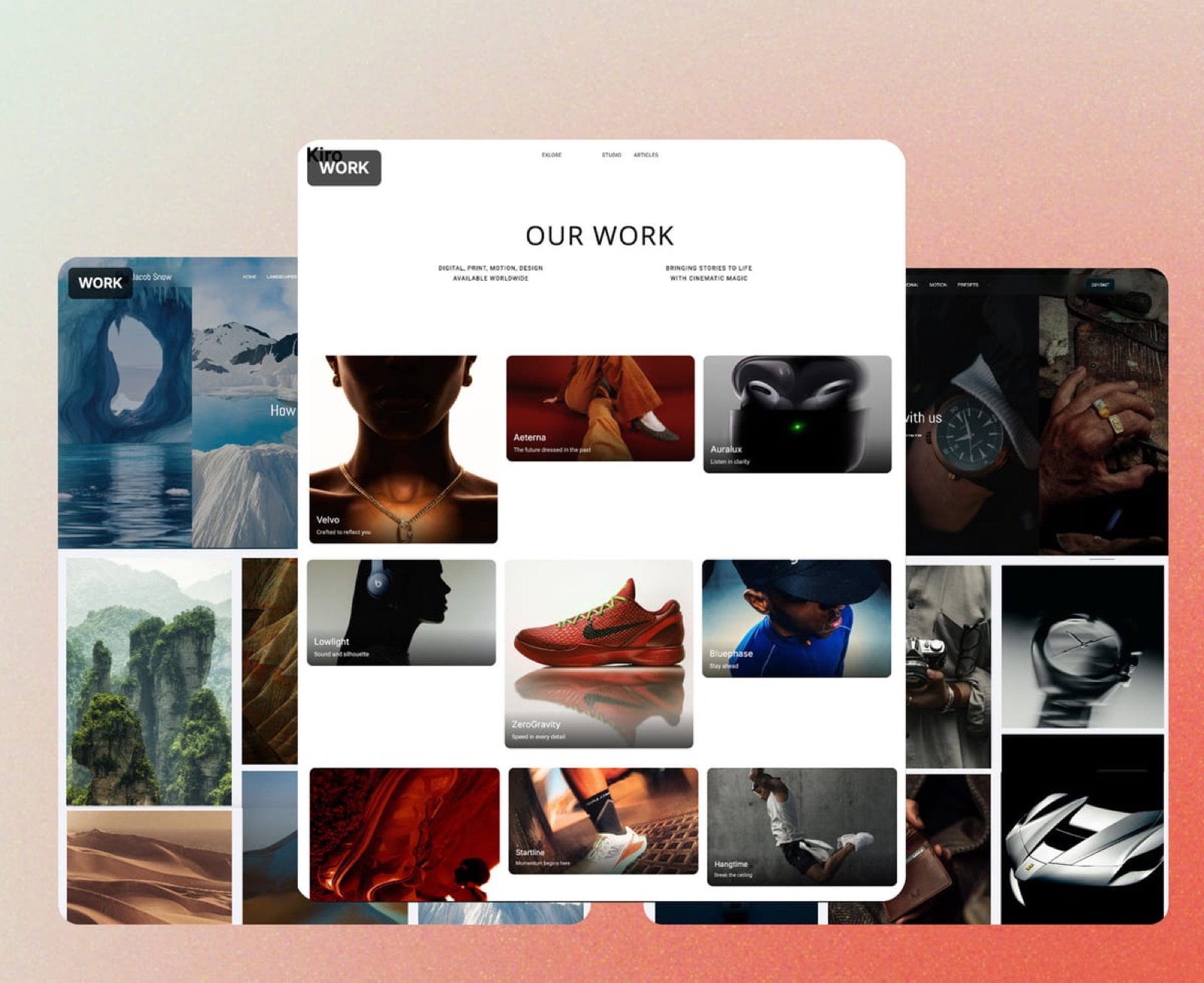
Framekit is an AI website builder that generates a complete site from a description of your work, which for a creator publishing in several languages means the video pages, the transcripts, the project write-ups, and a contact route in one place you control.
Putting the translated transcript on the page alongside the dubbed video is the single highest-value thing you can do with the output, because that is the text search engines and language models actually read.
Where it does not compete: it is not a translation tool, it does not host a media library at broadcast scale, and it will not manage a formal localisation pipeline with translator handoffs and version control.
It handles publishing, which is the step after everything in this guide.
If you are choosing where a video-heavy portfolio should live, our comparison of video editing software covers the production side and our AI avatar video tools guide covers synthetic presenters, which is the adjacent category most often confused with this one.
What We Left Out of This Comparison and Why
Several names that come up in this category are missing, and in most cases the reason is that we could not read a price at source, which is the standard this guide holds itself to.
Papercup and Deepdub both sell enterprise localisation with human quality assurance, and neither publishes pricing; their pages returned nothing usable to us.
Speechify and Veed both offer dubbing and both serve pricing pages that rendered no figures we could quote.
Akool publishes a plan comparison with video translation in 155-plus languages and per-tier upload length ceilings of five to 120 minutes, but its plan prices did not render reliably enough for us to put a number next to them.
We also excluded pure transcription and captioning tools that translate as a secondary function, because they answer a different question.
If that is the question you have, our guides to transcription tools and AI voice over tools are the right pages.
What Machine Translation Still Gets Wrong in Video
Four failure modes showed up repeatedly across all nine tools, and knowing them turns your review pass from a vague sense that something is off into a checklist.
Proper nouns get translated. A brand name that is also an ordinary word will be rendered as the ordinary word in the target language, and the tool has no way to know it was a name.
Every tool that lets you edit the translated script fixes this in seconds, and every tool that does not will keep making the same substitution on every video you run.
Numbers change shape.
Dates, currencies, and measurements are formatted differently across languages, and a figure spoken as digits in English frequently comes out as a word in the target language with different syllable count, which pushes the timing off against the picture.
Watch any shot where a number lands on a cut.
Register drifts formal. Machine translation defaults to the polite or formal register in languages that have one, which for casual creator content sounds like a corporate announcement.
Some tools let you steer this in a glossary or a prompt and most do not, and it is the single most common reason a technically correct dub feels wrong to a native speaker.
Self-correction gets smoothed. When a speaker starts a sentence, stops, and restarts, most tools produce a single clean sentence in the target language.
That is usually an improvement and occasionally destroys the meaning, particularly in teaching content where the correction was the lesson.
The mitigation for all four is the same and it is not a feature: have one native speaker watch the first localised video end to end before you publish twenty more.
One hour of a real person's attention catches systematic errors that will otherwise repeat across your entire library.
A Test You Can Run on Your Own Footage This Week
Pick your worst three minutes rather than your best. The clip should contain at least one product or person name, one spoken number, and one moment where you talk over yourself, because those are the three things that break.
Run it through the free tiers first. Vozo's free tier includes about six dubbing minutes, Rask's trial includes three, and HeyGen's free plan will do one minute.
Between them you can dub the same clip three ways for nothing and compare the output side by side rather than comparing marketing pages.
Then judge four things in order. Did the names survive? Did the numbers land on the right frames? Does a native speaker say the register is right?
And when you found an error, how long did fixing it take, counting from noticing it to having a corrected export?
That last question is the one that decides which tool you should actually pay for, and it is the one no comparison table can answer for you.
Finally, do the arithmetic for your own volume.
Take your real monthly minutes of finished video, multiply by the number of target languages, and check that number against the included allowance on the plan you are considering, not against the price.
Most people in this category buy the wrong tier before they buy the wrong tool.
The Decision Guide
Work down this list and stop at the first line that describes your situation, because they are ordered by how strongly each signal should override the others.
You publish regularly and want the lowest real cost. HeyGen, on Creator at 29 dollars if 300 audio-dubbed minutes a month is enough and Pro at 49 dollars if it is not. Nothing else in this comparison is close on rate.
Your videos run longer than 30 minutes. Vozo Studio, which permits 120 minutes per video, or Dubverse Supreme, which permits 150. HeyGen's per-video ceiling will force you to split every episode.
Voice quality is the thing your audience will judge. ElevenLabs, on Creator at 22 dollars, using Dubbing Studio and accepting that it gives you about 12 minutes a month at that tier.
You need on-screen text translated, not just audio. Vozo, whose visual translate feature was the only convincing implementation in our test set.
Subtitles are the strategy and dubbing is occasional. Kapwing Pro at 16 dollars annually for 500 translated minutes a month, or Maestra Basic at 39 dollars if you want stronger subtitle timing and voiceover on the same account.
Your videos have several speakers and high stakes. Rask AI Creator Pro, and accept 1.50 dollars a minute for the best editor and the best speaker separation here.
You already edit in Descript. Stay there, and budget for the Business tier because translation proofread is where the quality lives.
You are localising one flagship video a quarter. Hire a human translator and a voice actor. At that volume the cost difference is small and the quality difference is not.
Frequently Asked Questions
What is the best AI video translation tool in 2026?
HeyGen is the best AI video translation tool for most creators in 2026, because its published rate of two credits per dubbed minute works out to roughly 10 cents a minute on the 29 dollar Creator plan, which is the cheapest real rate in this comparison.
ElevenLabs produces better-sounding voices and a better editing model, and Rask has the best editor for multi-speaker video.
How much does it cost to dub a video with AI?
Between 10 cents and 7.50 dollars per finished minute in one target language, depending entirely on the vendor and plan.
Converting each vendor's published allowance into minutes gives HeyGen at about 10 cents, Maestra at 26 to 33 cents, Vozo at about 50 cents, ElevenLabs at 55 cents to 1.82 dollars, Rask at 1.50 to 2.40 dollars, and CAMB.AI at 2.50 to 7.50 dollars.
Is AI dubbing good enough to publish?
For most creator and marketing video, yes, with one condition: have a native speaker review the first localised video end to end before you publish a series.
The systematic errors, which are translated proper nouns, formal register, and drifting timing on numbers, repeat across every video until someone catches them once.
Do I need lip sync for translated video?
Only for tight single shots of a speaking face.
Lip sync costs two to three times the audio-only rate at every vendor that offers it, and in wide shots, two-shots, screen recordings, or anything with regular cutaways, viewers do not notice its absence.
Framing wider and cutting away more often is a free substitute.
Can I legally clone someone else's voice for translation?
Only with their specific permission for synthetic reproduction. A standard filming or appearance release almost certainly does not cover it, because most were written before voice cloning existed.
Add a clause naming the purpose, and the languages if you know them, and get it signed before you record.
Are subtitles cheaper than dubbing?
Substantially. On the published rates in this guide, translated subtitles run from about three cents a minute on Kapwing Pro to about 36 cents on Dubverse Pro, while dubbing starts at 10 cents and rises to several dollars.
Most creators get the best return from subtitling everything and dubbing only their highest-performing videos.
Why does a plan with 40,000 credits only include three minutes of dubbing?
Because credits are shared across every tool the vendor offers and dubbing consumes them at a far higher rate than anything else.
CAMB.AI's Pro plan at 20 dollars carries 40,000 credits and its own feature comparison lists three dubbing minutes for that tier. Always find the credit cost of the specific operation you will run and divide, before comparing plans.
Which AI video translation tool has the most languages?
HeyGen states 175 languages and dialects on its paid plans and Maestra states 125-plus, while Descript lists 61 languages for caption translation and 30 for audio dubbing.
Language counts are marketing figures rather than quality guarantees, and the quality gap between a vendor's best and worst supported language is usually larger than the gap between vendors.
Can I edit the translation before the audio is generated?
In most of these tools, yes, and it is the feature that matters most. ElevenLabs Dubbing Studio, Rask, Vozo, Dubverse, and Maestra all let you edit the translated script and regenerate affected segments.
Descript puts translation proofread on its Business tier, and HeyGen puts script editing on Pro and above.
What is the cheapest way to translate a video?
Translated subtitles on Kapwing Pro, at 16 dollars a month billed annually for up to 500 auto-translated minutes, works out to roughly three cents a minute and is the cheapest published rate in this comparison.
If you need actual dubbed audio, HeyGen Creator at 29 dollars for 300 audio-dubbed minutes is the cheapest credible option.
Final Verdict: The Best AI Video Translation Tool in 2026
HeyGen wins on the number that decides this category, which is cost per finished dubbed minute.
At two credits a minute for audio dubbing and five with lip sync, its Creator plan does work for roughly a tenth of what the mid-table tools charge and a fraction of what the most expensive ones do, and the output is good enough that we could not reliably pick it out of a lineup against tools charging fifteen times more.
Where it loses is specific and worth stating. Its per-video ceiling is 30 minutes on Creator and Pro, so long-form podcasters will be splitting and rejoining every episode.
Script editing sits on Pro rather than Creator, its voices are a step behind ElevenLabs, and the interface constantly steers you toward avatar features you may have no use for.
If any of those matter more than price, HeyGen is not your tool.
ElevenLabs is the pick when the audio has to be right and you can accept about 12 useful minutes a month at 22 dollars. Maestra is the pick for volume voiceover and the best subtitles.
Rask is the pick when the video is short, high-stakes, and full of speakers, and it is a bad buy at any real volume. CAMB.AI should be read carefully before purchase, because a plan sold as 40,000 credits contains three minutes of dubbing.
The broader point outlasts any of these products.
Every vendor in this category prices in a unit designed to resist comparison, and the thirty seconds it takes to convert a plan into cost per dubbed minute moved three of nine tools here by more than an order of magnitude.
Do that arithmetic before you look at a single feature list, and the decision mostly makes itself.
Translating the site itself is a separate problem with its own pricing units, covered in multilingual portfolio websites.