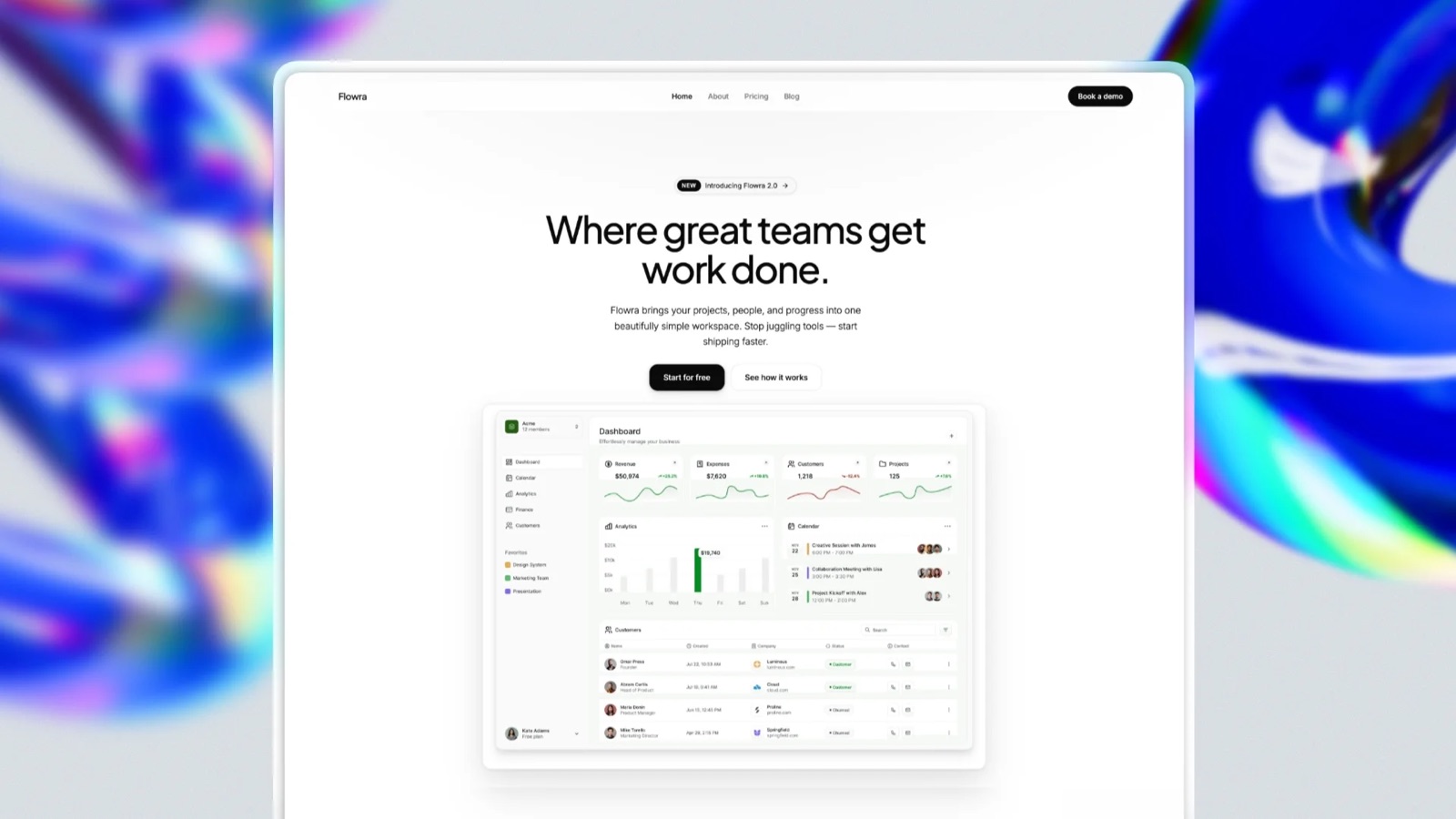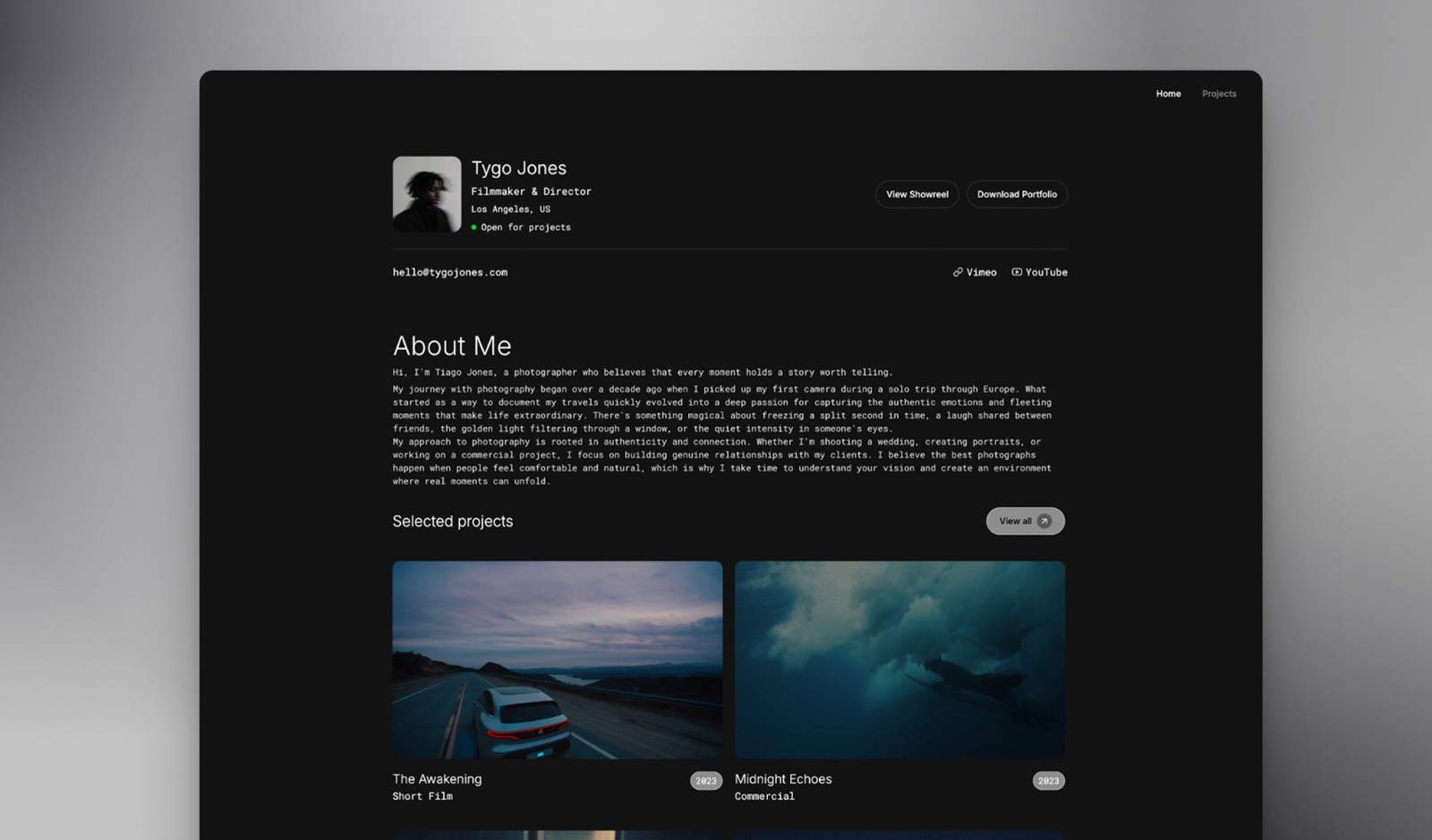
Framekit templates
Start from a designer-made template
 Use template
 Use template
 Use template
 Use template
 Use template
 Use template
 Use template
 Use template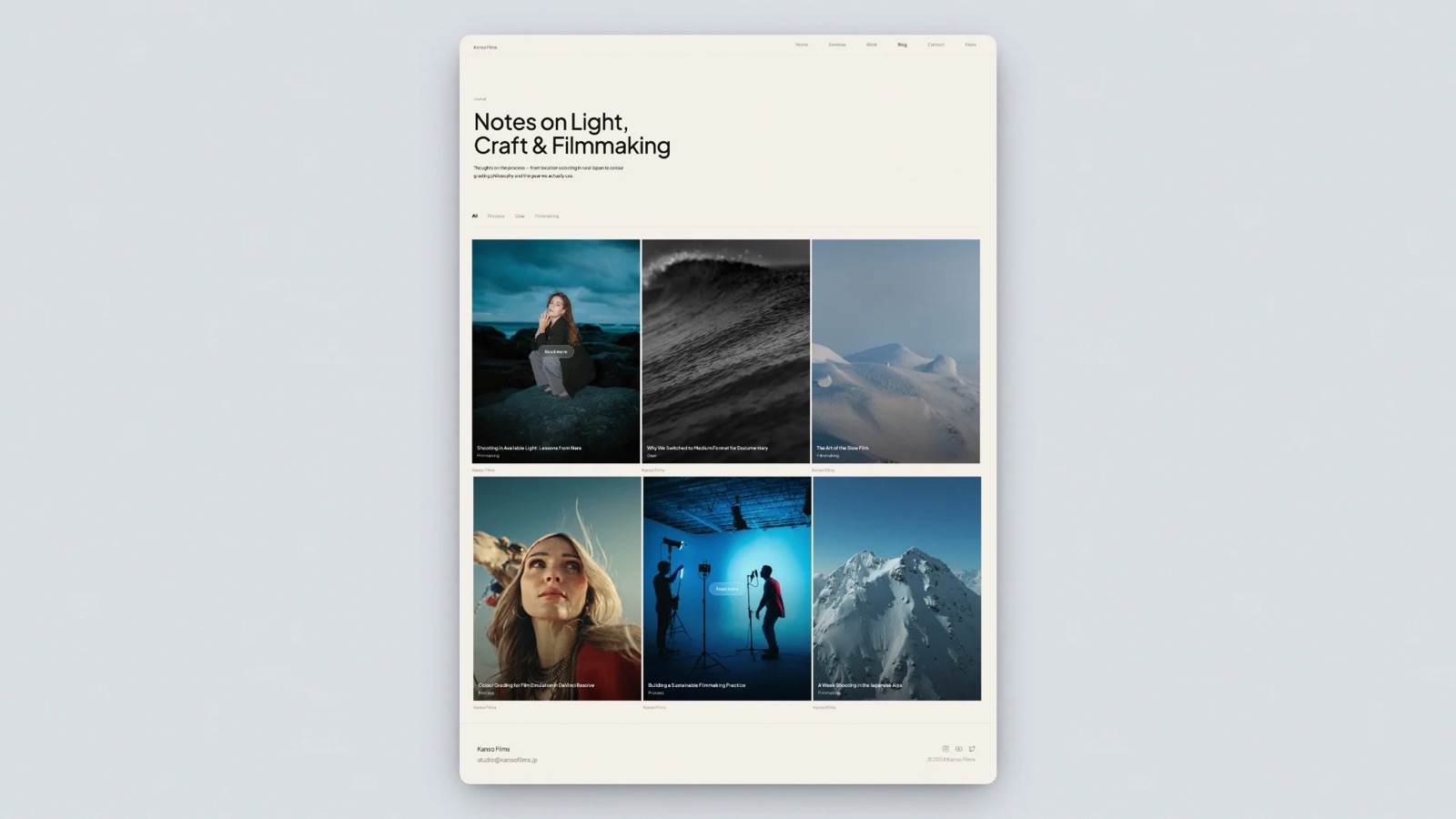
A one-page website is the hardest kind to build well, which is the opposite of what its price suggests.
There is no second page to move the awkward paragraph to, no about page to absorb the biography nobody asked for, and no separate contact page to hide the fact that you never decided what you wanted the visitor to do.
Everything has to sit in one scroll, in order, ending in an action. That is a landing page, and a landing page is judged on whether the action happens.
Which is why the useful question about one-page builders is not "which looks nicest". It is: can this thing hold an argument, and can it take a payment at the bottom of it.
A one-page website builder is a tool that publishes a single scrolling page, with navigation that jumps between sections rather than loading new URLs.
The category splits between builders that treat the page as a profile and builders that treat it as a pitch, and only the second kind is any use if you are selling something.
Framekit is the best one-page website builder in 2026 when the page sells a digital file, because the checkout sits at the bottom of the page and the buyer gets an instant download without you emailing anything, free to start, with the trade-off of a 5 percent fee on the free plan that falls to 0 on Business.
Carrd is the cheapest one-page builder at $19 a year if you are happy to deliver files yourself, Framer is the best free option on your own .com, and Squarespace suits a page that also books appointments.
Full disclosure: Framekit is our own product and we rank it first for the page this guide builds, a single offer that ends in a $45 digital download. We judged it on the same rubric as the other eight and link to every one. Carrd keeps more of each sale than our free plan does, and Framer's free tier includes a custom domain where ours does not.
We re-verified every price and fee here in September 2026 and moved Framekit from third to first, because its store now gives every product a hosted buy link as well as a checkout on the page, on every plan including Free.
How We Tested 9 One-Page Website Builders
We built the same page nine times.
It belongs to an illustrator selling a single offer: a hero with a headline and one sentence of positioning, a strip of six sample images, a short section explaining what the buyer receives, three testimonials, a frequently-asked block, and a purchase button for a $45 brush pack.
One page, one action, no navigation to anywhere else.
That artifact is deliberately different from a link page. A link page's job is to route people onward.
This page's job is to finish the argument and close it, which puts weight on things a link tool never has to handle: section anchoring, image quality at full width, form behaviour, and a checkout.
Every account was created fresh in August 2026 with no promotional code, on a European connection, so where a vendor served euros we print euros rather than converting. Prices and limits come from each vendor's own published pages, linked where used.
Measured means we built the page and used the control. Verified means we read it in the vendor's own pricing page or documentation in August 2026 and are reporting it with a link. Community sentiment means users report it consistently and we did not reproduce it.
Judgements about how a page looks or reads are labelled as ours.
We quote no third-party star ratings. The large review aggregators blocked automated access during this round of research, so every number below links to the page it came from instead.
The rubric: cost to take a payment 30 percent, control over the page itself 25 percent, how the images present 20 percent, cost over three years 15 percent, and effort to publish 10 percent.
We count delivering the file as part of the cost to take a payment, because a buyer who pays and then waits for an email is a support ticket, and that is the judgement that puts Framekit above Carrd despite Carrd's lower per-sale cost.
In one lineone illustrator's single-page offer with six images and a $45 product, built nine times on fresh August 2026 accounts, ranked mostly on what it costs to take the money at the bottom.
By the Numbers
Nine builders, one page, one product.
- $19 a year is Carrd Pro, and its payment-enabled forms run on your own Stripe account, so the platform takes nothing from the sale.
- $1.35 is what a $45 sale costs on Carrd, which is card processing only. The same sale on a 9 percent link-in-bio tool costs $4.05 before processing.
- 1 of 9 includes a custom domain on a genuinely free plan: Framer, on yearly billing.
- 2 static pages is Webflow's free tier, which is the one case in this comparison where a one-page site fits comfortably inside a free plan that cannot host anything larger.
- 100 sections is not a limit anyone here imposes; the real constraint on all nine is image weight rather than section count.
- $2.99 a month is Milkshake Lite, the cheapest paid plan here, and the only builder designed to be operated entirely from a phone.
- 7 percent is what Squarespace's entry Basic plan takes from digital content sales, which is the highest platform cut in this comparison.
- $45 minus $1.35 versus $45 minus $4.05 is the whole argument of this article in one line.
- 0 of 9 will hand you the finished page as files you can host yourself.
What It Costs to Take One $45 Payment
Every figure is the cost of a single $45 sale from the page, using the cheapest plan on each builder that can take a payment at all.
| Builder | Cheapest plan that sells | Platform cut on $45 | Card processing | You keep |
|---|---|---|---|---|
| Framekit Free | $0 | 5%, $2.25 | Separate | About $41.40 |
| Framekit Business | $39/mo | None | Separate | About $43.65 |
| Carrd Pro | $19/year | None, your own Stripe | About $1.35 | About $43.65 |
| Framer Basic | $10/mo, plus an integration | Depends on the integration | Separate | Varies |
| Milkshake Free | $0 | Not published | Separate | Not published |
| Squarespace Basic | 11 euro/mo | 7% on digital content | Separate | About $40.50 |
| Squarespace Core | 17 euro/mo | 5% on digital content | Separate | About $41.40 |
| Webflow Basic | $15/mo, plus an integration | Depends on the integration | Separate | Varies |
| Campsite.bio Pro | $7/mo | Tips only, no store | Separate | Not applicable |
| Hostinger Business | $3.79/mo intro, $16.99 renewal | None, up to 1,000 products | Separate | About $43.65 |
| Google Sites | Free | Cannot sell | Not applicable | Not applicable |
The pattern to notice: the builders that charge you nothing per sale are the ones that make you bring your own payment processing, and the ones that hand you a checkout charge for it.
Carrd and Hostinger sit on one side of that line, Squarespace and our own free plan on the other.
1. Framekit: Best Overall When the Page Sells a File

Framekit is an AI website builder for photographers, filmmakers, designers and creators, and it ranks first here because the page in this guide ends in a $45 brush pack, and a brush pack is a file somebody has to deliver.
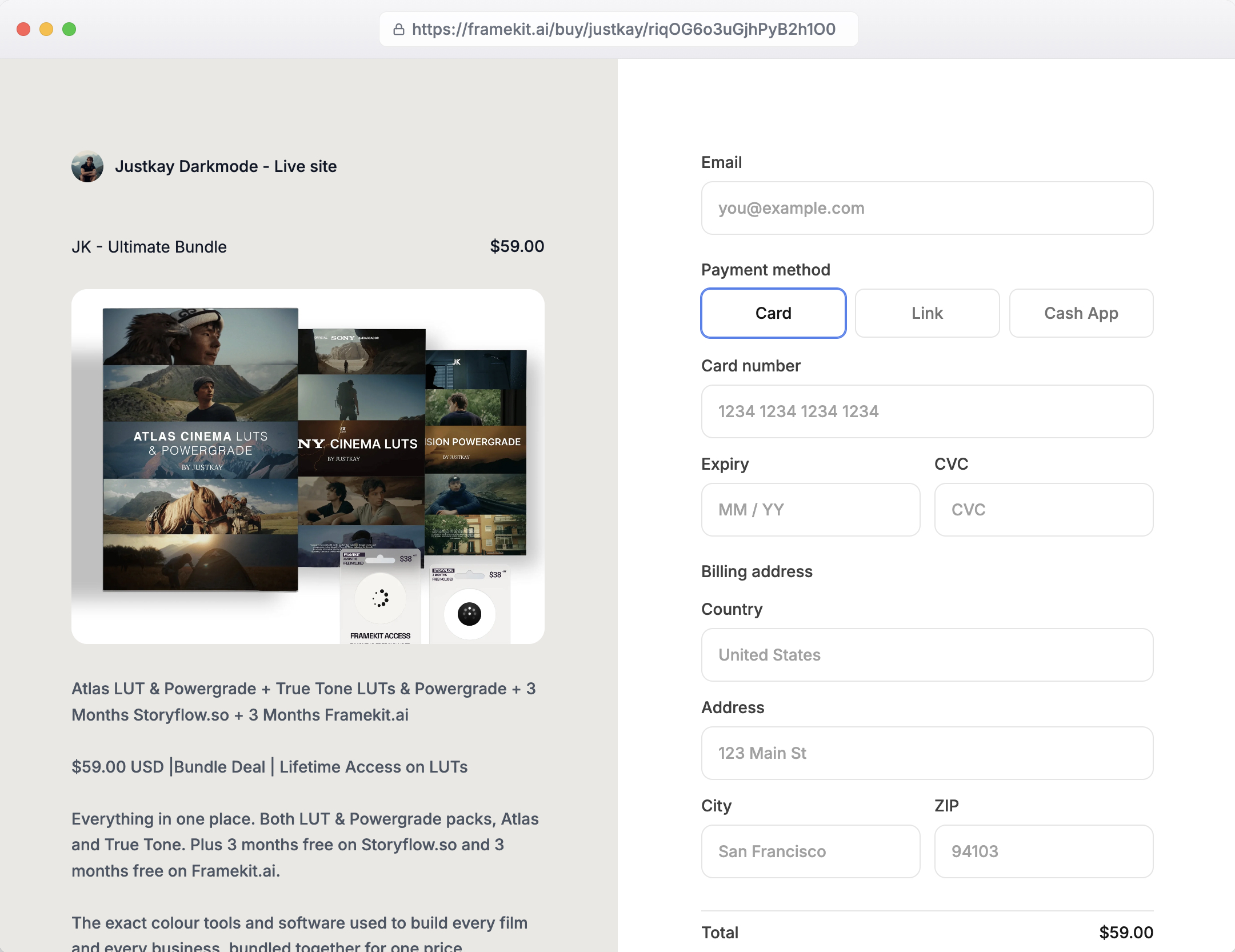
On Framekit the product sits in a section at the bottom of the page, the checkout runs in your own Stripe account, and the buyer downloads instantly and can come back for the file later.
The page itself comes from templates made with AI and trained by senior designers, and the AI will generate a whole section, write the first draft of the offer, or rebuild a layout from a screenshot of a page you admire.
Section anchors, contact forms, SEO controls and analytics are on every plan.
The real number$2.25 of platform fee on the $45 pack on the free plan, 5 percent, against Carrd's nothing. That fee falls to 3 percent on Pro and 0 on Business at $39 a month, and the crossover where Business beats 5 percent is $780 a month in sales, about 18 sales of the pack.
The standout detailevery product also gets a hosted buy link, so the same pack can be sold from a post, a newsletter or a DM without sending anyone to the page. Free products work too, which turns a sample brush into an email collected on the same site.
The honest gotchayou pay a percentage Carrd does not charge until you move to Business, and you are the merchant of record, so VAT and sales tax stay with you.
Discount codes start on Pro, the free plan carries our badge, and your own domain needs Starter at $9 a month, where Framer's free tier includes one.
Skip it ifthe page sells exactly one thing a few times a month and you are happy to email the file. Carrd at $19 a year is the better purchase for that.
Verdict: the best one-page site for a creator selling files, because the argument, the payment and the delivery finish on one page with no manual step. Overpriced for a page with one button and no product.
2. Carrd: Still the Benchmark
Carrd is the only product in this comparison designed exclusively for this job, and it shows in the details.
Section anchoring works without configuration, the image handling at full width is better than the price suggests, and the whole page came together in about half an hour without a single layout fight.
The real numberthe free tier builds and publishes up to three sites, and Pro starts at $19 a year with a 7-day free trial. Pro unlocks custom domains with SSL, forms including payment-enabled ones, widgets and embeds, analytics, and removal of Carrd branding.
The standout detailpayment-enabled forms run through your own Stripe or PayPal account, so Carrd takes no percentage of anything you sell. On our $45 brush pack that means a sale costs card processing only, roughly $1.35, and you keep about $43.65.
The same sale through a platform charging 9 percent costs $4.05 before processing even starts. Over a hundred sales that is a difference of $270 against a plan that costs $19 a year.
The gotchaa payment form is not a store. There is no product catalogue, no automatic file delivery, no order records, and no customer list. You will be emailing files or wiring up a delivery service, and at a hundred sales a month that stops being charming.
Skip it ifthe page needs to sell more than one thing, or the buyer needs the file to arrive on its own.
Verdict: The purest one-page builder there is, and the best value in this comparison by a wide margin. Buy it unless the page needs to deliver a file on its own. Our Carrd alternatives guide covers the day that changes.
3. Framer: The Best Free Page on Your Own Domain
Framer is a design canvas that happens to publish, and on a single page that is exactly the right shape of tool.
Our illustrator's page came out looking the most considered of the nine, with the most control over how the six sample images sat against the type, and it took the longest to get there.
The real numberthe free plan gives 30 pages, 2 CMS collections, 1,000 CMS items, 1GB of monthly bandwidth, up to 3 editors, and a free .com domain on yearly billing.
Basic is $10 a month for 150 pages and 50GB of bandwidth. On a one-page site the page count is irrelevant and the bandwidth is the number to watch.
The standout detaila free custom .com on the free plan is unique in this comparison. For a one-page offer that needs its own address and no monthly cost, nothing else here does that.
The gotcha1GB of bandwidth a month on the free plan is the real ceiling, and a page built around six full-width illustrations is exactly the kind of page that consumes it. The failure arrives on the day the page gets shared widely, which is the day it was built for.
Skip it ifyou want the page finished this afternoon. Framer's freedom is also its cost.
Verdict: The best-looking result and the best free offer. Watch the bandwidth before a launch, not after. See our Framer alternatives guide if the canvas is not for you.

4. Squarespace: The Page That Books Appointments

Squarespace makes a one-page site look expensive with very little effort, and it is the only builder here where the page can also take a booking, send an invoice, and run an email campaign without adding anything.
The real numberthe pricing page served us Basic at 11 euro a month, Core at 17 euro, and Advanced at 29 euro on annual billing, with no free plan and a 14-day trial.
The number that matters for our brush pack is the separate digital content transaction fee: 7 percent on Basic, 5 percent on Core, and 0 percent only on Advanced. On a $45 sale that is $3.15, $2.25, or nothing.
The standout detailthe section library is genuinely good for this job. Testimonial blocks, FAQ accordions, and image strips are all pre-built and consistent, so a one-page argument assembles quickly without the page looking assembled.
The gotcha7 percent on the entry plan is the highest platform cut in this comparison, and it applies to exactly the kind of digital product a one-page offer usually sells. If you sell anything downloadable on Squarespace, Basic is the wrong plan.
Skip it ifthe page is a single offer with no business behind it. You are renting a business suite to host a pitch.
Verdict: The best choice when the one page is the front of a service business. Expensive per sale on the entry tier, and the fix is one plan up.
5. Webflow: The Only Free Tier That Fits Exactly
Webflow's free Starter tier allows 2 static pages, which makes it useless for almost everything and precisely adequate for this. A one-page site plus a thank-you page is two pages, and that is the whole allowance.
The real numberthe pricing page shows Starter free with 2 static pages, 1GB of bandwidth, and 50 form submissions on a webflow.io domain.
Basic is $15 a month billed yearly for 300 static pages, 10GB of bandwidth, unlimited form submissions, and password protection. Premium at $25 adds the CMS, which a single page does not need.
The standout detail50 form submissions a month on the free tier is the constraint that bites rather than the page count. A one-page site with an enquiry form and any traction will exceed it, and form submissions are the one thing you cannot afford to silently drop.
The gotchaselling from a Webflow page means an integration, and the free tier's webflow.io domain undermines the offer regardless. This is a good place to build the page and a poor place to leave it.
Skip it ifyou do not enjoy layout systems. The precision is real and so is the time it costs.
Verdict: The best control in the comparison and the most work. Its free tier is the one situation where Webflow's 2-page cap is not a problem. Our Webflow alternatives guide is for everyone else.
6. Hostinger: Cheapest Way to Sell With No Cut
Hostinger's builder is bundled with hosting and its Business tier sells up to 1,000 products with no transaction fee, which for a one-page offer with a checkout is a genuinely strong arrangement at the introductory price.
The real numberthe website builder page advertises Premium at $2.99 a month, charged as $143.52 for 48 months, renewing at $10.99, and Business at $3.79 a month, charged as $181.92 for 48 months, renewing at $16.99.
Business is the one that sells, with up to 1,000 products and zero transaction fees, plus a free domain for the first year.
The standout detailzero transaction fees at $3.79 a month introductory is the cheapest zero-cut selling in this comparison. On our $45 brush pack you keep about $43.65 after processing, the same as Carrd, and unlike Carrd the delivery is handled for you.
The gotchathe price requires committing to 48 months up front, and the renewal on Business is 4.5 times the introductory rate. Judge it on $16.99 rather than $3.79. We work through the pattern in website builder renewal prices.
Skip it ifyou are not confident the offer will still exist in four years, which for a single-offer landing page is a real question.
Verdict: Excellent economics for a long-lived offer bought deliberately, and a poor fit for a page you might replace next quarter.

7. Milkshake: The One-Page Site Built on a Phone
Milkshake builds a card-based single page entirely from a phone, and it is the only builder here that can go from idea to published without a laptop. For an illustrator who has the images on their phone already, that shortens the path considerably.
The real numberMilkshake's plans are Free at $0, Lite at $2.99 a month, Pro at $5 a month billed yearly at $59.99, and Pro Plus at $8.33 a month billed yearly at $99.99.
The free plan includes hosting with no expiry, unlimited links and cards, templates, QR code sharing, 30 days of analytics, and the ability to sell digital files through Stripe.
The standout detailselling digital files through Stripe appears on the free plan, and Milkshake's pricing page does not publish a seller fee against it. We report that as an absence rather than as a claim of zero percent, and you should confirm it at checkout before building a business on it.
The gotchathe card format is the product. A one-page argument that wants to build from headline to proof to offer will be fighting a layout designed for discrete cards, and the result reads as a profile rather than a pitch.
Skip it ifthe page has to persuade rather than introduce.
Verdict: The fastest publish in the comparison and the least suited to a sales argument. Excellent for a personal card, limited for an offer.
8. Campsite.bio: Measurement Without a Store
Campsite.bio is included because a lot of one-page sites are really measurement problems: you want to know which section produced the enquiry. Its reporting is the best here and its selling capability is the weakest.
The real numberthe pricing page lists Free at $0 with unlimited links, advanced customisation, and a tip jar.
Pro is $7 a month with multiple profiles, 60 days of analytics, premium integrations, and custom domain support.
Pro Plus is $24 a month with 6 profiles, 4 collaborators, analytics with no time limit, advanced reporting with filtering, and CSV export.
Organisation plans are $14 and $29 a month, with add-ons at $1.50 a month per profile or collaborator and $6 per member.
The standout detailCSV export of analytics on Pro Plus. If you are testing two versions of a one-page offer, being able to pull the click data into a spreadsheet is worth more than another template.
The gotchathere is no product catalogue and no file delivery. Tips work, selling does not, so any actual purchase leaves the page for another platform and pays that platform's fee.
Skip it ifthe page has to close a sale.
Verdict: The right tool if the page is a measured funnel entrance, and the wrong one if it is the funnel.
9. Google Sites: Free, and Not for This
Google Sites will publish a single page at no cost, forever, with no advertising inserted and no expiry. It will not sell anything, it offers minimal design control, and the output is recognisably a Google Site.
The real numberzero. There is no paid tier and no limit our single page could reach. A custom domain requires paid Google Workspace.
The standout detailnothing expires and nothing changes price in year three, which for an information page that must simply remain reachable is a real feature and the reason it is included rather than dismissed.
The gotchathere is no way to take a payment, and the visual ceiling is low enough that an illustrator's work will be poorly served by it.
Skip it ifthe page is selling. It cannot.
Verdict: Correct for a free information page and wrong for a commercial offer, which is what most one-page sites are.
What a One-Page Site Should Actually Contain
In one linethe constraint of a single page is the point, and the sites that fail are the ones that treat it as a multi-page site with the navigation removed.
This is judgement rather than measurement, and it is the part that decides whether the page works regardless of which of the nine you picked.
One offer. A one-page site that presents three things presents none of them. If you have three offers, you have a three-page site or three one-page sites.
The proof before the ask. On our illustrator's page, the six sample images sit above the purchase button, because the images are the argument. A page that asks before it shows is asking a stranger to take your word.
One action, repeated. The same button, in the same words, appearing after the hero, after the proof, and after the questions. Not three different actions competing.
The objection handled explicitly. A frequently-asked block on a sales page is not customer service, it is where you answer the reason someone is about to leave: what format is it, does it work with my software, what if it is wrong for me.
A section anchor for each of those, so the jump navigation lands somewhere meaningful. Every builder here supports this and most one-page sites do not use it.
The thing to leave outthe biography. It belongs after the proof and before the questions, in three sentences, and on most one-page sites it is at the top and four paragraphs long.
The Payment Question
In one linebuilders split into those that let you bring your own Stripe account and take nothing, and those that hand you a checkout and charge for it, and on a single-offer page the first group is almost always cheaper.
The arithmetic on our $45 brush pack, at a hundred sales a month.
Bring your own processing. Carrd Pro at $19 a year plus card processing costs about $135 a month in processing and $1.58 a month in platform fees. Hostinger Business is similar, at its introductory rate, with delivery included.
Platform checkout with a percentage. Squarespace Basic at 7 percent takes $315 a month on top of the plan. Our own free plan at 5 percent takes $225.
Our Business plan at $39 takes nothing beyond the plan, which is the cheapest of the checkout-included options at that volume.
The trade you are making is not really about money at low volume, it is about delivery. A payment form takes the money and leaves you to send the file.
A checkout takes the money, sends the file, records the customer, and handles the refund. At five sales a month, doing that by hand is fine. At a hundred, it is a job.
Here is a test that settles it. Multiply your expected monthly sales by the platform percentage you would pay. If that number is less than an hour of your time, take the checkout and stop thinking about it.
If it is more than a day of your time, bring your own processing and automate delivery some other way.
How to Choose
In one linework down these questions in order and stop at the first one that describes you.
- Does the page sell a digital file that should arrive on its own? Framekit, starting free and moving to Business at $39 a month once sales pass about $780 a month.
- Does the page need to sell exactly one thing, and can you email the file? Carrd Pro at $19 a year. Nothing here is cheaper.
- Is the budget zero and does it need your own domain? Framer's free plan with yearly billing.
- Is the page the front of a service business that also books appointments? Squarespace, on Core rather than Basic if you sell anything digital.
- Will the offer still exist in four years, and do you want no cut at all? Hostinger Business, judged on its $16.99 renewal.
- Are you building it on a phone tonight? Milkshake.
- Do you need to prove which section produced the enquiry? Campsite.bio Pro Plus for the CSV export.
- Does it just need to exist at no cost, with nothing to sell? Google Sites.
Frequently Asked Questions
What is the best one-page website builder in 2026?
Framekit is the best one-page website builder in 2026 for a page that sells a digital file, with a checkout and instant download on the page, free to start at a 5 percent fee that falls to 0 on Business.
Carrd is the cheapest at $19 a year, with payment forms on your own Stripe and no platform cut, but no automatic delivery. Framer is the best free option on your own .com.
Can a one-page website take payments?
Yes, on most of these. Carrd offers payment-enabled forms on Pro at $19 a year, running on your own Stripe account with no platform cut.
Squarespace, Framekit, and Hostinger all include a real checkout with automatic file delivery, at 7 percent, 5 percent, and 0 percent respectively on their entry selling plans. Google Sites and Campsite.bio cannot sell at all.
Is a one-page website bad for SEO?
Not inherently, but it limits how many things you can rank for. A single page can rank well for one topic or one name, and it has nowhere to put a second topic. If search traffic across several subjects is a goal, you want pages.
If the goal is one offer or your own name, a single page is fine.
How much should a one-page website cost?
Between $19 a year and about $200 a year for almost everyone. Carrd Pro is $19 a year, Milkshake Pro is $59.99, Framer Basic is $120, and Framekit Starter is $84 billed yearly.
Anything above that should be buying you something specific such as a checkout with automatic delivery or a booking system.
What is the difference between a one-page site and a link in bio page?
Purpose. A link in bio page routes people onward to other destinations and is measured by clicks. A one-page site finishes an argument in place and is measured by whether the visitor does the thing at the bottom.
Tools built for the first job usually make poor sales pages, and the platform fees differ sharply too, which we cover in our guide to link in bio tools.
Can I use Webflow's free plan for a one-page site?
Yes, and it is the one situation where Webflow's free tier is not crippling, because the 2 static page limit accommodates a landing page and a thank-you page.
Watch the 50 form submissions a month cap, which is the constraint that actually bites, and note that the free tier only publishes to a webflow.io address.
What should a one-page website include?
One offer, proof before the ask, the same call to action repeated after each section, a short block answering the objection that makes people leave, and a three-sentence biography placed after the proof rather than before it.
Section anchors so the jump navigation lands somewhere meaningful. Anything else is usually a second page pretending to be a section.
Does Squarespace charge extra to sell a digital product?
Yes. Squarespace applies a separate transaction fee to digital content and memberships, distinct from its physical store fee: 7 percent on Basic, 5 percent on Core, and 0 percent on Advanced. On a $45 download that is $3.15, $2.25, or nothing, before card processing.
Can I add more pages later?
On every builder here except Carrd and Milkshake, yes, and the migration is trivial because you are adding rather than moving. On Carrd there is no multi-page mode on any tier, so growing past one page means rebuilding somewhere else, and there is nothing structured to export.
Which one-page builder is best for images?
Framer gives the most control over how full-width images sit against type, and Framekit and Squarespace both present a strip of samples well without configuration. Milkshake's card format constrains images to its own shape, and Google Sites is the weakest here by a distance.
Is Framekit overkill for a genuinely one-page site?
Often, yes. If the page sells exactly one file a few times a month and you are content to email it, Carrd at $19 a year is the better purchase and we will say so plainly.
Framekit earns its place when the page has to take the money itself: the platform fee on the carried $45 pack is $2.25 on the free plan, falling to 3 percent on Pro and 0 percent on Business at $39 a month.
The crossover where Business beats the 5 percent rate is $780 a month in sales, which is about 18 packs, so below that you should stay on the cheap plan.
Final Verdict
Framekit is the best one-page website builder in 2026 when the page sells a file, because the argument, the checkout and the instant download all finish on the page, free to start.
For one page, one payment and a file you are happy to email yourself, Carrd Pro at $19 a year is the cheapest tool available by an order of magnitude.
Take Framer's free plan instead if the budget is zero and you want your own .com, and Squarespace if the page is the front of a service business that also books and invoices.
Where Framekit loses. Framekit is not the cheapest way to take one payment: Carrd costs $19 a year and takes no cut, where our free plan takes 5 percent until you move to Business.
Framer's free plan includes a custom domain and ours does not. And because you are the merchant of record, we do not handle VAT for you. If the page sells one thing occasionally and you will email the file, Carrd is the better fit.
The rule that applies whichever you choose: decide the one action first, then build backwards from it. Most failed one-page sites are not badly designed, they are undecided.
Related readingthe best no-code website builders, the best personal website builders, and the best link in bio tools.