Framekit templates
Start from a designer-made template
 Use template
 Use template
 Use template
 Use template
 Use template
 Use template
 Use template
 Use template
A production company's headcount is a fiction. On paper there are six of you.
In practice a commercial pulls in a freelance editor for three weeks, a colourist for four days, a sound designer for two, and a motion designer who does one title sequence and disappears until the next job.
Next month it is four different people.
Now license software for that.
Almost every review platform in this category charges per member per month, which means you are either paying year-round for people who work three weeks a year, or you are adding and removing seats constantly and hoping the billing prorates sensibly.
That mismatch, billing per project while licensing per seat, is the defining commercial problem of running a production company, and it is barely acknowledged anywhere in this category's marketing.
Framekit's prices and limits were re-verified in September 2026; the ranking held, and Framekit stays sixth for the reason explained in its entry.
A video review tool for production companies is a platform that handles a roster which changes every job, letting freelance crew upload and review during a production without committing you to a permanent seat for each of them.
The best video review tool for production companies in 2026 is Frame.io Team at 25 dollars per member, because restricted projects and folders let you keep clients separated while members are added and removed per job.
Kollaborate is the better answer to churn specifically, with real team members on a flat account price from 25 dollars a month. PageProof at 249 dollars flat gives unlimited reviewers with no seat arithmetic at all.
Framekit, ranked sixth, is the pick in one configuration only, where your own staff do all the uploading and freelancers and clients purely comment, because its guest reviewers are free but cannot deliver a cut into it.
Full disclosure: Framekit is our own product, ranked sixth here. Its free guest reviewers look like the perfect answer to freelancer churn and are not, for a reason we explain in our entry: guests can comment but cannot upload a cut, so a freelance editor delivering work has nowhere to put it. Five tools handle a moving roster better than we do.
How We Tested 11 Tools for a Moving Roster
We modelled a quarter of real production rather than one job: three overlapping productions, a core team of four, and eleven freelancers rotating through, of whom six needed to upload work and five only needed to comment.
Then we added and removed people mid-project to see what the billing did. August 2026, fresh accounts.
That upload-versus-comment split turned out to be the line that separates this category. Almost every tool lets anyone comment for free. Far fewer let someone deliver a file without occupying a paid seat, and a freelance editor is exactly the person who needs to.
Measured means we ran the quarter. Verified means the figure was read at the vendor's own published pricing page and linked inline. Enterprise tiers on Frame.io, PageProof, Filestage and Ziflow carry no published price and were not tested.
The distinction that decides everything: commenting versus contributing
Every tool in this comparison gives you unlimited external reviewers. That sounds like it solves freelancer churn and it does not, because reviewers consume rather than produce.
A freelance colourist needs to upload a graded version. A motion designer needs to deliver a title sequence into the project. A sound designer needs to put a mix against picture.
Those are contributions, and on most platforms contributing requires a seat, which means a four-day colourist costs you a month of licence or an afternoon of admin.
Tools split three ways on this. Some sell seats and expect you to churn them. Some sell a flat account with real member slots you reassign.
And some, including ours, treat everyone outside the account as a free guest, which sounds like the answer and quietly means no guest can upload anything.
What a Moving Roster Actually Costs
Every figure below was read at the vendor's own published pricing page in August 2026 and priced for a core team of four with eleven rotating freelancers per quarter.
- 6 of 11 tools charge per member, so a freelancer who works three weeks either costs a full month or costs you the admin of adding and removing them.
- 3 of 11 charge a flat account price with real member slots you can reassign between jobs: Kollaborate, Filestage and Ziflow.
- 1 of 11 charges flat with unlimited reviewers and no member concept at all: PageProof at 249 dollars a month.
- Frame.io Team includes up to 15 members at 25 dollars each, so a core four plus six uploading freelancers is 10 members, or 3,000 dollars a year.
- Kollaborate Business at 60 dollars a month covers 25 team members flat, which is 720 dollars a year for a roster that would cost 7,500 on Frame.io Team.
- Every tool here allows unlimited comment-only reviewers, so the five freelancers who only give notes cost nothing anywhere.
- Framekit charges nothing for reviewers, and reviewers cannot upload, so a freelance editor has no way to deliver a cut into it.
| Tool | Pricing shape | Freelancer can upload | Core 4 plus 6 uploaders, 1 year | Restricted projects |
|---|---|---|---|---|
| Frame.io | Per member | Yes, as a member | 3,000 dollars on Team | Yes, on Team |
| Kollaborate | Flat, real member slots | Yes, within the slot count | 720 dollars on Business | No |
| PageProof | Flat, unlimited reviewers | Workflow-based | 2,988 dollars | Enterprise |
| Krock.io | Per user, unlimited team size | Yes, as a user | 1,200 dollars | No |
| ReviewStudio | Per user, 5-seat floor on Advanced | Yes, as a user | 2,400 dollars on Advanced | Client and project teams |
| Framekit | Flat per account, free guest reviewers | No, guests cannot upload | 108 dollars on Starter | No |
| Ziflow | Flat, 15 users included | Yes, within the 15 | 2,388 dollars | Yes |
| Filestage | Flat, 10 members included | Yes, within the 10 | 2,388 dollars | Reviewer groups |
| Wipster | Per user | Yes, as a user | 2,394 dollars on Team | No |
| Dropbox Replay | Add-on plus storage | Via Dropbox | From 1,440 dollars | Dropbox folders |
| Vimeo | Per plan, seats included | Within seat count | About 228 euros on Standard | No |
Jump to the decision tree if you already know how many people need to upload.
The Best Video Review Tools for Production Companies in 2026
Ranked on how well each survives a roster that changes every job, since that is the structural problem of running a production company and it is barely related to review quality. The first four get full reviews.
1. Frame.io: Best If You Can Absorb the Seats
Frame.io is the strongest overall product here and it is also the one that costs most under churn, which makes it a genuine trade rather than an easy recommendation. Team at 25 dollars per member per month includes up to 15 members and adds internal comments and restricted projects and folders to Pro's frame-accurate range comments, drawn annotation, version stacks and editorial panels.
The real numbera core four plus six uploading freelancers is 10 members, or 3,000 dollars a year. That is more than four times Kollaborate Business for the same roster, and it buys review tooling nothing else here matches.
The standout detailrestricted projects and folders are the feature that actually matters for a production company, and it gets far less attention than annotation.
A freelance editor on one commercial should not be able to browse another client's unreleased campaign, and Frame.io is the only tool under a custom-priced tier that combines that with internal comments.
The gotchayou will be adding and removing members constantly, and that is administration someone has to own. It is not difficult, it is simply a recurring task that a flat-priced tool does not create.
Skip it ifyour freelancer churn is high and your margins are thin. The seat model is working against your business shape and Kollaborate does the same core job for a fifth of the price.
Verdict: the best tool and the worst fit for churn, which is an honest way to say that whether it is right depends on your headcount stability rather than on the software.
2. Kollaborate: Best Answer to Churn
Kollaborate is the most underrated tool in this entire series for exactly this audience, because it does the one thing production companies need and almost nobody else offers: real team member slots at a flat account price.
Small Business is 25 dollars a month for 60GB and 5 team members, Business is 60 dollars for 250GB and 25 members, and Production is 129 dollars for 1TB with unlimited team members, with unlimited projects and unlimited bandwidth on every tier.
The real number720 dollars a year on Business covers 25 team members. The same roster on Frame.io Team is 3,000 dollars, and on Wipster Team it is 2,394. You are not buying seats and reassigning them, you are buying a ceiling and filling it however each job requires.
The standout detailunlimited team members on the Production tier at 129 dollars a month is the cleanest answer to churn in this comparison. Above that price point, roster size stops being a cost variable entirely, which is the correct shape for a business that bills per project.
The gotchathe interface is visibly dated, and there are no restricted projects, so every member can see every job. For a small production company that is usually fine and for one handling competing brands it is not.
Skip it ifyou need client separation, which Frame.io Team, Ziflow and ReviewStudio Advanced all provide and this does not.
Verdict: the best value here by a wide margin for a company with a moving roster and no confidentiality walls between clients.
3. PageProof: No Seat Arithmetic At All
Team is 249 dollars a month or 2,499 a year with unlimited reviewers, unlimited proofs and unlimited versions of any file type, with automated workflows and reminders on every tier and a basic audit tracking proof activity.
The real number2,988 dollars a year and it never moves. Against Frame.io Team's 3,000 for ten members, it is line-ball at that size and considerably cheaper as your roster grows, since one side scales and the other does not.
The standout detailthe absence of a seat concept removes an entire category of administration. There is no adding, no removing, no proration and no month where you paid for a colourist who finished on the fourth.
Verdict: the right choice for a production company whose crew size swings unpredictably and who would rather pay a fixed number than manage a variable one.
4. Krock.io: Per User, But Generous
Pro is 10 dollars per user per month with unlimited team size and from 2TB, unlimited reviewers on every plan, 4K playback named explicitly and review across video, image, audio and PDF.
The real numberten users is 1,200 dollars a year, less than half Frame.io Team for the same roster, with more storage and no member ceiling to hit.
Verdict: the middle path. Still per-user, so churn still costs you, but at 10 dollars rather than 25 the sting is much smaller and the storage headroom removes a separate problem.
5. ReviewStudio: Client Separation on a Budget
Advanced at 20 dollars per user annually adds client and project teams, comment privacy, workflow automations and API access, with a five-user minimum, over a free tier giving unlimited users and guests on 5GB.
Verdict: 2,400 dollars a year for ten users, and the client and project teams give you the confidentiality separation Kollaborate lacks at a lower price than Frame.io Team. The five-seat floor means a small core team pays for five regardless.
6. Framekit: Best Client-Facing Layer for a Small Core Team

Framekit is an AI website builder with video review built in, and for a production company it is strongest where the work meets the client rather than where the crew meets the work.
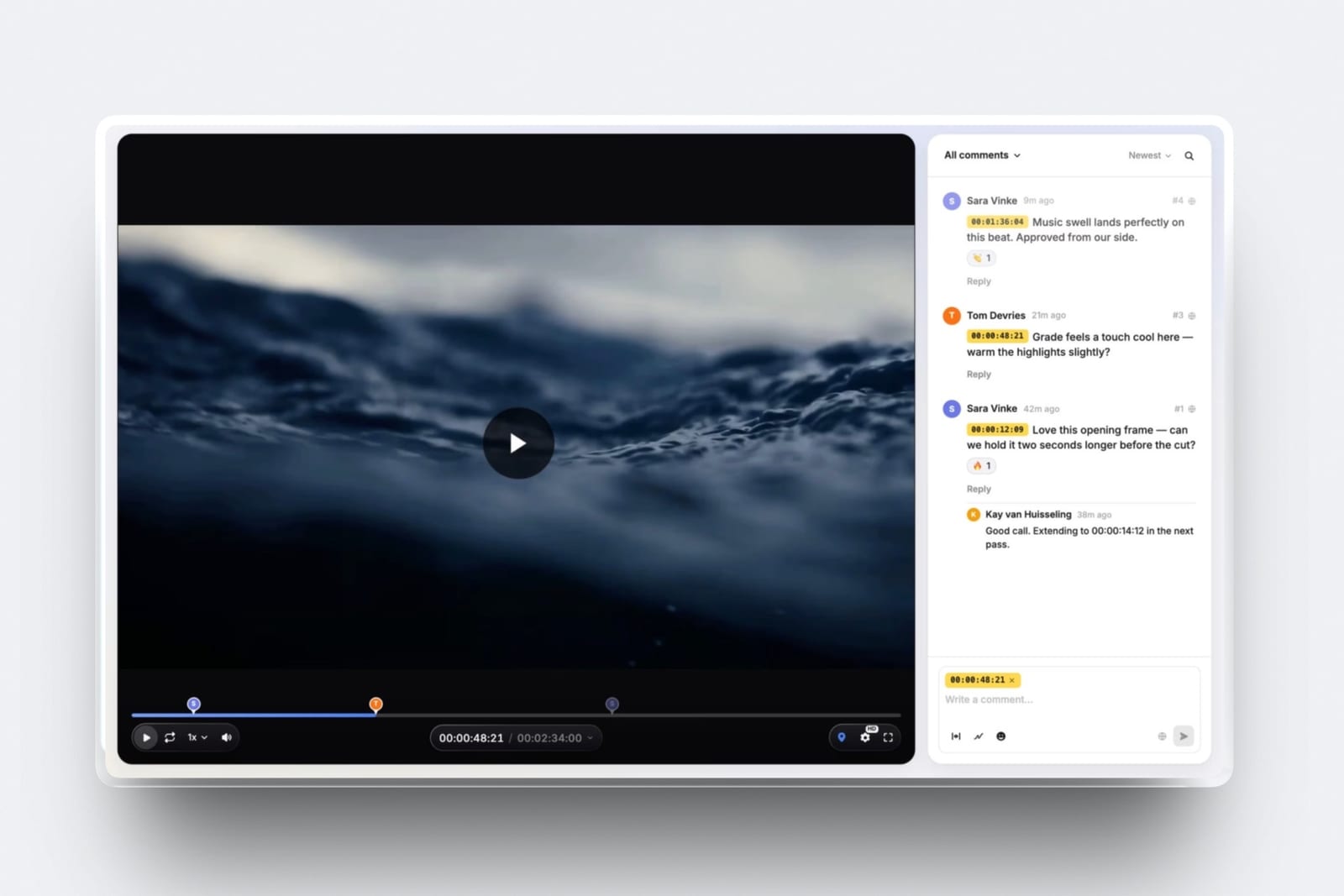
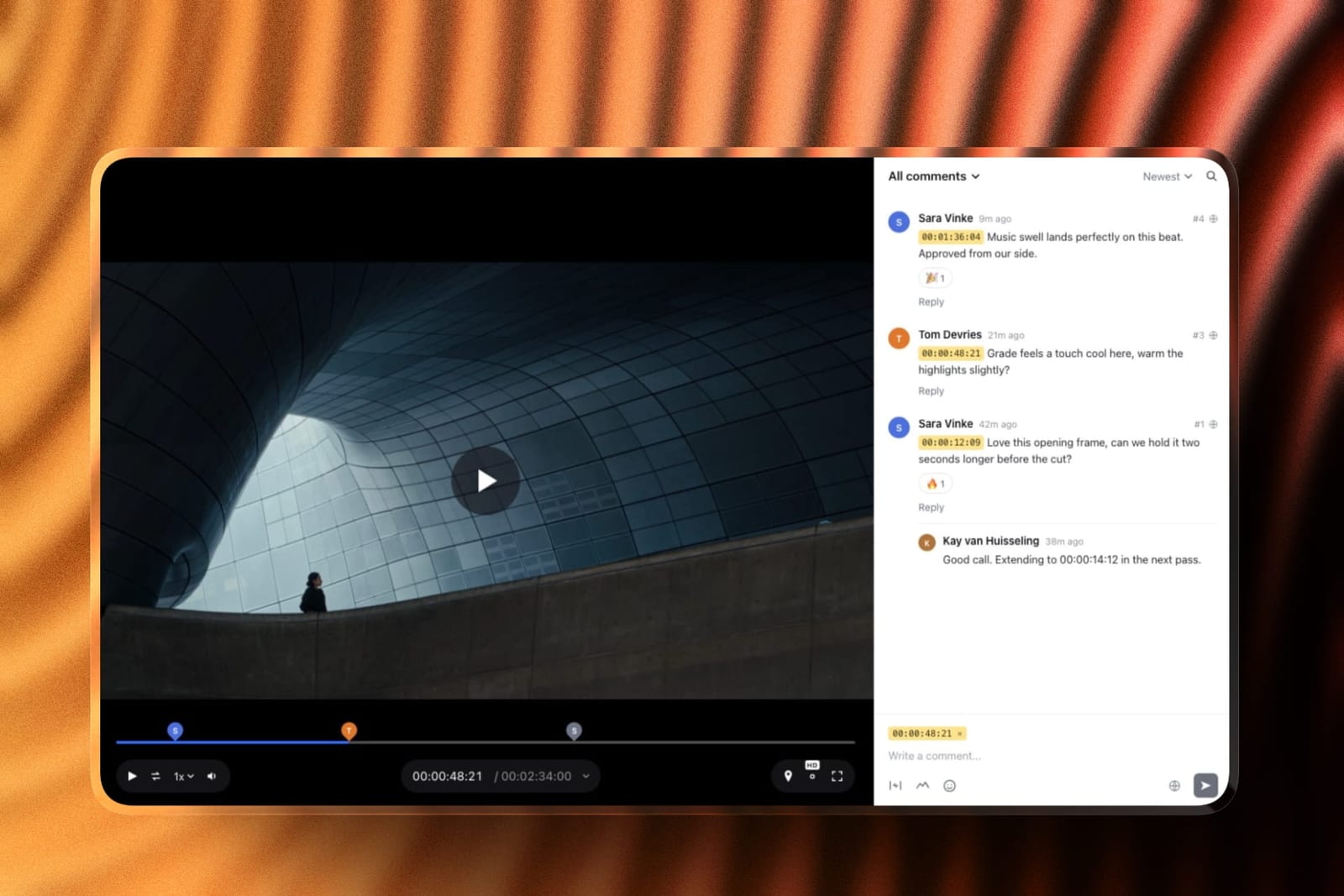
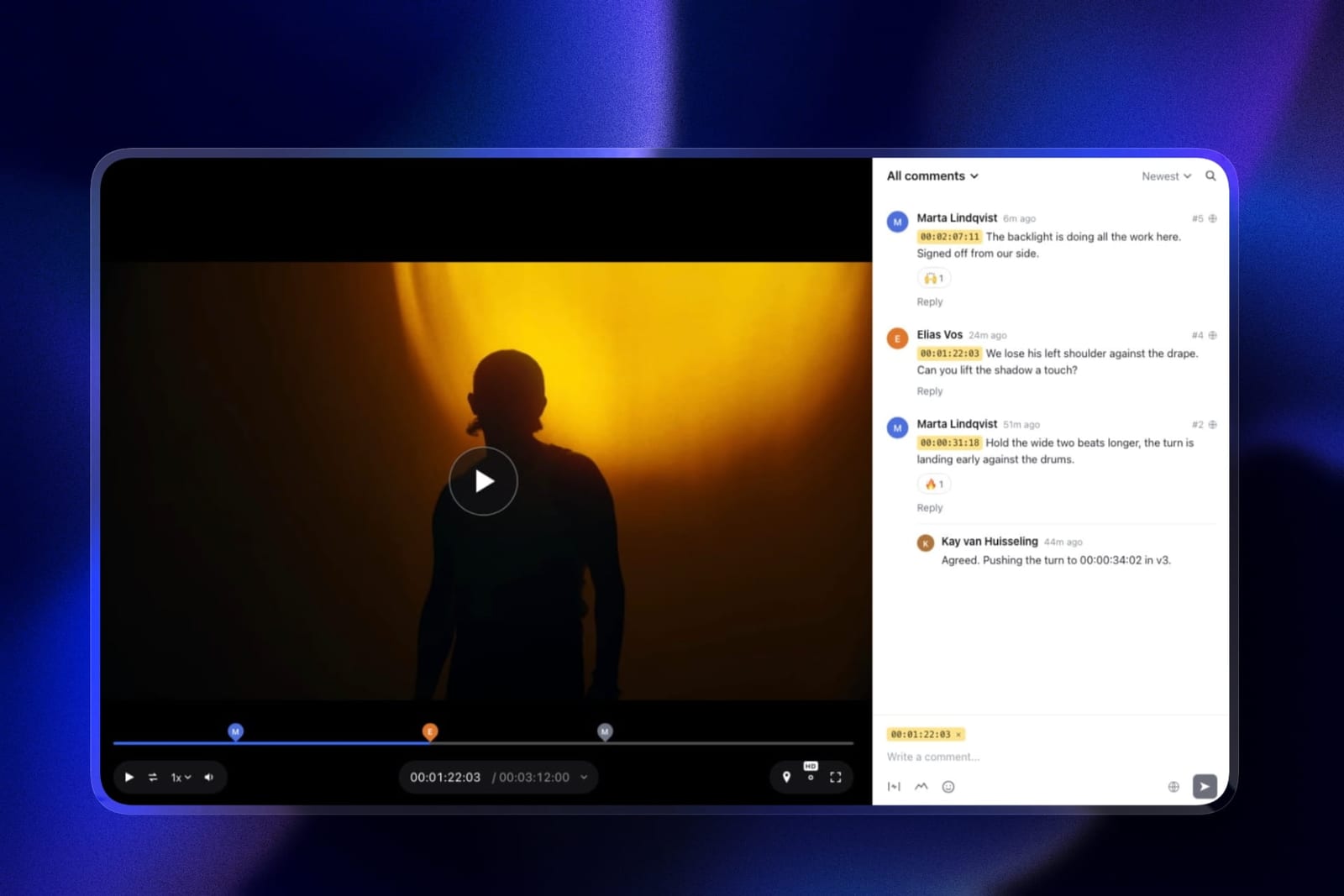
The review loop itself is complete: comments pinned to a frame or a range, a pen and shapes for drawn notes, version stacks with every note kept, and four approval statuses a client can set without an account.
Review projects have no count limit on any plan, and every reviewer, client or freelancer, comments as a free guest.
The same account also covers the rest of the client journey. A finished commercial and its stills can go out in a client gallery with full-set downloads and no watermark on video, and the company site with its case studies sits on the same address as the review page.
The honest gotcha, and it is decisive hereguests can comment but cannot upload a cut.
A freelance editor delivering three versions, a colourist returning a grade or a motion designer handing over titles cannot put a file into a Framekit review project, so someone on your core team receives it another way and uploads it.
There is also no restricted-project concept, so competing clients cannot be walled off.
The real number108 dollars a year on Starter, or 228 on Pro with a 2GB per-file cap and 150GB of video, against 3,000 for the Frame.io Team roster above. That gap is only meaningful if your uploads come from the core team.
The standout detailclient-facing polish at no extra cost. Your logo, type and colours on the review page, a password, an email gate and an expiry date on every plan, and an activity log of who approved and downloaded each cut.
Skip it iffreelancers deliver work into your review system, which for most production companies is the entire point.
Verdict: ranked sixth. Right for a production company whose small permanent team does the uploading and whose freelancers and clients only comment, and the best client-facing layer on this page. Wrong the moment a contractor needs to hand something in.
7. Ziflow: Structured, 15 Users Included
Standard is 199 dollars a month with 15 users and 1TB, Pro is 329 dollars with 20 users and 2TB, with workflow stages as the explicit pricing axis and restricted access available.
Verdict: 15 flat user slots at 2,388 dollars a year is a reasonable churn answer, and you are paying substantially for workflow routing that most production companies do not need.
8. Filestage: Reviewer Groups, Ten Seats
Starter is 199 dollars a month with 10 members, reviewer groups, due dates, version comparison and team-only comments, with seats added in bundles of five.
Verdict: same price as Ziflow for five fewer people. Correct if your productions involve client-side approval chains, which agency-facing production companies often do.
9. Wipster: Per User, Adds Up Fast
Team is 19.95 dollars per user monthly with team-only comments, custom branding and 250GB to start, plus annotation and Premiere Pro and After Effects extensions.
Verdict: 2,394 dollars a year for ten, which is Frame.io money without restricted projects. The Adobe extensions are the reason to choose it, and only if your editors all work in Premiere Pro.
10. Dropbox Replay: Familiar, Capped
Replay adds frame-accurate comments, drawing and live shared-cursor sessions with no account needed for reviewers, as an add-on from 10 dollars a month on top of Dropbox Standard at 12 euros per user.
The gotchathe entitlement bundled into paid plans is four file uploads in total, so the add-on is mandatory at production volume.
Verdict: most production companies already move files through Dropbox and freelancers already have accounts, which is a real practical advantage. The review layer is thinner than everything above it.
11. Vimeo: Distribution, Not Production
Standard is 19 euros a month billed annually with 5 users and 4TB, with review and collaboration tools included and the reviewed file able to become the public embed.
Verdict: cheap, and five seats does not cover a rotating roster. Usually correct as a second tool for delivering finished work rather than as a production review platform.
The Freelancer Seat Problem
In one linea colourist who works four days should not cost a month of licence, and the tools that solve that are flat-priced with real member slots rather than tools with unlimited free reviewers.
The trap is that unlimited reviewers sounds like the answer. Every tool in this comparison offers it, and it addresses the wrong half of the problem. Reviewers consume; contributors produce.
Your client, your producer and your director are reviewers and they are free everywhere. Your freelance editor, colourist and sound designer are contributors, and on most platforms contributing costs a seat.
Price the difference at our test roster of a core four plus six uploading freelancers. Frame.io Team: 3,000 dollars a year. Wipster Team: 2,394. ReviewStudio Advanced: 2,400. Krock.io: 1,200. Kollaborate Business: 720.
The spread between the top and bottom is over 2,200 dollars for the same ten people doing the same work.
The structural answer is a flat plan with a member ceiling you fill differently each job.
Kollaborate Business at 25 members and Production at unlimited members are the clearest examples, and Ziflow's 15 and Filestage's 10 are the same idea at a higher price with workflow attached.
The test you can runlist everyone who uploaded a file into your review tool in the last three months, then check how many are still on your seat count. That difference is what churn is costing you.
What Production Companies Should Not Compromise On
In one lineclient separation is the one requirement a production company cannot solve with process, because a freelancer browsing another client's unreleased campaign is a contractual problem rather than an inconvenience.
Three tools in this comparison offer real separation. Frame.io Team has restricted projects and folders. Ziflow offers project-level restriction. ReviewStudio Advanced has client and project teams.
Kollaborate, Krock.io, Framekit, Wipster and Vimeo do not, and on those every member can see every job.
For a company handling one client at a time that is irrelevant. For anyone working with competing brands, or on anything under embargo, it is the requirement that overrides cost.
A freelance editor who worked on your last two commercials for rival advertisers is a genuine exposure, and no amount of asking people not to look is a control.
The awkward conclusion is that the cheapest good answer to churn, Kollaborate, is also one that offers no separation, so companies needing both end up at Frame.io Team or ReviewStudio Advanced and pay for it.
That tension is real and there is no tool in this comparison that resolves it cheaply.
Which Tool Fits a Changing Roster? A Decision Tree
Work through these in order and stop at the first yes. The first two questions decide most of it, and neither is about review features.
- Do freelancers need to upload work, not just comment? Then Framekit is out, because its guests cannot upload, and you need real member slots: Kollaborate, Frame.io, Krock.io, Ziflow or Filestage.
- Do you work with competing clients or embargoed material? Frame.io Team, Ziflow or ReviewStudio Advanced, which are the only tools here with restricted access.
- Is your roster large and unpredictable? Kollaborate Production at 129 dollars a month with unlimited members, or PageProof at 249 flat with no seat concept.
- Is your roster large but you also need separation? Frame.io Team at 25 dollars per member, and budget for the churn admin.
- Do your editors work in Premiere Pro and want notes in the timeline? Frame.io, or Wipster if it is Premiere Pro and After Effects.
- Do your productions involve client approval chains? Filestage for reviewer groups, or Ziflow for sequenced stages.
- Do only your own staff upload, with freelancers and clients commenting? Framekit at 9 dollars a month, the one configuration where free guest reviewers are an advantage rather than a limitation, with client galleries for final delivery on the same account.
- Do you also need a company site and case-study pages? Framekit runs those on the same account. Our website builders for creative agencies guide covers that half.
Frequently Asked Questions
What is the best video review tool for production companies in 2026?
Frame.io Team at 25 dollars per member is the best overall, because restricted projects and folders keep competing clients separated while members rotate per job.
Kollaborate is the better answer to freelancer churn specifically, with 25 real team members on a flat 60 dollars a month, and PageProof at 249 dollars flat removes seat arithmetic entirely with unlimited reviewers.
How do I handle freelancers who only work a few weeks?
Choose a flat plan with a member ceiling you refill each job rather than a per-seat plan you constantly adjust. Kollaborate Business covers 25 members at 60 dollars a month and Production covers unlimited members at 129.
On per-member tools like Frame.io at 25 dollars and Wipster at 19.95, a four-day colourist costs a full month unless someone actively removes them.
Can freelancers upload without a paid seat?
Rarely, and this is the distinction that decides the category. Every tool here allows unlimited comment-only reviewers for free, but uploading is a contribution rather than a review and generally requires a seat.
Framekit is the extreme case: every reviewer is a free guest, and guests can comment but cannot upload, which rules it out wherever freelancers deliver work.
How much does a rotating roster actually cost?
For a core team of four plus six uploading freelancers, the annual spread is over 2,200 dollars for identical work.
Kollaborate Business is 720, Krock.io is 1,200, Wipster Team is 2,394, ReviewStudio Advanced is 2,400, PageProof is 2,988 and Frame.io Team is 3,000. The comment-only freelancers cost nothing on any of them.
Which tools keep clients separated from each other?
Three. Frame.io Team offers restricted projects and folders, Ziflow offers project-level restriction, and ReviewStudio Advanced offers client and project teams.
Kollaborate, Krock.io, Framekit, Wipster and Vimeo do not, so every member sees every job. For companies working with competing brands or embargoed material, this requirement overrides cost.
Framekit vs Kollaborate for a production company: which handles churn better?
Kollaborate handles churn better and Framekit handles clients better. Kollaborate Business at 60 dollars a month gives 25 real member slots that freelancers can upload into.
Framekit's reviewers are free guests who can comment, draw and approve but cannot upload a cut, so your core team does the uploading.
In exchange Framekit gives a more polished branded review page, free password and expiry controls, and client galleries for final delivery, from 9 dollars a month.
What is the difference between a reviewer and a contributor?
A reviewer consumes and comments; a contributor uploads and delivers. Clients, producers and directors are reviewers and are free on every tool in this comparison.
Freelance editors, colourists, sound designers and motion designers are contributors, and contributing usually requires a paid seat. Confusing the two is why "unlimited reviewers" reads as a solution to freelancer churn when it is not.
Should we pay per seat or buy a flat plan?
Flat, if your roster changes more than a couple of times a quarter, because per-seat plans convert churn into either wasted licence or recurring admin.
Kollaborate, Ziflow, Filestage and PageProof all sell flat plans with either a member ceiling or no seat concept.
Per-seat is defensible when your team is stable, and Frame.io at 25 dollars per member is worth it for restricted projects if you need them.
Do we need workflow and approval routing?
Usually less than agencies do.
A production company's approval is typically one client contact or one agency producer, not eleven stakeholders in sequence, so Filestage at 199 dollars a month and Ziflow at the same are often paying for structure you will not use.
The exception is production companies working through agencies, where the agency's own approval chain reaches into your review tool.
What happens to a freelancer's access after a job ends?
On per-seat tools you remove them, which stops their access and stops the charge, and someone has to remember to do it. On flat plans with member slots you reassign the slot to the next person.
Either way, check whether removing someone also removes access to comments they wrote, since on several platforms it does and that can gap your record of a production.
Can we use Dropbox since freelancers already have it?
Often yes, and the familiarity is a genuine advantage that feature comparisons undervalue. Most freelance crew already have Dropbox accounts and know how it works, which removes onboarding from every job.
The limitation is that the Replay entitlement bundled into paid plans is four file uploads in total, so budget the add-on from 10 dollars a month rather than treating review as included.
How do we stop paying for people who have left?
Audit quarterly, because this is the most common overspend on per-seat plans and nothing prompts you to fix it. List everyone who uploaded a file in the last three months and compare that to your billed seat count.
The gap is pure waste, and on Frame.io Team at 25 dollars per member, three forgotten seats is 900 dollars a year.
Final Verdict
Frame.io Team is the best video review tool for production companies in 2026 if you can absorb per-member pricing, because restricted projects and folders solve the confidentiality problem that no cheap tool addresses, on top of the strongest review toolkit in the category.
Kollaborate is the better answer to the actual commercial problem, which is churn.
Twenty-five real team members at 60 dollars a month, or unlimited members at 129, means roster size stops being a cost variable, and that is the correct shape for a business that bills per project.
It costs under a quarter of Frame.io Team for the same ten people, and the price of that saving is no client separation and a dated interface.
Where Framekit loses, and who should not buy it. Framekit's free guest reviewers sound like the perfect answer to freelancer churn and are the opposite: guests can comment but cannot upload, so a freelance editor, colourist or motion designer has no way to deliver work into a review project.
There is also no restricted-project concept, so competing clients cannot be separated at any price. Five tools handle a moving roster better than we do, which is why we rank sixth.
The single configuration where we are right is a company whose permanent staff do all the uploading and whose freelancers only ever comment.
Before choosing anything, run the audit in the FAQ above. Most production companies discover they are paying for people who finished a job two quarters ago, and that number frequently exceeds the difference between the tools on this page.
Related readingvideo review tools for creative agencies, post-production collaboration tools, the 12 best video review tools, and client approval software compared.
Competitor prices were read at each vendor's published pricing page in August 2026, Framekit's were checked again in September 2026, and all were priced for a core team of four plus six uploading freelancers, since comment-only reviewers are free everywhere and tell you nothing about what a rotating roster actually costs.