Framekit templates
Start from a designer-made template
 Use template
 Use template
 Use template
 Use template
 Use template
 Use template
 Use template
 Use template
Every article about protecting photos online starts from a false premise: that there is a setting which prevents copying. There is not. If an image renders on a screen, it can be screenshotted, and no watermark, right-click block, or encryption changes that.
What you can do is shift the economics. Make casual copying inconvenient, make commercial misuse traceable, and make licensing cheaper than the alternative. That is achievable, and most photographers are running almost none of it.
Protecting client photos online means combining access controls, download controls, visible and embedded marks, and a documented response process, so that images reach the people entitled to them and misuse by anyone else is difficult, detectable, and expensive.
Framekit handles three of those inside the gallery your client already opens, with a password, an independent download PIN, and watermarking on every plan including the free one, while the embedded-metadata layer is set in your export software before a file is ever uploaded.
Protect client photos with four layers in this order: gate access with a gallery password, gate collection separately with a download PIN so a shared link does not share the files, watermark anything unpaid or in approval, and embed copyright and contact metadata in every export so a stolen file carries your name.
The honest trade-off is that no layer stops a screenshot, so the goal is friction and traceability rather than prevention.
Framekit is an AI website builder with client galleries included, so the expiry policy that closes a download window sits beside the rest of your delivery settings rather than in a second product you have to remember to configure.
The Four Layers, and What Each One Actually Stops
Ranked by how much real protection each one delivers per minute of effort spent configuring it, which is not the order most photographers work through them in, and re-verified against each platform's current gallery settings in September 2026.
| Layer | Stops | Does not stop | Effort |
|---|---|---|---|
| Gallery password | Search engines, link scraping, casual discovery | Anyone the client forwards it to | 30 seconds |
| Separate download PIN | Forwarded links turning into forwarded files | Screenshots, someone with the PIN | 30 seconds |
| Watermarking on proofs | Unpaid commercial use, casual reposting | A determined crop or clone | 2 minutes |
| Embedded IPTC metadata | Anonymous reuse, disputes over authorship | Deliberate stripping | 1 minute per export |
| Right-click disabling | Nothing meaningful | Everything | Not worth it |
| Low-resolution previews | Print-quality theft | Screen-resolution reposting | Built into most platforms |
The two most valuable controls are the cheapest, and the one photographers ask about most, right-click blocking, is the one that does nothing. Any browser can still save the image, and disabling right-click mostly annoys legitimate clients.
Layer One: Gate the Gallery
A gallery password is the baseline and it does more than people credit. It keeps the gallery out of search results, stops link-scraping tools finding it, and means a URL alone is not enough.
Use a password per gallery, not a single studio password. Reusing one password across every client means one leak exposes everything, and rotating it breaks every gallery at once.
Do not rely on obscurity. An unlisted URL is not protection; those addresses end up in browser histories, shared messages, and analytics tools.
Every serious gallery platform including Framekit, Pixieset, Pic-Time, and ShootProof supports a gallery password, and there is no reason to skip it.
Set expiry deliberately. A gallery that stays online forever is a permanently exposed asset.
Twelve months of viewing with downloads closing at 90 days is a defensible policy that limits the window, which our guide to how long client galleries should stay online covers in detail.
Layer Two: Separate Viewing From Downloading
In one linethe single most useful protection in client photography is a download gate that is independent of the viewing password, because clients will forward the gallery link within hours and a separate PIN means they forward the ability to look rather than the ability to collect every full-resolution file.
This is the control most photographers do not know exists. A gallery password lets a couple share their photos with family; a download PIN means only the people you gave the PIN to can take the files.
Framekit includes both on every plan: a gallery password and an independent download PIN. Several other platforms gate downloads behind a code released after purchase, which achieves something similar for print-selling workflows.
Turn individual downloads off during approval rounds. For commercial and editorial selects, deliver watermarked previews with downloads disabled entirely, then release clean files after sign-off.
This is standard practice in agency work and unusual in consumer work, where it is equally effective.
Deliver web-sized files for sharing and full-resolution for printing. Clients who only receive 30MB files will resize them badly; clients who receive a properly sized web version rarely go looking for the master.
Layer Three: Watermarks That Do Something
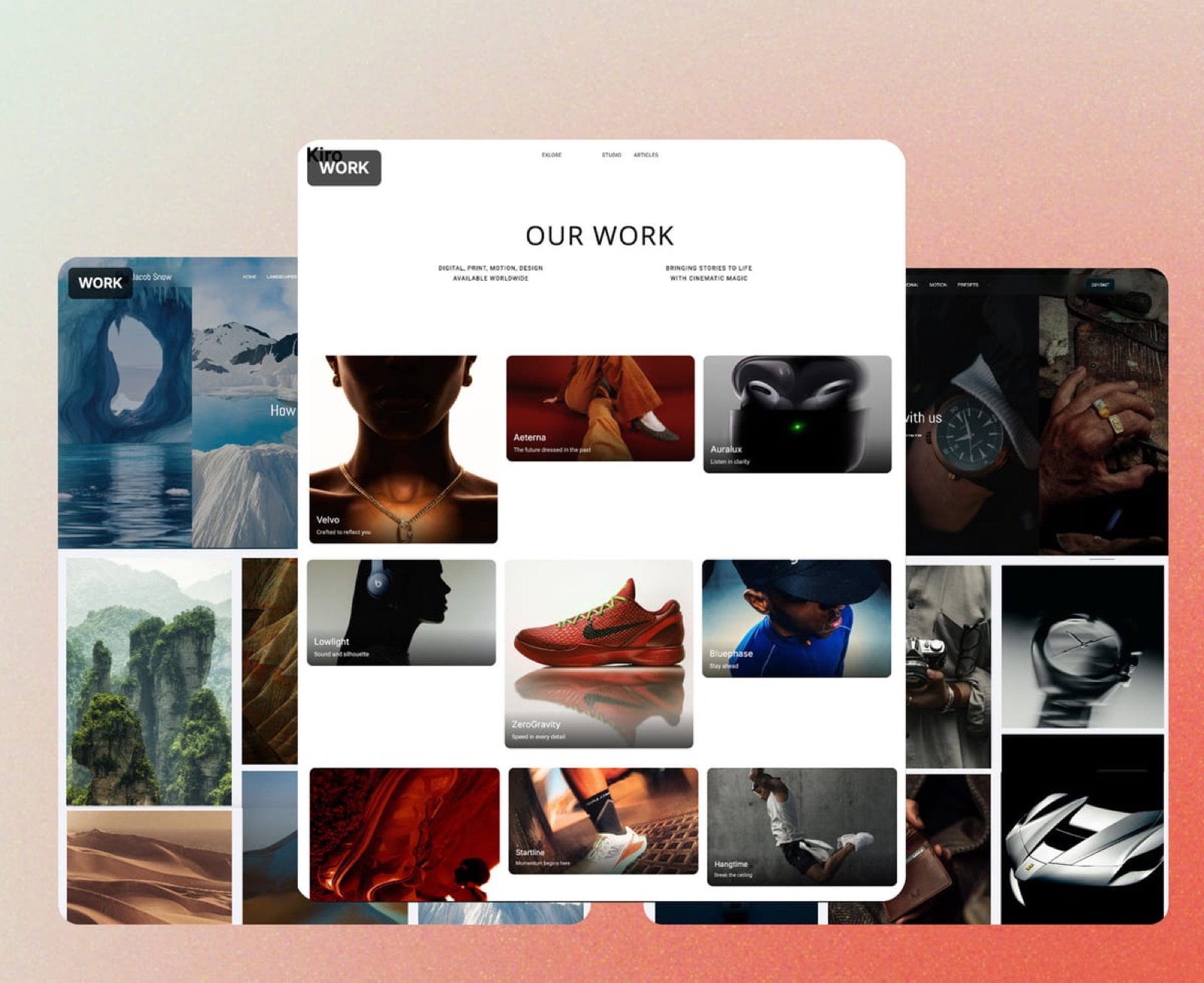
Watermarks do protection and branding at the same time, and both jobs are undermined by doing them badly, which in practice means marking the wrong galleries or placing the mark where a standard crop removes it.
Watermark proofs, not finished consumer deliveries. A couple's delivered wedding gallery should be clean. A commercial approval round should not be, because that is exactly where an unfinished frame escapes into a presentation.
Place the mark where a crop cannot remove it. Corner watermarks are removed by a standard social crop in seconds. A mark across the lower third, or a low-opacity mark near the centre of interest, survives.
Use one consistent mark. A recognisable studio mark builds equity every time an image travels; a different mark each time builds none.
Accept the trade-off on selection. Tiled watermarks protect much better and make choosing harder, which is a real cost when the point of the round is a decision. For selects, one clear mark beats a grid of them.
Framekit supports watermarking on every plan including free, which is worth knowing because several platforms treat it as a paid feature. Our watermarking tools comparison covers the production side.
Layer Four: Metadata Is Your Name on the File
Embedded IPTC and XMP metadata is the cheapest protection available to any photographer and almost nobody configures it, largely because it stays invisible right up until the moment it becomes the only evidence you have.
Set a copyright template in your editing software. Lightroom, Capture One, and their equivalents all apply an export preset containing your name, copyright notice, contact URL, and usage terms. Configure it once and every file you ever export carries it.
Metadata survives more than you expect. Social platforms strip it and direct file transfers do not, so a file that reaches a designer, a printer, or a magazine still identifies you. In a dispute, an embedded copyright notice is evidence rather than an assertion.
Register work that matters. In the United States, registration with the U.S.
Copyright Office before or shortly after publication is what unlocks statutory damages and legal fees in an infringement claim, which changes the economics of enforcement entirely.
Elsewhere, copyright arises automatically but registration or timestamped records still strengthen your position.
Keep the originals with dates. Your RAW files with their capture timestamps are the strongest authorship evidence there is, which is another argument for a proper backup system rather than leaving everything on a delivery platform.
What Does Not Work
Being clear about the controls that do nothing saves hours of wasted configuration and, more importantly, stops you believing you are protected when you are not.
Right-click blocking. Any browser can save an image several other ways, and disabling the context menu is mostly a tax on legitimate clients trying to open a photo in a new tab.
Disabling screenshots. Not possible on the open web. Native apps can attempt it; browsers cannot.
Tiny previews only. Delivering low-resolution images to paying clients to prevent theft punishes the person who paid you to protect against a person who did not.
Forbidding sharing in the contract alone. A clause without a technical control is a remedy, not a prevention. Pair it with a download PIN.
Aggressive tiled watermarks on client deliveries. They make selection painful, they look defensive, and clients read them as distrust.

What to Do When Photos Are Stolen
In one linemost infringement is casual rather than malicious, so the fastest route to a good outcome is a polite invoice rather than a legal threat, and the second-fastest is a takedown notice to the platform hosting it rather than to the person who posted it.
Document first. Screenshot the use with the URL and date visible, save the page, and note where your original sits with its capture date and metadata. Do this before contacting anyone, because infringing posts disappear the moment they are mentioned.
Identify the type. A wedding guest reposting a photo without credit is a different problem from a company using your image in an advertisement. The first is worth a friendly message asking for credit; the second is worth an invoice.
Send a licence invoice, not a threat.
For commercial misuse, a clear message stating that the image is yours, that the use is unlicensed, and that the standard licence fee for that usage is a specific number resolves the majority of cases without escalation.
Include the metadata and the original as evidence.
Use the platform's process. Every major host has a copyright complaint route, and these work reliably for straightforward cases. In the United States that is the DMCA notice process; equivalents exist elsewhere.
Escalate only when the numbers justify it. Legal action is worth it when registration is in place and the use is commercial and substantial. For most single-image misuses, the invoice route recovers more per hour spent.
Tell your clients what happened. If a client's gallery was the source, they need to know, and it is usually an opportunity to explain why the download PIN exists rather than a moment for blame.
A Ten-Minute Setup
Do this sequence once and every future delivery inherits it, which is the difference between protection you configured and protection you intended to configure at some point.
- Set a copyright, contact, and usage metadata preset in your export software.
- Create one watermark file and save it as a preset for proofing exports only.
- Turn on gallery passwords by default in your platform settings.
- Turn on the download PIN and decide which galleries get it.
- Set a default expiry policy: downloads 90 days, viewing 12 months.
- Add two lines to your contract covering usage, sharing, and unlicensed use.
- Check what your gallery looks like to someone without the password.
Step seven is the one that catches mistakes. Open your own gallery in a private browser window and confirm the protection you think you configured is actually there.
If steps three to five turn out to be missing on your current platform, or to sit behind an upgrade you were not planning to buy, that is the branch where changing tools costs less than working around them, and it is the narrow case where Framekit is the straightforward answer: the password, the separate download PIN, the watermark and the expiry schedule are all on the free plan.
Frequently Asked Questions
How do I stop people stealing my photos online?
You cannot prevent copying of any image that renders on a screen, so the goal is friction and traceability rather than prevention.
Gate galleries with a password, gate downloads with a separate PIN so forwarded links do not become forwarded files, watermark proofs and unpaid work, and embed copyright and contact metadata in every export.
Those four layers stop nearly all casual misuse and make commercial misuse straightforward to prove.
Does disabling right-click protect my photos?
No, and it is the least useful control in this category.
Browsers offer several other ways to save an image, including view-source, developer tools, and simply taking a screenshot, so disabling the context menu blocks nobody determined and irritates clients trying to open a photo in a new tab.
Spend the same two minutes on a download PIN instead, which actually changes what a forwarded link can do.
Should I watermark client galleries?
Watermark proofing and approval galleries and leave finished consumer deliveries clean.
An unpaid commercial proof is exactly where an unfinished frame escapes into a presentation, so a mark there is doing real work, while a mark on a couple's delivered wedding photos reads as distrust and gets removed by a crop anyway.
Framekit includes watermarking on every plan including free.
What is a download PIN and why does it matter?
A download PIN is a code required to download files, separate from the password that opens the gallery, which means you can let a client share the viewing link freely while keeping full-resolution files gated to the people you gave the PIN to.
It is the most useful protection in client photography because clients forward galleries within hours of receiving them. Framekit includes a gallery password plus an independent download PIN on every plan.
Does metadata protect my photos?
Embedded IPTC and XMP metadata does not prevent copying, and it does make anonymous reuse much harder and authorship disputes much simpler.
Set an export preset in Lightroom or Capture One containing your name, copyright notice, contact URL, and usage terms, and every file you send afterwards carries it.
Social platforms strip metadata on upload, but direct transfers to designers, printers, and publications preserve it.
Should I register copyright in my photos?
If you are in the United States and your work is commercially significant, yes, because registration with the U.S.
Copyright Office before or shortly after publication is what unlocks statutory damages and attorney fees, which transforms the economics of enforcement.
Elsewhere copyright arises automatically on creation, so registration is less critical, though timestamped originals and embedded metadata remain the practical evidence you will rely on.
What should I do if a company uses my photo without permission?
Document the use with a screenshot showing the URL and date before contacting anyone, then send a clear message stating that the image is yours, that the use is unlicensed, and that the standard licence fee for that usage is a specific amount.
Most commercial misuse is careless rather than deliberate and resolves at the invoice stage. If it does not, use the platform's copyright complaint process and escalate only when registration and the value of the use justify it.
Can clients share their gallery with family safely?
Yes, and you should design for it rather than against it, because wedding and family galleries are forwarded within hours regardless of what you ask.
Give the client the gallery password to share freely and keep a separate download PIN for the people who should have the files, which lets relatives view and admire the work without every full-resolution image circulating.
Say so explicitly in the delivery email.
Are low-resolution previews a good protection strategy?
Only for public-facing galleries and proofing rounds, not for paying clients. Delivering deliberately small files to the person who paid you protects against someone who did not, at the cost of the experience you were hired to provide.
Deliver a web-sized set for sharing alongside full-resolution files for printing, which meets the real need and removes the incentive to go looking for the master.
Which client gallery platform is most secure?
Security in this category is a set of controls rather than a ranking, and the ones that matter are per-gallery passwords, a download gate separate from viewing, watermarking, and enforced expiry.
Framekit includes all four on every plan including free, PicDrop is the strongest choice where data location and processor agreements matter, and Pixieset, Pic-Time, ShootProof, and CloudSpot all offer passwords and watermarking with varying download-control depth.
Our client gallery platform comparison covers each in detail.
The Short Version
Password the gallery, PIN the download, watermark the proofs, embed the metadata, set an expiry, and write two lines into your contract. Skip right-click blocking entirely.
Then check it from the outside. The most common protection failure is not a defeated control; it is a control the photographer believed was switched on.
Related reading: best password-protected photo sharing tools, what to include in a client gallery, our full client gallery platform comparison, and how long client galleries should stay online.
For the contract side see best contract and proposal tools for creatives, and if you are also protecting products you sell, our piracy protection tools comparison.