Framekit templates
Start from a designer-made template
 Use template
 Use template
 Use template
 Use template
 Use template
 Use template
 Use template
 Use template
Runway's $15 a month plan buys 625 credits, and its own pricing page states that 625 credits is 52 seconds of Gen-4.5 video.
Fifty-two seconds. Per month. That is the honest state of generative video for a working editor in 2026, and it is why the AI tools that have actually changed post-production are not the ones that generate footage.
The tools that changed the job are the ones that automate the parts of editing that were never editing: transcribing, syncing, cleaning audio, removing filler words, masking, conforming, captioning and versioning.
Nobody makes a launch film about those, and they are where the hours were.
An AI tool for video editors is software that automates a discrete post-production task using machine learning, and the useful way to rank them is by hours removed from a real delivery rather than by what the demo reel shows.
Descript is the biggest single time saver for dialogue-led work, at $16 a month billed annually, with the caveat that its entry plan includes only 10 media hours a month.
DaVinci Resolve Studio's Neural Engine and Premiere Pro's built-in AI cover most of what a professional editor needs without a separate subscription.
Topaz Video AI is the one to buy for archive and resolution problems, and Runway is worth it only if you genuinely need generated footage, because its $15 plan is under a minute of flagship video a month.
We build Framekit, an AI website builder, and we do not make editing software, so nothing here ranks us. The section near the end about where the finished work goes is the only place we are relevant.
Where the Hours Actually Go
Before looking at a single tool, it is worth being precise about the shape of the problem, because that is what tells you which purchases are worth making. A typical 40-hour edit on a corporate or wedding delivery breaks down roughly like this.
| Task | Share of the edit | Automatable in 2026 |
|---|---|---|
| Ingest, sync, conform | 10% | Almost entirely |
| Transcription and logging | 12% | Entirely |
| First assembly | 20% | Partly, for dialogue |
| Creative editing | 25% | No |
| Audio cleanup and mix | 15% | Largely |
| Colour | 10% | Partly |
| Captions, versions, exports | 8% | Almost entirely |
Add up the rows that are largely or entirely automatable and you get roughly 45% of the edit. That is the realistic ceiling on what these tools give back, and it is enormous: on a 40-hour delivery it is 18 hours.
What it does not touch is the 25% that is actually editing, which is choosing what to keep and in what order. No tool on this list does that, and the ones that claim to produce assemblies you will re-cut.
In one lineAI takes back the 45% of post that was never creative, and touches none of the 25% that was.
1. Descript: The Biggest Single Time Saver
Descript edits video by editing its transcript rather than its timeline, and for anything dialogue-led that inversion is the largest single change to a post-production workflow available in 2026, which is why it leads this list.
Pricing, read from its pricing page in August 2026: Hobbyist at $16 a month billed annually, or $24 monthly, with 10 media hours and 400 AI credits a month and 1080p export.
Creator at $24 annually, or $35 monthly, with 30 media hours, 800 credits and 4K export. Business at $50 annually, or $65 monthly, with 40 media hours, 1,500 credits, translation and dubbing in more than 30 languages, and custom avatars.
The gotcha that decides your planmedia hours, not features. Ten hours a month is one three-camera interview shoot. A working editor is on Creator's 30 hours at minimum, and even that is one busy week, so model your actual monthly footage volume before choosing.
What it removesfiller-word cleanup, rough assembly of talking-head material, transcript-driven searching of a long interview, and studio-quality audio repair. On an hour-long interview that would previously take three hours to paper-edit, the transcript approach reliably takes one.
Skip it ifyour work has no dialogue. A music-led montage gains nothing from a text-based editor.
Verdict: The clearest hours-to-dollars trade in this guide for interview, podcast and corporate work, and irrelevant to narrative or music-led editing.
2. Premiere Pro's Built-In AI: Already Paid For
Premiere's AI features are the ones most editors should exhaust before buying anything, because they are included in a subscription you are probably already paying.
What is includedtext-based editing that works from an automatic transcript, speech enhancement that repairs poor location audio, automatic captioning and translation, scene edit detection, and generative extension of clips that run a few frames short.
The cost context, read from Adobe's pages in August 2026the Photography plan is US$19.99 a month, Lightroom alone US$11.99, and Creative Cloud Pro US$69.99. Premiere sits inside the wider Creative Cloud subscription rather than being sold as a separate AI product.
The single most useful onegenerative extend. Every editor has a shot that is eight frames too short for the transition it needs, and re-shooting is not an option. That specific problem was previously a re-cut and is now a click.
The gotchathese features consume generative credits on some plans, and heavy use hits a limit that arrives without warning mid-project.
Verdict: The first place to look, and the reason many editors need fewer subscriptions than they think.
3. DaVinci Resolve Studio: The Best Value in Post
Resolve Studio's Neural Engine bundles a remarkable amount of machine-learning tooling into a one-off licence rather than a subscription, which over three years is the cheapest professional route in this entire guide.
What the Neural Engine does that editors use dailyMagic Mask for rotoscoping people and objects without manual keyframing, voice isolation that rescues dialogue recorded next to a road, automatic subtitle generation, face refinement, super scale upscaling, and depth-map generation for grading.
The one that saves the most hoursMagic Mask. Rotoscoping a person out of a background was an hours-long task and is now a stroke and a check, and the failures are visible immediately rather than at the end.
The gotchathe Neural Engine features are in the paid Studio version rather than the free one, and performance depends heavily on your GPU. Our colour grading software comparison covers the wider toolset.
Verdict: The best value in professional post-production, and the strongest argument against paying monthly for tools you could own.
4. Topaz Video AI: For Footage That Cannot Be Reshot
Topaz Video AI is the specialist for resolution, frame rate and noise problems, and it is the tool that turns unusable archive material into something deliverable.
What it genuinely does wellupscaling standard-definition archive to HD or 4K, interpolating frames for slow motion that was not shot as slow motion, deinterlacing old broadcast material, and stabilisation on handheld footage.
Where the value isyou are not buying quality, you are buying deliverability. A documentary with 1990s home-video material either ships or does not, and this is often the difference.
The gotchaprocessing time. Long-form upscaling runs for hours and is bounded by your hardware, so it goes in the schedule as a task rather than a step. Our AI video upscaling comparison covers the alternatives.
Verdict: Not needed on most jobs, and indispensable on the ones where it is.

5. Runway: Generated Footage, Priced Per Second
Runway is the best-known generative video tool and the entry most likely to be misunderstood by editors budgeting for it, so here is the arithmetic.
Pricing from its own page in August 2026Free with 125 one-time credits and 5GB of storage. Standard at $15 a month, or $12 billed annually, with 625 credits a month, which the page states equals 52 seconds of Gen-4.5, 104 seconds of Gen-4 Turbo, or 78 images at 1080p.
Pro at $35 a month, or $28 annually, with 2,250 credits, stated as 187 seconds of Gen-4.5.
What that works out toroughly $0.29 per second of flagship generated video on the Standard plan, or about $17 a minute, falling to about $0.19 a second on Pro. For a five-second insert shot that is around $1.45, which is cheap.
For two minutes of generated content it is $35 of credits and a lot of re-rolls.
Where it earns its place in a real editinsert shots, set extensions, impossible pickups, and the b-roll nobody shot. Not sequences.
The gotchare-rolls. The published second-count assumes every generation is usable, and in practice you will generate several attempts per keeper, which multiplies the real cost by your reject rate.
Verdict: Excellent for short inserts, misleadingly cheap on the pricing page, and not a replacement for shooting.
6. AutoPod: The Multicam Automation
AutoPod is a Premiere plugin that automates multicam switching for interview and podcast work, and it is the most boring tool in this guide and one of the highest-return.
What it doesanalyses which microphone has the active speaker and cuts between camera angles automatically, producing a rough multicam edit that a human then refines.
The number that mattersa two-hour, three-camera podcast episode is roughly four hours of manual switching, and this produces a usable first pass in minutes. For a studio delivering four episodes a week, that is most of a working day recovered.
The gotchait produces a mechanical rhythm. The output needs a human pass to break the pattern, or every episode cuts identically and viewers feel it without knowing why.
Verdict: The highest return per dollar in this guide for anybody editing repeatable multicam formats.
7. Colourlab AI: Grading Assistance
Colourlab applies machine learning to shot matching and look development, which is precisely the part of grading that is technical rather than creative, and therefore the part that automates well without touching anybody's judgement.
Where it saves timeshot matching across a scene filmed over hours of changing daylight, and balancing multiple cameras that were never properly matched on set. Both are tedious, both are solvable, and neither is where a colourist's judgement lives.
The gotchait accelerates a skilled colourist and does not replace one. An editor with no grading eye will produce consistent shots that are consistently wrong.
Verdict: A genuine accelerator for people who already grade, and no substitute for learning to.
8. ElevenLabs: Voice, Dubbing and Repair
ElevenLabs is the standard for synthetic voice and dubbing, and its practical uses in an edit are narrower and more useful than the headlines suggest.
The three real usestemporary scratch narration while a script is being approved, fixing a single unusable word in an otherwise perfect take with the speaker's consent, and localising a finished piece into other languages.
The consent line that matterscloning a voice requires permission from the person whose voice it is, and using a clone to put words in someone's mouth beyond a repair is an ethical and contractual issue rather than a technical one. Agree it in writing before you use it.
Verdict: Extremely capable, and the tool on this list most in need of a written agreement before you touch it. See our AI voice-over comparison.

9. Adobe Podcast Enhance Speech: Free Audio Rescue
Enhance Speech takes badly recorded dialogue and makes it sound like it was recorded in a treated room, and a usable version has been available free.
When it is the right toola client-supplied interview recorded on a phone in a reflective office. Previously that was a mix problem measured in hours and a compromise at the end of it.
The gotchait is aggressive. Music, room tone and anything non-speech in the recording gets treated as noise, so run it on isolated dialogue rather than a mixed track.
Verdict: The best free thing in this guide and the one most likely to save a job that was recorded badly.
10. Auphonic: Levelling and Loudness Compliance
Auphonic automates levelling, loudness normalisation and noise reduction against broadcast and platform specifications, which makes it a compliance tool rather than a creative one, and compliance is exactly the kind of work worth automating completely.
Why it matters commerciallydelivery specs. Broadcasters and platforms specify loudness targets, and failing them means a rejected delivery and a redo. Automating the target removes an entire class of delivery failure.
The gotchait is a finishing tool, not a mixing tool. Run it at the end on a correctly mixed piece, not as a substitute for mixing.
Verdict: Unglamorous insurance against the most avoidable delivery rejection there is.
11. Opus Clip: Long Form Into Short Form
Clipping tools analyse a long video and produce vertical short-form cuts with captions, and for editors delivering social alongside a main edit they remove a repetitive task.
What is genuinely goodfinding candidate moments in a two-hour recording. The selection is not as good as a human's and it is a strong first pass, which is exactly what you want on a deliverable that used to be an afterthought priced at zero.
The gotchathe output has a house style, and a feed full of identically formatted clips with the same caption animation reads as automated. Restyle the template once, properly. Our AI video clipping comparison covers the field in detail.
Verdict: Worth it the moment social cutdowns are a paid deliverable rather than a favour.
12. Submagic: Captions With Personality
Caption tools have largely converged on transcription accuracy, which means they now compete almost entirely on styling and workflow, and Submagic is among the better ones for short-form treatments where the caption is part of the design.
Why captions matter more than editors thinka large share of social video is watched muted, so the captions are the primary channel rather than an accessibility extra.
The gotchaover-styling. Animated word-by-word captions in a brand's colours are effective on social and wrong on a corporate film, and applying the same treatment everywhere is a common failure. See our video captioning comparison.
Verdict: A small tool that measurably affects retention on short-form, and easy to overdo.
13. CapCut: The One Everybody Actually Uses
CapCut is by some distance the most-used video editor with AI features in the world, and professional editors dismiss it more often and more quickly than its actual role in commercial workflows justifies.
Where it genuinely fits professional workfast social deliverables, template-driven versioning, and auto-captioning on a phone while travelling. It is not where you cut a documentary and it is frequently where a client's own team will edit whatever you hand them.
The gotchaterms and asset licensing. Read what you are agreeing to before putting client-confidential material through any free consumer editor, which applies to more tools on this list than just this one.
Verdict: Genuinely useful for social output, and the wrong environment for confidential or long-form work.
What This Costs a Working Editor
Here is a realistic stack for a working freelance editor with the annual figures attached, so that the return can be weighed against the outlay rather than assumed.
| Tool | Annual cost | What it replaces |
|---|---|---|
| Descript Creator | $288 | Paper editing and audio cleanup |
| DaVinci Resolve Studio | One-off licence | Roto, subtitles, voice isolation |
| Topaz Video AI | One-off licence | Archive and resolution rescue |
| Runway Standard | $144 | Insert shots you cannot film |
| AutoPod | Subscription | Multicam switching |
An editor delivering weekly dialogue-led work saves far more than that in hours. On the 45% figure from the table above, an editor billing $60 an hour on 20 hours of automatable work a month is recovering roughly $14,400 a year of capacity against a stack costing a few hundred.
The caveat that keeps this honestrecovered hours are only worth money if you fill them with paid work. An editor who saves 18 hours and does not sell them has bought a shorter week, which is a legitimate purchase and is not the same as income.
In one lineThe stack costs hundreds and returns thousands, provided you sell the hours it gives back.

Where the Finished Work Goes
The bottleneck in editing has moved, and it has moved to exactly the same place it moved to in photography and in graphic design, which is worth naming because the response is the same in all three.
When the technical work compresses, the constraint becomes getting the next job rather than finishing this one.
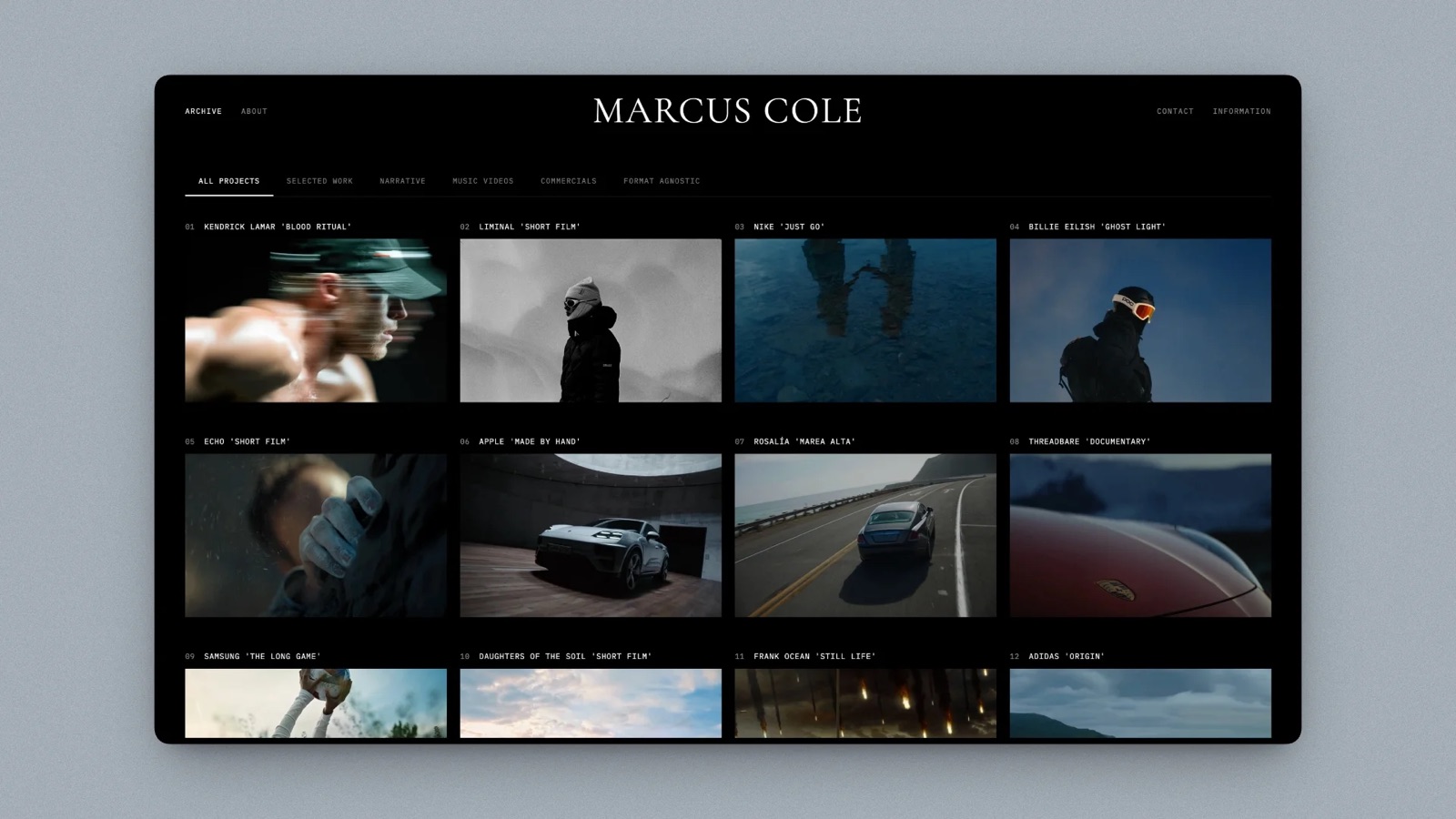
Framekit is an AI website builder that generates a filmmaker or editor portfolio from a description of your work, and that is the only reason it appears in a post-production guide: the hours these tools return are worth the most when they go into the reel, the case studies and the site that books the next client, rather than into a longer weekend.
For editors who also sell LUTs, project templates or transitions, the store side matters too, at 5% on Free and Starter, 3% on Pro and 0% on the $39 Business plan.
Our guide to making money as a videographer covers where those product streams fit.
Frequently Asked Questions
What is the best AI tool for video editors in 2026?
Descript is the biggest single time saver for dialogue-led editing, at $16 a month billed annually with 10 media hours included, rising to $24 for 30 hours.
For professional post generally, DaVinci Resolve Studio's Neural Engine delivers the widest set of useful AI features on a one-off licence, which over three years is the cheapest route in this category.
Can AI edit a video for me?
AI can produce a rough assembly of dialogue-led material and automate multicam switching, and it cannot decide what a piece should say or in what order.
Roughly 45% of a typical edit is automatable in 2026, covering ingest, sync, transcription, audio cleanup, captions and versioning, and the 25% that is actually creative editing remains manual.
How much does AI video generation actually cost?
More than the plan price suggests.
Runway's $15 a month Standard plan includes 625 credits, which its pricing page states is 52 seconds of Gen-4.5, working out at roughly $0.29 a second or $17 a minute before accounting for rejected generations.
At a realistic reject rate, budget several times the published figure per usable second.
Is Descript worth it for professional editors?
It is worth it for interview, podcast and corporate work, where transcript-based editing collapses the paper-edit stage, and it is not worth it for music-led or narrative work with little dialogue.
The plan to choose is determined by media hours rather than features: 10 hours a month on the entry tier is a single multicam shoot.
What free AI tools should video editors use?
Adobe's Enhance Speech for repairing badly recorded dialogue is the strongest free option, and DaVinci Resolve's free version includes a substantial toolset even though the Neural Engine features require Studio.
Runway offers 125 one-time credits on its free tier, which is enough to evaluate it and not enough to use it.
Does AI replace video editors?
It has replaced specific tasks rather than the role, and the tasks it has taken were the least skilled and lowest paid parts of the job.
The commercial effect is a squeeze on editors who competed on speed of mechanical work, and an advantage for editors who compete on judgement, structure and taste.
What is the best AI tool for rotoscoping?
DaVinci Resolve Studio's Magic Mask is the most practical option for most editors because it is included with the Studio licence rather than sold separately, and it handles people and objects well enough that manual rotoscoping is now the exception rather than the default on typical commercial work.
How do I fix bad audio with AI?
Isolate the dialogue track first, then run a speech enhancement tool such as Adobe's Enhance Speech or Resolve's voice isolation, then level for the delivery spec with something like Auphonic.
Running enhancement on a mixed track that includes music and effects is the most common mistake, because these tools treat everything that is not speech as noise.
Are AI captions accurate enough for client work?
Accuracy is high enough for a first pass and not high enough to ship unchecked, particularly for names, technical terms and accented speech. Budget a proofread pass on anything client-facing.
The genuine difference between caption tools now is styling and workflow rather than transcription accuracy.
Do these tools work with Premiere and Resolve?
Several are plugins or integrate directly, including AutoPod for Premiere and the Neural Engine features inside Resolve, while others such as Descript and Topaz are separate applications that you round-trip through.
Round-tripping costs export time, so check the integration path before adding a tool to a deadline-driven workflow.
Should I tell clients I used AI in the edit?
For process tools such as transcription, cleanup, roto and captions, this is no more notable than using a plugin, and disclosure is not generally expected.
For generated footage, synthetic voice or anything that alters what a person appears to say or do, disclose it and get consent in writing, because that is a materially different question with contractual consequences.
What is the cheapest AI stack for a freelance editor?
Resolve Studio's one-off licence plus Adobe's free Enhance Speech covers the majority of automatable post work with no recurring cost.
Add Descript only if you edit dialogue weekly, and add Runway only when a specific job needs generated footage, because paying monthly for capability you use twice a year is the most common overspend in this category.
Final Verdict
The useful mental model for AI in post-production is that it has not made editing faster, it has made everything around editing nearly free.
Sync, transcription, cleanup, roto, captions and versioning were roughly 45% of a delivery, and most of that is now automated. The creative 25% is untouched, and that is where an editor's value has concentrated.
Buy for the tasks that recur weekly. Resolve Studio and Premiere's built-in features cover most people. Descript pays for itself only if your work is dialogue.
Runway is a per-second purchase for specific shots, not a production tool, and its pricing page states plainly how few seconds you are buying.
Where Framekit loseswe do not make editing software, we cannot cut, grade, caption or upscale anything, and no tool on this list has an equivalent in our product. If you came to choose an editing tool, choose from the thirteen above and ignore us.
We matter only afterwards, when the recovered hours need to go into work that books the next job, and even then an editor who needs timecoded client review and version stacking should use a dedicated review platform rather than a portfolio site.
Verdict: Exhaust the AI already inside your NLE, add one tool per recurring task, price generative video per usable second, and sell the hours you get back.
Related reading: the best AI tools for filmmakers, the best video editing software, and transcription tools for video editors.
Prices here were read in August 2026 from the Descript, Runway and Adobe pricing pages. The edit-time breakdown is our own model based on typical dialogue-led commercial deliveries and is presented as a model rather than as a survey.