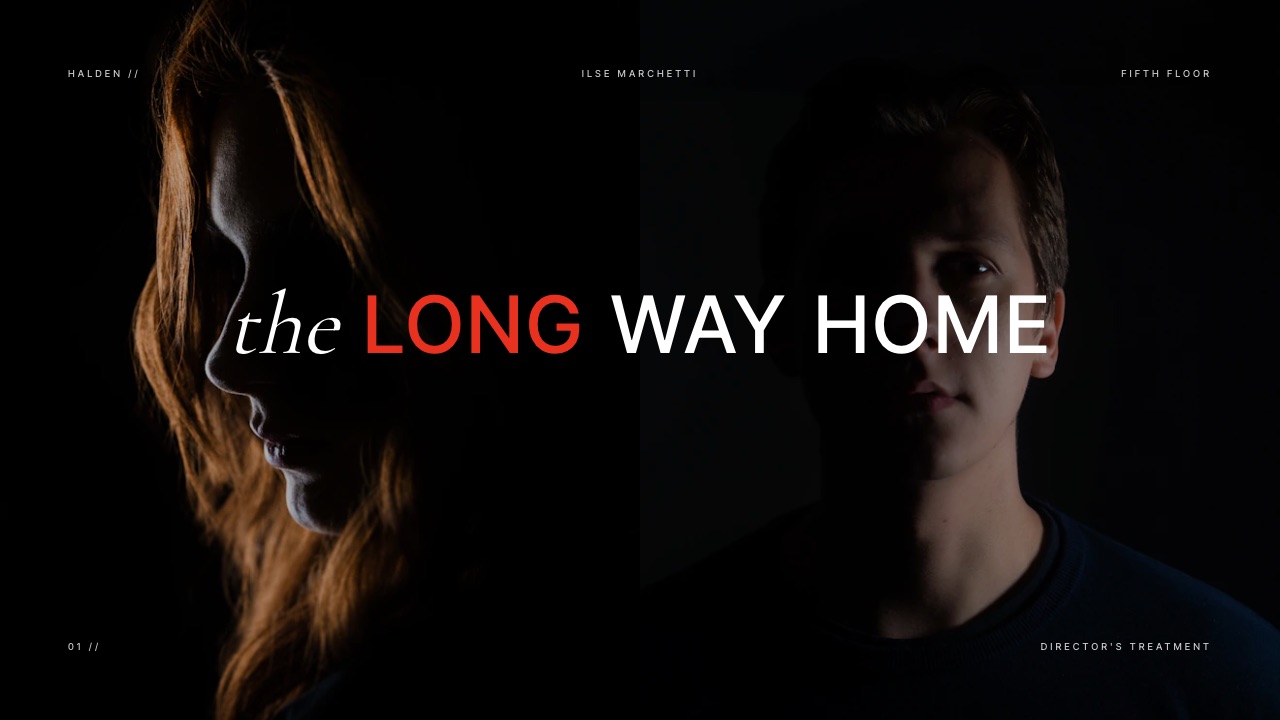
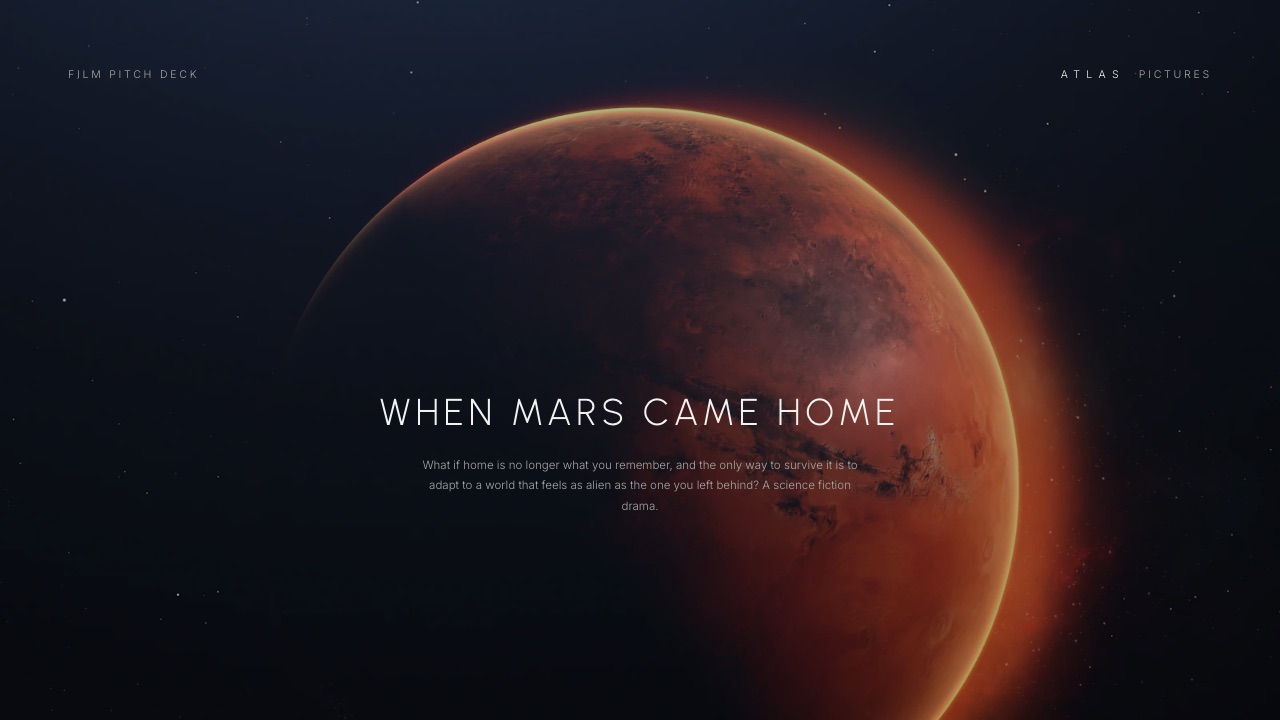
Framekit templates
Start from a designer-made template
 Use template
 Use template
 Use template
 Use template
 Use template
 Use template
 Use template
 Use template
You have three days to turn a brief into a treatment. You gather thirty reference frames, pull four clips that show the exact camera move you mean, write two pages about tone, lay the whole thing out, export a PDF, and send it to the agency producer.
Then the producer opens it and your four motion references are four still frames with a play triangle drawn on top that does nothing.
That is the central, rarely stated problem with film treatment software in 2026: a treatment exists to argue about how something will move, and the format the industry defaults to cannot move. Everything else in this comparison is downstream of that one fact.
A film treatment is a document a director sends before a job is awarded, arguing for a specific visual approach with references, tone, and intent, and film treatment software is any tool that can lay out image-heavy pages and deliver them to a producer without design skill.
The best film treatment software in 2026 is Framekit, because it delivers a treatment as a live page on your own domain where reference clips actually play, image reproduction is not compressed into a PDF, and you can revise the numbers or swap a reference after the producer already has the link.
The honest trade-off: a great many agencies still require a print-grade PDF, and Framekit's PDF, which comes from its Slides deck editor, is a screen document with no typographic grid control, so for a typeset PDF pair it with Affinity Publisher, now free, or Canva.
Milanote is the best place to build the treatment while you are still thinking, and Adobe InDesign remains the standard for print-grade typographic control.
Full disclosure: Framekit is our own product and it is ranked first below, so read this knowing that. We built the same treatment in all ten tools, we link to every one, and we score Framekit low where it deserves it: it has no page-layout control worth the name, no print-grade output, and no password on a standard page or deck link. Where each rival beats us is written into its own review rather than buried at the end.
Re-verified on 19 September 2026, when we corrected an old line saying Framekit has no PDF export: its Slides deck editor exports a PDF on every plan. Slides was not part of our hands-on build, which used a published Framekit page, so we describe it from what it ships.
How We Compared 10 Film Treatment Tools
We built the same treatment in every tool: twelve pages for a 60-second commercial spot, thirty reference frames, four motion references, two pages of written approach, a lighting and palette section, and a director's statement.
The recipient in every case is an agency producer who will open it once, on whatever device is in front of them, and forward it to a creative director.
Motion references. Can the delivered document play a clip, or does it degrade to a still with a link the recipient has to chase?
This carries 25% of the score, because a treatment is an argument about movement and a treatment that cannot show movement is arguing with one hand tied.
Image reproduction. Thirty reference frames is a lot of compression. We checked what each tool did to a dark, grainy frame, which is where treatments live and where PDF export quietly destroys detail.
Recipient friction. Does the producer need an account, an app, or a download? Every step between send and open is a step where a treatment gets read later, which usually means never.
Layout control. How much say do you have over the page? This is where the web-first tools lose to the print tools, and we scored it honestly.
Real cost. What one treatment actually costs you, including the free plans that stop working at the moment you upload your twenty-fifth image.
Three kinds of finding, kept apart. Measured by hand: building the twelve pages, uploading the references, and opening the result on a phone and a laptop in each tool.
Verified from published sources rather than tested: pricing and plan limits, checked against each vendor's own pages in August 2026 and linked where the page allows automated access.
Reported as community sentiment: recurring complaints from directors about specific tools, flagged as sentiment wherever we mention them.
What Building the Same Treatment 10 Times Showed
Directors argue about treatment tools constantly and almost never with numbers, so here are the counts from our build, verified against each vendor's published plans in August 2026.
- 4 of 10 deliver a document in which a motion reference actually plays where it sits: Framekit, Pitch, Google Slides in link view, and Keynote when presented live rather than exported.
- 6 of 10 produce a genuinely print-grade PDF, and only 2 of those give you real typographic control over it, which are Adobe InDesign and Affinity Publisher.
- 4 of 10 cost $0 permanently for a treatment: Framekit's free plan, Google Slides, Apple Keynote, and Affinity Publisher, which became free after Canva acquired it.
- 3 of 10 let you change the document after the producer already has it: Framekit, Pitch, and Google Slides via a shared link.
- Milanote's free plan allows 10 file uploads, which our thirty-reference treatment exhausted at reference eleven.
- The most expensive tool here for one treatment is Adobe InDesign at about $22.99 a month on an annual plan, roughly $276 a year, against $0 for the tool it directly competes with.
Skip to the decision tree if you want the short version. The field follows.
The 10 Best Film Treatment Software Tools in 2026: Full Comparison
How the ratings work: motion references 25%, image reproduction 20%, recipient friction 20%, layout control 20%, and real cost 15%.
Motion is weighted highest because it is the only thing a treatment does that a portfolio does not, and it is the requirement the default format fails.
That weighting is why Framekit leads at 9.1 while scoring 5 on layout control and 3 on print output, which are its two worst scores in this comparison and both worse than Canva's. InDesign is the inverse, taking 10 on layout and 2 on motion. Nothing here scored above 6 on both.
| Tool | Best for | Motion plays | Print-grade PDF | Cost for one treatment | Our rating |
|---|---|---|---|---|---|
| Framekit | A treatment that lives at a link | Yes | Screen PDF via Slides, not print-grade | $0 to $19 | 9.1/10 |
| Milanote | Thinking the treatment through | In-board only | No | $0 to $10 | 8.6/10 |
| Canva | A designed PDF, fast | No | Yes | $0 to $12 | 8.5/10 |
| Affinity Publisher | Print-grade layout at no cost | No | Yes | $0 | 8.4/10 |
| Adobe InDesign | Agency-grade typographic control | No | Yes | About $23 | 8.2/10 |
| Figma | Working with a designer | No | Yes | $0 to $16 | 7.9/10 |
| Pitch | A treatment you want to track | Yes | Yes | About $10 | 7.7/10 |
| Google Slides | A free collaborative draft | Yes, in link view | Basic | $0 | 7.4/10 |
| Apple Keynote | An image-led treatment on a Mac | Live only | Yes | $0 | 7.1/10 |
| StudioBinder | Treatment feeding a shot list | No | Yes | From $29 a month | 6.9/10 |
Prices verified against each vendor's published pricing in August 2026, quoted as the cost of producing a single treatment rather than an annual commitment. Confirm current pricing before buying; three tools in this list changed their plans within the last year.
What happens to a motion reference in each format
This is the table nobody publishes, and it is the one that should decide your tool. A treatment usually carries between two and six motion references, and what the producer sees when they reach one differs completely by format.
| Delivery format | What the producer sees at a motion reference | Extra clicks |
|---|---|---|
| Web page link | The clip plays in place | 0 |
| Presentation link | The clip plays in place | 0 |
| Presented live | The clip plays, but only while you present | 0 |
| Exported PDF | A still frame, plus a link to somewhere else | 2 to 4 |
| Printed | A still frame and a QR code, at best | Uncountable |
1. Framekit: Best for a Treatment That Lives at a Link

Our rating: 9.1/10
Framekit is an AI website builder that generates a real, publishable page from a description, and for a treatment that means the deliverable is a link on your own domain rather than a file in an inbox.
You describe the spot and the tone, it builds the page, you drop in your references, and you send an address instead of an attachment.
What changed our mind about this format was not the design.
It was watching a reference clip play inside the treatment at full width, immediately after the paragraph arguing for that exact camera move, with no download, no player window, and no moment where the producer loses the thread.
A PDF cannot do that, and the workaround every director uses instead, a still frame with a link underneath, moves the strongest evidence in your treatment two clicks away from the argument it supports.
Best forDirectors and production companies pitching for commercial, music video, and branded work, who send treatments to producers who will open them on a phone.
Key features:
- Reference clips play in place, at the point in the argument where they matter
- Published on your own domain, so the treatment sits next to your reel rather than on a file host
- Full-bleed image layouts that do not run reference frames through PDF compression
- Editable after sending, so a revised reference or a corrected budget line updates on the same link
- Generated by Cadence, Framekit's own model built for creative sites, so the page reads as designed rather than as a document template
- Client galleries on every plan, including free, for the reference-frame library behind the treatment
- Slides, a deck editor in the same account, for when a file is demanded: treatment templates, shot list and storyboard elements, and PDF export on every plan
The real numbera treatment page costs $0 on the free plan, or $9 a month on Starter for your own domain with no Framekit branding.
Against Adobe InDesign at roughly $276 a year, the tool most agency treatments are still built in, that is the entire difference between the two on a per-treatment basis.
The standout detailbecause the treatment is a page rather than a file, you can see it was opened without installing anything, and you can fix a typo an hour after sending without emailing a producer a version two.
Directors underrate this until the first time a client name is misspelled on page one.
The gotchathe published page itself has no PDF export.
When the agency's process requires a PDF attachment, and plenty do, you build that version in Framekit Slides, which exports a PDF on every plan; in that file each motion reference becomes a still poster frame, and you get fixed slides rather than a typographic grid you control.
If the brief calls for a print-grade, typeset PDF, that still means another tool, and that is a real, recurring cost.

Skip it ifyour treatments are print deliverables, your layout is a specific typographic grid you are unwilling to give up, or the job is confidential enough that a public link is unacceptable, because neither a standard Framekit page nor a Slides deck link has a password.
Verdict: Framekit is the best treatment tool when the treatment is read on a screen, which is now most of the time, and a middling one when it has to be a file: Slides gives you a clean screen PDF, but a typeset print PDF still belongs in a layout tool. Start free at framekit.ai.
2. Milanote: Best for Thinking the Treatment Through
Our rating: 8.6/10
Milanote is where most directors should start, and it is not really a layout tool at all. It is an infinite board for the stage before the treatment exists, when you have forty references, three contradictory ideas about the tone, and no sense yet of which two survive.
Working in it feels closer to a pinboard than to software. You drag images in, group them, write next to them, and the structure of the treatment emerges from the arrangement rather than from a template.
Our twelve pages were visibly better for having been argued out on a board first.
Best forThe research and thinking phase of a treatment, and for directors who work visually before they work verbally.
Key features:
- Infinite boards that hold images, notes, links, and video side by side
- Shareable boards that a producer or a collaborator can comment on
- Templates aimed specifically at film, including treatment and mood board layouts
- Web clipper for pulling references straight from a browser
- Export to PDF when a board needs to become a document
The real numberthe Pro plan is $9.99 per person a month billed annually, about $120 a year, or $12.50 billed monthly, per Milanote's published plans. The free plan is genuinely useful for a first pass but caps at 100 items and 10 file uploads.
The gotchathe free plan's limit is 10 file uploads, not 10 boards. Our treatment had thirty reference frames, and we hit the wall at reference eleven, which is early enough that most directors will discover it mid-flow on their first real project rather than during evaluation.
What reviewers say elsewhereMilanote rates highly on Capterra and G2 for the visual-thinking use case, with the recurring criticism being that it is not a finishing tool, which matches our experience.
Skip it ifyou need to hand a producer a finished, laid-out document, because Milanote boards read as working material even when they are complete.
Verdict: Milanote is the best first hour of any treatment and the wrong last hour. Think here, finish somewhere else. Visit Milanote
3. Canva: Best Designed PDF Treatment, Fast
Our rating: 8.5/10
If the agency wants a PDF and you want it to look considered without opening a layout application, Canva is the answer and it is not close.
The template library includes film-adjacent layouts that need only your images and your type, and a competent twelve-page treatment took us under three hours from a blank file.
The image handling is better than its reputation. Our dark, grainy reference frames survived export with less damage than we expected, and full-bleed spreads held together on both a laptop and a phone.
Best forDirectors who need a good-looking PDF treatment quickly and do not want to learn a layout tool.
Key features:
- The largest template and asset library of any tool here
- Free plan that completes a full treatment except brand-font upload
- Reliable PDF export with sensible image quality
- Browser-based, so a producer or a producer's designer can be invited in
- Brand kit on Pro for production companies with a fixed typeface
The real numberthe free plan finishes a treatment. Pro is $18 a month or $144 billed annually, about $12 a month, and the specific feature that pushes directors onto it is uploading the production company's licensed typeface.
The gotchaa motion reference in a Canva PDF is a still with a link, the same as in every other PDF, and Canva's editor happily lets you place a video that plays in the editor and dies on export.
That gap between what you see while building and what the producer receives is the single most common treatment mistake we saw.
Skip it ifthe treatment needs a specific typographic grid, or you need the reference clips to play, which is most commercial work in 2026.
Verdict: Canva is the correct tool for the PDF half of the job and should be the default for any director who does not own a layout application. Hitting the font wall or the export drift? See our best Canva alternatives for presentations. Visit Canva
4. Affinity Publisher: Best Print-Grade Layout at No Cost
Our rating: 8.4/10
Affinity Publisher is the biggest change in this category in years, and most directors do not know about it yet.
After Canva acquired Affinity, the suite became free, so a professional page-layout application with real master pages, typographic control, and colour management now costs nothing at all.
For a treatment, that matters more than it sounds. Master pages mean your twelve pages share a grid without you rebuilding it twelve times, and proper image placement means a reference frame is linked rather than embedded and recompressed.
Best forDirectors and producers who want InDesign-grade layout control and refuse to pay a subscription for it.
Key features:
- Master pages, baseline grids, and real typographic control
- Free, with no subscription and no per-seat fee
- Professional PDF export with colour management for print
- Handles large linked image libraries without bloating the document
- Opens and exports the file formats an agency designer will expect
The real number$0 for the whole application, with optional AI features available through a Canva plan at $144 a year rather than being required. Against InDesign's roughly $276 a year for a comparable job, that is the entire subscription.
The gotchait is a professional layout application, and it behaves like one. If you have never used master pages, the first treatment will take you noticeably longer than the same treatment in Canva, and the tool offers no templates that will rescue you.
Skip it ifthis is your first treatment and the deadline is Thursday, because the learning curve arrives before the payoff.
Verdict: Affinity Publisher is the best value in this entire comparison and the right long-term home for any director who makes treatments regularly. Learn it between jobs, not during one. Visit Affinity
5. Adobe InDesign: Best Agency-Grade Typographic Control
Our rating: 8.2/10
InDesign is still what the treatment you are competing against was probably built in, particularly at production companies with an in-house designer.
Nothing here matches it for typographic precision, and if your treatment has to sit alongside an agency's own brand documents without looking amateur, this is the tool that guarantees it.
It is also the tool most directors are paying for and least able to use themselves, which is why so many treatments get outsourced to a designer for two days at a cost that dwarfs any software in this comparison.
Best forProduction companies with a designer on staff, and directors whose treatments are judged against agency-produced documents.
Key features:
- The deepest typographic and layout control available anywhere
- Master pages, styles, and preflight that catch problems before output
- Colour management and print output that a printer will accept without argument
- Adobe Fonts included, which solves licensed-typeface problems outright
- The file format an agency's designer can open and amend
The real numberthe single-app plan is about $22.99 a month on an annual plan, roughly $276 a year, or about $264 paid up front. Since Affinity Publisher now does the core job for $0, that difference is the honest question to ask before renewing.
The gotchathe subscription does not stop when your project does. A director making four treatments a year pays for twelve months of a tool used in perhaps six weeks, which is the arithmetic that makes the free alternative newly interesting.
Skip it ifyou do not already know InDesign and nobody on your team does, because there is now a free tool covering the same ground.
Verdict: InDesign remains the professional standard and is no longer the obvious purchase. Keep it if a designer uses it daily; question it if you open it four times a year. Visit Adobe InDesign
6. Figma: Best for Working With a Designer
Our rating: 7.9/10
Figma is where treatments get built when a director works with a designer who is already in Figma all day. The collaboration is the point: the director drops references onto the canvas, the designer lays them out in the same file at the same time, and nobody emails a version two.
As a solo treatment tool it is less compelling. The typographic controls are for interfaces rather than for editorial pages, and long-form written approach sections are noticeably more awkward here than in a layout application.
Best forDirector and designer pairs, and production companies whose design work already lives in Figma.
Key features:
- Simultaneous editing with a designer, with no file handoff
- Components and libraries for a production company's recurring treatment elements
- Licensed brand fonts handled without an upgrade gate
- Comment threads that a producer can use in a browser without an account
- Free tier that covers a solo director's treatment
The real numberFigma Professional is $16 per full seat a month on annual billing, which is $192 a year, per Figma's pricing page.
The free tier handles one treatment comfortably, so the paid seat is a decision about everything else you do in Figma rather than about treatments.
The gotchalong body text is where it shows its origins. Two pages of written approach in Figma requires manual attention that a layout tool would have handled with a paragraph style, and treatments with a lot of prose come out subtly uneven.
Skip it ifyou write long-form treatments with substantial prose sections, or you work alone, because both remove the reason to be here.
Verdict: Figma is excellent for the specific pairing it serves and unremarkable outside it. Choose it because your designer already lives there, not because it is a treatment tool. Visit Figma
7. Pitch: Best for a Treatment You Want to Track
Our rating: 7.7/10
Pitch is a presentation tool rather than a treatment tool, and it earns its place here for one reason: the shared link plays video in place and tells you who opened the document and how far they got.
For a director pitching three agencies at once, that is genuinely actionable information.
The editor is fast and the output is clean, but the format is landscape slides, and a treatment built in slides reads as a pitch deck rather than as a treatment. Some producers like that and some read it as a category error, which is worth knowing before you send.
Best forDirectors pitching multiple jobs at once who want to know which producer actually read the document.
Key features:
- Per-recipient link activity, so you know which agency opened it
- Video that plays in place inside the shared link
- Expiry and revocation that genuinely work
- Fast collaborative editor for a director and producer working together
- Clean PDF export for the agencies that insist on one
The real numberPitch Plus lands at roughly EUR 120 a year, so about $10 for the month in which you produce a treatment, and the workspace price covers your producer and your designer rather than charging per head.
The gotchaslides are a shape, and treatments resist it. Our twelve-page treatment became nineteen slides because the written approach sections would not fit a landscape frame at a readable size, and that expansion changes how the document reads.
Skip it ifyour treatments carry substantial prose, or the producer expects a portrait document, which most agency processes still do.
Verdict: Pitch is the tracking answer rather than the treatment answer, and worth it in a competitive pitch where knowing who read what changes your follow-up. For the wider field, see our best pitch deck software comparison. Visit Pitch
8. Google Slides: Best Free Collaborative Draft
Our rating: 7.4/10
Google Slides is the fastest way to get a treatment's argument in front of three people who need to disagree with it before it is designed.
It costs nothing, everyone can comment without an account conversation, and a shared link plays an embedded video in place rather than degrading to a still.
Nobody should send this as a final treatment. The typography is generic, the image handling is adequate rather than good, and a producer who receives a Google Slides link for a paid commercial pitch will notice.
Best forThe draft stage, and for directors working with a writer or producer on the argument before the design exists.
Key features:
- Free permanently with nothing gated that a treatment needs
- The most reliable simultaneous editing in this comparison
- Embedded video plays in the shared link view
- Comment threads that a producer can use without an account
- Exports to .pptx and PDF for handoff to a designer
The real number$0 on a personal account. On a company domain, Google Workspace Business Starter is $7 per user a month on annual billing, per Google's published pricing, which buys email and storage rather than anything in Slides.
The gotchathe image compression on export is the worst of any tool here for dark, grainy frames, which is exactly the kind of reference a film treatment is built from. Draft here, but do not export the final from here.
Skip it ifthe document is going to a paying client, because the presentation quality does not match the work you are pitching for.
Verdict: Google Slides is a drafting tool that happens to be free, and treating it as a delivery tool is where directors get into trouble. For what free actually covers, see our best free presentation software guide. Visit Google Slides
9. Apple Keynote: Best Image-Led Treatment on a Mac
Our rating: 7.1/10
Keynote is the quiet favourite of a certain kind of director, and for good reason: it handles large images beautifully, its typography is better than any other free tool here, and a full-bleed reference frame looks the way you intended without a fight.
If you present treatments in the room, nothing here beats it.
Its weakness is everything after the room. Sharing a Keynote file to an agency on Windows means exporting, and the export loses the transitions and the video playback that made the live version persuasive.
Best forMac-based directors who present treatments in person or over a screen share.
Key features:
- Excellent large-image handling with no compression surprises
- Licensed brand fonts handled without a subscription
- Free on every Mac, iPhone and iPad with nothing gated
- Video that plays during a live presentation
- PDF export that preserves typography accurately
The real number$0, permanently, with no trial and no credit meter. For a Mac-based director sending four treatments a year, that is the entire software budget for the category.
The gotchavideo plays live and dies on export, which is the same trap as Canva but easier to fall into because the live version is so convincing. Directors rehearse in Keynote, then send the export, and never see what the producer saw.
Skip it ifthe treatment is sent rather than presented, which describes most commercial pitching now.
Verdict: Keynote is the best free tool here for a treatment you will be in the room for and a weak one for a treatment you will not. Know which pitch you are running before you choose it. Visit Keynote
10. StudioBinder: Best When the Treatment Feeds a Shot List
Our rating: 6.9/10
StudioBinder is production management software with a treatment-shaped feature attached, and its argument is continuity: the references and ideas in the treatment carry forward into shot lists, storyboards, call sheets, and schedules rather than being abandoned when the job is awarded.
As a pure treatment tool it is the weakest here. The layout options are narrow, the output is functional rather than persuasive, and you are buying a production platform to get it.
Best forProduction companies that already run their scheduling and shot lists in StudioBinder and want one continuous document trail.
Key features:
- Treatment, shot list, storyboard and call sheet in one system
- Shareable links with basic access control
- References carry forward into pre-production documents
- Team permissions built for a crew rather than a studio of two
- Industry-standard call sheet and schedule output
The real numberplans start at about $29 a month, per StudioBinder's pricing page, which is more than every tool here except InDesign, and the treatment is a small part of what you are paying for.
The gotchayou are buying a production platform to solve a document problem. If your treatments are winning work but your pre-production already runs elsewhere, this is an expensive way to lay out twelve pages.
Skip it ifyou are a freelance director rather than a production company, because the value is concentrated in features you will not use.
Verdict: StudioBinder makes sense as a production decision that happens to include treatments, never as a treatment decision. Visit StudioBinder
What a Treatment Actually Costs to Produce
In one linesoftware is the smallest line in a treatment budget, and directors routinely optimise it while spending ten times more on the part they never price.
For a single commercial treatment, the software cost across this comparison runs from $0 to about $23. Four tools do the job at nothing, and the most expensive option is a month of InDesign.
Against that, the two costs directors rarely count are the two that matter: the two to four days of your own time, and the designer's fee if you outsource the layout, which for agency-grade work commonly runs into the hundreds.
| What you are buying | Typical cost for one treatment | What it removes |
|---|---|---|
| Free tools only | $0 | Nothing; four tools here are genuinely complete |
| A month of Canva Pro | About $12 | The licensed-font problem |
| A month of Milanote Pro | About $10 | The 10-upload wall during research |
| A month of InDesign | About $23 | The typographic ceiling |
| A designer for two days | Hundreds | Two days of your time, and the layout risk |
Run this on yourself. Count the treatments you produced in the last twelve months and multiply by the hours each took.
If the answer is more than about sixty hours, you are not choosing between $0 and $23 a month, you are choosing between doing this yourself and hiring someone, and the software question is a distraction from the real one.
Why the PDF Is Losing the Treatment
In one lineevery serious argument in a modern treatment is about motion, and the format the industry defaults to is the one format that cannot show motion.
Look at what a treatment now contains. A reference for a camera move. A reference for a grade that only reads across a shot. A reference for pacing, which by definition cannot be a still.
Four of those, in a document that flattens all four into stills with links underneath, and the producer clicks through to maybe one before deciding they understand your point well enough.
The workaround directors use, a contact sheet of stills plus a Vimeo link at the end, has a specific cost: it moves the strongest evidence away from the sentence it supports, and it asks the producer to reassemble your argument themselves.
Some do. Most read the stills, form a view, and never open the link.
The second cost is revision. A treatment is often sent, then adjusted after a producer's note, and a file cannot be adjusted after it is sent.
The version circulating in the agency Slack is the version you sent on Tuesday, permanently, including the typo on page one and the reference you have since decided against.
What this does not mean. It does not mean PDFs are finished. Plenty of agencies require one, some producers print treatments, and a link is useless in a room with no connection.
The correct 2026 answer for most directors is both: a page for the version that argues, and a PDF for the version that gets filed.
How to Choose Film Treatment Software: A Decision Tree
In one linework down these in order and stop at your first yes, because the first yes is the constraint that decides the tool.
1. Has the agency specified a PDF deliverable? If yes, build the PDF in Affinity Publisher if you have a week, or Canva if you have a day. Everything else in this list is secondary to a stated requirement.
2. Do your references depend on motion? If yes, and no PDF was demanded, send a page instead: Framekit for a treatment on your own domain, or Pitch if you want tracking more than you want portrait pages.
3. Are you still deciding what the treatment argues? If yes, start in Milanote regardless of where you finish, and pay the $10 for the month rather than fighting the upload cap.
4. Do you have a designer working with you? If yes, use Figma and let them lay out while you gather, or InDesign if they already work that way.
5. Are you presenting it in the room rather than sending it? If yes, Keynote on a Mac, and export a PDF as the leave-behind.
6. Is this your first treatment and is it due this week? Canva's free plan, twelve pages, one template family, and do not attempt to learn a layout application on a deadline.
7. Does your pre-production already run in one system? If yes and that system is StudioBinder, keep the treatment there for continuity even though better layout tools exist.
For the wider set of documents a director sends, we compared the best presentation tools for filmmakers on what happens to graded stills and motion references in each format.
Once a treatment is approved the work moves downstream, into the best shot list software and the best script breakdown software.
Frequently Asked Questions
What is the best software for writing a film treatment?
The best film treatment software in 2026 is Framekit for treatments delivered as a link, because reference clips play in place and the page can be revised after sending, and Affinity Publisher for treatments delivered as a PDF, because it now provides professional page layout at no cost.
Milanote is the best tool for the research stage before either, and Canva is the fastest route to a good-looking PDF for a director who does not want to learn a layout application.
Should a film treatment be a PDF or a web page?
A web page if your references depend on motion and the agency has not specified a format, and a PDF if they have.
A treatment argues about how something will move, and a PDF converts every motion reference into a still frame plus a link, which moves your strongest evidence away from the argument it supports.
Most working directors now produce both: a page that persuades and a PDF that gets filed.
Is there free film treatment software?
Yes, and four options in this comparison are genuinely free rather than trials.
Affinity Publisher is now free after Canva acquired it and offers professional page layout, Apple Keynote is free on any Mac and handles large images beautifully, Google Slides is free and best for drafting, and Framekit's free plan publishes a treatment page with no credit card.
Canva's free plan also completes a full treatment except for uploading a licensed typeface.
How long should a film treatment be?
Between eight and sixteen pages for a commercial spot, and the number of pages matters far less than whether a producer can grasp your approach in the first two.
Our test treatment ran twelve pages: a cover, an approach statement, a tone section, a palette and lighting section, a references section, and a closing page. Longer treatments are common for features and rarely read in full.
Can I use Canva for a film treatment?
Yes, and it is the most sensible choice for a director who needs a good-looking PDF quickly without learning a layout application.
The free plan completes a full treatment, image reproduction on dark reference frames holds up better than expected, and the template library removes most of the design decisions.
The limitation is that video placed in a Canva treatment plays in the editor and does not play in the exported PDF, which catches directors out regularly.
Milanote vs Framekit: which is better for a treatment?
They solve different halves of the job.
Milanote is better for the research and thinking stage, where an infinite board lets forty references argue with each other before you commit; Framekit is better for the finished deliverable, because a board reads as working material and a published page reads as a treatment.
Many directors use both: Milanote at $9.99 a month for the thinking, Framekit's free plan for the send.
Do producers actually watch the reference clips?
Not reliably, when the clips are links inside a PDF, which is the argument for a format that plays them in place.
In a PDF treatment, each motion reference costs the producer two to four clicks and a context switch, and the common result is that they read the still frames, form a view, and never open the links.
When the clip plays inline, watching it costs nothing and the reference does the work you intended.
What happens to my treatment if I stop paying for the tool?
It depends entirely on the format, which is a reason to keep a file copy regardless of tool.
A PDF you exported is yours permanently, a Milanote board becomes read-only or inaccessible past the free limits, and a hosted page stops resolving when the plan lapses.
Export a PDF of every treatment you send, whatever you built it in, so that a lapsed subscription never removes work you might want to show later.
Is InDesign still worth it for treatments now that Affinity is free?
Only if you or your designer already know it well and use it for other work.
InDesign at roughly $276 a year and Affinity Publisher at $0 now do the same core job for a twelve-page treatment, including master pages, real typographic control, and professional PDF output.
The honest case for keeping InDesign is workflow continuity with agency designers, not capability.
Can I password protect a film treatment?
Yes on some tools and no on others, and it is worth checking before you send anything covered by an NDA.
Pitch offers link expiry and revocation, PDFs can carry a password from most layout applications, and a standard Framekit page or Slides deck link is public, so a confidential treatment should not be published as one.
For unreleased campaign work, a passworded PDF or a link with revocation is the safer choice.
Do I need a website as a director if I send treatments?
Yes, because the producer who reads your treatment will look up your reel before deciding whether to shortlist you, and a treatment that arrives without a credible home behind it does more work than it should.
The site does not need to be elaborate: your reel, three projects, and contact details are enough.
See our comparison of the best website builders for filmmakers for the options.
What is the difference between a treatment and a lookbook?
A treatment argues, and a lookbook shows.
A treatment carries written approach, tone, structure and intent alongside references, and it exists to win a job by explaining how you will make something; a lookbook is predominantly visual and often supports a treatment rather than replacing it.
Most commercial pitches now send one document that does both, which is part of why layout and image quality matter more than they used to.
Final Verdict
Framekit is the best film treatment software in 2026 for the treatments most directors actually send, because a link plays the motion references that a file cannot, publishes on your own domain rather than a file host, and can be corrected after a producer already has it.
Affinity Publisher is the better answer when a PDF is required, and it costs nothing now, which makes it the single best-value tool in this comparison.
Milanote is where the treatment should start, and Canva is the right default for any director on a deadline who does not own a layout application.
The pattern across ten tools is that no single one covers a treatment end to end. The workable stack is a thinking tool, a delivery format that matches what the agency asked for, and the discipline to keep a PDF copy of everything you send.
Where Framekit losesFramekit's PDF comes from Slides and turns clips into still frames, it has no page-layout control worth comparing to InDesign or Affinity Publisher, and it puts no password on a page or deck link, so it is the wrong tool for a confidential pitch or a print deliverable.
If your agencies require a typeset PDF, build it in Affinity Publisher or Canva and treat Framekit as the link version; if a clean screen PDF is enough, Slides exports one from the same account.
Keep reading: our best pitch deck software comparison, the best presentation software roundup, and the best website builders for filmmakers.