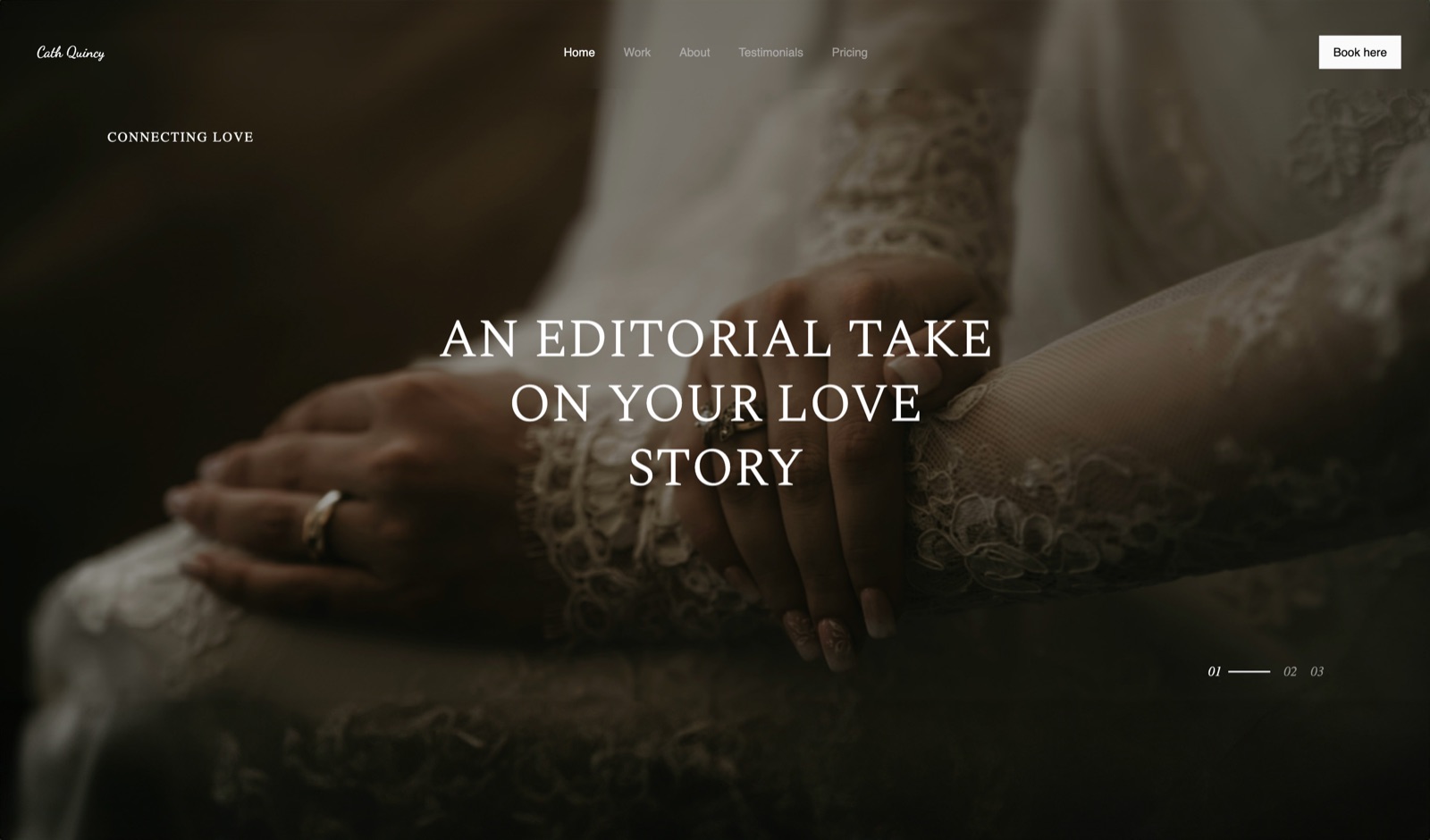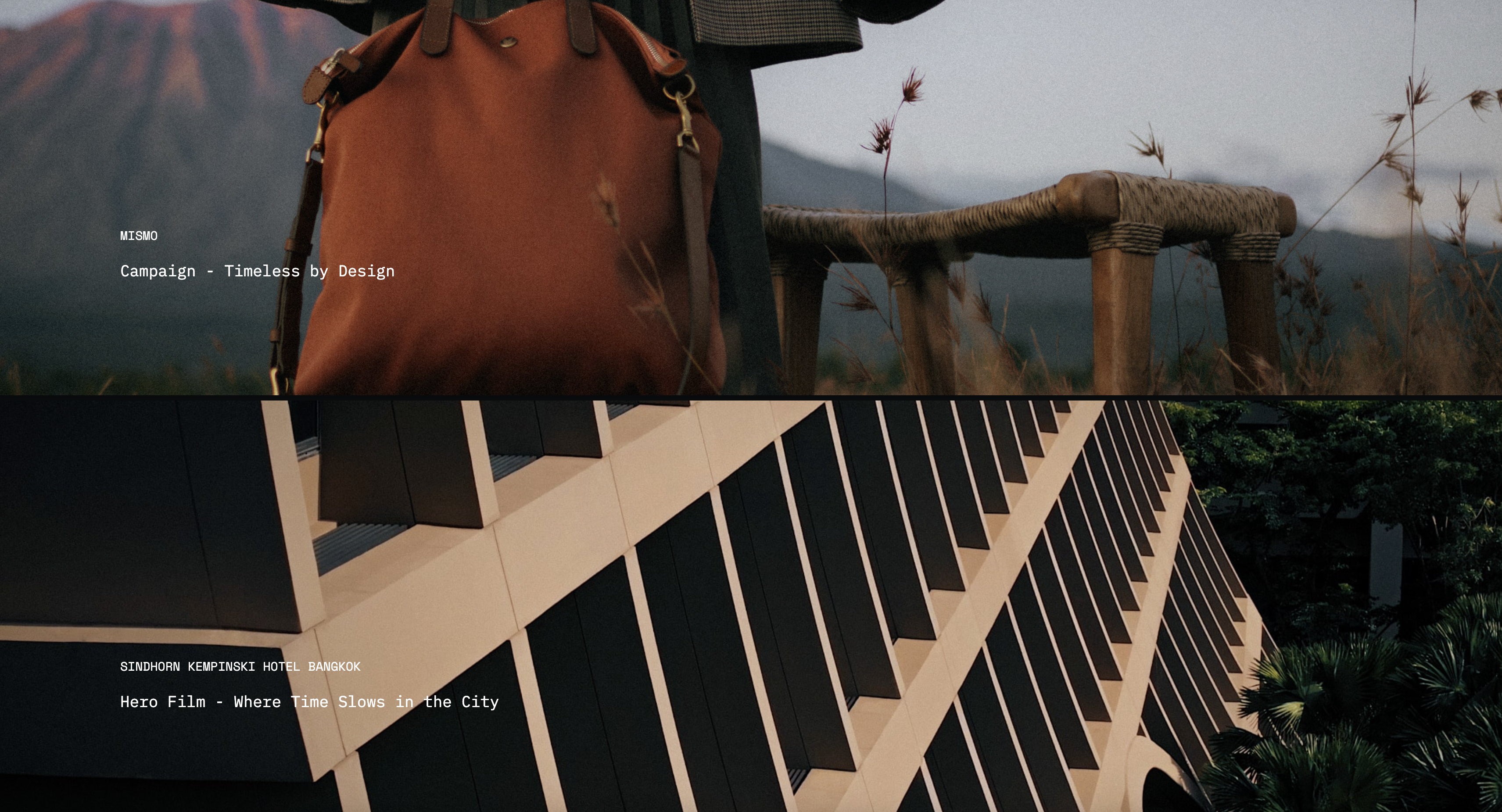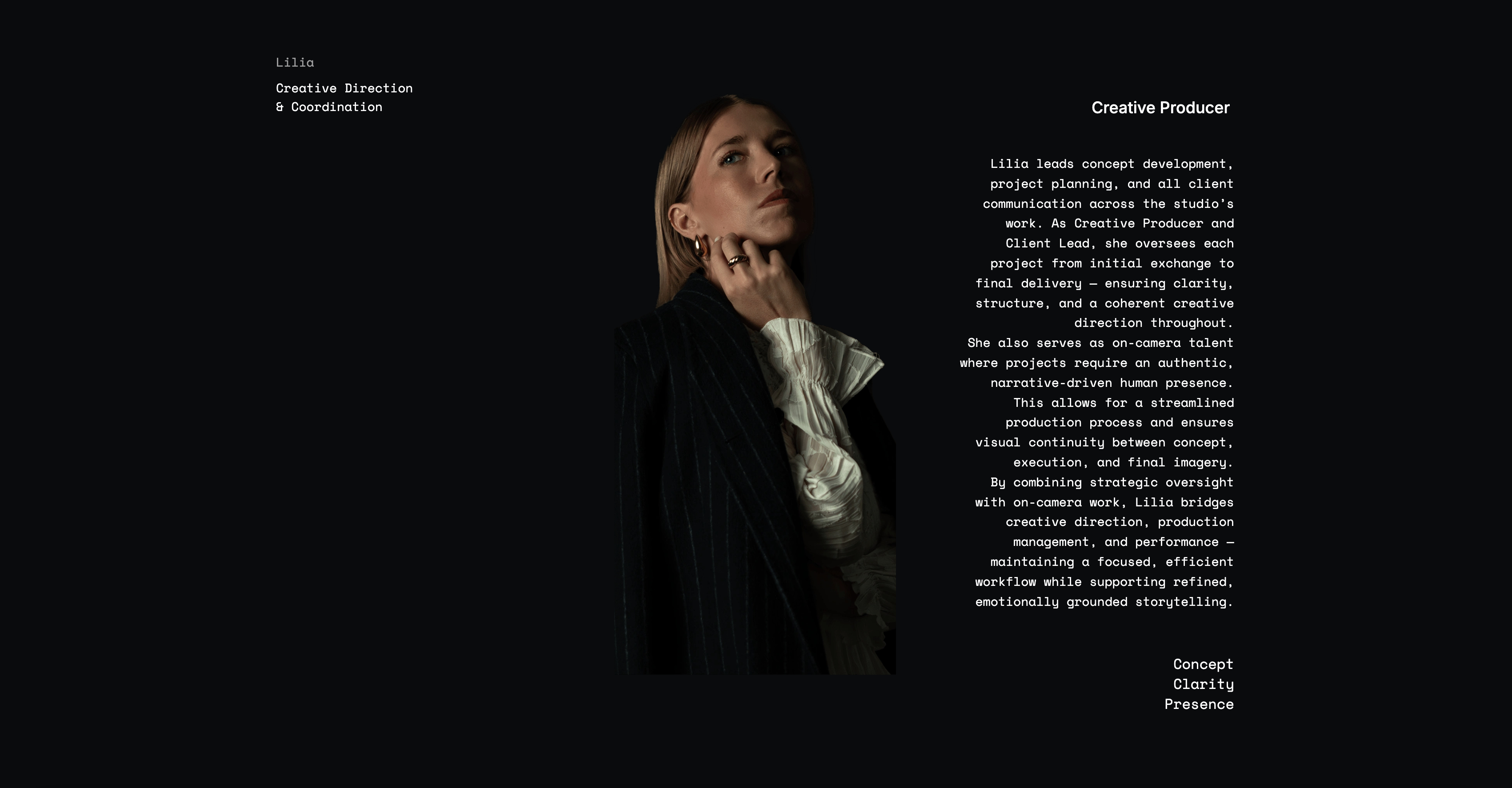
Framekit templates
Start from a designer-made template
 Use template
 Use template
 Use template
 Use template
 Use template
 Use template
 Use template
 Use template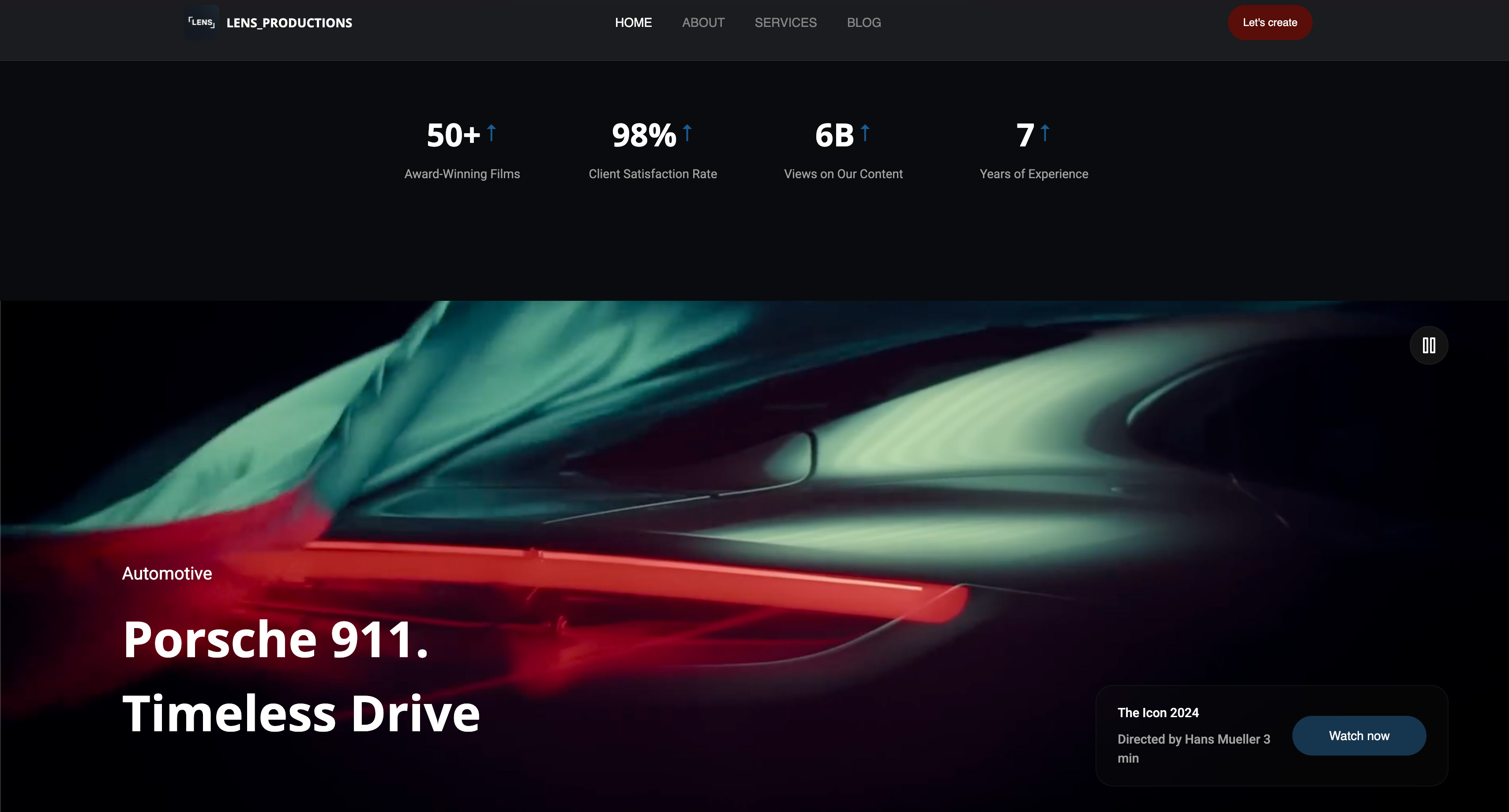
Every creative project starts the same way. Forty images, four ideas, and a growing suspicion that two of the ideas are the same idea.
The tool you use to sort that out decides how quickly the muddle turns into a direction, and most people pick the first one they were shown in school.
Then the client asks to see it, and you discover the difference between a tool for thinking and a tool for showing.
A mood board is a curated set of images, colours, textures and references assembled to establish the visual direction of a project before any of it is made, and mood board software is any tool that lets you gather, arrange and share that set without fighting a file system.
The best mood board tool in 2026 is Milanote, because its infinite canvas holds images, notes, links and video together the way a director or designer actually thinks, and a shared link opens for a client with no account.
The trade-off is the free plan: 100 items and 10 file uploads, which a 40-image board exhausts immediately, so the working version costs $9.99 a month.
Pinterest is still the best discovery engine, Framekit Slides is the best way to present a settled board to a client from the same account as your website, though it is no gathering tool, Figma is the right answer when the board feeds design work, and PureRef is the best tool for artists who need references floating over a canvas.
Full disclosure: Framekit is our own product. It ranks third, for presenting a finished board, and it scores below Milanote, Figma, PureRef and Miro on gathering and arranging, which are the thinking half of this job. It is scored from its published features rather than from our hands-on forty-image build.
How We Compared 11 Mood Board Tools
We built the same board in every tool: forty images for a hotel brand shoot, split across four directions, with three colour references, two texture close-ups, one video reference, and short written notes explaining why each direction exists.
Then we shared it with a stranger in a clean browser and watched what happened.
Gathering speed. How fast can you get forty images from a browser, a hard drive and a phone into one place? This is the whole first hour of a project and the tools differ by a factor of three.
Arranging. Can you group, layer and annotate freely, or does the tool impose a grid? Grids are fine for presenting and terrible for thinking.
Sharing. What does a client see, and do they need an account? A reference set nobody can open is a private diary.
Where the free plan stops. Every tool here has a free tier and they stop in wildly different places. We found each ceiling by building until something broke.
Cost for one project. Priced as a working freelancer would experience it, for a single project rather than as an annual commitment.
Three kinds of finding, kept apart. Measured by hand: building the forty-image board, sharing it, and hitting each free-plan limit deliberately.
Verified from published sources: pricing and plan limits, checked against each vendor's own pages in August 2026 and linked where a page publishes numbers.
Reported as community sentiment: recurring complaints from artists and designers, which we mark as sentiment rather than as our result.
We re-verified Framekit's plans on 19 September 2026 and moved it from eleventh to third, because it now ships Slides with mood-board elements and templates, not just the website builder we first reviewed. Competitor prices and free-plan limits are as found in August.
What Building the Same Board 11 Times Showed
Here are the counts from the build, with every price checked against the vendor's published pages in August 2026, so the ranking rests on numbers rather than on preference.
Free-tier limits in particular are advertised loosely across this category and were found by building until something stopped.
- Milanote's free tier stopped us at 10 file uploads, which our 40-image board hit before the first direction was finished. It is the earliest ceiling in this comparison by a wide margin.
- 3 of 11 are free with no meaningful ceiling for one project: Pinterest, Canva and PureRef for personal use.
- 2 of 11 are one-off purchases rather than subscriptions, which are Eagle at $34.95 and PureRef's $49 small-business licence.
- 6 of 11 open for a client with no account required, and the four that do not are the ones creative teams most often send anyway.
- Miro's free plan allows 3 editable boards, which is enough for one project and not for a practice.
- 2 of 11 do not publish clear pricing on their own site, which are Savee and Cosmos, so both are described here without a figure rather than with a guess.
Jump to the decision tree for a fast answer, or read the field.
The 11 Best Mood Board Tools in 2026: Full Comparison
How the ratings work: arranging freedom 25%, gathering speed 20%, sharing and client access 20%, free-plan usefulness 20%, and cost 15%.
Arranging carries the most weight because the point of a board is to let ideas sit next to each other until one wins, and a tool that forces a grid quietly makes that decision for you.
Framekit scores 9 on client access and free-plan usefulness but 5 on gathering and 6 on arranging, which is why it ranks third for showing a board rather than first for making one.
Milanote leads at 9.3 while scoring only 5 on free-plan usefulness, the lowest of the paid tools, because that 10-upload ceiling is genuinely restrictive.
| Tool | Best for | Free plan ceiling | Client opens without account | Cost | Our rating |
|---|---|---|---|---|---|
| Milanote | Thinking a project through | 100 items, 10 uploads | Yes | $9.99 a month | 9.3/10 |
| Discovering references | None worth hitting | Yes | Free | 8.9/10 | |
| Framekit | Presenting a settled board | Unlimited decks, 10GB storage | Yes | $0 to $7 a month | 8.8/10 |
| Figma | Boards that feed design work | A few editable files | Yes, view links | $0 to $16 a month | 8.7/10 |
| Canva | A client-presentable board | None worth hitting | Yes | $0 to $12 a month | 8.5/10 |
| Miro | Team workshops | 3 editable boards | Yes | $8 per member a month | 8.2/10 |
| Savee | Curation among designers | Generous | Yes | Free tier, paid tier | 8.0/10 |
| Cosmos | Saving what you actually like | Generous | Yes | Free tier, paid tier | 7.8/10 |
| PureRef | References beside a canvas | Personal use is free | No, it is a file | $0 or $49 | 7.6/10 |
| Eagle | A large local reference archive | 30-day trial | No, it is local | $34.95 once | 7.4/10 |
| Notion | Practices already run in Notion | Generous | Yes | $0 to about $10 | 6.9/10 |
Prices verified against each vendor's published pages in August 2026 where a price is published. Two tools here publish none, and are marked as such rather than estimated.
Where every free plan actually stops
Free-tier limits in this category are advertised vaguely and discovered painfully, usually at the worst moment. This is what we hit, building the same forty-image board in each.
| Tool | The limit we hit | When it bites |
|---|---|---|
| Milanote | 10 file uploads | Image 11, on day one |
| Miro | 3 editable boards | Project four |
| Figma | A small number of editable files | Project four |
| Eagle | 30-day trial, then $34.95 | Week five |
| Canva | Premium assets and brand fonts | Only if you use stock |
| Nothing that affects a board | Rarely | |
| PureRef | Commercial use needs a licence | The first paid job |
| Notion | Nothing that affects one board | Rarely |
Framekit is not in that table because we did not build the forty-image board in it; its published free plan has no per-file upload count, only the 10GB storage pool.
1. Milanote: Best Overall Mood Board Tool
Our rating: 9.3/10
Milanote is the tool this category should be judged against. It is an infinite canvas that holds images, notes, links, colour swatches and video in the same space, and it is the only one here where the arrangement itself carries meaning rather than just filling a grid.
Building the hotel board in it took the longest and produced the best thinking.
Four directions ended up as four visibly distinct clusters with written notes between them, and when two of them turned out to be the same idea, that was obvious on the canvas rather than something we had to reason our way to.
Best forDirectors, designers and photographers working out what a project is before anyone has to approve it.
Key features:
- Infinite canvas with free placement, layering and grouping
- Images, notes, links, video and colour swatches in one space
- Templates aimed at creative work, including mood boards and treatments
- Web clipper for pulling references straight from a browser
- Share links that open for a client with no account
The real numberPro is $9.99 per person a month billed annually, about $120 a year, or $12.50 billed monthly, per Milanote's published plans. Team plans start at $49 a month billed annually.
The standout detailthe arrangement survives sharing. Most tools flatten a board into a grid when a client opens it, and Milanote does not, so the spatial argument you made while thinking is the argument the client sees.
The gotchathe free plan allows 10 file uploads, not 100. Links and notes count against the 100-item limit separately, so a designer testing Milanote with a real project hits the upload wall on day one and often concludes the tool is more limited than it is.
What reviewers say elsewhereMilanote rates highly on Capterra and G2 for visual planning, with the recurring criticism being that boards are working documents rather than finished deliverables.
Skip it ifyou need a polished client-facing artefact rather than a thinking space, because a Milanote board reads as work in progress even when it is finished.
Verdict: Milanote is the best mood board tool in this comparison and worth its subscription from the first real project. Budget the $9.99 rather than testing it against a free plan that stops at image eleven. Visit Milanote
2. Pinterest: Best for Discovering References
Our rating: 8.9/10
Pinterest remains the best discovery engine in this category and a mediocre board tool, and creative professionals who dismiss it usually mean the second thing. For finding the eleventh reference when you have ten and no direction yet, nothing else here is close.
The trouble starts when the board becomes a deliverable. Boards are grids, arrangement carries no meaning, and the interface surrounds your carefully chosen references with algorithmic suggestions that are, for a client presentation, actively unhelpful.
Best forThe discovery phase, and for building a reference library you can search later.
Key features:
- The largest visual discovery index available, with genuinely useful recommendations
- Secret boards for work you do not want public
- Section support for splitting a board into directions
- Free with no ceiling that affects normal use
- Collaborators can pin to a shared board
The real number$0, permanently, for everything a creative professional needs. The cost is not money, it is that the board is hosted on a platform that shows your client other people's work next to yours.
The gotchaboards are public by default, and creatives routinely build client work on a public board without noticing. Use secret boards for anything under an NDA, and check the setting rather than assuming it.
Skip it ifthe board is going to a client, because Pinterest's surrounding interface undercuts the curation you spent three hours on.
Verdict: Pinterest is where the references come from and not where they should live. Gather here, arrange somewhere else. Visit Pinterest
3. Framekit: Best for Presenting a Board to a Client

Our rating: 8.8/10
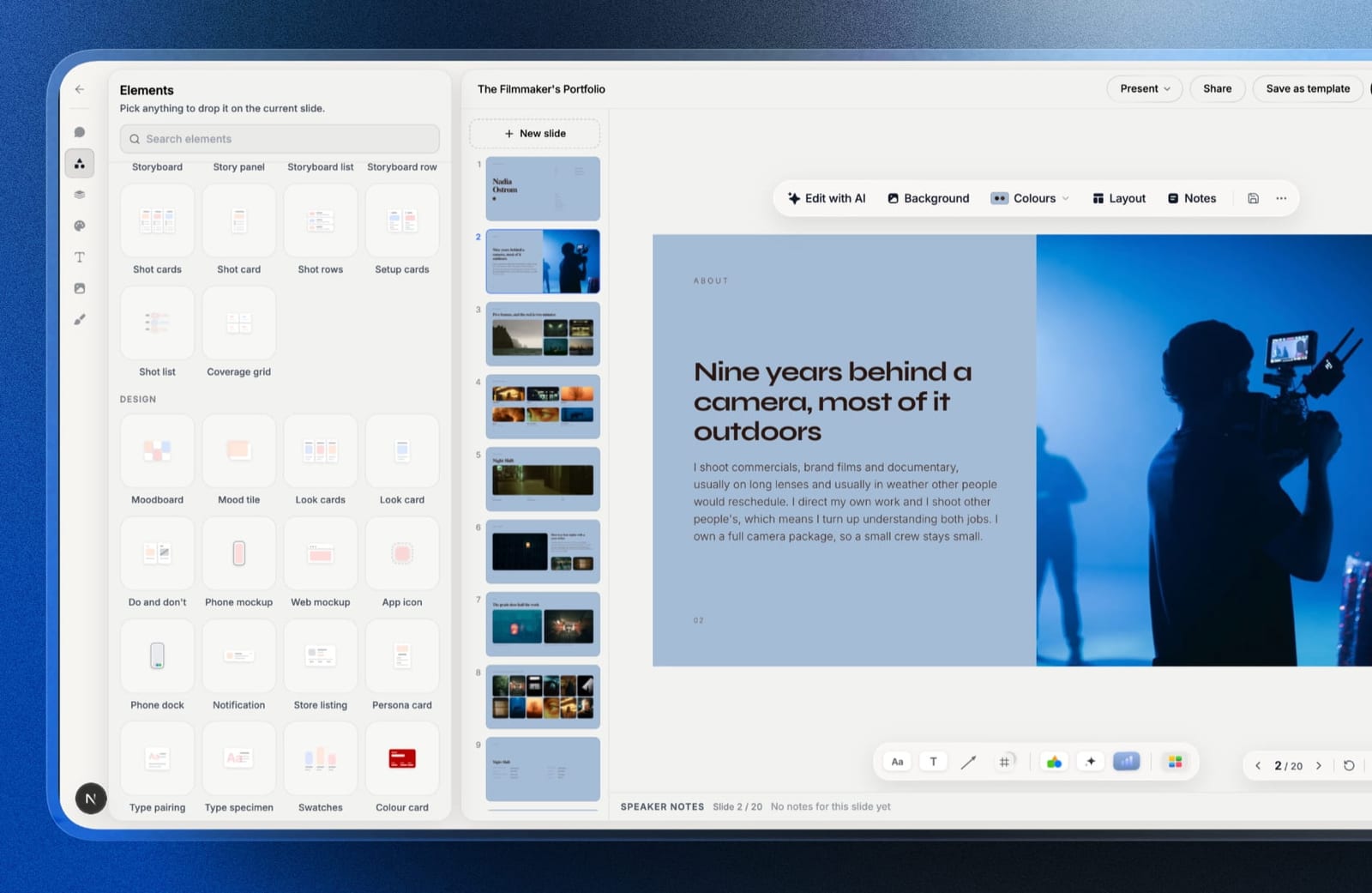
Framekit is an AI website builder whose account also includes Slides, and Slides is built for the showing half of this category: the moment a settled direction has to be presented to a client, a producer or a crew.
It ships a moodboard element, mood tiles, look cards, colour swatches and type specimens as editable blocks, plus a mood-board template whose pages pair frames with colour fields, type pages and colourways.
The fastest route is to attach up to 12 of your chosen references to the prompt, describe the directions, and let the AI lay out a labelled page per direction, which is exactly the presentation format the section on gathering and showing below recommends.
Every frame can then be moved, cropped or swapped by hand, and a YouTube or Vimeo motion reference can sit on the slide and play rather than turn into a still.
Best forPhotographers, directors and designers who gather elsewhere and need the chosen directions presented cleanly, with the board sitting in the same account as their website and client galleries.
The real numberthe free plan covers unlimited decks, the AI writer, a share link that opens with no account, and PDF export, with no upload ceiling like Milanote's 10 files; storage is the 10GB free pool.
Starter at $84 a year on annual billing adds the template library, your own fonts and removal of the Framekit byline.
The standout detailthe share link is resettable. If a board built for one pitch starts circulating, one click kills the address and issues a new one, and published deck links carry a noindex tag, which is a gentler default than Pinterest's public boards.
The gotchait is a presenting tool, not a gathering one, and scores 5 of 10 on gathering speed and 6 on arranging, the lowest of the top five.
There is no browser clipper, no infinite canvas, and each slide is a fixed 16:9 page, so the messy comparing stage still belongs in Milanote, Figma or PureRef.
Skip it ifyou want one tool for the whole process from first reference to final board. Milanote does more of that journey than anything else here.
Verdict: Gather in Milanote or Pinterest, present in Framekit. As the showing half of a two-tool workflow it is the best option here, because the board looks designed, opens for anyone, and lives beside the site the client already knows.

4. Figma: Best When the Board Feeds Design Work
Our rating: 8.7/10
If the mood board exists to inform work you will then make in Figma, making the board in Figma removes an entire step. The canvas is infinite, placement is completely free, and the references sit next to the artwork they influence rather than in another tab.
FigJam is the lighter option for the same job and is better for boards involving other people, because it invites comment in a way the design canvas does not.
Best forDesigners whose next step is a layout, an identity, or an interface in the same file.
Key features:
- Genuinely free placement with no grid, and infinite canvas
- References sit beside the work they inform
- View-only links that a client can open in a browser
- Comment threads attached to specific images
- Free tier that covers a project
The real numberFigma Professional is $16 per full seat a month on annual billing, which is $192 a year, per Figma's pricing page.
The free tier limits how many editable files you keep, currently a small number of design and FigJam files, which a busy freelancer reaches in a few projects.
The gotchaa client opening a Figma link sees a designer's canvas, including your rejected options if they are anywhere on the page. Duplicate to a clean file before sharing, because the two-minute habit prevents the meeting where a client falls in love with the direction you killed.
Skip it ifyou do not otherwise use Figma, because the tool asks more of you than a purpose-built board does.
Verdict: Figma is the best board tool for people already inside Figma and an odd choice for anyone else. The proximity to the real work is the entire argument. Visit Figma
5. Canva: Best Client-Presentable Board
Our rating: 8.5/10
Canva is where a rough board becomes a document you are happy to send. Its mood board templates handle the layout decisions, the type looks intentional, and the exported PDF or shared link reads as a considered deliverable rather than as a working file.
It is a bad thinking tool for exactly the same reason. Templates arrange for you, and arrangement is where the thinking happens, so a board built directly in Canva tends to look decided before it is.
Best forPresenting a direction to a client once you already know what the direction is.
Key features:
- Mood board templates that produce a presentable result quickly
- Free plan that completes a board without a paywall
- PDF export and shareable link, whichever the client prefers
- Brand kit on Pro for studios with a fixed identity
- Simple enough that a client can be given edit access safely
The real numberthe free plan produces the board. Pro is $18 a month or $144 billed annually, about $12 a month, and the only feature likely to force the upgrade is premium stock or a licensed typeface.
The gotchagrid templates flatten the difference between your four directions. Everything gets equal visual weight, which is the opposite of what a mood board should do, and clients respond by picking the image they like rather than the direction you argued for.
Skip it ifthe board is still deciding something, because Canva's structure will decide it for you.
Verdict: Canva is the presentation layer, not the thinking layer, and it is very good at being the presentation layer. Think elsewhere, then rebuild here in twenty minutes. Visit Canva
6. Miro: Best for Team Workshops
Our rating: 8.2/10
Miro is the right answer when the mood board is a group activity rather than a solo one.
Several people can be on the canvas at once, voting and clustering work properly, and it is built for the moment a creative director, a strategist and a producer all need to argue in the same space.
For a solo creative it is heavier than the job requires. The interface assumes a workshop, and a lot of the tooling around your images is for facilitation rather than for looking.
Best forAgencies and in-house teams running a direction-setting session with more than three people.
Key features:
- Real-time multiplayer that holds up with a room full of people
- Voting, clustering and timers built for facilitated sessions
- Infinite canvas with free placement
- Templates for workshops and creative direction
- Comments and cursors that make remote sessions workable
The real numberStarter is $8 per member a month billed annually, or $10 monthly, per Miro's pricing page. The free plan allows 3 editable boards, which is one project for most freelancers.
The gotchathe 3-board free limit is per account and includes archived work, so freelancers discover it on their fourth project when they can no longer create a board without deleting an old one they may still need.
Skip it ifyou work alone, because you are paying for facilitation features that only make sense with an audience.
Verdict: Miro is a workshop tool that does mood boards well and a mood board tool nobody working solo should buy. Visit Miro
7. Savee: Best Curation Among Designers
Our rating: 8.0/10
Savee is where a certain kind of designer keeps their references now, and its quality comes from the community rather than the software.
The material surfacing there is more considered than Pinterest's, with less commercial noise, and for graphic design, fashion and art direction it is a better starting point.
The tooling around saving is deliberately minimal. This is a curation platform first and an arranging tool a distant second, so a board here is a collection rather than a composition.
Best forDesigners and art directors gathering high-quality references in graphic, fashion and editorial work.
Key features:
- A stronger signal-to-noise ratio than the mainstream discovery platforms
- Browser extension for saving from anywhere
- Collections that can be shared publicly
- Community curation that surfaces work you would not have found
- A free tier that covers ordinary use
The real numberSavee offers a free tier with a paid upgrade, and does not publish a clear public price list, so we are not quoting a figure. Check savee.it directly before budgeting.
The gotchacollections are collections, not compositions. If your process depends on placing two images beside each other at specific sizes to make a point, this is not the tool, and no amount of curation quality changes that.
Skip it ifyou need to arrange rather than gather, which is most of what a mood board is for.
Verdict: Savee is the best place to find references in 2026 for design-led work and a poor place to build a board out of them. Visit Savee

8. Cosmos: Best for Saving What You Actually Like
Our rating: 7.8/10
Cosmos is built around the observation that most reference libraries are hoards nobody revisits. Its organisation and recommendation model is aimed at making saved work findable again, and in practice it surfaces things from your own collection that you had forgotten saving.
It is newer than everything else here, which shows in both directions: the interface is more considered than most, and the feature set around sharing and client presentation is thinner.
Best forCreatives building a long-term personal reference library rather than a project board.
Key features:
- Organisation aimed at retrieval rather than accumulation
- High-quality visual discovery across creative disciplines
- Clean, uncluttered presentation of saved work
- Browser and mobile saving
- Free tier that covers personal use
The real numberCosmos operates a free tier with a paid upgrade and does not publish a straightforward public price table, so no figure is quoted here. Confirm at cosmos.so before relying on it.
The gotchaas a young platform, the risk is not the software but the continuity. Anything you cannot export is something you are trusting a company to keep, and reference libraries are exactly the asset creatives most regret losing.
Skip it ifthe board is a client deliverable, because the platform is built for personal curation.
Verdict: Cosmos is a good place to keep what you find and not yet a place to build what you present. Keep a local copy of anything you would miss. Visit Cosmos
9. PureRef: Best References Beside a Canvas
Our rating: 7.6/10
PureRef solves a specific problem completely: it puts a floating, always-on-top board of reference images over whatever you are drawing or modelling in, with no browser, no account, and almost no interface. Illustrators, concept artists and 3D artists rely on it for exactly this.
It is not a collaboration tool and does not pretend to be. The board is a file on your machine, and sharing it means sending someone a file and hoping they have the application.
Best forIllustrators, concept artists and 3D artists who need references visible while working.
Key features:
- Always-on-top floating board over any application
- Extremely light on system resources
- Free placement, scaling and cropping with no grid
- Works entirely offline with no account
- Saves as a single portable file
The real numberpersonal, non-commercial use is pay what you want, including $0. Commercial use requires the Small Business licence at $49 as a one-off, with a per-seat business plan above it, per PureRef's site.
The gotchacommercial use is licensed separately, and a great many working artists are using the free tier on paid client work without realising the personal tier does not cover it. The $49 is small; the licensing mismatch is not.
Skip it ifanyone else needs to see the board, because sharing is genuinely not what it does.
Verdict: PureRef is the best tool here for the specific job it does and irrelevant for every other job in this comparison. If you draw or model, buy the licence. Visit PureRef
10. Eagle: Best Large Local Reference Archive
Our rating: 7.4/10
Eagle is for the creative whose reference problem is scale.
When you have thirty thousand saved images across ten years, the question stops being where to put the next one and becomes how to find the right one, and Eagle's tagging, colour search and duplicate detection are built for that.
As a mood board tool it is functional rather than expressive. You can group and view, but the arranging freedom of Milanote or Figma is not there, and nothing about it is designed for a client to see.
Best forArt directors, photographers and illustrators with large archives that have become unsearchable.
Key features:
- Tagging, colour search and duplicate detection across large libraries
- Local storage, so the archive is yours and works offline
- Browser extension for fast saving
- Fast browsing of tens of thousands of images
- A one-off purchase rather than a subscription
The real number$34.95 as a single purchase covering two device activations, with updates included and a 30-day trial, per Eagle's site. Against a $120-a-year subscription, that pays for itself before the first year ends.
The gotchathe library is local, which is the feature and the risk. There is no hosted copy, so your reference archive is exactly as safe as your backup discipline, and creatives are historically bad at backup discipline.
Skip it ifyour archive is small or your work is collaborative, because both remove the reason to be here.
Verdict: Eagle is an archive tool that does boards adequately, and the right purchase once your reference folder has outgrown your memory. Visit Eagle
11. Notion: Best if Your Practice Already Runs There
Our rating: 6.9/10
Notion earns a place because a lot of creative practices already run their projects in it, and keeping the mood board next to the brief, the schedule and the invoice has a real value that no board-specific tool can offer.
As a visual tool it is weak. Image handling is basic, arranging is limited to galleries and columns, and a board built here communicates organisation rather than direction.
Best forStudios and freelancers whose whole project workflow already lives in Notion.
Key features:
- The board sits next to the brief, schedule and client notes
- Free plan covers personal use comfortably
- Public link sharing with no account needed for viewers
- Gallery views that handle a reference set adequately
- Easy to combine images with written direction
The real numberthe free plan covers a personal board, and paid tiers are roughly $10 per member a month, per Notion's pricing page. For a practice already paying, a mood board costs nothing extra.
The gotchaimage quality and layout control are the weakest here, and a client who receives a Notion mood board reads it as a document rather than as visual direction, which changes how they respond to it.
Skip it ifthe board's job is to persuade, rather than to record what was decided.
Verdict: Notion is a fine place to store a direction and a poor place to find one. Use it for the record, not the argument. Visit Notion
What a Mood Board Tool Costs for One Project
In one linethe mood board is the cheapest stage of any creative project and the one most likely to be sabotaged by a free-tier limit discovered at image eleven.
For a single project, the range here runs from $0 to about $16. The decision is not really about money, it is about which ceiling you would rather hit.
| Tool and plan | Cost for one project | What you are buying |
|---|---|---|
| Pinterest, PureRef personal, Canva free | $0 | Discovery, or a floating board, or a presentable grid |
| Eagle | $34.95 once | An archive that stays searchable for years |
| Miro Starter | About $8 | Multiplayer for a workshop |
| Milanote Pro | About $10 | The best arranging canvas here |
| Notion paid | About $10 | The board beside the rest of the project |
| Canva Pro | About $12 | Licensed fonts and premium assets |
| Framekit Starter | $84 a year, about $7 a month | A presented board, plus your site and client galleries |
| Figma Professional | About $16 | The board beside the design work |
Run this on yourself. Open the last three projects you finished and find where the mood board ended up.
If the answer is a folder on a hard drive, a dead Pinterest link, or a PDF nobody opened after week one, your problem is not which tool gathers best, it is that the board had no permanent home.
That is a different purchase from a better canvas.
Gathering and Showing Are Two Different Jobs
In one linealmost every complaint about mood board software comes from using a gathering tool to present, or a presenting tool to think, and the two jobs pull in opposite directions on every design decision a tool makes.
A gathering tool wants to be messy. Free placement, no grid, unlimited additions, and the ability to put a rejected idea next to a chosen one so the difference is visible.
Milanote, Figma, PureRef and Eagle are all gathering tools, and their output looks unfinished because unfinished is the point.
A presenting tool wants to be decided. Consistent sizing, a clear hierarchy, a title, and an implied argument. Canva is the clearest example, and its grid, which is a liability while thinking, is exactly right once you know what you are saying.
The failure this creates. Designers who present from a gathering tool watch clients pick the wrong image out of a messy canvas.
Designers who think in a presenting tool commit to a direction before they have compared it with anything. Both failures are common and both are tool-fit problems rather than skill problems.
The workable pattern. Gather in one, present in another, and accept two tools rather than looking for one that does both. In practice that is usually Pinterest or Savee for discovery, Milanote or Figma for arranging, and Framekit Slides or Canva for the client.
How to Choose a Mood Board Tool: A Decision Tree
In one linework down these questions in order and stop at the first yes, because the first yes describes the job you are actually doing today rather than the tool you wish you had time to learn.
1. Are you still looking for references? Pinterest for breadth, Savee for design-led work. Neither is where the board should end up.
2. Do you draw, paint or model with references visible? PureRef, and buy the $49 commercial licence if the work is paid.
3. Is more than one person building the board live? Miro at $8 per member a month, or FigJam if the team already has Figma.
4. Are you working out what the project is? Milanote at $9.99 a month, and pay from day one rather than fighting the 10-upload free tier.
5. Does the board feed design work you will make next? Figma, and duplicate to a clean file before you share it.
6. Is the direction decided and does a client need to see it? Framekit Slides for a designed board on a link the client can return to, beside your site and galleries, or Canva if the client's team works in Canva.
7. Is your reference archive too big to search? Eagle at $34.95, and set up a backup the same day.
Choosing a tool matters less than method, which is why we wrote a separate guide to how to make a mood board that covers the reference ratio and the annotation rule.
Anyone hitting Milanote's ten-upload ceiling should read our comparison of the best Milanote alternatives, and design teams weighing canvases will want Miro versus FigJam.
Frequently Asked Questions
What is the best mood board tool in 2026?
The best mood board tool in 2026 is Milanote, because its infinite canvas lets images, notes and video sit in meaningful arrangements rather than a grid, and a shared link opens for a client without an account.
Pinterest is the best discovery tool, Framekit Slides is the best for presenting a settled board to a client, Figma is best when the board feeds design work in the same file, and PureRef is best for artists who need references floating over a canvas while they work.
Is there a genuinely free mood board tool?
Yes. Pinterest is free with no ceiling that affects normal use, Canva's free plan produces a complete presentable board, PureRef is pay what you want for personal use, and Notion's free plan covers a personal board.
The tools whose free plans stop early are Milanote at 10 file uploads and Miro at 3 editable boards, and both are worth paying for rather than working around.
Milanote vs Pinterest: which is better for mood boards?
Milanote is better for building a board and Pinterest is better for finding what goes in it.
Pinterest's discovery index has no equal and costs nothing, but boards are grids where arrangement carries no meaning and your client sees other people's work beside yours.
Milanote costs $9.99 a month and gives you free placement, written notes between clusters, and a share link that presents your arrangement rather than a feed.
Why does Milanote's free plan run out so fast?
Because the limit is 10 file uploads rather than 100 items, and most people read the 100-item figure and assume it applies to images.
Links, notes and text blocks count against the 100, but any image you upload from your own drive counts against the 10, so a real project hits the wall almost immediately.
It is the earliest free-tier ceiling in this comparison, and it makes Milanote look more limited than it is.
Can a client open my mood board without an account?
On six of the eleven tools tested, yes. Milanote, Pinterest, Canva, Miro, Notion and Framekit all open from a link with no sign-up.
Figma opens view links without an account but requires one to export anything, and PureRef and Eagle are local applications rather than links, so sharing means sending a file.
Check this before you build, because a board a client cannot open costs you a meeting.
What should a mood board actually contain?
Between twenty and fifty images across two to four distinct directions, plus colour references, at least one texture or material close-up, and short written notes explaining why each direction exists.
The written notes are the part most often skipped and the part that prevents a client choosing an image rather than a direction. For film work, add motion references, and use a tool where they play rather than becoming stills.
Is Pinterest safe to use for client work?
Only on secret boards, and the setting is easy to miss. Pinterest boards are public by default, which means client work under an NDA can be visible and indexable without anyone intending it.
Creatives routinely build campaign references on a public board and only notice later. Set the board to secret before you pin anything, and treat that as a standing habit rather than a per-project decision.
PureRef vs Eagle: which should an artist buy?
PureRef if you need references visible while you work, and Eagle if you cannot find the reference you know you saved.
PureRef is a floating always-on-top board with a $49 commercial licence; Eagle is a searchable local archive with tagging and colour search at $34.95 once.
They solve different problems and a lot of working artists own both, which at under $85 combined is cheaper than one year of most subscriptions here.
How do I present a mood board to a client?
Rebuild it, do not send the working canvas.
A thinking board contains rejected options and unequal image sizes that a client will read as choices, so the presentation version should show two to four labelled directions with a written rationale for each and no rejected material.
Framekit Slides does this with moodboard and look-card elements on a link the client can reopen all project, and Canva does it well as a document.
Do mood boards still matter if the client will not read them?
Yes, because the board's first job is to settle your own thinking, and its second job is to create a record of what was agreed.
The clients who never open a mood board are the ones most likely to disagree with the result later, and a dated, linkable board is the cheapest protection against that conversation.
Frame it as an approval step rather than as a document to admire.
Framekit vs Milanote: which is better for mood boards?
Milanote is better for building a board and Framekit is better for presenting one. Milanote's infinite canvas, notes and web clipper make it the best thinking tool here, at $9.99 a month once its 10-upload free tier runs out.
Framekit Slides has no canvas or clipper, but lays out a finished board with moodboard and look-card elements, shares it by link with no account needed, and costs $0 or $84 a year.
How long should I spend on a mood board?
Between two and six hours for most commercial projects, and the tool matters less than knowing when to stop.
Our forty-image build took between forty minutes and three hours depending on the tool, with the fastest being Canva from a template and the slowest being Milanote, which took longest and produced the clearest thinking.
Time spent past the point where directions stop changing is time spent decorating.
Final Verdict
Milanote is the best mood board tool in 2026 because it is the only one where the arrangement itself carries the argument, and that is what separates a mood board from a folder of images.
Pay for it from the first project rather than testing it against a free tier that stops at ten uploads. Framekit Slides is third and the best place to present a settled board, from the same account as your site.
Pinterest remains the best discovery layer, Figma is the right choice when the board feeds design work, and PureRef and Eagle solve the artist-specific problems that no browser tool addresses.
The larger lesson from building the same board eleven times is that gathering and presenting are different jobs, and the tools that try to do both do neither especially well. Two tools and a clear handoff beats one tool and a compromise.
Where Framekit losesFramekit is not a gathering tool: it has no infinite canvas, no browser clipper and no live multiplayer board, and each slide is a fixed 16:9 page. Milanote, Figma, Miro, PureRef and Eagle are the better fit for collecting and comparing references.
Keep reading: our best film treatment software comparison, the best brand guidelines software guide, and the best website builders for creative professionals.