Framekit templates
Start from a designer-made template
 Use template
 Use template
 Use template
 Use template
 Use template
 Use template
 Use template
 Use template
You pay for a portfolio site. A client gallery platform wants $10 to $19 a month on top of it, to do a job your website arguably should already do: show photographs to somebody.
So the question is fair, and the answer depends entirely on what your website can actually publish. Most portfolio builders cannot produce a password-protected, download-gated, expiring gallery, which is why the second subscription exists at all.
The trap is paying twice without noticing that one product could have covered both.
A client gallery is delivery software that publishes a protected page of finished photos with favorites, download control, watermarking, and expiry, while a portfolio website is the public marketing site that shows your best work to strangers.
They serve different audiences and, on some platforms, the same subscription covers both.
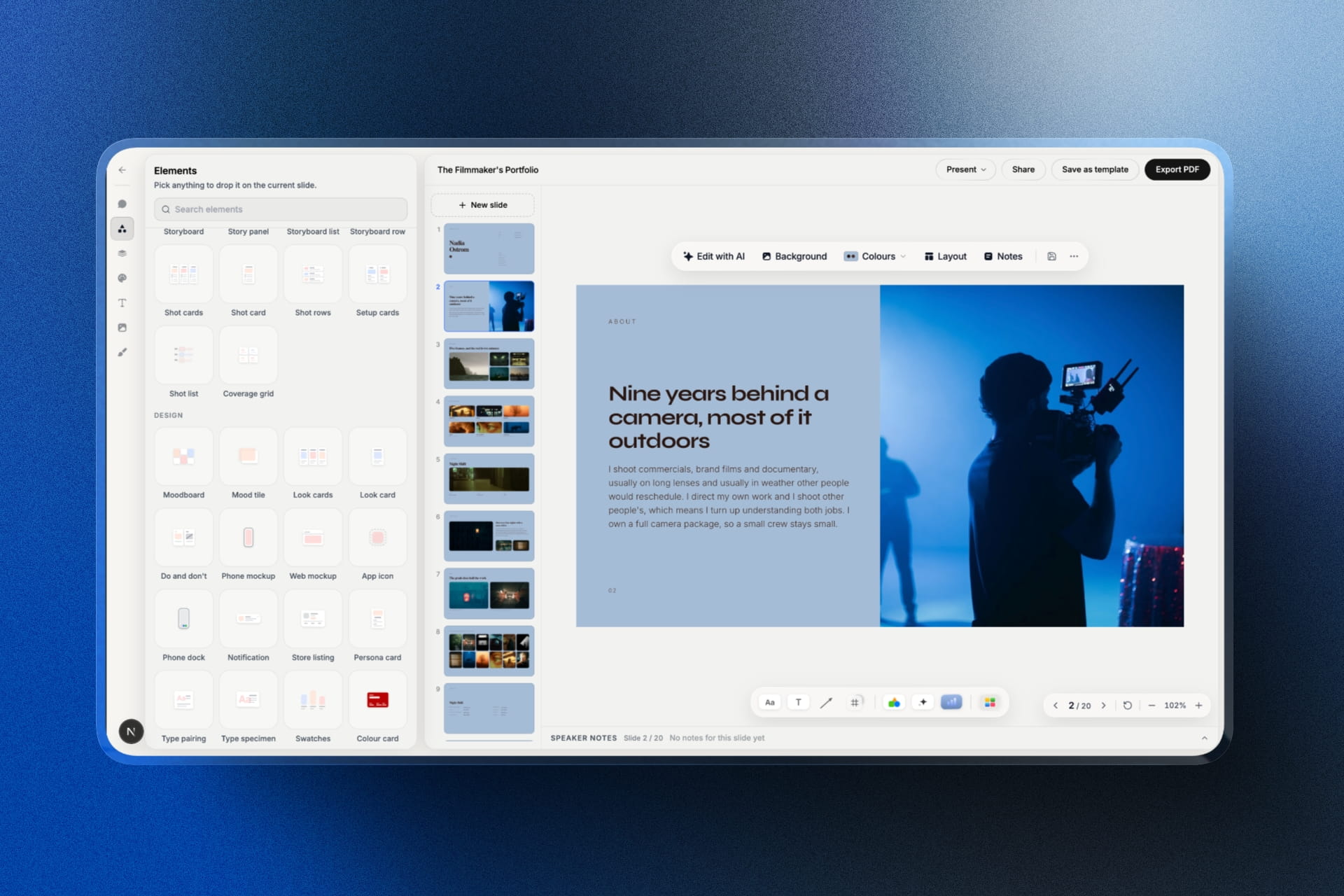
Framekit is an AI website builder with client galleries included, which is the first of the three setups priced below: the portfolio, the galleries, and a digital shop all publish from one plan and one domain, with no print lab anywhere in it.
You need a client gallery whenever you deliver finished work to paying clients, but you do not necessarily need a second subscription for it.
There are three viable setups: a portfolio builder that includes galleries (one bill, one domain), a portfolio site plus a separate gallery platform (two bills, best if you sell prints through a lab), or a portfolio site plus cloud storage (cheapest, and the weakest client experience).
The honest trade-off is print sales, since builders with galleries generally have no print lab.
What a Website Cannot Do That a Gallery Can
If a portfolio builder could already do these six things, nobody would ever buy separate gallery software, and the fact that almost none of them can is the entire reason this category exists.
Password-protect a page per client. Most builders offer site-wide passwords or nothing, which does not let you give one couple access to their photos and not to everyone else's.
Gate downloads separately from viewing. A gallery lets a client share the viewing link with family while full-resolution files stay behind a PIN. A website page is public or it is not.
Deliver a whole-gallery ZIP. Website image blocks are not download tools, so clients end up right-clicking 600 images individually or emailing you.
Watermark on the fly. Proofing safely requires a watermark on previews and clean files after approval, which is a delivery feature rather than a design feature.
Expire on a date. Galleries need a download window and a retention period, with a reminder before it closes. Website pages stay up until you delete them.
Collect favorites. A client marking twelve images gives you a selection list and a buying signal. A gallery of images on a web page gives you nothing back.
A photographer whose delivery is a public page on their portfolio is not saving a subscription; they are running an unprotected delivery with no selections, no ordering path, and no retention policy.
The Three Setups, Priced
In one linethe cheapest complete setup is almost always a builder that includes galleries, because it replaces two subscriptions rather than adding a second one, and the most expensive is the three-tool stack most photographers assemble by accident.
Here is a photographer delivering 30 galleries a year, about 45GB of finished files, with a portfolio site. Every plan price in this guide was re-verified in September 2026.
| Setup | Annual cost | Strengths | Weakness |
|---|---|---|---|
| Builder with galleries included | $108 to $228 | One bill, one domain, links survive | No print lab |
| Portfolio site plus gallery platform | $310 to $560 | Print fulfilment, mature proofing | Two bills, two brands |
| Portfolio site plus cloud storage | $250 to $320 | Cheap per gigabyte | No branding, favorites, or expiry |
| Gallery platform only, no real site | $200 to $330 | Cheapest delivery | No portfolio to win work |
The second row is what most working photographers are actually running, and it is the most expensive of the three complete options. It is the right choice when print revenue through a lab is real, because that is the one thing the first row cannot do.

Setup One: A Builder That Includes Galleries
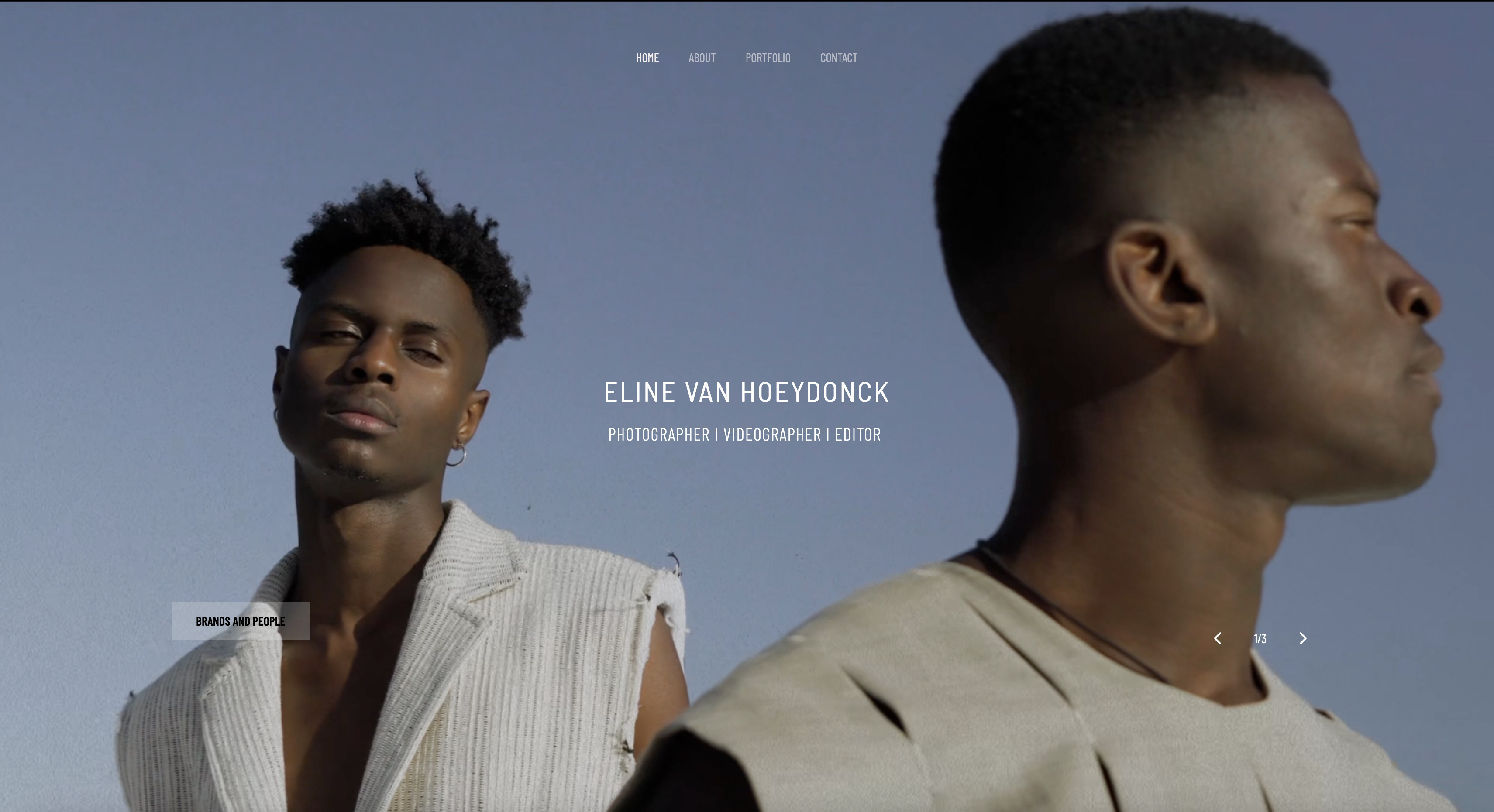
This is the consolidation route, and it makes sense when your income comes from bookings and digital work rather than from physical prints sold through a lab, which describes most working photographers.
The portfolio and the galleries publish from the same domain, which means the delivery link is your studio, the client who returns lands near your work, and the pages keep working if you change plans because you own the site.
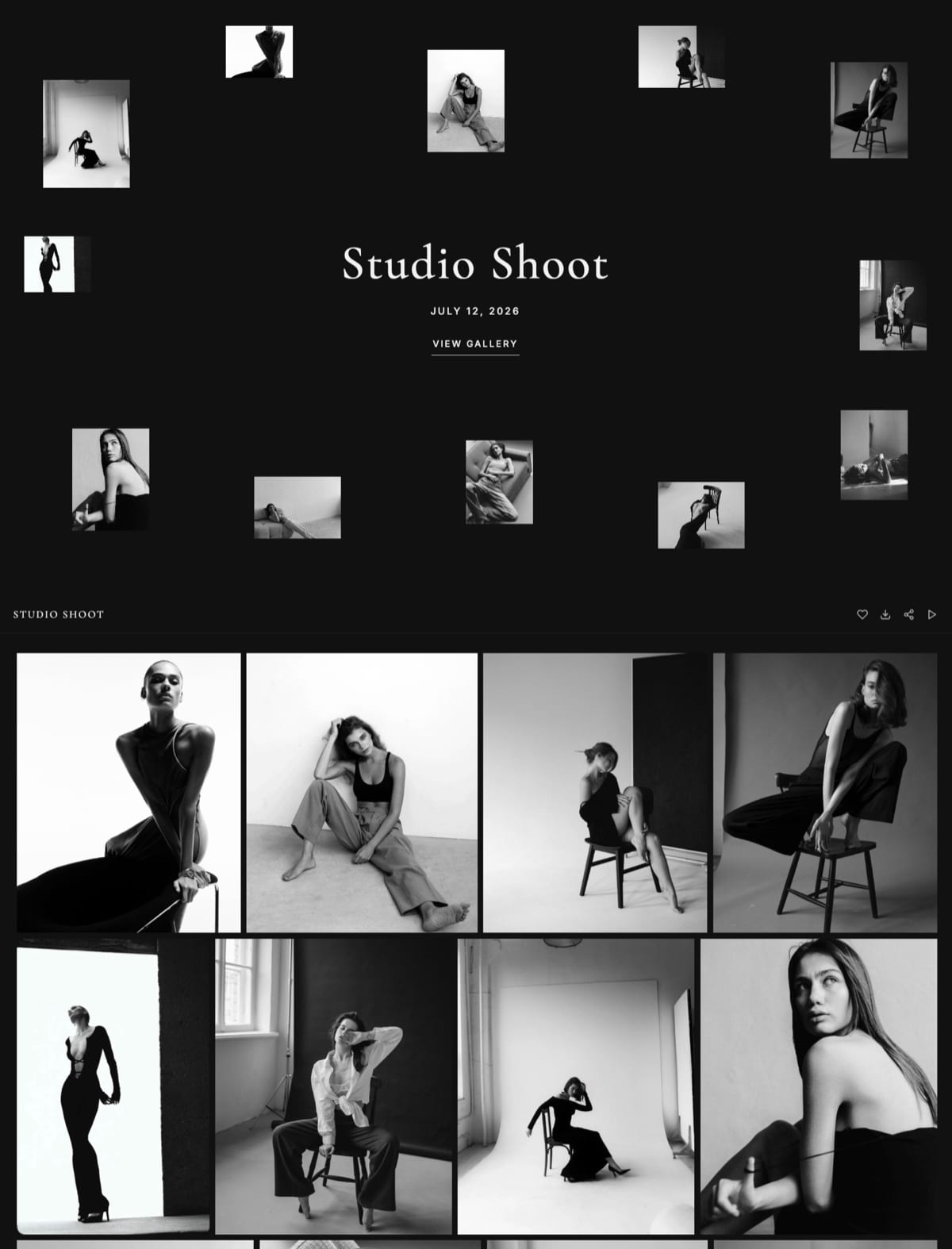
On Framekit that is $9 a month on Starter for a custom domain and 50GB of storage shared by the site and the galleries, $19 on Pro for 300GB, and $39 on Business for 2TB, with watermarking, gallery passwords, a separate download PIN, favorites, slideshows, auto-expiry, and branded email sharing on every plan including free.
A digital store on the same site sells files and downloads at 5% on Free and Starter, 3% on Pro, and 0% on Business.
What you give up is the print lab.
Framekit sells digital products rather than physical prints, so print revenue has to come from a lab you invoice directly, which our guide to how to sell prints from a client gallery covers in detail.
Setup Two: A Website Plus a Gallery Platform
This is the standard professional stack across the industry, and it remains the right answer for print-led studios where lab fulfilment earns back the cost of a second subscription several times over.
You keep the site you like and add a delivery platform whose whole product is proofing and selling: ShootProof at 0% commission on every plan per its published pricing, Pixieset at $10 on Basic with a connected domain and no store commission per its pricing, or CloudSpot Lite at $17 with invoicing and contracts bundled per its pricing page.
The costs are two subscriptions and two brands.
The delivery link is the platform's, not yours, and if the plan lapses every gallery link you have ever sent stops resolving with nothing to redirect, which our custom domain comparison explains in full.
Choose this when print and album sales are a real revenue line, when you rely on mature proofing workflows, or when you already have a website you would not give up.
Setup Three: A Website Plus Cloud Storage
This is the cheapest complete option measured per gigabyte and comfortably the weakest client experience of the three, which is a trade worth making only in specific circumstances.
Cloud storage moves the files and does nothing else: no cover, no favorites, no watermarking, no download gate, no expiry, no ordering path, and no branding.
Large folder downloads frequently prompt a sign-in and behave unpredictably on phones, which is where most clients open your work.
It remains the correct tool for the other half of the job.
RAW files, layered masters, video, and two-way exchange with a retoucher belong in cloud storage regardless of which setup you choose, and the comparison in client gallery vs Dropbox sets out that split.
Use this only when your recipients are other professionals who will process the files further, or when you deliver so rarely that a subscription cannot be justified.
When You Genuinely Do Not Need Gallery Software
Being straight about the exceptions matters more here than the recommendation does, because a subscription bought for a job you do not have is a subscription you resent for twelve months.
You deliver only to professionals. Retouchers, editors, and printers want working files and folder permissions, not a browsing experience.
You deliver fewer than about six paid jobs a year. Free tiers cover you completely: Framekit's free plan delivers unlimited galleries with no commission inside a 10GB pool that also holds the website, and ShootProof's free tier keeps 0% commission on print sales.
Your clients contractually receive working files. Some commercial agreements transfer everything, at which point the delivery is a file transfer by definition and no gallery accepts those formats anyway.
Your website genuinely supports protected client pages. A few platforms do. If yours can password-protect individual pages, offer bulk downloads, and expire access, you may already have what you need.
Frequently Asked Questions
Do I need a client gallery if I already have a website?
You need a client gallery whenever you deliver finished work to paying clients, but not necessarily a second subscription.
Most portfolio builders cannot password-protect individual client pages, gate downloads separately from viewing, deliver whole-gallery ZIPs, watermark previews, expire access, or collect favorites, which is exactly what gallery software exists to do.
The cheaper route is a builder that includes galleries rather than adding a second platform to a site you already pay for.
Can I just use my portfolio site to deliver client photos?
Only if it can protect a page per client, gate downloads, and expire access, which most portfolio builders cannot.
Publishing a client's finished photos as a normal page means anyone with the URL can view and save them, there is no selection tool, no download window, and no retention policy.
That is a delivery method for public work rather than for a private commission.
Is it cheaper to use a website builder with galleries included?
Usually yes, because it replaces two subscriptions rather than adding one.
A portfolio site plus a separate gallery platform typically runs $310 to $560 a year, while a builder with galleries included runs $108 to $228 and covers the same ground on one domain.
The exception is print-led studios, since builders with galleries generally have no lab and a print platform earns back its cost through fulfilment.
What is the cheapest way to have a website and client galleries?
Framekit's free plan is the cheapest complete starting point, publishing a real website and unlimited client galleries with no commission inside one 10GB pool, with watermarking, passwords, a download PIN, favorites, and expiry included.
Upgrading to $9 a month adds a custom domain and takes the pool to 50GB. For a photographer who also sells prints, pairing a cheap site with ShootProof's free 0% commission tier is the alternative.
Do client gallery platforms include a website?
Most include only a light portfolio rather than a real website builder.
Pixieset, Zenfolio, SmugMug, and Pixpa all attach a template site, and none of them is what a design-conscious photographer would choose on its own merits, which is why photographers using them commonly pay for a second site.
ShootProof, CloudSpot, PicDrop, and Pic-Time are delivery platforms rather than website products.
Will delivering from my own domain help my website?
Yes, in a way a hosted gallery cannot.
Every gallery link shared and revisited builds authority and returning traffic for the domain it sits on, so galleries on your own site contribute to the property that also holds your portfolio and contact page.
On a vendor subdomain those same signals accrue to the vendor, and the traffic lands somewhere with no route back to your work.
Should I keep my current website and add a gallery platform?
Keep it if print and album sales through a lab are real revenue, if you rely on mature proofing workflows, or if your site is a genuine asset you would not rebuild.
Add ShootProof for 0% commission on every plan, Pixieset Basic at $10 for the most familiar client experience, or CloudSpot Lite at $17 if you want invoicing and contracts bundled.
Accept that the delivery link will be the platform's rather than yours.
What happens to my galleries if I cancel a gallery platform?
Every delivery link stops working, usually immediately or after a short grace period, and any custom domain you connected stops resolving.
Most platforms give you a window to export originals during cancellation, so download everything you want to keep before the account closes.
On a website you own, the domain and the published pages remain yours and only paid capacity such as extra storage changes.
Can I sell prints if my website builder has no print lab?
Yes, through direct invoicing: deliver the gallery, offer prints in one line of the delivery email, invoice the client when they reply, and place the order with a lab you trust.
This keeps 100% of the margin and gives you control over paper and finish, at the cost of ten to fifteen minutes of admin per order.
It suits small numbers of high-value prints and does not suit a recital season with two hundred family orders.
How many subscriptions does a photographer actually need?
Two is the realistic floor for most working photographers: one that covers the public site and client delivery, and one for cloud storage holding originals and working files.
The three-subscription stack of a website, a gallery platform, and cloud storage is what most people assemble by accident, and consolidating the first two is where the saving is, unless a print lab is what you are paying the gallery platform for.
The Short Version
You need client galleries, and you do not necessarily need a second bill to get them, which is the distinction most comparisons in this category skip over entirely.
If your income is bookings and digital work, a builder with galleries included covers the site and the delivery on one domain for less than the two-tool stack.
If print and album revenue through a lab is real, keep the site and add a print-capable gallery platform, and accept the two brands.
Either way, keep cloud storage for the originals. That part is not optional in any setup.
Related reading: are client galleries worth it, how much client galleries cost, our full client gallery platform comparison, and best website builders with client galleries.
If you are choosing the site itself, start with best website builders for photographers, and for the delivery mechanics see what to include in a client gallery.