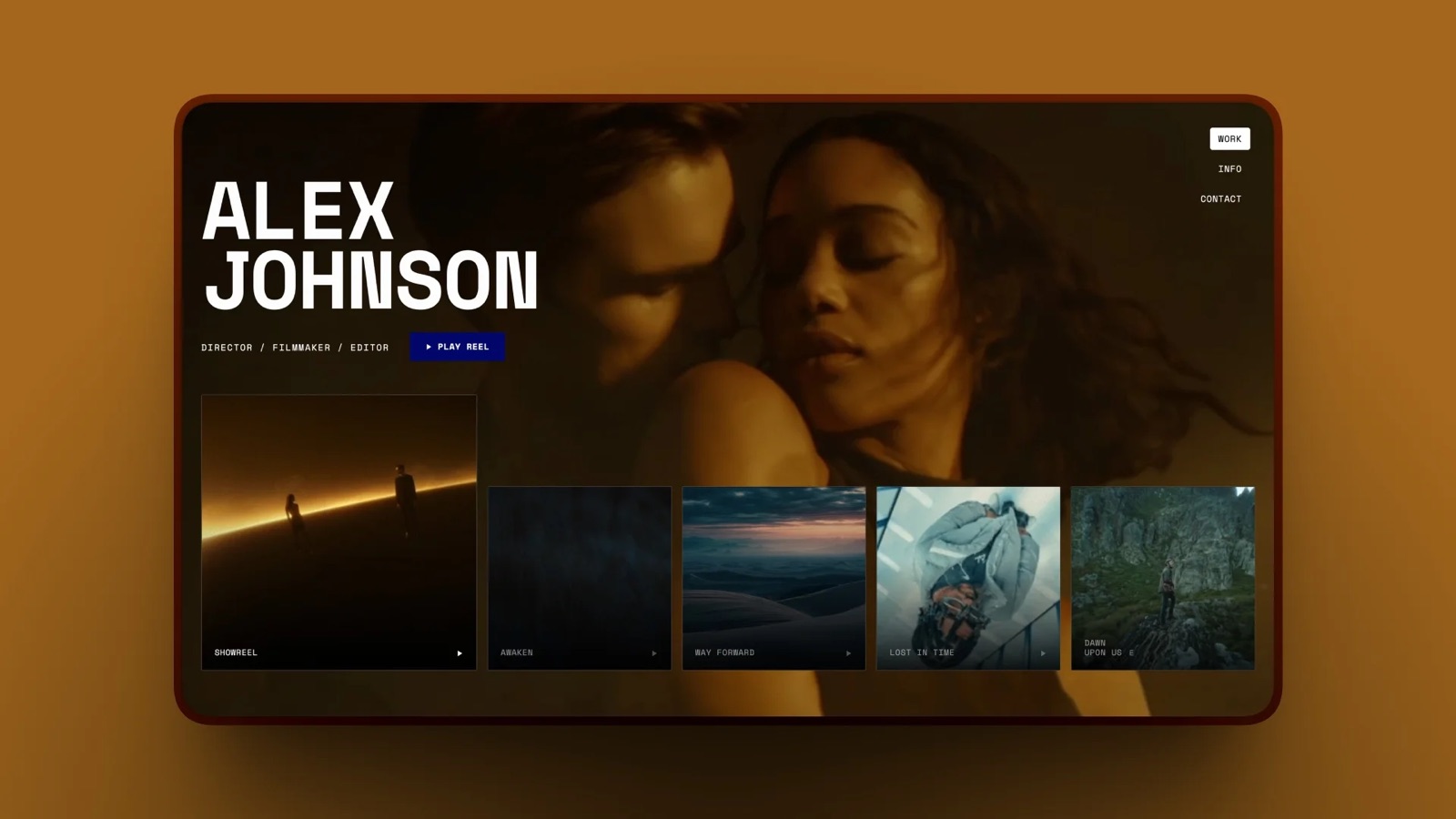
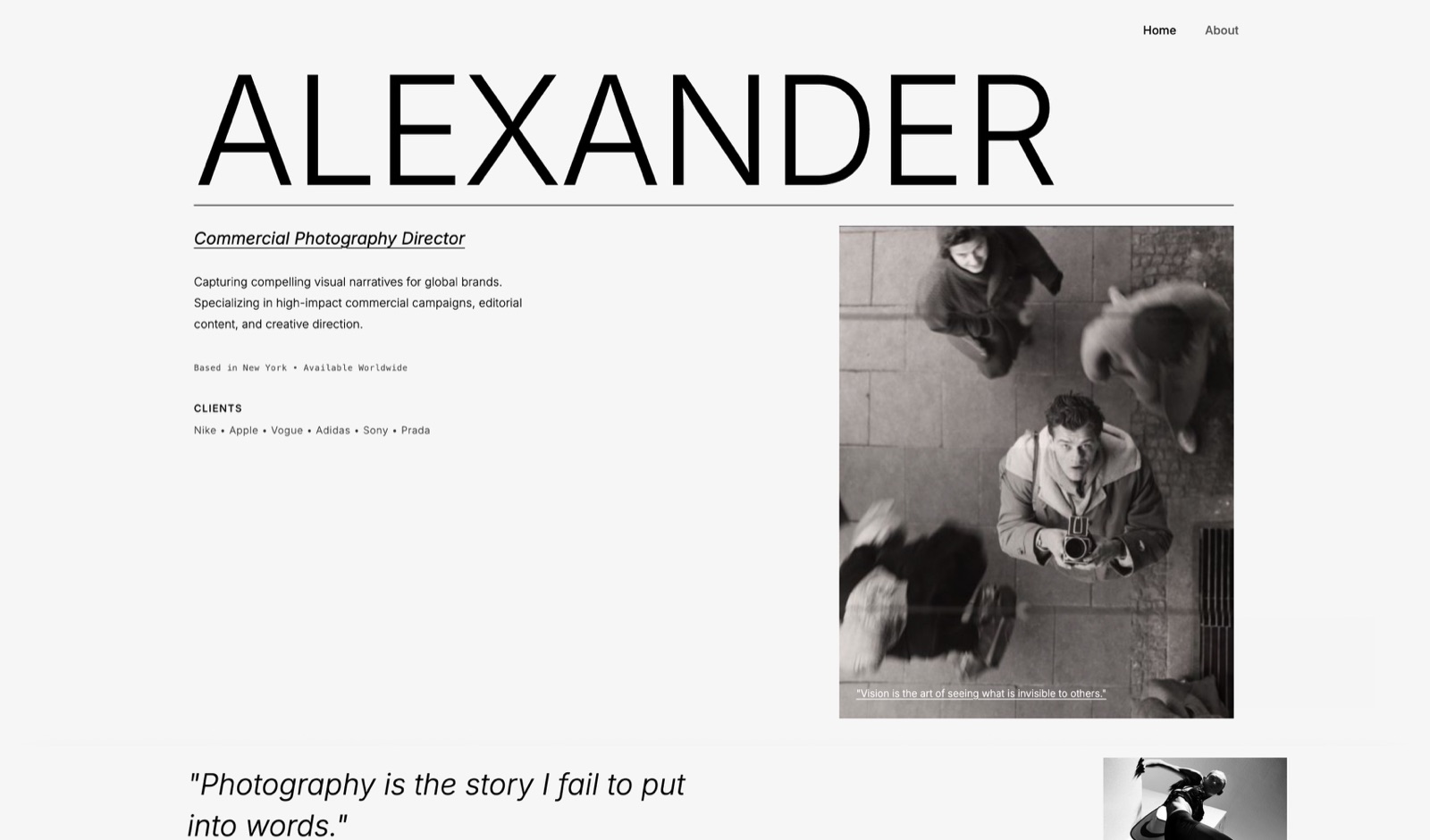
Framekit templates
Start from a designer-made template
 Use template
 Use template
 Use template
 Use template
 Use template
 Use template
 Use template
 Use template
A two-person photography studio sat down and listed what they pay for. Editing, storage, a gallery tool, a scheduler, invoicing, a website, an email platform, a design app, a transfer service, a stock music subscription.
Ten line items, none of them extravagant, most of them chosen in a hurry two years earlier. The total came to more than their insurance and roughly what they had budgeted for a second lens.
None of that was unreasonable individually, which is exactly how a creative business software stack cost gets away from you in 2026: bought one problem at a time, at the moment the problem is urgent, with the annual total never presented anywhere. So we built the total.
Over the past month we priced every tool a working creative business realistically uses, reading the figures on vendor pricing pages rather than repeating them, then assembled three complete stacks at three levels: what it costs if you take the obvious option each time, what it costs if you optimise, and what it costs if you accept free software wherever free software is genuinely good.
A creative business software stack is the full set of paid and free tools a photographer, filmmaker, or designer needs to produce, deliver, sell, and market their work, and its cost varies by roughly a factor of ten depending on choices that have very little to do with capability.
A solo photographer can run a complete professional stack for $0 a year using free software that is genuinely the strongest option in its category, or about $228 a year recurring plus a one-time $295 if you optimise, against roughly $2,388 a year if you take the default option at every step.
The trade-off is real but smaller than the price gap: the free stack costs setup time and gives up print sales, scheduling, and some collaboration.
Re-verified in September 2026: Framekit's plans were checked again and the line where one account replaces several was recalculated, since a site, client galleries, video review, decks and a downloads store now sit on one Framekit subscription with site, galleries and reviews drawing on a single storage pool; other vendor prices are as read in August 2026.
Every figure in this guide was re-read on each vendor's own pricing page during the first week of August 2026.
Eleven tools had moved since the last check, four of them upward by restructuring rather than by announcing an increase, and two became free outright. Those changes are set out in full below.
How We Priced These Stacks
Every figure in this article was read on the vendor's own pricing page during August 2026, and where a vendor did not publish a price we have said so rather than substituting one from a comparison site.
Prices are annual, at one seat unless the stack says otherwise, with annual billing where the vendor offers it and no promotional or first-year rates.
We built three stacks because averages hide the point. The default stack takes the best-known option in each category, which is what most creatives actually end up with because it is what gets recommended.
The optimised stack takes the best value option that still does the job properly. The free stack takes free software wherever free software is genuinely professional and names honestly what you give up.
The categories are the ones a working creative business actually needs rather than the ones software companies sell: something to edit in, somewhere to keep files, a way to deliver work to clients, a website, a way to get paid, a way to reach an audience, and the specific tools of your craft.
Anything a business could plausibly skip for a year is excluded.
Two things are deliberately not in these numbers. Payment processing, because it is a percentage of revenue rather than a cost of operating and it applies whichever tool you choose.
And hardware, because a camera is not a subscription and pretending otherwise would flatter the software totals.
In one linethree stacks priced from vendor pages in August 2026 at annual billing with no promotional rates, covering only what a working creative business genuinely needs.
The Solo Photographer Stack
A photographer working alone, shooting perhaps thirty jobs a year, delivering galleries, selling a few digital products, and running one website. This is the most common shape of creative business and the one where the price gap between stacks is widest.
| Job | Default | Optimised | Free |
|---|---|---|---|
| Editing and grading | Subscription editor, about $276 | Resolve Studio, $295 once | DaVinci Resolve, $0 |
| Design work | Design subscription | Affinity, $0 | Affinity, $0 |
| Notes and planning | Notion Plus, 114 euro | Obsidian, $0 | Obsidian, $0 |
| Website and galleries | Builder plus gallery tool | Framekit Pro, $228 | Framekit Free, $0 |
| Time tracking | Toggl Starter, $108 | Clockify free, $0 | Clockify free, $0 |
| Invoicing | Harvest Teams, $108 | Harvest free, $0 | Harvest free, $0 |
| Client enquiries | Typeform Basic, $336 | Tally free, $0 | Tally free, $0 |
| Image upscaling | Topaz Gigapixel, $149 | Upscayl, $0 | Upscayl, $0 |
| Search and analytics | Paid SEO tool, $1,407 | Search Console, $0 | Search Console, $0 |
Totals: the default column runs to roughly $2,388 a year and rises. The optimised column is $228 a year recurring plus $295 once. The free column is $0.
The single largest line in the default column is the SEO tool, at $1,407.96 for the cheapest plan of a platform built for agencies managing forty client sites, bought by a photographer with one site and eleven target phrases.
The second largest is a form builder at $336 a year to receive enquiries that a free tool receives identically.
In one linea solo photographer's default stack costs about $2,388 a year, the optimised version costs $228 a year plus a one-time $295, and the free version costs nothing while giving up print sales and some polish.
The Two-Person Studio Stack
Two people, shared files, client work that involves review and approval, and enough volume that some paid tools genuinely earn their place. Per-seat pricing is where studio costs stop being a slightly larger version of the solo number and start compounding.
The category that changes most is anything charged per person. A design tool at $16 a seat is $384 a year for two. A time tracker at $9 a seat is $216.
A form builder that includes unlimited seats is the same price as it was for one person, and that difference is the whole game at this size.
Three specific choices carry most of the studio saving. Pick tools with unlimited seats rather than per-seat pricing wherever the job allows: Fillout includes unlimited seats from $180 a year, Filecamp includes unlimited users from $348, and VistaCreate covers up to 10 seats for 10 euro a month. Use viewer-free tools for the people who only look, since Sketch, Penpot, and Balsamiq all include unlimited free viewers while a per-member platform charges for them. Buy once for the tools you both keep, because two Resolve Studio licences at $295 still cost less over five years than one subscription editor.
The default two-person stack, taking the obvious option each time and paying per seat, lands somewhere above $4,000 a year.
An optimised version built on unlimited-seat and one-time tools lands closer to $700 a year plus a few hundred in one-time purchases, and the studio does not do less work.
The trap specific to this size is the platform that prices for five seats when you have two.
Everhour's Team plan is $8.50 a seat with a five-seat minimum, so a two-person studio pays $510 a year for two people, and Circle's community plans start at $89 a month on annual billing, with extra admins at $10 a month each, extra moderators at $20 a month per ten, and extra spaces at $20 a month per ten, so the platform fee is only the beginning if the team is larger than the plan assumes.
It bills the same base whether you have three admins or not. Check the minimum before the per-seat rate.
In one lineat two people the deciding factor is per-seat against unlimited-seat pricing, and a studio built on unlimited-seat and buy-once tools costs roughly $700 a year against more than $4,000 for the per-seat defaults.
The Filmmaker Stack
Video changes the arithmetic in two specific ways: the storage numbers are an order of magnitude larger, and several categories have no free option that is genuinely sufficient. It is the most expensive of the three stacks in every column.
Editing is the exception and it is a large one. DaVinci Resolve free handles editing, colour, audio, and effects up to Ultra HD at 60fps, which covers the overwhelming majority of commercial video work, and Studio at $295 once is the upgrade when you need AI noise reduction, HDR grading, or output above that ceiling.
Against a subscription editor at roughly $276 a year, this single choice is the difference between the stacks.
Where filmmakers genuinely pay is storage and delivery. Camera originals are large, they need a backup that is not a DAM priced per gigabyte, and clients need to receive files in a way that does not expire.
That is a real recurring cost and it should be budgeted rather than optimised away.
Two categories worth deciding deliberately. Live production, where vMix at $350 for the HD edition costs less over five years than one year of a browser studio at $88.99 a month, and OBS Studio is free and more capable than most paid options. Generative video, where credits are the least comparable pricing in creative software and the entry plans range from $8 to $25 a month for allowances that cannot be compared directly, so budget by finished clips rather than by credits.
The filmmaker default stack runs comfortably past $3,000 a year once a subscription editor, a transfer service, a review tool, a stock music plan, and cloud storage are all in place.
The optimised version keeps the storage and delivery costs, replaces the rest with Resolve, OBS, and one-time purchases, and lands nearer $600 a year.
In one linefilmmakers should pay for storage and delivery and refuse to pay for editing, because Resolve free covers most commercial work and Studio at $295 once replaces a subscription that costs roughly $276 every year.

The Categories Creatives Forget to Budget
Three costs appear in every real creative business and in almost no software comparison, including most of ours, because they are not exciting and nobody writes listicles about them. They are also the ones that hurt when they are missing.
Storage that is actually large enough. Not a DAM priced per gigabyte, not a sync folder, but backup sized for camera originals with a copy that is not in your house.
This is the one line where economising has a total downside rather than a partial one, and where free tiers are meaningfully unsuited to the job rather than merely limited.
A domain, renewed. It is a small annual figure that people forget until it lapses, and a lapsed domain takes your email, your site, and every link anyone has ever shared with it.
Set it to auto-renew on a card that does not expire, and keep the registrar login somewhere you will find it in five years.
The tax and accounting layer. Whatever you use to track what you earned and what you spent is a genuine business cost, and creatives routinely leave it out of a software budget while paying for it monthly. Include it in the total or your total is fiction.
There is a fourth that is not software at all and belongs in the same mental column: the hours you spend administering the stack.
A tool that saves ten minutes a week saves roughly a working day a year, and a tool that costs twenty minutes of fighting a month costs about half that back.
When two options are close on price, the tiebreaker is which one you will stop thinking about.
In one linebudget backup sized for camera originals, a domain on auto-renew, and your accounting tool, because all three are real recurring costs that software comparisons routinely omit from the total.
The Designer and Illustrator Stack
Designers have the most favourable arithmetic of any creative discipline in 2026, and most of them do not know it, because the change that made it favourable happened quietly in October 2025.
Affinity became free. That single event removed the largest recurring line from a designer's budget, because the unified application covers vector, raster, and layout work in one free desktop tool with local files.
A designer who was paying a creative suite subscription can stop, and the replacement is not a compromise tier.
Around that, the free options are unusually strong. Penpot handles interface design and is free for up to 8 editors with unlimited files, plugins, multiplayer editing, comments, and inspect mode.
Photopea opens PSD, Sketch, XD, and Figma files in a browser at no cost. Excalidraw handles wireframes and diagrams free. Google Fonts covers typography for anything web-facing.
What a designer should still consider paying for falls into three narrow cases. A Mac-native design system, which is Sketch's $120 one-time licence if you work alone or $144 a year if you do not. Template speed for non-design work, meaning VistaCreate at 10 euro a month for up to ten seats when marketing assets are a chore rather than a craft.
And stock assets, which is a real cost that no free tool removes and which should be budgeted rather than pirated.
The realistic designer totals: a default stack built on subscriptions runs past $1,200 a year. An optimised stack is roughly $120 once plus a small stock budget. A free stack is $0 and genuinely professional, which is a sentence that was not true two years ago.
In one lineAffinity going free in October 2025 removed the largest line from a designer's budget, and with Penpot, Photopea, and Excalidraw alongside it a designer's free stack is now genuinely professional rather than a compromise.
When Paying More Is the Right Answer
An article this insistent about free software owes a fair account of when paying is correct, because there are four cases where economising is the expensive choice and creatives get them wrong in both directions.
When your time costs more than the tool. A subscription that saves ninety minutes a week saves roughly a working day a month.
At any professional rate that is worth several hundred a year, which makes almost any single tool a rounding error. The mistake is not paying; it is paying without ever measuring whether the saving is real.
When the tool is client-facing. A gallery a client opens, a proposal they read, a form they fill in: these are part of what you are selling, and a visible free-tier watermark or a vendor subdomain in the address bar costs you more than the subscription would.
Pay here and economise elsewhere.
When the failure mode is total. Backup is the clearest case. A cheap backup that silently stops working is not a saving, it is an unfunded liability, and this is the one category where the correct instinct is to overpay slightly and verify quarterly.
When you would otherwise not do the work. A photographer who will not edit without a friendlier tool, or will not publish without a template library, should buy the friendlier tool.
Software that changes what you actually do is worth more than software that theoretically could.
The common thread is that all four are about outcomes rather than features. None of them is "the paid one has more options", which is the reasoning that produces a $2,388 stack for a business that needed $228.
In one linepay when your time is worth more than the tool, when a client sees it, when failure is total, or when the cheaper option means the work does not get done, and refuse to pay merely because a paid tier has more features.
Where the Money Actually Goes
Pricing three stacks side by side produced a pattern that is more useful than any individual number, because it tells you which four decisions to spend an hour on and which twenty not to bother with.
Per-seat pricing is the largest multiplier. It converts a manageable solo cost into a studio problem, and it is the one category where the cheapest tool and the best tool are frequently the same, because unlimited-seat pricing tends to come from smaller vendors competing on exactly that.
Agency tools sold to individuals are the largest single overpayment. The clearest example is search software: the cheapest plan of the best-known platform is $1,407.96 a year and covers five websites and 500 daily tracked keywords, sold to people with one website and eleven phrases.
The same pattern appears in asset management, project management, and analytics.
Categories where free is genuinely best. Video editing, design, audio, live streaming, notes, and image upscaling all have free tools that are the strongest or near-strongest option available, not compromises.
Paying in these categories should require a specific named reason.
Categories where paying is correct. Storage and backup, because free tiers are not sized for creative work. Client delivery, because it is client-facing.
And whichever one tool your craft actually depends on, where the difference between good and adequate shows in the work.
The uncomfortable summary is that most creative businesses have this exactly inverted: paying in the categories where free is excellent, and economising on storage and delivery where it hurts.
In one linepay for storage, delivery, and the one tool your craft depends on, refuse to pay in video, design, audio, streaming, notes, and upscaling where free is genuinely best, and treat per-seat pricing as the number that decides a studio's total.
The Stack at Three Revenue Levels
Software cost only means something as a share of what the business earns, and the same stack is prudent at one revenue level and absurd at another. Three bands cover most creative businesses and each has a different correct answer.
Under about $20,000 a year. This is a side business or a first year, and the correct software budget is close to zero.
Every category that matters has a free tool that is genuinely professional, and a $2,388 stack at this revenue is more than ten percent of turnover spent on software, which no business at any scale would accept.
Notably, REAPER's $60 licence is explicitly priced for this band, covering individuals and businesses under $20,000 of yearly gross revenue.
Between about $20,000 and $80,000. This is a working solo creative, and the right shape is a small number of deliberate paid tools on a free base.
Pay for the website and galleries, pay for backup, pay for the one craft tool you use daily, and keep everything else free.
The optimised stack in this article, at roughly $228 a year plus a one-time purchase, sits here comfortably and is under one percent of turnover.
Above about $80,000, or with a second person. Now per-seat pricing starts to matter more than any individual tool choice, and the calculation shifts from what each tool costs to how each tool scales.
Prefer unlimited-seat tools, buy once where buying is still possible, and treat the seat audit as an annual task rather than a one-off.
The rule that holds across all three: software should be a decreasing share of revenue as you grow, and if it is increasing you are adding tools rather than replacing them. That is the actual failure mode, and it is invisible until someone writes down the total.
In one linebudget near zero under $20,000 of revenue, a handful of deliberate paid tools between $20,000 and $80,000, and above that optimise for how tools scale per seat rather than what each one costs.

What Repriced in 2026, and What It Costs You
Software budgets go stale quietly. A number you checked eighteen months ago is still in your spreadsheet, the vendor has moved, and the first you hear of it is a renewal invoice.
We re-read every vendor's own pricing page during the first week of August 2026, and the following changes are the ones that actually move a creative business's annual bill.
| Tool | Was | Now, August 2026 | What it means for a solo creator |
|---|---|---|---|
| Webflow | Basic $14, CMS $23, Business $39 | Basic $15, Premium $25, no Business tier | Above Premium the next site plan is Team at $2,500 a month |
| Framer | Free, Basic $10, Pro $30, Scale $100 | Free, Basic $10, Pro $30, Enterprise | Scale is retired, and Basic now carries only 2 CMS collections |
| Ghost(Pro) | Starter around $9 to $15 | Starter $18 billed yearly | About $36 to $108 more a year before you publish anything |
| Dubsado | About $20 and $40 a month | Annual only, $335 and $525 a year | Starter is now about $27.92 a month, and monthly billing is gone |
| Bloom | $18, $44, $78 | $14, $34, $66 | A genuine cut, though the advertised rate is a first-year promotion |
| Iris Works | Around $25 entry | $14.95 a month or $149 a year | The cheapest dedicated photography CRM in this guide |
| Format | Basic $8 a month | Basic $10 a month on annual billing | $24 more a year, and the page shows $14 as the standard rate |
| Podia | Free plan available | No free plan, 30-day trial | The free-plan strategy stopped working on 14 October 2024 |
| CapCut Pro | Around $9.99 a month | Around $19.99 a month | Roughly double, with the annual rate moving similarly |
| Affinity | Paid perpetual licences | Free | The whole suite, at no cost, since 30 October 2025 |
| Cavalry | Paid professional tool | Free for individuals | Including commercial work, since April 2026 |
Read the table as two lists rather than one. The first four rows are increases, and they are the ones to diarise, because none of them arrived as an email you would have noticed.
The last two rows are the opposite, and they are worth acting on immediately: if you are paying for image editing or motion graphics, there is now a free professional tool in both categories.
The single largest structural change is Webflow's. Removing the Business tier means the ladder now runs $15, $25, and then $2,500 a month, which is not a ladder at all above the second rung.
If your site outgrows Premium, the honest answer in 2026 is that you are moving platforms rather than upgrading, and that is worth knowing before you build something that depends on it.
Dubsado's is the change most likely to catch a working photographer, because it is not just a price rise. Monthly billing is gone from the published page, so the smallest commitment is now $335 up front.
For someone testing a CRM between busy seasons, that is a different decision from $20 a month, and it moves the honest comparison toward Iris Works at $149 a year or Studio Ninja at $160.
The pattern underneath all of this is worth naming. Vendors that raised prices did it by restructuring rather than by announcing an increase: a tier disappears, a plan is renamed, monthly billing is withdrawn, or an entry allowance shrinks.
A spreadsheet that tracks only the number you pay will miss every one of those, which is why the audit further down this guide asks what each plan now includes rather than what it costs.
In one lineFour of the tools in a typical creative stack repriced upward in the past year by restructuring rather than by raising a headline number, and two became free outright.
The Renewal Traps Worth Diarising
Several of the prices in this article are not the prices you will pay in year two, and the vendors say so plainly on pages nobody reads twice. These are the four shapes to watch for, all verified during this pricing exercise.
The renewal step-up. Toggl Track Premium is $14 per user per month for the first year and renews at $18, a 29 percent increase arriving twelve months after you last thought about it.
The promotional expiry. Paymo's monthly rates are promotional for three months, after which Solo goes from $5.90 to $9.90, Plus from $10.90 to $15.90, and Pro from $16.90 to $23.90, a 41 percent jump on the top tier arriving in month four.
The seat minimum. Everhour's Team plan is $8.50 per seat with a five-seat minimum, making the smallest possible subscription $510 a year regardless of how many people you have.
The withdrawn free plan. Podia removed its free plan on 14 October 2024, replacing it with a 30-day trial, so a tool that many creators still describe as having a free tier now starts at $42 a month.
CapCut Pro is reported to have moved from about $9.99 a month to $19.99 and from about $77.99 a year to $179.99, with existing annual subscribers rolled onto the new rate.
The habit that catches all four costs nothing: put a calendar reminder two weeks before every annual renewal, and re-check the pricing page rather than the invoice. Twenty minutes once a year is the highest-return administrative task in a creative business.
In one linediarise every renewal two weeks ahead and re-read the pricing page, because renewal step-ups, expiring promotional rates, seat minimums, and withdrawn free plans all arrive quietly and all appeared in this pricing exercise.
Two Professional Tools Became Free, and One Stopped Being Developed
The most useful budget line is the one you delete, and in the past twelve months two categories of creative software acquired a free professional option good enough to replace a paid one.
Both came from the same company, which is worth understanding before you build a business on either.
Canva acquired Serif, the maker of Affinity Designer, Affinity Photo, and Affinity Publisher, in March 2024, unified the three into a single application, and made it free on 30 October 2025.
Canva then acquired Scene Group, the maker of the procedural motion design tool Cavalry, in February 2026, and made Cavalry's professional features free for individuals, including commercial work, in April 2026.
In both cases the paid tier that remains is aimed at enterprises rather than at working creatives.
We priced both of these in detail in our comparison of 2D animation software, where six of twelve programs now cost nothing. For a solo designer or illustrator the arithmetic is blunt.
A raster editor, a vector editor, and a page layout tool used to be a subscription line, and now there is a credible free answer to all three in one application.
For motion work, a tool that competed with the industry standard on procedural animation now costs nothing. If those two lines are in your stack, that is real money released with no loss of capability.
The counterweight arrived in the same period and from a different direction.
Adobe announced on 2 February 2026 that it was discontinuing Animate, reversed the decision two days later after public backlash, and placed the program in maintenance mode instead, which means support, security updates, and bug fixes continue but no new features will be added.
A tool you pay for every month has stopped moving forward, which is a cost that does not appear on any invoice.
Put the three events together and the lesson is about dependency rather than price. Free software from a large company is free because it serves that company's strategy, and strategies change.
Paid software from a large company can be discontinued at a product meeting, and only sustained public anger reversed it in Animate's case. Neither of those is an argument against using either.
Both are arguments for knowing what your exit looks like before you need it.
The practical version of that is cheap to do. For each tool in your stack, write down one line: what happens to my files if this vendor disappears tomorrow.
If the answer is an open format, an export you already have, or an open-source program you could compile yourself, you have no exposure.
If the answer is that your editable work becomes unopenable, that tool has a risk attached to it that its monthly price does not describe, and the mitigation is usually a scheduled export rather than a different purchase.
Two categories deserve that treatment more than the rest, because they hold the most irreplaceable work. Your client galleries and your project files are the archive; everything else is a tool you could swap in an afternoon.
Export the archive on a schedule, in a format something else can read, and the rest of the stack becomes a set of decisions you can revisit rather than commitments you are stuck with.
In one lineDeleting a subscription is the highest-return move in this guide, and 2026 handed creatives two chances to do it, with a reminder that vendor strategy is a cost of its own.
What the Free Stack Actually Gives Up
An article claiming a professional creative business can operate on $0 of software owes an honest account of what that costs, because it is not nothing and pretending otherwise would make the rest untrustworthy.
Setup time, front-loaded. DaVinci Resolve, Obsidian, and OBS all reward configuration and punish impatience. Budget an afternoon each rather than ten minutes, and accept that the first week is slower than the paid alternative would have been.
Print sales. No free tool in this article sells physical prints, and neither does Framekit.
A photographer whose revenue includes print packages needs a print lab, which means Pixieset, Pic-Time, or an equivalent, and that is a genuine paid line item rather than an optimisation.
Scheduling and CRM. The free stack has no booking calendar and no client relationship system, so a business that lives on appointments will add one, and that is a legitimate cost.
Some collaboration. Free tiers frequently cap collaborators rather than features: Miro at three editable boards, MindMeister at three maps, Whimsical at three team boards. A solo creative never meets these; a studio meets them in week two.
Polish, occasionally. Free design tools reward skill more than paid template libraries do, so a non-designer gets a better-looking result faster from a paid template tool, and that is worth paying for if design is not your craft.
What the free stack does not give up is capability in the categories that matter most to output quality. The video, audio, and design tools in it are genuinely among the best available at any price, which is the fact that makes the whole calculation work.
In one linethe free stack costs setup time and gives up print sales, scheduling, and collaboration headroom, and gives up almost nothing in the editing, design, and audio quality of the work itself.

The Plan You Are On Is Rarely the Plan You Need
The most common budgeting mistake in creative software is not overpaying. It is pricing a stack from entry tiers that cannot do the job, then discovering the real number in month two.
Every vendor designs its cheapest paid plan to be quotable rather than sufficient, and the limits that force the upgrade are usually one click below the price.
Here are the specific ceilings we hit while pricing the stacks in this guide. Framer Basic at $10 a month includes two CMS collections, so a portfolio with case studies, journal posts, and a client list is already on Pro at $30.
Clip Studio Paint PRO caps its animation timeline at 24 frames, which is one second, so anyone animating buys EX instead.
Studio Ninja Starter at $16 a month allows five active jobs and no workflow automation, which is a plan for a hobbyist rather than a working photographer.
Dubsado Starter excludes scheduling and automated workflows, the two features Dubsado is chosen for.
The same pattern runs through anything priced in credits or minutes. HeyGen's free plan caps a video at one minute. Vozo's free tier gives about six dubbing minutes.
CAMB.AI's $20 plan is sold as 40,000 credits and its own feature table lists three minutes of dubbing for that tier, a conversion we worked through for every vendor in our guide to AI video translation tools.
None of those numbers are hidden, and all of them are one level below the headline the pricing page leads with.
So price the tier you will actually be on, not the one at the top of the page. The method is quick.
Write down the three things you need the tool to do, find the row in the vendor's feature comparison that gates each one, and note the cheapest plan that clears all three. That is your real price.
In our stacks, doing this moved the annual figure up by between 20 and 60 per cent against a naive reading of the entry tiers, and it moved the choice of tool in two categories.
There is a second version of the same trap in seats. Several tools in a creative stack price per person, and the second person is rarely half the cost of the first.
Framer charges $20 a month for each additional editor and makes viewers free, which is generous. Dubsado includes three extra users then charges $25 a month for four to ten.
Everhour enforces a five-seat minimum, so a single freelancer pays for five. If there is any chance of a collaborator, price two seats before you commit.
The third version is the promotional rate.
Bloom advertises roughly half price for the first twelve months, Paymo's monthly rates are promotional for three months, Toggl Premium renews higher than the first year, and Pixieset was running a discount of up to 37 per cent when we checked.
Promotions are not a reason to avoid a tool. They are a reason to put the renewal date in your calendar with the standard price written next to it, because that is the number you will actually pay in year two.
Do all three checks on the tool you are closest to buying and the result is usually one of two things.
Either the real price is close enough to the headline that you buy with confidence, or it is far enough above it that a competitor you dismissed on price becomes the better answer. Both outcomes are worth the fifteen minutes.
In one linePrice the tier that clears your three must-have features, price two seats, and write the post-promotion renewal rate in your calendar.
The One-Hour Audit That Usually Pays for Itself
Do this with your card statement open rather than from memory, because the two disagree and the statement wins. List every creative subscription with its annual cost, then answer four questions for each, in this order.
First, when did you last open it? A tool untouched for ninety days is a decision you already made and have not acted on.
Second, is there a free tool in this article that does the same job to the standard your work requires, which in video, design, audio, streaming, notes, and upscaling there almost certainly is.
Third, is there a one-time purchase in the category, and what is its five-year total against what you are paying.
Fourth, and most important, what happens to your existing files if you stop paying this month, because a subscription whose lapse makes your work unopenable deserves different scrutiny from one that merely stops.
Then do the two things that take five minutes each and produce most of the saving.
Audit your seat types, because paying full-seat prices for people who only comment or view is the most common overspend in creative software and moving them costs nothing.
And diarise every renewal two weeks ahead so the price rises in this article arrive as a decision rather than as a debit.
Most creatives who run this find two subscriptions they had forgotten, one they can replace with a free tool the same afternoon, and one seat they are paying full price for unnecessarily.
That is usually several hundred pounds or dollars a year, recovered permanently, for an hour of unglamorous work.
In one linelist every subscription from your statement, ask when you last opened it and what happens to your files if you stop, audit your seat types, and diarise every renewal two weeks ahead.
Where Your Website Fits In
There is one line in every stack above that cannot be bought once and should not be economised into oblivion, and since we sell it you should weigh what follows accordingly.
A website is hosting, a domain, and continuous maintenance, and those are genuinely recurring costs whether you pay a platform, a developer, or your own weekends.
Framekit is an AI website builder for photographers, filmmakers, designers, and illustrators, and in the stacks above it replaces two or three line items rather than adding one: the site builder, the client gallery tool, and the digital store are the same subscription.
That consolidation is the reason it appears in the optimised column at $228 a year where the default column carries a builder and a gallery platform separately.
The free plan in the free stack is a real plan rather than a trial.
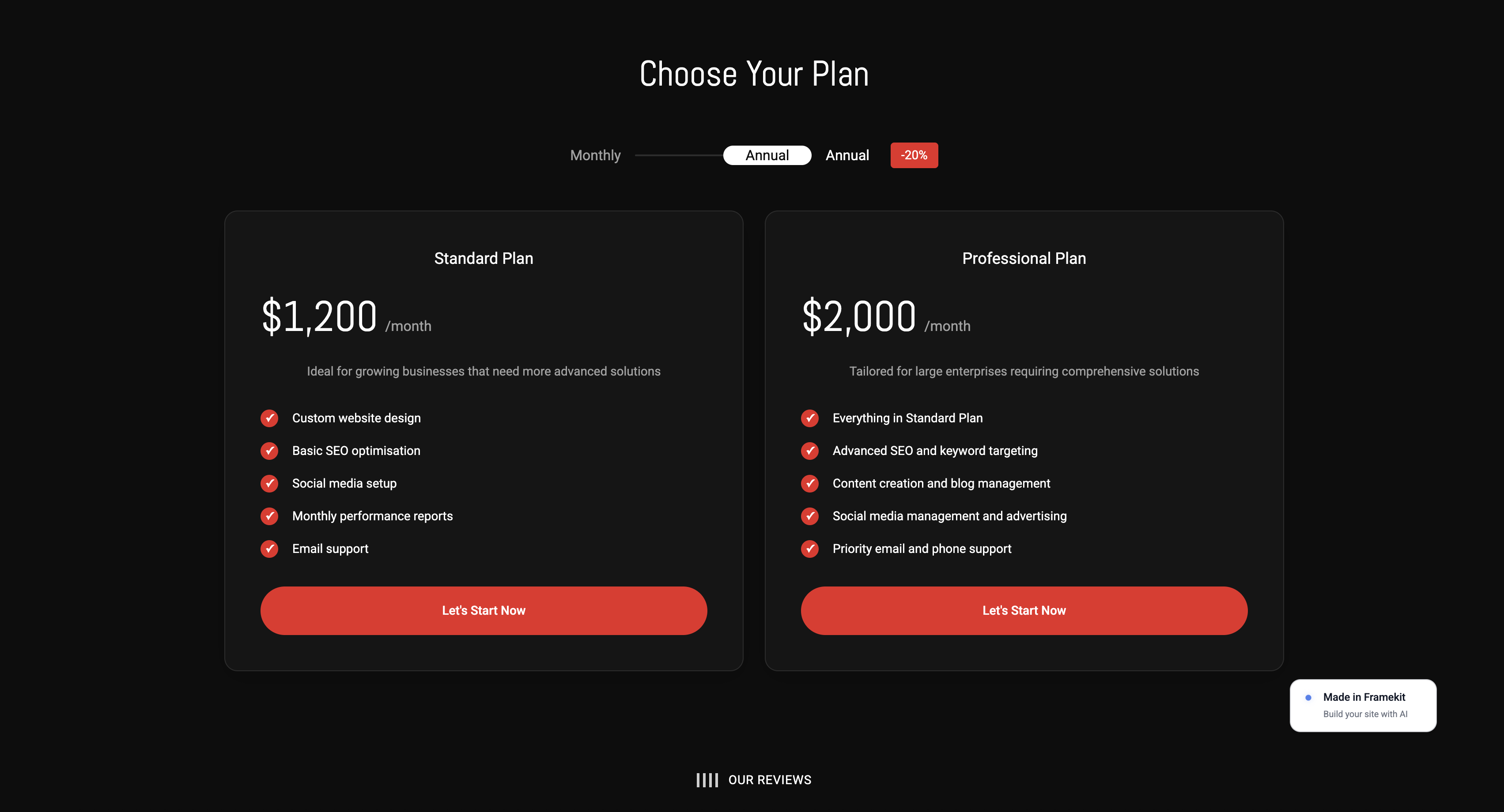
It publishes a multi-page site, delivers unlimited client galleries with passwords, watermarking, favorites and downloads, and sells products at a 5 percent fee, on a Framekit subdomain with a small branding footer.
Moving to your own domain and removing the branding is the $9 Starter plan, Pro at $19 a month drops the product fee to 3 percent, and Business at $39 removes it entirely.
The honest limit, stated as plainly as everything else here: Framekit has no print lab, no booking calendar, and no CRM, so a print-led or appointment-led business will still pay for those separately.
That is why they appear as their own lines in the tables above rather than being quietly folded in.
Frequently Asked Questions
How much does creative business software cost per year?
It depends almost entirely on choices rather than needs. A solo photographer taking the obvious option in every category spends roughly $2,388 a year and rising.
The same photographer choosing the best-value option in each category spends about $228 a year recurring plus a one-time $295.
Choosing free software wherever free software is genuinely professional brings it to $0, at the cost of setup time, print sales, and scheduling. A two-person studio ranges from about $700 to more than $4,000 on the same logic.
What creative software should I actually pay for?
Storage and backup, because free tiers are not sized for creative work and the downside of getting it wrong is total. Client delivery, because it is client-facing and the experience is part of what you are selling.
And whichever single tool your craft genuinely depends on, where the difference between good and adequate is visible in the work.
Everything else deserves a specific named reason before you pay, particularly in video, design, audio, streaming, notes, and upscaling.
Which creative tools are genuinely free rather than a trial?
DaVinci Resolve for video, Affinity for design since October 2025, Penpot for interface design up to eight editors, Audacity for audio, OBS Studio for streaming, Obsidian for notes with files on your own disk, Upscayl for image upscaling, and Photopea for browser-based image editing.
None of these is a trial, none expires, and several are the strongest option in their category at any price rather than the budget one.
What is the biggest overspend in creative software?
Buying agency tools as an individual.
The clearest case is search software, where the cheapest plan of the best-known platform is $1,407.96 a year covering five websites and 500 daily tracked keywords, routinely bought by creatives with one website and about a dozen target phrases.
The same shape appears in asset management, project management, and analytics, where the tool is excellent and priced for a customer you are not.
Does per-seat pricing matter for a two-person studio?
More than any other factor at that size. A tool at $16 a seat is $384 a year for two people, while a tool with unlimited seats is the same price it was for one.
Fillout includes unlimited seats from $180 a year, Filecamp includes unlimited users from $348, and VistaCreate covers up to 10 seats for 10 euro a month.
Also check seat minimums before per-seat rates, since Everhour's five-seat minimum makes it $510 a year for two people.
Should I buy software outright instead of subscribing?
Where the option still exists, usually yes over any horizon longer than about a year. DaVinci Resolve Studio is $295 once against roughly $1,379 for five years of a subscription editor.
Final Cut Pro is $299.99, Logic Pro is $199.99, and REAPER is $60 for personal use.
The counter-argument is update velocity, which genuinely matters in categories where camera formats change yearly and matters very little for design and audio tools.
What price rises should I expect on renewal?
Four shapes recur and all appeared in this pricing exercise. Renewal step-ups, where Toggl Track Premium moves from $14 to $18 per user per month after year one.
Promotional expiries, where Paymo's rates rise up to 41 percent after three months. Seat minimums that make small teams pay for five.
And withdrawn free plans, where Podia removed its free tier in October 2024 and CapCut Pro is reported to have roughly doubled. Diarise renewals two weeks ahead.
Can a photography business really run on free software?
For the production side, yes, and the tools are genuinely professional rather than compromises.
What free does not cover is print sales, which need a print lab, a booking calendar if your business runs on appointments, and collaboration headroom once a second person joins.
Budget those three as real costs and treat everything else as optional. Our guide to free tools for photographers covers the production half in more detail.
How do I work out what my current stack costs?
Open your card statement rather than working from memory, list every creative subscription with its annual figure, and note when you last opened each one. Anything untouched for ninety days is a decision already made.
Then audit seat types, since paying full-seat prices for people who only view or comment is the most common overspend, and moving them costs nothing at all.
Most people find two forgotten subscriptions and one replaceable tool in the first hour.
What is the cheapest way to deliver galleries to clients?
Client galleries are bundled into several website builders rather than being a separate purchase, which removes a line item entirely.
Where they are separate, the cost is per gigabyte of storage rather than per gallery, so the deciding number is how much you keep online and for how long rather than how many clients you have.
Our comparison of ways to deliver client photos prices the standalone options properly.
The Honest Bottom Line
The most useful finding from pricing three complete stacks is that capability and cost have come apart in creative software.
In the categories that determine how good the work looks and sounds, video editing, design, audio, and streaming, the free tool is now the best tool or very close to it, and paying more buys convenience rather than quality.
Where money genuinely belongs is unglamorous: storage that is large enough, delivery that a client enjoys receiving, and the one specialist tool your particular craft depends on.
Those three are worth paying properly for, and most creative businesses underfund exactly those while overpaying for agency platforms sized for someone else.
The one caveat worth stating against our own argument is that free is not free of cost, it is free of price.
Resolve, Obsidian, and OBS all want an afternoon before they want anything else, and a business with more money than time is making a rational choice by paying to skip that.
The mistake is not paying; it is paying without ever having checked what the alternative was.
If you do one thing after reading this, do the seat audit and the renewal diary. Between them they take under an hour, they require no migration, and they recover more for most creative businesses than switching any single tool would.
Then, if you want the larger saving, start from the site and add only what the work actually needs.
Related readingThe best one-time purchase creative tools, website builder renewal prices, and the best free tools for photographers.
Also in this seriesSEO tools for creatives, time tracking apps for freelancers, and video editing software.