Framekit templates
Start from a designer-made template
 Use template
 Use template
 Use template
 Use template
 Use template
 Use template
 Use template
 Use template
Ask ten photographers what a client gallery is and you get ten descriptions of the same thing from different angles: a delivery page, a proofing tool, a print store, a branded link. All partly true, none of them the definition.
The confusion matters because it is why photographers buy the wrong tool. Someone who needs a delivery page pays for a print store they never open, and someone who needs proofing ends up emailing files after a spreadsheet.
A client gallery is a private, branded web page where a photographer delivers finished photos to a paying client, with controls the photographer sets: who can open it, who can download, which images are marked as favorites, how long it stays available, and whether prints or files can be bought from it.
Framekit is an AI website builder with client galleries included, which means a gallery can be a page of your own site rather than a page on a vendor's, and it is the reason the comparisons further down treat the website as part of the price.
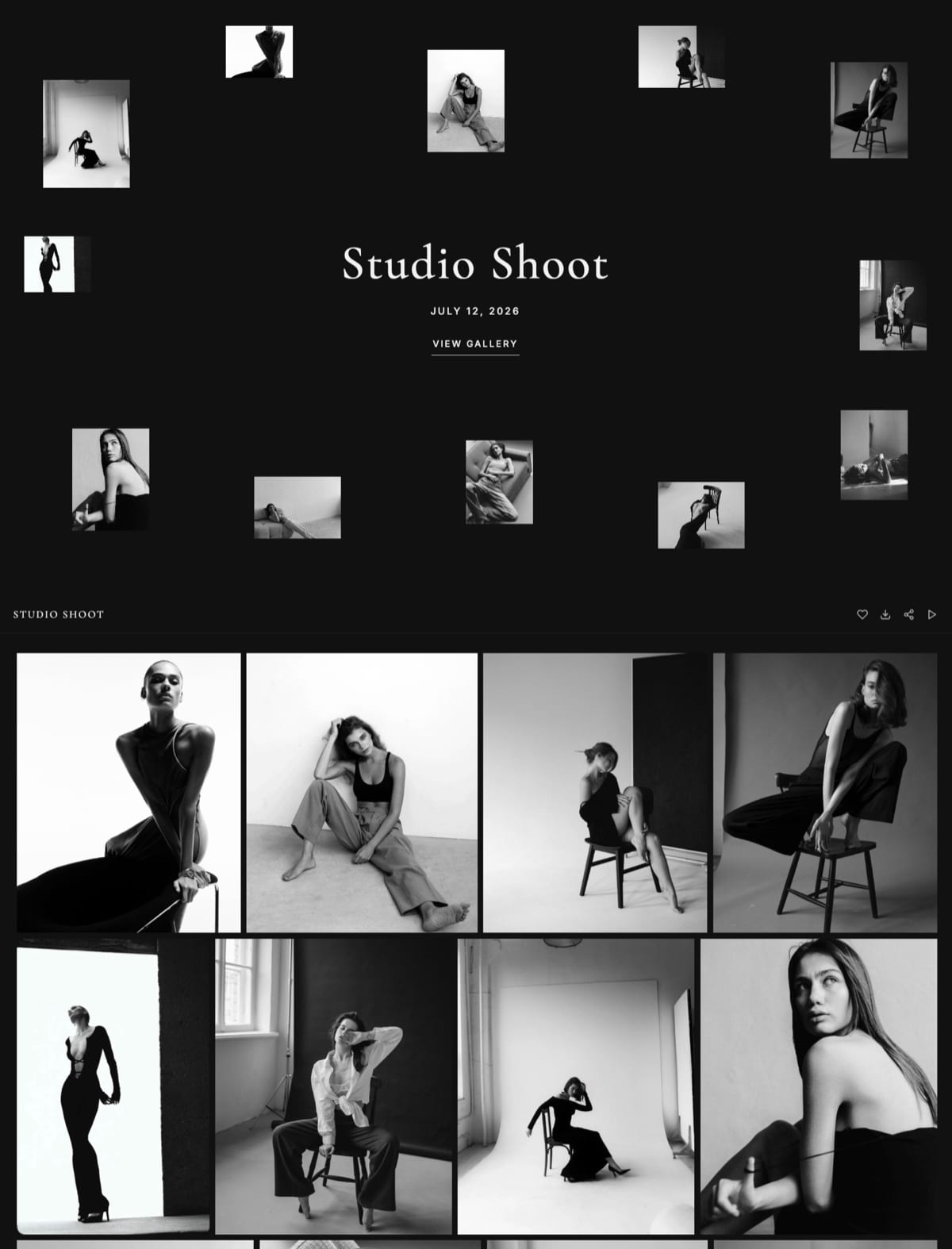
A client gallery is private photo delivery software: the client opens a link, browses their photographs on a page carrying your studio's name, marks favorites, and downloads full-resolution files, while you control the password, the download window, the expiry date, and any ordering path.
It differs from a shared cloud folder in that it presents images rather than files and gives you selections and access control, and from a portfolio page in that it is private and made for one client rather than public and made for everyone.
The Framekit rows in our pricing table were re-verified on 19 September 2026, when its storage moved to one pool per account.
What a Client Gallery Actually Does
There are six jobs a client gallery performs, and any tool doing fewer than four of them is a file transfer with a nicer background attached rather than a delivery system you should pay for.
Presents the photographs. A cover image, a title with the client's name, and a layout designed for looking at pictures rather than for listing files.
Controls who gets in. A password per gallery, so one client sees their photographs and not everybody else's.
Controls who takes files. Downloads gated separately from viewing, ideally by a PIN, so a client can share the viewing link with family without also sharing every full-resolution file.
Collects selections. A favorites tool that tells you which images the client is attached to, which is what album design and print recommendations are built on.
Manages time. A download window and a retention period, ideally with a reminder before the window closes, so the gallery is not a permanent free backup service.
Provides a route to buy. Either a built-in store connected to a print lab, or a clear line inviting the client to enquire.
Everything else, watermarking, slideshows, mobile apps, analytics, is refinement on top of those six.
How a Client Gallery Works, Step by Step
The mechanics are broadly the same across every platform in this category, so learning them once tells you what to expect from any of them, and where they differ is in polish rather than in principle.
You create a gallery and name it, usually after the client and the date. You upload the finished, edited JPEGs, which on most platforms including Framekit means JPEG, PNG, WebP, or GIF rather than camera RAW files.
You group the images into named sets so the client can navigate: Getting Ready, Ceremony, Portraits, Details, Reception for a wedding, or Heroes, Details, and crops for commercial work.
You choose a cover image and set the access rules: a password, optionally a separate download PIN, a download window, and an expiry date for the gallery itself.
You share it, usually by email from the platform or from your own address, with the link and the password in the same message.
The client opens the link on a phone, browses, taps hearts on the images they love, and downloads either single images or the whole gallery as a ZIP. On most platforms they do this without creating an account.
You see what happened: whether the gallery was opened, how many people saw it, which images were favorited, and whether files were downloaded before the window closed.

Client Gallery vs Shared Folder vs Portfolio Page
In one linethese three get confused constantly and they answer different questions, because a portfolio is public and made for strangers, a shared folder is private and made for colleagues, and a client gallery is private and made for one paying customer who is not technical and will judge your studio by what they see.
| Client gallery | Shared cloud folder | Portfolio page | |
|---|---|---|---|
| Audience | One paying client | A collaborator | The public |
| Privacy | Password per gallery | Link or permissions | Open |
| What it shows | Photographs, designed | A file list | Your best work |
| Favorites | Yes | No | No |
| Download control | Password plus PIN | Permissions only | Usually none |
| Expiry | Built in | Manual | Not applicable |
| Print or file sales | Often | No | Sometimes |
| File types | Finished JPEGs | Anything | Web images |
| Who it markets | Your studio, if on your domain | A technology company | Your studio |
The practical rule: portfolio for strangers, shared folder for professionals, gallery for customers.
What a Client Gallery Costs
Client galleries cost less than most photographers assume, and the number worth comparing is the annual total rather than the monthly headline. Every figure below was read from the vendors' own pricing pages in August 2026.
| Plan | Storage | Sales commission | Monthly |
|---|---|---|---|
| Framekit Free | 10GB pooled, website included | None on delivery | $0 |
| Framekit Starter | 50GB pooled, custom domain | None on delivery | $9 |
| Framekit Pro | 300GB pooled, up to 150GB of it video | None on delivery | $19 |
| Pixieset Free | 3GB | 15% on store sales | $0 |
| Pixieset Basic | 10GB, custom domain | 0% | $10 |
| ShootProof Free | 100 photos, 5GB | 0% on every plan | $0 |
| ShootProof 5,000 photos | 250GB | 0% | $19.99 annual |
| CloudSpot Lite | 100GB | 0% | $17 |
| Pic-Time Professional | 100GB plus 30GB video | 0% self-collected | $25 |
Two things to notice. Free tiers exist everywhere and are genuinely usable for a first season, and the commission on some free tiers is the most expensive line in the category: 15% of $6,000 of print sales is about $900, against a $120 plan that removes it.
When You Do Not Need One
Being straight about the cases where you do not need one is more useful than another recommendation, because a subscription bought for a problem you do not have is money leaving every month for nothing.
If your recipients are professionals. Retouchers, editors, printers, and second shooters want working files and folder permissions, not a browsing experience. Cloud storage is the right tool and no gallery beats it.
If you shoot fewer than about six paid jobs a year. Free tiers cover you completely, and paying for capacity you will not use is the most common early mistake.
If your contracts hand over camera files. Some commercial agreements transfer everything, at which point the delivery is a file transfer by definition and galleries reject those formats anyway.
Our longer analysis of the cost and return is in are client galleries worth it.
How to Set One Up
Setting up your first client gallery takes about twenty minutes end to end, and every gallery after that takes five once you have saved a house style and written a delivery email template.
Choose a platform based on whether you also need a website and whether you sell prints. If you need both a portfolio and delivery, a builder with galleries included is usually cheaper than two subscriptions.
If prints are your income, choose a platform with lab fulfilment and a 0% commission plan.
Set a house style once: cover style, typography, ground, grid, password policy, download window, and expiry. Every future gallery then inherits it.
Name galleries date first, client second, so they sort chronologically and match your archive, as set out in how to organise client galleries.
Write the delivery email as a template with the link, the password, both dates, how favorites work, and one ask. Framekit ships six starter templates covering wedding, portrait, editorial, event, general delivery, and reminder cases.
Open your own gallery on a phone before you send it, every time. The full checklist is in what to include in a client gallery.
Frequently Asked Questions
What is a client gallery?
A client gallery is a private, branded web page where a photographer delivers finished photos to a paying client, with the photographer controlling access, downloads, favorites, expiry, and any ordering path.
The client opens a link, browses their photographs, marks favorites, and downloads full-resolution files, usually without creating an account.
It differs from a shared cloud folder because it presents images rather than lists files, and from a portfolio because it is private and made for one client.
How does a client gallery work?
You create a gallery, upload finished JPEGs, group them into named sets, choose a cover, set a password and a download window, and share the link by email.
The client opens it, browses on a phone or laptop, taps hearts on images they love, and downloads single files or the whole gallery as a ZIP.
You then see whether it was opened, what was favorited, and whether files were collected before the window closed.
What is the difference between a client gallery and Dropbox?
A client gallery presents photographs on a branded page with favorites, password protection, separate download control, expiry, and often a print store, while Dropbox lists files in a folder with permissions and none of the rest.
Dropbox is better for working files, RAW, video, and two-way exchange with collaborators, and worse for anything a paying client opens.
Most working photographers run both, using cloud storage before delivery and a gallery for the delivery itself.
Do clients need an account to view a client gallery?
Not on any well-designed platform. Framekit galleries open with a password and deliver full-resolution downloads with no client account at all, and most dedicated gallery platforms work the same way.
Requiring an account is the largest silent drop-off in photo delivery, because a non-technical client faced with a sign-up form closes the tab intending to return later, which is why shared cloud folders lose deliveries that galleries do not.
How much does a client gallery cost?
Between $0 and $25 a month depending on storage and whether you sell prints.
Framekit's free plan delivers unlimited galleries with no commission in a 10GB pool and includes a website, Pixieset Basic is $10 with 10GB, CloudSpot Lite is $17 with 100GB, and Pic-Time Professional is $25.
Watch the commission rather than the subscription: 15% of $6,000 of print sales is about $900 a year, more than seven times the plan that removes it.
Can I use my portfolio website as a client gallery?
Only if it can password-protect individual pages, gate downloads separately from viewing, deliver whole-gallery ZIPs, and expire access, which most portfolio builders cannot.
Publishing a client's photos as a normal page means anyone with the URL can view and save them, with no selection tool and no retention policy.
The cheaper route than adding a second subscription is a builder that includes client galleries, covered in do you need a client gallery with a website.
What file types can a client gallery handle?
Finished image formats: JPEG, PNG, WebP, and GIF on most platforms including Framekit, with per-file limits typically between 25MB and 100MB.
Camera RAW, TIFF, and PSD are rejected almost everywhere, because galleries are built to present finished work rather than to store working files.
Video is handled separately where it is supported at all, with its own storage allowance and per-file cap.
How long should a client gallery stay online?
Keep downloads open for 60 to 90 days and the gallery viewable for around 12 months, because reprint and reorder requests cluster between month six and month eighteen.
A 30-day expiry closes the gallery before the revenue window opens, which is the most common and most expensive default in the category.
Framekit galleries stay published until you unpublish them, with expiry as an option rather than the default.
Do client galleries let me sell prints?
Many do.
Pixieset, ShootProof, Pic-Time, CloudSpot, SmugMug, and Zenfolio all connect galleries to pro labs so a client can order without leaving the page, with commissions ranging from 0% on ShootProof's every plan to 15% on some free tiers.
Framekit sells digital files rather than physical prints, so print revenue there comes from invoicing the client and ordering from a lab yourself, which keeps the full margin.
What is the best client gallery for a beginner?
Start on a free tier rather than paying for capacity you will not use.
Framekit's free plan is the strongest starting point because it delivers unlimited galleries with no commission and includes a real website on your own address, so you get the portfolio and the delivery together.
If you already know print sales will be your main revenue, ShootProof's free tier keeps 0% commission while adding lab fulfilment you will grow into.
The Short Version
A client gallery presents photographs, controls access, gates downloads, collects favorites, manages time, and offers a way to buy. Six jobs. Anything doing fewer than four of them is a file transfer.
Start on a free plan, set a house style once, name galleries so they sort themselves, and check the result on a phone before you send it. The version that compounds is a gallery on a domain you own, because then the delivery builds your studio rather than a platform's.
Related reading: how to create a client gallery, our full client gallery platform comparison, what to include in a client gallery, and are client galleries worth it.
For the money side see how much client galleries cost and best free client gallery software.
Pixieset publishes its current plan limits on its pricing page.